Portal - Powerful Veterinary Landing Page Template
Portal is a split-screen veterinary client portal landing page template built for modern veterinary practices. It features an interactive time savings calculator, a tab-switching header, and dual conversion paths for clinic enrollment and pet parent app downloads. The Dashboard Pro layout and Teal Catalyst color system make every section feel organized, trustworthy, and easy to act on.
by Rocket studio
Quick summary
Portal is a single-page veterinary client portal template designed to help clinics reduce phone callbacks and help pet owners manage care from one place. It combines an interactive calculator hook, a feature tab switcher header, and two clear conversion paths into a clean 50/50 split-screen layout built for practice managers and pet parents alike.
Who this template is for
This template was designed with a specific and underserved audience in mind. It speaks directly to the people running and relying on a modern veterinary practice every day.
- Veterinary practice managers looking to reduce staff time lost to phone callbacks and manual scheduling
- Vet techs who need pet owners to arrive prepared, without repeating post-operative instructions on every call
- Pet parents who want to book appointments, request prescription refills, and check lab results without playing phone tag
What problem this template solves
Veterinary clinics lose hours every week to avoidable phone calls. Pet owners cannot reach their clinic after hours, so they panic-search symptoms online and arrive anxious. This template addresses the gap between what clients need and what the front desk can realistically provide.
- Staff burnout from high callback volumes and repeated explanations across every shift
- Pet owners without a reliable self-service option for routine requests like refills or appointment booking
- Clinics that lack a convincing digital presence to promote their client portal app
What you get with this template
You get a fully structured landing page ready to present a veterinary client portal with confidence. The layout is designed to earn trust, demonstrate value, and guide two different visitor types toward action.
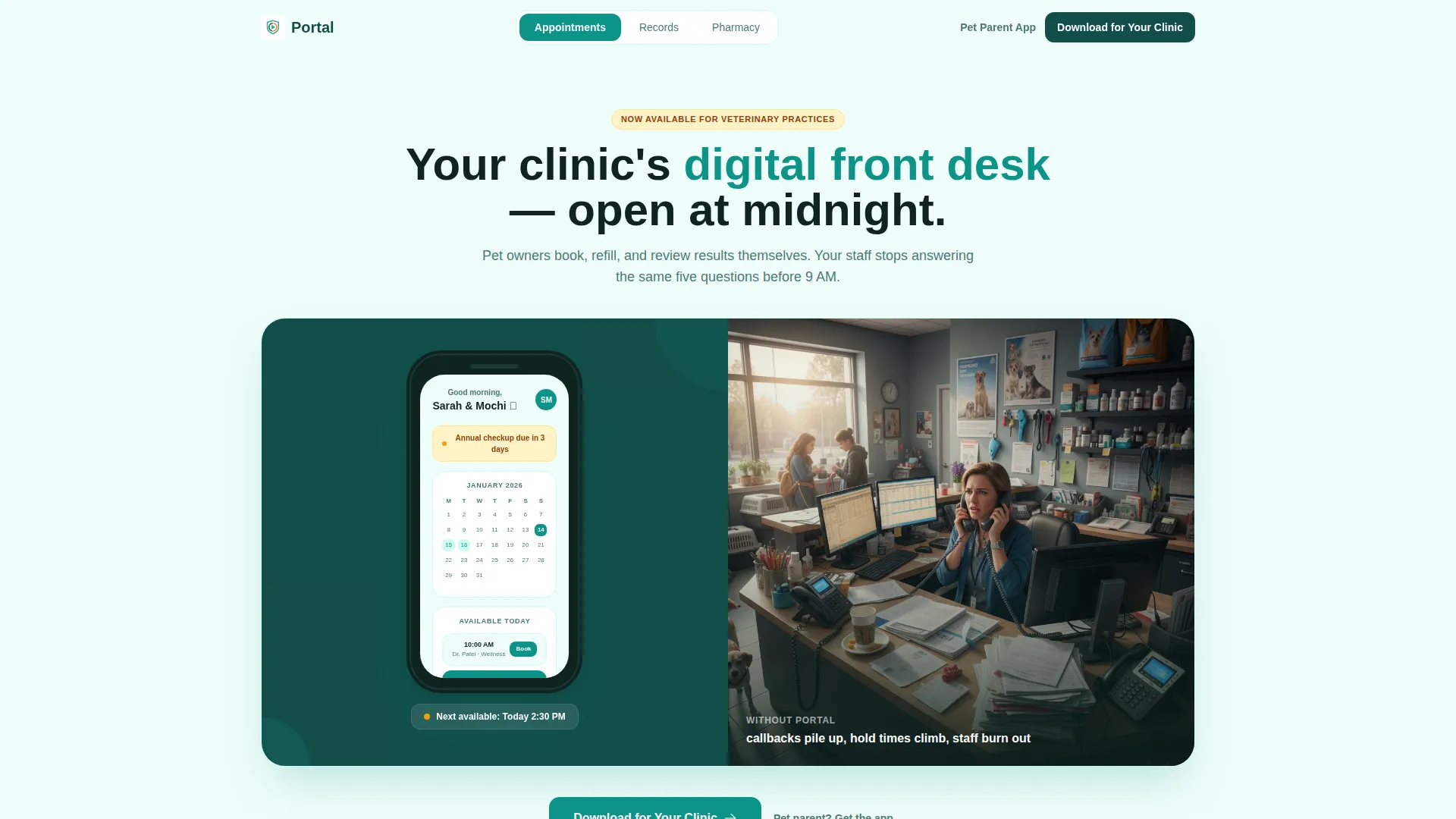
- A Feature Tab Switcher header with three tabs (Appointments, Records, Pharmacy) and animated split-screen transitions
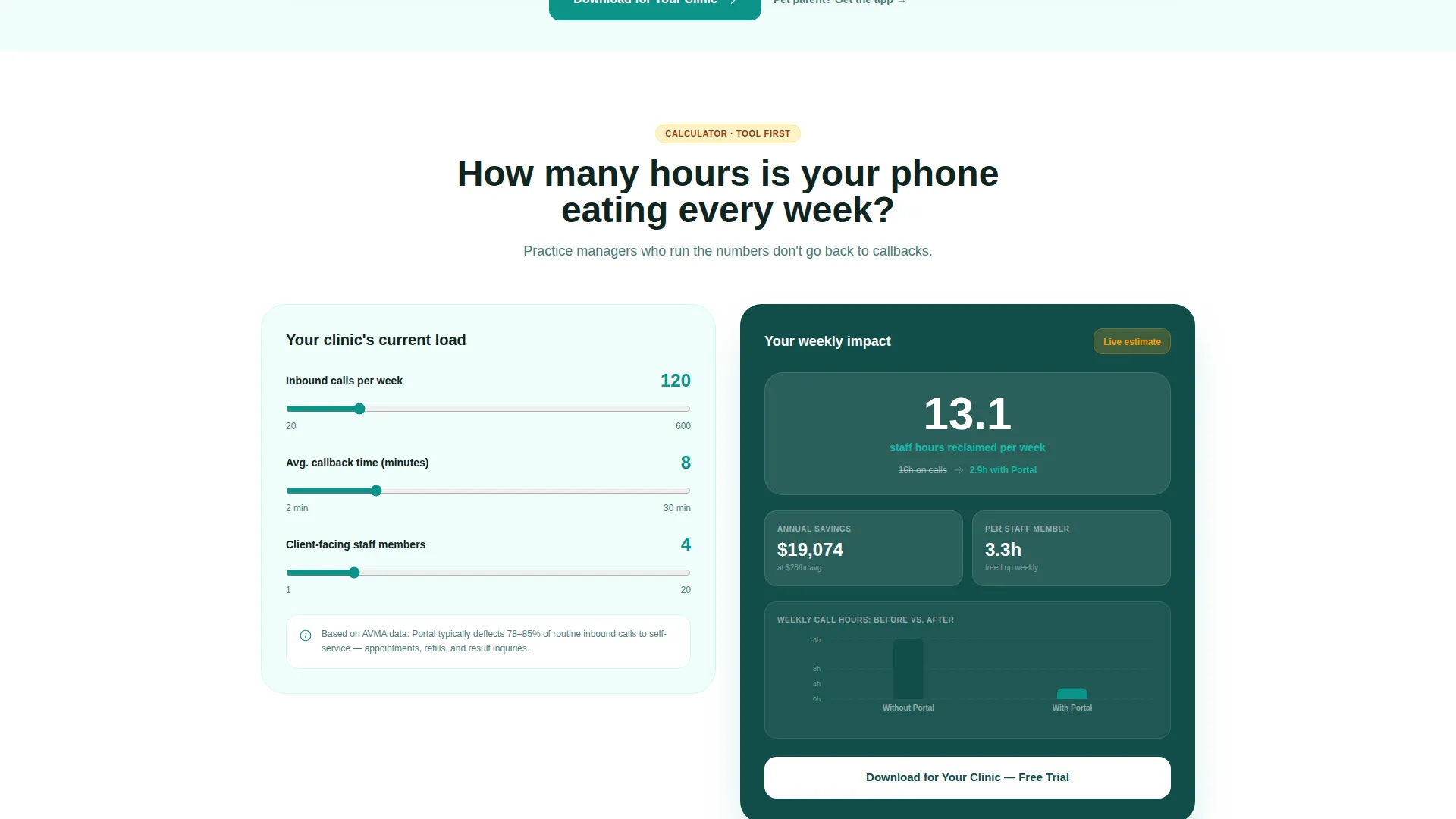
- An interactive Clinic Time Savings Calculator that generates a personalized results card showing hours reclaimed and estimated cost savings
- Dual conversion paths: a clinic enrollment form for practice managers and App Store plus Google Play download buttons for pet parents
Feature list
This template includes purposefully designed components that work together to move visitors from curiosity to conversion.
Interactive Time Savings Calculator
The calculator sits directly below the header as the primary engagement hook. Practice managers enter their weekly call volume, average callback time, and staff count. The right panel then renders a live results card showing hours reclaimed per week, estimated annual cost savings, and a before/after staffing comparison bar chart.
Feature Tab Switcher Header
Three tabs labeled Appointments, Records, and Pharmacy sit centered above a split-screen frame. Clicking any tab swaps both sides simultaneously. The left side shows a smartphone mockup with an animated interface transition. The right side dissolves to a real-world photo showing what that feature replaces, such as a ringing waiting room phone or a paper file folder.
Split-Screen Section Layout
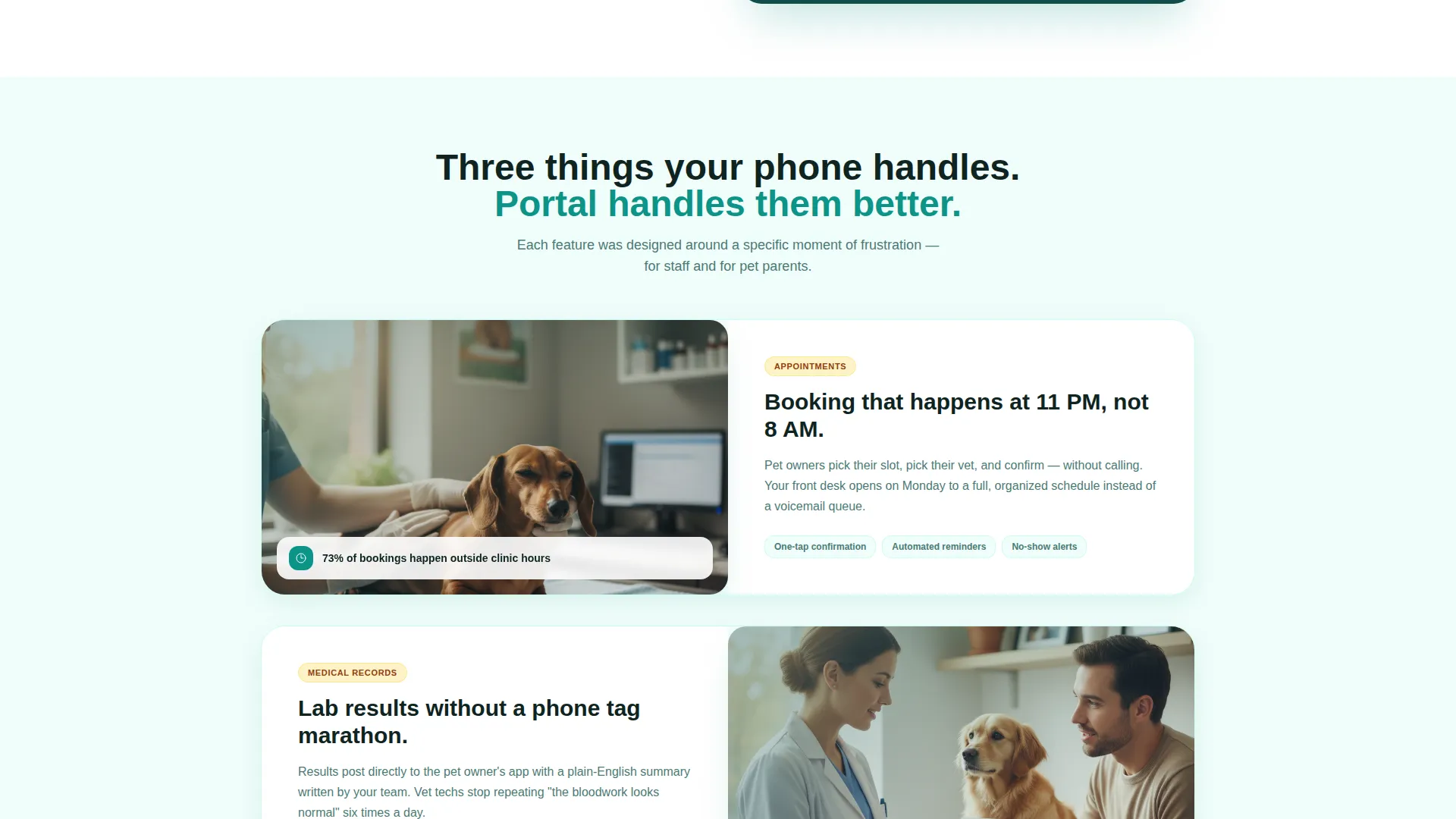
Every major content section follows a consistent 50/50 layout. One side shows a user interface screenshot or interactive component. The other side shows a real-world benefit photograph. This pairing helps visitors instantly connect the digital feature to the problem it eliminates.
Scrolling Testimonial Ticker
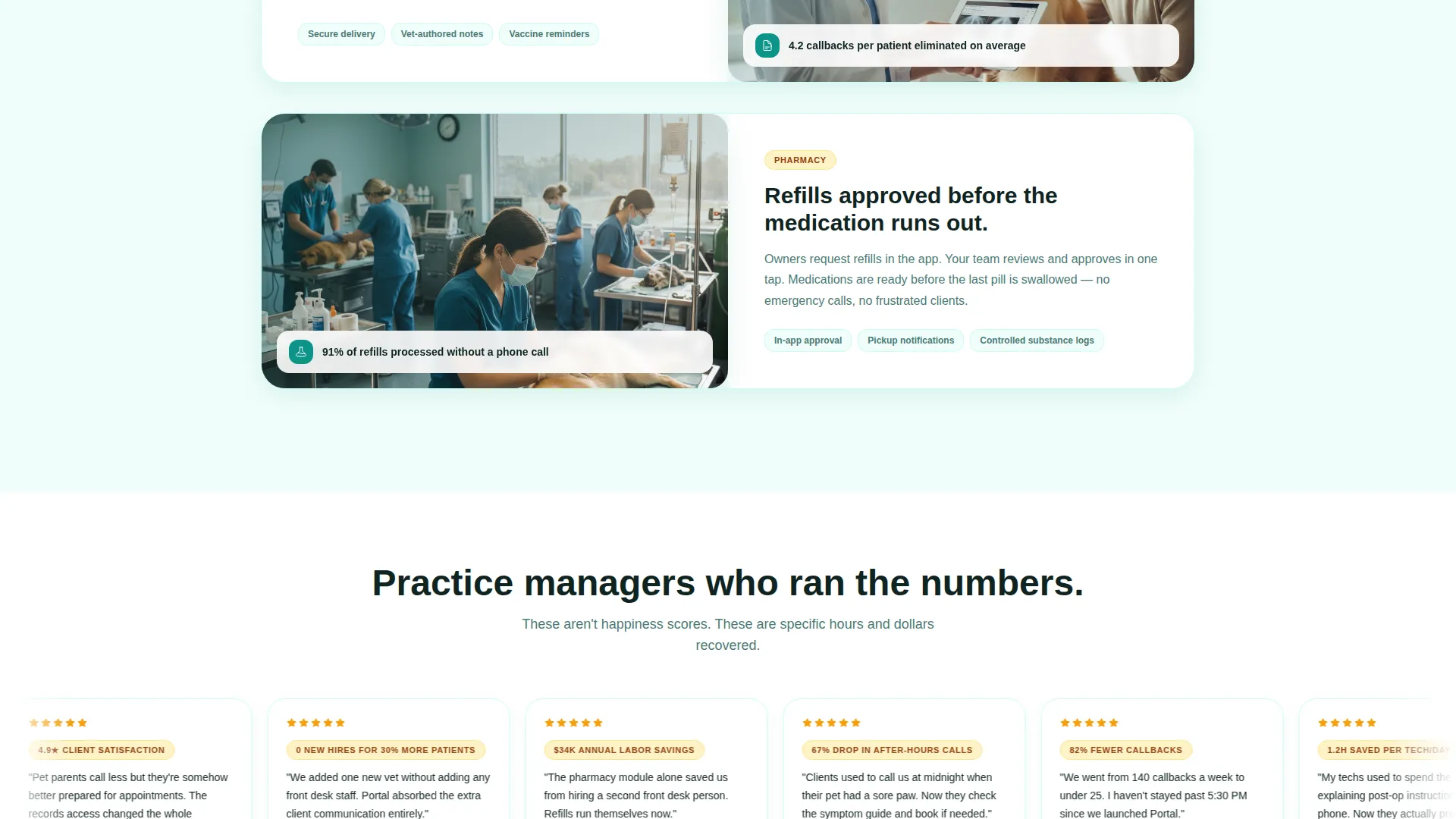
A testimonial section scrolls automatically and surfaces quotes from practice managers citing specific metrics. This section adds credibility without asking visitors to pause and read a wall of text.
Security and Compliance Panel
A dedicated panel addresses veterinary data privacy concerns directly. It uses lock icons and encryption badges to reassure both clinic administrators and pet owners that sensitive health records are handled responsibly.
Pinned and Repeated Call to Action
The primary call to action, Download for Your Clinic, appears pinned in the header and repeats immediately after the calculator results. This placement catches visitors at both the first impression and the moment of highest motivation.
Page sections overview
| Section | Purpose |
|---|---|
| Tab Switcher Header | Introduces three core portal features with animated split-screen previews |
| Time Savings Calculator | Lets practice managers calculate hours and cost savings from reduced callbacks |
| Calculator Results Card | Displays personalized hours reclaimed, savings estimate, and staffing bar chart |
| Feature Breakdown Sections | Pairs interface screenshots with real-world benefit photos for each core feature |
| Testimonial Ticker | Scrolls practice manager quotes with specific performance metrics |
| Security Compliance Panel | Addresses veterinary data privacy with lock icons and encryption badges |
| Clinic Enrollment call to action | Prompts practice managers to download and enroll with a structured sign-up form |
| Pet Parent App call to action | Offers pet owners direct App Store and Google Play download buttons |
Design & branding system
The visual identity follows a Dashboard Pro theme using the Teal Catalyst color system. Every color choice reinforces the feeling of a modern clinic that is both professional and approachable.
- Clinical teal (#0D9488) serves as the primary action color for buttons and interactive elements; deep scrub green (#134E4A) anchors navigation and headers; soft exam-room white (#F0FDFA) keeps backgrounds open and readable
- Warm amber (#F59E0B) is reserved exclusively for notifications, badges, and urgent states, so important signals never get lost in the layout
- The overall palette feels like a recently renovated veterinary clinic: sterile enough to trust for sensitive health data, warm enough to welcome a nervous pet owner at midnight
Mobile & speed optimization
The split-screen layout is structured to translate clearly across device sizes. The smartphone mockup on the left side of the header reinforces that the portal itself is mobile-first, which sets the right expectation before visitors even scroll.
- The 50/50 grid is designed to reflow gracefully so content stacks cleanly on smaller screens without losing the visual pairing logic
- The calculator inputs and results card are sized for touch interaction, making the primary conversion tool accessible on phones and tablets
- Pinned header placement of the primary call to action keeps the enrollment path reachable without scrolling on any screen size
How this template helps you convert
This template earns conversion by making the value tangible before asking for any commitment. The structure is deliberate and sequential.
- The calculator creates a personalized, data-driven reason to act. Once a practice manager sees fourteen staff hours lost per week, the enrollment form feels like relief rather than friction.
- The tab switcher and feature breakdown sections build product confidence by showing real interface previews alongside the real-world problems they replace, reducing hesitation before the download step.
- Two separate conversion paths mean the page works for both clinic decision-makers and individual pet owners in a single visit, without either audience feeling like an afterthought.
Other information about this template
This template is part of a broader set of veterinary digital presence resources built for the intersection of technology and client-facing clinic tools. A few additional details worth knowing before you build:
- The practice enrollment form includes a dropdown field for practice management software selection, with options including Cornerstone, AVImark, eVetPractice, and Other
- The template is categorized under Technology and Veterinary Digital Presence, making it suited for clinics modernizing their digital front desk alongside their in-clinic operations
- The Calculator/Tool First creative direction means the interactive element is the lead, not a supplementary feature added below the fold
- This is a single landing page, not a multi-page website, so all content and conversion paths are contained within one scrollable experience
Theme
Dashboard Pro
Creative direction
Calculator/Tool First
Color system
Teal Catalyst
Style
Split Screen (50/50)
Direction
App Download
Page Sections
Interactive Time Savings Calculator
Feature Tab Switcher Header
50/50 Split-screen Layout
Scrolling Testimonial Ticker
Security and Compliance Panel
Dual Conversion Path Design
Related questions
Who is this landing page template designed for?
What does the time savings calculator show visitors?
Does this template support two different types of visitors?
What practice management software options are included in the enrollment form?
Can the color system be updated to match a specific clinic's branding?



