Predict - Powerful Sports AI Landing Page Template
Predict is a hub-and-spoke sports AI chatbot landing page built for bettors, DFS players, and fantasy managers who need fast, data-backed answers. The interactive header demo streams a live AI response the moment visitors land. A clinical spec-sheet layout builds trust section by section, and a single click-through call to action routes straight to signup.
by Rocket studio
Quick summary
Predict is a single-page sports AI chatbot landing page template designed around a Data Command visual theme. It opens with a functioning chat window mid-conversation, then walks visitors through a spec-by-spec breakdown of the AI's capabilities. The page closes with a full-width call-to-action bar that routes directly to a one-step registration flow.
Who this template is for
This template is built for founders, product teams, and indie developers launching a sports AI chatbot or data-driven sports tool. It speaks directly to an audience that values precision over hype.
- DFS players and sharp bettors who need a tool that earns trust on first contact
- Fantasy sports platform builders who want to position their product as a quantitative edge
- Sports tech startups that need a landing page matching the seriousness of their product
What problem this template solves
Most sports tech landing pages either over-promise with vague marketing language or bury the product behind a wall of text. Neither approach converts a skeptical bettor or data-minded fantasy manager.
- Visitors leave before they understand what the product actually does
- There is no moment of proof, no demo, no live output, no reason to believe
- The page fails to bridge the gap between "interesting tool" and "I need this now"
What you get with this template
You get a fully structured hub-and-spoke landing page with an anchor navigation system that lets visitors jump between feature sections without losing context. Every section is purpose-built for a specific conversion job.
- An interactive chat preview section that demonstrates the AI mid-response on page load
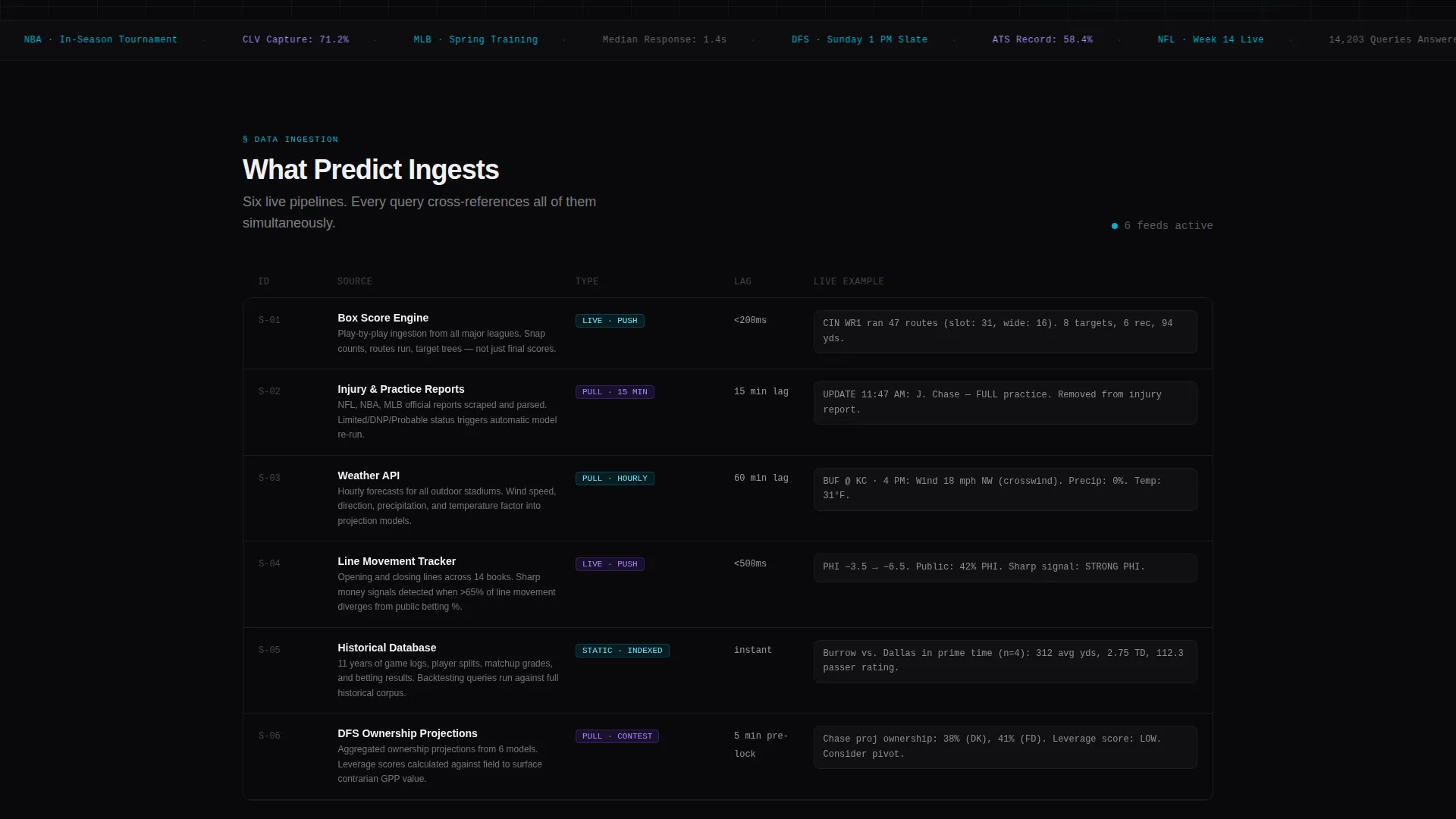
- A scrollable spec-sheet layout with claim, metric, explanation, and live example output per row
- A sticky anchor nav and a full-width call-to-action bar both linking to the signup gate
Feature list
This template ships with six purpose-designed sections and a cohesive visual system. Each feature below maps directly to a described component in the page brief.
Live Chat Preview Header
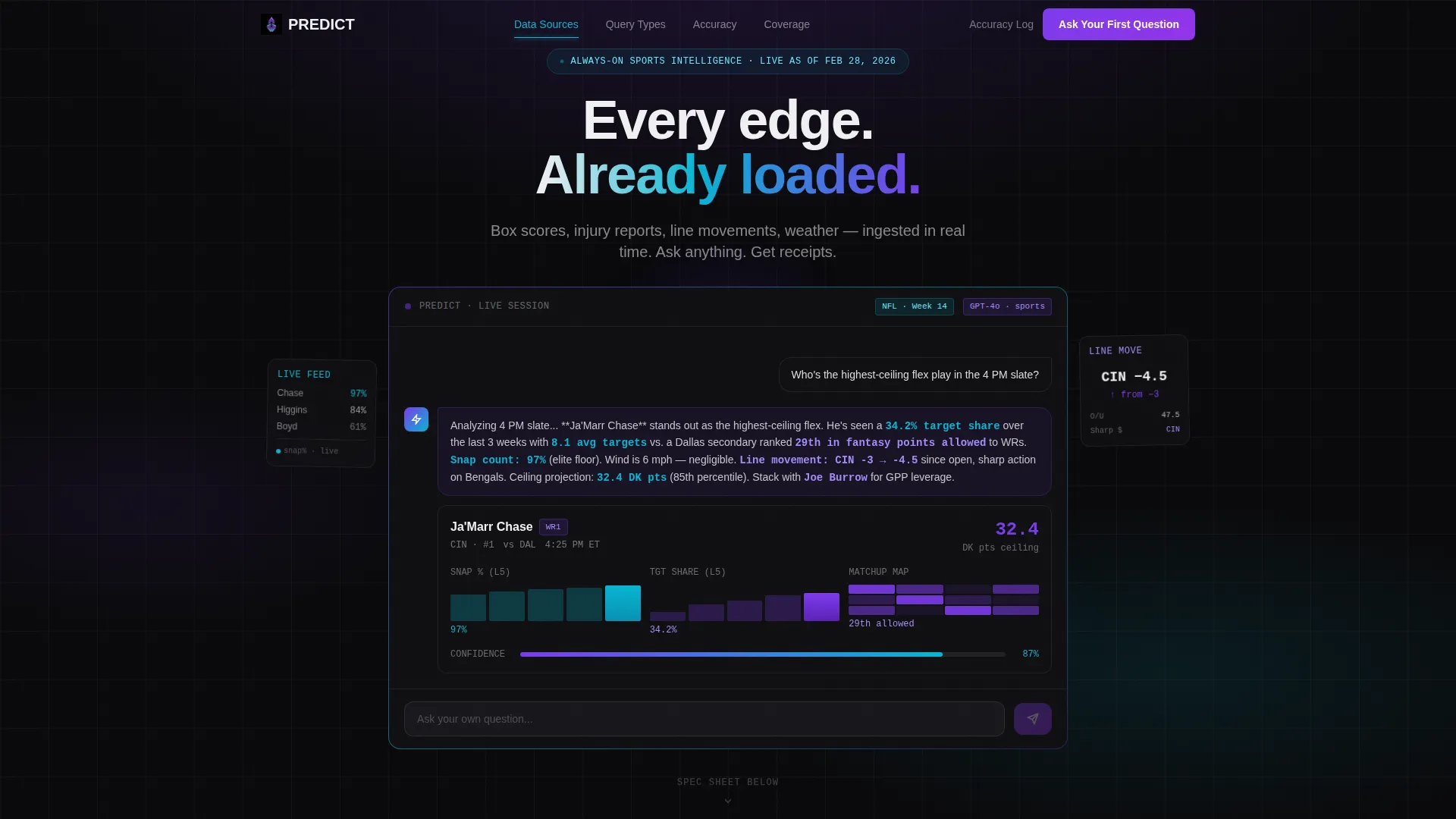
The header centers a functioning chat window already mid-thread. A pre-loaded question, "Who's the highest-ceiling flex play in the 4 PM slate?", is displayed with the AI response streaming in token by token. A player card with snap-count trends, target share graphs, and a matchup heat map renders inside the response. Visitors can type their own question, turning observation into participation.
Hub-and-Spoke Anchor Navigation
A sticky navigation bar sits at the top of the page and links to each spoke section. Visitors can jump directly to query types, data sources, model accuracy, latency benchmarks, or supported leagues without scrolling through content they have already read.
Spec-Sheet Section Layout
Each spoke section presents one feature as a labeled specification row. Every row carries a metric, a short explanation, and a live example output. The rhythm is deliberate: claim, proof, next. This format builds credibility with data-literate users who distrust vague promises.
Click-Through Conversion Flow
There are no form fields on the landing page. The primary call-to-action button, labeled "Ask Your First Question," appears in the sticky nav and again in a full-width bar after the final spec row. Both route visitors to a one-step registration page requiring only an email and username.
Secondary Transparency call to action
A secondary call-to-action labeled "See Live Accuracy Log" links to a transparency dashboard. This gives skeptical visitors a path to verify the product's claims before committing, reinforcing trust without cluttering the main conversion flow.
AI Iridescent Color System
The visual identity uses void black as the base, with holographic violet marking AI-generated outputs and plasma cyan highlighting live data feeds. Signal white handles primary text. Every stat and data point appears to glow against the near-black background, reinforcing the Data Command theme throughout.
Page sections overview
| Section | Purpose |
|---|---|
| Interactive Chat Header | Hook visitors with a live AI demo mid-response |
| Sticky Anchor Nav | Let visitors jump to any spec section instantly |
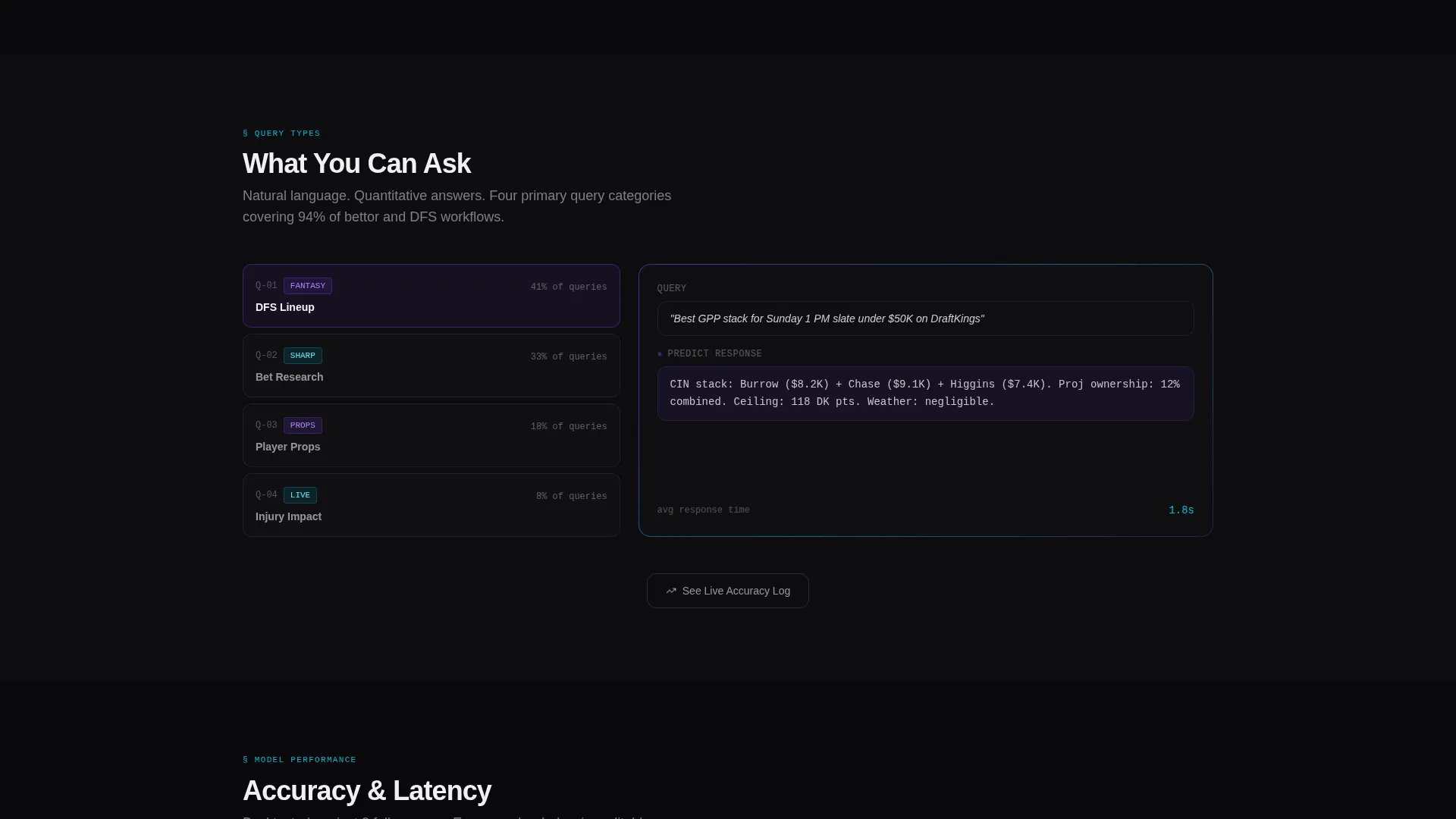
| Query Types Spoke | Show what kinds of questions the AI answers |
| Data Sources Spoke | List the inputs: box scores, injuries, weather, line movements |
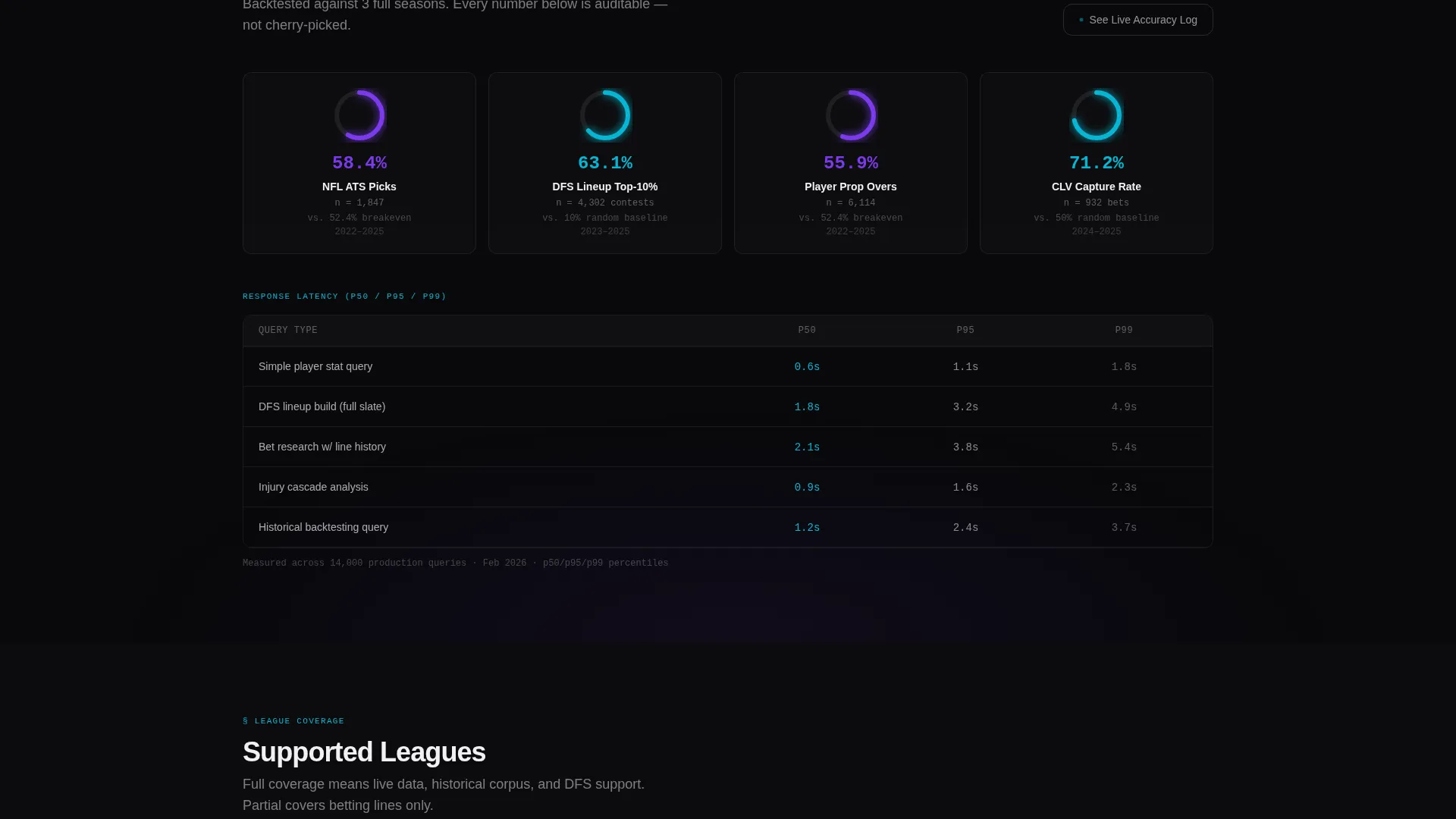
| Model Accuracy Spoke | Present accuracy metrics with example outputs |
| Latency Benchmarks Spoke | Demonstrate response speed with labeled data rows |
| Supported Leagues Spoke | Clarify scope of sports and competition coverage |
| Full-Width call to action Bar | Drive signup with a single "Ask Your First Question" click |
Design & branding system
The design follows a Data Command theme that makes every data point feel like a live signal on a war-room display. The palette is intentionally dark and dense, with color used only where information surfaces.
- Void black (#09090B) as the dominant background, plasma cyan (#06B6D4) for live data highlights, and holographic violet (#7C3AED) for AI-generated output markers
- Signal white (#F0F0F3) for all primary text, keeping legibility high against the dark base
- A GPU-rendering aesthetic where shifting luminance and iridescent accents create a sense of real-time data processing
Mobile & speed optimization
The hub-and-spoke layout and anchor navigation are structured to work cleanly across screen sizes. The sticky nav collapses gracefully on smaller displays, keeping key navigation accessible without overwhelming the viewport.
- Spec-sheet rows reflow into a single-column layout on mobile, preserving the claim-proof rhythm without horizontal scrolling
- The chat preview window is designed to remain centered and interactive on both desktop and mobile viewports
How this template helps you convert
The conversion strategy is built on proof first, ask second. Visitors see the product working before they read a single marketing claim.
- The live chat demo in the header does the selling immediately. By the time a visitor scrolls one screen length, they have already seen an AI response complete with a player card, graphs, and a heat map, concrete proof of the product's capability.
- The spec-sheet layout escalates trust systematically. Each row moves the narrative from "answers questions" to "surfaces edges the market has not priced in," building the case that this is a quantitative tool, not a toy chatbot.
- The full-width call-to-action bar at the end of the scroll requires zero friction. One click, one registration screen with just an email and username, and the visitor is inside the product.
Other information about this template
This template is categorized under Technology, with a subcategory of AI for Sports and a niche focus on sports AI chatbot products. It is designed as a single landing page with a hub-and-spoke structure, meaning all feature sections live on one scrollable page connected by an anchor navigation system.
- The page type is a click-through landing page, meaning it does not collect data directly but routes visitors to a separate, lightweight registration screen
- The creative direction follows a Spec Sheet approach, where each section functions as a technical teardown row rather than a traditional marketing block
- The template style is Hub and Spoke with Anchor Navigation, suitable for products that have multiple distinct capability areas to showcase without requiring a multi-page site
Theme
Data Command
Creative direction
Spec Sheet
Color system
AI Iridescent
Style
Hub & Spoke (Anchor Nav)
Direction
Click-Through
Page Sections
Live Chat Preview Header
Hub-and-spoke Anchor Navigation
Spec-sheet Section Layout
Click-through Conversion Flow
Secondary Transparency Call to Action
AI Iridescent Color System
Related questions
What kind of product is this template designed for?
Does the landing page collect user information directly?
Can I customize the pre-loaded chat conversation in the header?
What does the 'See Live Accuracy Log' button do?
Who is the intended visitor for this landing page?



