Specialist Pharmacy Digital Presence Professional Website Template
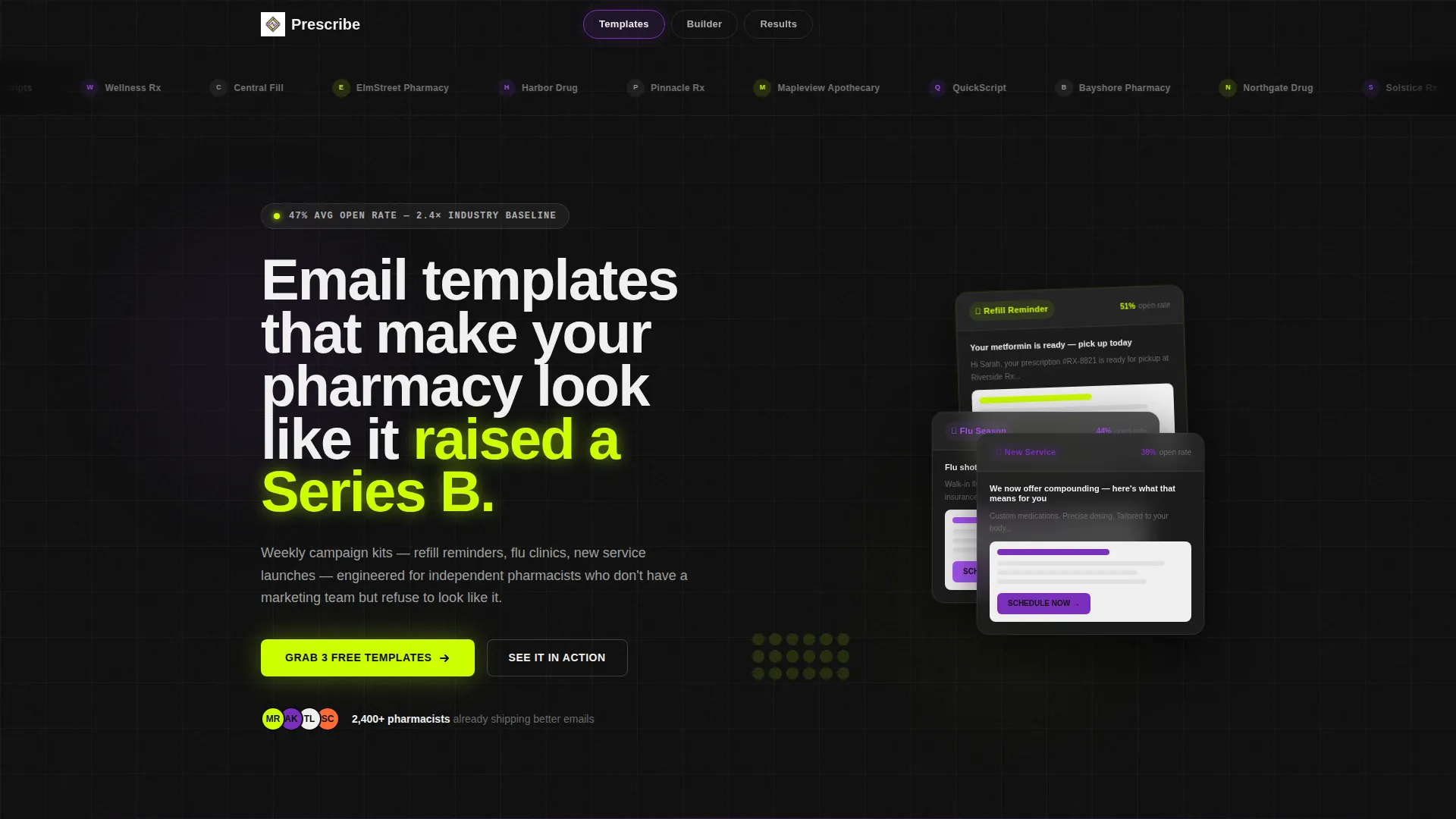
Prescribe is a bold weekly email template kit built for independent pharmacists and small pharmacy chains. It delivers drag-and-drop layouts, campaign-ready designs for refill reminders, flu season, and new service launches, plus a live inbox preview explorer and a mini drag-and-drop builder demo, all on a single anchor-nav landing page designed to convert curious visitors into free-template claimers fast.
by Rocket studio
Quick summary
Prescribe is a pharmacy email newsletter template kit presented on a hub-and-spoke landing page. It gives independent pharmacists and small regional chains polished, campaign-ready email layouts that look like they came from a funded health tech brand. The landing page lets visitors filter templates, try the builder, and see results before they ever sign up.
Who this template is for
This template is built for pharmacy professionals who handle their own marketing and want inbox presence that actually competes. Whether you run one counter or four locations, Prescribe meets you where you are.
- Independent pharmacy owner-operators managing everything from compounding to community flu clinics
- Marketing managers at small regional chains juggling multiple locations with limited tools
- Pharmacy school graduates launching telehealth consultation side hustles who need to look established immediately
What problem this template solves
Most independent pharmacies send plain, forgettable emails that get buried. They lack the design resources of a large retail chain, yet their patients deserve the same level of communication. Prescribe bridges that gap with ready-to-send layouts that require no design background.
- No professional design team needed to produce click-worthy, campaign-ready email layouts
- No guessing what subject line or section structure performs best for pharmacy audiences
- No friction between discovering the templates and actually starting to use them
What you get with this template
You get a complete hub-and-spoke landing page that showcases the full Prescribe email template kit. The page is structured around three anchor-nav sections that let visitors explore, experiment, and evaluate before committing.
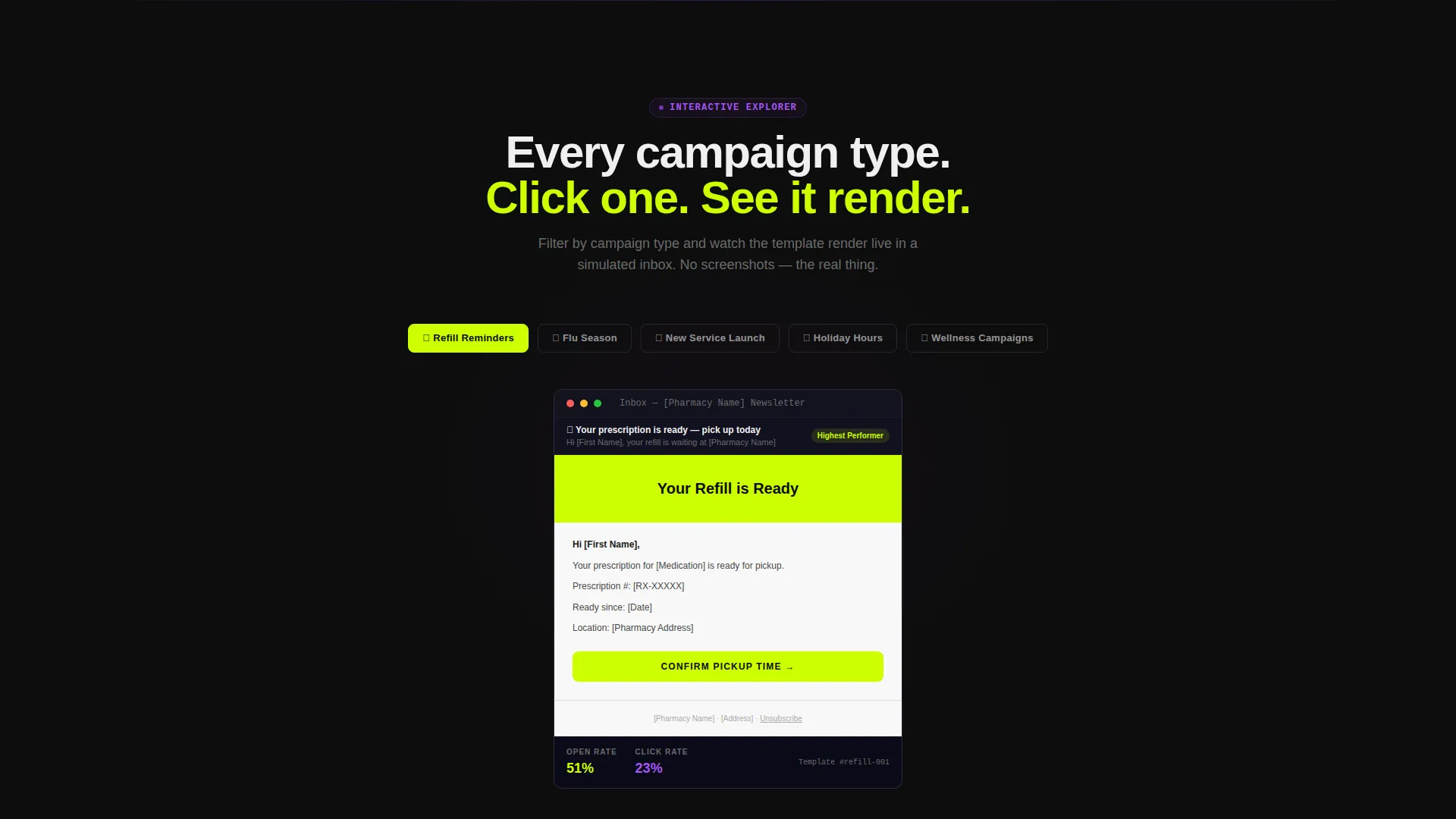
- A live Templates explorer where visitors filter by campaign type and watch a simulated inbox preview update instantly
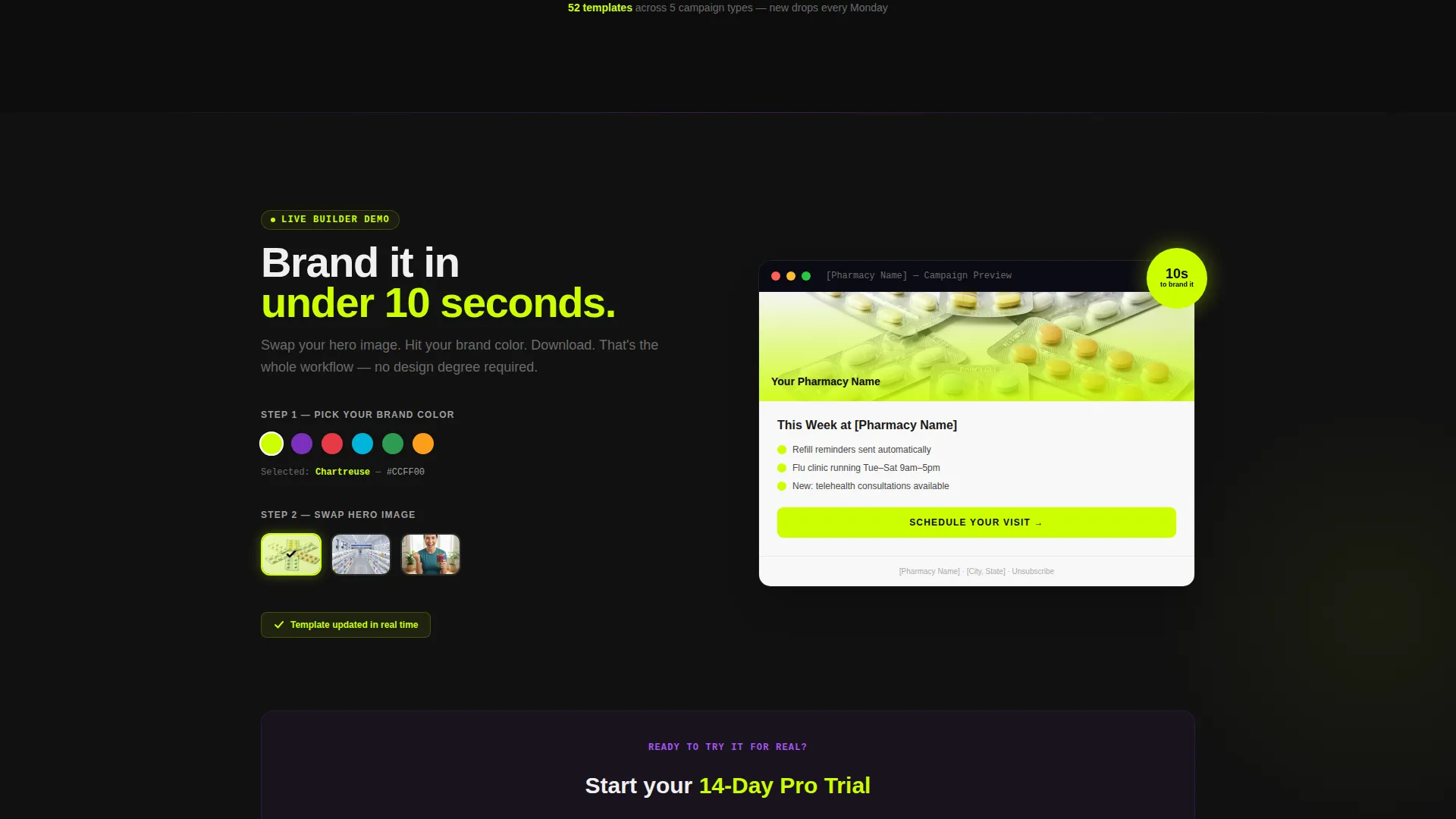
- A mini drag-and-drop Builder demo that lets visitors swap a hero image and recolor a button in under ten seconds
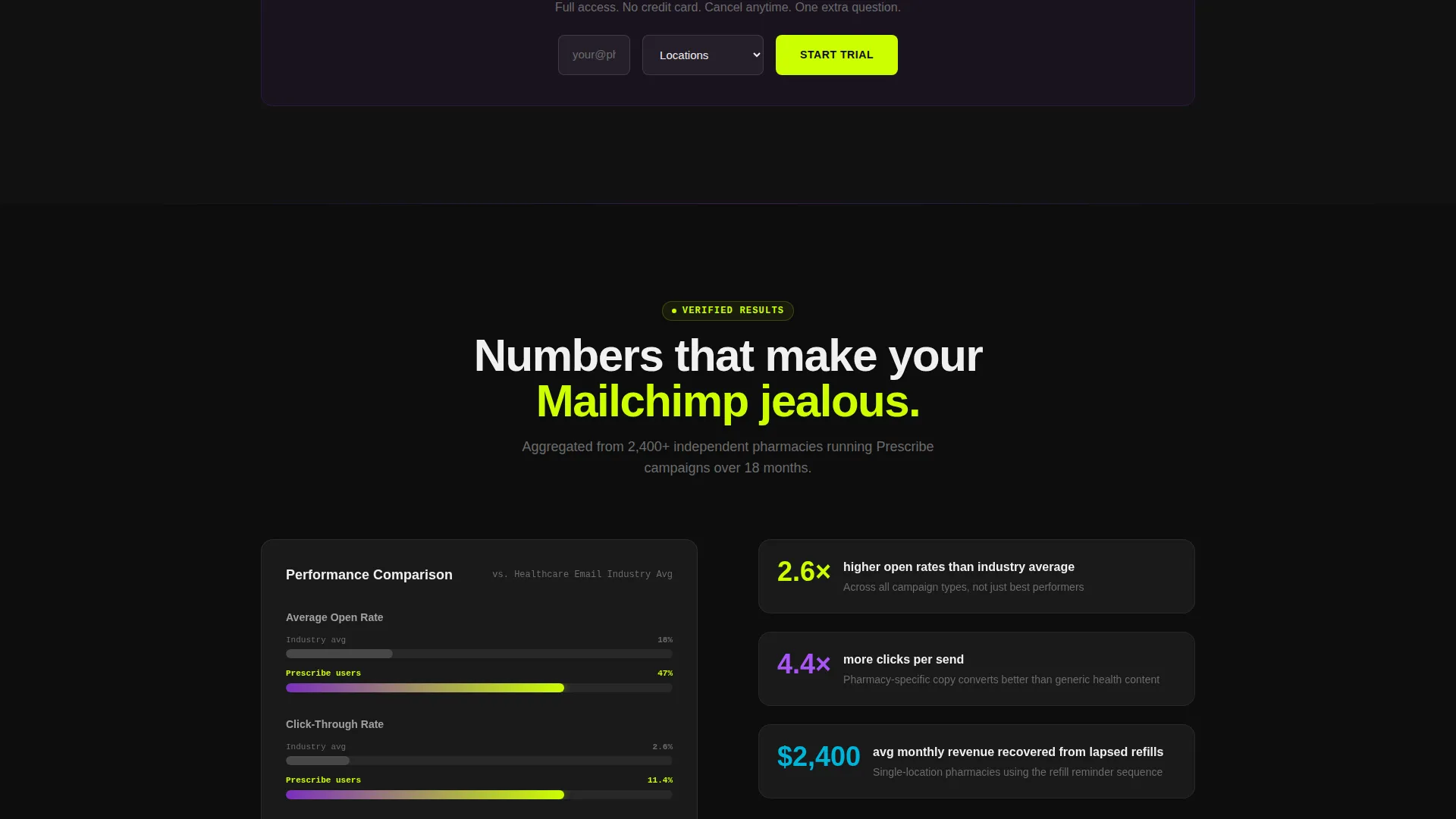
- An animated Results section with an open-rate comparison chart that visualizes Prescribe user performance against the industry average
Feature list
This section covers the core built-in capabilities delivered inside the Prescribe landing page template kit.
Anchor Navigation Hub Structure
The page uses three anchor-nav pills, Templates, Builder, and Results, that let visitors jump directly to the section they care about most. Each pill glows violet on hover, and the nav stays sticky after the first scroll so visitors never lose their place.
Live Inbox Preview Explorer
Under the Templates section, visitors filter campaigns by type, refill reminders, flu season, new service launch, and holiday hours, and watch a real template render inside a simulated inbox preview that updates instantly. This turns browsing into an interactive experience.
Drag-and-Drop Builder Demo
The Builder section includes a working mini demo. Visitors can swap a hero image and recolor a call-to-action button to match their pharmacy brand in under ten seconds, proving ease of use before any account is created.
Animated Open-Rate Comparison Chart
The Results section features an animated bar chart that races an industry-average line against a Prescribe-users line. The chartreuse bar pulls ahead with visual momentum, making the value case without a single claim that needs to be read.
Freemium and Trial Conversion Flow
The primary call-to-action reads "Grab 3 Free Templates" and appears first beneath the logo bar, then stays sticky in the anchor nav. A secondary path, "Start 14-Day Pro Trial," surfaces after the Builder demo with one additional field for number of locations.
Scrolling Logo Bar Header
The page opens with a horizontal ticker of forty-plus independent pharmacy logos and small chain wordmarks moving at a slow, confident speed against terminal black. Social proof leads the entrance before a single headline appears.
Page sections overview
| Section | Purpose |
|---|---|
| Scrolling Logo Bar | Opens with social proof before any headline |
| Hero Headline Block | Delivers the core value proposition in chartreuse type |
| Anchor Nav Pills | Lets visitors jump to Templates, Builder, or Results |
| Templates Explorer | Filter campaigns and preview live inbox renders |
| Builder Demo | Hands-on drag-and-drop brand customization in seconds |
| Results Chart | Animated open-rate comparison with industry average |
| Freemium call to action Block | "Grab 3 Free Templates" form with email and pharmacy name |
| Pro Trial call to action Block | "Start 14-Day Pro Trial" form surfaced after Builder demo |
Design & branding system
The visual identity runs on an Acid Digital color system that channels a pharmacy shelf lit by LED strip lighting at 2 a.m. Every color has a specific role, and together they create a synthetic, hyper-alert, and impossibly crisp feel.
- Electric chartreuse (#CCFF00) dominates calls-to-action and hover states; deep terminal black (#0D0D0D) runs edge-to-edge behind hero and testimonial sections
- Pharmaceutical UV violet (#7B2FBE) marks anchor nav indicators and section dividers; clinical pixel white (#F0F0F0) fills template preview card backgrounds so designs stay legible and centered
- The overall theme is Startup Velocity, bold, precise, and engineered to feel like cracking open a fresh blister pack
Mobile & speed optimization
The landing page is structured to stay clean and functional across screen sizes. The hub-and-spoke layout and sticky nav adapt to narrower viewports without losing the interactive demo experience.
- Sticky anchor nav compresses cleanly on smaller screens so visitors can always navigate between Templates, Builder, and Results
- Template preview cards and the animated chart are designed to render in a readable format on mobile without requiring pinch-to-zoom
How this template helps you convert
The page is engineered around a "touch the product twice before you sign up" philosophy. Visitors earn their curiosity before they ever see a form field.
- The live inbox preview and drag-and-drop builder demo let visitors experience the product hands-on, collapsing the distance between curiosity and ownership before any credentials are requested.
- The freemium entry point, just email address and pharmacy name, removes friction at the most important moment, and the pro trial path surfaces only after the visitor has already seen the value.
Other information about this template
Prescribe is built specifically for the pharmacy email newsletter niche, where most tools are either too generic or too enterprise-heavy. This template kit sits at the intersection of pharmacy digital presence and startup-grade design thinking.
- The template kit covers recurring campaign types: refill reminders, flu season campaigns, new service launches, and holiday hours announcements
- The landing page structure follows a hub-and-spoke model with anchor navigation, making it reusable as a base for other digital product launches in the health and wellness space
- The form for the free templates collects only email address and pharmacy name; the pro trial form adds one field for number of locations, keeping both entry points lean
Theme
Startup Velocity
Creative direction
Interactive Explorer
Color system
Acid Digital
Style
Hub & Spoke (Anchor Nav)
Direction
Freemium/Trial
Page Sections
Live Inbox Preview Explorer
Drag-and-drop Builder Demo
Animated Open-rate Comparison
Scrolling Social Proof Logo Bar
Freemium and Trial Conversion Paths
Sticky Anchor Navigation
Related questions
Who is this landing page template designed for?
What campaign types does the email template kit cover?
Do visitors need design skills to use the builder demo?
What information does the free template sign-up form collect?
Can this landing page be adapted for other health and wellness products?



