Pharmaceutical Software & SaaS Appointment Booking Website Template
Prescribe is a hub-and-spoke pharmaceutical booking landing page built for scheduling software. It leads with a live stats wall and an interactive ROI calculator, then guides visitors through five focused feature sections. The template targets independent pharmacies, regional chains, and hospital outpatient teams who need to replace manual scheduling with algorithmic, data-driven appointment flow.
by Rocket studio
Quick summary
Prescribe is a single-page pharmaceutical booking software landing page. It opens with animated performance counters, drops visitors into an ROI calculator before a single paragraph of body copy, and flows through five anchor-linked spoke sections. The result is a page where the data does the selling and the form simply captures who is already convinced.
Who this template is for
This template is built for teams selling or marketing pharmacy scheduling software. It speaks directly to the people responsible for fixing broken appointment workflows.
- Independent pharmacy owners managing a surge of vaccination walk-ins without a structured booking system
- Regional chain operations managers who need a standardized scheduling experience across dozens of locations
- Hospital outpatient pharmacists losing billable time to manual calendar management every single day
What problem this template solves
Manual pharmacy scheduling is slow, error-prone, and expensive. Phone-based booking fills gaps inconsistently, no-show rates climb without automated reminders, and staff hours disappear into calendar coordination instead of patient care.
- Pharmacies with high walk-in volume have no reliable way to predict slot demand or prevent double-booking
- Multi-location operations have no single view of availability, making standardization nearly impossible
- Without clear ROI framing, decision-makers hesitate to switch from familiar but inefficient manual processes
What you get with this template
You get a complete, ready-to-customize lead generation landing page designed around a calculator-first conversion strategy. Every section is structured to move a skeptical buyer from curiosity to qualified lead.
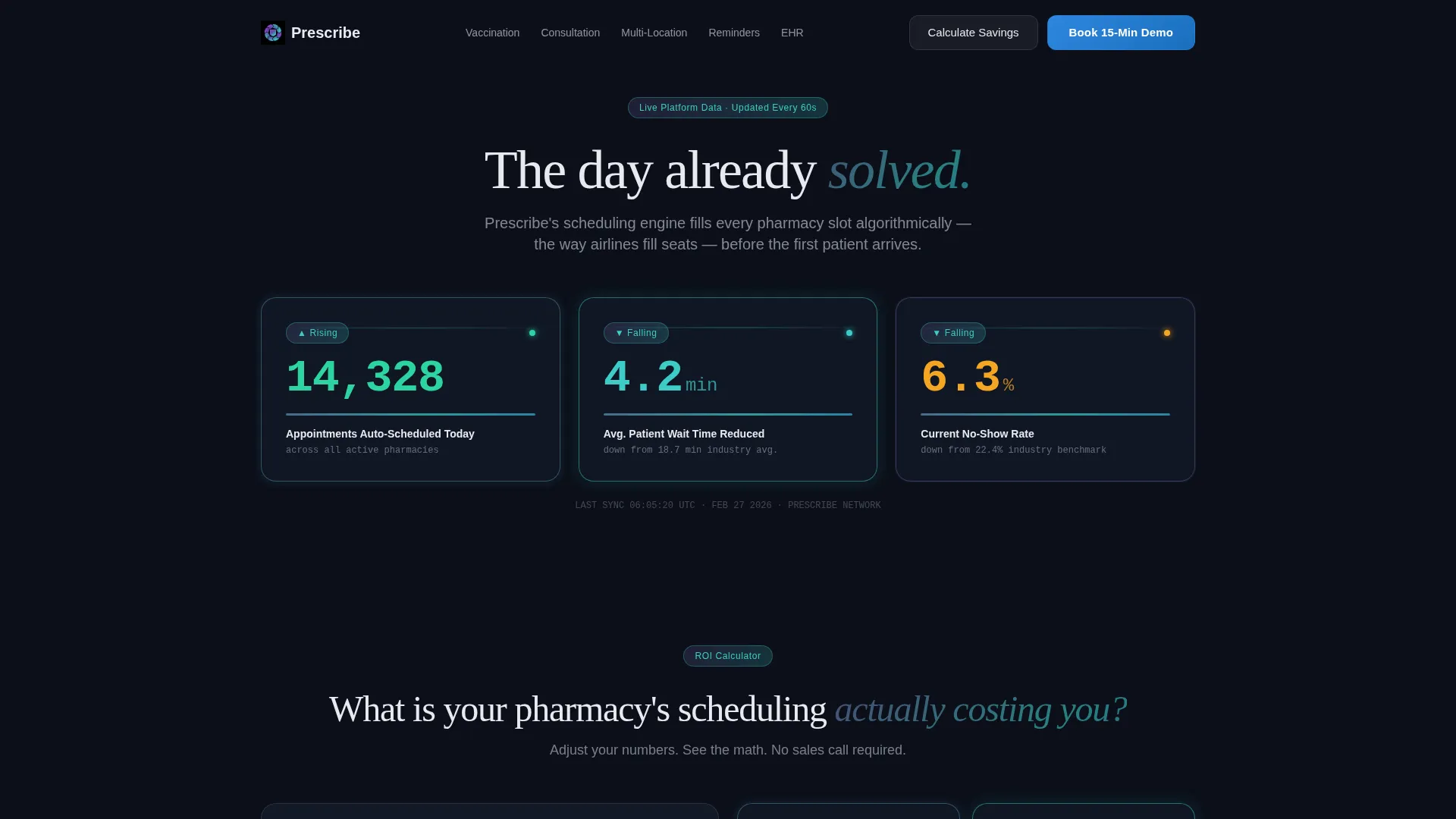
- A live stats wall header with three animated counters showing real scheduling performance metrics
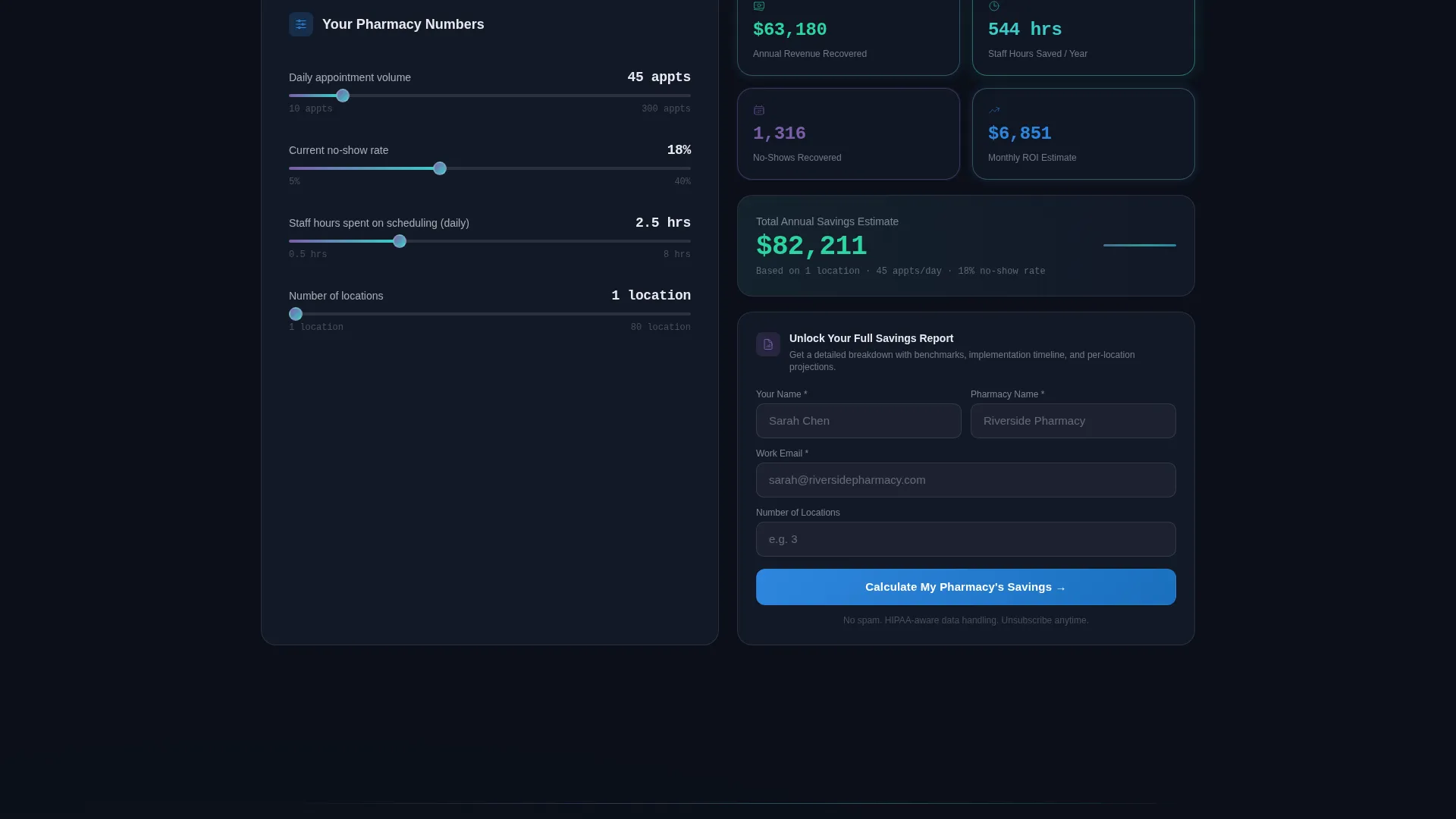
- An embedded ROI calculator that collects appointment volume, no-show rate, and staff hours to project savings
- Five anchor-linked spoke sections covering Vaccination Scheduling, Consultation Booking, Multi-Location Sync, Patient Reminders, and EHR Integration
Feature list
This template ships with purpose-built components that reflect how pharmacy scheduling software actually gets evaluated and purchased.
Animated Stats Wall Header
Three frosted-glass counter cards tick upward in real time at page load. They display appointments auto-scheduled, average patient wait time reduced, and no-show rate falling. Numbers render in tabular-lining figures against the deep pharma-black background, giving the hero section immediate, data-driven authority.
Interactive ROI Calculator
The calculator sits directly below the stats wall and activates before any descriptive copy appears. Visitors input daily appointment volume, current no-show percentage, and staff hours spent on scheduling. The tool instantly renders a projected savings figure in both recovered hours and estimated revenue, earning the scroll through demonstrated value.
Persistent Glass-Morphic Anchor Nav
A sticky navigation bar runs across all spoke sections. It holds links to each feature section and keeps a floating "Book a 15-Minute Demo" secondary call to action visible at all times. Visitors who skip the calculator still have a direct conversion path available without scrolling back to the top.
Metric-Led Spoke Sections
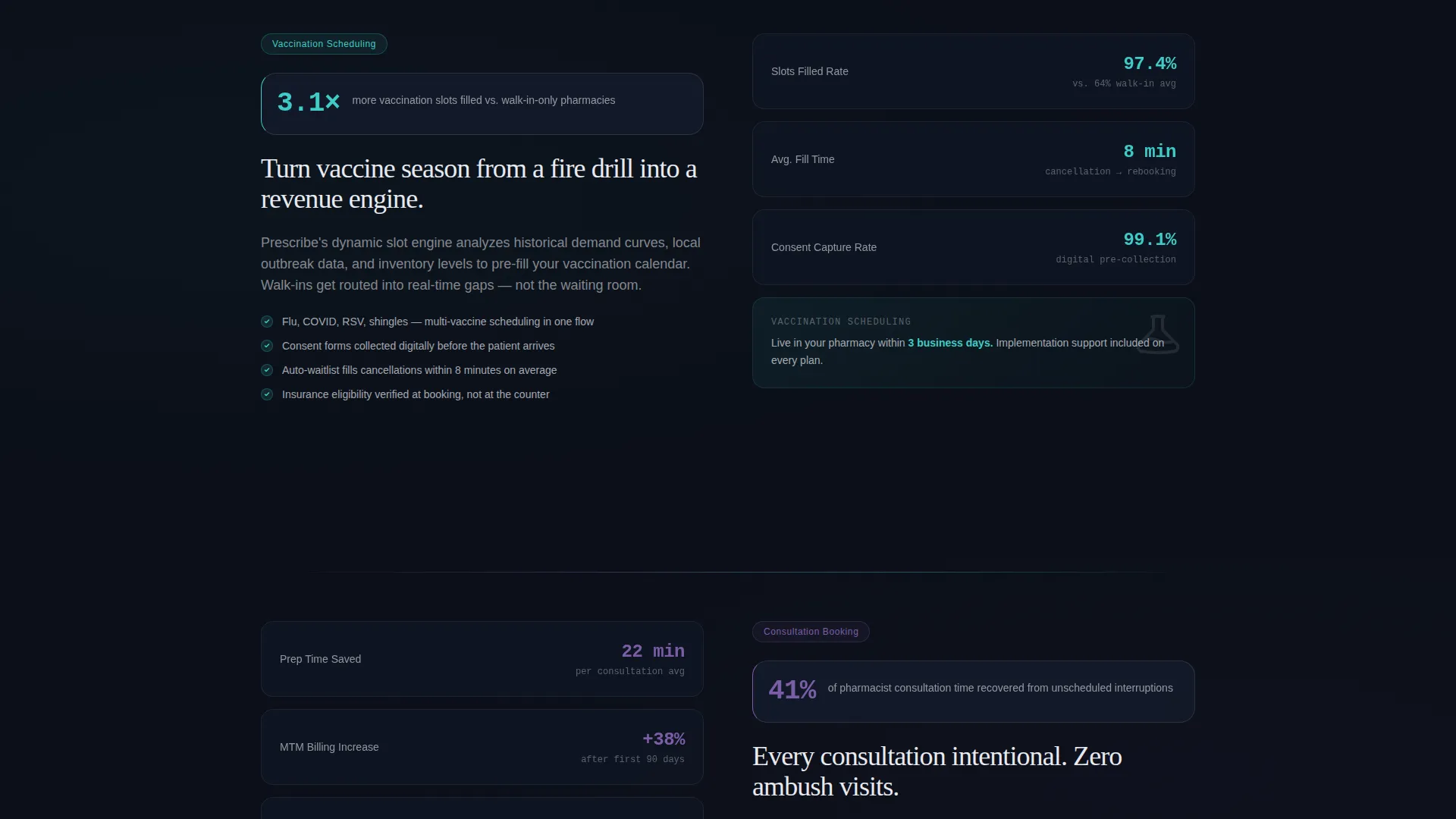
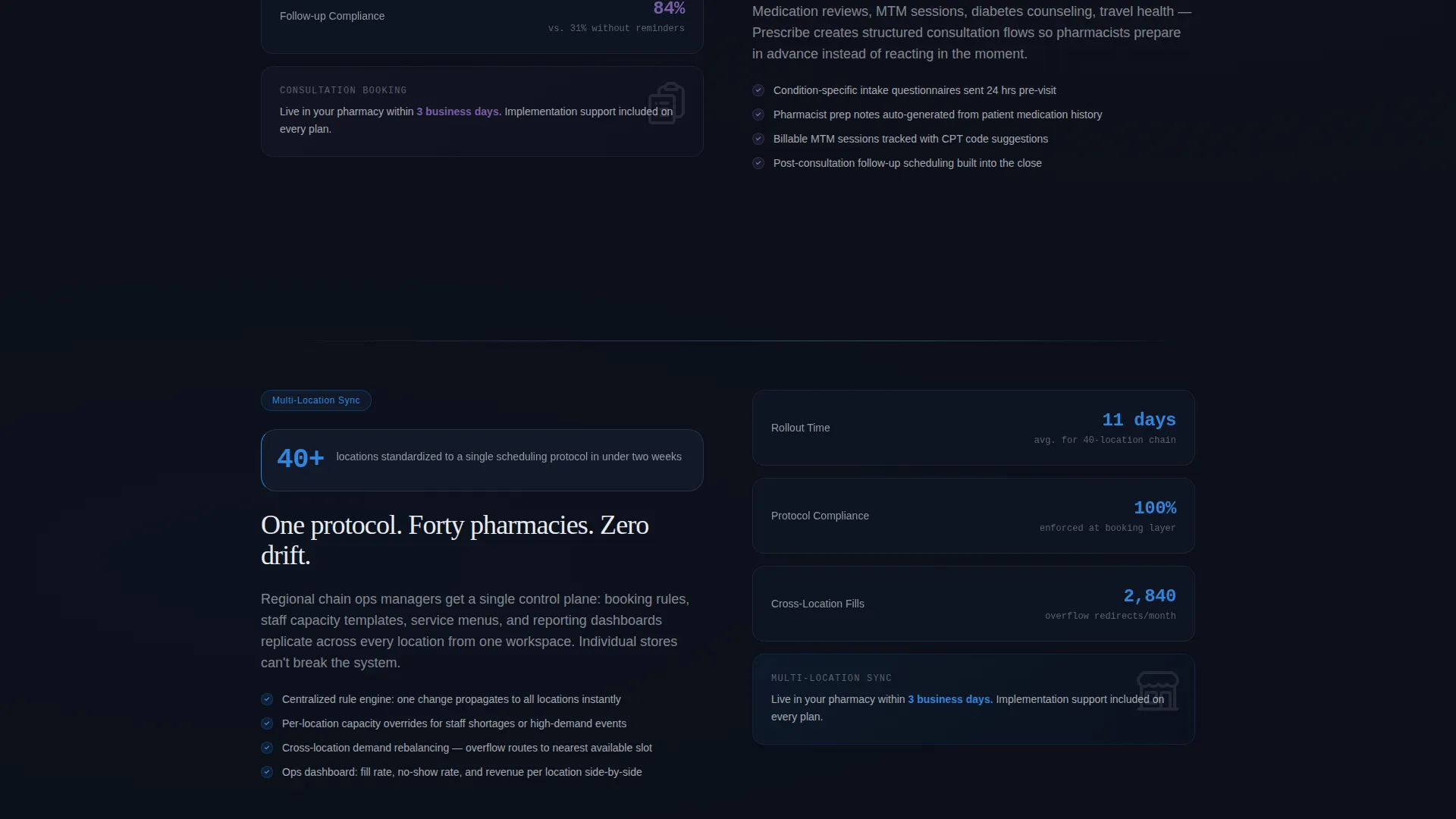
Each of the five spoke sections opens with a specific, source-brief-backed performance stat before revealing the feature detail. This structure builds credibility incrementally, moving from individual pharmacist pain points at the top to enterprise-scale operational proof by the final section.
Lead Capture Gate on Calculator
The full savings report is unlocked only after the visitor submits their name, pharmacy name, email address, and location count. This turns calculator engagement into a qualified lead. The tool does the persuasion; the form simply records who it already sold.
Tech Glass Visual System
Frosted-glass cards layer over dark surfaces throughout the page. Iridescent violet-to-teal gradients appear only on interactive edges and progress indicators. Clinical accent blue handles all primary action elements. The result is a page that feels medical-grade and intelligent without relying on stock photography or decorative imagery.
Page sections overview
| Section | Purpose |
|---|---|
| Stats Wall Header | Opens with three animated performance counters to establish immediate credibility |
| ROI Calculator | Lets visitors project their own savings before reading any feature copy |
| Vaccination Scheduling | Covers dynamic slot management for high-volume immunization appointments |
| Consultation Booking | Addresses structured booking for pharmacist-patient consultation sessions |
| Multi-Location Sync | Shows how chains standardize availability and booking across all sites |
| Patient Reminders | Highlights automated reminder logic and its impact on no-show reduction |
| EHR Integration | Connects scheduling workflow to existing health record infrastructure |
| Anchor Nav Bar | Persists across all sections with a floating demo booking call to action |
Design & branding system
The visual identity follows a Tech Glass theme powered by an AI Iridescent color system. Every element is chosen to feel sterile, intelligent, and alive without being decorative or cluttered.
- Core palette: deep pharma black (#0B0F19) as the base, translucent panel white (#E8EAF0) at 85% opacity for frosted cards, iridescent violet (#7B5EA7) shifting to teal (#3DCCC7) on hover, and clinical accent blue (#2E86DE) for primary actions
- Iridescent gradients are constrained to interactive edges and progress indicators only, keeping the page focused and data-forward
- No stock photography and no human faces appear anywhere; the animated counters and calculator output are the visual heroes
Mobile & speed optimization
The layout is structured to translate cleanly from desktop to smaller viewports without breaking the calculator interaction or the anchor navigation experience.
- The frosted-glass card grid and the stats wall counters are designed to reflow into single-column stacks on narrow screens
- The persistent anchor nav collapses appropriately so the floating demo call to action remains accessible on mobile without obscuring content
How this template helps you convert
The conversion architecture is deliberate. Every element on the page is sequenced to reduce friction and increase qualified lead submission.
- The ROI calculator intercepts visitors before they read a word of feature copy, making the value proposition personal and numerical before any trust has been established through text
- The lead capture gate on the full savings report exchanges a concrete deliverable for contact details, producing leads who have already self-qualified by engaging with their own scheduling data
- The floating "Book a 15-Minute Demo" call to action in the anchor nav gives intent-ready visitors a direct path to conversion without requiring them to complete the calculator flow first
Other information about this template
This template is a strong fit for pharmaceutical software and SaaS products that serve regulated healthcare environments where credibility and efficiency messaging must land fast.
- The hub-and-spoke anchor navigation structure makes it straightforward to update or reorder spoke sections as the product roadmap evolves
- The calculator-first creative direction is well suited to pharmaceutical booking software positioned against manual or legacy scheduling tools
- The template's lp direction is optimized for lead generation, not direct trial signup, making it most effective when paired with a sales or demo follow-up sequence
Theme
Tech Glass
Creative direction
Calculator/Tool First
Color system
AI Iridescent
Style
Hub & Spoke (Anchor Nav)
Direction
Lead Generation
Page Sections
Animated Stats Wall Header
Interactive ROI Calculator
Lead Capture Savings Gate
Persistent Anchor Navigation Bar
Metric-led Spoke Sections
Tech Glass Visual System
Related questions
Can I customize the ROI calculator inputs and outputs?
Does this template work for a single pharmacy or only for chains?
What information does the lead capture form collect?
Can I add or remove spoke sections from the anchor navigation?
Is this template suitable if my product does not yet have EHR integration?



