Pharmacy Digital Presence Professional Website Template
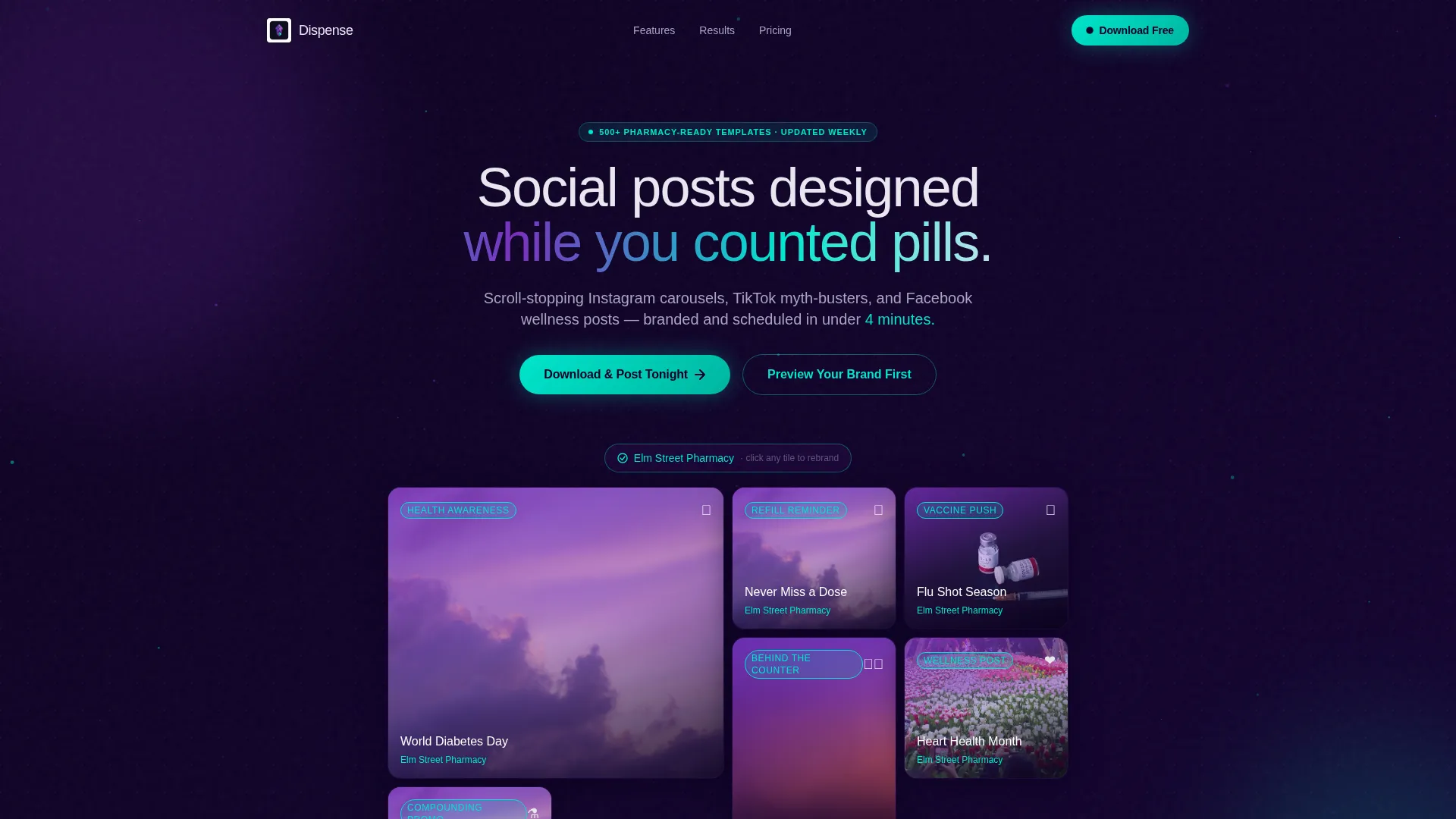
Dispense is a bento grid landing page template built for pharmacy social media marketing. It showcases a ready-to-use digital content toolkit that helps independent pharmacists and small pharmacy chains create branded Instagram, TikTok, and Facebook posts in under four minutes. The design uses a deep midnight-to-violet gradient palette with iridescent teal accents for a clinical yet striking visual identity.
by Rocket studio
Quick summary
Dispense is a pharmacy social media template landing page built on a bento grid layout. It presents a content toolkit that gives pharmacists pre-designed, brandable social posts for Instagram, TikTok, and Facebook. The Dashboard Pro theme pairs deep midnight tones with iridescent violet and teal accents, giving the page a clinical-precision feel with genuine visual momentum.
Who this template is for
This landing page template speaks directly to the people running pharmacy social media under real time pressure. It is designed for professionals who need consistent, on-brand content without a dedicated creative team.
- Independent owner-pharmacists who manage their own social presence after closing hours
- Pharmacy marketing coordinators juggling seasonal campaigns like flu shot pushes and compounding promotions
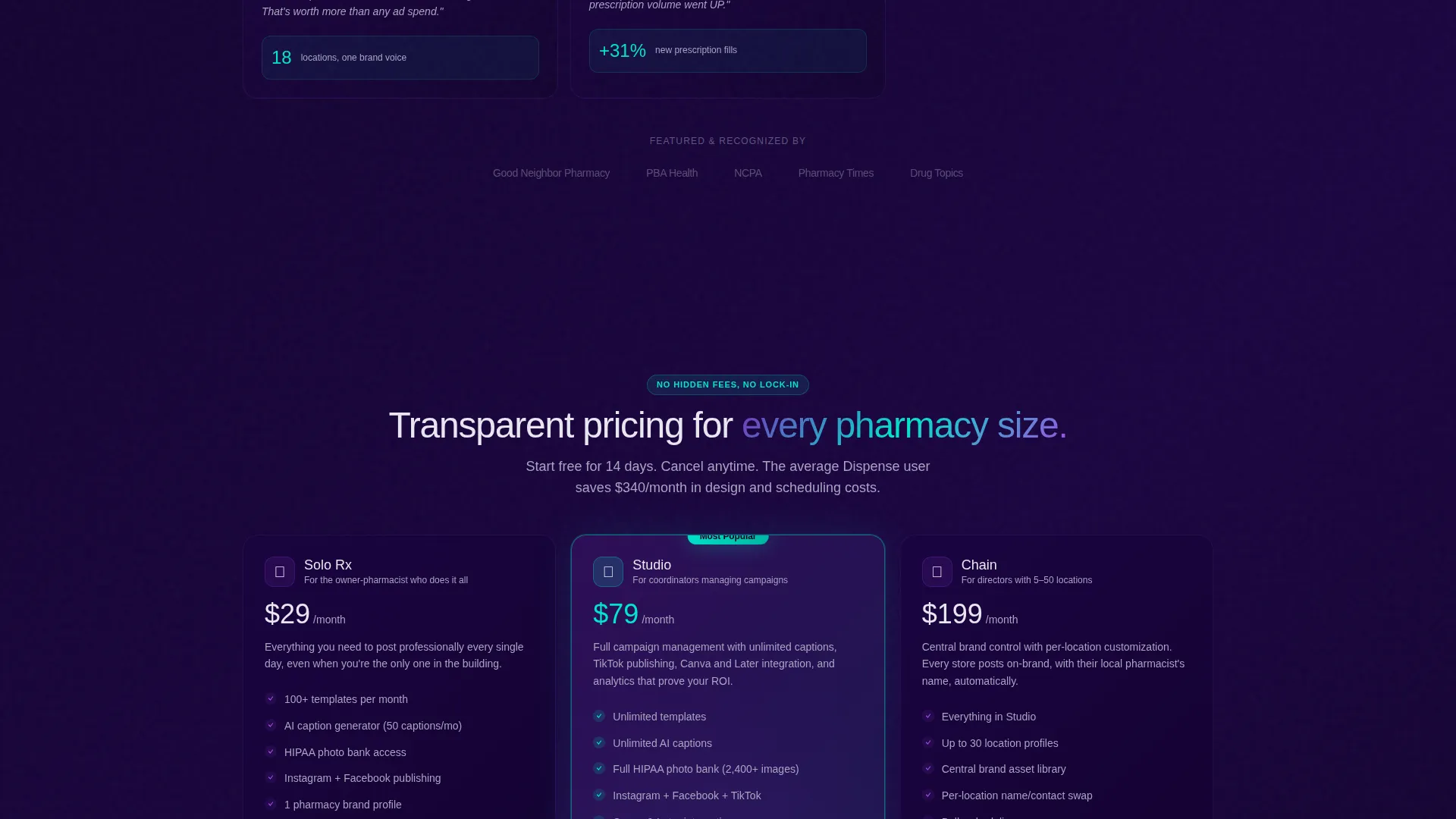
- Small chain directors who need dozens of locations to look cohesive online
What problem this template solves
Most pharmacies struggle to compete with large retail chains on social media. Creating fresh, branded content from scratch every week takes time that busy pharmacists simply do not have.
- Staff spend hours designing posts instead of serving patients
- Content looks inconsistent across locations or platforms
- Pharmacy owners lose visibility to larger chains with full marketing departments
What you get with this template
This template gives you a fully designed, conversion-focused landing page to present the Dispense content toolkit. Every section is built to demonstrate value and move visitors toward downloading the app.
- An interactive bento grid header showing real pharmacy social post templates at phone-screen fidelity
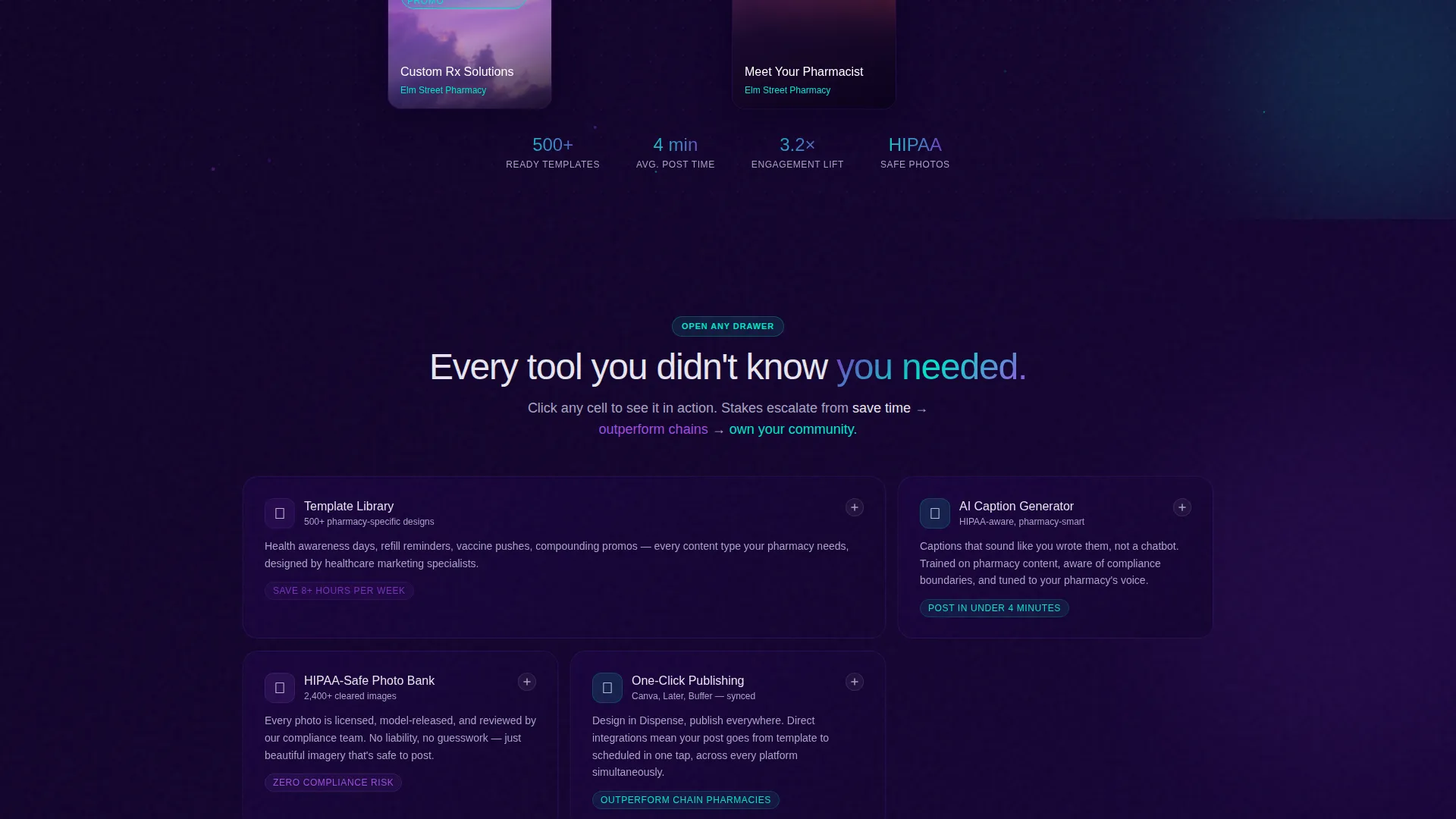
- A feature matrix layout where each bento cell expands to reveal a mini-demo animation
- A smart app download flow that detects device type and pre-brands the first template with the pharmacy name
Feature list
This template is built around a focused set of capabilities that work together to engage visitors and push them toward action. Each feature is visible in the layout and tied directly to what pharmacists need most.
Interactive Bento Grid Header
The header renders a live bento grid of pharmacy social post categories at actual phone-screen size. Visitors click any tile to watch it cycle through three brand-color variations in real time, with the pharmacy name swapping from a placeholder to a custom label. A soft particle drift connects the tiles across the midnight background.
Expanding Feature Matrix Cells
Each bento section below the header acts as a capability deep-dive. Tapping a cell expands it to show a mini-demo animation, so visitors experience the toolkit rather than just reading about it. The scroll journey escalates from saving time to outperforming chains to becoming a community health voice.
Smart App Download Flow
The primary call to action is a floating "Download and Post Tonight" button that shifts from a ghost outline to a full iridescent teal fill after the visitor scrolls past the third bento section. On mobile it asks for one field only, the pharmacy name, so the first template arrives pre-branded at launch.
Brand Preview Path
A secondary call to action lets hesitant visitors upload their logo and preview three mock posts before committing to a download. This reduces friction for first-time visitors and builds confidence in the toolkit before any sign-up is required.
AI Caption Generator Display
The feature matrix includes a dedicated cell for the AI-powered caption generator, showing how pharmacists can produce platform-ready post copy without writing from scratch. The cell expands to demonstrate the tool in context within the page layout.
HIPAA-Safe Stock Photo Bank
A dedicated bento cell presents the built-in stock photo library, which is curated to meet healthcare content standards. Pharmacy teams can select images without sourcing them externally, keeping the content workflow entirely inside the toolkit.
Page sections overview
| Section | Purpose |
|---|---|
| Interactive Header Grid | Showcases post template categories at phone-screen fidelity with live brand-color previews |
| Template Library Cell | Highlights the depth of available post types across health awareness, refill reminders, and seasonal vaccines |
| AI Caption Cell | Demonstrates the caption generator with an expanding mini-demo animation |
| Photo Bank Cell | Presents the curated HIPAA-safe stock image library for healthcare content |
| Integrations Cell | Covers one-click connections for scheduling and design workflows |
| Analytics Dashboard Cell | Shows engagement lift data and positions the toolkit as a performance tool |
| Floating Download call to action | Converts scrolled visitors with a device-aware app download interstitial |
| Brand Preview Path | Offers a low-commitment entry point via logo upload and mock post preview |
Design & branding system
The visual identity is built on a Dashboard Pro theme using an AI Iridescent color system. The palette is designed to feel like light refracting through a glass mortar and pestle: precise and clinical, but unexpectedly vivid.
- Core colors: deep pharma midnight (#0D0221), luminous prescription violet (#7B2FBE), shifting opal white (#E8E6F0), and iridescent accent teal (#00E5CC)
- Backgrounds stay in the midnight-to-violet gradient range, body text lives in opal white, and every interactive element uses the teal iridescent pulse for hover states, active buttons, and progress indicators
Mobile & speed optimization
The Dispense landing page is structured for smooth delivery on any screen size. The bento grid adapts naturally from desktop to mobile, and the app download flow is purpose-built for phone visitors.
- On mobile, the download interstitial asks for a single field, the pharmacy name, removing signup friction entirely
- The floating call-to-action button and device-detection interstitial are designed to feel native on both iOS and Android screens
How this template helps you convert
Every design and copy decision in this template is aimed at moving a skeptical pharmacy professional toward a confident download. The page earns attention before it asks for it.
- The interactive header lets visitors experience the product immediately, turning passive scrollers into engaged prospects before any feature text appears.
- The expanding feature matrix builds trust section by section, showing capability rather than listing it, so the ask feels earned by the time the floating call-to-action button activates.
- The brand preview path removes the biggest hesitation point for new visitors by letting them see their own logo on three real post mockups before any commitment is required.
Other information about this template
This template is categorized under Technology with a subcategory focus on pharmacy digital presence. It is specifically designed for the pharmacy social media template niche, where content consistency and speed are the primary buying motivators.
- The template style is Bento Grid, built on a Dashboard Pro theme with an AI Iridescent color system
- The header concept is an Interactive Preview and the creative direction follows a Feature Matrix structure
- The landing page direction is App Download, making every section flow toward a single measurable conversion goal

Theme
Dashboard Pro
Creative direction
Feature Matrix
Color system
AI Iridescent
Style
Bento Grid
Direction
App Download
Page Sections
Interactive Bento Grid Header
Expanding Feature Matrix Layout
Smart App Download Interstitial
Brand Preview Entry Path
AI Caption Generator Cell
Hipaa-safe Photo Bank Cell
Related questions
Can I customize the pharmacy name and brand colors in this template?
Is this template suited for a small pharmacy chain managing multiple locations?
What social platforms does the Dispense toolkit cover?
How does the app download flow work on a desktop screen?
What is the brand preview path and who should use it?



