Printing Digital Presence Pricing & Packages Website Template
Press is a single-page landing page template built for digital print shops. It pairs a syntax-highlighted API header, an animated product grid, and a three-tier comparison table to turn visitors into app installers. The Startup Velocity design runs on void black, holographic violet, and electric cyan, a developer-serious aesthetic that moves fast and converts cleanly.
by Rocket studio
Quick summary
Press is a high-velocity landing page template designed for digital print businesses. It opens with a live-style code snippet, flows through an animated product grid, and drives toward a direct app download. The AI Iridescent color system and Launch Energy pacing make the page feel like a running build, purposeful, instant, and sharp.
Who this template is for
This template is built for print-forward businesses that want a technical edge without writing code from scratch. It suits operators who need to communicate speed, scale, and self-serve capability to a developer-adjacent audience.
- Shopify merchants who sell branded merchandise and need a credible print backend page
- Event coordinators managing tight deadlines for badges, banners, and bulk print orders
- Design agency producers who need a white-label print storefront that looks professional
What problem this template solves
Most print shop landing pages look like order forms from 2009. They bury the product, hide the pricing tiers, and ask visitors to call a phone number. Press solves this by presenting the entire offering as a clean, modern interface that communicates trust and speed before a visitor scrolls past the header.
- No form fields blocking the conversion path, the app download is the action
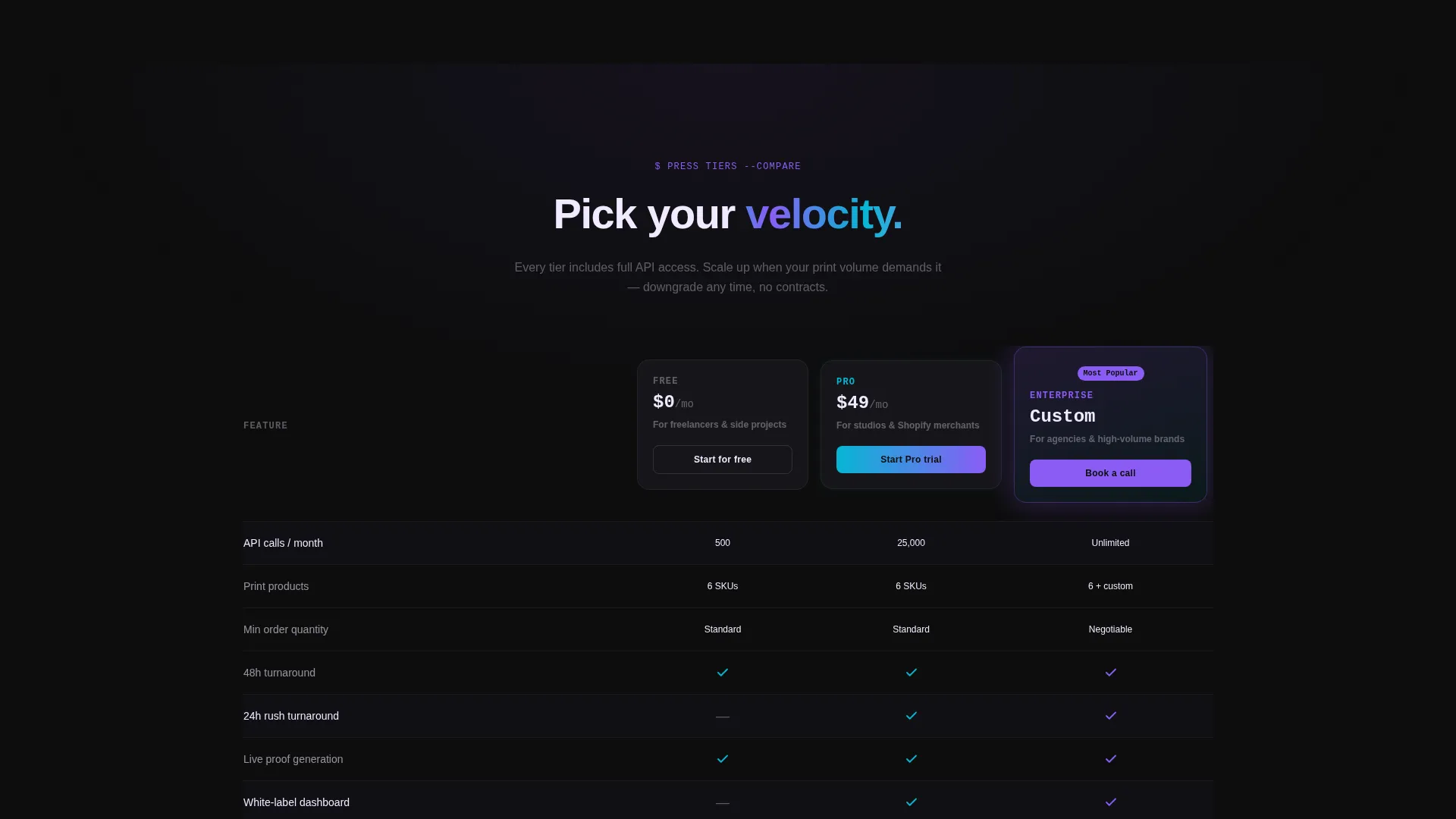
- No unclear pricing, the comparison table puts all three tiers in plain view
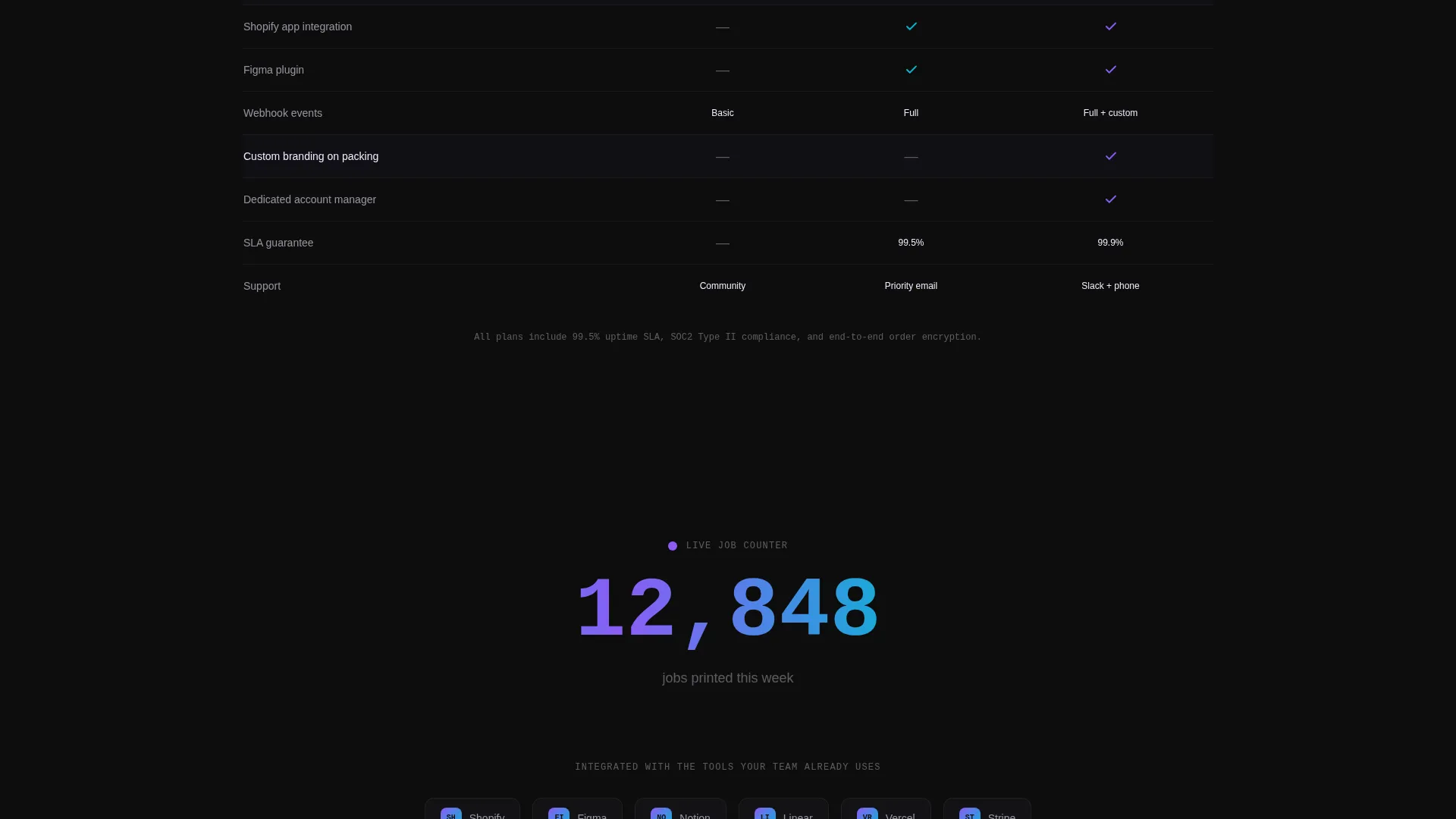
- No guesswork about turnaround, real-time signals like the live order counter reinforce delivery confidence
What you get with this template
You get a fully structured single-page layout built around one goal: getting the visitor to install the print engine or try the free API sandbox. Every section is sequenced to build confidence and remove friction.
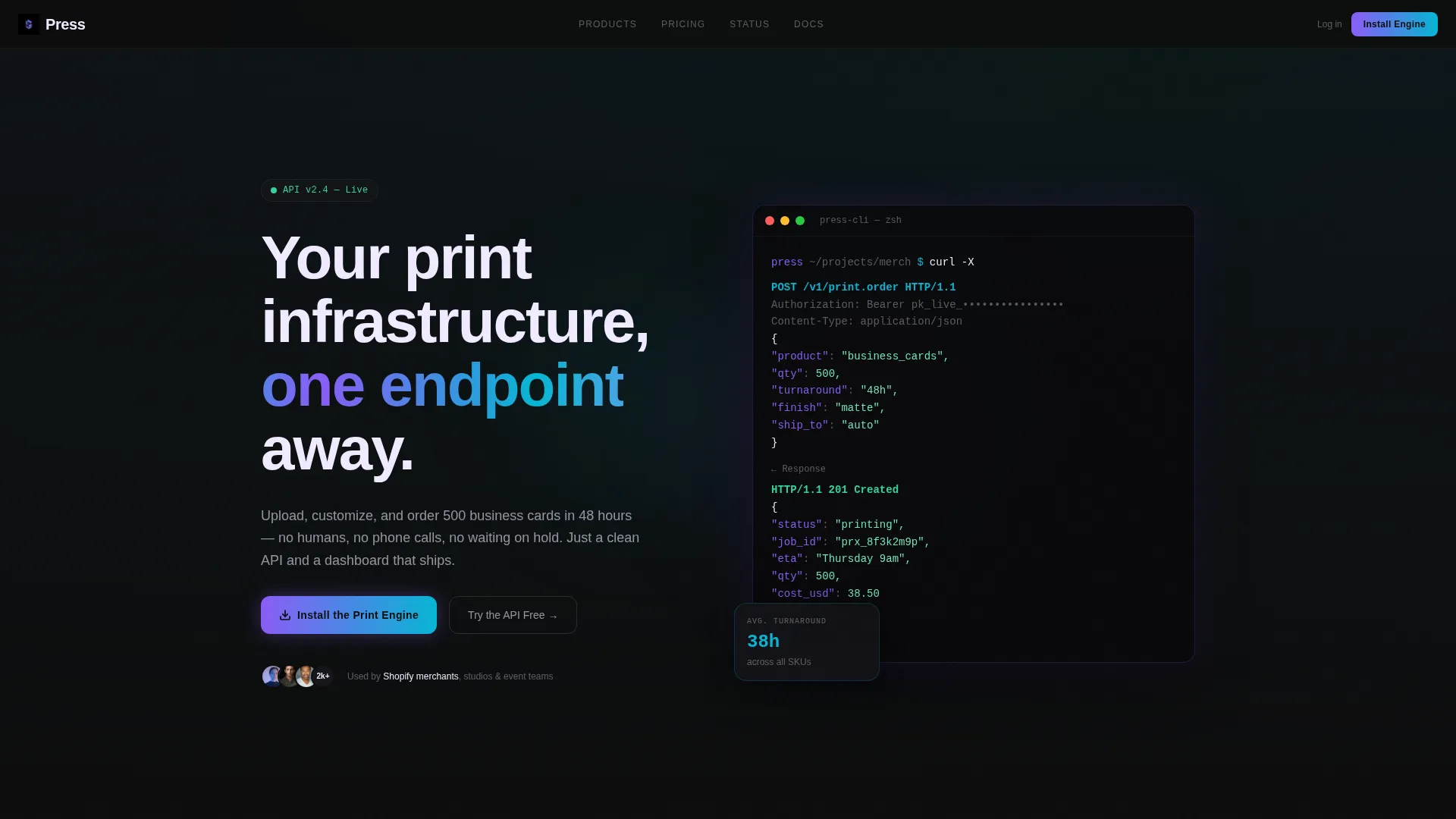
- A syntax-highlighted code snippet header with animated API response output
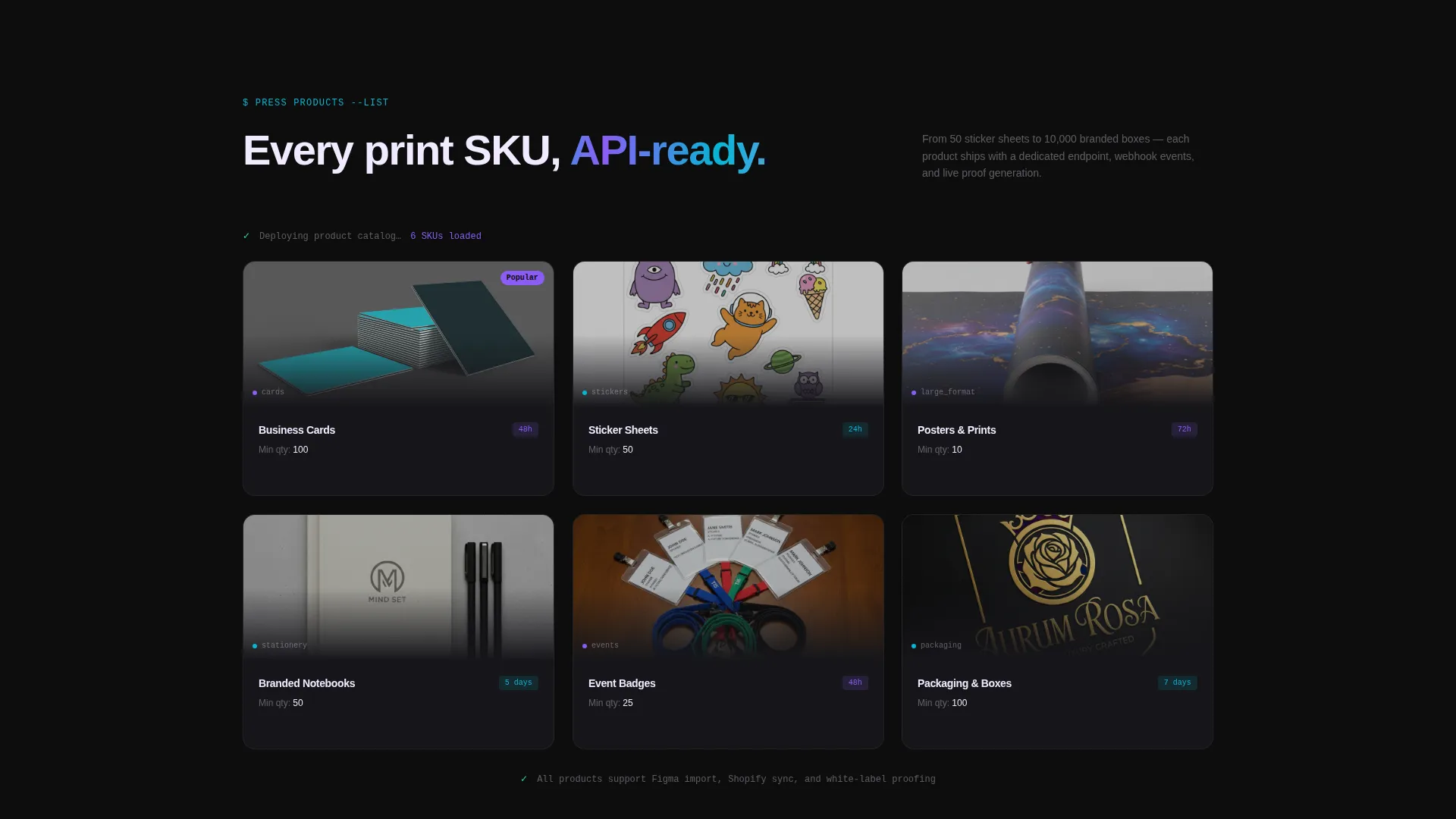
- An animated product grid that reveals cards, stickers, posters, and packaging with micro-animations
- A three-column comparison table covering Free, Pro, and Enterprise tiers with interactive visual accents
Feature list
This template delivers focused, prompt-backed components. Each one plays a specific role in the conversion sequence.
Animated Code Snippet Header
The header renders a stylized API call, POST /v1/print.order, with a visible JSON body and a blinking cursor. After a one-second pause, the response animates in with status and estimated delivery time. It establishes technical credibility above the fold without a single word of marketing copy.
Live Product Grid
Below the header, print products snap into view one by one, mimicking a deploy log. Each item, business cards, stickers, posters, and packaging, enters with a micro-animation that reinforces the template's Launch Energy pacing and gives visitors an immediate sense of product range.
Three-Tier Comparison Table
The comparison table presents Free, Pro, and Enterprise plans side by side. It covers API call limits per month, white-label options, turnaround speeds, and platform integrations. Each column pulses with increasing energy, visually nudging the reader toward the higher-scale tier.
App Download Primary call to action
The primary call to action reads "Install the Print Engine" and pairs desktop download buttons for macOS and Windows. A secondary link labeled "Try the API Free" opens a sandbox environment. There are no form fields, the download itself is the conversion event.
Real-Time Order Counter
A final section displays a live-style counter showing total print jobs completed that week. The number ticks upward in holographic violet, providing social proof grounded in visible activity rather than static testimonials.
Iridescent Interactive Accents
Hover states, progress bars, and interactive column highlights use holographic violet and electric cyan as alternating accents. The palette shifts dynamically, making the interface feel alive without overwhelming the void-black background that anchors the layout.
Page sections overview
| Section | Purpose |
|---|---|
| Code Snippet Header | Establishes API credibility above the fold |
| Animated Product Grid | Shows full print product range on scroll |
| Comparison Table | Displays Free, Pro, Enterprise tiers clearly |
| App Download call to action | Drives direct install or sandbox trial |
| Live Order Counter | Reinforces trust with real-time job volume |
Design & branding system
The template runs on the AI Iridescent color system, built to feel developer-serious in dark mode while delivering moments of visual energy when color activates. The palette is specific and intentional, not decorative.
- Void black (#0D0D0D) anchors all backgrounds; pearl white (#F0EAFF) carries body text on dark cards like softly glowing terminal output
- Holographic violet (#8B5CF6) and electric cyan (#06B6D4) alternate as interactive accents on hover states, progress bars, and the live counter
- A faint iridescent gradient pulses behind the header, reinforcing the prism-on-matte-black visual metaphor without competing with the code content
Mobile & speed optimization
The layout is designed with a section-by-section scroll flow that translates cleanly to smaller viewports. Micro-animations are scoped to individual components so the sequence remains readable on touch devices.
- The code snippet header is left-justified with a fixed-width block, keeping it legible at reduced screen widths
- The comparison table is structured for horizontal scroll or responsive column stacking on mobile
- The product grid's snap-in animation is tied to scroll position, keeping the reveal sequence intact across device sizes
How this template helps you convert
Press removes every common friction point between a print business visitor and a conversion action. The sequencing is deliberate and the call to action is unambiguous.
- Trust is built above the fold through the working code snippet, which signals technical legitimacy before any claim is made in prose
- The comparison table accelerates the decision by making tier differences visible at a glance, with no need to click through to a pricing page
- The app download call to action closes the loop with a direct install action, bypassing form fills and keeping the path from interest to adoption as short as possible
Other information about this template
Press is categorized under Technology and Printing Digital Presence, making it a strong fit for modern print-as-a-service businesses operating in a developer-forward market. The Startup Velocity theme and Launch Energy creative direction are production-ready as delivered.
- The template style is a Comparison Table layout, optimized for communicating tiered service offerings in a single unbroken scroll
- The header concept is a Code Snippet, a design pattern common in developer tool and API product marketing
- The landing page direction targets App Download as the primary conversion event, removing lead-capture friction entirely
- The color system is AI Iridescent, designed for dark-background interfaces where color appears as accent rather than fill
Theme
Startup Velocity
Creative direction
Launch Energy
Color system
AI Iridescent
Style
Comparison Table
Direction
App Download
Page Sections
Animated Code Snippet Header
Live Animated Product Grid
Three-tier Comparison Table
App Download Primary Call to Action
Real-time Order Counter
AI Iridescent Interactive Accents
Related questions
Who is this landing page template built for?
Do I need coding knowledge to use this template?
Can I customize the comparison table tiers and features?
Is there a form on this landing page?
What print products does the template showcase by default?



