Specialist Printing Digital Presence Professional Website Template
Press is a hub-and-spoke landing page template built for printing social media template services. It bridges pixel-perfect social content and physical print output in one focused flow. The dark, monochrome design and spec-driven layout speak directly to founders, social media managers, and event coordinators who need branded print materials fast.
by Rocket studio
Quick summary
Press is a single-page, anchor-nav landing page template for a printing social media template service. It uses a Startup Velocity visual identity, a Monochrome Steel color system, and a Spec Sheet creative direction to walk visitors from curiosity to a template pick in one confident scroll.
Who this template is for
This template is built for people who live at the intersection of digital content and physical print. They move fast, they care about brand consistency, and they cannot afford a gap between what their feed looks like and what lands on the table at an event.
- Bootstrapped founders preparing a launch booth who need branded print materials on short notice
- Social media managers who need physical handouts that match their content grids precisely
- Event coordinators printing batches of branded table cards, banners, or foam boards under deadline
What problem this template solves
Most landing pages for print services feel either too technical or too generic. They do not connect the social content world to the print production world. Visitors leave unsure whether the service truly understands both sides.
- There is no clear bridge between social template formats and physical print outputs like vinyl banners or card stock
- Visitors cannot visualize the final product, so trust is low and bounce rates are high
- The call to action is buried behind forms or account walls, adding friction for time-pressed buyers
What you get with this template
You get a complete, single-page landing page structured as a hub-and-spoke anchor navigation flow. Every section is designed to build confidence and move the visitor toward the template picker without any form or sign-up barrier.
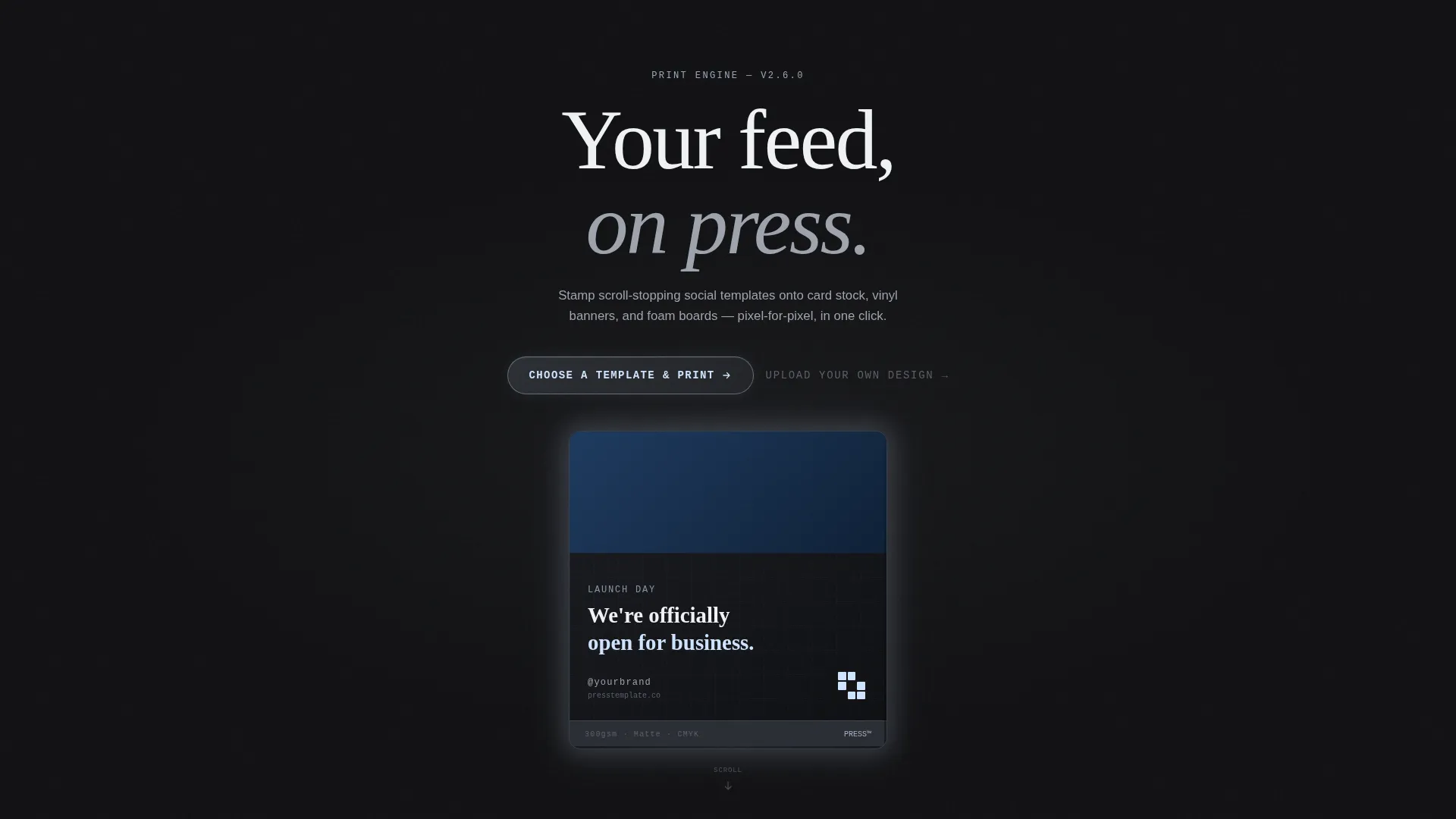
- A dark full-bleed header with a glowing social-post mockup that pulses once on load, communicating quality instantly
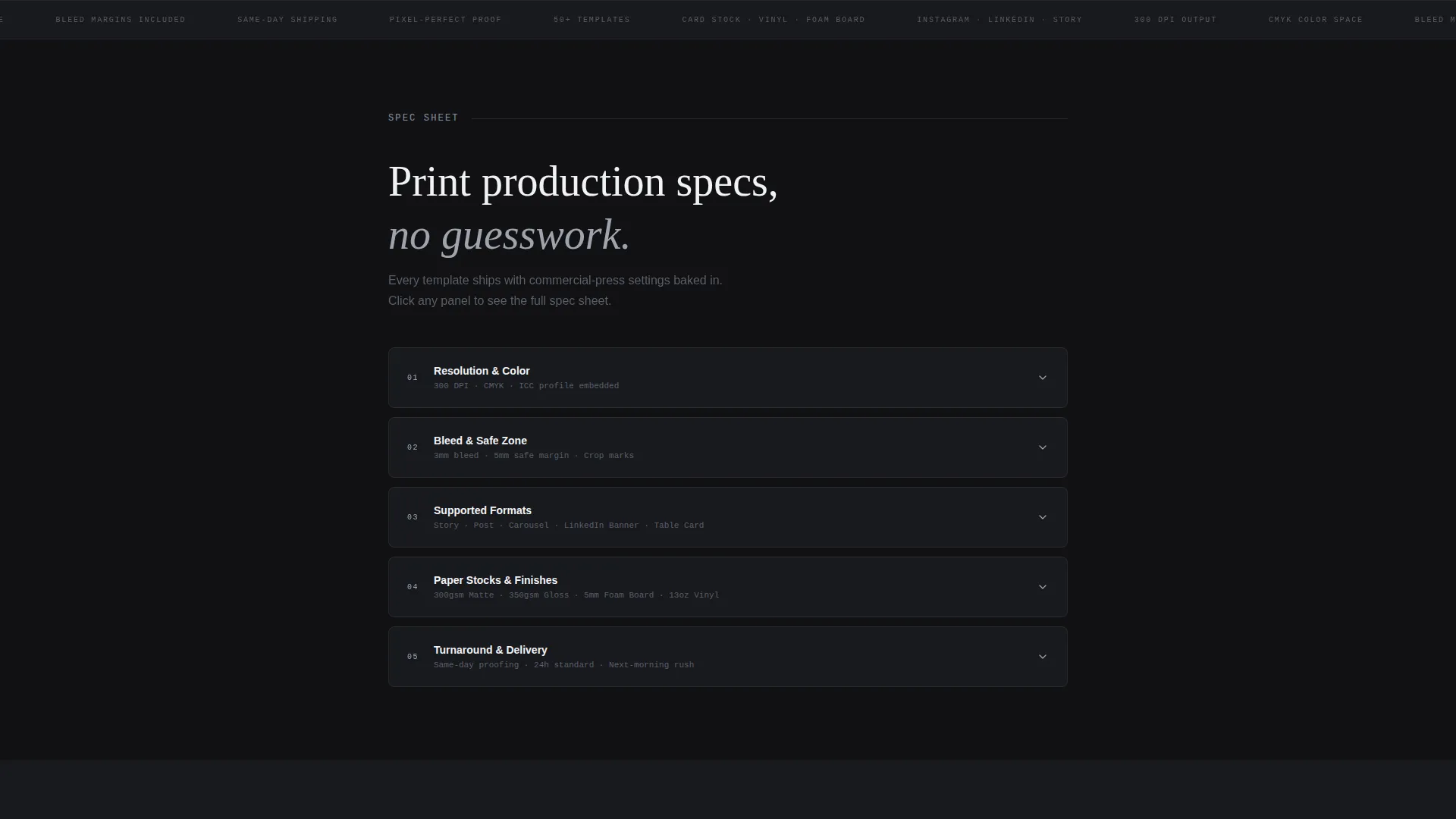
- Numbered specification panels covering bleed margins, DPI output, supported formats, paper stocks, and finish options
- A primary call-to-action pill labeled "Choose a Template and Print" plus a secondary text link for power users who want to upload their own files
Feature list
This template ships with a focused set of page features. Each one is drawn directly from the brief and serves a specific conversion or credibility purpose.
Pulsing Hero Header
The header is a forge-black full-bleed field with a single Instagram carousel card floating center-frame. A plasma white-blue glow pulses once on load, simulating a screen powering on. The card shows a bold sans-serif headline, a brand color block, and a QR code in the bottom-right corner, printed on thick stock with a visible edge shadow.
Slide-In Anchor Navigation
No navigation is visible on arrival. After the visitor scrolls one pixel, the anchor nav slides in from the top like a machined rail. This keeps the hero immersive and lets the spec panels below guide the reading flow.
Spec Sheet Section Panels
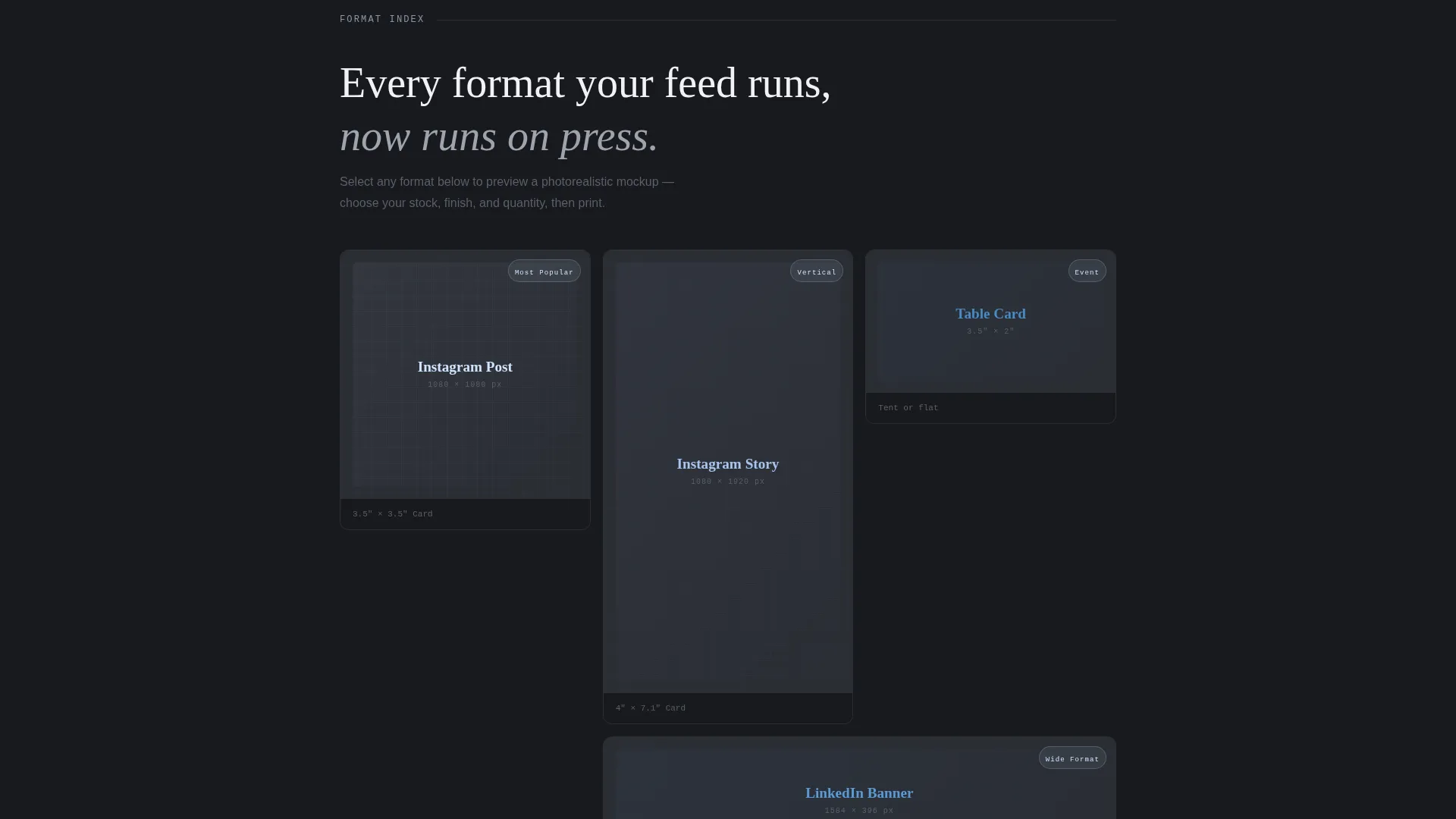
Each spoke section is a numbered specification panel presented in tight monospaced type on dark cards. Panels cover bleed margins, DPI output, supported formats including story, post, carousel, and LinkedIn banner, as well as paper stocks and finish options. Each card expands on click for detail.
Screen-versus-Print Comparison
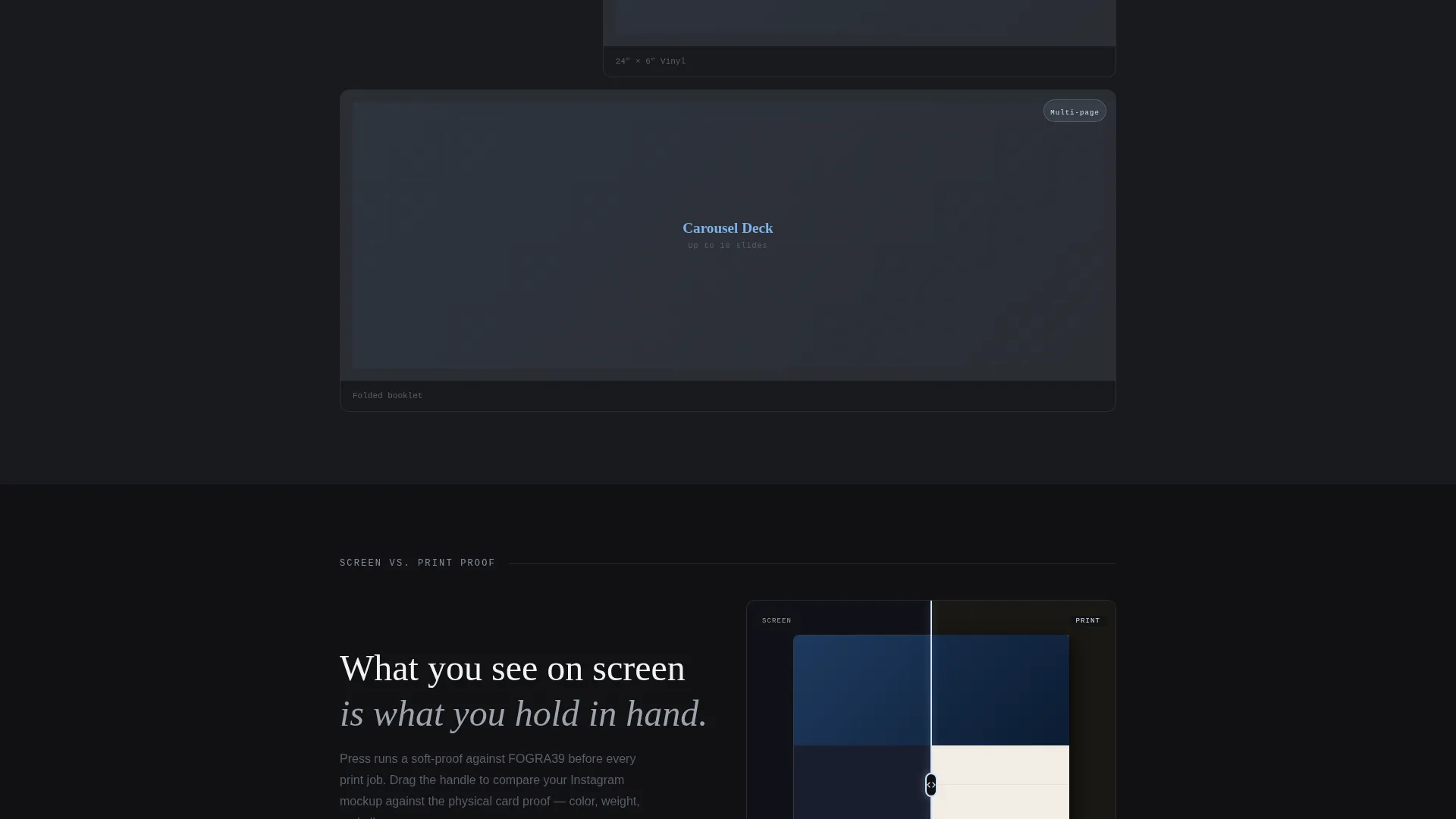
A side-by-side comparison section shows a digital social template next to its physical print proof. This escalation of evidence builds trust by letting visitors see exactly how their content will translate from screen to CMYK output.
Live Preview Configurator
Visitors can pick a template, choose a paper stock, and see a photorealistic mockup render in place. This interactive section reduces doubt and gives buyers a concrete sense of the final product before they commit to a click.
Sticky Repeat Call to Action
The primary call-to-action pill appears first in the header, then reappears as a sticky bar after the visitor passes the third spoke section. The secondary text link "Upload Your Own Design" sits alongside it for users who already have print-ready files.
Page sections overview
| Section | Purpose |
|---|---|
| Hero Header | Immerse visitor with a glowing social print mockup |
| Anchor Nav Bar | Slide-in rail linking all spoke sections |
| Spec Panel One | Display bleed margins and DPI output specs |
| Spec Panel Two | List supported formats and paper stock options |
| Spec Panel Three | Cover finish options and print configuration details |
| Screen versus Print | Compare digital template to physical print proof |
| Live Preview Configurator | Let visitor pick template and render mockup |
| Sticky call to action Bar | Persist primary action after third spoke section |
| Upload Your Design | Catch power users with existing print-ready files |
Design & branding system
The visual identity follows a Startup Velocity theme built entirely on a Monochrome Steel palette. The mood is deliberate and technical, like a milled aluminum surface under a single desk lamp at two in the morning.
- Core colors are forge black (#111113), machined graphite (#2A2D34), and brushed nickel (#9EA3AE) for structural elements
- The single accent color is plasma white-blue (#D0E4FF), reserved for glows, hover states, and call-to-action pulses
- Typography uses bold sans-serif for headlines and tight monospaced type for specification panels, reinforcing the print-production credibility
Mobile & speed optimization
The template is designed with a mobile-first scroll experience in mind. The anchor navigation and expanding spec panels adapt naturally to narrow viewports without losing the mechanical rhythm of the layout.
- The slide-in anchor nav and sticky call-to-action bar are both optimized for touch interaction on smaller screens
- Spec panel cards that expand on click translate cleanly to tap-to-expand on mobile, keeping the experience consistent
How this template helps you convert
The entire page is a click-through funnel with no form friction. Every design and copy decision points toward one action: choosing a template and starting the print process.
- The glowing hero and visible card-stock detail create immediate tactile credibility, reducing the hesitation a visitor feels before trusting a new print service
- The escalating evidence path moves from technical specs to visual comparisons to a live configurator, each step removing a specific doubt and nudging the visitor closer to the primary call-to-action
Other information about this template
This template is categorized under Technology, specifically within the Printing Digital Presence subcategory and the Printing Social Media Template niche. It is a strong fit for services that help content creators move from digital design to physical branded materials.
- The template style is Hub and Spoke with anchor navigation, making it easy to extend with additional spoke sections for new format types or stock options
- The Spec Sheet creative direction makes the page feel authoritative to print-literate buyers while remaining approachable to social media managers new to print production
- The Click-Through landing page direction means there is no lead capture form; the conversion event is the click into the template gallery, pre-filtered by the most popular format
- This template works well for services positioned against general-purpose design tools, because the spec-driven layout communicates depth and print-specific knowledge that broad platforms typically do not offer
Theme
Startup Velocity
Creative direction
Spec Sheet
Color system
Monochrome Steel
Style
Hub & Spoke (Anchor Nav)
Direction
Click-Through
Page Sections
Pulsing Forge-black Hero Header
Slide-in Anchor Navigation Rail
Numbered Spec Sheet Panels
Screen-versus-print Side-by-side
Live Template Preview Configurator
Sticky Repeat Call-to-action Bar
Related questions
Who is the Press template designed for?
Does this template include a contact form or sign-up wall?
What print formats does the spec section cover?
Can I customize the colors and typography?
What is the live preview configurator section?



