Printing Digital Presence Portfolio Website Template
Press is a dashboard-style landing page template built for printing membership sites. It combines a Tech Glass visual theme with an iridescent color system to showcase ICC profile libraries, substrate databases, and calibration presets. The layout guides print professionals from a live data dashboard to a frictionless app download, proving value through density before asking for a single tap.
by Rocket studio
Quick summary
Press is a single-page, dashboard-driven landing page template designed for print professionals who need immediate proof that a membership is worth it. The layout opens with a live-metric header, moves through an interactive data grid, and closes with a clear app download call to action. Every section is built to earn trust through specificity.
Who this template is for
This template was built for membership sites serving working print professionals. The audience is technical, time-pressured, and skeptical of vague claims. They need to see the data before they commit.
- Production managers running multi-shift wide-format print operations who need verified ICC profiles fast
- Prepress technicians matching color across flexographic and digital workflows who cannot afford errors
- Freelance large-format operators who need Delta E results under 2 without investing in a high-cost spectrophotometer
What problem this template solves
Print professionals lose time and money when color profiles are outdated, incomplete, or simply missing for a specific printer-substrate combination. A membership site solves that problem, but only if visitors instantly believe the library is real and maintained. This template makes that case visually and interactively.
- Visitors see live-updating metric tiles before reading a single word of body copy
- An interactive data grid lets them filter profiles by printer model, ink set, and substrate right on the page
- The frictionless download path removes friction by offering 50 free profiles with no credit card required
What you get with this template
The template delivers a complete, single-page layout structured around the Spec Sheet creative direction. Every section is designed to reveal another layer of proof as the visitor scrolls.
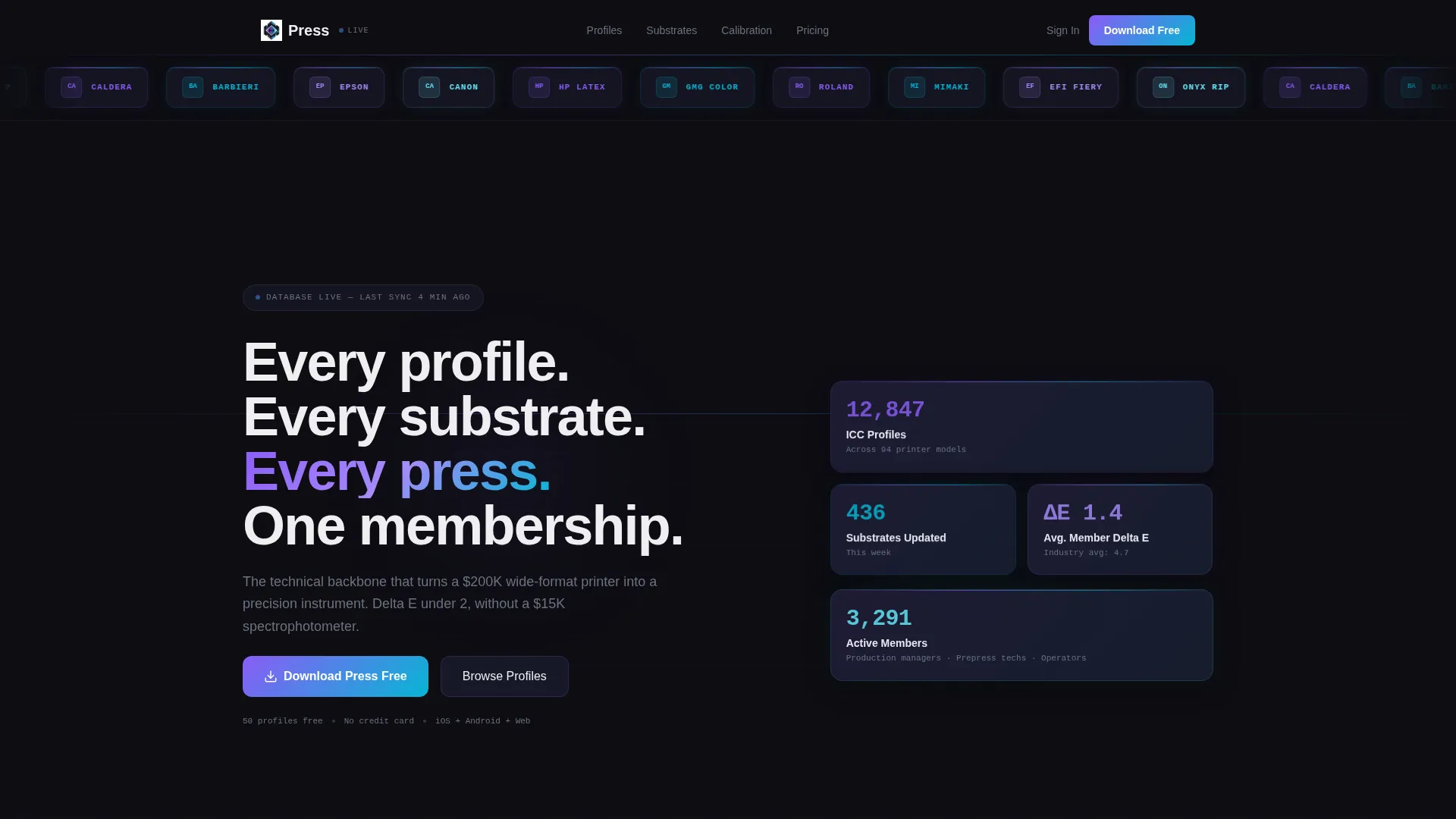
- A logo bar header featuring printer manufacturer and RIP software brand tiles in a frosted-glass ribbon
- A live-data dashboard tile grid showing real, unrounded membership statistics
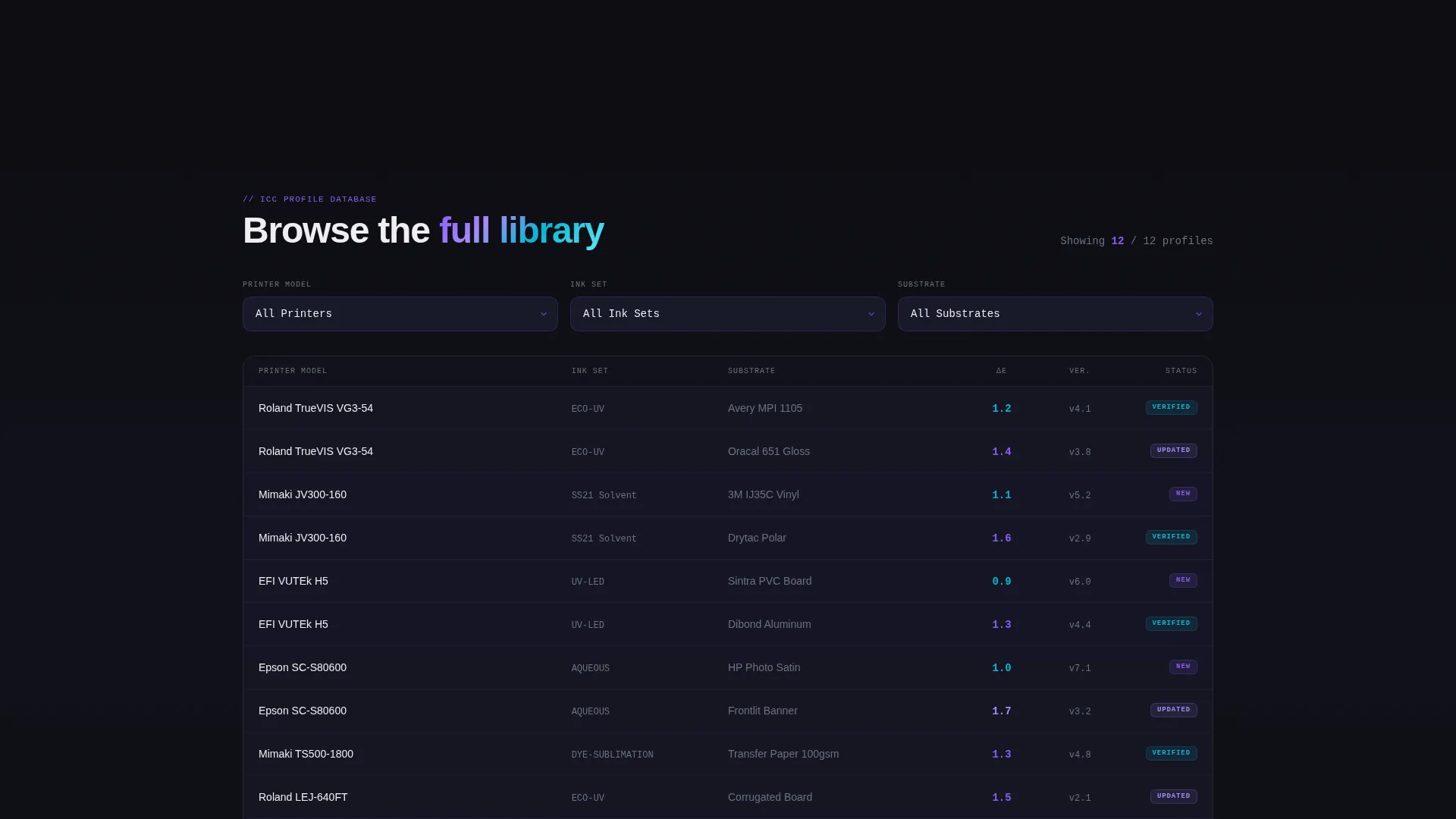
- An interactive ICC profile data grid with three dropdown filters for printer model, ink set, and substrate
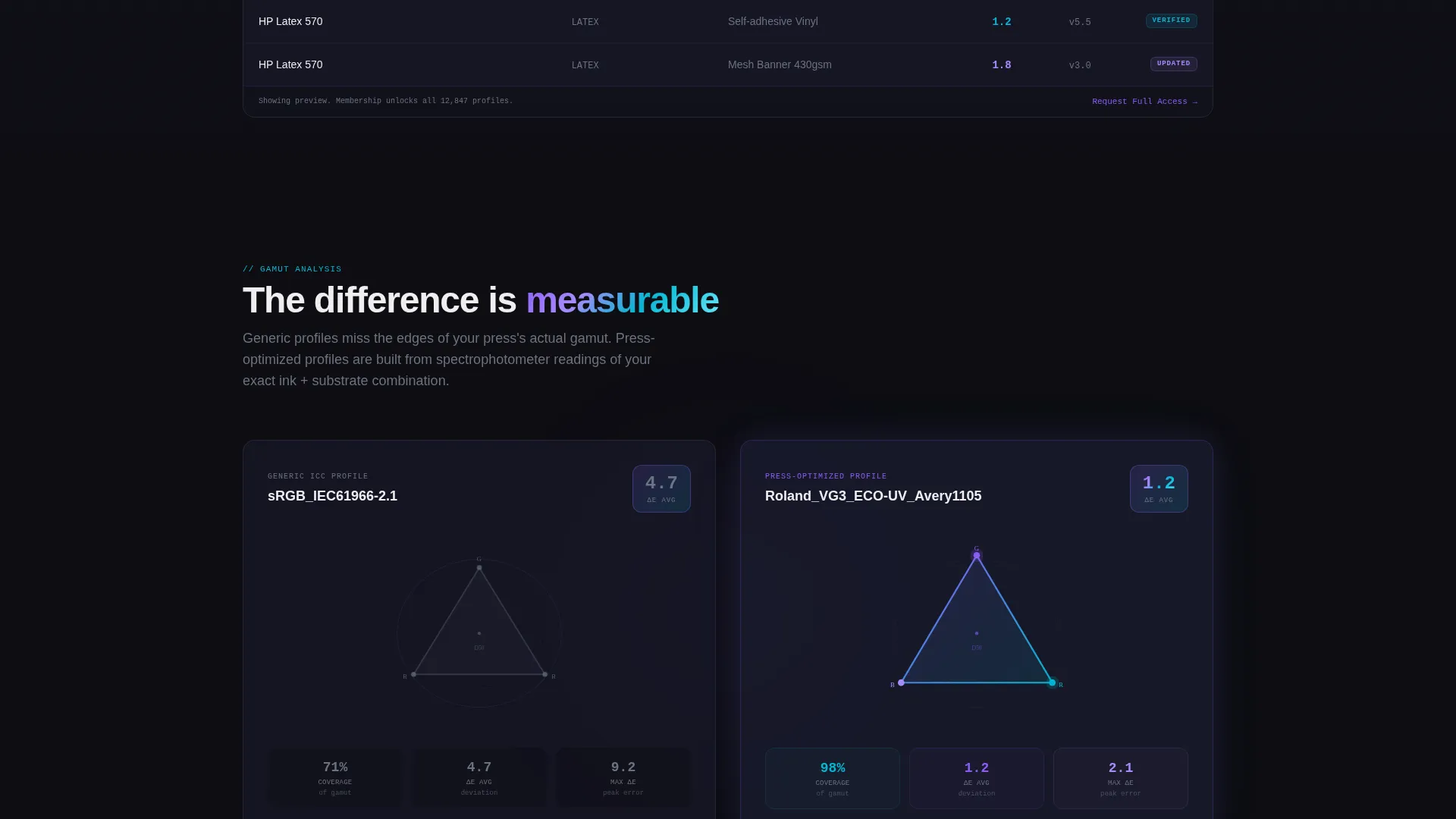
- A side-by-side color gamut comparison section with Delta E figures called out in iridescent numerals
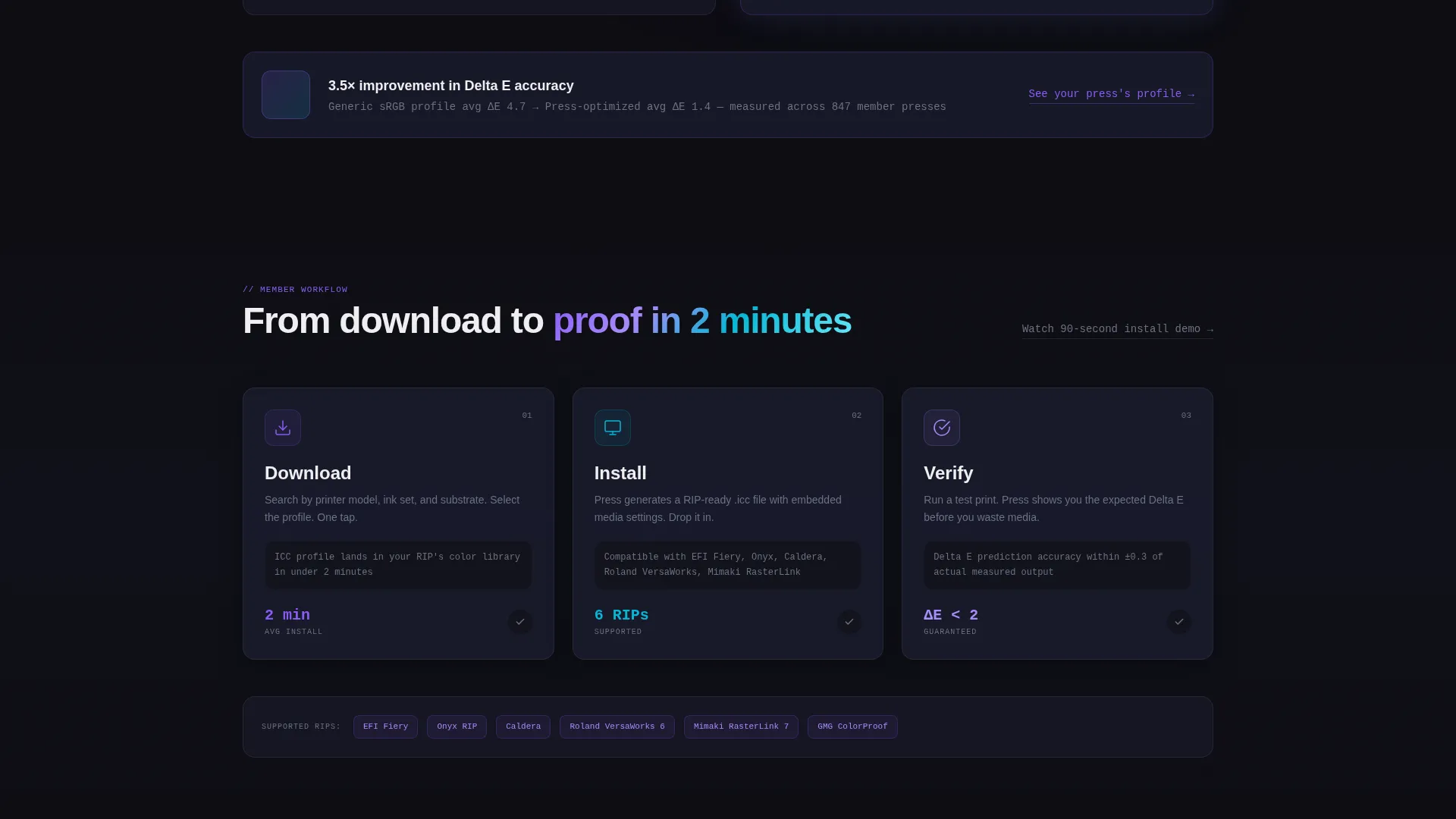
- A three-card member workflow section with micro-animations illustrating the Download, Install, and Verify steps
- A dual download call-to-action block with App Store and Google Play badges, a web dashboard path, and a lead-capture email field
Feature list
This template is built around components that serve a technically literate audience. Each section earns attention through precision, not decoration.
Live Dashboard Metric Tiles
Three prominent data tiles open the page below the logo bar. Each tile displays a specific, unrounded number such as total ICC profiles, substrate entries updated this week, and average member Delta E. The numbers feel real because the template is styled to present them as real-time statistics rather than marketing copy.
Interactive ICC Profile Data Grid
A filterable grid lets visitors browse the profile library before signing up. Three dropdown filters allow selection by printer model, ink set, and substrate. Visitors can watch the grid respond to their choices, which demonstrates the depth of the database without requiring a login.
Color Gamut Comparison Section
A side-by-side visualization places a generic color profile against a membership-optimized profile. The Delta E difference is displayed in iridescent numerals, giving technically trained visitors an immediate, quantified reason to upgrade.
Member Workflow Cards
Three dashboard-style cards walk visitors through the membership workflow: Download, Install, and Verify. Each card includes a micro-animation of its respective step. The sequence shows exactly how the product fits into a real production environment.
Dual Download Call to Action
The primary conversion block pairs App Store and Google Play badges with a secondary link to the web dashboard. A single email capture field sits alongside the download buttons, collecting the lead even when the download comes later.
Frosted-Glass Logo Bar Header
A full-width ribbon displays printer manufacturer and RIP software logo tiles rendered in frosted glass with iridescent edge-light. The header establishes professional credibility in the first second of page load without requiring any copy to do the work.
Page sections overview
| Section | Purpose |
|---|---|
| Logo Bar Header | Establishes credibility with manufacturer and RIP software brand tiles |
| Live Metric Tiles | Proves library size and activity with specific, unrounded statistics |
| ICC Profile Grid | Lets visitors filter and explore the database before signing up |
| Gamut Comparison | Shows measurable color improvement with a Delta E side-by-side view |
| Workflow Cards | Illustrates the three-step Download, Install, Verify member process |
| App Download Block | Drives conversion with app badges, web path, and email capture |
Design & branding system
The visual identity follows a Tech Glass theme using an iridescent color system built specifically for a dark, clinical aesthetic. The palette evokes the look of a freshly calibrated monitor: precise, alive with spectral color, and immediately trustworthy to a technical audience.
- Base layer uses deep obsidian (#0D0D12) with translucent panel gray (#1A1B2E) and frosted-glass blur effects throughout
- Active elements carry an iridescent violet (#8B5CF6) to electric cyan (#06B6D4) gradient that shifts across interactive components
- Data text is set in crisp registration white (#EEEEF0) to maintain readability against the dark base at any scroll depth
Mobile & speed optimization
The template is structured for production managers and operators who may access the page from a RIP station, a tablet on the print floor, or a mobile device. The layout adapts to each context without sacrificing the data-dense visual style.
- The dashboard tile grid and data grid reflow cleanly for smaller viewports, keeping interactive filters accessible on touch screens
- The dual download block with App Store and Google Play badges is built to be thumb-friendly, with the email field and call to action buttons stacked for easy tap access
How this template helps you convert
The Spec Sheet creative direction is intentional. The page earns the download by showing the database working before it asks for anything. Conversion happens because trust is built through visible proof, not persuasion.
- The live metric tiles and interactive data grid give visitors a hands-on sense of the library's scale, so they arrive at the download block already convinced the membership is real
- The frictionless offer structure, 50 free profiles with no credit card required, removes the primary objection at the moment of decision, and the email field captures the lead even if the download happens on a different device
Other information about this template
This template is part of a broader Tech Glass theme family and is matched to the Dashboard and Data Grid template style. It is built for the printing digital presence subcategory within the technology category. The Spec Sheet creative direction and App Download landing page direction are both embedded in the layout structure, not added as optional modules.
- The header logo bar concept is designed to display tiles for manufacturers such as Roland and Mimaki alongside RIP software platforms such as EFI Fiery, Onyx, Caldera, and Barbieri
- The iridescent AI color system is the defining visual feature, shifting from violet to cyan across gradients in a way that references spectral color science familiar to print professionals
- The template intersection match is rated at 13, indicating strong alignment between the Tech Glass theme, the Spec Sheet creative direction, and the printing membership site niche
Theme
Tech Glass
Creative direction
Spec Sheet
Color system
AI Iridescent
Style
Dashboard/Data Grid
Direction
App Download
Page Sections
Live Dashboard Metric Tiles
Interactive ICC Profile Data Grid
Color Gamut Comparison Block
Member Workflow Cards
Dual Download Call to Action
Frosted-glass Logo Bar Header
Related questions
Who is this landing page template designed for?
Can I customize the ICC profile data grid filters?
Does the template support both app and web conversion paths?
How does the color gamut comparison section work?
What does the frictionless download offer include?



