Daycare Knowledge Base App Landing Page Template
Primer is a Bold Brutalist landing page template built for a daycare knowledge base app. It combines an iridescent dark color system, scroll-reveal animations, and a code-snippet header to position the app as the definitive compliance tool for childcare professionals. The template drives app downloads through live proof, animated stats, and a persistent call-to-action bar.
by Rocket studio
Quick summary
Primer is a single-page, scroll-reveal landing page template designed for a daycare knowledge base app. It uses a Bold Brutalist visual identity, data-dense section reveals, and a terminal-style header to communicate technical authority. The template guides center directors, home-based providers, and early childhood education students toward downloading the app.
Who this template is for
This template is built for product teams and founders launching a childcare compliance or knowledge base app. It speaks directly to the pain points of people who work inside the early childhood education system every day.
- Center directors managing state licensing audits and staff-ratio documentation
- Home-based childcare providers searching for safe-sleep rules and regulation updates
- Early childhood education students preparing for practicum and needing quick access to standards
What problem this template solves
Childcare compliance information is scattered across 50 different state licensing codes. Providers and directors waste hours hunting for the right rule, only to find it may already be outdated. This template frames that problem visually before presenting the app as the clear solution.
- Communicates the scale of fragmented regulation across all 50 states
- Shows that outdated information is a leading cause of compliance citations
- Moves visitors from skepticism to confidence by demonstrating the app's depth in real time
What you get with this template
You get a fully structured, scroll-reveal landing page that builds a compelling case for the app section by section. Every layout decision supports the goal of earning the download before asking for it.
- A brutalist terminal header with a styled API code snippet and animated blinking cursor
- A progressive stats section with animated counters and hard-cut reveal card animations
- An embedded mini-search field, dual app-store badges, and a persistent bottom call-to-action bar
Feature list
This template delivers a set of purposeful, prompt-defined components that work together to move visitors toward the app download.
Terminal-Style Code Snippet Header
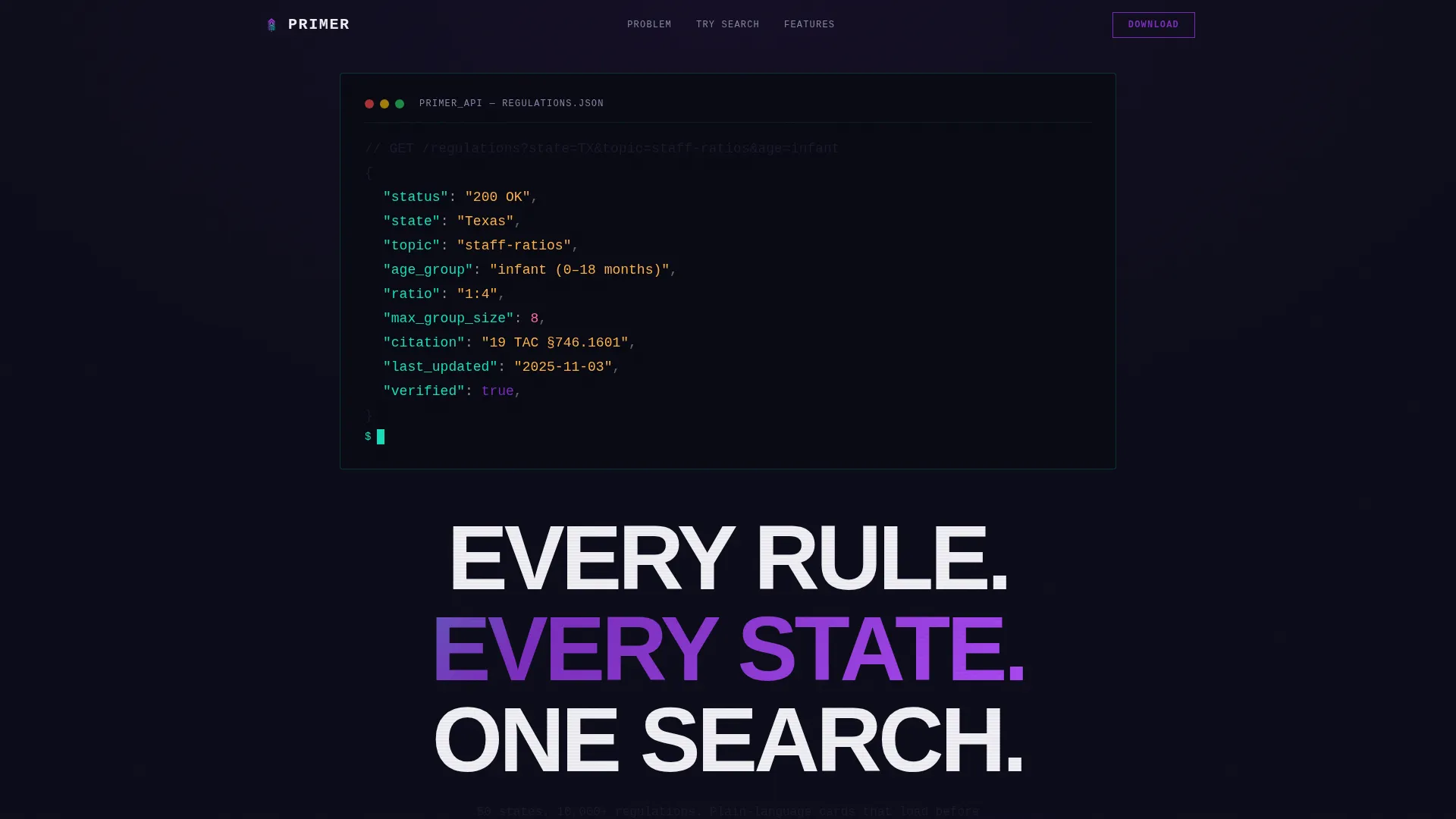
The header centers an oversized monospace terminal block on a pitch-dark slab. It displays a realistic API-style query returning a JSON result with a ratio, citation, and timestamp. A single cyan blinking cursor pulses below the query, signaling precision and machine-readable authority.
Animated Problem-Stats Section
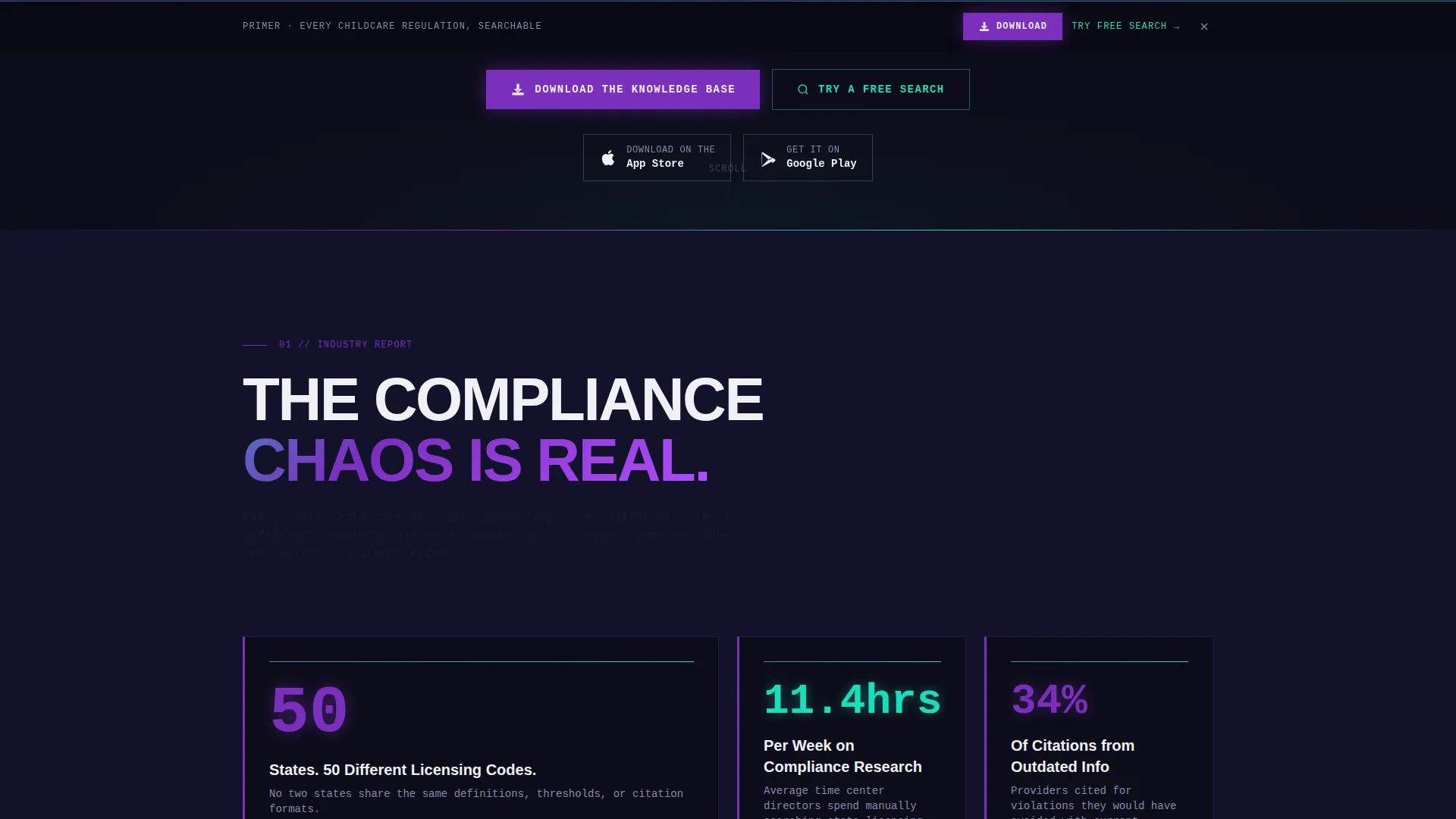
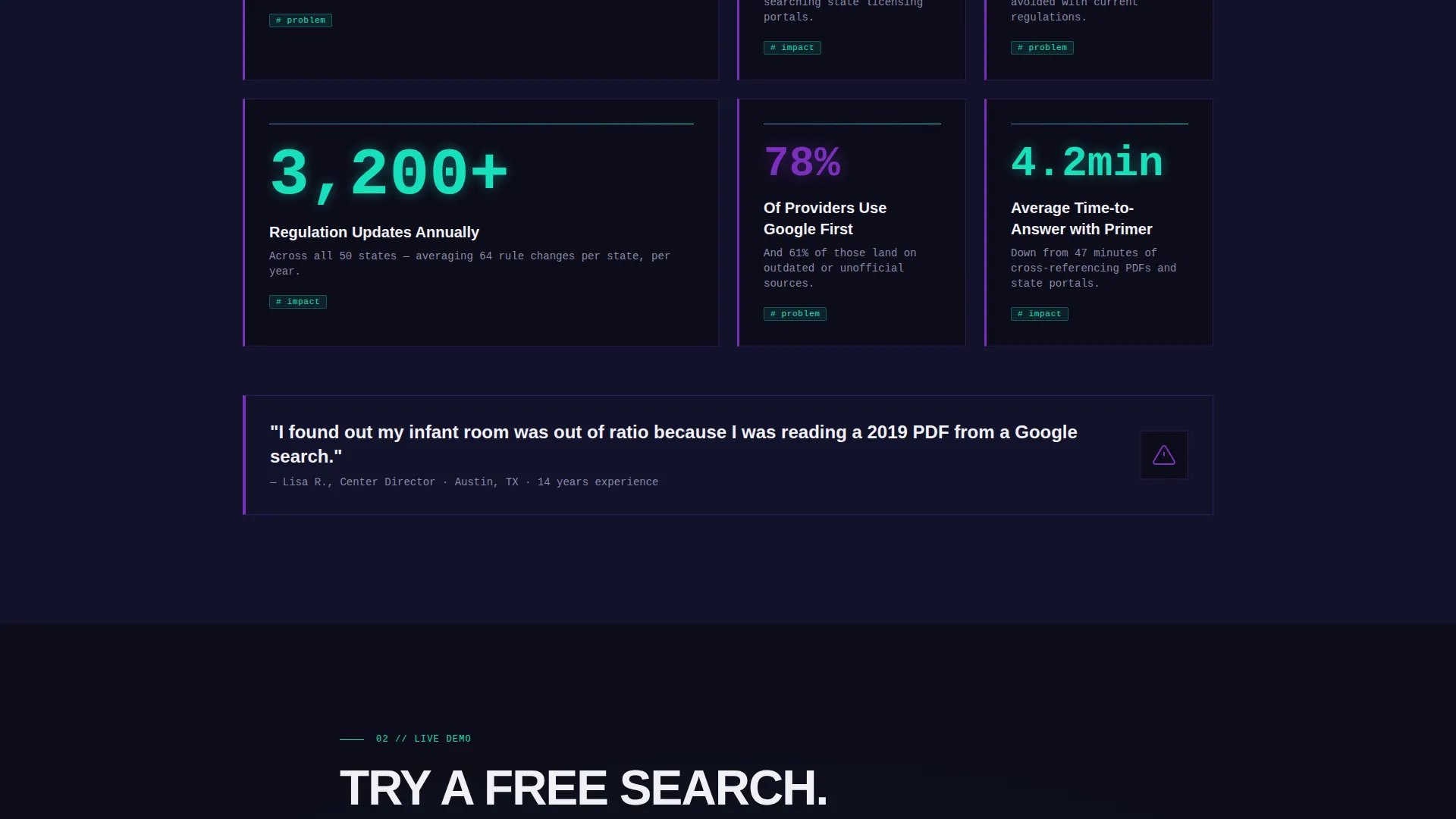
A brutalist grid of stat cards slams into view using hard-cut scroll-reveal animations. Cards display figures such as average hours spent on compliance research, percentage of citations from outdated data, and annual regulation update counts. An animated counter opens the section, cycling through "50 states, 50 different licensing codes."
Product Screenshot Modules
Mid-page slide-in modules showcase the app's actual interface. Screenshots cover the search view, bookmarked regulation cards, and push-notification alerts for rule changes. Each module appears as the user scrolls deeper, progressively proving the product.
Embedded Mini-Search Field
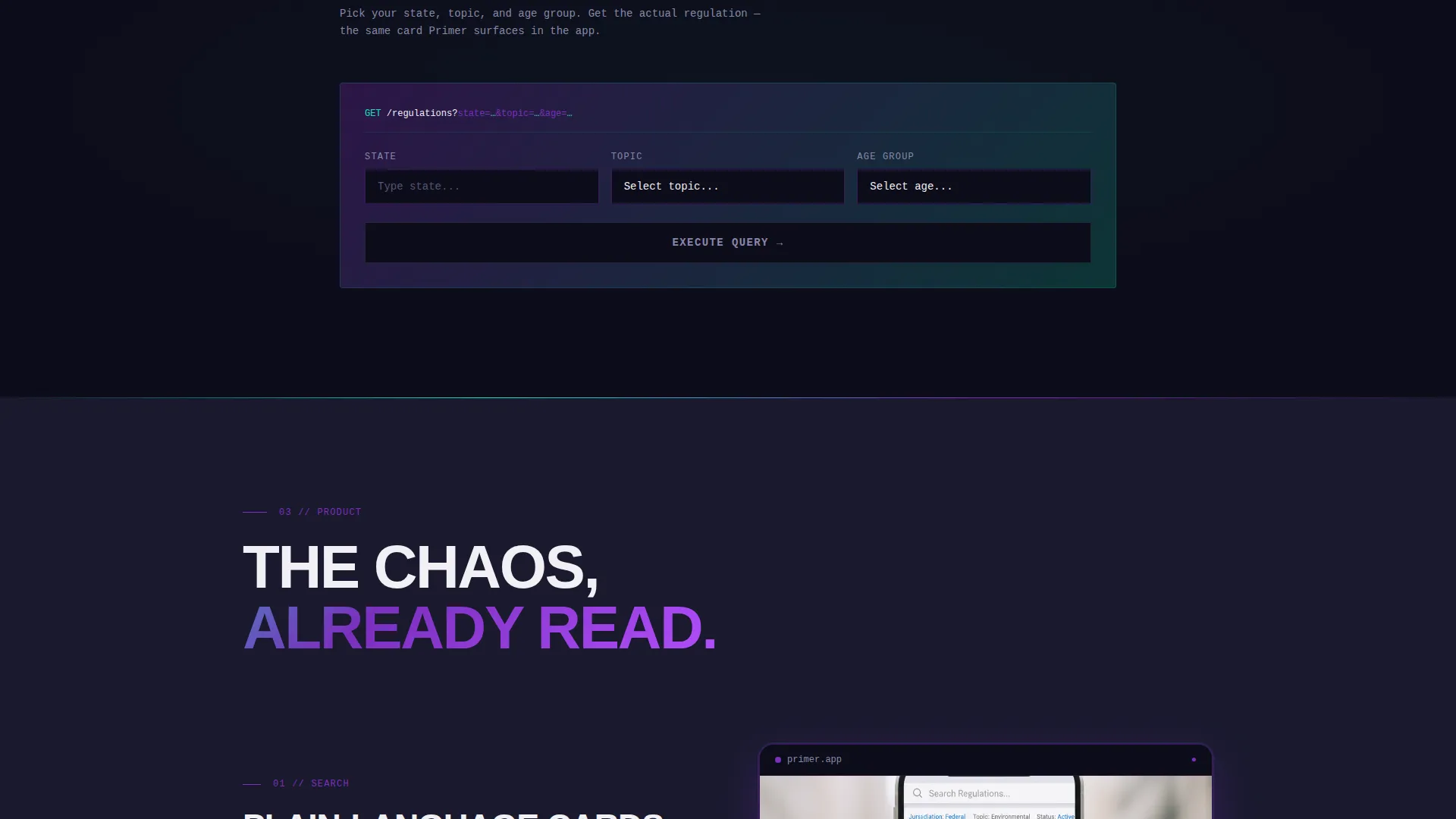
A secondary conversion path lets visitors type a state and topic directly on the page to receive one live search result. This turns passive curiosity into hands-on proof without requiring a download first.
Persistent Bottom Call-to-Action Bar
After the visitor scrolls past the problem-stats section, a sticky bottom bar activates. It carries the primary download call to action alongside paired app-store badges, keeping the conversion path visible throughout the rest of the page.
Dual App-Store Badge Pairing
The primary call-to-action block pairs App Store and Google Play badges beneath the header snippet and again inside the persistent bar. Both placements appear naturally within the page flow, reducing friction for mobile and desktop visitors alike.
Page sections overview
| Section | Purpose |
|---|---|
| Terminal Header Block | Establishes technical credibility with a code snippet and headline |
| Primary call to action Row | Presents app-store download badges immediately below the header |
| Animated Counter Strip | Visualizes the 50-state compliance problem with a live counter |
| Stats Card Grid | Delivers hard-cut brutalist stat cards with compliance data |
| Product Screenshot Modules | Shows the app search interface and regulation card features |
| Mini-Search Field | Lets visitors run a live sample search to experience the app |
| Persistent Bottom Bar | Keeps the download call to action visible after stats section |
Design & branding system
The visual identity is Bold Brutalist fused with an AI Iridescent color palette. Heavy dark backgrounds anchor the layout while holographic gradients pulse across interactive and data elements, creating an institutional-weight aesthetic with prismatic energy.
- Deep slab charcoal (#1A1A2E) for page backgrounds, titanium white (#F0F0F5) for card surfaces and body text
- Holographic violet (#7B2FBE) for primary actions and data highlights, shifting cyan (#16E0BD) for tag pills and accent details
- Oversized grotesque type for headlines, monospace type for the terminal block, with violet-to-cyan gradients animating across progress bars and loading states
Mobile & speed optimization
The template is built for a responsive single-page flow that adapts across screen sizes. Scroll-reveal animations and the persistent bottom bar are designed to behave consistently on both mobile and desktop viewports.
- Scroll-reveal animations use hard-cut transitions that render cleanly on smaller screens
- The persistent bottom call-to-action bar is optimized for thumb-reach placement on mobile devices
- Card grid and screenshot modules reflow into stacked layouts on narrow viewports
How this template helps you convert
The page earns the download by building proof before making the ask. Each scroll deeper removes one more layer of doubt and adds one more reason to install.
- The terminal header immediately signals technical depth, qualifying the right audience and filtering out casual visitors within the first viewport.
- The animated stats section transforms an abstract compliance problem into specific, personal data, making the app feel relevant to each visitor's daily reality.
- The embedded mini-search field delivers a live result before any commitment is required, turning the page itself into a product demo that closes the gap between interest and install.
Other information about this template
This template is built inside the Scroll Reveal (Progressive) template style, meaning content sections load and animate as the user scrolls rather than presenting everything at once. The Industry Report creative direction structures the page like a data-driven editorial, moving from problem evidence to product solution in a deliberate sequence. The header concept is a Code Snippet, a design choice that directly addresses the technical fluency of the target audience. The App Download landing page direction shapes every call-to-action placement, from the above-the-fold badge pair to the persistent sticky bar.
- The AI Iridescent color system is a named palette system combining deep charcoal, holographic violet, shifting cyan, and titanium white
- The Bold Brutalist theme uses heavy slabs, hard-cut animations, and high-contrast type to create institutional visual weight
- This template is categorized under Technology with a subcategory of Daycare Digital Presence, making it suitable for edtech and govtech-adjacent app launch pages
Theme
Bold Brutalist
Creative direction
Industry Report
Color system
AI Iridescent
Style
Scroll Reveal (Progressive)
Direction
App Download
Page Sections
Terminal-style Code Snippet Header
Animated Problem-stats Section
Product Screenshot Slide-in Modules
Embedded Mini-search Field
Persistent Bottom Call-to-action Bar
Related questions
Who is this landing page template designed for?
Can I customize the color palette and typography?
Does the mini-search field require a live backend connection?
What call-to-action options does this template include?
Is this template built for a single page or a multi-page site?



