Specialized Certification & Programs Booking Website Template
Primer is a single-column landing page template built for one-room schoolhouse programs. It opens with a trust-mark logo bar, then guides visitors through a three-question personalization quiz that reshapes the content they see below. The page converts through an event registration form inviting families to reserve a visit day, with a secondary email capture for a philosophy guide download.
by Rocket studio
Quick summary
Primer is a focused, single-column landing page for a one-room schoolhouse. A logo bar opens with accreditation seals and a hand-lettered crest. A three-question quiz then personalizes the sections each family sees. The page closes with an event registration form to reserve a visit day, plus a secondary email capture for a philosophy guide.
Who this template is for
This template is built for small, independent schoolhouse programs that teach mixed-age groups under one teacher. It speaks directly to families seeking an intentional alternative to conventional district schooling.
- Homestead and rural families researching alternatives to long bus commutes and large consolidated schools
- Former Montessori or alternative-education families who want a grounded, less polished learning environment
- Schoolhouse founders and teachers who need a page that conveys earned trust, not marketing gloss
What problem this template solves
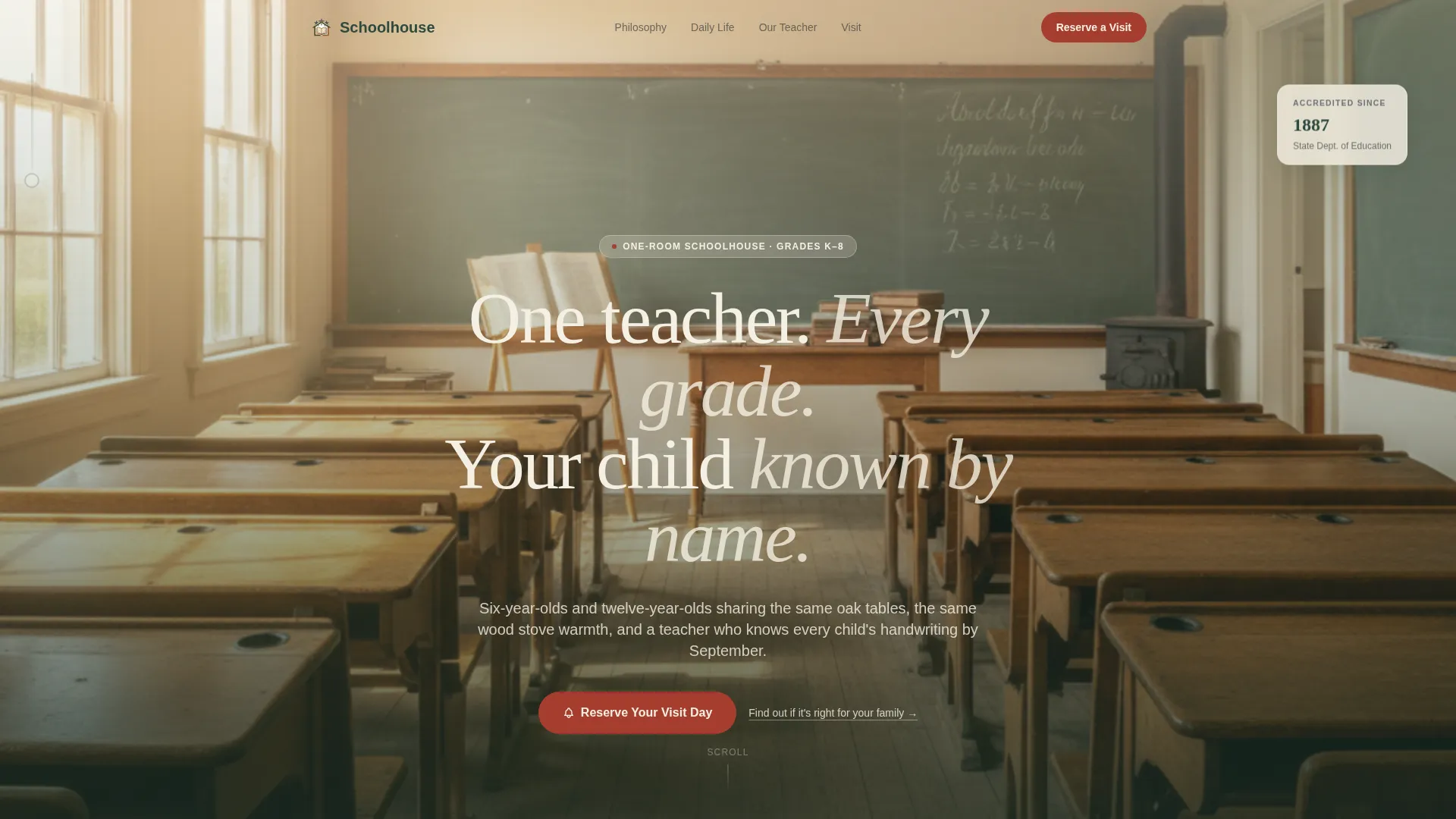
Most education landing pages look like they belong to a software company. They are full of stock photography, generic copy, and forms that feel impersonal. A one-room schoolhouse needs a page that feels like the place itself: quiet authority, real community, and a sense that every family is seen.
- Families cannot gauge whether the schoolhouse truly knows their child before they visit
- A generic page gives no way to surface the right philosophy, schedule, or program details for each grade level
- Without a clear next step, interested families leave without booking a visit or sharing contact details
What you get with this template
Primer delivers a complete single-column landing page with every section needed to introduce, persuade, and convert a prospective schoolhouse family. The layout moves from trust signals at the top through personalized content in the middle to a low-commitment registration form at the bottom.
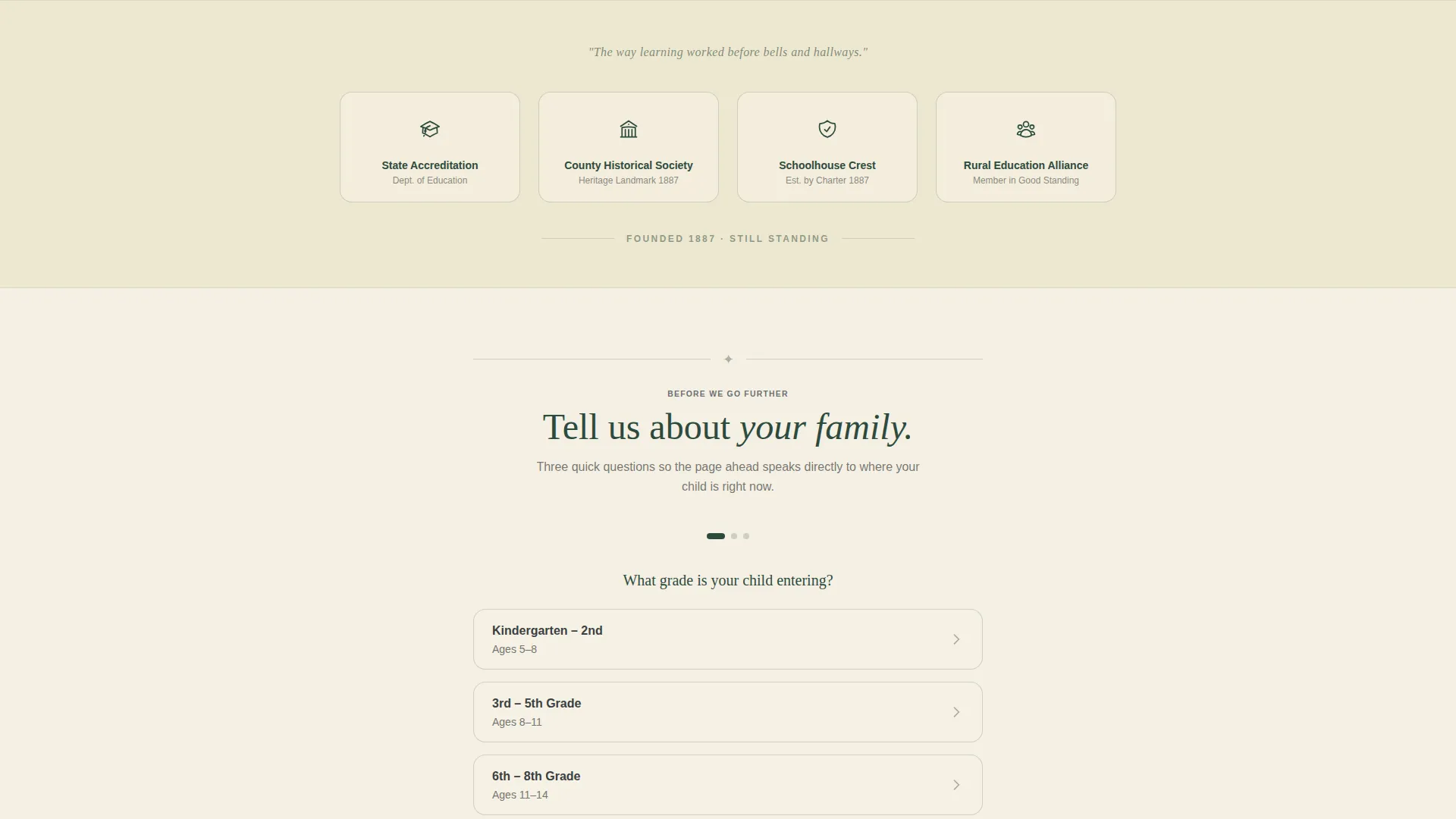
- A logo bar header displaying accreditation seals, historical society emblems, a hand-lettered crest, and a founding datestamp
- A branching quiz engine with three questions that reshapes the visible content sections based on each visitor's answers
- An event registration form for visit-day reservations and a secondary email-capture link for a downloadable philosophy guide
Feature list
This section covers the core functional and design components built into the Primer template.
Trust-Mark Logo Bar Header
The header is a clean horizontal band displaying the state accreditation seal, the county historical society emblem, the schoolhouse's hand-lettered crest, and a "Founded 1887" datestamp. No photograph competes for attention. A single line of serif type sits below the marks: "One teacher. Every grade. Your child known by name."
Three-Question Personalization Quiz
Visitors answer three branching questions immediately below the header. The questions cover the child's entering grade, the family's top priority (such as small class size, outdoor learning, or mixed-age mentorship), and distance from the schoolhouse. Each answer combination reshapes which content sections appear below, so the page reads as if it was written for that specific family.
Personalized Content Sections
After the quiz, the page surfaces the sections most relevant to each family. A parent of a first-grader sees the early-literacy philosophy section and the reading nook. A parent of a fifth-grader sees the field research program and student journal excerpts. Philosophy, daily schedule, teacher biography, and parent testimonials each arrive in the order that fits the family's profile.
Event Registration Form
The primary call to action is a visit-day reservation form in schoolhouse red. It collects parent name, child's age, a preferred visit Saturday chosen from three upcoming open-classroom dates, and an optional question the family wants answered during the visit. There is no payment and no commitment involved.
Secondary Philosophy Guide Capture
Below the primary registration form, a text link reads "Download Our One-Room Philosophy Guide." Families not ready to visit can enter their email to receive a twelve-page downloadable guide. This secondary capture keeps interested but undecided families connected to the schoolhouse.
Forest Trust Color System
The palette uses old-growth pine, chalkboard slate, parchment cream, and a hand-dipped red. Parchment cream dominates the background, slate anchors body text, pine frames section dividers and the footer, and schoolhouse red appears only on buttons and the schoolhouse bell icon. The result is a visual identity that reads as institutional authority without feeling cold.
Page sections overview
| Section | Purpose |
|---|---|
| Logo Bar Header | Displays trust marks, crest, founding date, and tagline |
| Personalization Quiz | Collects three answers to reshape visible content below |
| Personalized Philosophy | Surfaces early-literacy or field-research content by grade |
| Daily Schedule View | Shows the schoolhouse rhythm matched to the child's level |
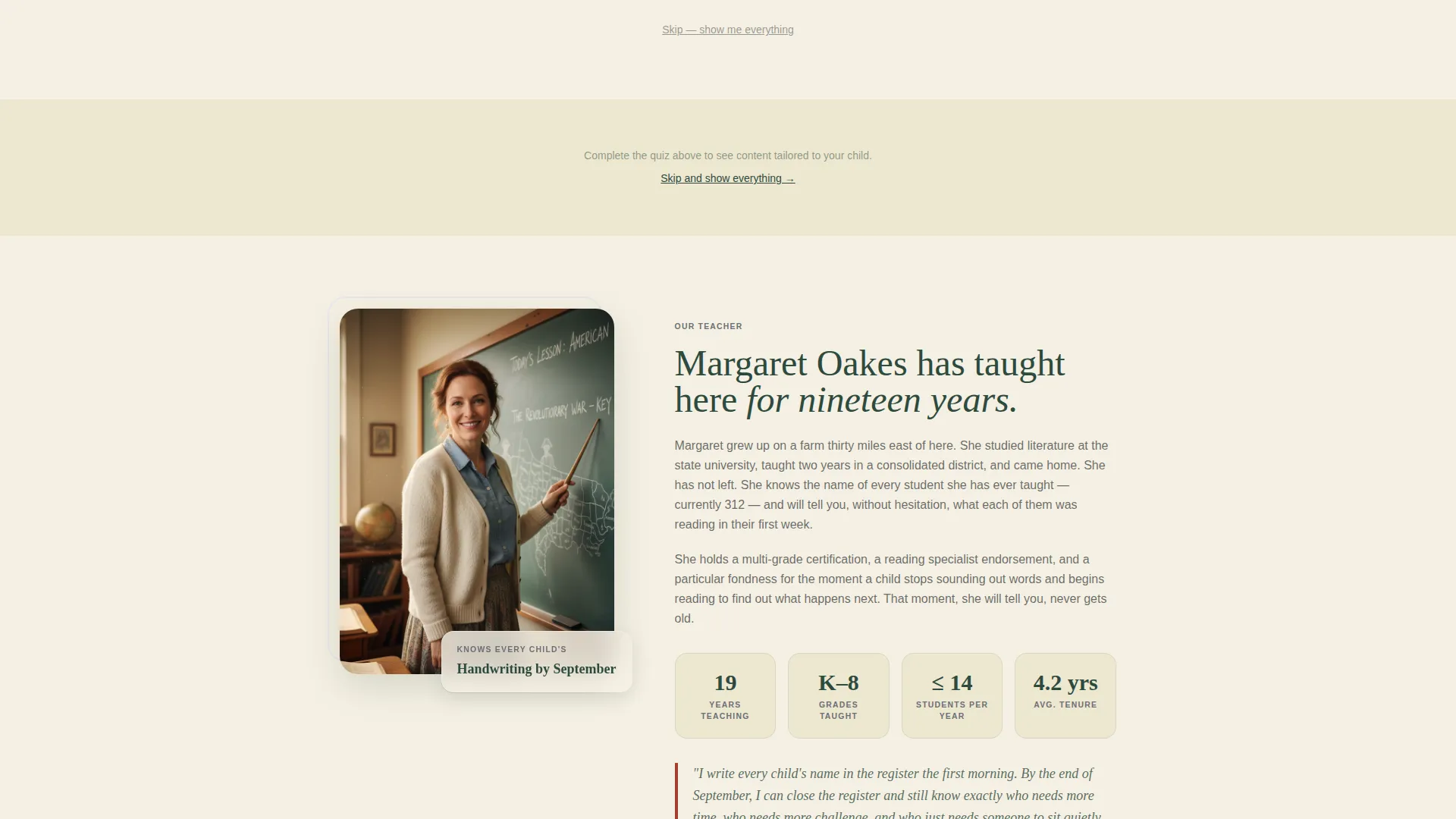
| Teacher Biography | Builds personal trust through the lead teacher's story |
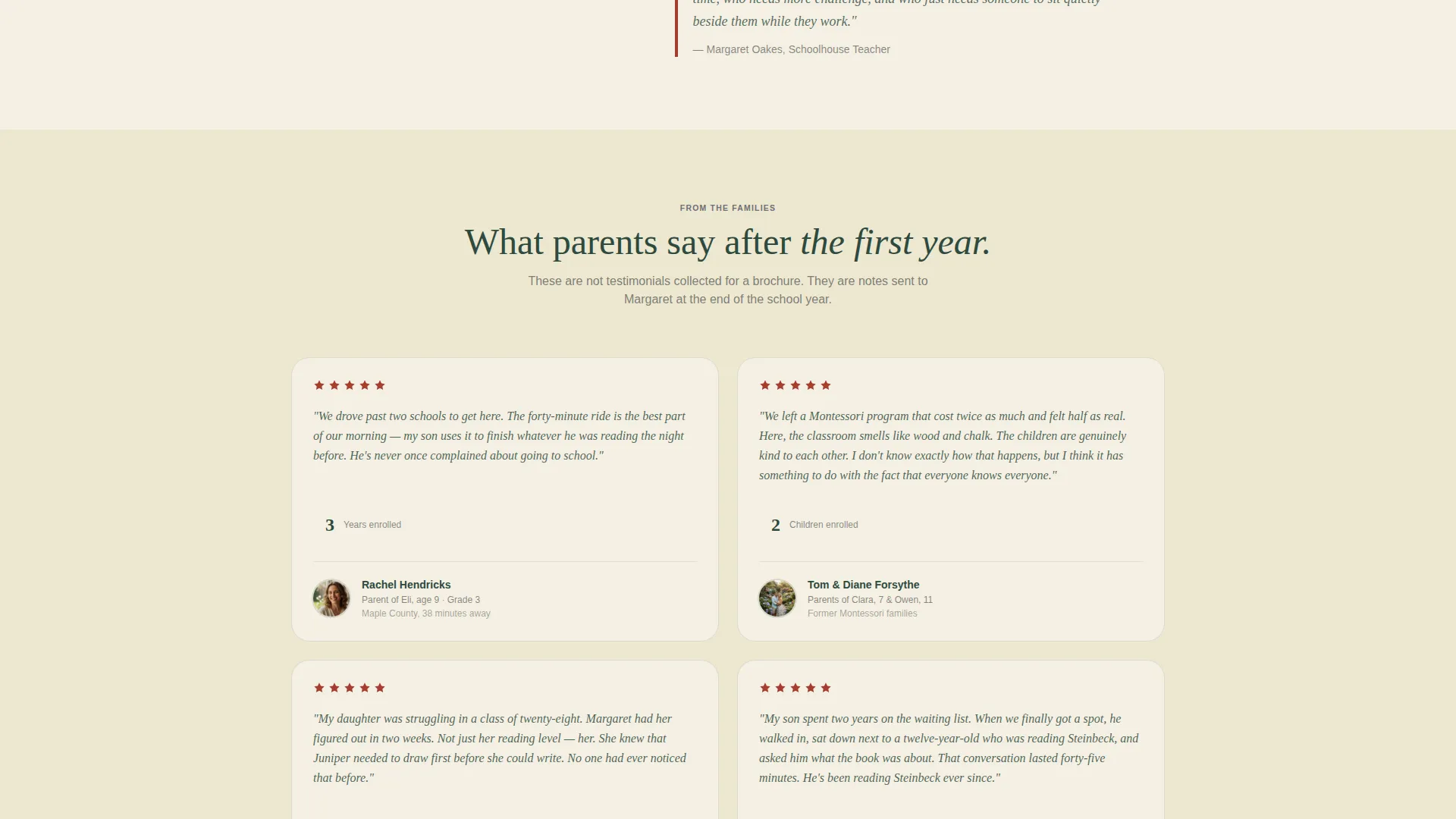
| Parent Testimonials | Reinforces community fit with real family voices |
| Visit Day Form | Captures reservation for an upcoming open-classroom Saturday |
| Philosophy Guide Link | Secondary email capture for undecided families |
| Footer Band | Pine-framed closing with contact details and founding mark |
Design & branding system
The Forest Trust color system gives Primer a palette that feels rooted and serious without tipping into nostalgia kitsch. Every color choice has a defined role, so the page stays visually consistent from header to footer.
- Pine (#2D4A3E) and slate (#3B3F42) anchor headings, dividers, and the footer; parchment cream (#F5F0E3) fills the background
- Schoolhouse red (#A63D2F) appears exclusively on clickable buttons and the bell icon, creating a clear visual signal for every action point
- Serif typography carries the institutional tone throughout, reinforcing the handwritten-register quality of the schoolhouse identity
Mobile & speed optimization
The single-column flow of Primer translates naturally to smaller screens. Every section stacks in a predictable reading order, and the quiz questions present cleanly on a touch interface without requiring horizontal scrolling.
- The single-column layout eliminates complex grid reflows on phone and tablet screens
- The registration form uses a date picker limited to three upcoming Saturdays, keeping the input simple and thumb-friendly on mobile
How this template helps you convert
Primer is designed to move a cautious, research-minded family from curiosity to a confirmed visit day. Every structural decision points toward that low-commitment first step.
- The personalization quiz builds immediate relevance by showing each family only the content that matches their child's grade and their stated priorities, which keeps them reading longer and trusting the page more.
- The visit-day registration form removes friction by asking for just four fields and offering only pre-set open-classroom Saturdays, so the decision feels easy and the commitment feels small.
Other information about this template
Primer sits in the Education and Training category under Specialized Certification and Programs, with a niche focus on one-room schoolhouse programs. The template is part of the single-column flow style family and uses the Institutional Authority theme to signal earned credibility rather than promotional energy.
- The template style is single-column flow, making it straightforward to customize section order or swap out content blocks
- The Quiz and Personalize creative direction is the structural engine of the page; the branching logic makes the same template feel personal for families at very different grade levels
- The Event Registration landing-page direction means the page has one primary goal: getting a family to book a visit day, with a secondary goal of capturing an email for the philosophy guide
- The Logo Bar header concept is designed to work without photography, relying entirely on institutional marks and typography to establish trust
Theme
Institutional Authority
Creative direction
Quiz & Personalize
Color system
Forest Trust
Style
Single Column Flow
Direction
Event Registration
Page Sections
Trust-mark Logo Bar
Three-question Personalization Quiz
Grade-matched Content Sections
Visit-day Registration Form
Secondary Philosophy Guide Capture
Forest Trust Color System
Related questions
Can I use this template without running a quiz?
What information does the visit-day form collect?
Does the template include the philosophy guide PDF?
Can I edit the color palette to match my own school branding?
Is this template suitable for a program with more than one teacher?



