Advanced Printing Digital Presence Professional Website Template
Inkwell is a dashboard-style landing page template built for the printing industry. It presents a searchable knowledge engine covering printing processes, substrates, ink chemistries, and color profiles. Designed for production professionals, it combines dense data grids, interactive tab views, and a freemium signup flow that proves value before asking for credentials.
by Rocket studio
Quick summary
Inkwell is a single-page, data-command landing page template built for a printing knowledge base. It uses a Feature Tab Switcher header, scrolling industry-report modules, and a freemium conversion flow. The design draws on a deep pressroom palette to make complex printing data feel organized, authoritative, and immediately useful to production-floor professionals.
Who this template is for
This template is built for teams that need to communicate serious technical depth to a highly specialized audience. If your product is a printing reference platform, a substrate database, or a production-floor knowledge tool, this template gives your landing page the right weight and credibility.
- Prepress technicians and press operators who need fast, reliable lookup tools
- Print buyers and packaging engineers comparing processes across large production runs
- Platform founders and product teams launching a printing knowledge base to a professional audience
What problem this template solves
Production printing involves dozens of variables that interact in non-obvious ways. Press types, substrate coatings, ink chemistries, color profiles, and dot gain all affect final output. Most landing pages cannot carry that complexity without becoming cluttered or unconvincing. This template solves the presentation problem by organizing dense technical content into scannable data modules that earn trust before asking for a signup.
- Visitors arrive skeptical, so the template leads with live-looking interactive data rather than a promise
- Professionals need to assess depth quickly, and the dashboard layout makes that possible at a glance
- The freemium path removes friction by letting users search before committing to an account
What you get with this template
You get a complete single-page layout structured as a scrollable industry report with a command-style visual identity. Every section is a self-contained data module with its own context, record counts, and source attribution. The header alone delivers three distinct interactive states before a visitor scrolls.
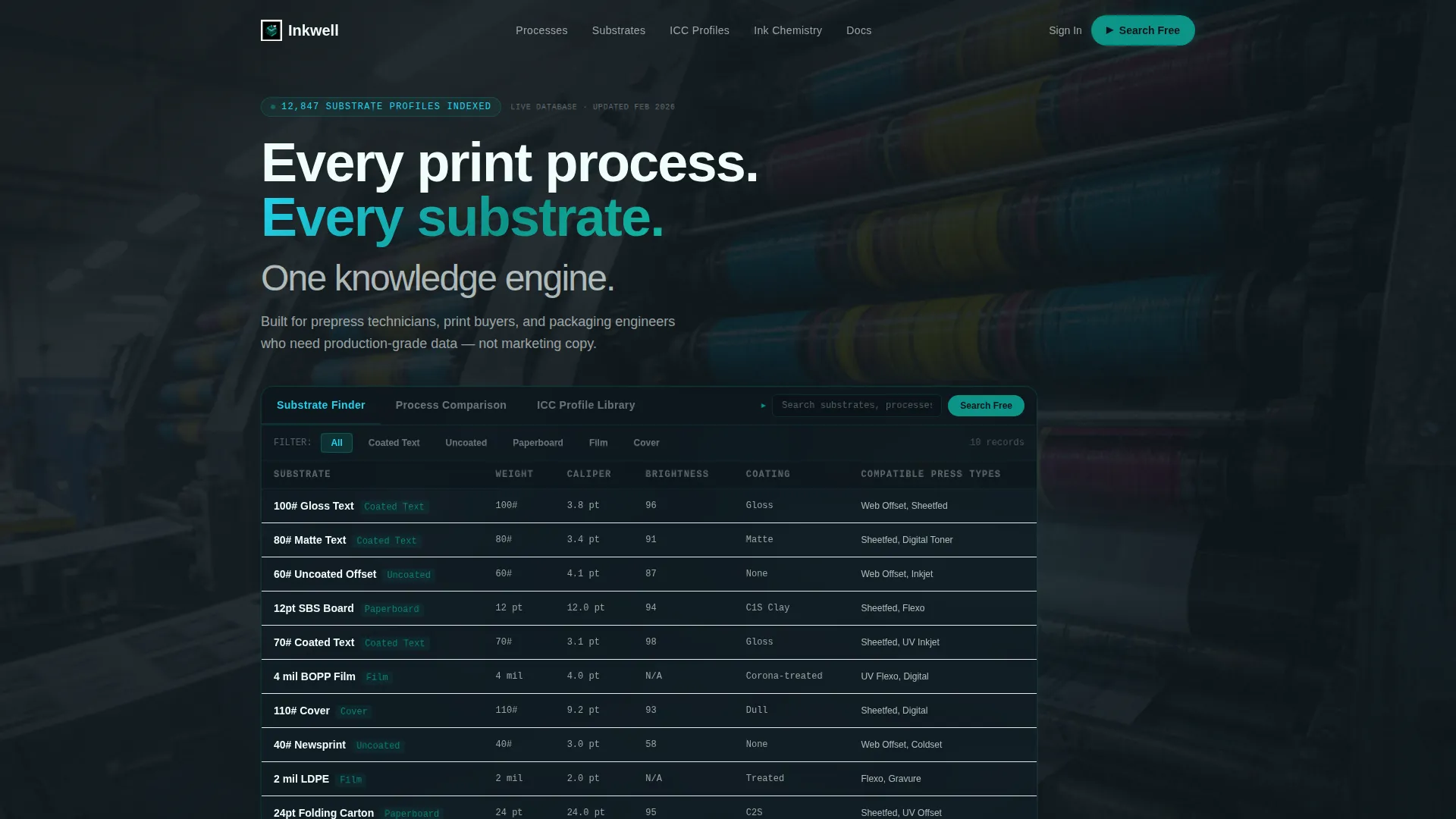
- A three-tab Feature Tab Switcher header with Substrate Finder as the default live data view
- A scrolling series of data modules covering process comparison, substrate compatibility, and color accuracy
- A persistent conversion bar, a primary signup flow, and a gated secondary download path
Feature list
This template is built for comprehensive content delivery.
Three-Tab Interactive Header
The header contains three clickable tabs labeled "Substrate Finder," "Process Comparison," and "ICC Profile Library." The default view shows a filterable grid of substrate data including paper weight, caliper, brightness, and compatible press types. Sample entries like "100# Gloss Text" populate the grid, and a blinking teal cursor sits in the search field to signal interactivity.
Process Comparison Matrix
A dedicated scroll module displays offset, digital, and flexo printing processes across twelve variables. Teal cell highlighting marks the leading option in each category. The layout reads like a live competitive audit, giving print buyers and engineers the context they need to justify specification decisions.
Substrate Compatibility Chart
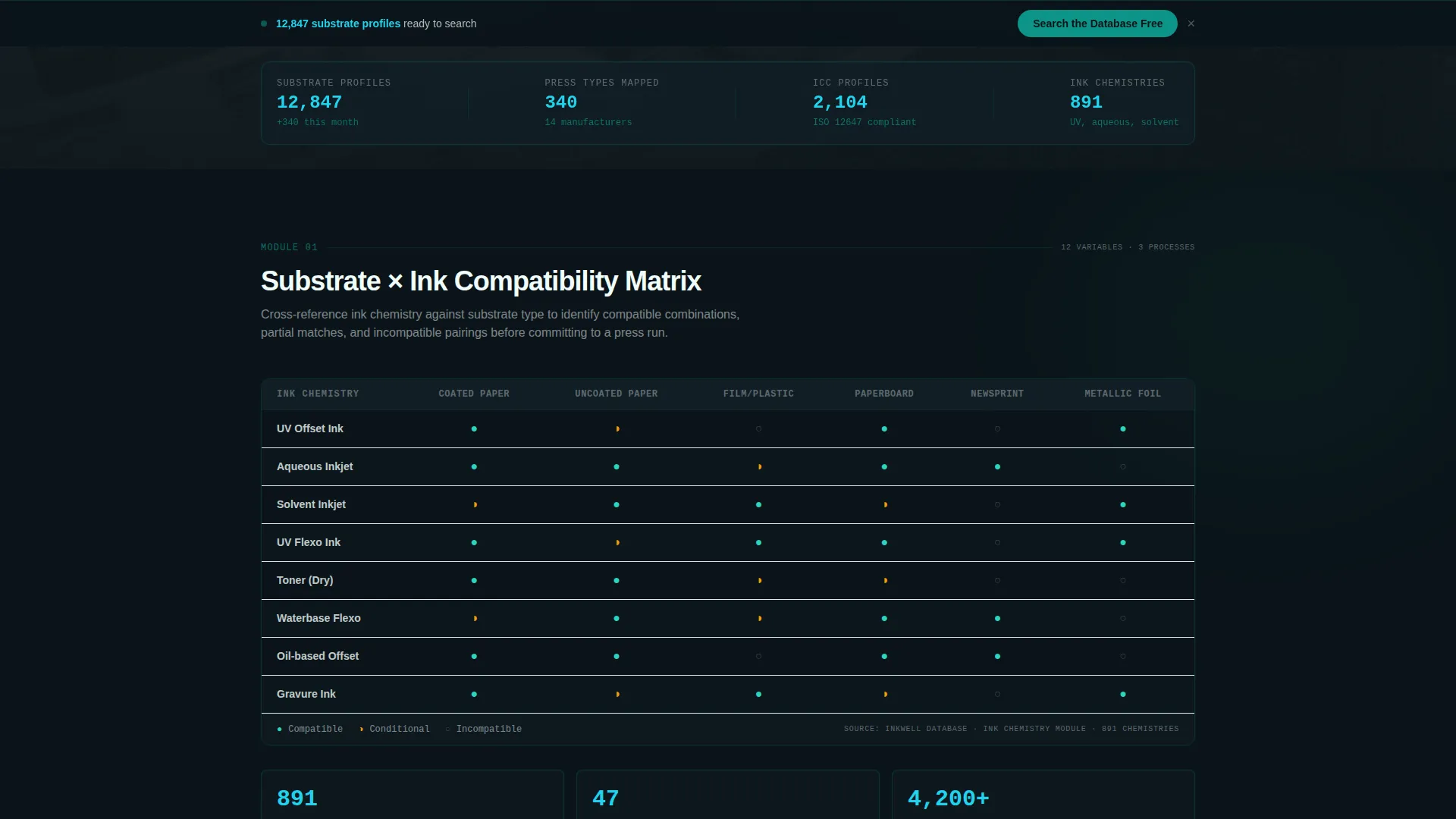
This module cross-references ink types against paper coatings in a structured grid. It gives prepress professionals and packaging engineers a fast way to verify compatibility without leaving the page. Each cell is dense and functional, matching the visual logic of real production documentation.
Color Accuracy Module
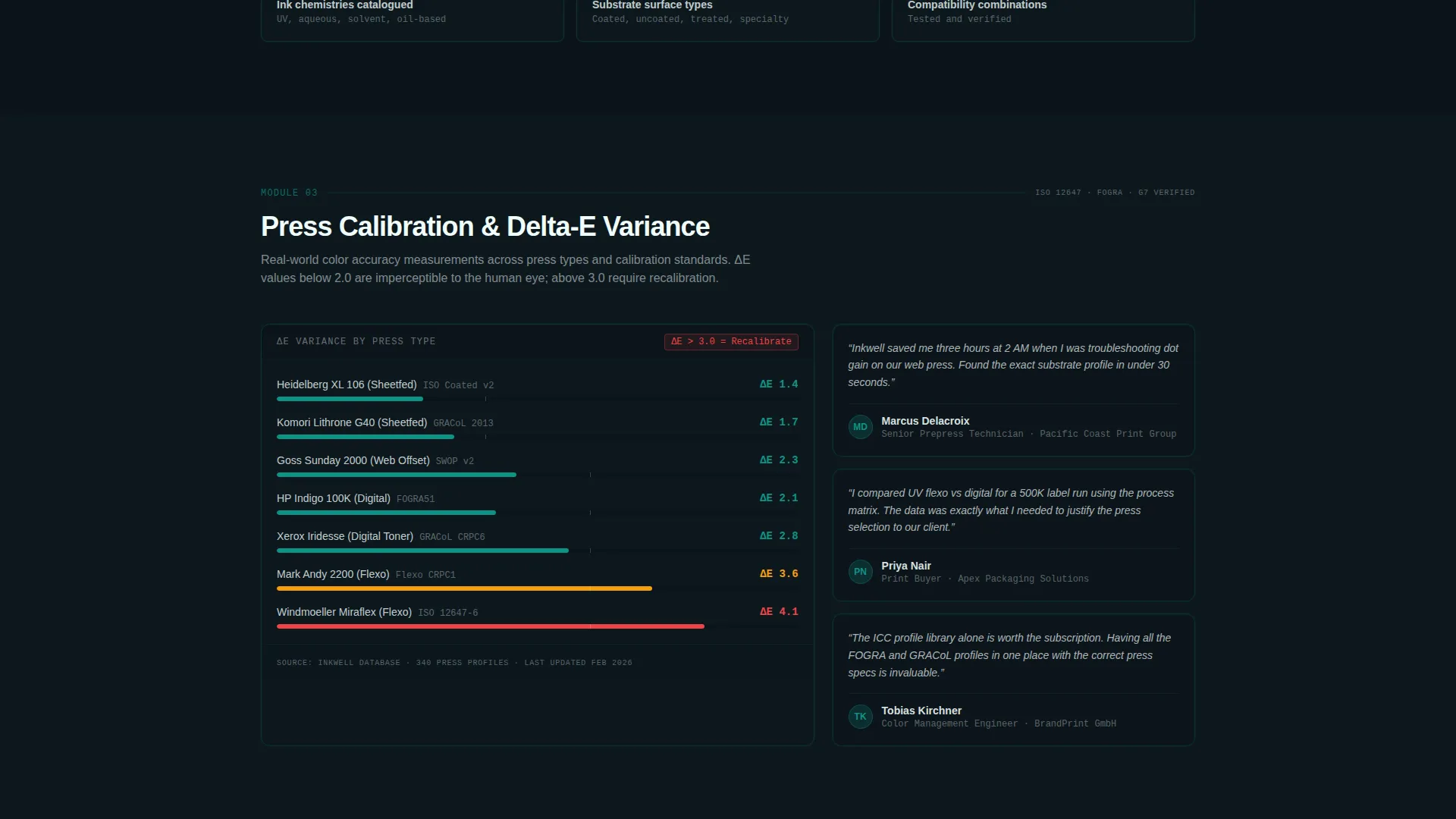
A dedicated section displays Delta-E variance data across press calibrations. This gives color-critical users a concrete sense of the platform's measurement depth. The module reinforces authority by showing precision data, not just category labels.
Freemium Conversion Flow
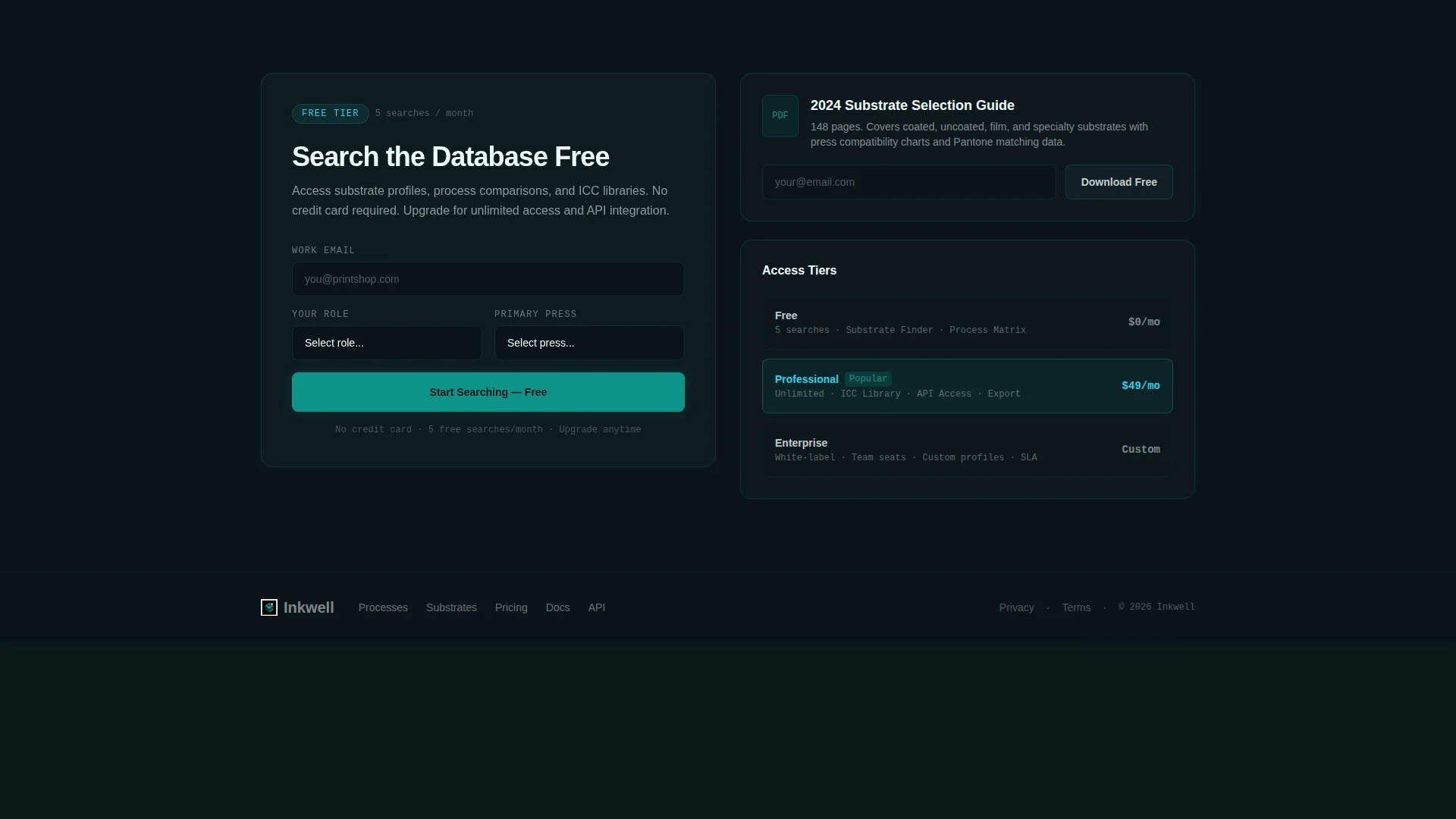
The primary call to action reads "Search the Database Free" and appears both inside the header demo and as a persistent bottom bar after the second scroll module. Clicking opens a compact signup form with an email field, a role selector, and a primary press type dropdown. The five-free-searches-per-month model is communicated clearly within the flow.
Gated Secondary Download Path
Below the fold, a secondary conversion option offers a gated PDF download of the 2024 Substrate Guide. This path requires only an email address, giving visitors who are not ready for an account a lower-commitment way to engage. It broadens the conversion funnel without diluting the primary offer.
Page sections overview
| Section | Purpose |
|---|---|
| Tab Switcher Header | Launches three live data views with Substrate Finder as default |
| Process Comparison Matrix | Compares offset, digital, and flexo across twelve variables |
| Substrate Compatibility Chart | Cross-references ink types against paper coatings |
| Color Accuracy Module | Displays Delta-E variance across press calibrations |
| Persistent Conversion Bar | Keeps the primary call to action visible after second scroll module |
| Freemium Signup Form | Collects email, role, and press type to open database access |
| Gated PDF Download | Offers 2024 Substrate Guide for email-only opt-in |
Design & branding system
The visual identity follows a Data Command theme built around a Teal Catalyst color system. The palette evokes a press console in a dimly lit production room, where every readout is sharp and mission-critical. Color roles are specific and consistent throughout the layout.
- Deep pressroom black (#0B1419) anchors data grid backgrounds; operational teal (#0D9488) dominates navigation and active states
- Process cyan (#22D3EE) appears on hover interactions, while substrate white (#F0FDFA) provides breathing room in content cells
- Registration-mark red (#EF4444) is reserved exclusively for alerts and key metrics, keeping its signal value intact
Mobile & speed optimization
The template is built with a dashboard layout that prioritizes density and clarity on any screen size. Column headers stay tight and cells stay readable as the layout adapts. The design avoids decorative elements that compete with data legibility.
- Data grids are structured to remain scannable on smaller screens without sacrificing column integrity
- The persistent conversion bar and tab switcher are designed to stay functional and visible at mobile viewport widths
How this template helps you convert
The conversion strategy is built on proof before ask. Visitors interact with real-looking data before any form appears, which builds confidence in the platform's depth and reduces resistance at the signup step.
- The header tab demo exposes visitors to live-looking substrate data immediately, establishing the platform's value within the first scroll
- The persistent "Search the Database Free" bar re-engages visitors who scroll past the header without converting, keeping the primary action within reach
- The gated PDF download creates a second conversion path for visitors who need more time, capturing leads without requiring a full account commitment
Other information about this template
This template is part of a broader set of niche-matched designs built for specialized professional audiences. The Inkwell concept is specifically scoped to the printing knowledge base niche, where credibility and data depth matter more than visual flair.
- The "Source: Inkwell Database" tag and record count labels (such as "12,847 substrate profiles indexed") are built into each module to reinforce platform authority
- The role selector in the signup form includes Prepress, Print Buyer, Designer, and Engineer, matching the distinct user types described in the brief
- The template style is classified as Dashboard and Data Grid, and the creative direction follows an Industry Report scroll pattern
- The landing page direction is Freemium and Trial, and the header concept is a Feature Tab Switcher
Theme
Data Command
Creative direction
Industry Report
Color system
Teal Catalyst
Style
Dashboard/Data Grid
Direction
Freemium/Trial
Page Sections
Three-tab Interactive Header
Process Comparison Matrix
Substrate Compatibility Chart
Color Accuracy Data Module
Freemium Signup Conversion Flow
Gated Secondary Download Path
Related questions
Who is this landing page template designed for?
Can I customize the tab labels and data grid content?
How does the freemium conversion flow work in this template?
What does the Teal Catalyst color system look like in practice?
Is this a single-page layout or a multi-page site?



