Photography Studio Technical Case Study Website Template
Shutter is a dashboard-style photography studio landing page built for studios that publish technical case studies. It leads with a product screenshot header, flows through data-module sections, and converts visitors with a comparison intake form and a gated PDF download. The Carbon Fiber color system and Tech Glass visual theme make every metric feel precise and earned.
by Rocket studio
Quick summary
Shutter is a single-page, data-driven landing page template for photography studios that want to publish technical case studies with real credibility. It opens on a full-width product screenshot header, walks visitors through delivery metrics, lighting schematics, and gear cost breakdowns, then closes with two clear conversion paths that reward the most engaged readers.
Who this template is for
This template is built for studios that have real performance data and want to show it. It speaks directly to the professionals who value proof over polish.
- Mid-career photographers benchmarking their workflow against industry averages
- Studio managers presenting turnaround time data and deliverable counts to agency clients
- Agency producers evaluating whether a studio's pipeline justifies a booking
What problem this template solves
Most studio pages lead with aesthetics and ask visitors to trust the work. That approach leaves data-literate buyers cold. They want evidence, not mood boards.
- Generic portfolio pages cannot communicate pipeline efficiency or technical rigor
- Studios lose credible buyers because there is no structured way to present delivery metrics, gear decisions, or editing throughput
- There is no natural conversion path for visitors who want to compare their own numbers against a studio's published benchmarks
What you get with this template
You get a complete, single-page layout built around the logic of an industry white paper. Every section is a data module, and the page is designed to escalate from raw context to actionable comparison.
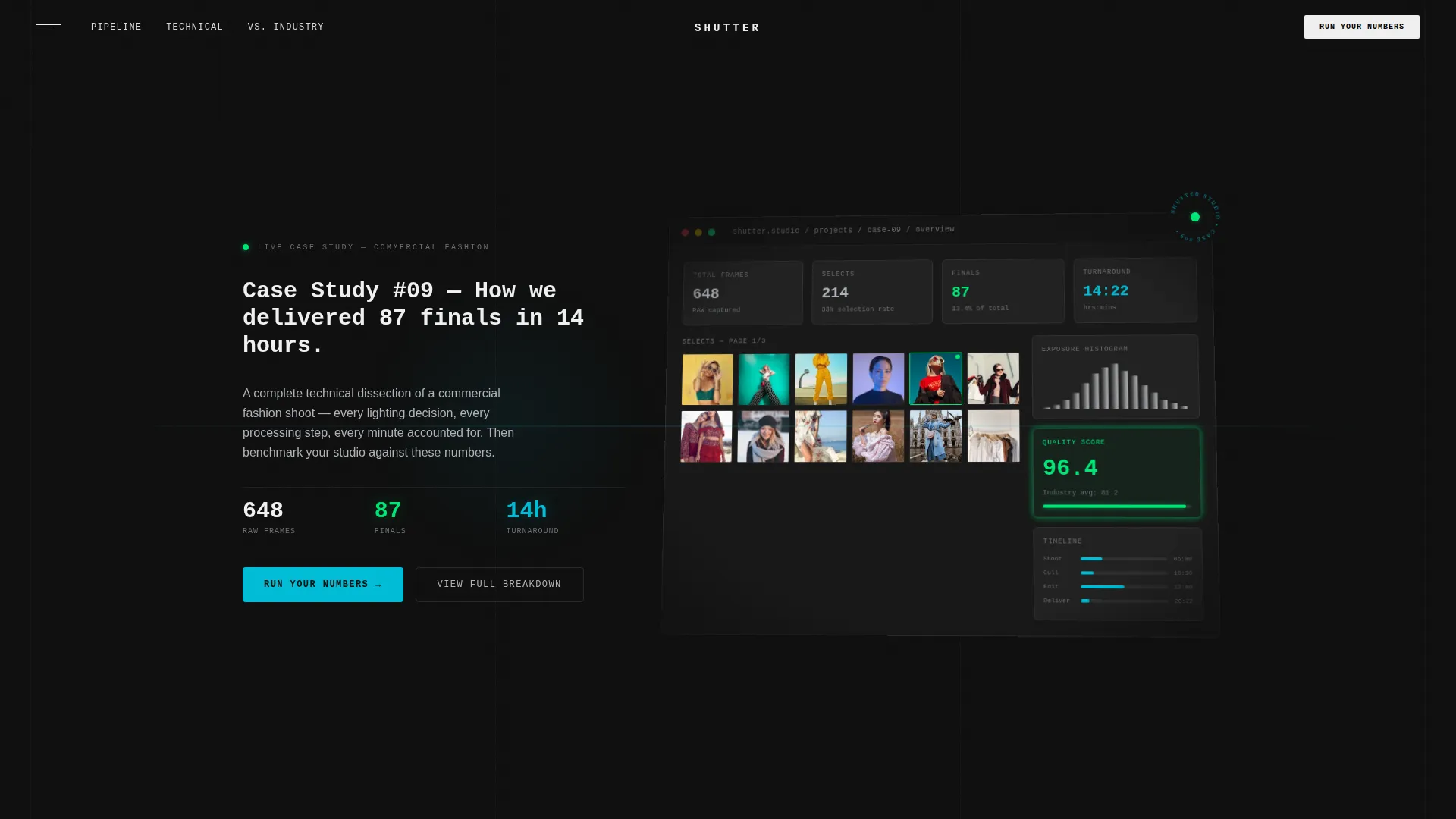
- A full-width product screenshot header with a monospace typewriter headline and a Tech Glass frost treatment
- Dense data cards, lighting schematic blocks, before/after slider reveals, and horizontal bar chart comparison panels
- Two conversion paths: a short intake comparison form and a gated case study PDF download behind an email field
Feature list
This section breaks down the core components built into the Shutter template.
Typewriter Monospace Header
The header opens with a full-width pixel-sharp product screenshot showing a real case study in progress. A headline types itself onto the screen in monospace font, reading a specific case study title. The screenshot sits on a subtle isometric tilt with a frost effect at the edges, simulating the look of a studio monitor.
Data Module Scroll Architecture
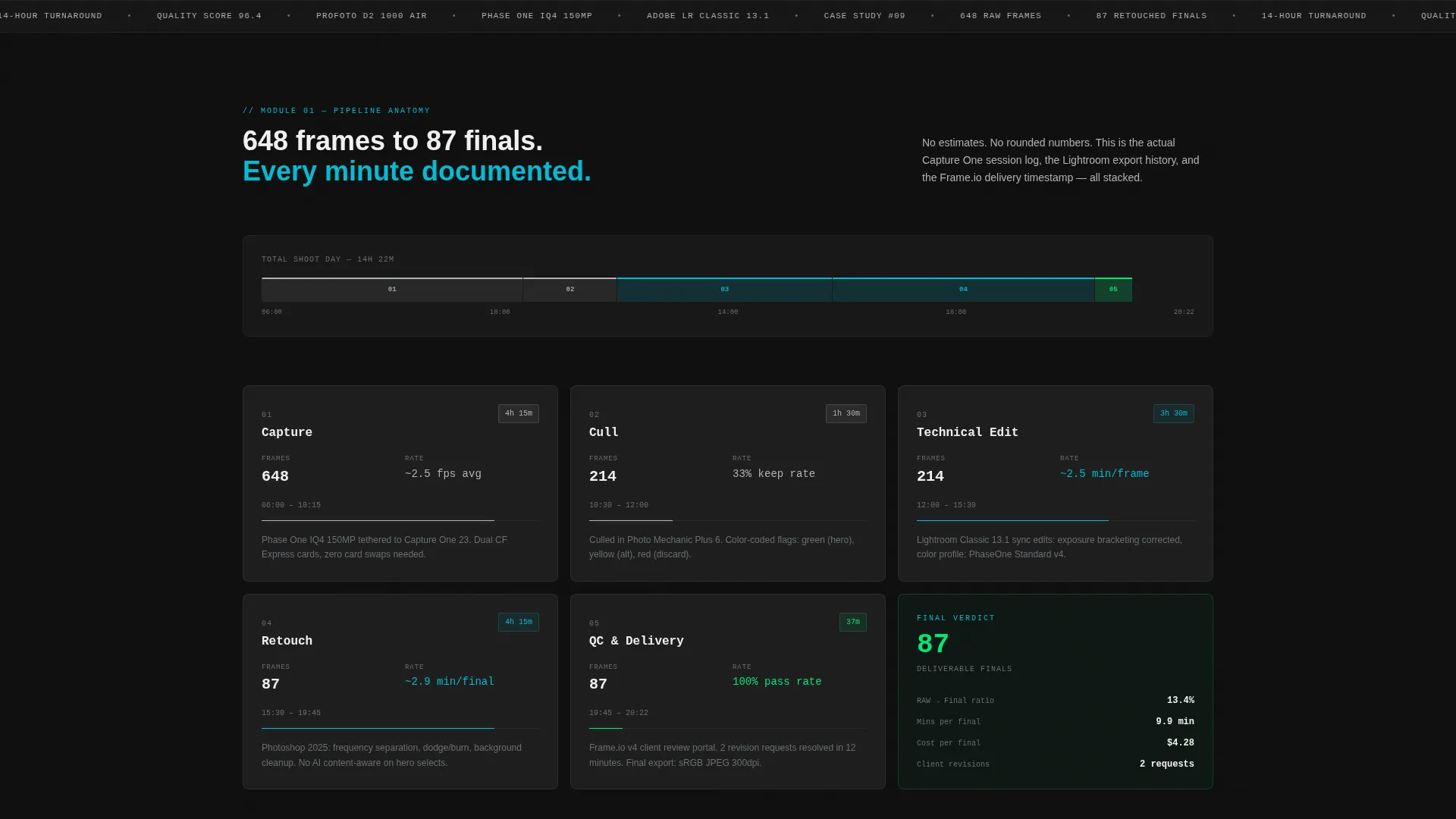
Each scroll section is a self-contained data card. The page moves from "what we shot" to "how we shot it" to "why our numbers beat the field." Dense data grids alternate with single full-bleed hero images so the narrative never loses its visual weight.
Before/After Slider Reveals
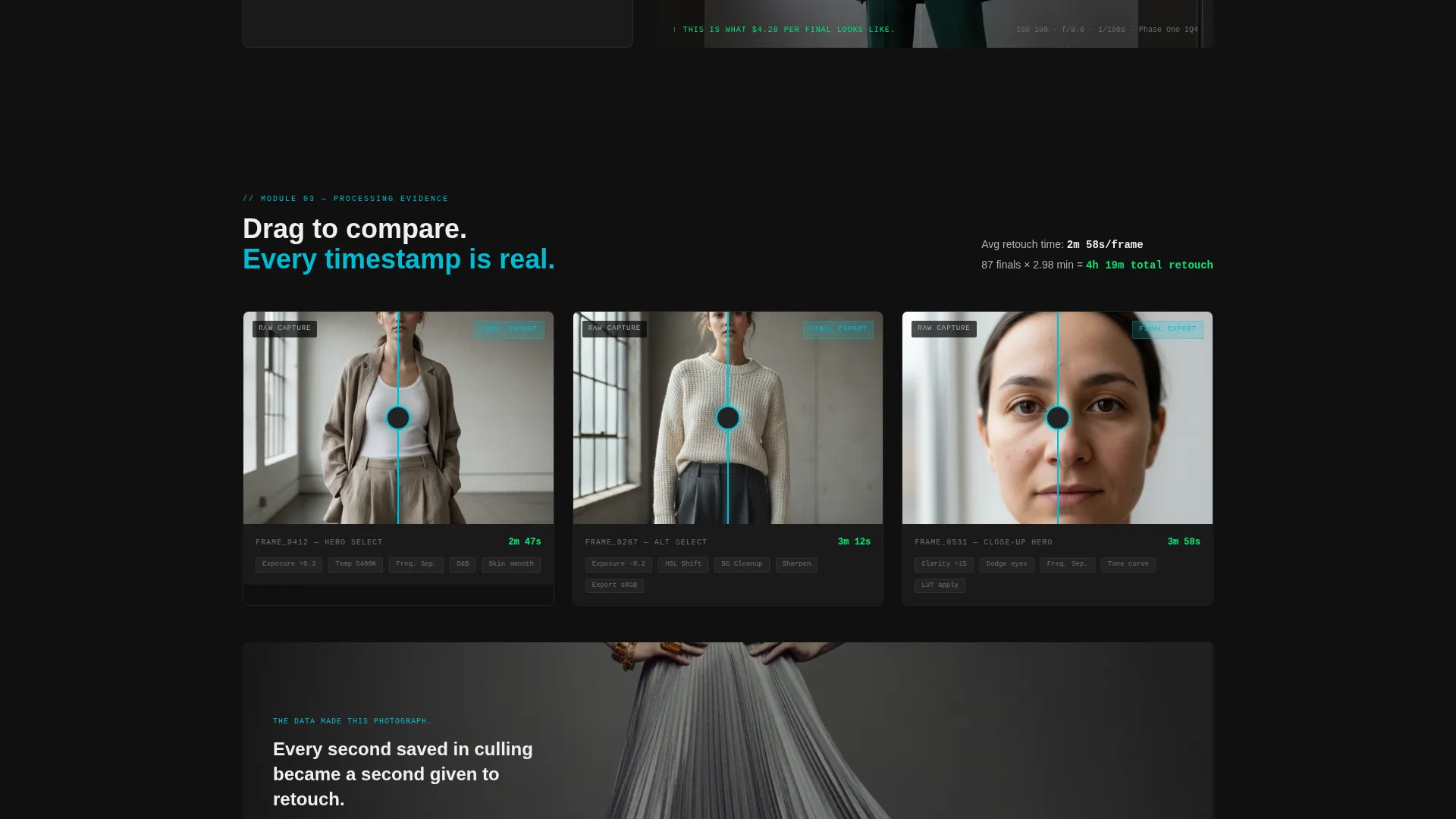
Editing comparisons are shown using interactive before/after sliders. Each slider panel includes a processing time stamp so visitors can see not just the result but the cost of producing it.
Lighting Schematic Panels
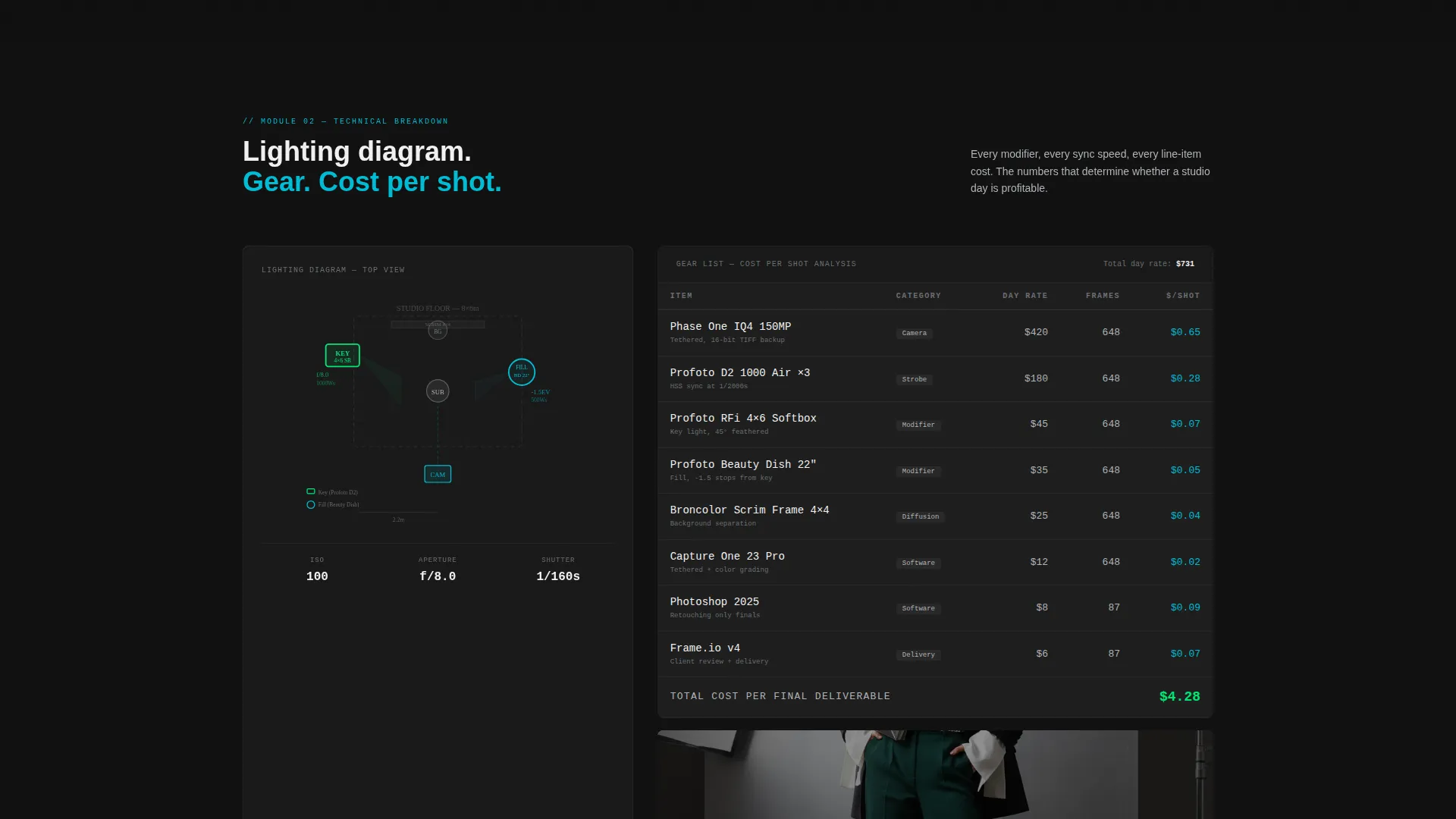
Lighting setups are rendered as interactive diagram blocks within the page layout. These schematics give mid-career photographers the technical reference they came for, presented as part of the case study flow rather than as a separate resource.
Gear List with Cost Metrics
Equipment used in each shoot is listed alongside cost-per-shot calculations. This turns a simple gear list into a performance argument, letting studio managers and producers evaluate efficiency at a glance.
Comparison Verdict Panel
The final section stacks the studio's metrics against anonymized industry averages using horizontal bar charts. The layout is designed to make the performance gap visible and specific, not implied.
Page sections overview
| Section | Purpose |
|---|---|
| Product Screenshot Header | Opens with dashboard visual and typewriter headline |
| Delivery Stats Banner | Shows raw-to-final frame counts and turnaround time |
| Lighting Schematic Block | Presents interactive lighting diagram for the shoot |
| Gear and Cost Grid | Lists equipment with cost-per-shot calculations |
| Before/After Slider Panel | Compares edits with processing time stamps |
| Industry Comparison Charts | Benchmarks studio metrics against anonymized averages |
| Comparison Intake Form | Invites visitors to submit their own workflow numbers |
| PDF Download Gate | Captures email in exchange for full case study document |
Design & branding system
The visual identity follows a Tech Glass theme built on a Carbon Fiber color palette. Every design decision reinforces the idea that this page is a precision instrument, not a brochure.
- Background layers stay at matte carbon black (#1A1A1A) with data cards floating on #222222 and framed by 1-pixel machined aluminum (#B0B3B8) borders
- Status-green (#00E676) marks performance wins and quality score badges; lens-flare cyan (#00BCD4) activates on hover states and data highlights to guide the eye
- Typography uses monospaced fonts for all metric displays and clean sans-serif for narrative text, keeping data readable and copy approachable side by side
Mobile & speed optimization
The template is structured for clean rendering across screen sizes. The data-heavy layout is organized into stacked card modules that reflow predictably on smaller viewports.
- Data cards and schematic panels are built to stack vertically on mobile without losing their labeled structure
- Full-bleed hero images are positioned to maintain visual impact at reduced widths, keeping the rhythm of dense data followed by single image intact
- The isometric header tilt and frost effect are contained within the header block so they do not interfere with body section reflow
How this template helps you convert
The page is engineered around a specific conversion logic: show your data completely and transparently first, so the visitor's natural next question becomes "how do I compare?"
- The header and delivery stats panel establish credibility immediately, giving skeptical buyers a reason to keep reading before any call to action appears
- The comparison verdict panel surfaces the performance gap in a visual format, making the "Run Your Numbers Against Ours" intake form feel like a logical next step rather than a cold ask
- The gated PDF download provides a secondary path for visitors who want the full detail but are not ready to submit their studio's numbers yet, capturing them as leads through the email field
Other information about this template
This template sits within the Photography Studio Website Templates subcategory and is built specifically for the photography studio case study page niche. It is a strong fit for studios that publish technical content regularly and want a repeatable format for future case studies.
- The page is designed as a single-page layout, making it straightforward to deploy as a standalone case study URL or as a deep-link destination within a larger studio site
- The intake form fields include studio name (optional), average turnaround time, average deliverables per shoot, and a primary genre dropdown covering commercial, editorial, product, and event categories
- The PDF download gate uses a single email field, keeping the friction low for visitors who want the full document without committing to the comparison form
Theme
Tech Glass
Creative direction
Industry Report
Color system
Carbon Fiber
Style
Dashboard/Data Grid
Direction
Comparison/Versus
Page Sections
Typewriter Monospace Header
Escalating Data Module Layout
Before/after Slider Reveals
Lighting Schematic Panels
Gear List with Cost-per-shot Calculations
Comparison Verdict with Bar Charts
Related questions
Can I use this template for multiple case studies?
Do I need real delivery data to make this template work?
What does the intake comparison form collect from visitors?
How does the gated PDF download work?
Is this template a good fit for agency producers evaluating studios?



