Consulting Firm Software Cost Estimator Website Template
Proposalforge is a hub-and-spoke landing page template built for consulting firms that sell proposal and quote writing services. It leads with an interactive quote estimator, anchors navigation to three core comparison spokes, and uses a dark SaaS-styled color system to guide solo strategists, boutique advisors, and growing consultancies toward a clear, confident buying decision.
by Rocket studio
Quick summary
Proposalforge is a single-page, anchor-nav template designed for a consulting firm proposal and quote service. It opens with a near-black, glow-driven header, drops visitors directly into an interactive cost estimator, and uses three spoke sections to deepen the comparison at every scroll. The design feels like a focused command center, not a brochure.
Who this template is for
This template was built for firms and individuals who help consultants produce the documents that win large engagements. It fits teams whose clients already know their methodology but need a faster, sharper way to present it on paper.
- Solo strategists managing multiple requests for proposals at once
- Boutique advisory partners who need polished pricing tables and scope-of-work documents
- Growing consultancies whose founders still personally edit every executive summary
What problem this template solves
Most consulting proposal services have a credibility gap. The work is real, but the marketing page looks like everyone else's. Visitors arrive, skim a features list, and leave without understanding what separates one service tier from another.
- Prospects cannot self-qualify without seeing their own numbers
- Pricing comparisons buried in PDFs slow down the buying decision
- Generic copy fails to reflect the precision that high-value proposals require
What you get with this template
You get a complete, ready-to-customize landing page that puts proof before pitch. The layout is organized around a hub-and-spoke structure where every section earns the next click.
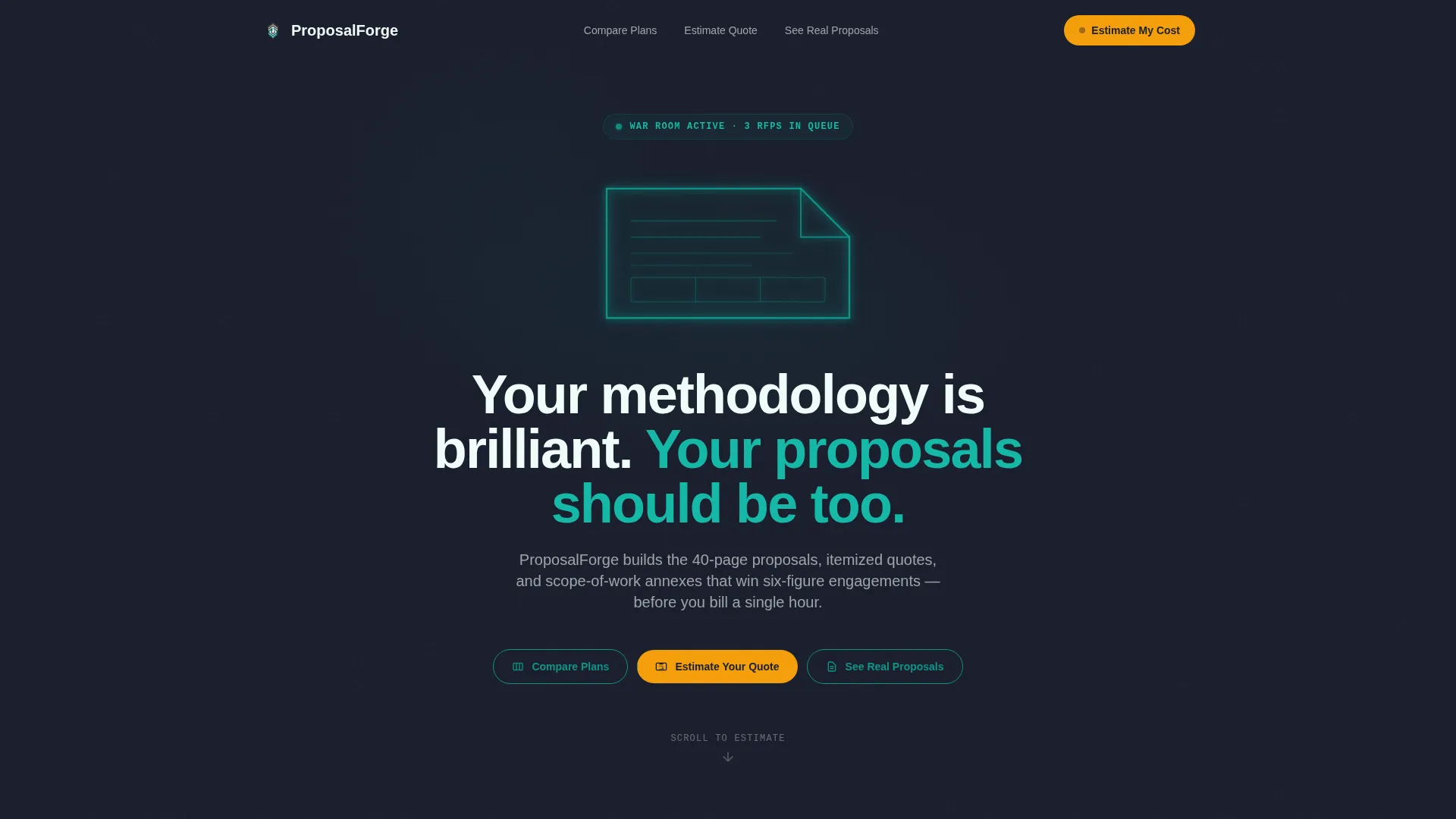
- A full-viewport dark header with an animated proposal-document glow illustration
- An interactive quote estimator placed directly below the fold
- Three anchor-nav spoke sections covering plan comparison, cost estimation, and real proposal examples
Feature list
This template ships with a focused set of purpose-built components. Each one supports the comparison-first conversion strategy described in the brief.
Animated Dark Header with Glow Illustration
The header fills the entire viewport in deep charcoal. A teal line traces a proposal document silhouette in real time, like a blueprint being drawn by light. The line finishes, the document pulses once, and the headline appears. No stock imagery is used anywhere on the page.
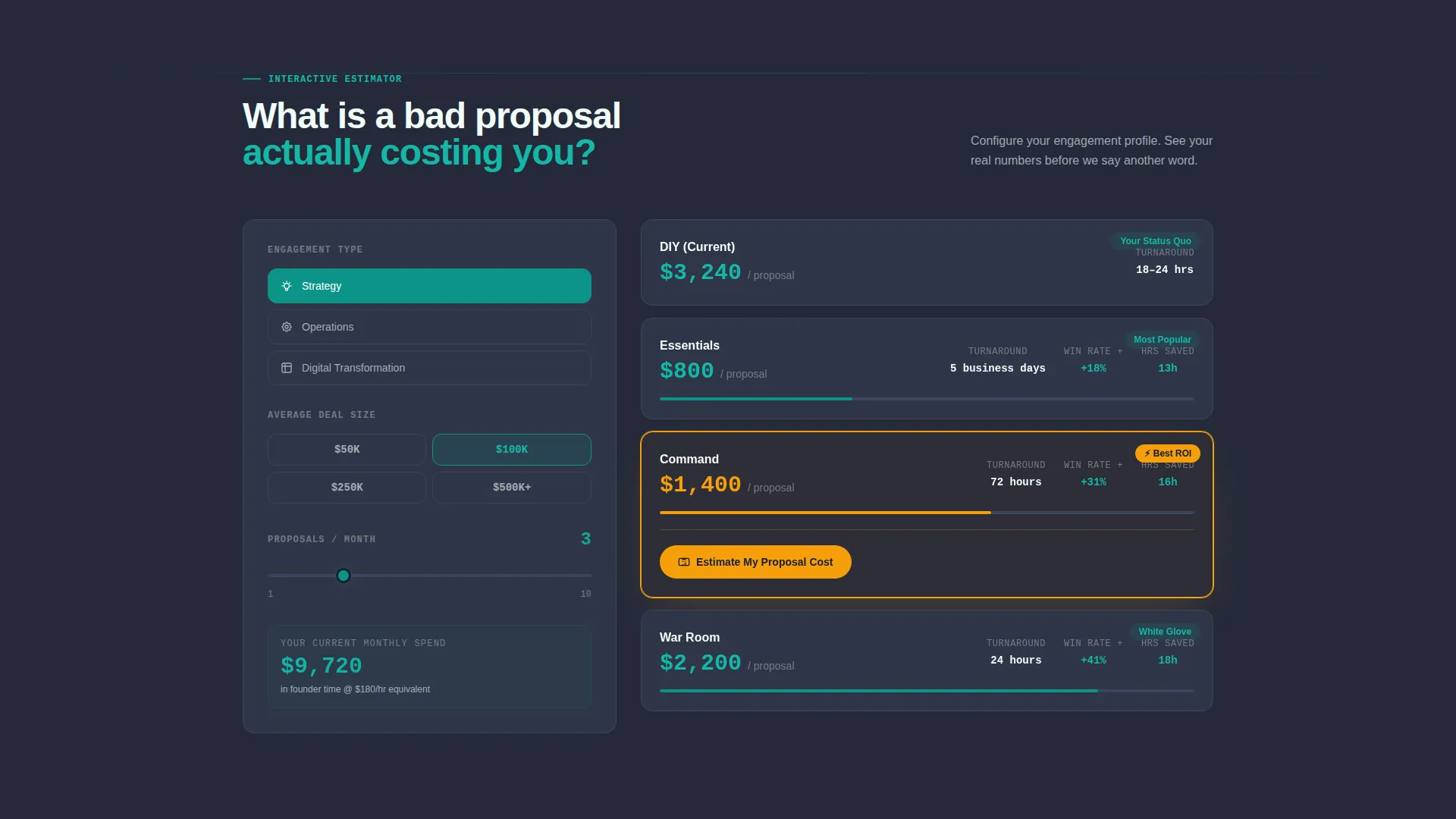
Interactive Quote Estimator Tool
Below the fold, visitors select engagement type (strategy, operations, or digital transformation), enter their average deal size, and choose how many proposals they send per month. The tool instantly renders a side-by-side view showing current cost-per-proposal versus three service tiers, alongside time-saved and win-rate-lift projections.
Hub-and-Spoke Anchor Navigation
Three pill-style anchor links sit below the headline: Compare Plans, Estimate Your Quote, and See Real Proposals. Each one jumps to a dedicated spoke section that deepens one axis of the comparison, keeping the visitor oriented without requiring a separate page.
Comparison-Driven Spoke Sections
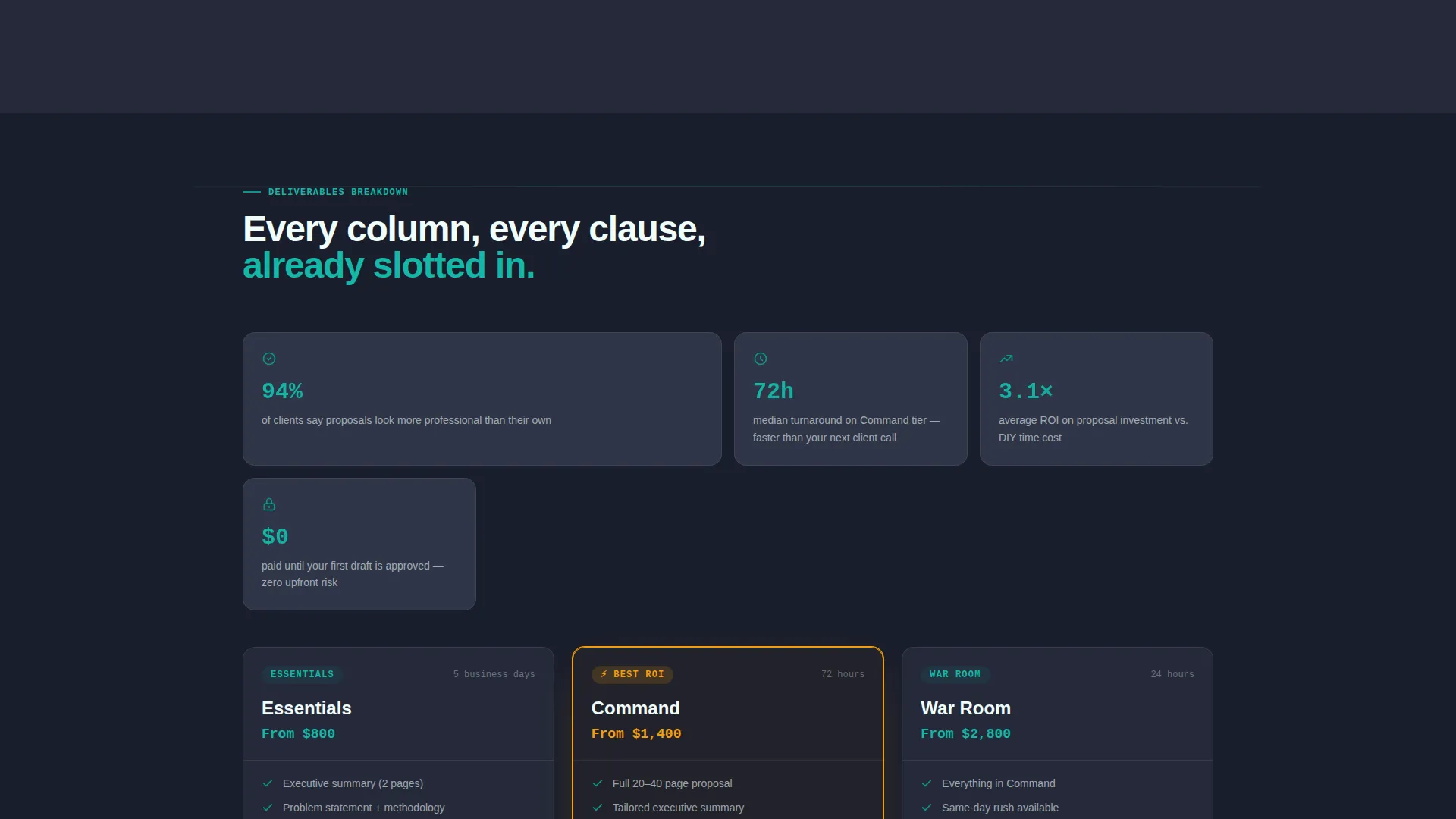
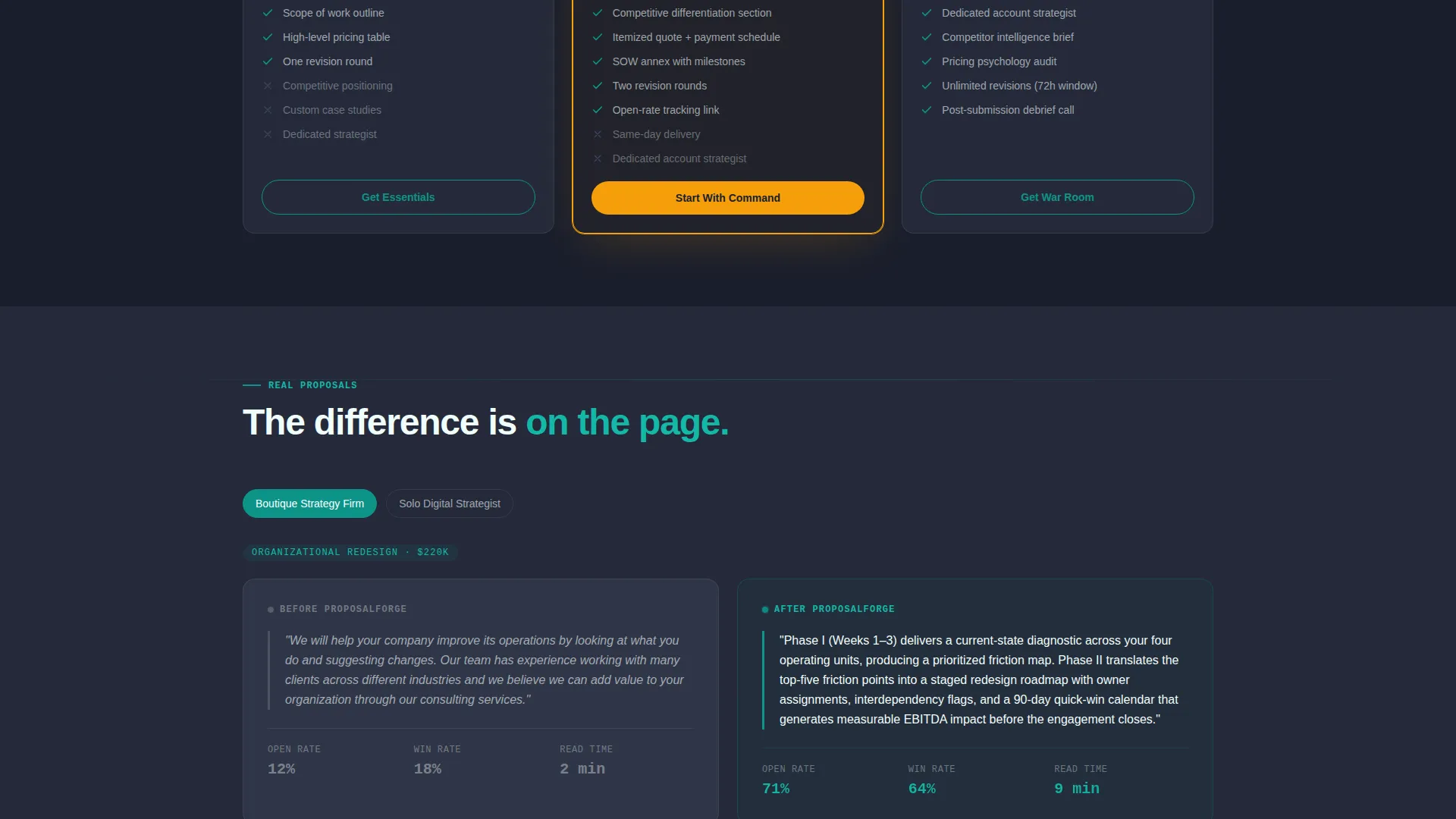
Each spoke section adds a new layer of evidence. One covers deliverable breakdowns, one presents turnaround benchmarks, and one shows anonymized before-and-after proposal excerpts with tracked open-rate data. The scroll proves value incrementally rather than restating the pitch.
Personalized Primary Call to Action
The main call to action, "Estimate My Proposal Cost," appears inside the calculator output only after the visitor has seen their personalized numbers. This timing reduces friction by letting the visitor discover their own inefficiency before being asked to act.
Email Capture Lead Form
A secondary conversion path, "Download the Comparison PDF," captures email addresses for visitors not yet ready to commit. The form asks for three fields only: company name, average engagement value, and email address. No phone number is requested.
Page sections overview
| Section | Purpose |
|---|---|
| Full-Bleed Header | Establish tone and present headline with animated glow illustration |
| Anchor Nav Pills | Guide visitors to three spoke sections from a single hub |
| Quote Estimator Tool | Let visitors calculate their current cost-per-proposal interactively |
| Compare Plans Spoke | Show deliverable breakdowns and tier differences side by side |
| Estimate Your Quote Spoke | Render personalized time-saved and win-rate-lift projections |
| See Real Proposals Spoke | Display anonymized before-and-after excerpts with open-rate data |
| Email Capture Form | Convert undecided visitors with a comparison PDF download offer |
Design & branding system
The visual identity follows a Directory and Discovery theme built on the Teal Catalyst color system. Every color choice serves a functional role. Nothing is decorative without purpose.
- Deep charcoal (#1A1E2C) forms the base for the header and dark surfaces, creating a focused, command-center atmosphere
- Catalyst teal (#0D9488) is used for glow effects, active user interface elements, and section highlights, giving the page a live-dashboard feel
- Pale document white (#F0FDFA) surfaces content areas to keep body copy readable against the dark system
- Signal amber (#F59E0B) is reserved exclusively for calls to action and comparison winners, making high-priority actions impossible to miss
Mobile & speed optimization
The layout is built with a mobile-first structure so the anchor navigation, estimator tool, and spoke sections remain fully usable on smaller screens. The design avoids heavy decorative assets that would slow down the initial load.
- Anchor-nav pills reflow cleanly into a compact horizontal strip on mobile viewports
- The quote estimator inputs and output panels stack vertically on narrow screens without losing comparison clarity
- Signal amber calls to action remain visually dominant regardless of screen size or background context
How this template helps you convert
The conversion strategy is built around letting the visitor reach their own conclusion before any direct ask is made. Every layout decision supports that sequence.
- The quote estimator puts real numbers in front of the visitor before any service tier is pitched, making the cost of the status quo visible and personal.
- The spoke sections add credibility layer by layer, moving from deliverable lists to turnaround benchmarks to real proposal evidence, so trust builds progressively through the scroll.
- The dual call-to-action structure captures both ready buyers and research-phase leads, with the primary call to action tied to calculator output and the secondary path offering a PDF download in exchange for a three-field email form.
Other information about this template
This template is part of a broader consulting firm software category, purpose-built for the proposal and quote niche within the technology services sector. A few additional details worth noting before you customize it.
- The template style is Hub and Spoke with Anchor Navigation, meaning all spokes live on one page and are reached through pill-style anchor links from the hub header
- The creative direction is Calculator and Tool First, so the estimator is the lead interaction, not a supporting element
- The header concept is Dark Full-Bleed with Glow, and it is designed to work without any stock photography
- The comparison and versus conversion direction means the page architecture prioritizes side-by-side evidence over narrative copy
- The intersection match score for this template in the consulting firm proposal and quote niche is 13, indicating a strong alignment between the design system and the target use case
Theme
Directory & Discovery
Creative direction
Calculator/Tool First
Color system
Teal Catalyst
Style
Hub & Spoke (Anchor Nav)
Direction
Comparison/Versus
Page Sections
Animated Dark Header with Glow Illustration
Interactive Quote Estimator Tool
Hub-and-spoke Anchor Navigation
Comparison-driven Spoke Sections
Contextual Primary Call to Action
Three-field Email Capture Form
Related questions
Can I customize the engagement types inside the quote estimator?
Does the template include the actual calculator logic?
Is the email capture form connected to a mailing list by default?
Can a solo consultant use this template, not just a firm?
Why does the primary call to action appear inside the calculator output instead of at the top?



