Architecture Firm Software Cost Calculator Website Template
Propose is a dark-terminal landing page template built for architecture firm proposal and quote platforms. It combines a live code-snippet hero, scroll-triggered stat counters, comparison flip cards, a feature bento grid, and an interactive savings calculator into one high-motion, desktop-first layout designed to turn RFP dread into signed commissions.
by Rocket studio
Quick summary
Propose is a modular card-grid landing page template for architecture firm proposal automation software. It opens with a typewriter code-block hero, moves through a brutal stats grid and comparison flip cards, then closes with a personalized calculator and a single-row footer. Every section is built to make the cost of slow proposals impossible to ignore.
Who this template is for
This template is built for teams selling proposal automation tools into the architecture and built-environment market. It speaks directly to the people losing hours and commissions to slow, manual quoting workflows.
- Studio principals at five-to-fifty-person firms managing a heavy RFP pipeline
- Project architects copying last quarter's proposal at midnight under deadline pressure
- Business development leads whose quotes arrive days too late to win the bid
What problem this template solves
Architecture firms hemorrhage time on proposal drafting. A project architect can spend over thirty hours assembling scope documents, fee structures, and deliverable timelines before a single client sees them. This template frames that problem in hard numbers and then shows a faster path.
- Buyers struggle to visualize time savings before they commit to a new platform
- Side-by-side workflow comparisons are rarely presented clearly enough to force a decision
- Generic software landing pages fail to connect with the specific language and pressures of architecture practice
What you get with this template
You get a complete single-page layout with five distinct section zones, all wired for high-intensity scroll animation and desktop-first interaction. The structure moves visitors from problem awareness to proof to action without a single dead moment on screen.
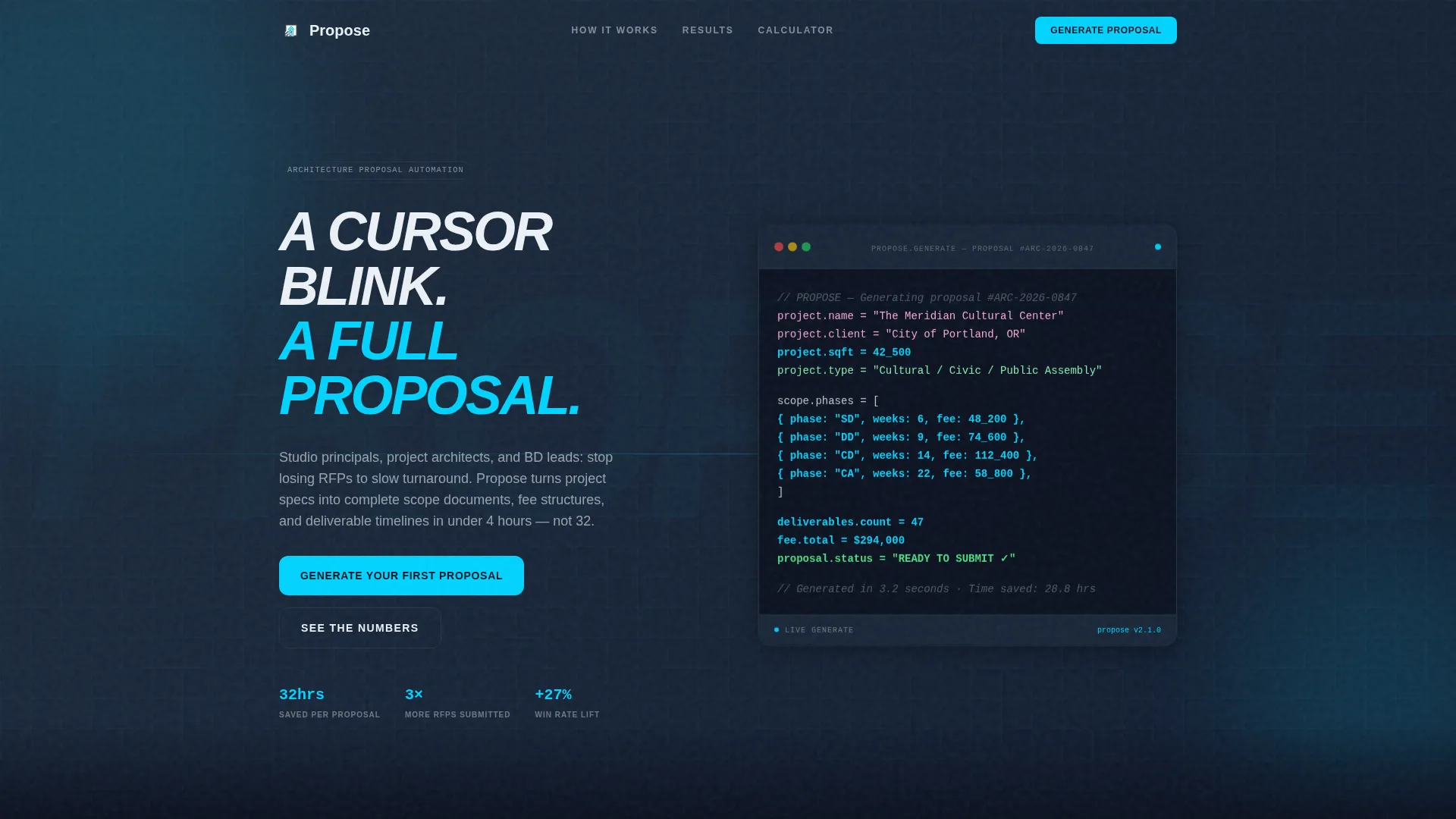
- A live typewriter code-block hero that renders a proposal in real time as the page loads
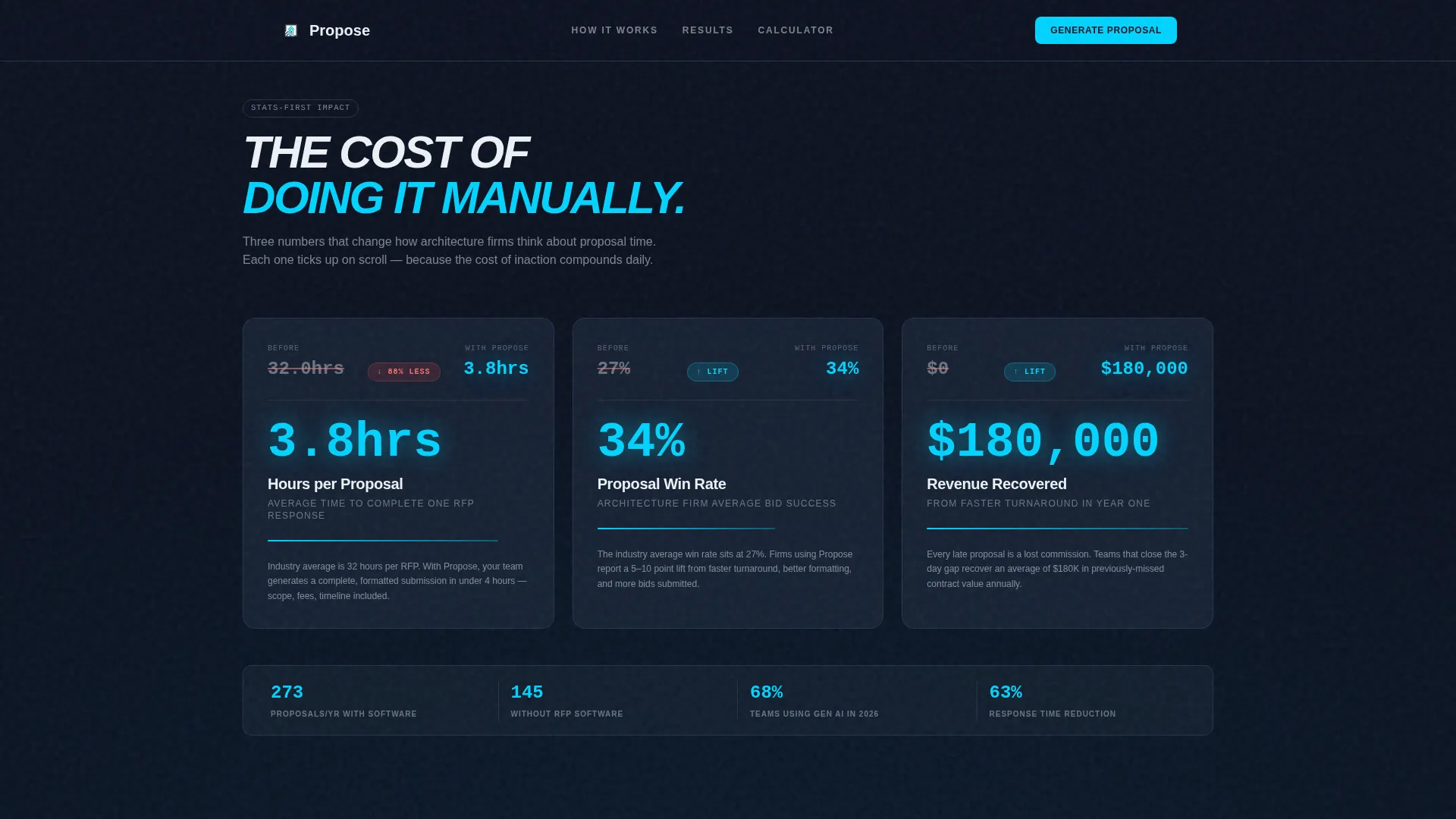
- A stats brutality grid with count-up number animations and comparison flip cards
- An interactive two-field savings calculator that delivers personalized time and revenue estimates
Feature list
The template ships with six tightly scoped feature zones. Each one is designed to build conviction before the primary call to action appears.
Live Typewriter Code-Block Hero
The hero section renders a structured proposal document character by character against a deep navy background. Project name, square footage, phase breakdown, and fee total populate line by line with cyan highlights cascading down the logic tree. No stock photography is used; the product animation is the visual.
Scroll-Triggered Stats Grid
Three cards open the content scroll with brutal before-and-after comparisons. Each card animates its metric counting upward on scroll entry, with cyan digits ticking like a scoreboard. The grid covers hours spent manually versus with the platform, win-rate lift, and revenue recovered from faster turnaround.
Comparison Flip Cards
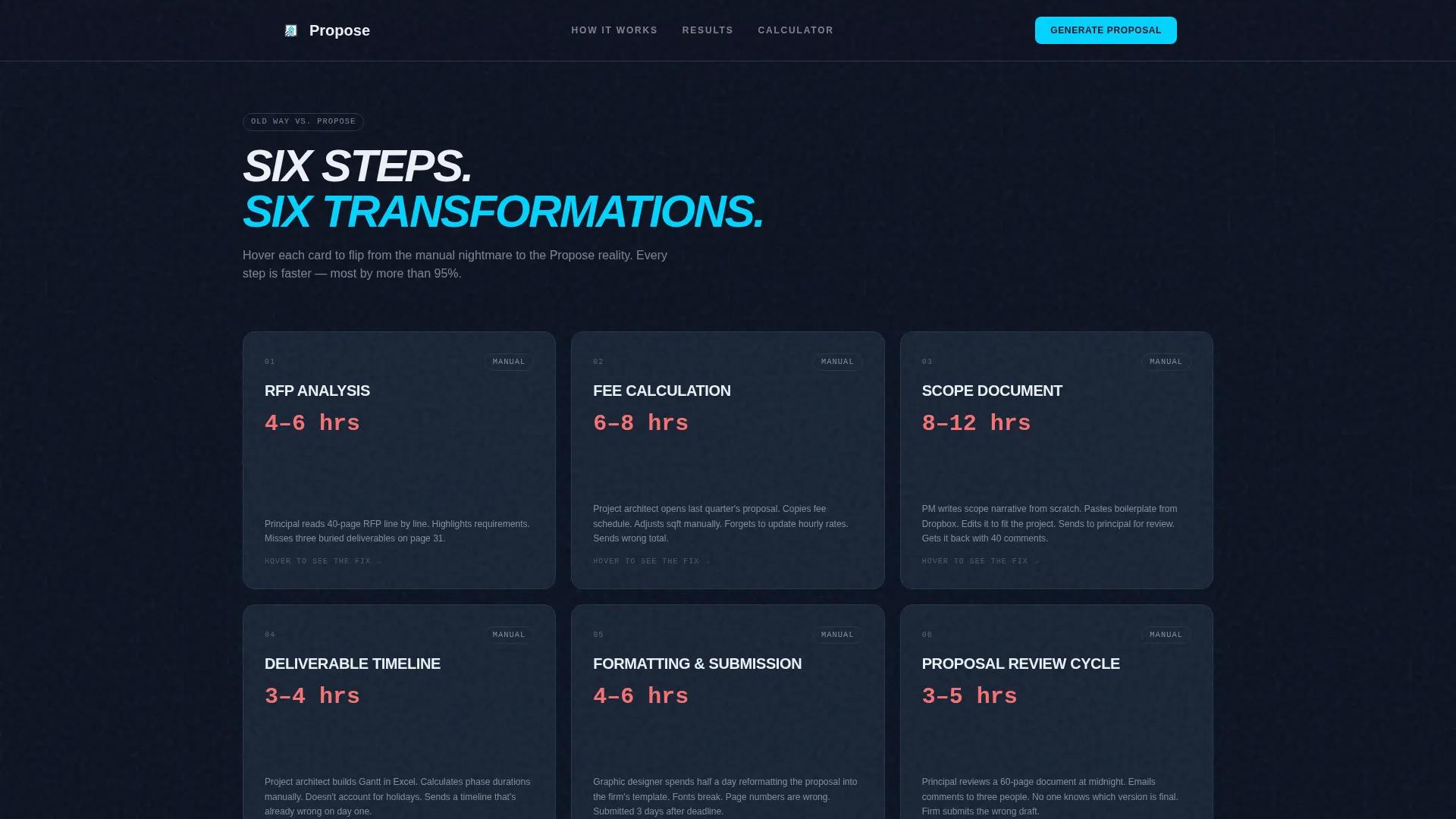
Modular cards display old-workflow versus new-workflow metrics side by side. Each card flips on hover to reveal the performance delta between traditional methods and the platform. The interaction keeps visitors engaged and makes the value gap concrete rather than abstract.
Feature Bento Grid
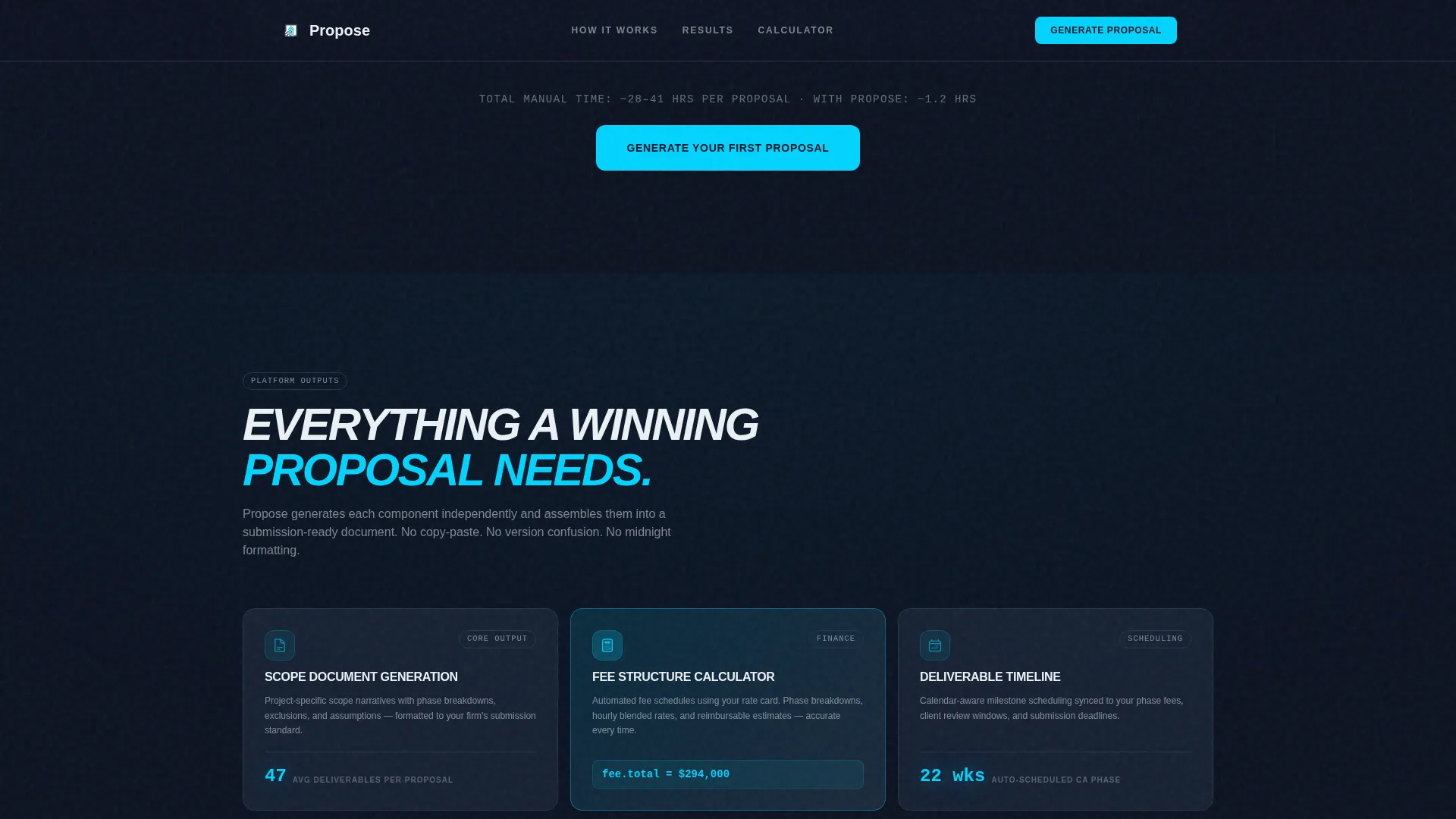
An asymmetric modular card layout presents the platform's core outputs: scope documents, fee structures, and deliverable timelines. Cards reveal on scroll with staggered bento animation. The layout is flexible enough to highlight multiple capabilities without crowding the visual hierarchy.
Interactive Savings Calculator
A low-friction embedded calculator asks for average proposals per month and team size via two input fields and a dropdown. It returns a personalized estimate of time saved and revenue recovered. No form submission is required to see results, keeping momentum high.
Single-Row Linear Footer
The footer follows a linear single-row pattern that keeps the page exit clean and professional. It carries the primary call to action one final time so late-scroll visitors always have a clear next step.
Page sections overview
| Section | Purpose |
|---|---|
| Hero Code Block | Render live proposal animation and surface the primary call to action |
| Stats Brutality Grid | Show count-up before-and-after metrics on scroll entry |
| Comparison Flip Cards | Flip on hover to reveal old-versus-new workflow deltas |
| Feature Bento Grid | Present platform outputs in asymmetric modular card layout |
| Interactive Calculator | Deliver personalized time and revenue savings from two inputs |
| Linear Single-Row Footer | Close page with a clean exit and final call to action |
Design & branding system
The visual identity runs on a Midnight Blue color system that feels like a darkened architecture studio late at night. Every color has a functional role tied to the template's motion-first design direction.
- Deep terminal navy (#0B1120) covers backgrounds; drafting-table charcoal (#1C2A3D) builds card surfaces; blueprint-line cyan (#00D4FF) fires on hover states, live data, and animated digits; specification white (#EDF2F7) carries all body text
- Plus Jakarta Sans in bold italic handles display headers; JetBrains Mono handles all code blocks and data readouts for a precise terminal feel
- The Dynamic Motion theme runs continuously: typewriter entry, count-up numbers, card flips, bento reveals, and scroll-triggered animations reward attention at every scroll position
Mobile & speed optimization
The template is designed desktop-first to match how studio principals and project architects review RFPs on large monitors. The layout still adapts cleanly for smaller viewports without losing the motion identity.
- Scroll-triggered animations and the interactive calculator are built as client components, while static content sections use a server-component architecture to keep initial load lightweight
- The card grid and bento layout reflow responsively so content stays readable and scannable on tablet and mobile screen sizes
How this template helps you convert
The page is structured as a Comparison/Versus experience. Every section tightens the case for switching before the primary call to action appears.
- The stats grid hits first, presenting visceral numbers on hours lost, win rates, and revenue left on the table before a visitor reads a single feature description
- Flip cards force an active comparison between old and new workflows, making the value delta something visitors discover themselves rather than just read
- The primary call to action "Generate Your First Proposal" appears only after the third comparison row, when the cost of inaction has already been made concrete; the secondary path "See Your Time Savings" routes hesitant visitors into the calculator instead of losing them
Other information about this template
This template is built for the architecture, engineering, and construction software category, often called the AEC vertical. It suits B2B SaaS products targeting firms of five to fifty people where proposal speed is a direct revenue lever.
- The localization defaults are set for the United States market, using USD currency format and MM/DD/YYYY date format
- The template is categorized under Technology, specifically the Architecture Firm Software subcategory, with a niche focus on Architecture Firm Proposal and Quote platforms
- Animation intensity is set to high throughout; teams with lower motion preferences can reduce animation triggers at the component level during development
- The card grid template style supports straightforward content updates; section copy, stat values, and calculator parameters can all be replaced without restructuring the layout
Theme
Dynamic Motion
Creative direction
Stats-First Impact
Color system
Midnight Blue
Style
Card Grid (Modular)
Direction
Comparison/Versus
Page Sections
Live Typewriter Code-block Hero
Scroll-triggered Stats Grid
Comparison Flip Cards
Feature Bento Grid
Interactive Savings Calculator
Linear Single-row Footer
Related questions
Who is the primary audience for this template?
What sections are included in this landing page?
Can I update the stats and calculator values without redesigning the page?
Is this template designed for dark-themed brands?
What is the primary call to action on this landing page?



