Internal Knowledge Base Professional Website Template
Protocol is a scroll-reveal security documentation landing page template built for cybersecurity teams who need more than a static knowledge base. It renders cipher suites, handshake sequences, and zero-trust architecture as live, explorable documentation. The Bold Brutalist design and Electric Indigo color system create an environment that feels authoritative from the first keystroke.
by Rocket studio
Quick summary
Protocol is a single-page, scroll-reveal documentation landing page template designed for security-focused teams. It transforms dense cybersecurity content into navigable, interactive intelligence. Every section activates on scroll, every protocol node responds to a click, and the entire experience drives visitors toward installing the command-line interface before they reach the bottom.
Who this template is for
Security and infrastructure professionals need documentation that keeps pace with their work. This template is built for practitioners who live inside terminals, not marketing dashboards.
- Infrastructure engineers hardening production clusters and reviewing security policies under pressure
- Compliance leads mapping controls against frameworks and preparing for audits
- Red-team operators cross-referencing vulnerabilities and identifying risk across attack surfaces
What problem this template solves
Most cybersecurity documentation lives in static PDFs or plain wikis. Those formats cannot convey the depth, structure, or urgency that real security work demands. Teams struggle to present information security knowledge in a way that builds trust and drives action.
- Visitors cannot assess the quality of documentation without interacting with it first
- Security policies and procedures buried in flat files feel inaccessible and outdated
- Organizations lose credibility when their documentation platform looks like a generic knowledge base
What you get with this template
This template gives security teams a fully structured, interactive landing page that lets visitors explore live protocol trees before committing to a download. Every section is purposeful and prompt-backed.
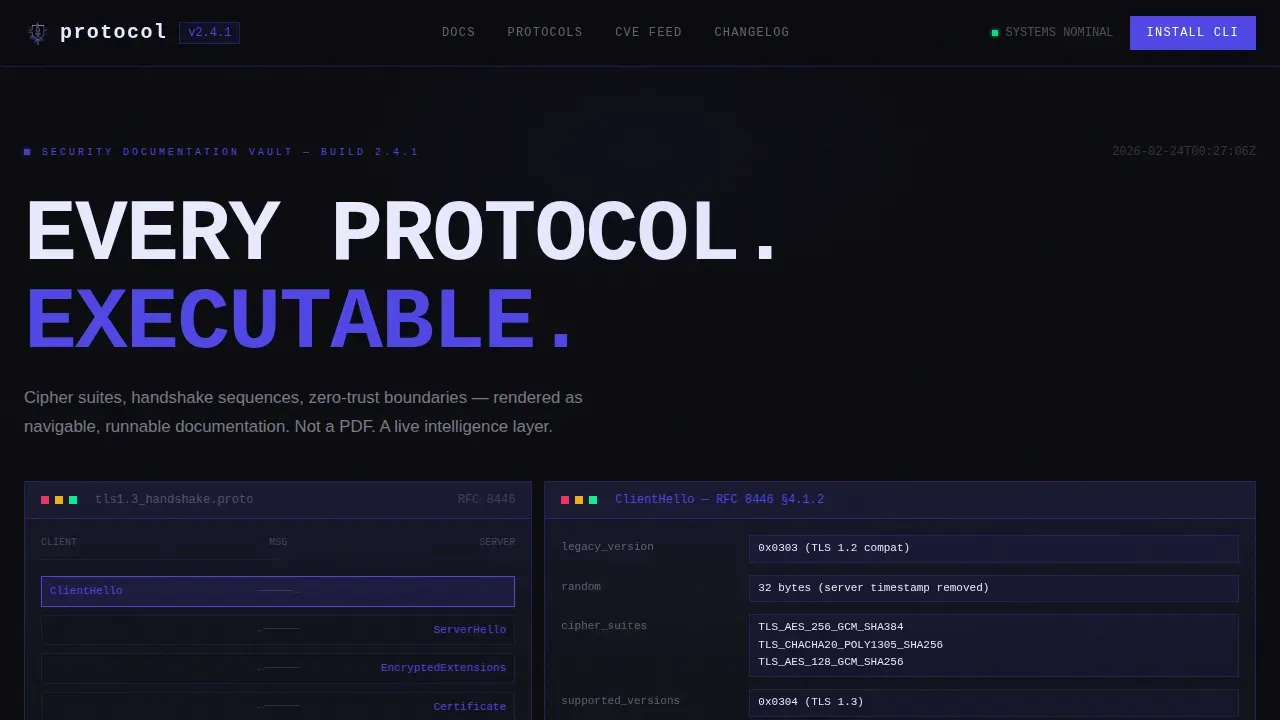
- A terminal-style header with a live TLS 1.3 handshake sequence and clickable nodes
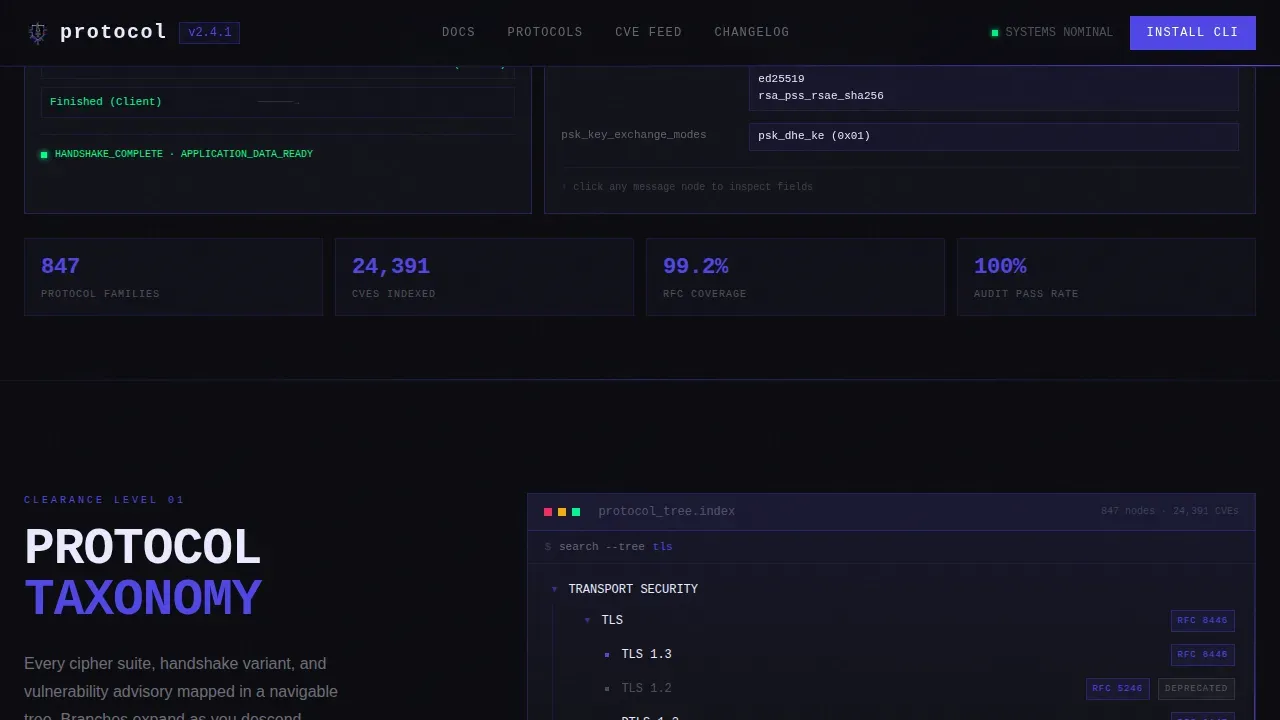
- Scroll-activated protocol trees, a zero-trust architecture diagram, and stacked terminal cards
- A primary call-to-action block with one-click clipboard copy and platform toggles for macOS, Linux, and Docker
Feature list
This template delivers several prompt-defined capabilities that focus on turning passive readers into active users of your security documentation.
Live Terminal Header Preview
The header renders a real TLS 1.3 handshake sequence directly in the viewport. Visitors can tap nodes like "ClientHello" to expand cipher suite parameters and key share groups. A thin indigo scan-line sweeps across the top edge once on load, signaling system initialization.
Scroll-Activated Protocol Trees
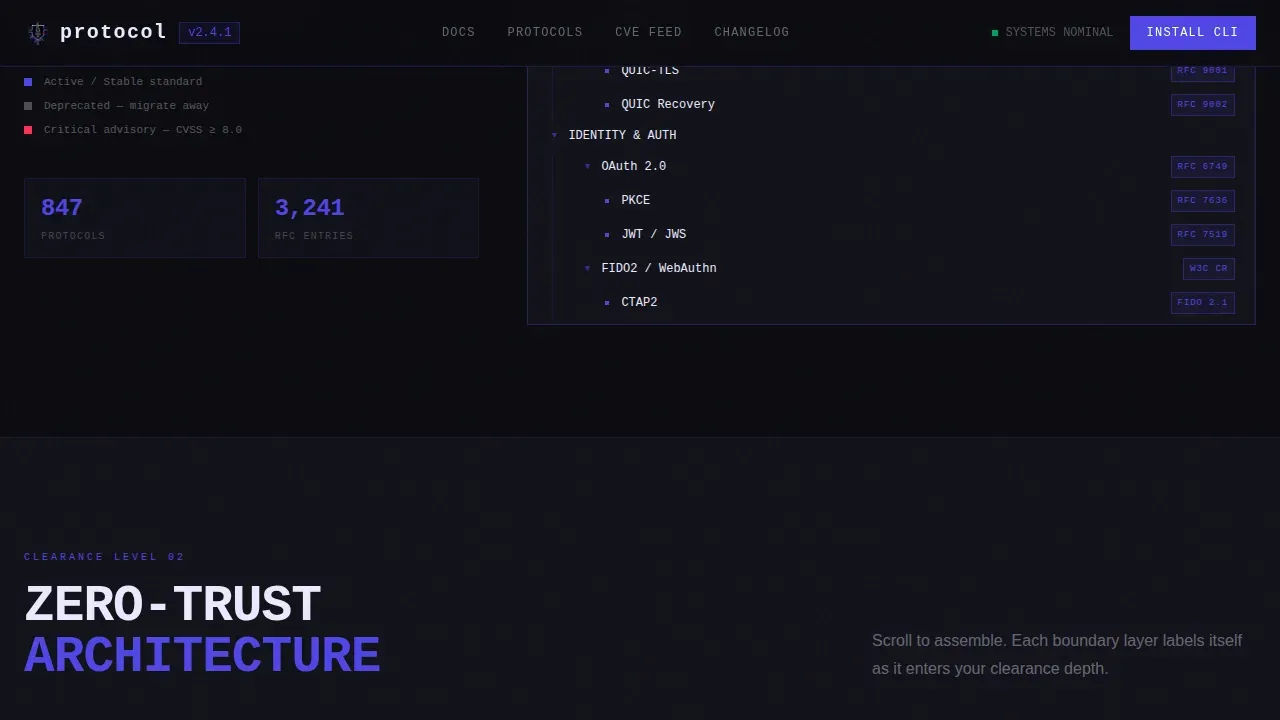
Scrolling triggers animated protocol branches that snap into place with brutalist rigidity. Each node enters the viewport with hard edges and no soft easing, giving the experience the weight of descending through clearance levels. This mechanic lets visitors assess the framework and governance structure of your documentation before they install anything.
Zero-Trust Architecture Diagram
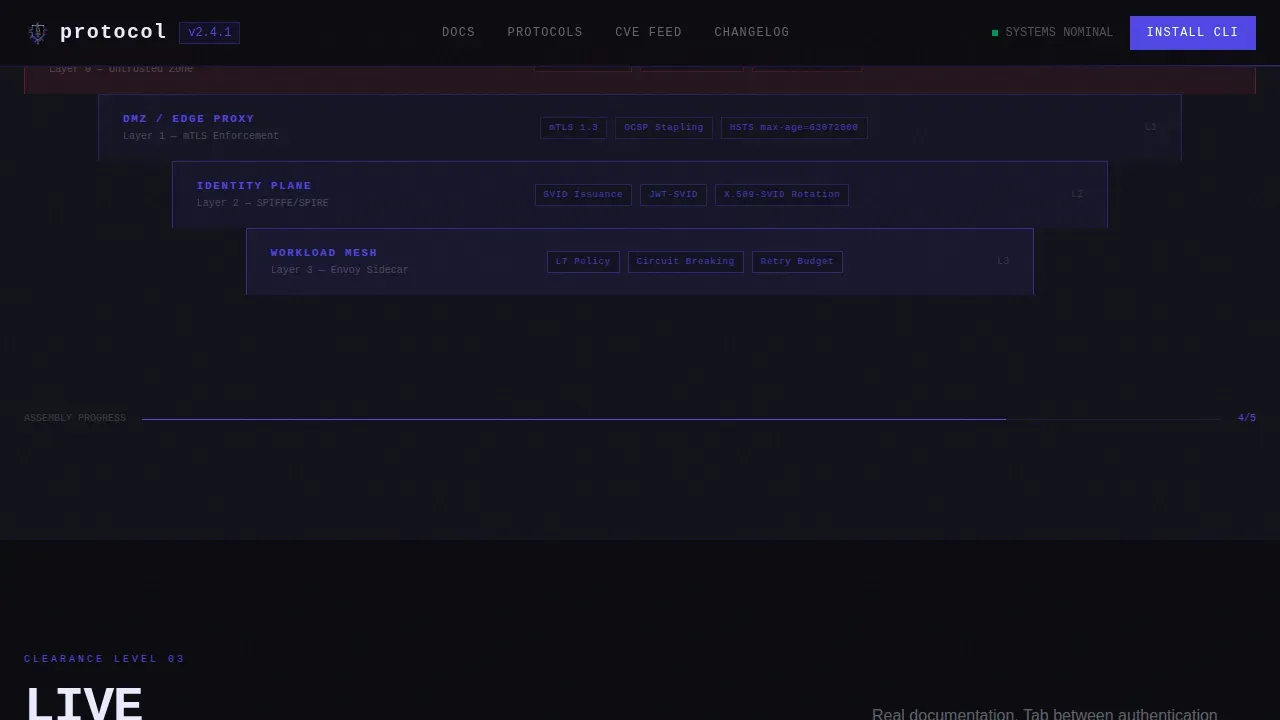
As scroll depth increases, a zero-trust architecture diagram assembles piece by piece. Each layer labels itself in monospace type. This visual approach helps compliance leads and security engineers review boundary definitions and access controls at a glance.
Stacked Terminal Cards with Tab Navigation
Real documentation snippets appear in stacked terminal cards. Visitors can tab between authentication flows, encryption standards, and incident response playbooks. This format details procedures and processes in a way that feels operational, not decorative.
CLI Download Block with Platform Toggles
The primary call-to-action presents a styled code block with a one-click copy-to-clipboard command. Platform toggle buttons let visitors switch between macOS, Linux, and Docker. A secondary "Read in Browser" path serves visitors who are not ready to install.
Bold Brutalist Visual Identity
The Electric Indigo color system uses void black as the dominant background, electric indigo as the accent, phosphor white for body text, and threat red exclusively for alert states. This system creates a clear visual hierarchy that reinforces security signals and risk cues throughout the page.
Page sections overview
| Section | Purpose |
|---|---|
| Terminal Header | Live TLS handshake preview with clickable protocol nodes |
| Protocol Tree | Scroll-activated branching framework explorer |
| Zero-Trust Diagram | Layered architecture diagram that assembles on scroll |
| Terminal Card Stack | Tabbed documentation cards for auth, encryption, and response |
| CLI Download Block | Platform-toggled install command with clipboard copy |
| Secondary call to action | Browser-based read path for non-install visitors |
Design & branding system
The template follows a Bold Brutalist theme. Every visual decision prioritizes clarity, authority, and information density over decoration.
- Void black (#0B0B0F) background, electric indigo (#4F46E5) accent borders and interactive hotspots, phosphor white (#EAEAFF) body text
- Threat red (#FF2D55) appears only for alert states and destructive-action indicators, never as a general accent
- Monospaced typography throughout reinforces the terminal environment and keeps all data and procedures readable
Mobile & speed optimization
The template is designed to deliver a fast, touch-friendly experience across devices. Scroll-reveal mechanics adapt to smaller screens without losing the interactive depth that makes the template distinctive.
- Touch-friendly node interactions and tab navigation work across mobile viewports
- Images and scripts are structured to support fast load times, since pages that load within one second convert significantly better
- The layout scales cleanly from a phone screen to a wide rack-mount monitor
How this template helps you convert
Trust is the leading conversion driver for intelligence tools. This template earns the download by letting visitors use the documentation before they commit.
- Visitors interact with live protocol trees and real documentation snippets across three sections, building confidence in the tool's depth before reaching the call-to-action
- The CLI download block reduces friction with a one-click clipboard command and platform-specific toggles, while the "Read in Browser" secondary path captures visitors who are not ready to install
Other information about this template
This template sits at the intersection of cybersecurity documentation, compliance solutions, and interactive design. It is a strong fit for teams that need to present security policies, risk assessment workflows, and governance frameworks in a credible, modern format.
- Templates like this one are designed to scale for organizations of any size, from small businesses to enterprise security operations
- Security policies documented in this format are easier to review, update, and present to stakeholders during audits
- A well-structured documentation platform supports risk management by keeping procedures, controls, and guidelines accessible to the right people at the right time
- Compliance requirements from frameworks like the NIST Cybersecurity Framework and PCI DSS demand meticulous, regularly updated documentation
- Risk assessment workflows benefit from structured, navigable documentation that helps teams identify vulnerabilities and assess risk profiles systematically
- Sensitive data handling guidance, including notes on end-to-end encryption and Multi-Factor Authentication (MFA), can be documented clearly within the terminal card sections
- The template design avoids embedded trackers or ads, keeping information security principles visible in the product itself
- Sensitive details such as database strings or private configuration should never appear in client-side scripts when deploying this template
- Security badges for SSL encryption, SOC 2 Type II, GDPR, or HIPAA compliance can be displayed to build trust with compliance-focused visitors
- Logging all documentation changes and requiring justification for updates supports audit readiness over time
- Several templates in the cybersecurity space, including those from ComplianceForge and TechJack Solutions, provide editable policies and procedures that align with global standards like NIST and ISO
- Microsoft Word exports and similar static formats often fall short; this template is built to go beyond those formats with interactive, living documentation
- Digital operations teams that rely on vendors should note that vendor risk management is critical, as 62 percent of network intrusions originate with a third party
- Regular quarterly reviews ensure documentation reflects current security practices and compliance requirements
- The NIST Cybersecurity Framework simplifies governance and risk assessment processes when teams can access structured, navigable documentation
Theme
Bold Brutalist
Creative direction
Interactive Explorer
Color system
Electric Indigo
Style
Scroll Reveal (Progressive)
Direction
App Download
Page Sections
Live Terminal Header with Clickable Nodes
Scroll-activated Protocol Tree Explorer
Zero-trust Architecture Diagram
Tabbed Terminal Documentation Cards
CLI Download Block with Platform Toggles
Bold Brutalist Electric Indigo Design System
Related questions
Who is this template best suited for?
Can I customize the color system and typography?
Does the template support multiple documentation categories?
How does this template support compliance readiness?
Is this a single page or a multi-page website?



