Cloud-Native Enterprise Software Specialist Professional Website Template
Provision is a hub-and-spoke landing page template built for cloud-native enterprise resource planning (ERP) platforms. It pairs a glassmorphic Dashboard Pro aesthetic with a stats-first layout, a scrolling integration logo bar, animated metrics, and a three-step progressive sign-up form. The result is a high-trust, conversion-focused page that speaks directly to mid-market operators ready to replace legacy tools.
by Rocket studio
Quick summary
Provision is a single-page, anchor-navigated landing page template designed for cloud-native ERP platforms. It leads with hard numbers, not hero imagery. A scrolling logo bar, animated stat counters, frosted glass module cards, and a progressive sign-up flow work together to build trust fast and guide mid-market buyers from first impression to free workspace signup.
Who this template is for
This template is built for SaaS founders, product marketers, and growth teams promoting a cloud-native ERP or business operations platform. It targets buyers who need a credible, data-forward landing page without building one from scratch.
- Mid-market software teams launching or relaunching an ERP product page
- Operators and marketers at cloud-native platforms targeting CFOs, ops directors, and COOs
- Agencies building high-converting landing pages for enterprise software clients
What problem this template solves
Enterprise software landing pages often lose prospects because they lead with feature lists and abstract diagrams instead of proof. Mid-market buyers are skeptical and time-short. They need to see real scale metrics before they read a single paragraph of marketing copy.
- Generic SaaS templates fail to communicate the depth and reliability that enterprise buyers demand
- Most landing pages bury the conversion path behind long feature explanations and weak calls to action
- Prospects without a guided onboarding flow often drop off before reaching the sign-up step
What you get with this template
You get a fully structured, single-page layout with every section pre-built and ready to customize. The design system, conversion flow, and section logic are all defined out of the box.
- A hub-and-spoke anchor navigation layout with pinned call-to-action buttons throughout
- A three-step progressive sign-up form and a secondary demo-booking modal path
- Glassmorphic card components, animated metric counters, and a scrolling integration partner logo bar
Feature list
This template's features are drawn directly from the source brief. Each one serves a specific conversion or trust-building purpose.
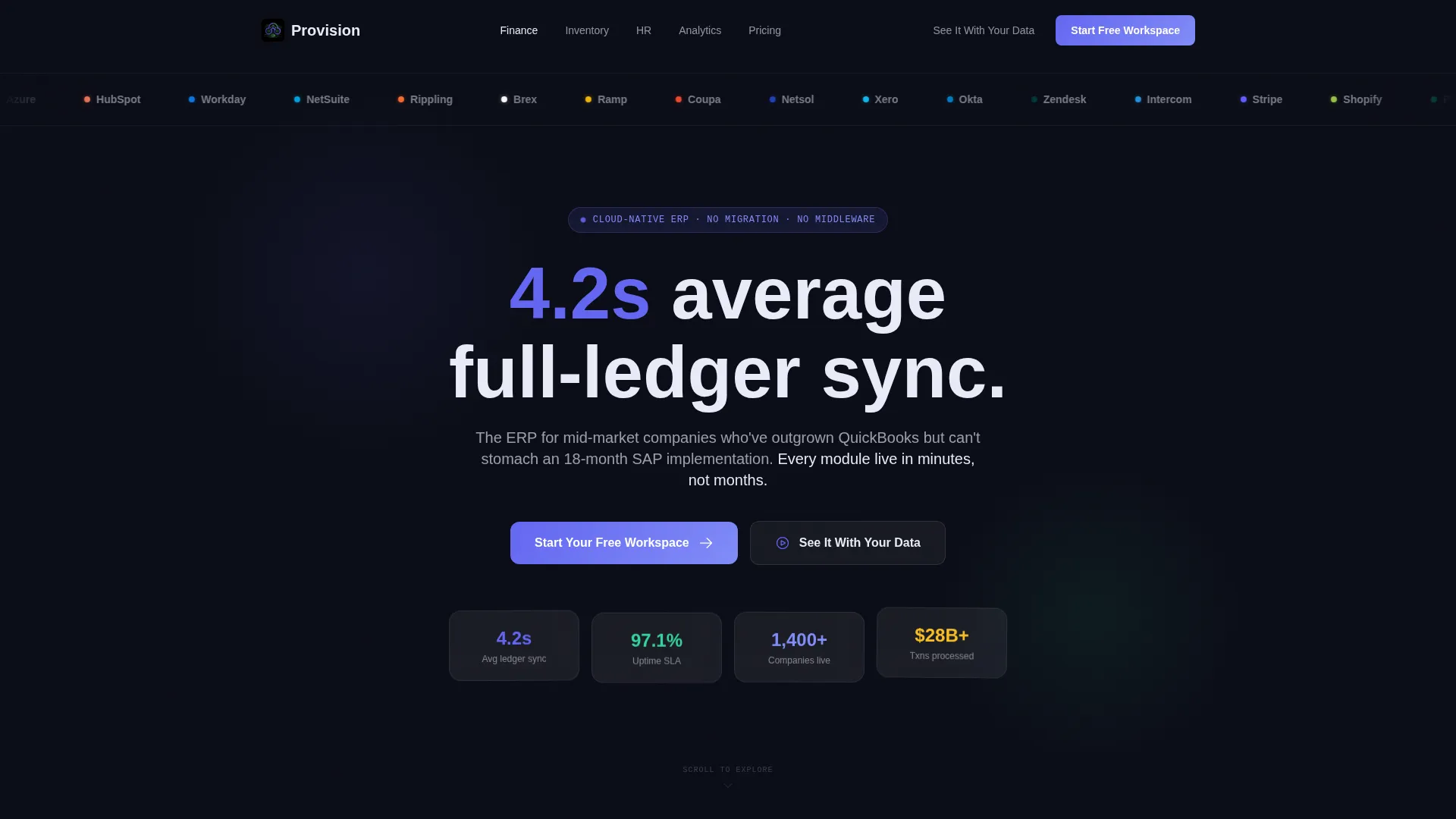
Scrolling Integration Logo Bar
A horizontal marquee ribbon displays forty-plus integration partner logos against the deep void-black background. It loads before any headline, immediately communicating ecosystem depth to first-time visitors.
Stats-First Animated Metrics
Every anchor-nav section opens with a hard performance metric that animates from zero on viewport entry. Numbers like uptime percentages, onboarding time, and close-cycle speed appear before any explanatory copy, earning attention through proof.
Hub-and-Spoke Anchor Navigation
A persistent anchor navigation bar keeps visitors oriented across the full page. Each spoke links to a dedicated module section covering finance, inventory, human resources, and analytics, and the primary call-to-action button stays pinned in the nav at all times.
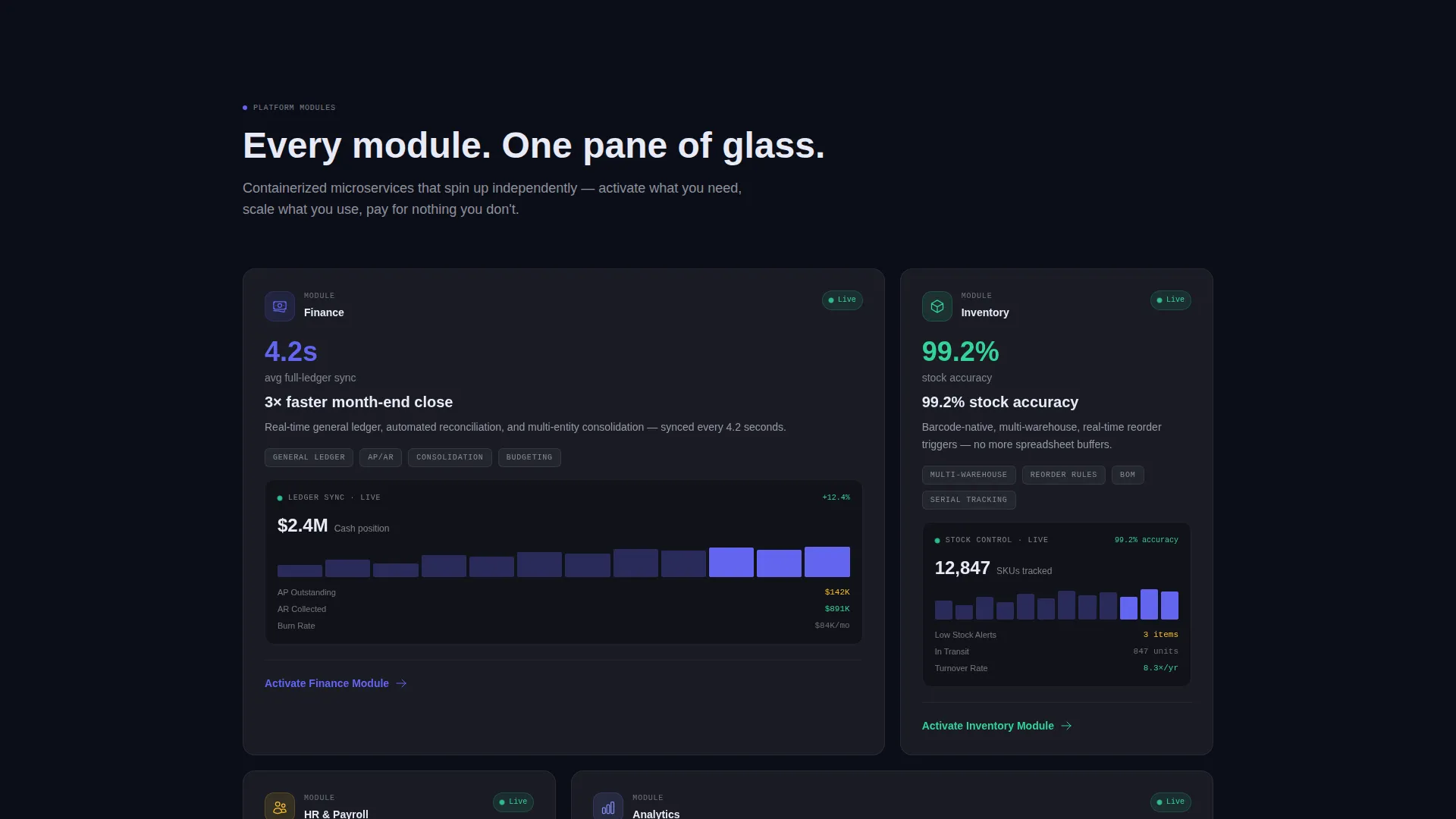
Frosted Glass Module Cards
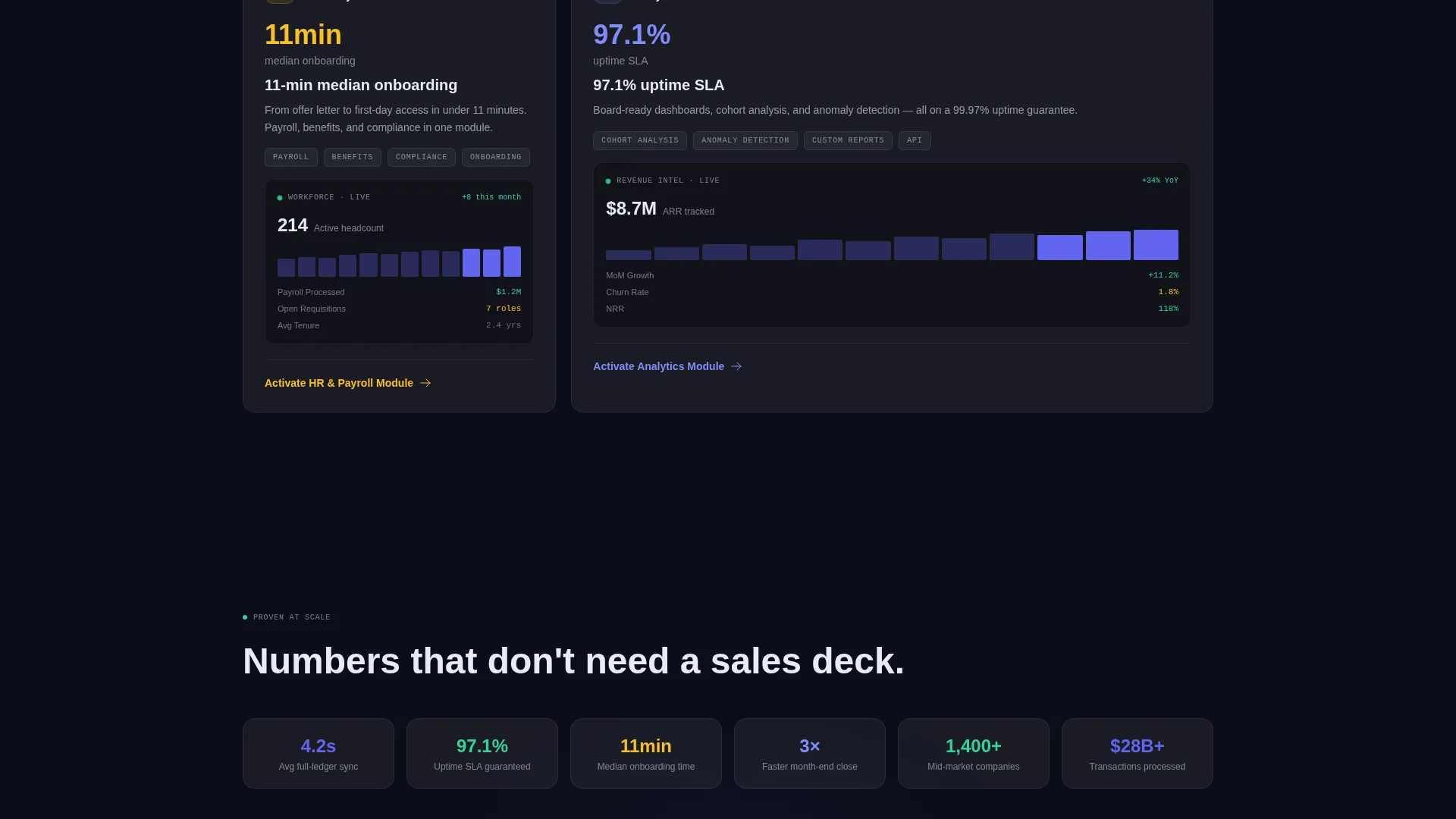
Each module section features a frosted translucent card with a backdrop blur, a 1px light-catch border, and an embedded live-data micro-dashboard screenshot. The cards expand the module story without breaking the dark, instrument-lit visual tone.
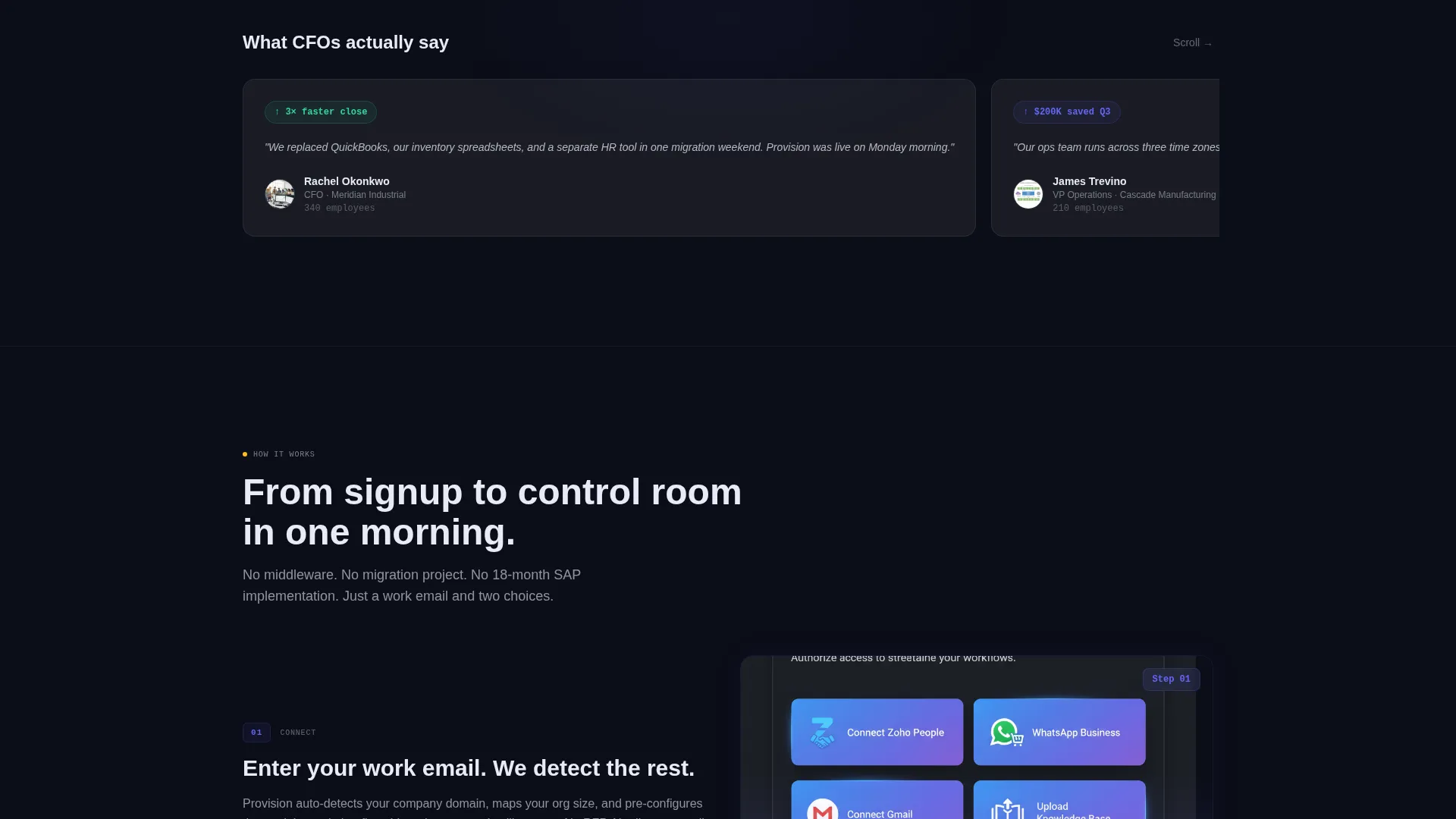
Three-Step Progressive Sign-Up Form
The conversion form is split into three focused screens. The first asks only for a work email. The second auto-detects the company domain and presents a size dropdown. The third lets the user select which two modules to activate first, reducing friction at every stage.
Demo Booking Modal
A secondary call-to-action labeled "See It With Your Data" opens a guided demo booking modal. This path serves prospects who prefer a white-glove walkthrough before committing to a free workspace.
Page sections overview
| Section | Purpose |
|---|---|
| Integration Logo Bar | Signals ecosystem depth immediately on load |
| Stat Headline Block | Leads with a single oversized performance metric |
| Anchor Navigation Hub | Orients visitors and pins the primary call to action |
| Finance Module Spoke | Showcases ledger sync and close-cycle metrics |
| Inventory Module Spoke | Covers procurement and stock visibility features |
| HR and Payroll Spoke | Highlights payroll and headcount management stats |
| Analytics Module Spoke | Presents real-time reporting micro-dashboard preview |
| Progressive Sign-Up Form | Captures leads across three low-friction screens |
| Demo Booking Modal | Provides a white-glove walkthrough path for warm prospects |
Design & branding system
The visual identity follows a Dashboard Pro theme built on a glassmorphic color system. Every design decision reinforces the feeling of a live operational control room: dark, focused, and instrument-lit.
- Core palette: deep void black (#0B0D17) canvas, electric indigo (#6366F1) for active states and data highlights, soft signal green (#34D399) for positive-trend indicators, and frosted white (#FFFFFF at 8% opacity) for card surfaces
- Glass-panel cards use a subtle backdrop blur and a 1px border at white 10% opacity, giving each card visual depth without visual weight
- Typography and data labels are sized and spaced to feel like a real dashboard readout, not a marketing brochure
Mobile & speed optimization
The template is structured to translate the control-room aesthetic cleanly across screen sizes. The layout adapts without losing the visual hierarchy that drives conversion.
- Anchor navigation collapses to a compact mobile-friendly format so the pinned call-to-action remains reachable on small screens
- Glass-panel cards and animated metric blocks are designed to stack vertically on narrow viewports while preserving their visual identity
- The progressive sign-up form's three-screen flow is touch-friendly and keeps each step minimal to reduce drop-off on mobile devices
How this template helps you convert
Provision is built around a single principle: prove scale before asking for a click. Every structural choice on the page serves the conversion path.
- The stats-first layout leads every section with a hard metric, building credibility before the visitor reads a single feature description or sees a pricing table.
- The pinned anchor navigation and repeated "Start Your Free Workspace" call-to-action buttons keep the conversion path visible at every scroll depth, so a ready buyer never has to search for the next step.
- The three-step progressive form reduces sign-up friction by asking only for a work email first, then layering in company context and module preferences, turning a daunting enterprise signup into three small, comfortable decisions.
Other information about this template
This template is a strong fit for teams positioning a modern alternative to legacy enterprise systems. It is built to communicate cloud-native credibility to buyers who are evaluating options across the mid-market ERP landscape.
- The integration logo marquee is pre-structured to feature partners such as Stripe, Shopify, Plaid, Snowflake, and Gusto, giving the page immediate ecosystem recognition
- The template suits platforms that position themselves as a practical step up from tools like QuickBooks, spreadsheets, or lightweight no-code databases, without the implementation overhead of large legacy ERP systems like SAP
- The design theme and color system are fully defined in the source files, making it straightforward to swap brand colors, update metrics, and replace logo assets to match a real product
Theme
Dashboard Pro
Creative direction
Stats-First Impact
Color system
Glassmorphic
Style
Hub & Spoke (Anchor Nav)
Direction
Freemium/Trial
Page Sections
Scrolling Integration Logo Bar
Stats-first Animated Metric Counters
Hub-and-spoke Anchor Navigation
Frosted Glass Module Cards
Three-step Progressive Sign-up Form
Demo Booking Modal
Related questions
Who is the Provision template best suited for?
Can I update the stats and metrics shown on the page?
How does the three-step progressive sign-up form work?
Is the demo booking modal included in the template?
Can I add or remove module spokes from the anchor navigation?



