Psychology Education Advanced Professional Website Template
Psychvault is a single-column psychology study landing page template built for students who need focused, fast-access notes on complex topics. It opens with live social-proof counters, guides visitors through a six-question diagnostic quiz, and rebuilds the page into a personalized study dashboard. The Forest Trust color system and Institutional Authority design give it the feel of a serious academic resource.
by Rocket studio
Quick summary
Psychvault is a single-column landing page template designed for psychology study guide and notes platforms. It combines live credibility metrics, a branching diagnostic quiz, and a personalized results dashboard into one seamless scroll. The Forest Trust palette and serif typographic identity create an authoritative, library-like atmosphere that earns student trust fast.
Who this template is for
This template is built for creators and educators who serve students navigating dense psychology coursework. It fits any platform delivering structured study content in the psychology education space.
- Second-year undergraduates preparing for abnormal psychology midterms or finals
- Pre-med students who need high exam confidence in behavioral neuroscience
- Adult learners returning to school after years away from academic study
What problem this template solves
Psychology students face a familiar crisis: a 400-page textbook, an exam in 48 hours, and no clear sense of which topics actually need attention. Most study resources force students to browse without direction. This template replaces passive browsing with active diagnosis.
- Students arrive overwhelmed and leave with a clear, personalized study priority list
- The quiz funnel builds genuine investment before asking for any contact information
- The page design removes visual noise so the content and the data carry all the authority
What you get with this template
You get a fully designed single-column landing page layout that functions as both a credibility statement and a conversion funnel. Every section is purpose-built to move a student from anxious arrival to confident sign-up.
- A stats header with three animated social-proof counters styled in mahogany serif type
- A six-question branching diagnostic quiz that reshades the page as students answer
- A personalized study dashboard preview that appears after the quiz is completed
Feature list
This template is built around a specific set of prompt-backed components that work together as a single scroll-through experience.
Animated Social-Proof Header
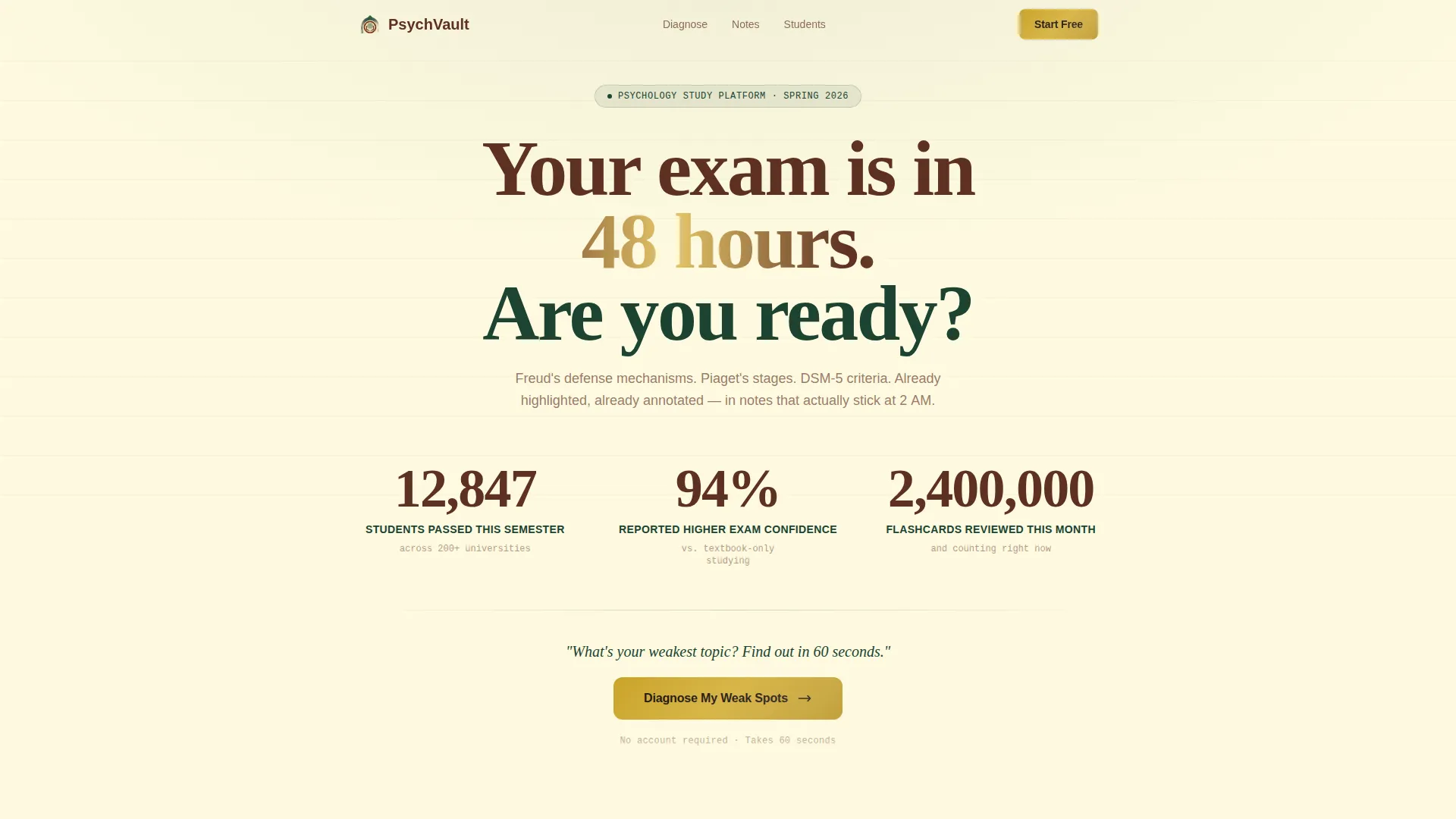
Three live-updating counters display real platform metrics: students passed, exam confidence rate, and flashcards reviewed. Numbers are set in large mahogany serif type against parchment and tick upward with a subtle mechanical counter animation. No stock photography is used. The data itself acts as the credibility statement.
Branching Diagnostic Quiz
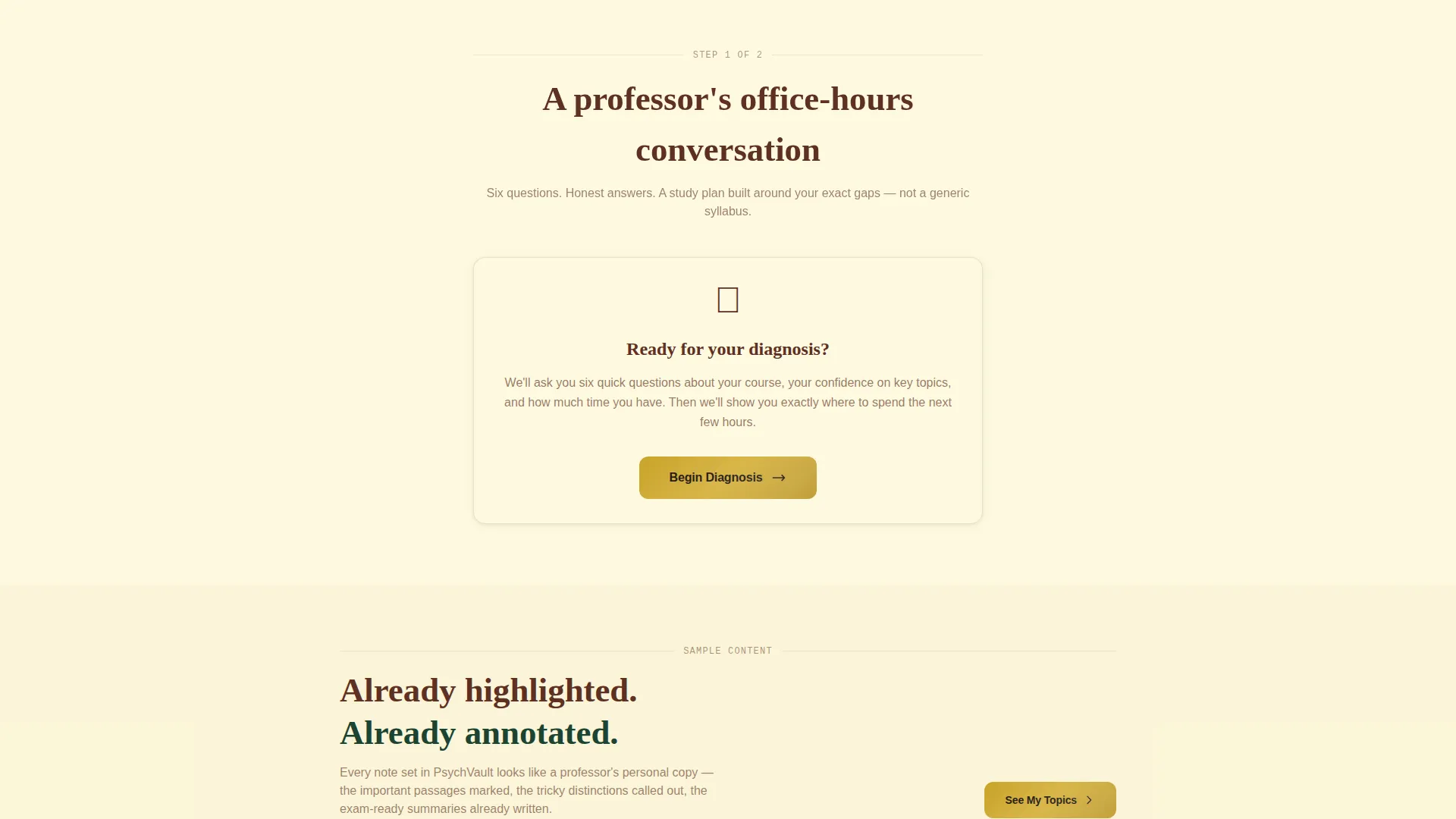
A six-question office-hours-style assessment surfaces one question at a time down the single column. Questions include course selection and five-topic confidence sliders styled as Likert-scale items. Each answer subtly reshades page accents to reflect the student's track, making the experience feel increasingly personal as they scroll.
Dynamic Page Accent Shifting
As students answer quiz questions, the page palette responds. A behavioral neuroscience track shifts accents cooler. A developmental psychology track warms them. This subtle visual feedback reinforces the sense that the page is adapting to each individual student.
Personalized Study Dashboard Preview
After six questions, the page reconstructs below the quiz into a tailored results view. It shows the student's identified weak areas, recommended note sets, and a projected study timeline. This preview is the primary value moment before the final conversion ask.
Dual-Stage Conversion Flow
The primary call to action, "Diagnose My Weak Spots," sits directly beneath the header metrics and requires zero information to begin. The secondary call to action, "Unlock Your Study Plan," appears at the results screen alongside an email field and a course dropdown. The student has already experienced personalized value before the ask is made.
Forest Trust Visual Identity
The full color system uses deep academic evergreen for backgrounds and section dividers, warm parchment cream for body text and card surfaces, aged mahogany for headers, and a focused gold accent for buttons and progress indicators. Typography uses authoritative serif faces that reinforce the university press aesthetic throughout the page.
Page sections overview
| Section | Purpose |
|---|---|
| Stats Metrics Header | Display live social-proof counters to establish platform credibility immediately |
| Diagnostic Quiz Prompt | Invite visitors to begin the six-question personalized assessment |
| Branching Quiz Flow | Surface one question at a time with Likert sliders and course selection |
| Accent Shift Feedback | Visually reshape page palette as each quiz answer is submitted |
| Personalized Dashboard Preview | Show weak areas, note recommendations, and projected study timeline |
| Unlock Study Plan call to action | Present email field and course dropdown after personalized value is delivered |
Design & branding system
The design language is built around what the prompt calls Institutional Authority: a visual register that feels like a well-maintained academic library rather than a consumer app. Every color and typographic choice reinforces earned trust.
- Forest Trust palette: deep evergreen (#1B4332) for backgrounds, warm parchment (#FEFAE0) for surfaces, aged mahogany (#5E3023) for headers, and focused gold (#C9A227) for buttons and progress indicators
- Serif typography throughout, with large display numerals in mahogany for the stats header and clean body copy on parchment card surfaces
- No stock photography and no illustrations; the data, the quiz, and the typography carry all visual weight
Mobile & speed optimization
The single-column flow layout is inherently mobile-friendly. Each section stacks cleanly without requiring horizontal navigation or side-by-side content management on smaller screens.
- One-column structure keeps the quiz interaction intuitive on touch devices, with sliders and dropdowns that translate naturally to mobile input
- The data-forward header with no imagery keeps the above-the-fold experience lightweight and immediately readable on any screen size
How this template helps you convert
The conversion architecture in this template is built around progressive investment. Students earn value through the quiz before they are ever asked to give anything in return.
- The animated metrics header and single-line prompt ("What's your weakest topic? Find out in 60 seconds") create immediate curiosity and low-friction entry, pulling visitors into the quiz without hesitation.
- Six sequential quiz questions build psychological commitment one step at a time, so by the results screen the student has already invested enough to make the final sign-up feel like a natural conclusion rather than a gate.
Other information about this template
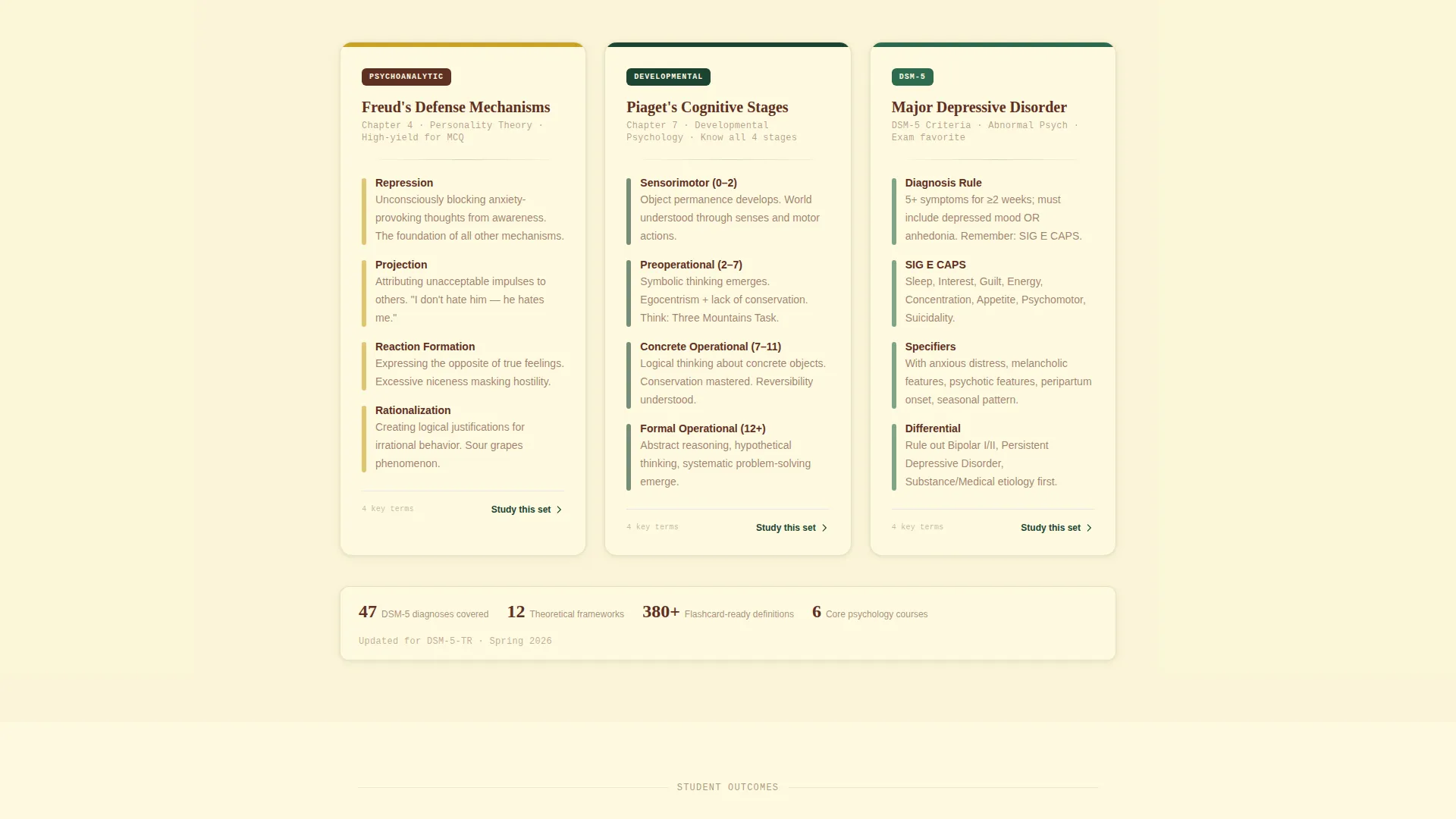
This template is designed specifically for the psychology education niche and suits any creator building a psychology study guide or notes platform. It works particularly well for course-specific study tools covering topics such as Freudian defense mechanisms, Piaget's developmental stages, and DSM-5 (Diagnostic and Statistical Manual of Mental Disorders, Fifth Edition) diagnostic criteria.
- The quiz-and-personalize creative direction makes this template well suited to platforms competing in the broader online study guide and flashcard market
- The Institutional Authority theme deliberately avoids gamified consumer aesthetics, positioning the platform as a serious academic resource rather than a casual quiz app
- The template style is Single Column Flow, meaning all sections are stacked vertically for a guided, distraction-free reading and interaction experience
Theme
Institutional Authority
Creative direction
Quiz & Personalize
Color system
Forest Trust
Style
Single Column Flow
Direction
Quiz/Assessment
Page Sections
Animated Social-proof Metrics Header
Six-question Diagnostic Quiz
Dynamic Accent-shifting Palette
Personalized Study Dashboard Preview
Dual-stage Conversion Architecture
Forest Trust Visual Identity System
Related questions
Do I need any coding skills to use this template?
Can I adjust the quiz questions for a different psychology course?
Is this template suitable for a platform covering multiple psychology topics?
What makes this template different from a generic study platform page?
How long does the quiz flow take for a student to complete?



