Fitness Software & SaaS Advanced Professional Website Template
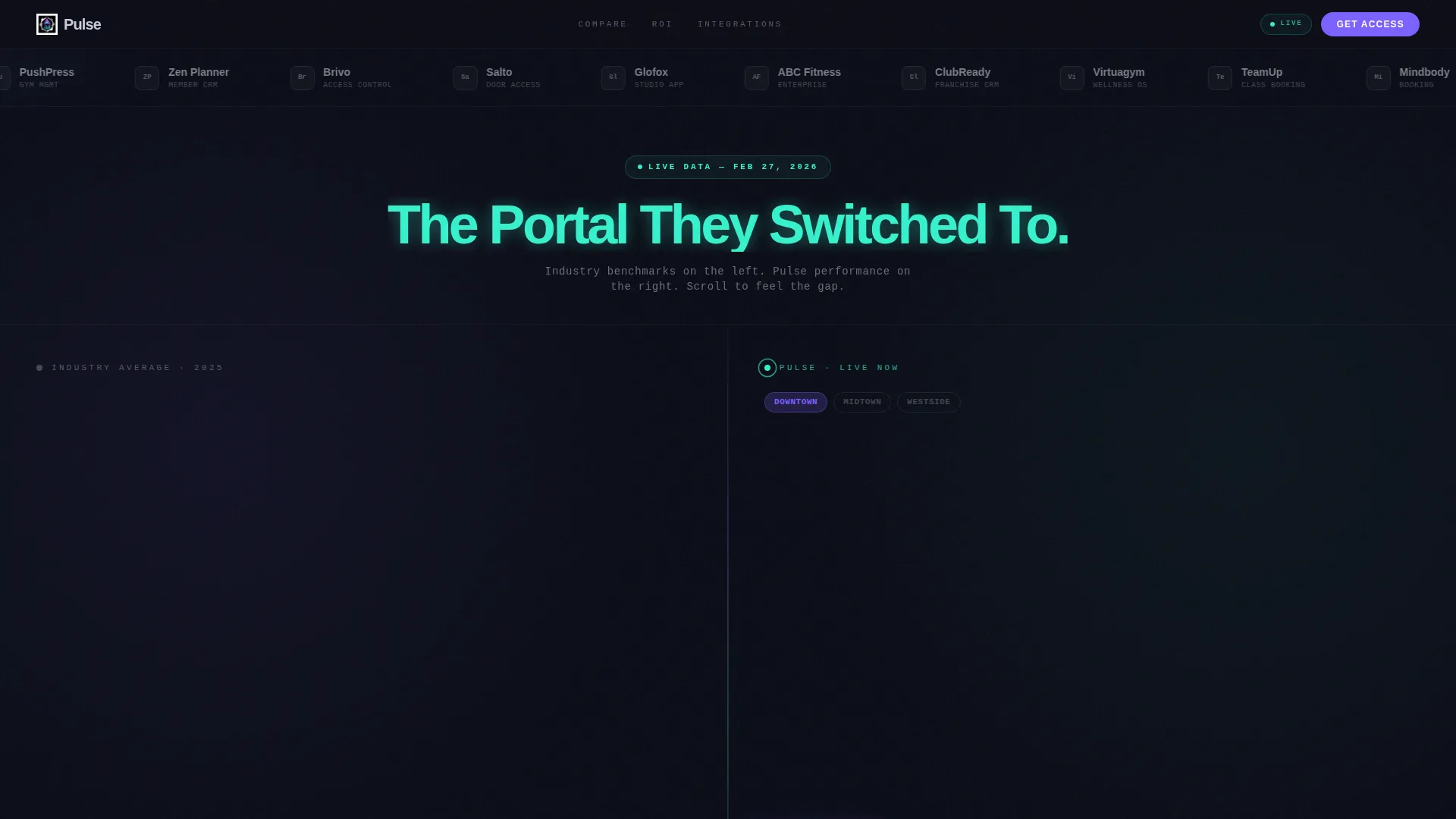
Pulse is a split-screen fitness customer portal landing page built for gym owners and studio operators who need to see every business metric at a glance. It pairs hard industry data on the left with a live-feel dashboard on the right, using a dark cockpit-style visual identity to make the performance gap between legacy portals and Pulse impossible to ignore.
by Rocket studio
Quick summary
Pulse is a single-page, split-screen fitness customer portal template designed for gym and studio operators. It places industry benchmarks side by side with real-time dashboard visuals, using a dark AI Iridescent color system to signal performance at a glance. The page is built to convert through comparison, ending in a sticky dual-call to action bar that captures leads without pressure.
Who this template is for
This template is built for fitness business operators who manage members, coaches, and locations and need a portal that communicates performance clearly. It speaks directly to decision-makers who are tired of logging into slow or cluttered dashboards.
- Boutique studio founders running two or three locations from a mobile device
- Franchise operators who compare site-level performance across properties
- Personal training managers tracking which coaches retain clients past 90 days
What problem this template solves
Most fitness portals show you data after the damage is done. Churn has already happened. A class is already half-empty. A coach's retention numbers are already slipping. This template is designed to make that cost visible and position Pulse as the solution.
- No clear side-by-side view of how legacy portals underperform against modern alternatives
- Visitors leave without understanding the revenue impact of switching or staying
- Conversion is lost because the ask comes before the value is felt
What you get with this template
You get a fully structured, single-page landing page that follows an Industry Report creative direction. Every section is built to escalate stakes, from minor convenience gaps to measurable revenue differences.
- A 50/50 split-screen layout that pairs data panels with live dashboard visuals
- A scrolling Logo Bar header featuring fitness brand partners in a seamless loop
- A sticky bottom call to action bar with dual conversion paths: a diagnostic form and a gated PDF download
Feature list
This template ships with a tightly scoped set of visual and structural features drawn directly from the brief. Each one serves the comparison-led conversion goal.
Split-Screen Data versus. Dashboard Layout
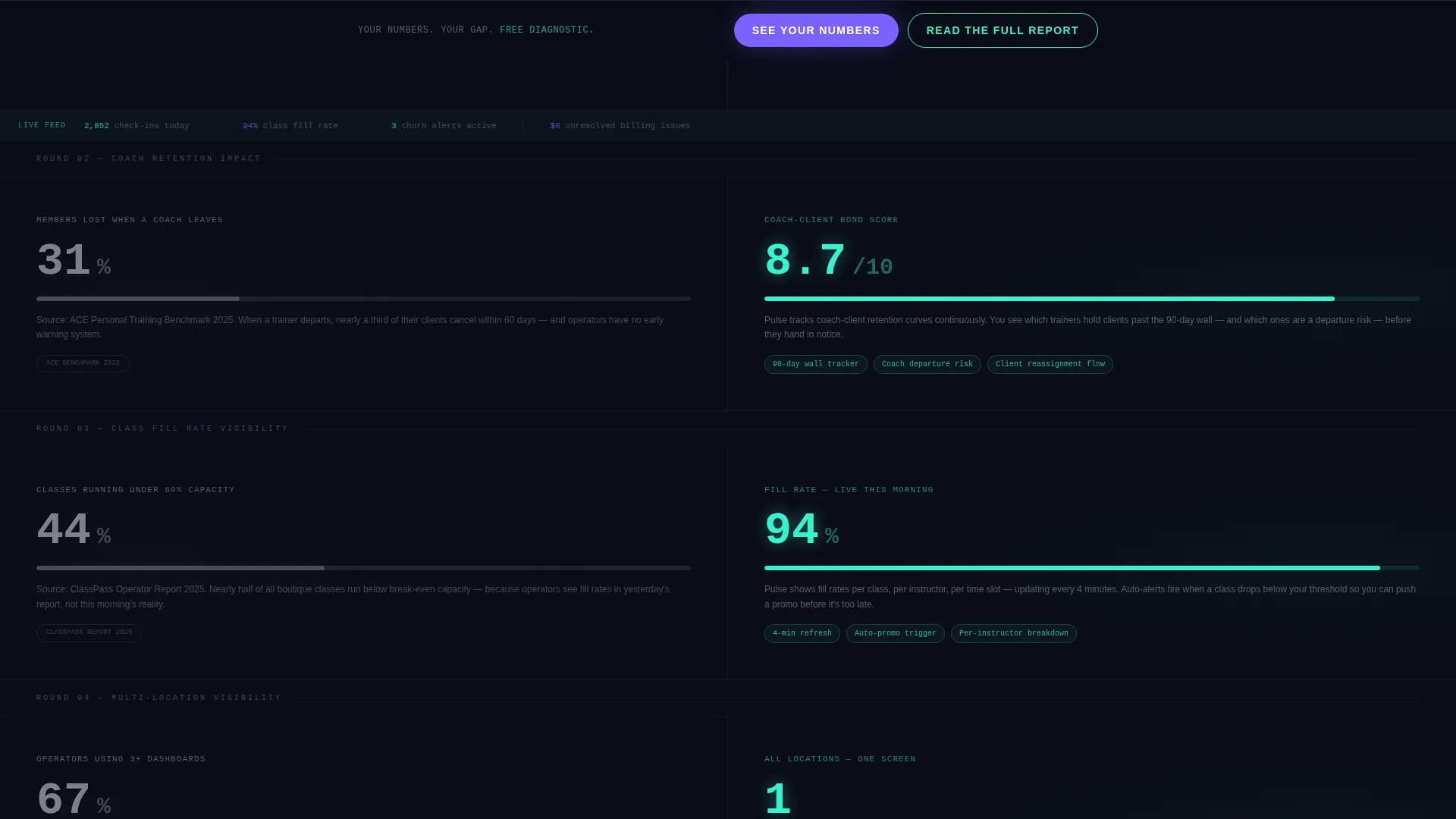
Each scroll section splits the viewport 50/50. The left panel displays sourced industry statistics formatted like a white paper. The right panel answers each stat with Pulse's live dashboard view.
Scrolling Logo Bar Header
The header is a horizontal ribbon of fitness platform logos looping slowly against a void-black background. Below it sits a single seven-word headline in plasma teal. There is no hero image, which keeps attention on the social proof in motion.
Escalating Comparison Sections
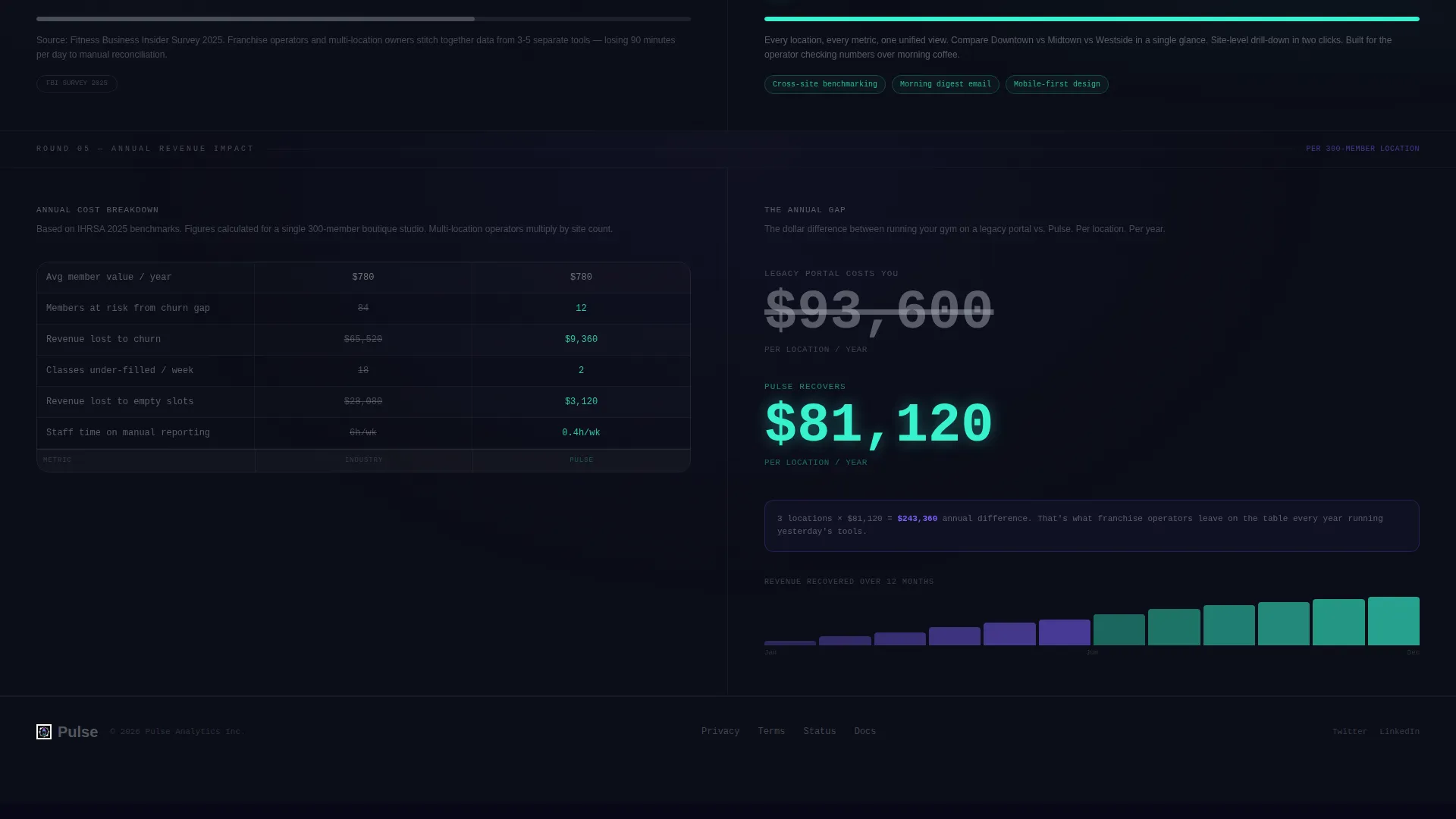
Sections are sequenced by stakes. Early panels cover convenience metrics. Later panels move into revenue impact. The final section tallies the annual dollar difference between staying on a legacy portal and switching to Pulse.
Sticky Dual-call to action Bottom Bar
A persistent bottom bar follows the visitor throughout the scroll. The primary call to action opens a free diagnostic form asking for current platform, number of locations, and monthly active members. The secondary call to action gates a downloadable PDF report behind an email field.
AI Iridescent Color-as-Signal System
Color in this template carries meaning. Holographic violet marks primary actions and data highlights. Plasma teal marks positive metrics and success states. Soft silver handles body text and secondary labels. Every glow is intentional, not decorative.
Industry Report Creative Direction
The copy cadence and layout rhythm follow a white-paper format. Data is cited and sourced on the left. Dashboard responses appear on the right. The format builds trust before it asks for anything.
Page sections overview
| Section | Purpose |
|---|---|
| Logo Bar Header | Scrolling fitness brand logos establish credibility before the first word |
| Plasma Teal Headline | Seven-word challenger statement earns the scroll |
| Split Panel One | Convenience metrics: check-in speed and time-to-resolution benchmarks |
| Split Panel Two | Retention data: churn rates and NPS benchmarks versus. Pulse |
| Split Panel Three | Coach performance: 90-day client retention comparison |
| Split Panel Four | Revenue impact: annual dollar difference tallied |
| Sticky call to action Bar | Dual conversion paths: diagnostic form and gated PDF |
Design & branding system
The visual identity follows a Dashboard Pro theme using an AI Iridescent color system. The palette is built around a cockpit-at-night metaphor, where every color carries a functional meaning rather than a decorative one.
- Void black (#0B0D17) serves as the primary background, keeping data visuals luminous and focused
- Holographic violet (#7B61FF) marks primary actions, call to action buttons, and key data highlights
- Plasma teal (#36F1CD) signals positive metrics, success states, and the main headline
- Soft silver (#C9CED6) handles all body text and secondary labels for comfortable reading
Mobile & speed optimization
The split-screen layout is designed to restack cleanly on smaller screens, keeping data panels and dashboard visuals readable without horizontal scrolling. The page avoids heavy hero imagery, which supports faster load behavior by default.
- No hero image or large banner graphic removes one of the most common sources of slow initial load
- The scrolling logo bar uses a lightweight CSS loop rather than video or image carousels
- Sticky call to action bar remains accessible at all scroll depths without covering core content
How this template helps you convert
Pulse converts by making the cost of inaction feel real before it asks for anything. Every scroll section adds a new data point to the case, and the sticky call to action bar is always ready when the visitor is.
- The Industry Report format builds authority early. Cited benchmarks on the left feel objective, not salesy, which lowers visitor resistance before the comparison lands.
- The escalating section structure moves from small friction to large revenue loss. By the time the visitor reaches the annual dollar tally, the ask feels like a relief rather than a risk.
- The dual call to action gives two entry points. Visitors ready to act open the diagnostic form. Visitors who need more evidence download the gated report, entering the funnel either way.
Other information about this template
This template is built for the fitness software and SaaS category, sitting at the intersection of technology and fitness customer portal design. It is a strong fit for teams evaluating or marketing portal solutions in a competitive landscape.
- The template style is Split Screen (50/50), a format that works well for comparison-led and versus-style landing pages
- The Industry Report creative direction makes this template suitable for content that positions a product against a measurable industry standard
- The Dashboard Pro theme and AI Iridescent color system are designed to convey data density without visual noise
- This landing page can support pitch decks, sales enablement pages, or conference leave-behinds when printed or exported to PDF format

Theme
Dashboard Pro
Creative direction
Industry Report
Color system
AI Iridescent
Style
Split Screen (50/50)
Direction
Comparison/Versus
Page Sections
Split-screen Comparison Layout
Scrolling Logo Bar Header
Escalating Stakes Structure
Sticky Dual-cta Bottom Bar
Color-as-signal Palette
Industry Report Copy Cadence
Related questions
Who is this landing page template designed for?
Can I customize the industry data shown in the left panels?
What are the two calls to action in the sticky bottom bar?
Does this template include actual live dashboard data?
Is this template suitable for a single fitness location?



