Electrical Digital Presence Cost Estimator Website Template
Pulse is a single-page landing page template built for a digital menu platform that turns paper menus into live, tap-to-order boards. It opens with an interactive savings estimator, flows into a detailed comparison table, and closes with a direct app download call to action. No email gate, no friction, just a clear path from curiosity to install.
by Rocket studio
Quick summary
Pulse is a high-impact landing page template designed for a restaurant digital menu platform. The page opens with a real-time cost and time estimator, moves through a spec-style comparison table, and drives visitors directly toward an app install. The visual identity uses a deep dark background with frosted glass panels and electric mint accents.
Who this template is for
This template is built for food and beverage operators who update their menus frequently and want a smarter, faster workflow. It suits anyone promoting a self-serve digital menu tool to hands-on restaurant owners.
- Taco shop owners who reprint menus every time ingredient costs change
- Café managers handling seasonal specials across multiple locations
- Food truck operators who need a weather-resistant screen-ready display
What problem this template solves
Paper menus and static PDFs create a slow, expensive loop. Every price change means a call to a designer, a print run, and wasted materials. This template addresses that pain directly in the first scroll, turning frustration into a reason to install.
- Shows visitors exactly how much time and money manual menu updates cost them
- Replaces vague marketing claims with measurable spec comparisons
- Removes signup friction so the app itself handles conversion
What you get with this template
You get a fully structured single-page layout with four distinct working sections. Each section has a clear job, and together they move a skeptical restaurant owner from "I'm curious" to "I'm downloading this now."
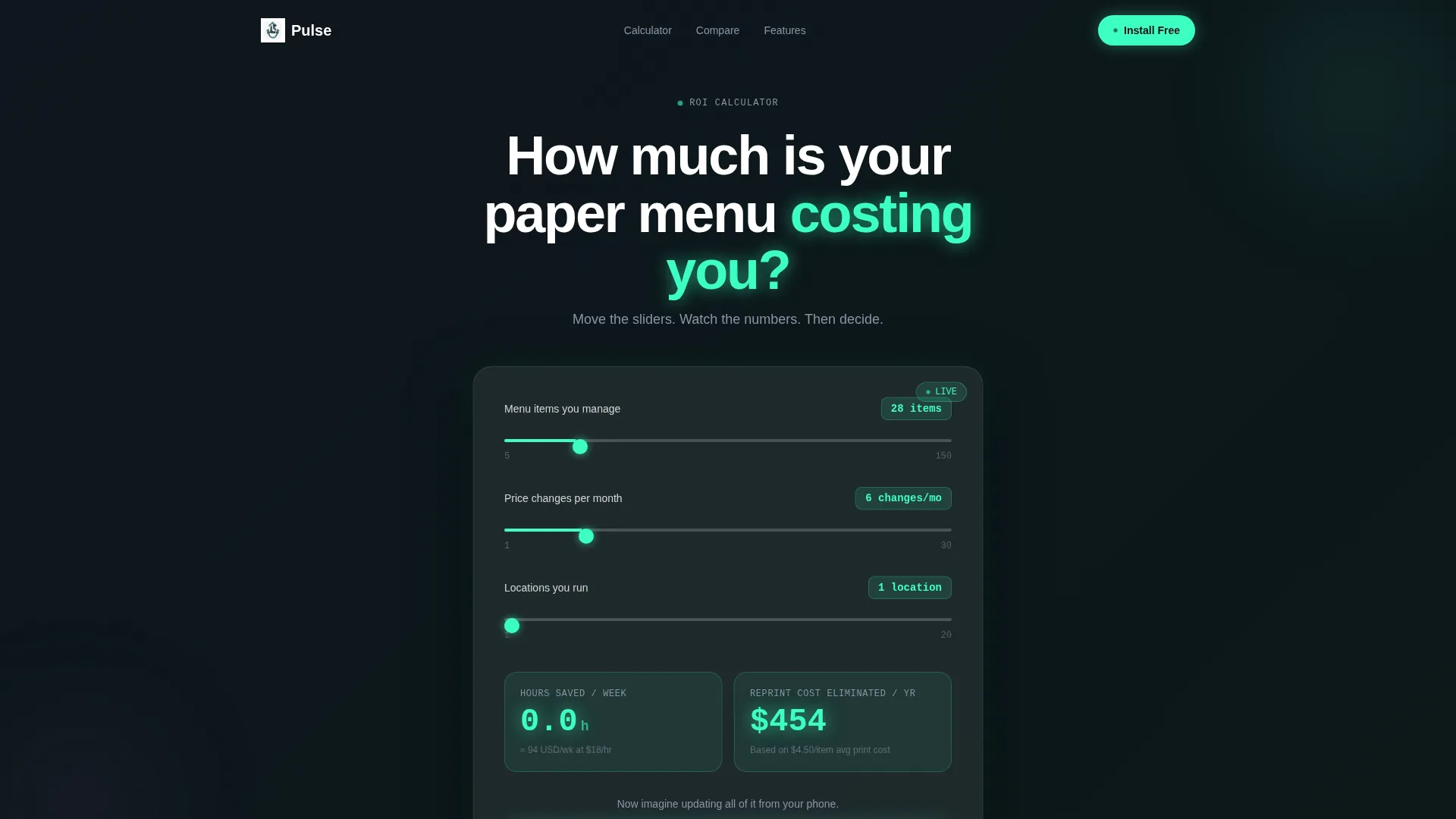
- A frosted-glass calculator that outputs real-time savings estimates as sliders move
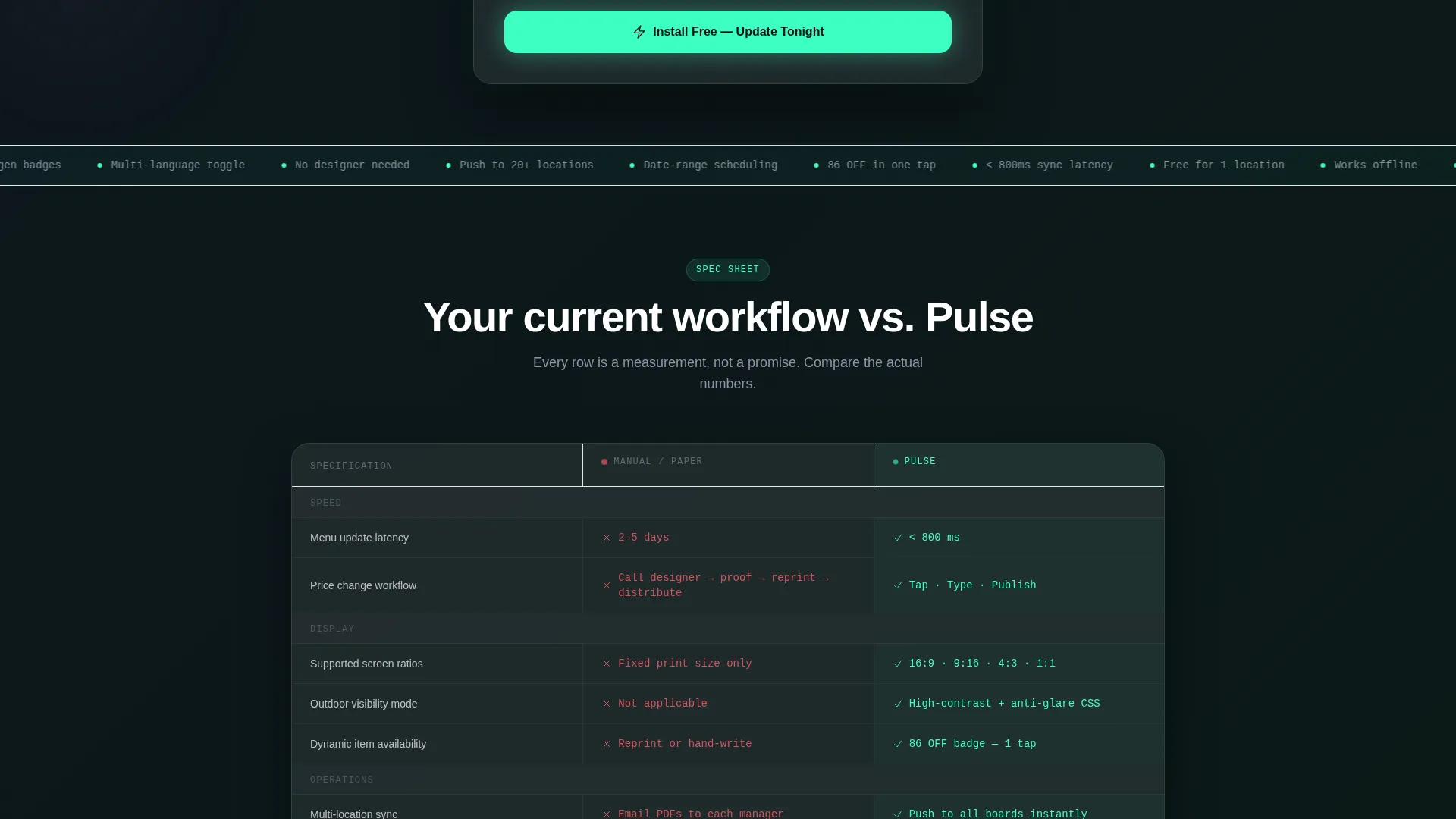
- A detailed comparison table contrasting manual menu workflows against the Pulse platform flow
- A sticky mobile call-to-action bar and a device-detect modal for App Store, Google Play, or QR code
Feature list
This template delivers purpose-built components, each grounded in the specific needs of a digital menu platform landing page.
Real-Time Savings Estimator
A frosted-glass calculator card sits front and center on page load. Visitors adjust sliders for menu item count, price-change frequency, and location count. The output updates instantly, showing hours saved per week and reprinting costs eliminated per year. The mint-colored numbers tick upward like a live counter.
Spec Sheet Comparison Table
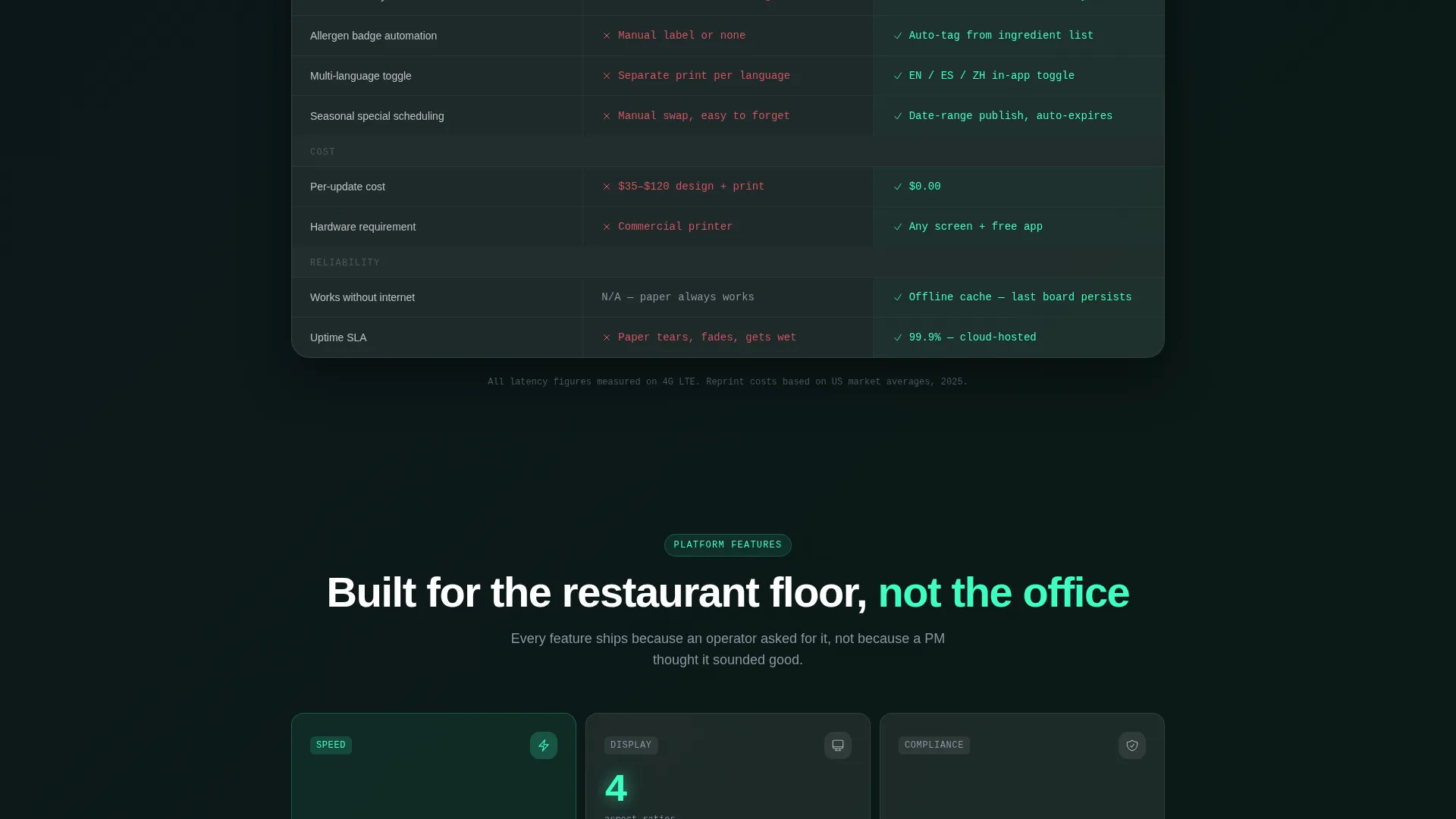
Immediately below the estimator, a structured comparison table stacks the visitor's current manual workflow against Pulse's tap-type-publish flow. Each row carries measurable specs: sync latency in milliseconds, supported screen ratios, multi-language toggle status, and allergen badge automation. It reads like a product datasheet, not an ad.
Device-Detect Download Modal
The primary call-to-action triggers a modal that detects the visitor's device. iOS users are routed to the App Store, Android users to Google Play, and desktop visitors see a scannable QR code on a frosted card. There is no email gate and no signup wall before the install.
Sticky Mobile call to action Bar
On mobile screens, the "Install Free, Update Tonight" call to action persists as a fixed bottom bar throughout the scroll. Visitors never lose sight of the next step, no matter how deep they go in the comparison table.
Glassmorphic Visual System
Every card surface uses a frosted glass treatment with 8% white opacity and a 12-pixel blur. The deep app-dark background (#0D0F14) makes each panel appear to float. Electric mint (#3DFFC2) highlights live data and action elements, while cool slate (#8B95A5) carries secondary text.
Page sections overview
| Section | Purpose |
|---|---|
| Calculator / Estimator | Quantifies time and cost savings in real time as sliders move |
| Prompt Line | Single sentence that bridges the estimator to the comparison below |
| Comparison Table | Spec-by-spec contrast of manual menu workflow versus Pulse's flow |
| App Download call to action | Device-detecting modal and sticky mobile bar driving installs |
Design & branding system
The Pulse template follows a Startup Velocity theme expressed through a Glassmorphic color system. Every visual choice reinforces the feeling of a glowing interface in a dark, real-world restaurant environment.
- Deep app-dark background (#0D0F14) with frosted glass card surfaces at 8% white opacity and 12-pixel blur
- Electric mint (#3DFFC2) applied to calls to action, live estimator outputs, and data highlights
- Cool slate (#8B95A5) used for secondary labels, table row metadata, and supporting text
Mobile & speed optimization
This template is built with mobile-first restaurant operators in mind. Food truck owners and café managers check things from their phones, so the layout prioritizes touch-friendly controls and a persistent call to action on smaller screens.
- Sliders in the estimator are sized for thumb interaction on mobile viewports
- The sticky bottom bar keeps the app install action visible throughout the entire page scroll
- The device-detect modal adapts its output automatically based on the visitor's operating system
How this template helps you convert
The page is structured to remove every possible reason a visitor might delay downloading the app. Each section does a specific job in a persuasion sequence grounded in real operator pain points.
- The estimator makes the cost of inaction personal and measurable before a single claim is made about the product.
- The comparison table builds trust through specifics, replacing adjectives with sync latency figures, screen ratio support, and feature toggles.
- The no-gate download flow eliminates the most common drop-off point: the moment a visitor is asked for their email before they get any value.
Other information about this template
Pulse is categorized under Technology with a subcategory of Electrical Digital Presence, targeting the Electrical Digital Menu niche. The template style is a Comparison Table layout with a Calculator/Estimator header concept. The creative direction follows a Spec Sheet cadence, and the landing page direction is App Download.
- Built for single-page deployment with a linear scroll from estimator to install
- Designed to support mounted screen environments including outdoor food truck displays
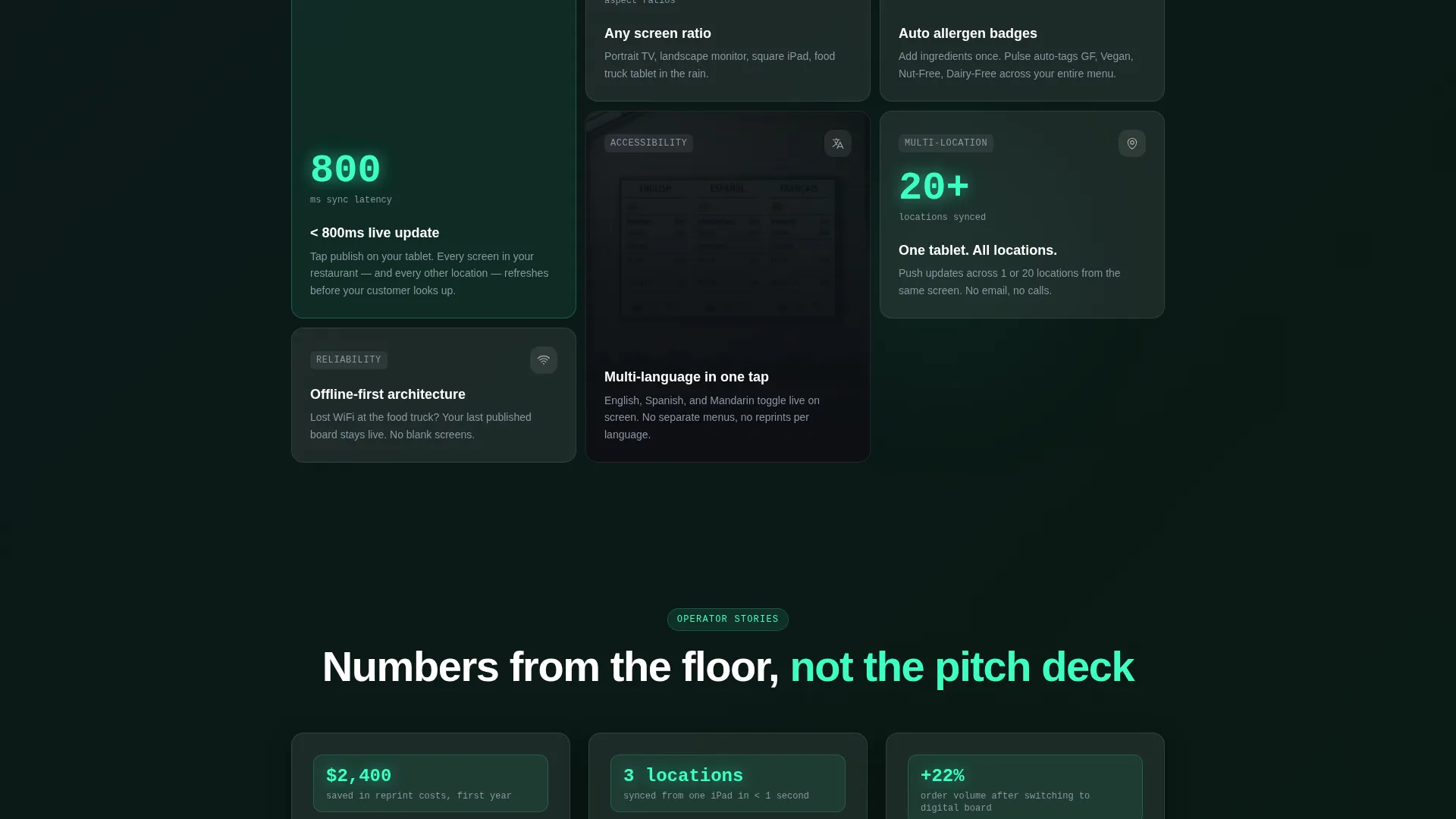
- The comparison table rows cover sync latency, screen ratio support, multi-language toggle, and allergen badge automation as measurable specs
Theme
Startup Velocity
Creative direction
Spec Sheet
Color system
Glassmorphic
Style
Comparison Table
Direction
App Download
Page Sections
Real-time Savings Estimator
Spec Sheet Comparison Table
Device-detect Download Modal
Sticky Mobile Call to Action Bar
Glassmorphic Card Surfaces
Related questions
Does this template require a designer to set up?
What does the download modal show on desktop?
Can the estimator reflect costs for operators with multiple locations?
Is there an email gate before the app install?
What kinds of restaurant operators is this template built for?



