Fitness Email Marketing Booking Website Template
Pulse is a high-impact fitness appointment reminder landing page template built for studios and trainers losing revenue to no-shows. It leads with a live revenue-loss calculator, then walks visitors through a detailed comparison table and a two-step lead capture form. Every section is designed to make the cost of silence impossible to ignore.
by Rocket studio
Quick summary
Pulse is a single-page landing page template for a fitness appointment reminder platform. It opens with an interactive no-show revenue calculator, moves into a twelve-metric comparison table, and closes with a two-step lead generation form. The Data Command visual theme uses a Monochrome Steel palette with electric green reserved for confirmed actions and primary calls to action.
Who this template is for
This template is built for teams selling automated reminder tools to fitness businesses. The end customers shown throughout the page are operators who watch real revenue disappear every week because clients skip appointments without warning.
- Boutique studio owners losing roughly 15% of daily bookings to no-shows
- Personal trainers absorbing the cost of empty early-morning slots
- Franchise managers overseeing large trainer rosters where one missed session creates a chain reaction of dead time
What problem this template solves
Fitness businesses often rely on manual follow-ups or generic calendar nudges that arrive too early or too late to change a client's mind. The result is a predictable, preventable revenue leak that compounds quietly across every week of the year.
- No single page shows the real annual cost of no-shows in a way visitors can calculate themselves
- Generic reminder tools do not communicate multi-channel delivery, smart timing, or rebooking automation in one clear comparison
- Leads who are curious but not ready to buy have no low-friction path to stay connected
What you get with this template
The template delivers a complete, single-page layout that takes a cold visitor from problem awareness to lead submission. Every section is ordered to escalate proof and urgency before asking for any commitment.
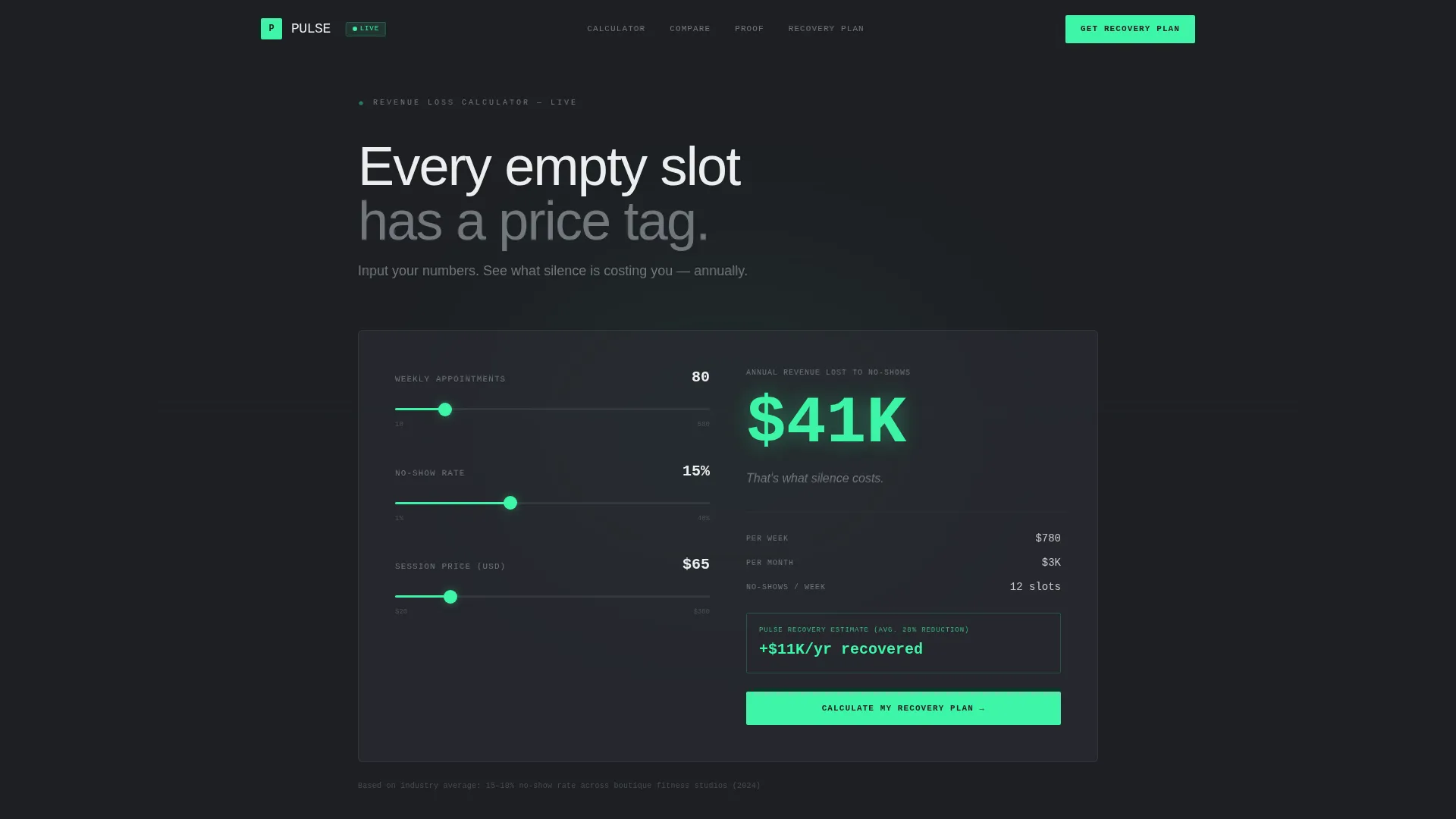
- A live calculator header that computes annual revenue lost to no-shows in real time
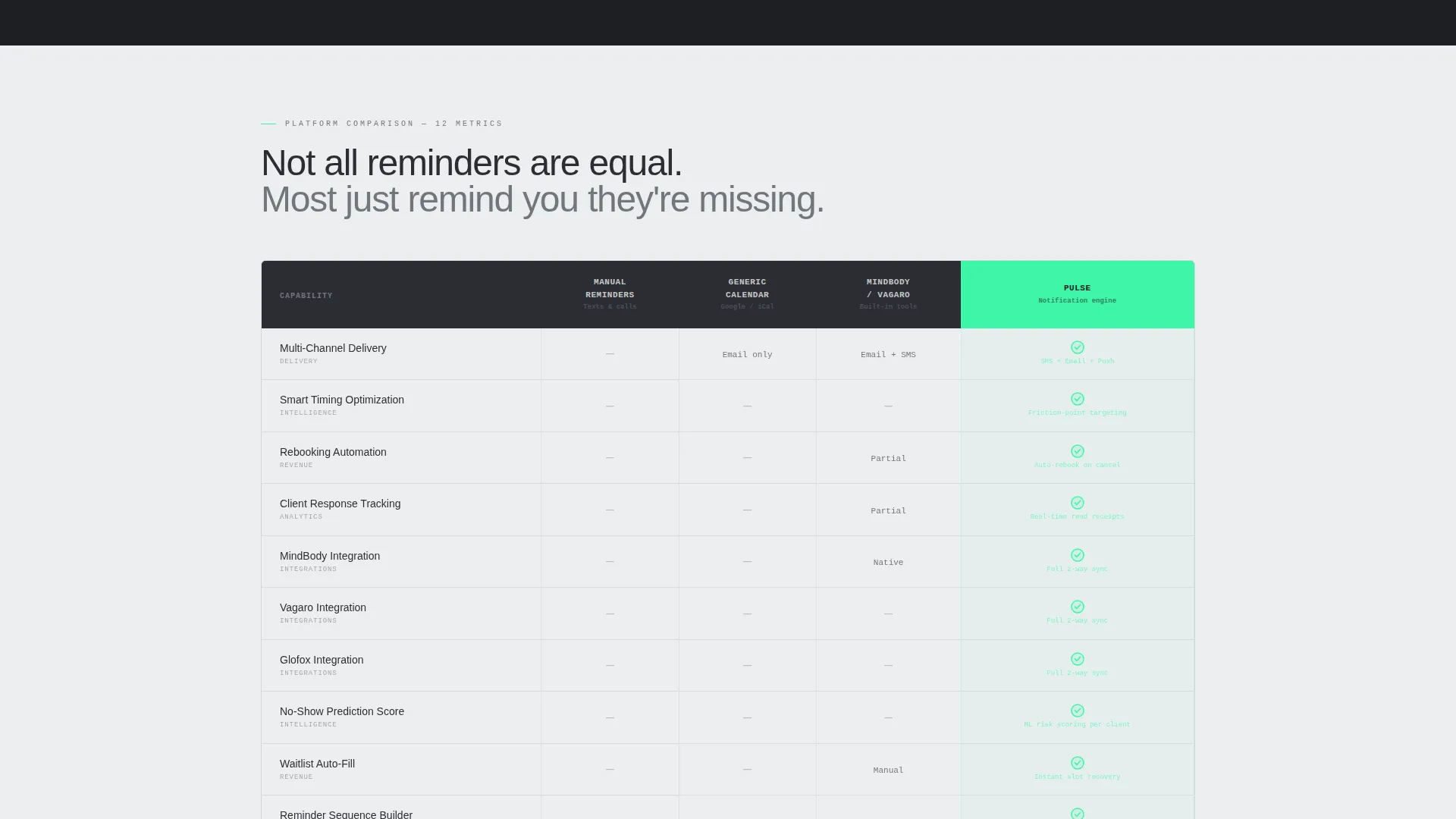
- A twelve-metric comparison table contrasting manual reminders, generic calendar tools, and the Pulse platform
- A two-step lead generation form plus a secondary email capture path for the calculator report
Feature list
This template packs purposeful interactive and visual components into a single scrollable page. Each feature is designed to move a skeptical fitness operator closer to a conversion.
Live No-Show Revenue Calculator
Visitors input weekly appointments, average no-show rate, and session price using sliders. The calculator returns their estimated annual revenue loss instantly in large electric-green type, updating in real time. The line beneath the result reads: "That's what silence costs."
Twelve-Metric Comparison Table
The comparison grid benchmarks manual reminders, generic calendar tools, and Pulse across twelve specific metrics. Rows cover multi-channel delivery, smart timing optimization, rebooking automation, client response tracking, scheduling platform integration, and seven additional criteria. Each cell resolves to a green checkmark or a steel dash.
Two-Step Lead Capture Form
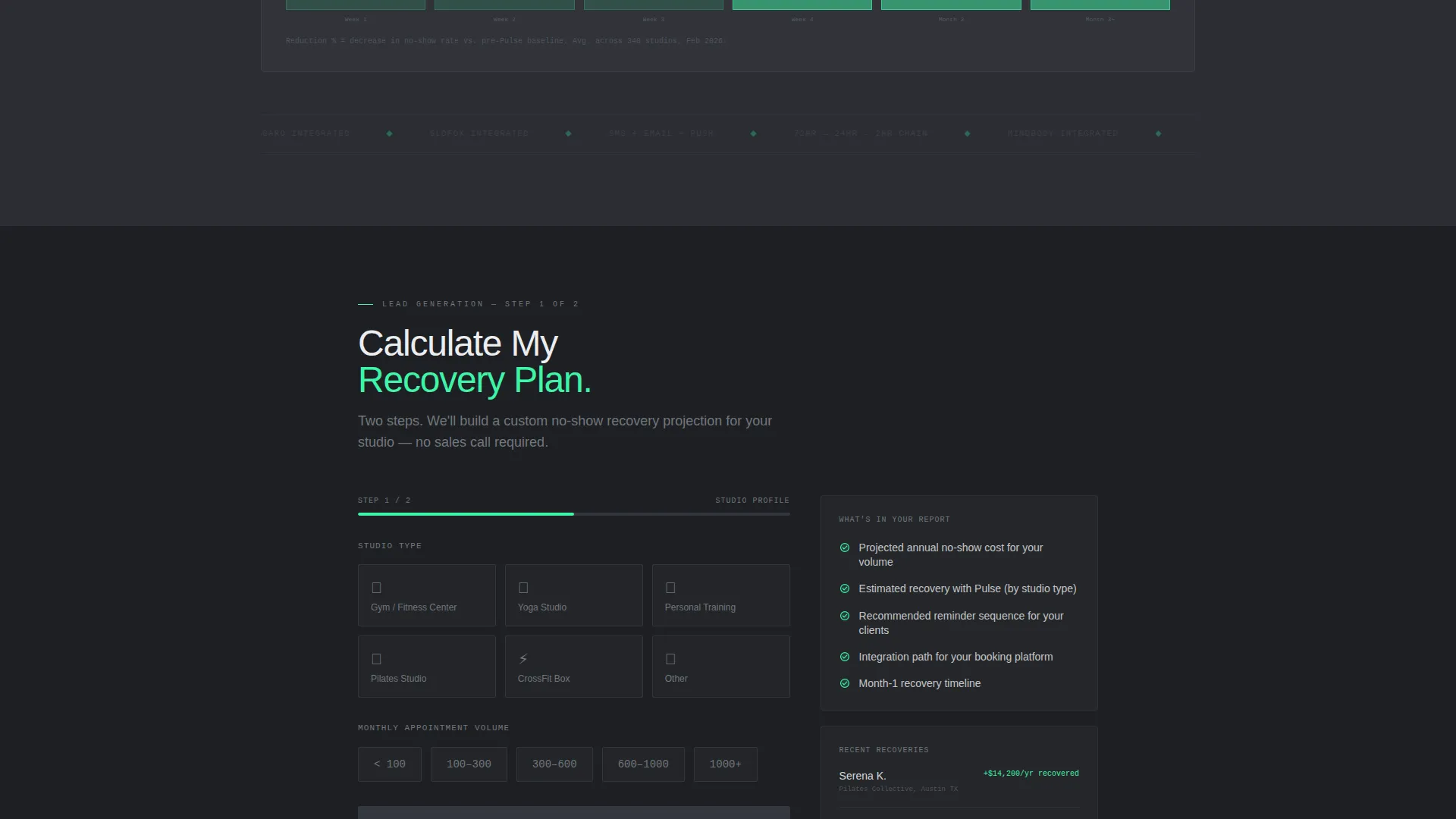
The primary conversion form is anchored below the comparison table. Step one asks for studio type and monthly appointment volume. Step two, revealed on click, collects name, email, and booking platform used. The call to action reads "Calculate My Recovery Plan."
Secondary Email Capture Path
Visitors who are not ready to speak with sales can enter their email to receive a custom revenue recovery report. The prompt is "Re-Run the Calculator With My Real Numbers." This path captures high-intent leads who are still in a research phase.
Live Reminder Counter
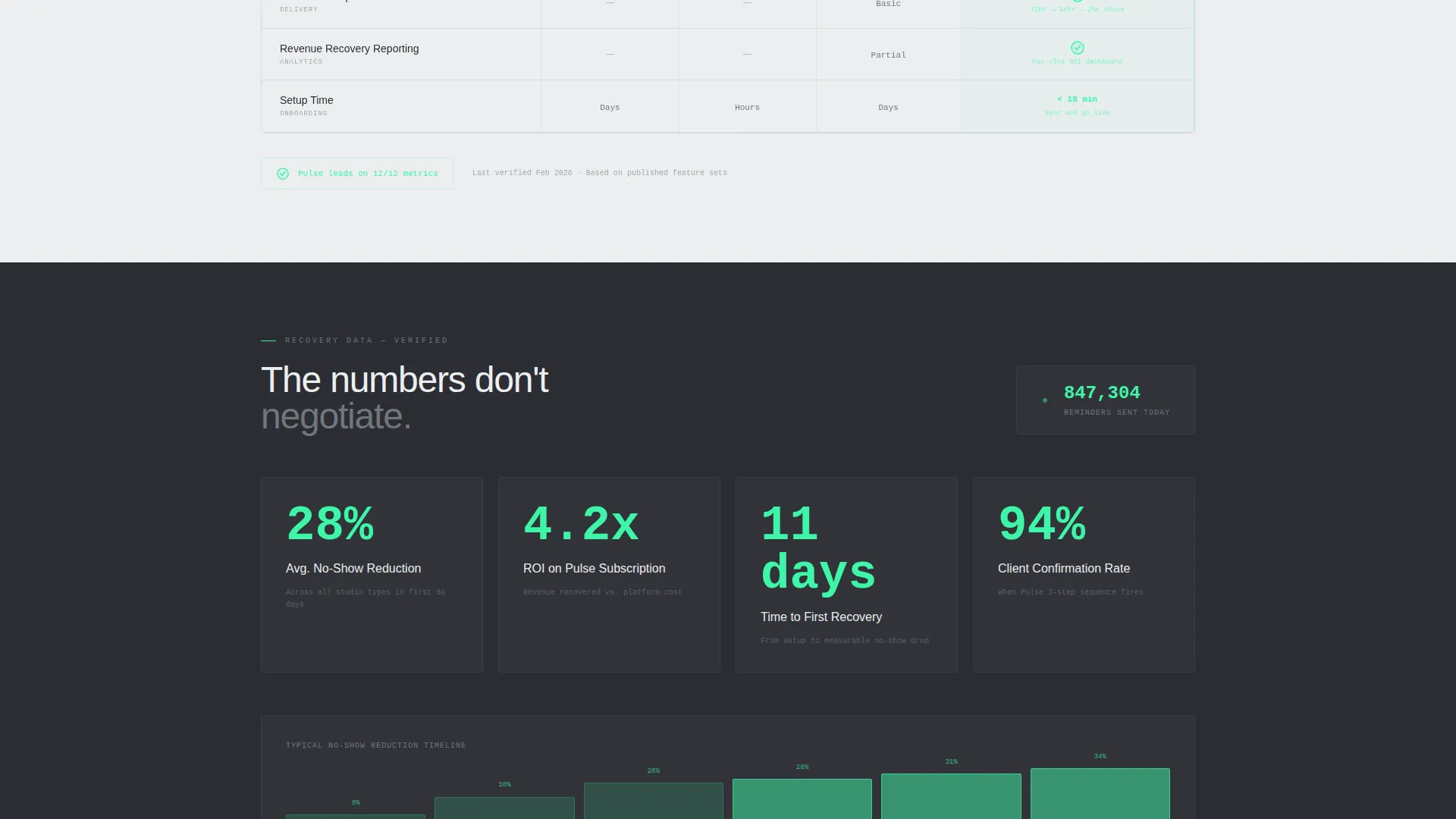
A running counter below the comparison table displays the total number of reminders sent today across all platform clients. This social-proof element reinforces platform scale and real-world activity to visitors who are still evaluating.
Data Command Visual Theme
Backgrounds alternate between gunmetal and cold white panels. Electric green fires only on confirmed-status indicators and primary call-to-action elements. The layout is built to feel like a control room dashboard where every active element signals a confirmed booking.
Page sections overview
| Section | Purpose |
|---|---|
| Calculator Header | Quantifies the visitor's annual no-show revenue loss in real time |
| Comparison Table | Benchmarks Pulse against manual and generic reminder alternatives |
| Data Story Block | Presents recovery percentages, no-show reduction timelines, and a live counter |
| Two-Step Form | Captures qualified leads with studio type and booking platform context |
| Secondary Capture | Collects emails from research-phase visitors via the calculator report offer |
Design & branding system
The template uses a Monochrome Steel color system that communicates precision and operational seriousness. There is no warmth or decorative treatment in the palette; every color choice earns its place by conveying system status.
- Core palette: gunmetal base (#2B2D33), brushed aluminum mid-tone (#71767C), cold white panel (#EDEEF0), and electric green accent (#3DF5A7)
- Electric green appears exclusively on confirmed-status indicators and primary call-to-action buttons
- Backgrounds alternate between gunmetal and cold white to create visual rhythm without relying on illustration or photography
Mobile & speed optimization
The layout is structured as a single scrollable page, which keeps asset weight manageable and navigation straightforward on smaller screens. The calculator and comparison table are the most complex components, and both are designed to remain readable at mobile widths.
- Slider-based calculator inputs work with touch interaction on mobile devices
- The comparison table is structured so column hierarchy remains clear when the viewport narrows
- The two-step form reduces cognitive load by revealing the second step only after the first is submitted
How this template helps you convert
The page is engineered to make inaction feel more expensive than signing up. Every scroll gives the visitor another reason to act before they leave.
- The calculator creates immediate, personalized loss awareness before the visitor reads a single marketing claim, making the value proposition concrete from the first second.
- The comparison table delivers objective-looking proof that shifts the conversation from "do I need this" to "why am I still using the alternative."
- The two-step form and secondary email capture together ensure that both ready-to-buy and still-researching visitors have a friction-appropriate path to conversion.
Other information about this template
The Pulse template is positioned specifically within the fitness appointment reminder niche, where the target buyer is a fitness business operator rather than an individual consumer. The template style is a comparison table landing page, which suits categories where the visitor already knows they have a problem and needs help choosing a solution.
- The template sits within the Technology category, subcategory Fitness Email Templates, covering automated SMS, email, and push notification reminder use cases
- Studio type options in the form include gym, yoga, personal training, pilates, CrossFit, and other, reflecting the range of boutique and franchise fitness operators in this niche
- The creative direction is Calculator/Tool First, meaning the interactive estimator is the primary hook rather than a hero image or testimonial block
- Scheduling platform context is collected in the lead form's second step, allowing follow-up to be tailored to the visitor's existing tools
Theme
Data Command
Creative direction
Calculator/Tool First
Color system
Monochrome Steel
Style
Comparison Table
Direction
Lead Generation
Page Sections
Live No-show Revenue Calculator
Twelve-metric Comparison Table
Two-step Lead Capture Form
Secondary Email Capture Path
Live Reminder Activity Counter
Related questions
Who is the intended end customer shown in this template?
Does the calculator use real platform data?
How does the two-step form reduce drop-off?
Can I change the studio type options in the lead form?
Is this template suited for a single product or a platform with multiple pricing plans?



