Pulse - Powerful Entertainment Landing Page Template
Pulse is a card grid landing page template built for entertainment analytics dashboards. It opens with a terminal-style code snippet header and unfolds as a modular series of insight cards covering streaming trends, talent rankings, genre heatmaps, and executive quotes. Designed for studio executives, talent agents, and media buyers, Pulse makes proprietary data feel immediate and essential.
by Rocket studio
Quick summary
Pulse is a single-page, card grid landing page template for entertainment analytics platforms. It leads with a syntax-highlighted terminal header and scrolls through modular insight cards that surface streaming shifts, breakout talent, genre demand, and social sentiment. The layout is built to move decision-makers toward one action: exploring the live dashboard behind the data.
Who this template is for
Pulse is built for companies and teams that need to position an entertainment analytics product in front of high-stakes buyers. The audience already understands data. They need to feel its urgency before they click.
- Studio development executives evaluating which shows or slates to greenlight
- Talent agents and media buyers tracking audience attention across streaming, box office, and social platforms
- Product and marketing teams launching an entertainment analytics dashboard to industry professionals
What problem this template solves
Most analytics landing pages look like feature lists. They describe capability without demonstrating it. Pulse solves the credibility gap by showing real signal inside the page itself, before any signup occurs.
- Visitors leave before converting because the page never proves the product works
- Decision-makers with eight-figure budgets need to feel informed, not sold to
- Generic SaaS templates carry no visual authority in a data-heavy entertainment context
What you get with this template
You get a fully structured, single-page card grid layout designed around an industry report rhythm. Every section earns attention before asking for it.
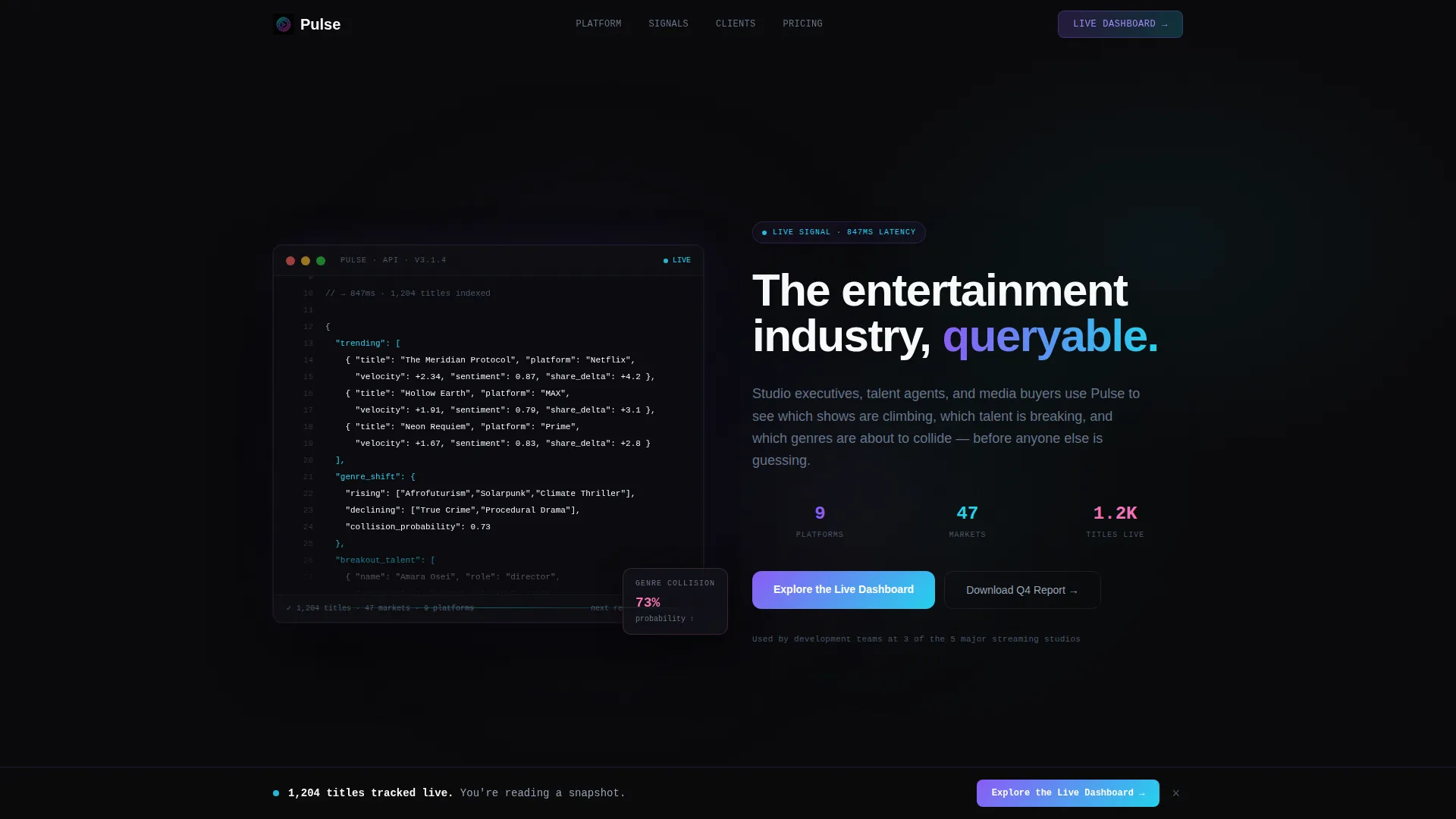
- A terminal-style code snippet header with syntax-highlighted API output displaying real entertainment data objects
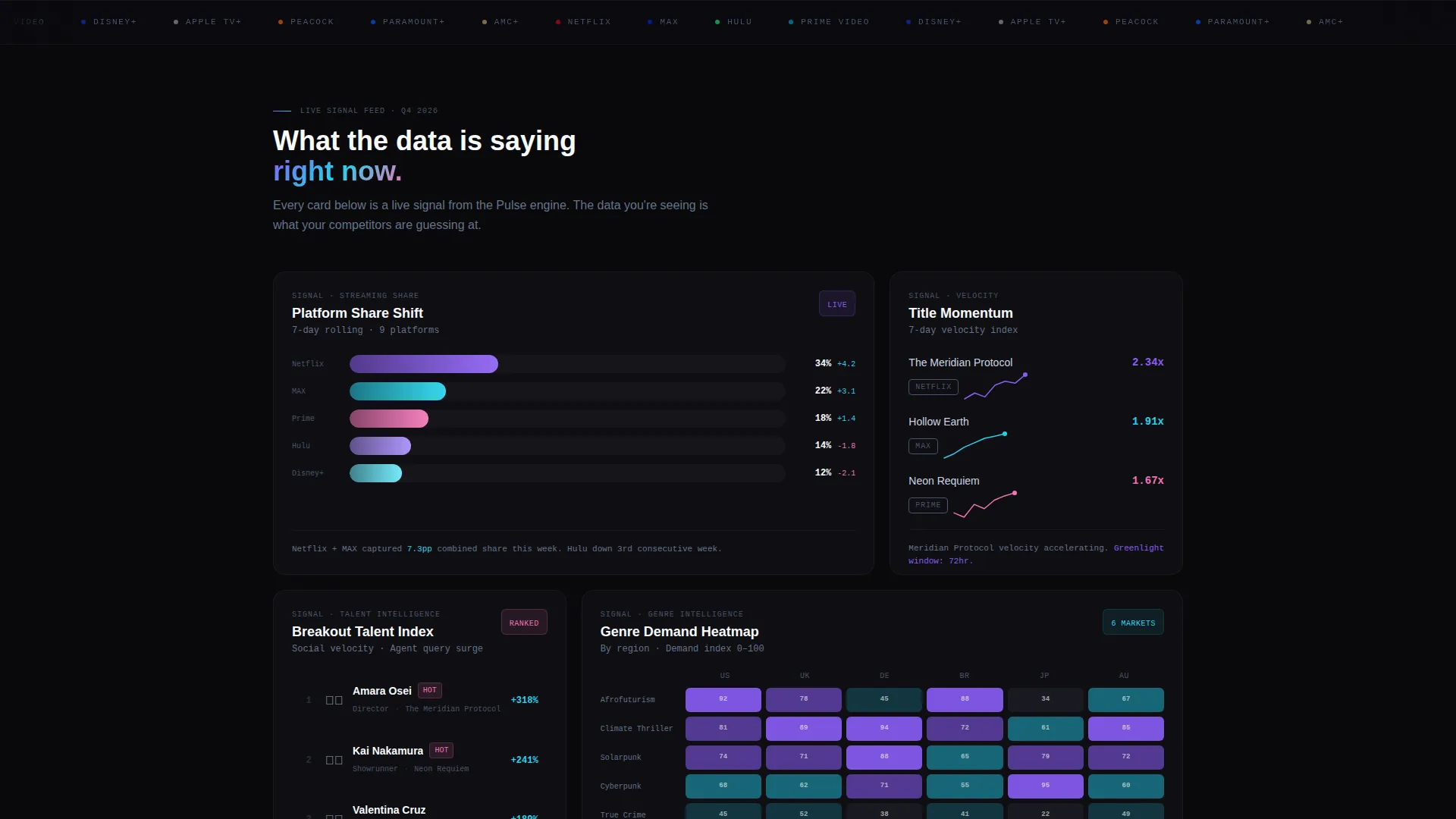
- A modular grid of insight cards including chart cards, ranked list cards, genre heatmap cards, and anonymized executive quote cards
- Two distinct conversion paths: a no-form click-through to a live demo and an email-gated report download
Feature list
This template ships with a set of purpose-built visual components. Each one is designed to mirror how entertainment analysts actually think and present findings.
Terminal Code Snippet Header
The header opens with a live-rendered, syntax-highlighted API output block scrolling in a monospaced terminal window. It displays entertainment data objects such as trending title names, sentiment scores, platform rankings, and velocity metrics. Glowing violet and cyan characters against void black make the data itself the visual centerpiece.
Modular Insight Card Grid
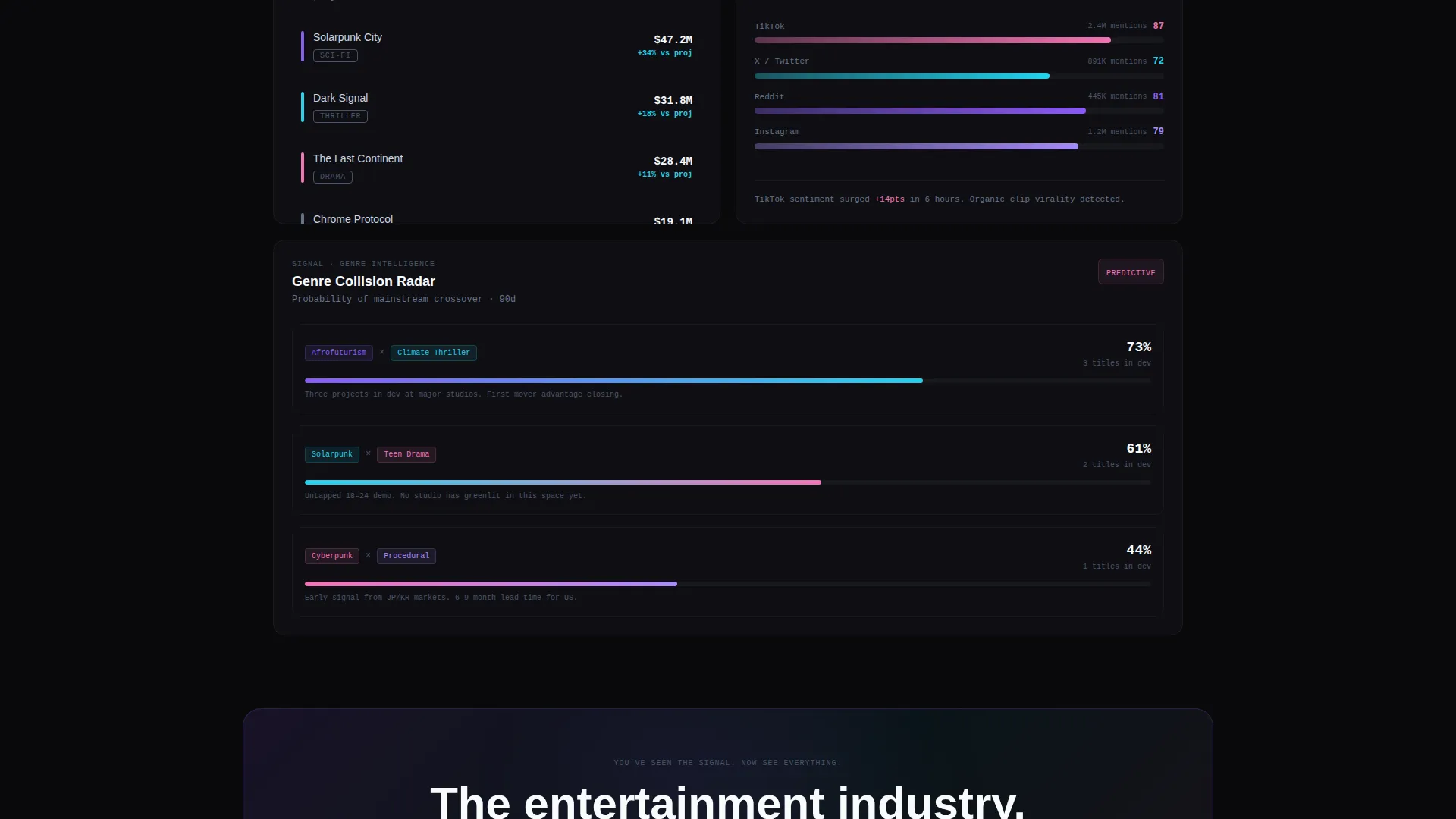
The body of the page is a staggered card grid where each card presents a self-contained finding. Cards vary in column span, creating a rhythm that feels like a proprietary research deck. Data animates on scroll to escalate the visitor's sense of what they are currently missing.
Streaming and Genre Data Cards
Dedicated card types surface streaming share shifts, a ranked list of breakout talent, and a heatmap of genre demand by region. Each card type is visually distinct and carries enough real data to make the next card feel necessary.
Persistent and Inline call to action Architecture
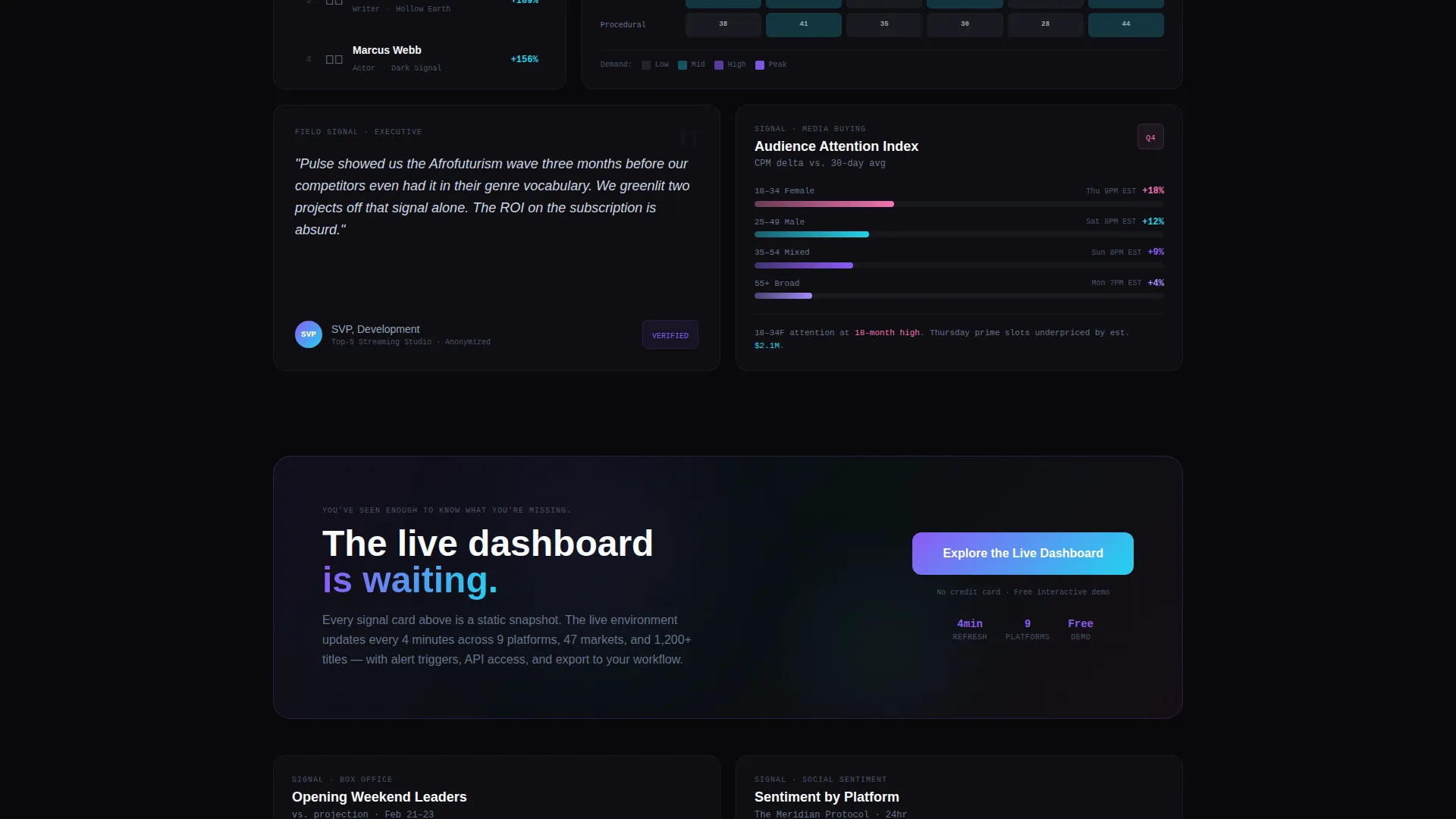
The primary call to action, "Explore the Live Dashboard," appears three times: as a persistent bottom bar after the third card row, as a full-width break card midway through the grid, and as the page anchor. No form fields are required. The click routes directly to a free interactive demo environment.
Email-Gated Secondary Path
A secondary conversion path offers a downloadable quarterly entertainment report. This path requires only an email address, giving visitors a lower-commitment entry point while building the product's audience list.
AI Iridescent Visual Identity
Card borders, hover states, and gradient accents use holographic violet, shimmer cyan, and neural pink against void black surfaces. The palette refracts like light through a prism in a server room, giving the template a synthetic, luminous quality that signals proprietary intelligence.
Page sections overview
| Section | Purpose |
|---|---|
| Terminal Header Block | Opens with scrolling API output and a single display headline |
| Streaming Share Card | Shows platform audience shift data as a chart card |
| Breakout Talent Card | Ranked list of rising talent across platforms |
| Genre Heatmap Card | Regional demand visualization by genre category |
| Executive Quote Card | Anonymized industry voice adds authority and context |
| Persistent call to action Bar | Sticky bottom bar prompting dashboard exploration |
| Full-Width call to action Break | Mid-grid conversion card with primary call to action |
| Report Download Section | Email-gated secondary path for quarterly report |
| Page Anchor call to action | Final dashboard prompt closing the scroll journey |
Design & branding system
The visual identity follows a Directory and Discovery theme using an AI Iridescent color system. The palette feels synthetic and luminous, as if the data itself is generating the light.
- Core colors: void black (#09090B) as the base, holographic violet (#8B5CF6), shimmer cyan (#22D3EE), and neural pink (#F472B6) as gradient accents on card borders and hover states
- Cool slate (#94A3B8) is used for body text to maintain legibility against near-black surfaces without breaking the dark control room atmosphere
- No stock imagery or dashboard screenshots appear in the template; the code snippet and data cards are the only visual language
Mobile & speed optimization
The card grid layout is structured to reflow cleanly across screen sizes. The modular nature of the grid means individual cards can stack vertically without losing their visual hierarchy.
- Staggered card spans collapse gracefully on smaller viewports so no data card is truncated or hidden
- The persistent call to action bottom bar is designed to remain visible and accessible on mobile scroll sessions
- The terminal header block scales its monospaced type to stay legible at reduced widths without horizontal overflow
How this template helps you convert
Pulse is built around a specific conversion logic: give away enough real signal that the visitor has no choice but to want more. Every layout decision supports that goal.
- The code snippet header establishes product credibility in the first three seconds. It shows real data objects, not marketing copy, so technically literate buyers immediately understand what the product does.
- The escalating card grid creates progressive disclosure. Each card raises the stakes of what the visitor does not yet know, making the "Explore the Live Dashboard" click feel inevitable rather than asked for.
- The dual call to action structure serves two buyer types at once. High-intent visitors click through to the demo with no friction. Research-phase visitors give an email for the report, entering a lower-commitment relationship.
Other information about this template
This template is built inside the card grid modular style, which means each insight section is an independent component. Teams can reorder, replace, or expand card sections without restructuring the full page layout.
- The Industry Report creative direction means the page reads like a curated research brief, not a product tour
- The Click-Through landing page direction is optimized for a no-form primary path, reducing drop-off from visitors who resist signup walls
- The template sits within the Entertainment Software and SaaS subcategory and is purpose-built for entertainment analytics dashboard products
- The Code Snippet header concept is a deliberate creative choice that replaces hero imagery with raw API output, reinforcing the product's data-first positioning
Theme
Directory & Discovery
Creative direction
Industry Report
Color system
AI Iridescent
Style
Card Grid (Modular)
Direction
Click-Through
Page Sections
Terminal Code Snippet Header
Modular Insight Card Grid
Streaming and Genre Data Cards
Triple-placement Call to Action Architecture
Email-gated Report Download
AI Iridescent Visual Identity
Related questions
What type of product is this template built for?
Does this template require visitors to sign up before seeing the demo?
Can I reorder or replace the insight cards?
Why does the header use a code snippet instead of a hero image?
Who are the target visitors for a landing page built with Pulse?



