Real-Time Shop Floor Mobile MES Landing Page Template
Pulse is a hub-and-spoke landing page template built for a mobile-first manufacturing execution system. It puts real-time work orders, downtime alerts, and Overall Equipment Effectiveness dashboards directly on plant-floor mobile devices. Designed for operations directors and plant managers at mid-market discrete manufacturers, the template drives leads through a three-step progressive form and a persistent "See It On Your Floor" call to action.
by Rocket studio
Quick summary
Pulse is a single-page, anchor-nav landing page template for a mobile manufacturing execution system. It showcases real-time shop floor visibility across six kinetic sections, from work order tracking to analytics, and converts visitors through a progressive three-step lead form and a secondary ROI Calculator download. The template targets operations directors, plant managers, and continuous improvement engineers at mid-market discrete manufacturers.
Who this template is for
This template is purpose-built for industrial software companies selling mobile-first manufacturing execution systems to the operations side of discrete manufacturing businesses. It speaks directly to the people who live on the production floor and feel the daily friction of paper-based workarounds.
- Operations directors and plant managers at manufacturers running 50 to 300 headcount shifts who need real-time shop floor visibility without returning to a fixed terminal
- Continuous improvement engineers who track cycle time and production data but currently have to walk across the factory floor to retrieve it
- Shop floor workers and supervisors who monitor machines, log work orders, and need thumb-friendly tools on ruggedized mobile devices during active working hours
What problem this template solves
Most shop floor management pages fail to communicate the speed and immediacy of a mobile execution system. Static screenshots and dense text cannot replicate the feeling of a production line running at full throughput. This template solves that by making visitors feel the system's scope before they read a single paragraph.
- Operations teams rely on clipboard-and-spreadsheet workarounds because legacy manufacturing execution systems are tied to fixed terminals, slowing production planning and increasing errors on the factory floor
- Plant managers lack real-time visibility into cycle time, machine utilization, and downtime events during working hours, so bottlenecks only surface in end-of-shift reports rather than as they develop
- Continuous improvement engineers cannot boost productivity or achieve meaningful lean manufacturing gains without accurate, automated collection of shop floor data from every station on every line
What you get with this template
This template delivers a fully structured, high-motion landing page that guides visitors from awareness to demo booking. Every section is designed to demonstrate the product's capabilities rather than just describe them, creating a sense of a live shop floor in the visitor's browser.
- A hero section with a device mockup, particle spark animation, and headline reveal, followed by five anchor-linked spoke sections covering Track, Schedule, Alert, Analyze, and Integrate, each opening with a kinetic user interface assembly animation
- A three-step progressive lead generation form collecting contact details, plant size, and current manufacturing execution status, then offering a calendar embed to book a 15-minute mobile demo
- A secondary conversion path, "Download the Plant ROI Calculator", that captures top-of-funnel leads who want to estimate annual savings from digitizing shop floor data collection before committing to a call
Feature list
This template packs a focused set of components that work together to demonstrate a real-time shop floor system and move visitors toward a qualified demo booking.
Anchor Navigation with Active Indicators
A fixed hub-and-spoke navigation bar sits at the top of the page with spoke labels, Track, Schedule, Alert, Analyze, and Integrate. Each label snaps to its section and displays an active indicator as the visitor scrolls, giving a clear sense of where they are within the shop floor story. The pearlescent highlight coats active states with a thin oil-slick shimmer that reinforces the OLED control-room aesthetic.
Hero Device Mockup and Particle Animation
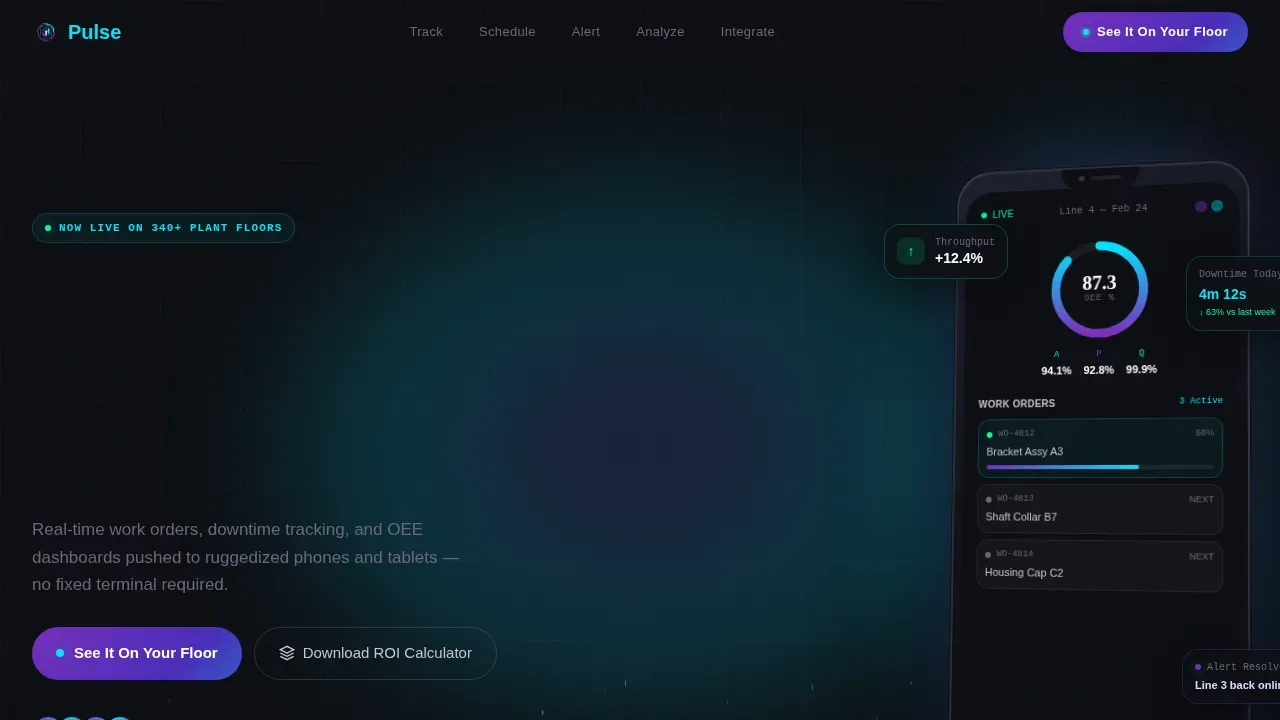
The header presents a hero-sized phone mockup tilted at a slight angle, its screen showing a live production run: green status badges, a radial Overall Equipment Effectiveness gauge at 87.3%, and a drag-to-prioritize work order queue. Particle trails drift upward behind the device like welding sparks in slow motion, creating immediate visual impact before any body copy loads. This section establishes the product's identity as a real-time tool that lives on the floor, not in a back office.
Kinetic Section Assembly Animations
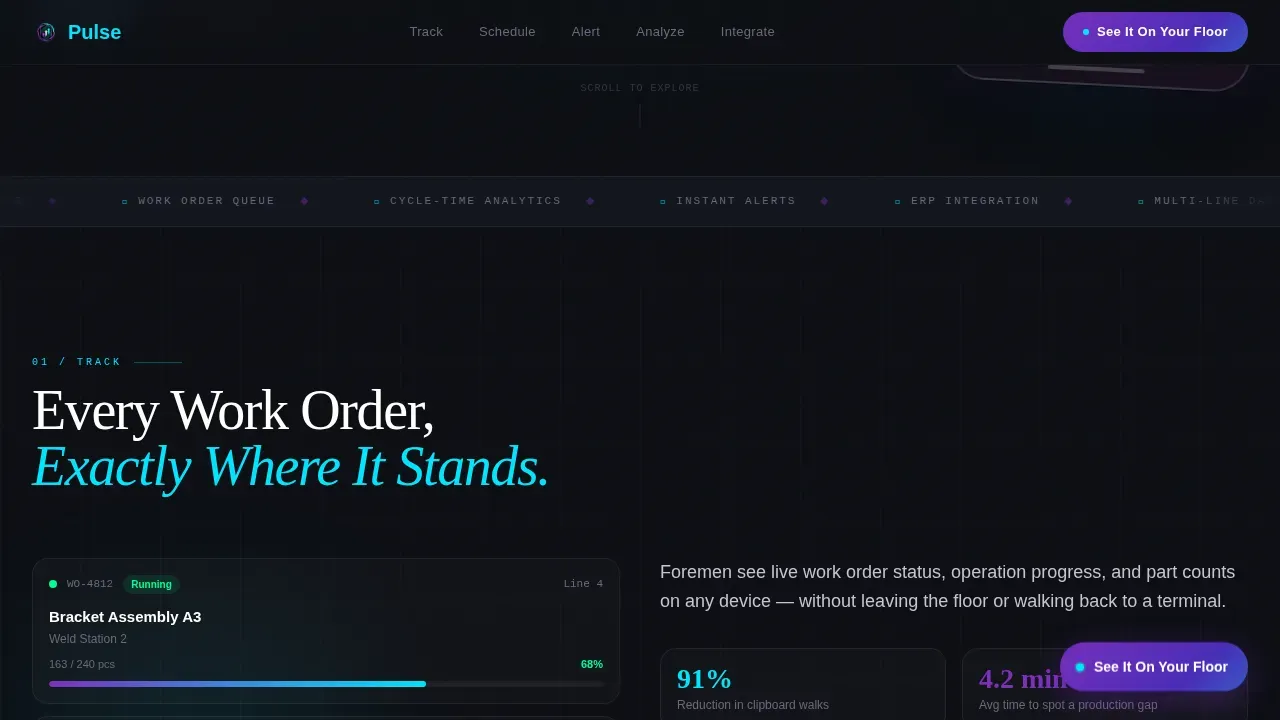
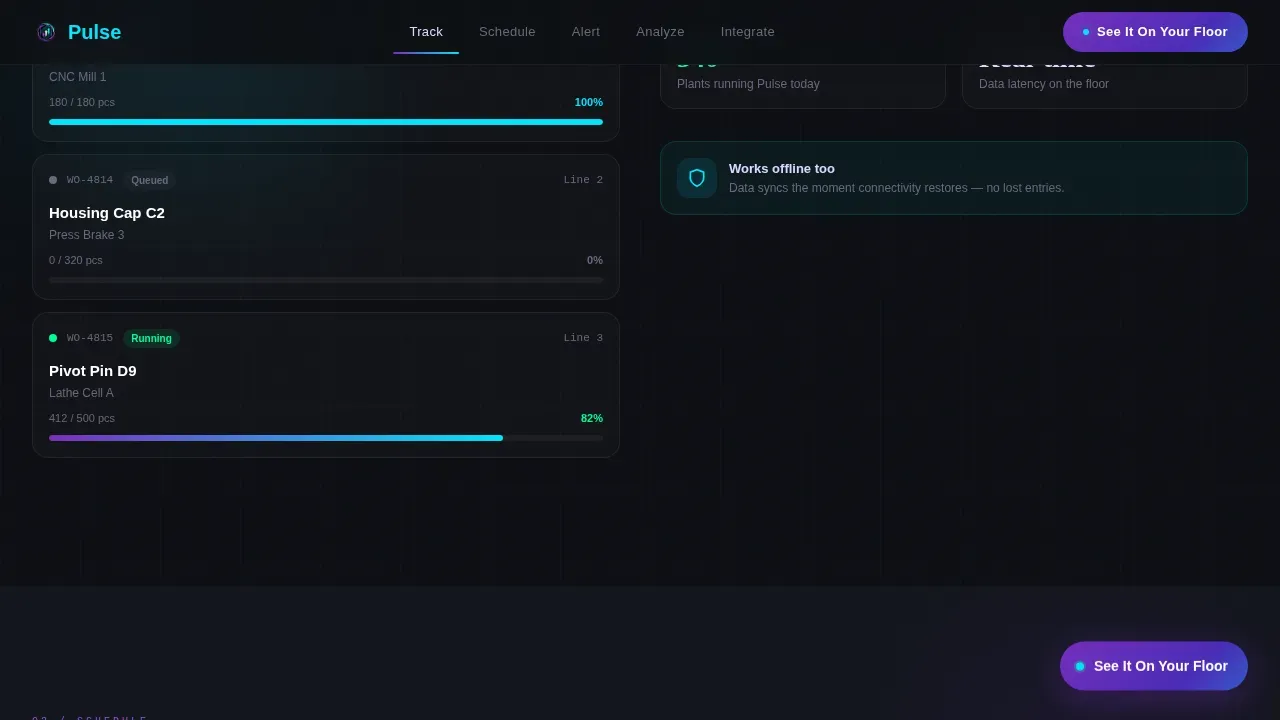
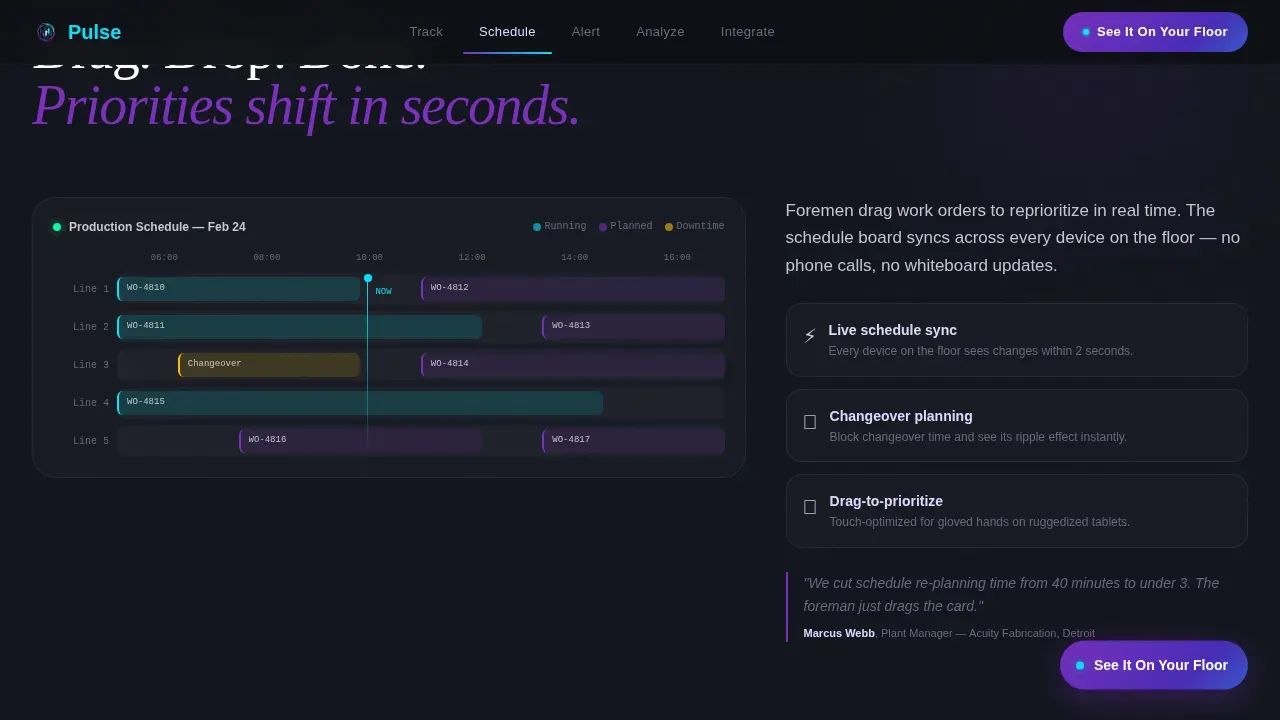
Each spoke section opens with user interface elements assembling themselves on screen as if the app is being built in real time. A single work order appears first in Track, then a full schedule board populates in Schedule, then alert workflows fire in Alert, then analytics dashboards fill with live-looking data in Analyze. Motion easing is springy and decisive, never floaty, so visitors feel the system's scope building section by section without needing to read dense paragraphs.
Three-Step Progressive Lead Form
The primary conversion tool is a three-step form that reduces friction by asking for one piece of information at a time. Step one collects name and work email. Step two asks for plant size in number of lines and current manufacturing execution status via a dropdown covering none, spreadsheet, and legacy system options. Step three presents a calendar embed to book a 15-minute mobile demo, turning a completed form into a scheduled conversation.
Floating Call-to-Action Button
After the visitor scrolls past the hero, a persistent floating button labeled "See It On Your Floor" remains visible at all times. This ensures the primary conversion path is always one tap away regardless of where the visitor is in the page, mirroring the always-available nature of the mobile execution system being sold.
ROI Calculator Secondary Conversion
The Integrate section includes a "Download the Plant ROI Calculator" call to action. This spreadsheet estimates annual savings from replacing manual shop floor data collection with an automated system. It serves as a top-of-funnel lead magnet for visitors who want to validate the cost case before booking a demo, capturing emails from buyers earlier in the decision cycle.
Page sections overview
| Section | Purpose |
|---|---|
| Hero Device Mockup | Establish product identity with a live-looking MES dashboard mockup, particle animation, and headline reveal |
| Track Work Orders | Animate real-time work order assembly to show how the system tracks every job on the shop floor |
| Schedule Board | Display a drag-to-prioritize schedule board to demonstrate production planning flexibility |
| Alert Workflows | Fire a downtime alert animation showing how the system can send notifications about machine stoppages and quality issues |
| Analyze OEE Dashboard | Populate an analytics dashboard with cycle time and Overall Equipment Effectiveness data to demonstrate insight depth |
| Integrate and Convert | Present an ERP and CMMS logo wall alongside the ROI Calculator download and seamless integration message |
| Footer | Single-row linear footer with navigation links and contact information |
Design & branding system
The visual identity follows a Dynamic Motion theme using an AI Iridescent color system. The overall feeling is an industrial OLED control room viewed in low light, colors that appear to glow from inside the surface rather than sit on top of it.
- Core palette: deep machine black (#0D0F14) dominates backgrounds; shifting violet (#7B2FBE) and electric cyan (#00E5FF) split accent duties between data visualization elements and interactive affordances; a pearlescent highlight (#E0D7FF) appears on hover states and active navigation indicators, coating micro-interactions like a thin shimmer
- Typography: Fraunces handles display headlines with high visual authority; DM Sans covers body copy and user interface labels for legibility on small screens and under varied lighting conditions on the factory floor
- Motion language: particle sparks, text reveal animations, spotlight cards with mouse-tracking, scroll-scrubbing section reveals, and a marquee element create continuous forward momentum throughout the page
Mobile & speed optimization
Because the product being sold is itself a mobile execution system, the template is built mobile-first from the ground up. Every layout decision prioritizes thumb-friendly interaction and high-contrast readability for operators working in bright or dim factory conditions.
- Single-column layout with large tap targets and high-contrast text ensures the page scales cleanly on personal mobile devices and ruggedized phones used on the production floor, without horizontal scrolling
- GPU-accelerated transforms power all animations; IntersectionObserver handles scroll-triggered section reveals; requestAnimationFrame drives live-looking data effects, keeping interactions smooth without compromising load experience on mobile devices
How this template helps you convert
The conversion architecture is layered to capture leads at every stage of the buyer journey, from curious visitor to scheduled demo. Each layer uses the visual momentum of the page to reduce hesitation and increase trust.
- The hero call to action and persistent floating button work together so that "See It On Your Floor" is always one tap away, capturing high-intent visitors the moment they recognize the product solves their shop floor problem
- The three-step progressive form reduces perceived friction by breaking a single qualification conversation into three small, contextual steps, making it easier for operations directors with limited time to complete the form during a brief break in their working hours
- The ROI Calculator download provides a concrete, take-away data artifact that gives continuous improvement engineers and plant managers a reason to engage before they are ready to book a call, turning a passive visit into a qualified lead
Other information about this template
This template is built specifically for the Mobile-First MES niche within the broader Mobile-First Enterprise Software category. It is designed to address the full scope of shop floor management, developing and managing shop floor operations, inventory, equipment, and workers, within a single, high-motion landing page experience.
- Cycle time is a key performance indicator in manufacturing. It measures the average time it takes to process raw materials into a finished product. Total cycle time includes both value-added and non-value-added time such as move time and inspection time. Pulse surfaces cycle time data directly on mobile dashboards so teams can act on it during the shift rather than after it.
- Changing the layout of the shop floor and improving maintenance practices can both reduce cycle time by cutting non-value-added steps and machine failures. This template's Analyze section demonstrates how historical data surfaces these improvement opportunities across machines and lines.
- The 5-S program and lean manufacturing principles depend on standardized, visible shop floor data. Automated collection of data removes the manual bias present in clipboard-based reporting and supports continuous improvement efforts across all manufacturing processes.
- Real-time feedback and transparency can deliver an immediate 10 to 15 percent boost in operator efficiency, with long-term gains reaching 40 percent. Eliminating paper-based processes and manual data entry alone can improve operational efficiency by up to 30 percent.
- Predictive maintenance alerts can reduce unplanned downtime by 40 to 60 percent. Catching quality issues in real time can lower defect rates by up to 40 percent. Instant in-line quality checks and faster reporting of non-conformances reduce scrap and rework, enabling immediate corrective action.
- Material and inventory tracking provides real-time visibility into raw materials, work-in-progress, and finished products. Tool and material validation ensures the correct Bill of Materials is used at every step. The barcode and QR scanner feature activates the mobile camera to scan raw materials, serialized parts, or labor cards instantly.
- Automated alerts send notifications for machine breakdowns, enabling faster maintenance responses. Alert notifications display active events such as machine stoppage or quality non-conformance directly on the operator's screen. A "Call for Help" button sends an immediate alert for downtime events such as material shortage or machine breakdown.
- Timestamping every action ensures that audit trails are complete, supporting traceability requirements. Quality checkpoints include built-in checklists that validate critical parameters before a job moves to the next step.
- Seamless integration with ERP and CMMS systems is represented in the Integrate section through a logo wall and supporting copy. Seamless integration with existing systems is essential for effective real-time data monitoring across the full manufacturing ecosystem.
- The use of cloud-based monitoring systems offers manufacturers cost-effective solutions for collecting and monitoring machine tool process data. Information technology solutions give manufacturers better control over communication and processes across the manufacturing environment.
- Production planning benefits when shop floor data flows automatically from machines to dashboards. New machines can be monitored from day one when proper care is taken during system setup and integration. Users gain real-time information about every station's availability status, Running, Idle, or Down, at any moment in the shift.
- This template is the Pulse real time shop floor mobile MES landing page template, designed as a state-of-the-art hub-and-spoke sales asset for mobile manufacturing execution system products. It scales to fit operations of any size, from a single production line to a large manufacturing network.
Theme
Dynamic Motion
Creative direction
Launch Energy
Color system
AI Iridescent
Style
Hub & Spoke (Anchor Nav)
Direction
Lead Generation
Page Sections
Anchor Nav with Active State Indicators
Hero Device Mockup with Particle Sparks
Kinetic Section Assembly Animations
Three-step Progressive Lead Form
Floating Persistent Call-to-action Button
ROI Calculator Secondary Conversion
Related questions
What types of manufacturers is this landing page template designed for?
Can I adapt this template if my product has different shop floor sections or features?
How does the three-step form support lead generation for a manufacturing execution system?
Does this template include a conversion path for visitors who are not ready to book a demo?
Why is this template built mobile-first rather than desktop-first?



