Health Information Technology Landing Page Template
Pulse is a single-page health information technology landing page template built for companies that unify hospital data streams. It pairs a Playful Geometric visual style with a Soft Mist color system, a multi-step diagnostic header form, and scroll-animated comparison tables that walk IT directors, compliance officers, and CMIOs from fragmented integration chaos to a clear, connected picture.
by Rocket studio
Quick summary
Pulse is a single-page landing page template for health information technology companies that connect electronic health records (EHRs), lab feeds, and pharmacy queues into one unified data stream. It uses a Playful Geometric visual style, a Soft Mist color palette, and scroll-triggered case study comparison tables to turn a product story into an interactive, trust-building experience.
Who this template is for
This template is built for health information technology vendors and integration platform providers who sell to hospital systems. It speaks directly to the decision-makers who evaluate and purchase these solutions.
- IT directors at mid-size health systems managing a backlog of integration tickets
- Compliance officers preparing for audits who need clear, organized proof of data governance
- Chief Medical Informatics Officers (CMIOs) who need dashboards that reflect real-time clinical data
What problem this template solves
Hospital technology buyers are skeptical. They have seen too many vendor pages that promise unified data without showing how it works at their scale. This template solves the credibility gap by presenting proof in a format buyers already understand.
- Fragmented vendor pitches fail to match a buyer's specific facility size or EHR stack
- Static pages cannot demonstrate the before-and-after transformation buyers need to visualize
- Generic lead forms collect contact details before earning the visitor's trust
What you get with this template
You get a fully structured single-page layout designed specifically for health information technology lead generation and resource downloads. Every section is built to qualify leads, deliver proof, and earn conversions.
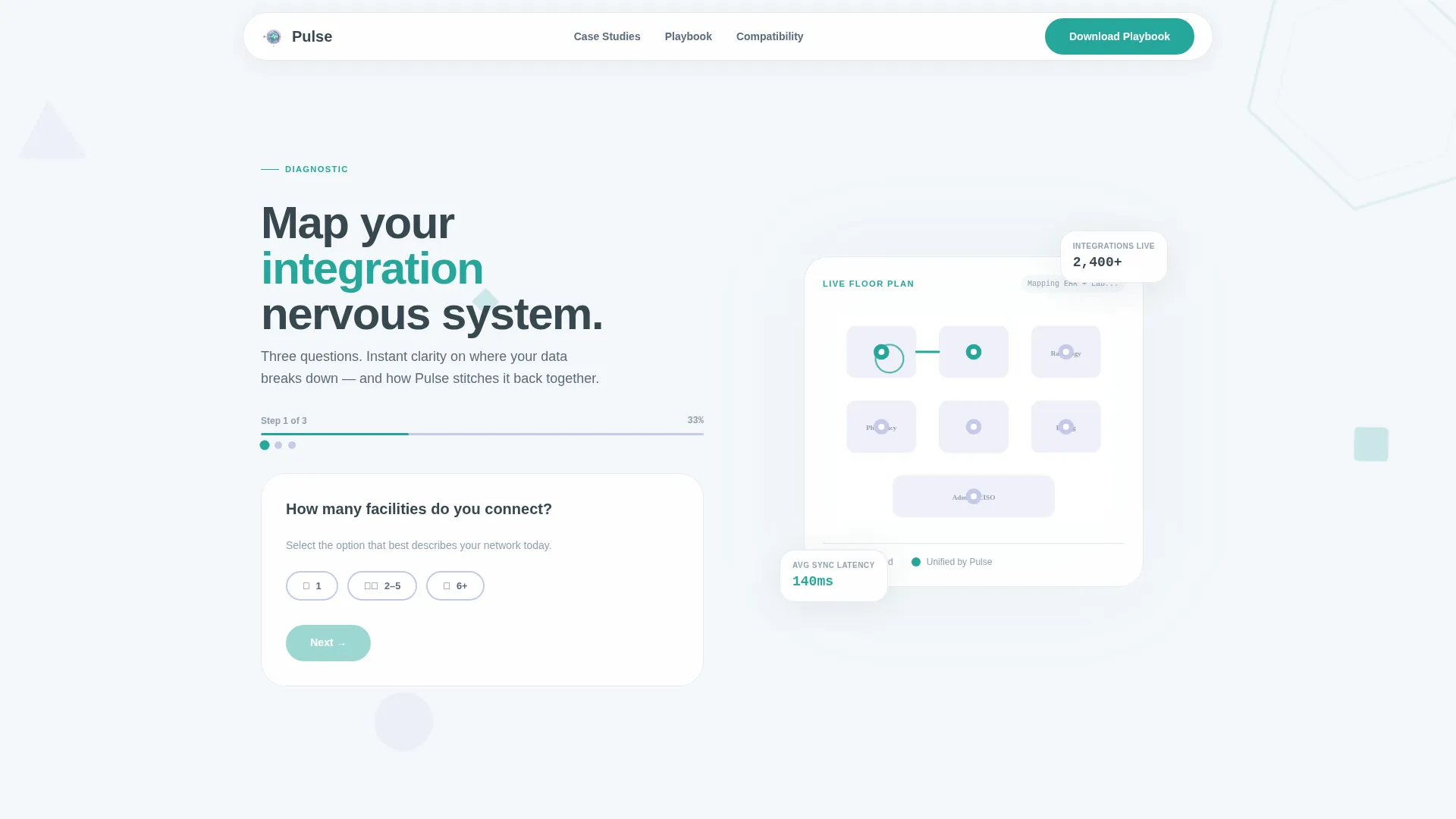
- A three-step diagnostic header form that qualifies visitors by facility count, integration pain point, and security concern
- Three scroll-animated case study comparison tables that escalate in complexity from a small critical access hospital to a multi-state network
- Two conversion paths: a gated resource download form and a one-click compatibility score generator
Feature list
This template includes a focused set of purpose-built components. Each one serves a specific role in the visitor journey from curiosity to conversion.
Interactive Diagnostic Header Form
The header presents three qualification questions styled as a clinical diagnostic. Visitors select facility count, choose their biggest integration headache from a dropdown, and check tiles for their top security concerns. Each answer animates an illustrated hospital floor plan in real time, turning lead qualification into an engaging interaction.
Scroll-Animated Comparison Tables
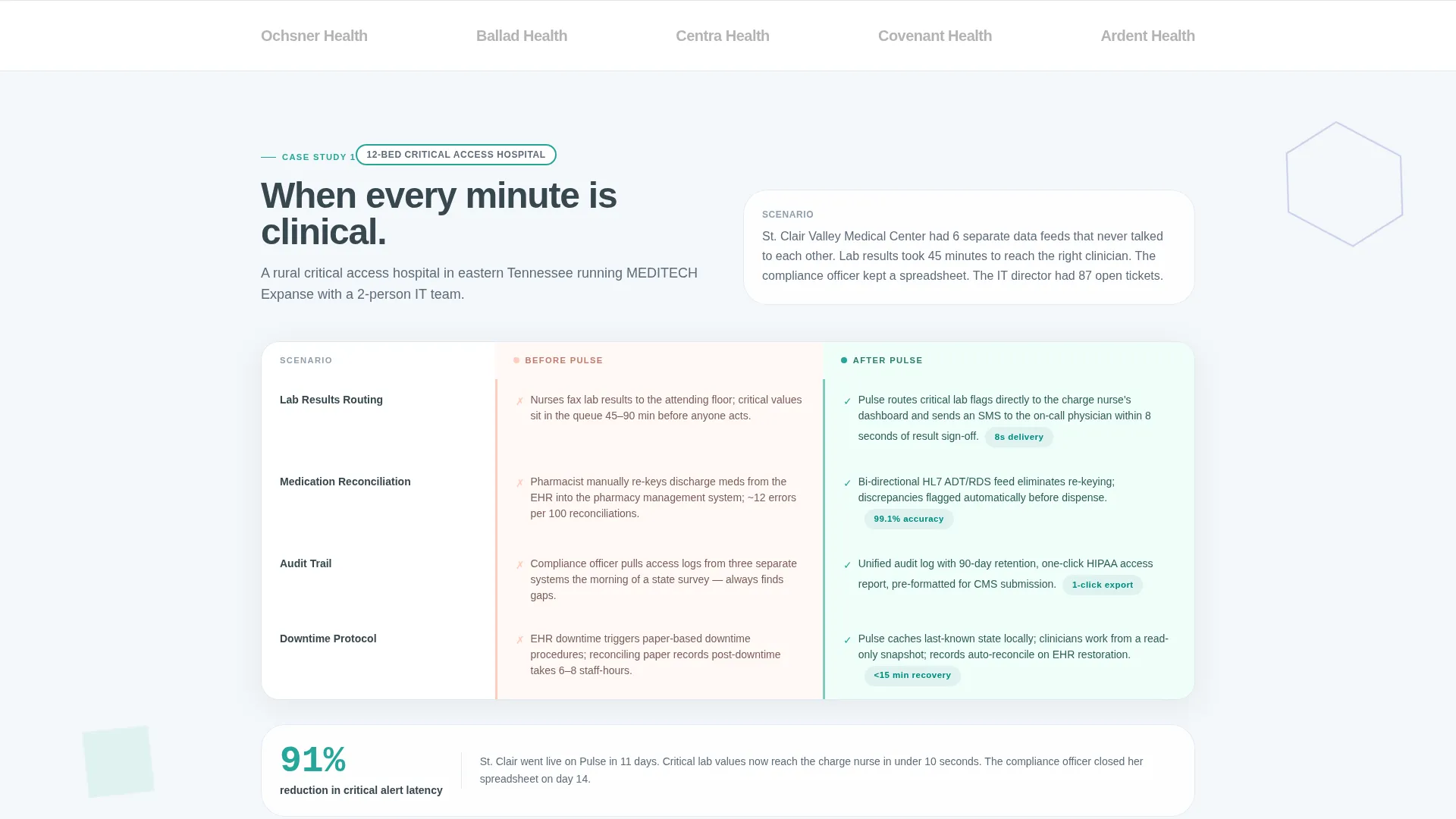
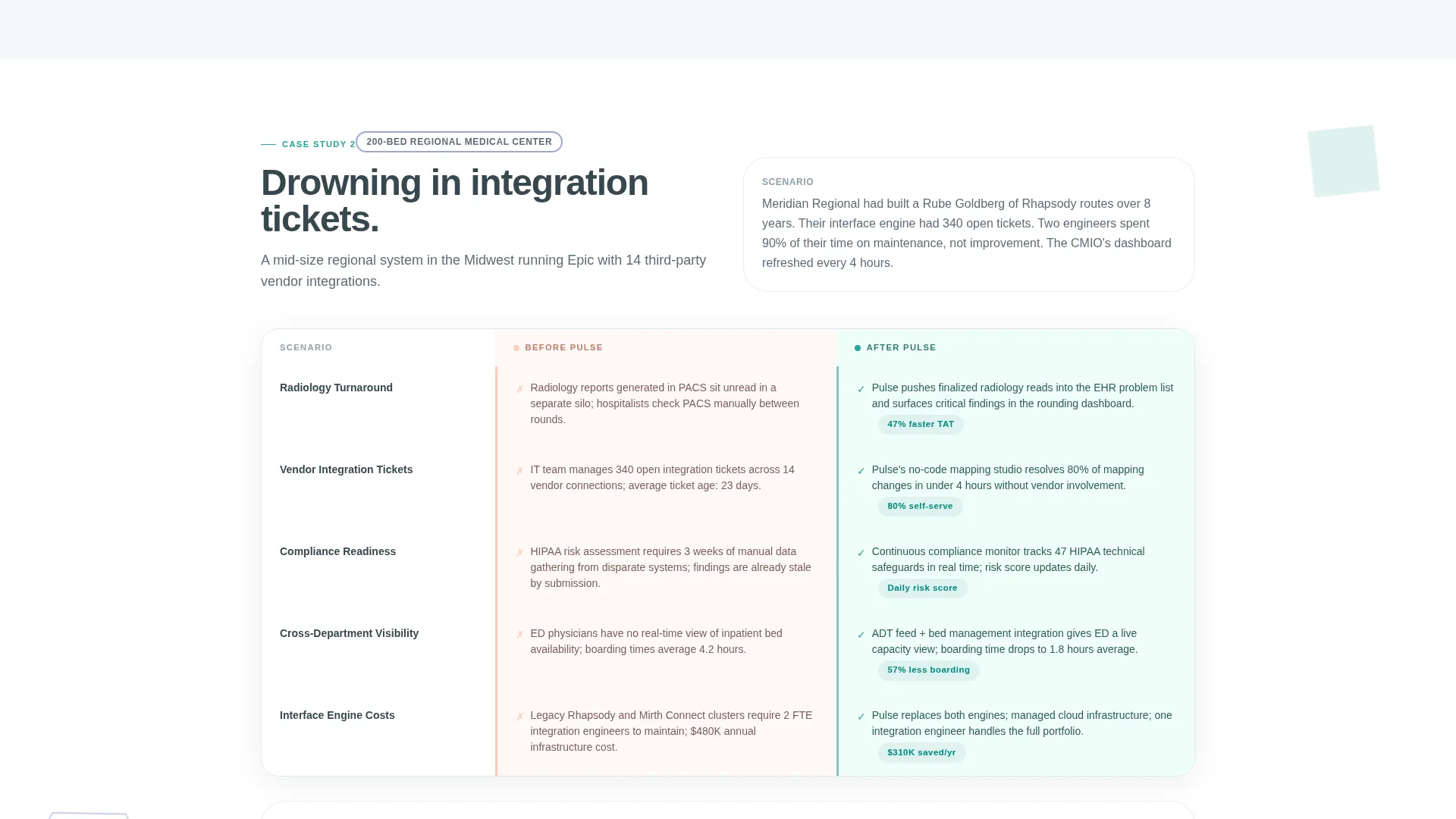
Three case study sections each contain a two-column comparison table. The left column shows the fragmented "before" state and the right column shows the unified "after" state. Geometric shapes animate row by row as the visitor scrolls, making the transformation feel visual and concrete.
Escalating Case Study Narrative
The three case studies increase in complexity: a 12-bed critical access hospital, a 200-bed regional system, and a multi-state network. This progression ensures visitors at every scale find a scenario that mirrors their own situation.
Gated Resource Download Form
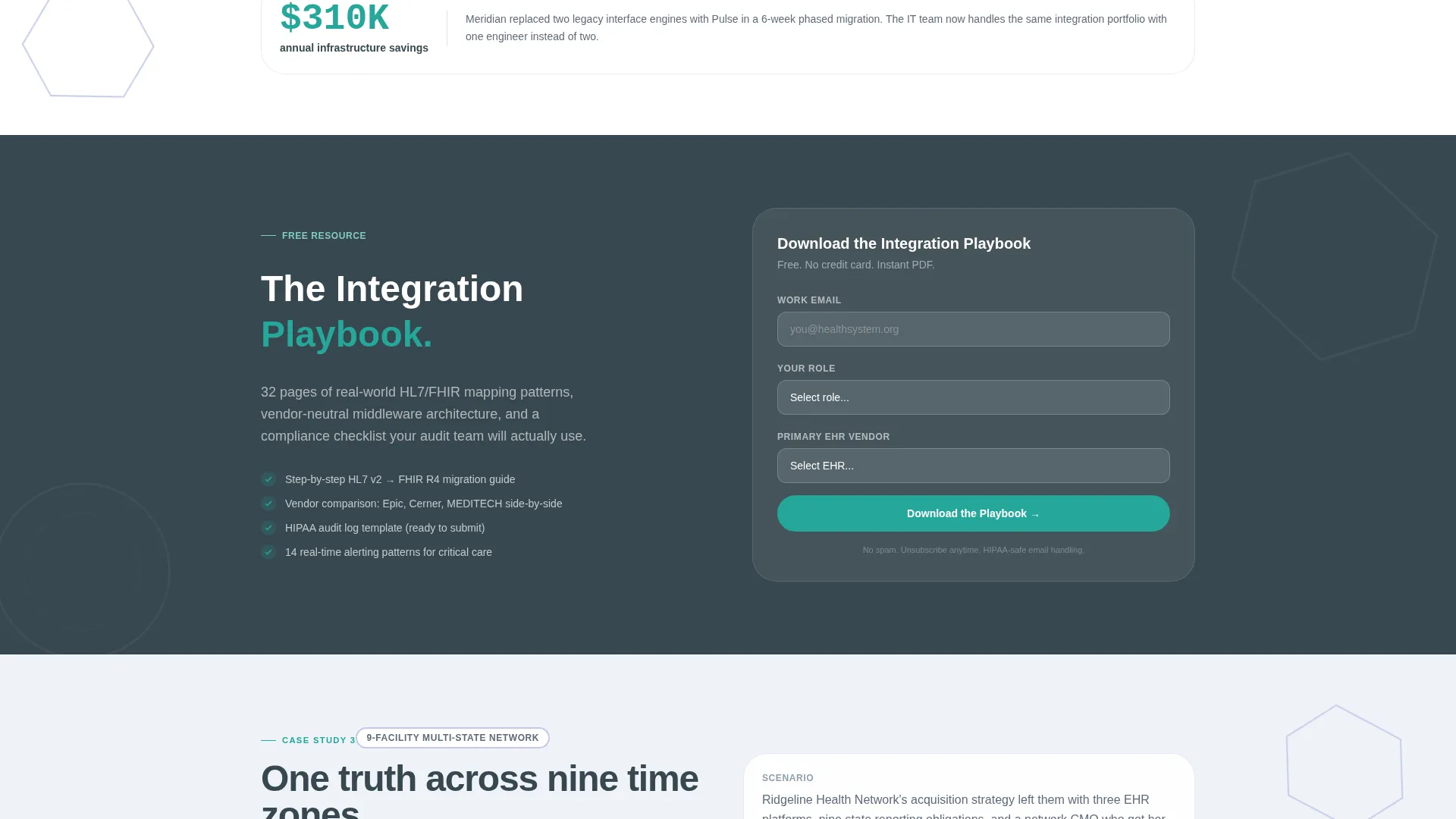
After the second case study, a primary conversion block invites visitors to download an Integration Playbook. The form collects work email, role, and EHR vendor in three focused fields, minimizing friction while capturing high-quality lead data.
Personalized Compatibility Score call to action
A secondary conversion path at the bottom of the page uses the visitor's header form answers to generate a personalized PDF. The PDF shows which integrations their existing stack supports out of the box, adding immediate perceived value to the click.
Playful Geometric Visual System
Soft geometric shapes drift behind content blocks throughout the page. Teal accents highlight buttons, table rows, and animated nodes. The illustrated floor plan in the header responds to form input, making the entire page feel alive without being distracting.
Page sections overview
| Section | Purpose |
|---|---|
| Diagnostic Header Form | Qualifies visitors and animates the floor plan illustration |
| Case Study One | Compares before and after for a 12-bed critical access hospital |
| Case Study Two | Demonstrates integration gains for a 200-bed regional system |
| Playbook Download call to action | Primary conversion block gating the Integration Playbook resource |
| Case Study Three | Escalates to a multi-state network scenario for enterprise buyers |
| Compatibility Score call to action | Secondary conversion path generating a personalized integration PDF |
Design & branding system
The Soft Mist color system gives the page a calm, clinical confidence. It avoids the cold sterility of traditional healthcare design while still feeling professional and precise.
- Core palette: cloud white (#F4F7FA) and gentle lavender (#C5CAE9) for backgrounds, warm slate (#5C6B7A) for body text, and lively teal (#26A69A) for buttons, table highlights, and animated accents
- Visual theme: Playful Geometric, featuring soft drifting shapes, tessellating nodes, and an interactive floor plan illustration that responds to visitor input
- Typography and spacing follow a hierarchy that keeps warm slate text readable against light backgrounds at every scroll depth
Mobile & speed optimization
The layout is designed to remain clear and navigable on smaller screens. Interactive elements are adapted so the diagnostic form and comparison tables remain usable without a wide viewport.
- The three-step header form uses icon toggles and tile-based checkboxes that are tap-friendly on mobile devices
- Comparison tables reflow to maintain readable left-right contrast on narrower screens
- Animated geometric shapes are structured to complement the content without creating visual clutter on compact displays
How this template helps you convert
Every design decision on this page is sequenced to earn trust before asking for anything. The conversion strategy follows a logical progression that mirrors how a careful healthcare buyer actually thinks.
- The diagnostic header form opens with questions the visitor already has answers to, creating immediate relevance and investment in the page before any sales message appears.
- The escalating case study tables provide layered social proof at increasing complexity levels, so each visitor finds a scenario close to their own environment before reaching the download offer.
- The two-path conversion structure lets cautious visitors opt for the lower-commitment compatibility score while still capturing intent data, giving the template a second chance to convert every visitor type.
Other information about this template
This template is categorized under health information technology, sitting within the broader Medical and Healthcare Training subcategory of Education and Training. It is well suited for vendors operating in the clinical data integration space.
- The template style is a Comparison Table layout, making it particularly effective for positioning against legacy or fragmented point solutions
- The creative direction follows a Case Study Narrative approach, which is appropriate for complex B2B (business-to-business) technology sales cycles where buyers need context before committing
- The header concept is a Multi-Step Form, which supports lead qualification without requiring a separate landing page for each buyer segment
- The landing page direction is Content and Resource focused, meaning the primary value exchange is a downloadable asset rather than a direct product demo request
Theme
Playful Geometric
Creative direction
Case Study Narrative
Color system
Soft Mist
Style
Comparison Table
Direction
Content/Resource
Page Sections
Interactive Diagnostic Header Form
Scroll-animated Comparison Tables
Escalating Case Study Narrative
Gated Integration Playbook Download
Personalized Compatibility Score Generator
Playful Geometric Visual System
Related questions
Who is this landing page template designed for?
What are the two conversion paths included in this template?
Can I adapt the case study tables for my own client scenarios?
How does the diagnostic header form work?
Does this template support different EHR vendor references in the download form?



