Quarry Vertical SaaS Reviews Website Template
Quarry is a scroll-reveal landing page template built for quarry CRM platforms. It opens with a live-looking dashboard preview, then progressively reveals dispatch, mapping, and reporting modules as the visitor scrolls. A Carbon Fiber color palette and amber call-to-action buttons create a sharp, industrial feel. The page is designed to drive free trial signups without a form on the page.
by Rocket studio
Quick summary
Quarry is a single-page, scroll-reveal landing page template for a quarry CRM platform. It places a pixel-accurate dashboard preview front and center, then builds momentum section by section through dispatch, mapping, and reporting reveals. Every design decision reflects the operational world of aggregate producers, stone merchants, and sand-and-gravel operators.
Who this template is for
This template is built for SaaS founders and product teams marketing quarry management software to the bulk materials industry. It speaks directly to the people running pits, quoting tonnage, and reconciling deliveries at the end of a long shift.
- Operations managers overseeing multiple pit sites simultaneously
- Sales representatives quoting haulage and tonnage from the field
- Quarry owners who need real visibility into deliveries and crusher output
What problem this template solves
Quarry operations have traditionally relied on clipboards, hand-scrawled dockets, and disconnected spreadsheets. The people running these sites need a product page that shows, not just tells, how a CRM changes daily operations. A generic SaaS template cannot communicate that world.
- No existing template captures the industrial urgency of a live quarry workflow
- Visitors from the bulk materials sector abandon pages that feel generic or tech-abstract
- A click-through page with no form removes friction and gets qualified visitors to the trial faster
What you get with this template
You get a fully structured, scroll-reveal landing page built around progressive content delivery. Each scroll event reveals a new layer of the CRM, simulating the experience of systems powering on one after another.
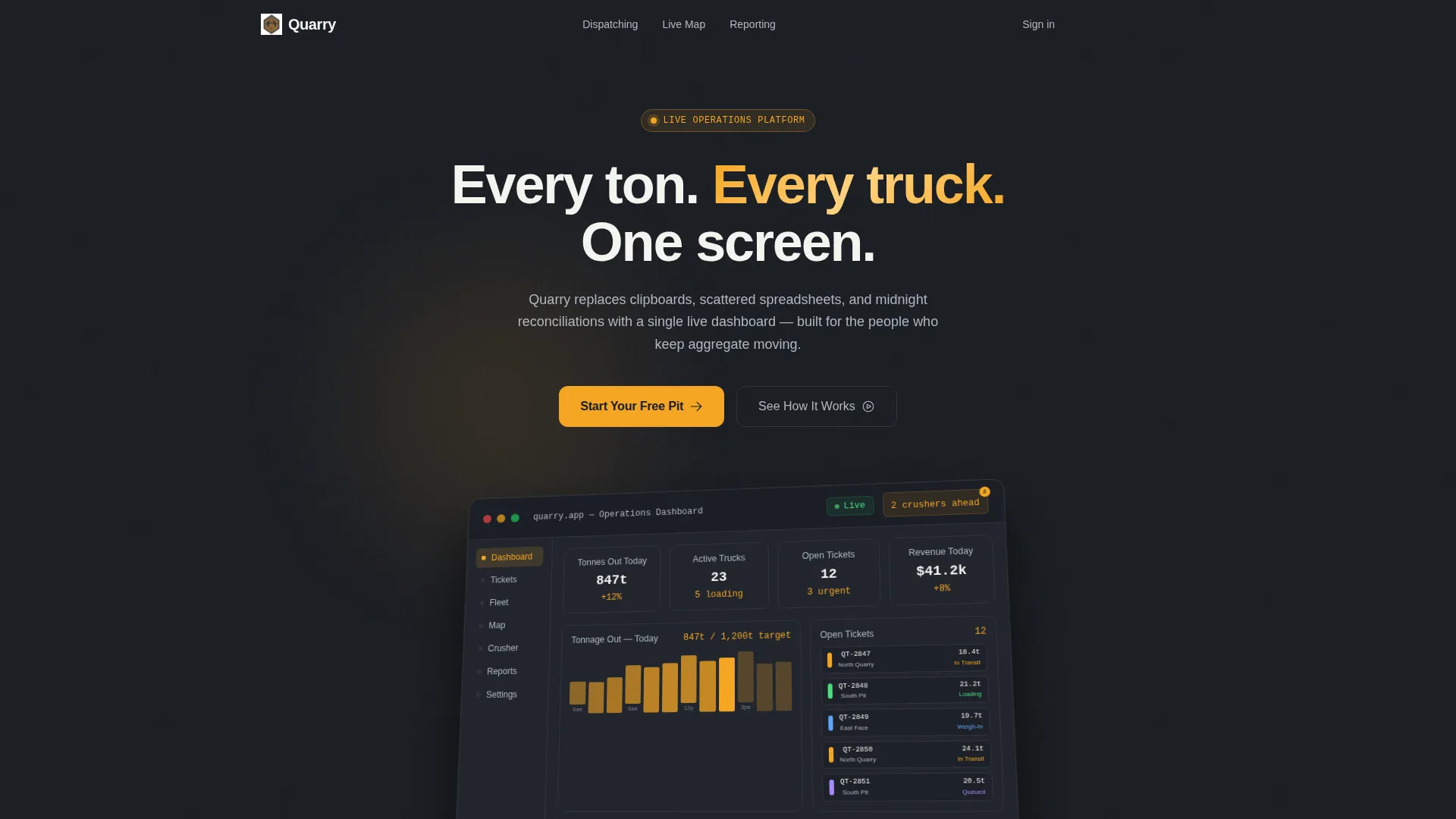
- A full-width, isometric dashboard preview that anchors the header section
- A three-stage progressive reveal covering dispatch tickets, live route mapping, and reporting panels
- A sticky call-to-action button and a final full-width conversion block, both pointing to a one-step free trial signup
Feature list
This template includes a focused set of built-in components, each designed to serve a specific conversion role on the page.
Isometric Dashboard Hero
The header opens with a pixel-accurate render of the quarry CRM interface, angled at a slight isometric tilt on a deep graphite background. Twelve delivery tickets are color-coded by pit location, a tonnage bar chart climbs through the morning, three haul routes pulse amber on a map, and a notification badge reads "2 crushers ahead of schedule." A single headline fades in above the render.
Social Proof Ticker Strip
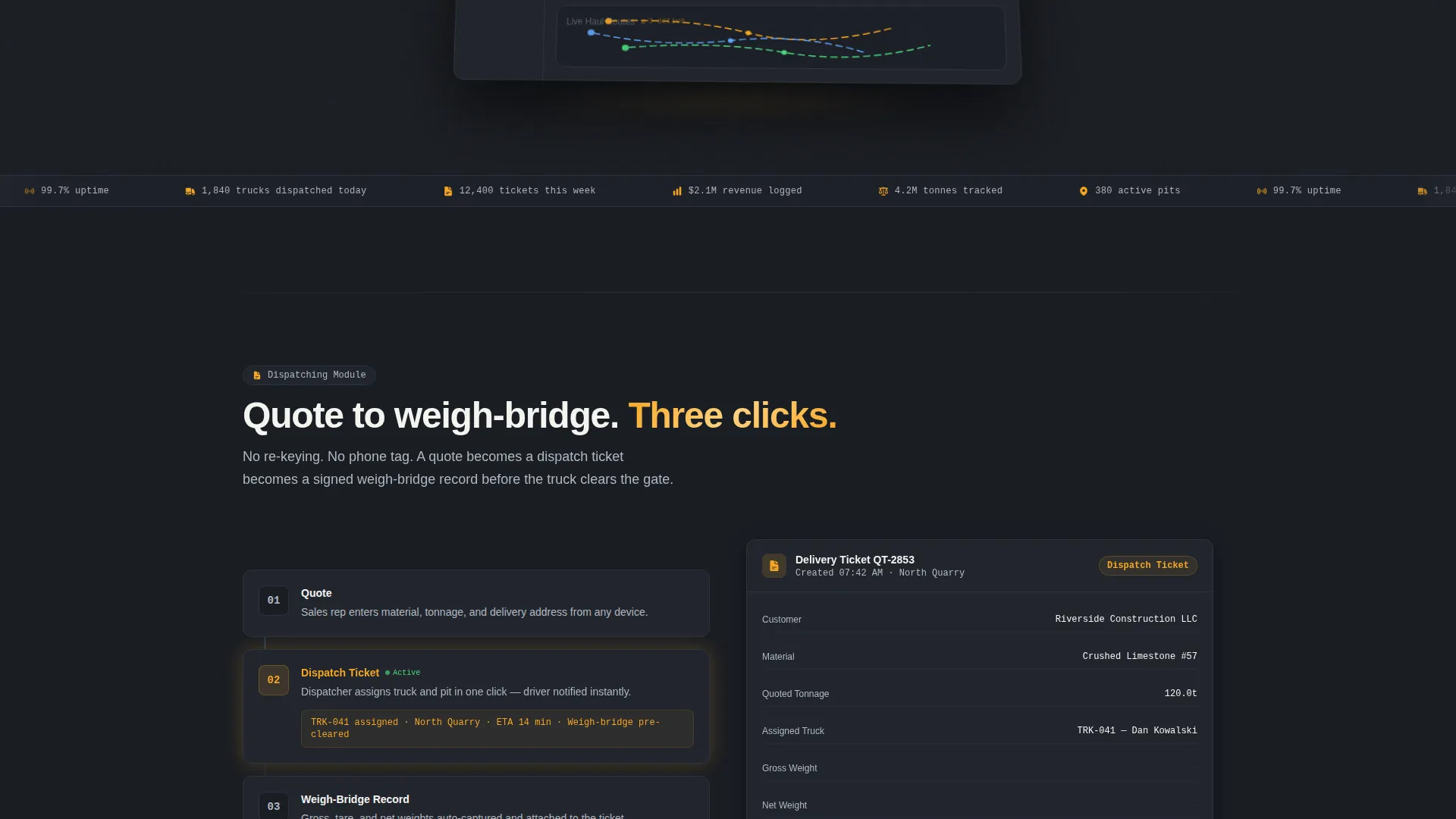
Directly beneath the header, a ticker strip displays live-style credibility figures: 4.2 million tonnes tracked, 380 active pits, and 99.7 percent uptime. This front-loads trust before the visitor scrolls a single pixel, earning the click before the product story even begins.
Progressive Scroll Reveal Sequence
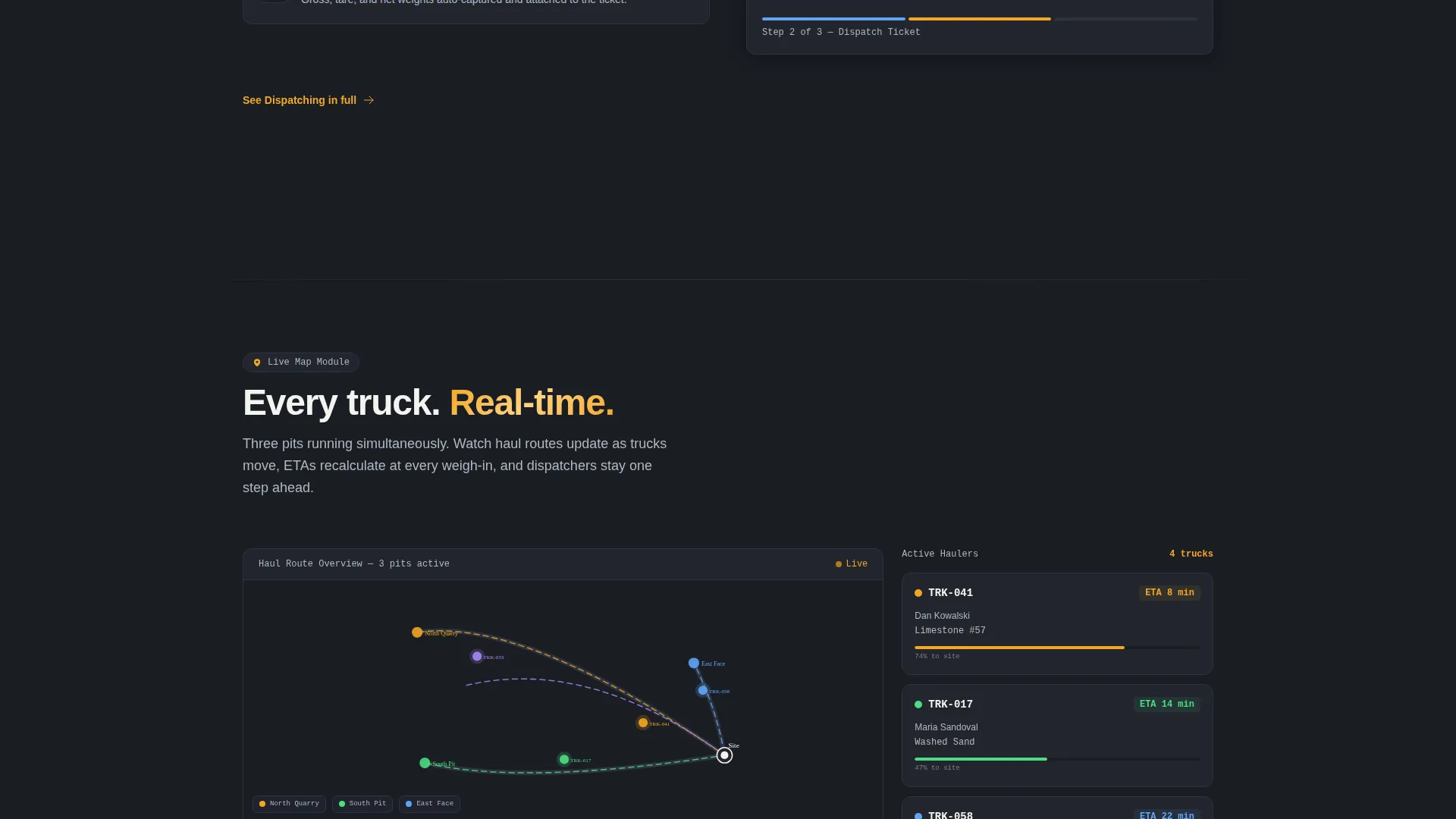
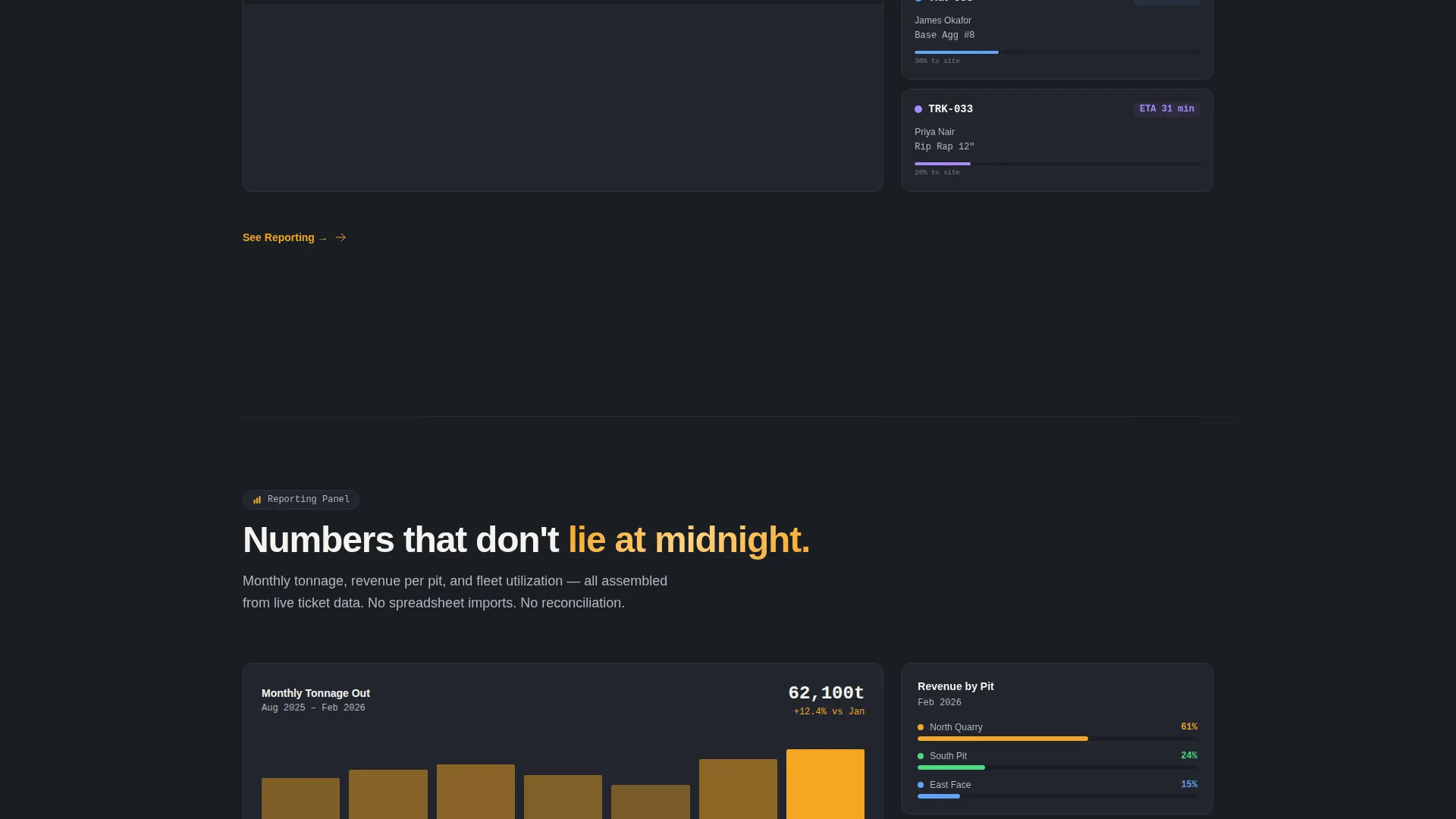
The scroll experience is structured as a three-stage countdown. First, the delivery ticket module zooms in to show how a quote becomes a ticket becomes a weigh-bridge record in three clicks. Second, the map module expands with animated routes and updating estimated arrival times. Third, the reporting panel assembles bar by bar, showing monthly tonnage, revenue per pit, and fleet utilization.
Sticky Header Call-to-Action
After the initial scroll, an amber "Start Your Free Pit" button pins itself to the header and stays visible throughout the entire scroll journey. This keeps the primary conversion action accessible at every stage of the page without interrupting the reveal sequence.
Module Micro-calls to action
Each progressive section ends with a directional micro-call-to-action, such as "See Dispatching" or "See Reporting." These act as both anchor navigation points and conversion nudges for visitors who already know which module they need.
Full-Width Conversion Block
After the final scroll reveal, a full-width block repeats the primary call-to-action in amber on graphite. This closes the scroll sequence with a clear next step, reinforcing the free trial offer at the exact moment visitor intent is highest.
Page sections overview
| Section | Purpose |
|---|---|
| Header Hero | Anchors the page with the isometric dashboard render and headline |
| Credibility Ticker | Displays tonnage, pit count, and uptime figures below the hero |
| Dispatch Ticket Reveal | Shows the quote-to-weigh-bridge three-click workflow |
| Live Route Map | Expands haul routes with animated ETAs and amber pulse markers |
| Reporting Panel | Assembles tonnage, revenue, and fleet utilization charts bar by bar |
| Primary call to action Block | Closes the page with a full-width free trial conversion prompt |
Design & branding system
The visual identity runs on a Carbon Fiber palette that feels like the inside of a modern plant cab: technical, precise, and built for fast decisions. Every color has a defined role, and nothing competes with the amber accent that signals action.
- Deep graphite (#1A1D23) as the primary background across all sections
- Machined aluminum (#B0B8C1) for secondary text, divider lines, and supporting labels
- High-vis amber (#F5A623) on every interactive element, data accent, and call-to-action button
- Crushed chalk white (#F4F4F0) for card surfaces and primary headline text
Mobile & speed optimization
The scroll-reveal structure is designed with layered content delivery that keeps each section clean and focused, rather than loading everything at once. This approach supports a smooth experience across screen sizes.
- Each reveal section is self-contained, making it straightforward to adapt for smaller viewports
- Upward motion and opacity transitions are subtle enough to avoid overwhelming mobile displays
- The sticky call-to-action remains accessible without obscuring content on narrower screens
How this template helps you convert
The page is built as a click-through, meaning its single job is to earn the trial signup click. Every structural decision points toward that outcome.
- Trust is front-loaded with credibility figures before the visitor scrolls, reducing early drop-off and making the first click more likely.
- The progressive reveal builds product confidence progressively, so by the time the visitor reaches the final conversion block they have seen the full capability arc of the platform.
- Module micro-calls-to-action give returning or intent-ready visitors a shortcut directly to the section they care about, reducing time-to-click for high-value prospects.
Other information about this template
This template is categorized under Technology, specifically the Quarry Vertical SaaS subcategory, which positions it for a focused niche within the broader industrial software market. It is a strong starting point for any team building a go-to-market page for quarry operations software.
- Template style is Scroll Reveal (Progressive), following a Launch Energy creative direction
- The header concept is a Dashboard Preview, which is a proven pattern for SaaS products with data-dense interfaces
- The landing page direction is Click-Through, meaning no form fields appear on the page itself
- The Startup Velocity theme guides the overall pacing and energy of the scroll experience
- This template pairs well with a short, one-step signup page that receives the trial click
Theme
Startup Velocity
Creative direction
Launch Energy
Color system
Carbon Fiber
Style
Scroll Reveal (Progressive)
Direction
Click-Through
Page Sections
Isometric Dashboard Hero Section
Social Proof Ticker Strip
Three-stage Progressive Scroll Reveal
Sticky Amber Call-to-action Button
Module-level Micro-ctas
Full-width Closing Conversion Block
Related questions
Does this template include a signup form on the page?
How does the scroll reveal sequence work?
Can I use this template for a different industrial SaaS product?
Is the dashboard image in the hero connected to live data?
What color system does this template use?



