SQL & Database Online Course Landing Page Template
Query is a warm, community-hearth landing page template built for SQL and database online courses. It pairs a hand-drawn hero illustration with an alternating mentor-and-student zigzag layout, a live community counter, and a friction-light lead capture form. The result is a page that feels like a seat at a shared table, not a sales pitch.
by Rocket studio
Quick summary
Query is a single-page lead generation template designed for SQL and database online courses. It opens with a cinematic hand-drawn illustration and moves through alternating mentor and student story blocks, a live community counter, a learner-path section, and a low-friction signup form. The whole page is built to make SQL feel approachable, communal, and worth starting today.
Who this template is for
This template is built for educators and course creators who want to attract beginners to an SQL or database learning program. It works especially well when the course leans on community, real instructors, and practical outcomes rather than dry lecture content.
- SQL course creators targeting career-switchers and junior developers
- Small online learning communities wanting to grow their student waitlist
- Independent educators who want a warm, editorial page without hiring a designer
What problem this template solves
Most course landing pages either feel too corporate or too minimal. Neither earns trust from a nervous beginner who is still wondering whether SQL is even learnable. This template solves the credibility and approachability gap in one cohesive layout.
- Beginners need to see real people succeeding, not just a bullet list of curriculum topics
- Course creators need a page that captures leads even from visitors who are not ready to enroll
- A generic template cannot replicate the warm, lived-in feel that converts curiosity into commitment
What you get with this template
You get a complete, ready-to-customize landing page with every section already planned and designed. The layout guides a visitor from first impression through to email capture using visual storytelling and social proof.
- A hero section with a custom bird's-eye illustration and a masked headline text reveal
- An alternating zigzag layout for mentor profiles and student first-query stories
- A dual-path lead capture form with a primary signup and a secondary cheat sheet download
Feature list
This template delivers six purpose-built sections that work together to move a curious visitor toward signing up.
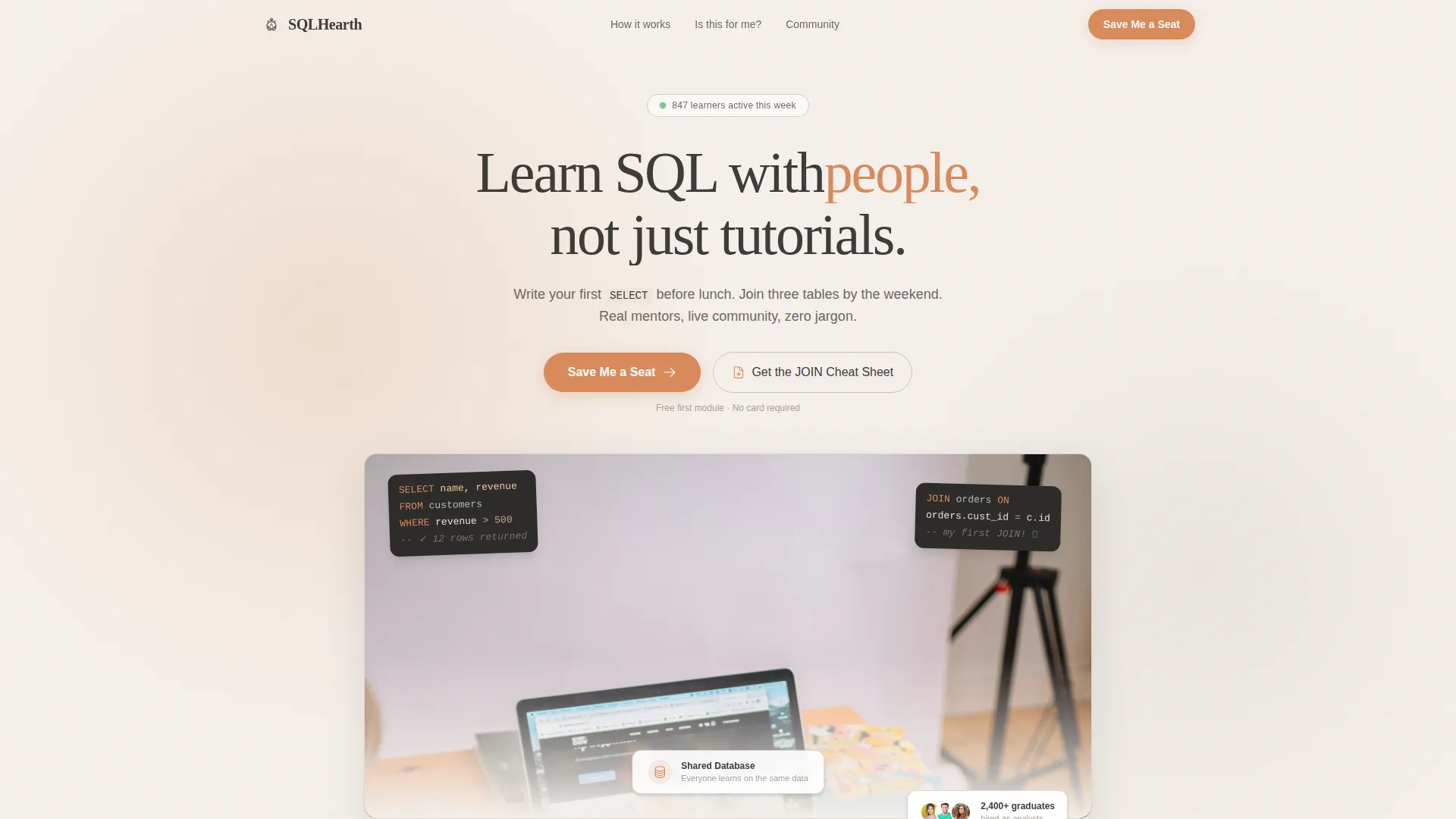
Cinematic Hero Illustration
The header features a hand-drawn, bird's-eye view of people gathered around a long wooden table, with query results floating above their screens. A headline fades in over the scene using a masked text reveal animation. The overall effect signals community and warmth from the very first scroll.
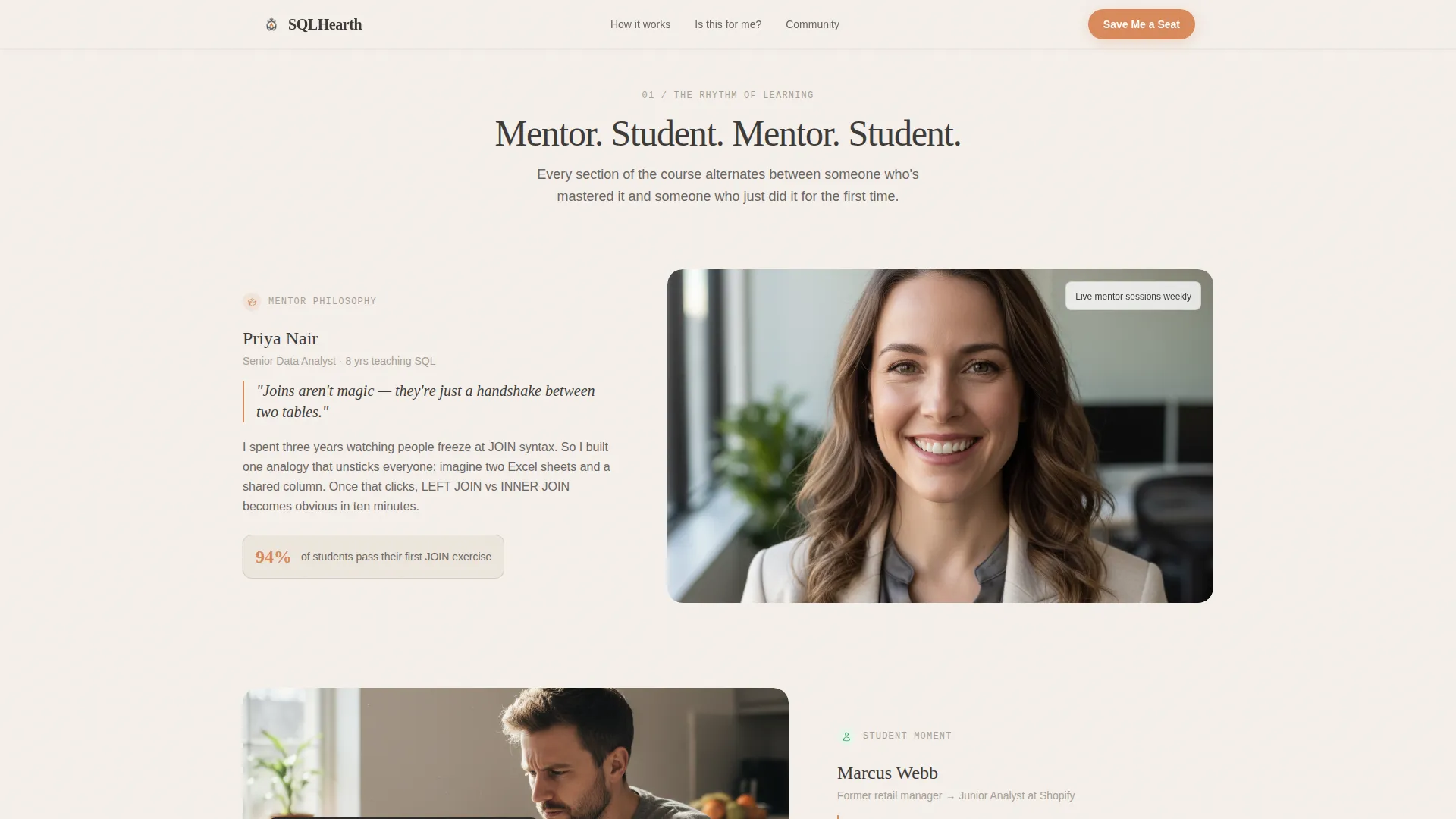
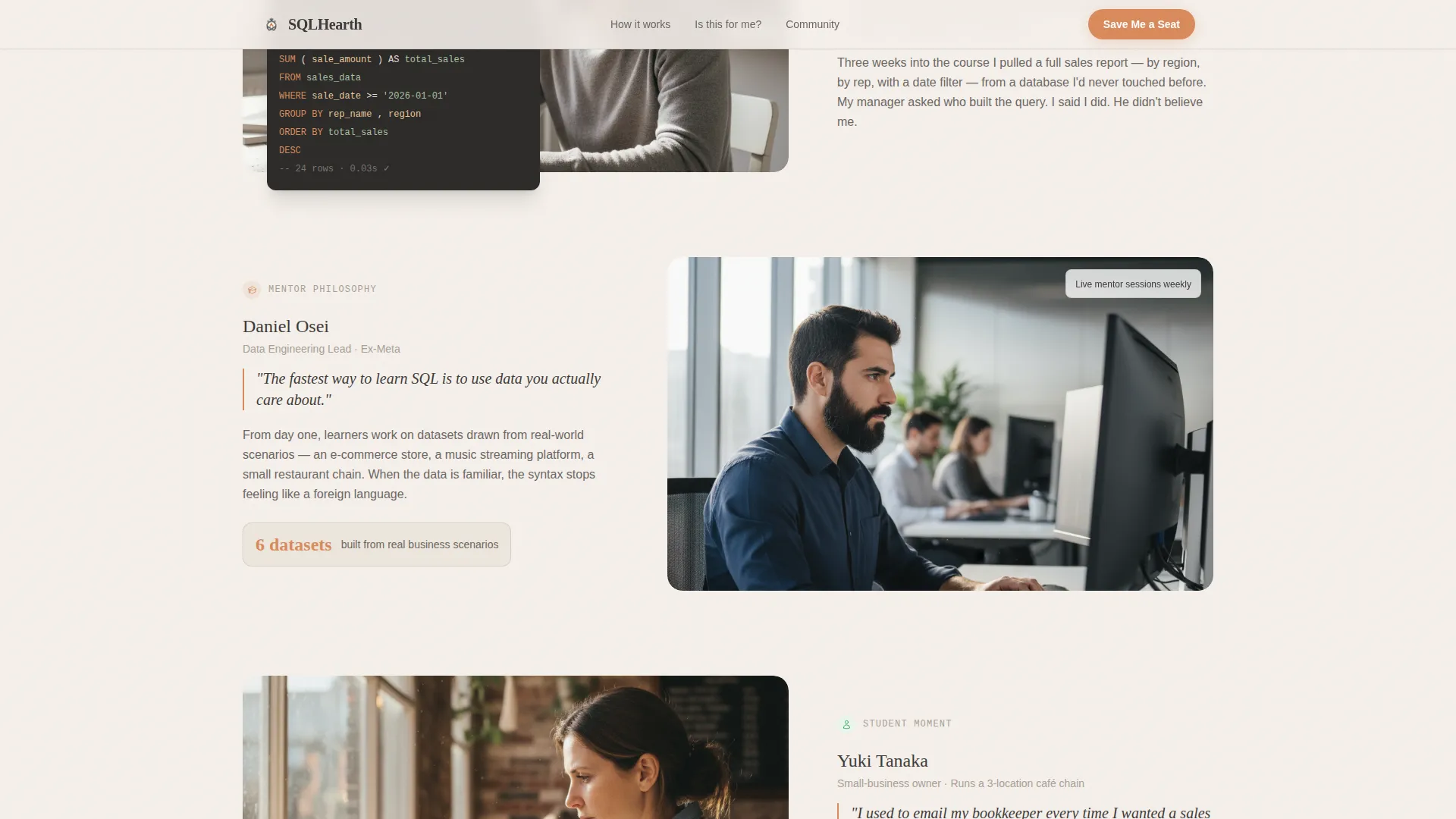
Zigzag Mentor and Student Layout
Sections alternate between a mentor column and a student column in a five-and-seven column grid. Each block introduces a real face and a real moment, a teaching philosophy on one side and a screenshot of a first working query on the other. The rhythm feels like a conversation across a table rather than a one-way pitch.
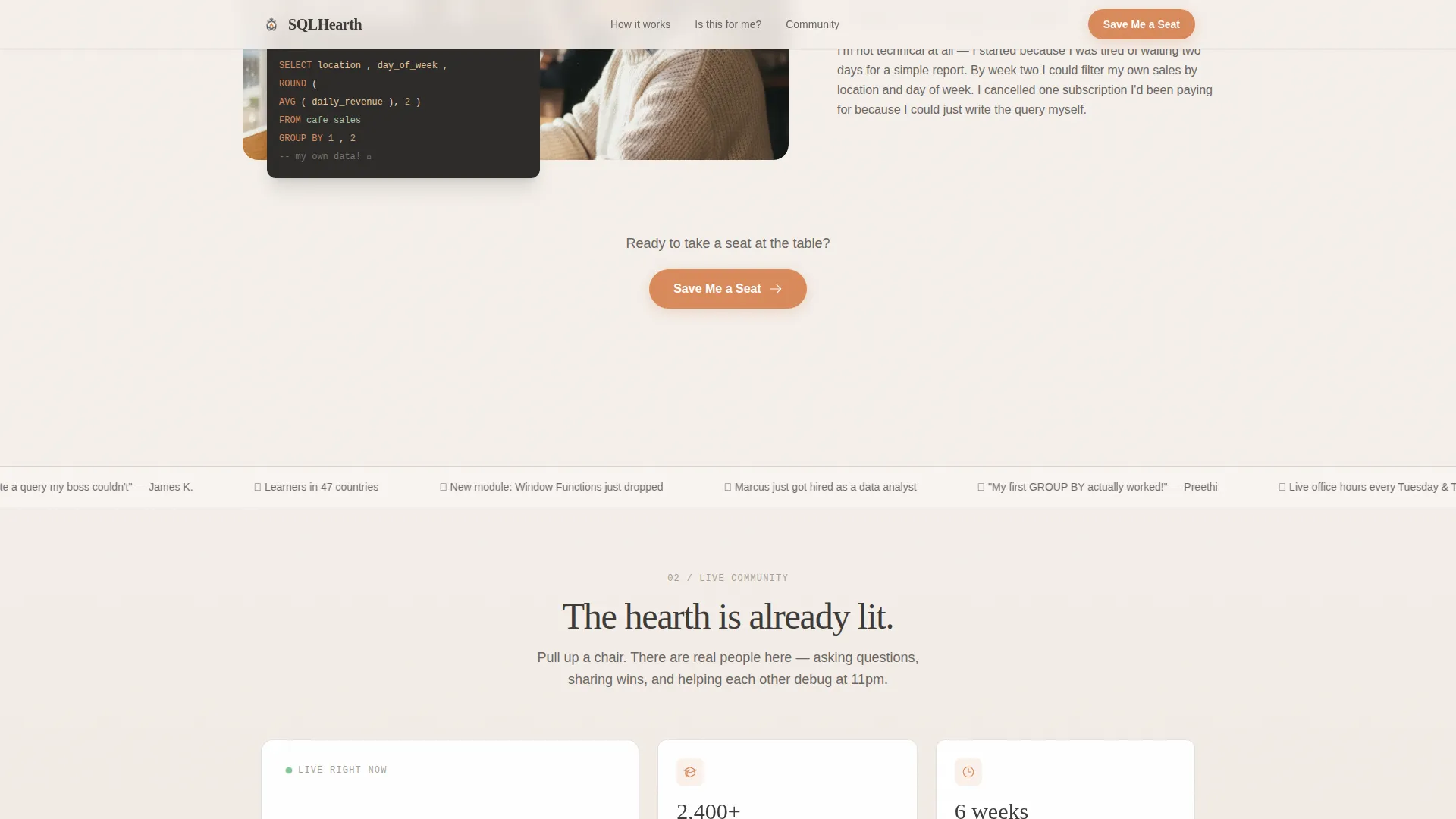
Live Community Counter
A midpage block displays a live counter showing how many students are currently active in the community. Supporting stat numbers reinforce social proof. Together they make the course feel occupied and alive, not empty or speculative.
Three Learner Path Cards
An asymmetric bento layout presents three distinct learner paths, each with a specific outcome. Career-switchers, junior developers, and small-business owners each see their own reason to start. This section reduces hesitation by making the offer feel personally relevant.
Friction-Light Lead Capture Form
The signup form asks only for a first name and an email address. A single optional dropdown, "What brings you to SQL?", adds light personalization without slowing anyone down. A line beneath the button reads "Free first module, no card required" to remove the last hesitation.
JOIN Cheat Sheet Secondary Path
Visitors who are not ready to sign up can download a one-page PDF cheat sheet on SQL joins. This secondary call to action captures the email either way and keeps the visitor inside the ecosystem. It is positioned beneath the primary form as a soft, low-commitment alternative.
Page sections overview
| Section | Purpose |
|---|---|
| Hero Illustration | Open with warmth and headline reveal |
| Zigzag Mentor Stories | Build trust through real faces |
| Live Community Block | Show active, real-time social proof |
| Learner Path Cards | Match visitors to their personal outcome |
| Lead Capture Form | Convert interest into a named lead |
| Footer Row | Close with a clean single-row wrap |
Design & branding system
The visual identity follows a Community Hearth theme using a Soft Mist color palette. The overall feel is like a well-worn notebook left open next to a cup of tea, approachable, unhurried, and quietly confident.
- Linen white (#F5F0EB) for backgrounds, hearthstone warm gray (#A89F96) for secondary text and dividers, and soft charcoal (#3D3A38) for primary type
- Ember orange (#D98A5B) reserved exclusively for buttons, highlights, and active states so it guides the eye without overpowering the page
- Fraunces serif for headlines and DM Sans for body text, creating a warm editorial contrast between expressive display type and clean readable paragraphs
Mobile & speed optimization
The template is built desktop-first but is fully responsive for mobile screens. Every animated element and interactive component is designed to adapt without breaking the layout on smaller viewports.
- Scroll observer animations, parallax effects, and the masked text reveal are all handled with performance-conscious implementation patterns
- The live community counter and the lead capture form use client-side rendering while static sections use server components to keep load behavior balanced
- The zigzag grid collapses cleanly on mobile so mentor and student blocks stack in a logical reading order
How this template helps you convert
Every design and copy decision in this template points toward one outcome: getting a visitor to leave their email and take a first step.
- The "Save Me a Seat" call to action appears three times, beneath the hero, after the zigzag section, and anchored in the footer, so no matter how far a visitor scrolls, the next step is always visible.
- The JOIN Cheat Sheet secondary path ensures that even undecided visitors enter the lead funnel without feeling pressured to commit to a full course.
- The live counter and student screenshots provide the kind of real-time social proof that answers the quiet question every beginner asks: "Is anyone else actually doing this?"
Other information about this template
This template sits inside the Education and Training category, specifically within the Online Skill Courses subcategory and the SQL and database online course niche. It is built in English (United States) with US-centric naming conventions and implied USD pricing context.
- The template style is Zigzag and Alternating, with a Team and People creative direction that keeps human stories at the center of every section
- Animation intensity is set to medium, covering masked text reveal, scroll observer, parallax, marquee, and a live counter, without overwhelming the content
- The footer follows a Linear Single-Row pattern to close the page cleanly and without distraction
Theme
Community Hearth
Creative direction
Team & People
Color system
Soft Mist
Style
Zigzag/Alternating
Direction
Lead Generation
Page Sections
Cinematic Hand-drawn Hero Section
Alternating Mentor and Student Zigzag
Live Community Activity Counter
Three-path Learner Bento Layout
Friction-light Signup Form
JOIN Cheat Sheet Secondary Download
Related questions
Do I need coding experience to customize this template?
Can I adapt this template for a course topic other than SQL?
How does the dual call-to-action setup work for lead generation?
Is the live community counter ready to connect to a real platform?
What does the lead capture form collect from visitors?



