Gamified Learning Platform Landing Page Template
Quest is a hub-and-spoke landing page template built for gamified learning platforms. It features a three-archetype persona selector that reshapes the hero section on click, spoke sections spotlighting real community activity, and a friction-light freemium conversion flow. The Community Hearth visual theme wraps everything in warm amber and soft mist tones.
by Rocket studio
Quick summary
Quest is a single-page, anchor-nav landing page template designed for gamified learning platforms. It opens with an interactive persona selector, then guides visitors through community-rich spoke sections before inviting them to sign up free. The warm Community Hearth palette and people-first creative direction make the platform feel lived-in before anyone creates an account.
Who this template is for
This template is built for teams launching or promoting a gamified learning platform. It speaks directly to the audiences already inside that niche and to the decision-makers who fund them.
- Mid-career professionals looking to retool their skills for a promotion or career shift
- College students working through certification prep, often in collaborative study groups
- Corporate learning and development managers who need team engagement that holds past the first two weeks
What problem this template solves
Most learning platform landing pages lead with a feature list. Visitors read it, feel nothing, and leave. Quest flips that pattern by leading with people and play before asking for any commitment.
- Visitors feel like outsiders looking in at a warm, active community rather than scanning a sales page
- Platform owners have no easy way to address three very different learner types with one page
- Standard sign-up flows ask for too much too soon, killing freemium conversion before it starts
What you get with this template
You get a complete, ready-to-customize landing page structured around a hub-and-spoke navigation model. Every section has a clear job, and the layout makes that job obvious.
- A dynamic persona selector header with three illustrated learner archetypes that reshape the hero content on click
- Multiple spoke sections anchored in sticky navigation, each spotlighting community proof such as leaderboards, video testimonials, and guild project carousels
- A two-step freemium sign-up flow plus a secondary team-focused form for corporate buyers
Feature list
This section walks through the standout built-in components of the Quest template.
Interactive Persona Selector Header
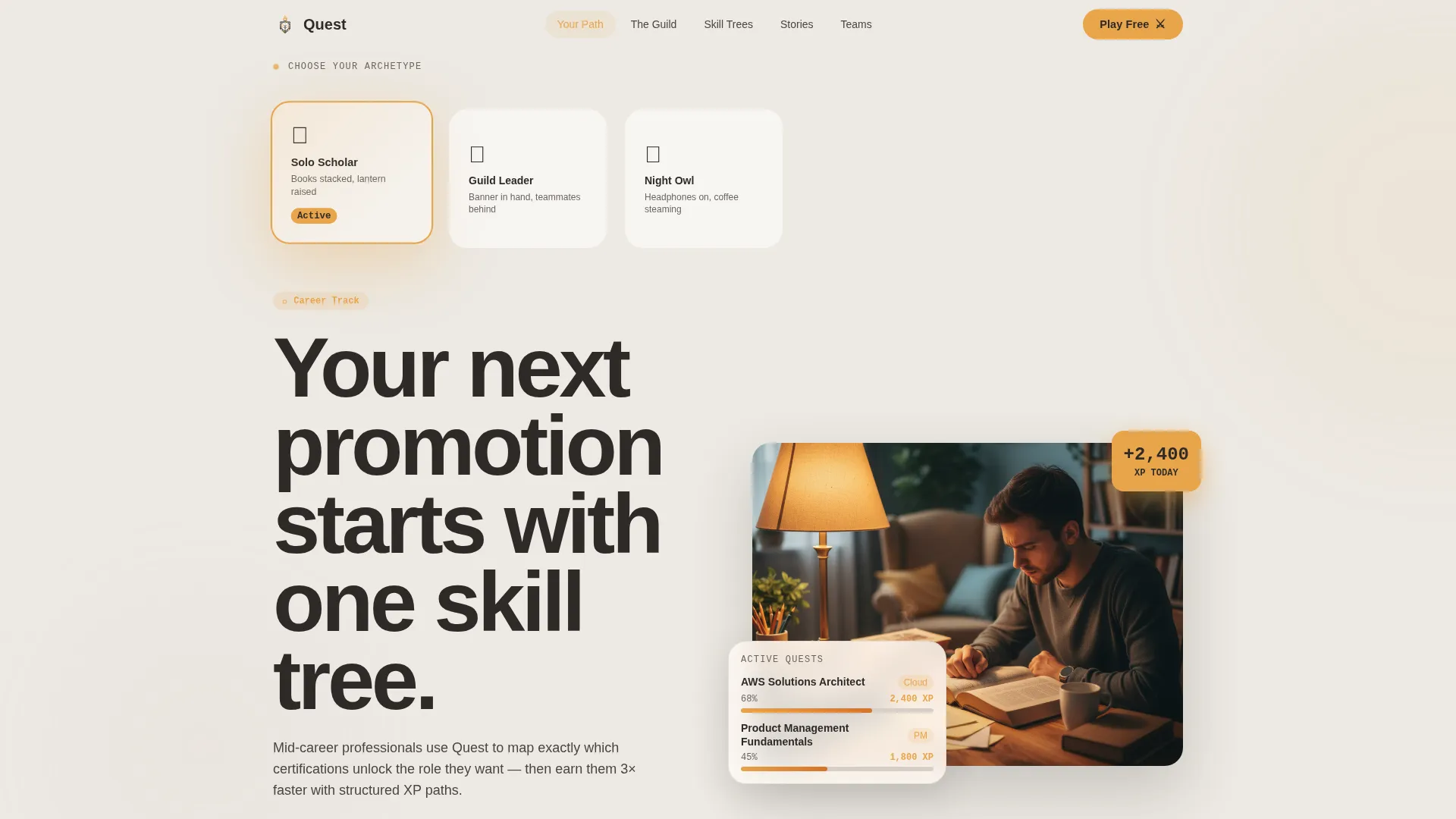
Three illustrated characters stand at a crossroads: the Solo Scholar, the Guild Leader, and the Night Owl. Clicking any character reshapes the hero headline, repopulates the sample dashboard with relevant courses, and shifts the ambient background tone. It turns the first scroll into a choose-your-adventure moment.
Sticky Hub-and-Spoke Navigation
A persistent anchor navigation bar sits at the top of the page as visitors scroll. Each nav item links directly to a spoke section below. This keeps orientation clear and lets visitors jump to the content most relevant to their archetype without losing their place.
Community Proof Spoke Sections
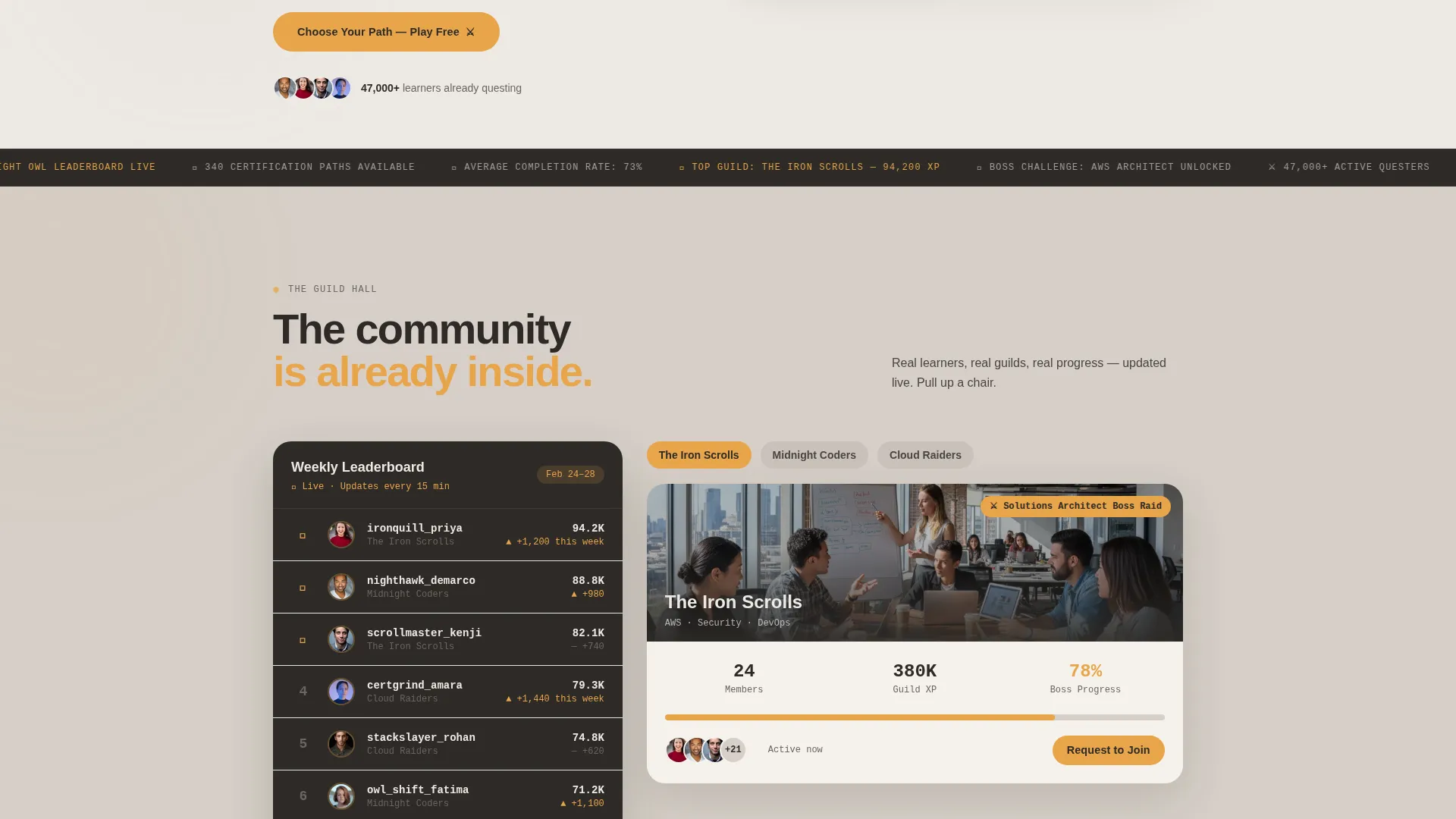
Each spoke section is built around real learner activity rather than feature bullets. Components include a video testimonial block for a study group milestone, a live-updating leaderboard showing usernames climbing ranks, and a carousel of guild projects with clustered member avatars.
Freemium Two-Step Conversion Flow
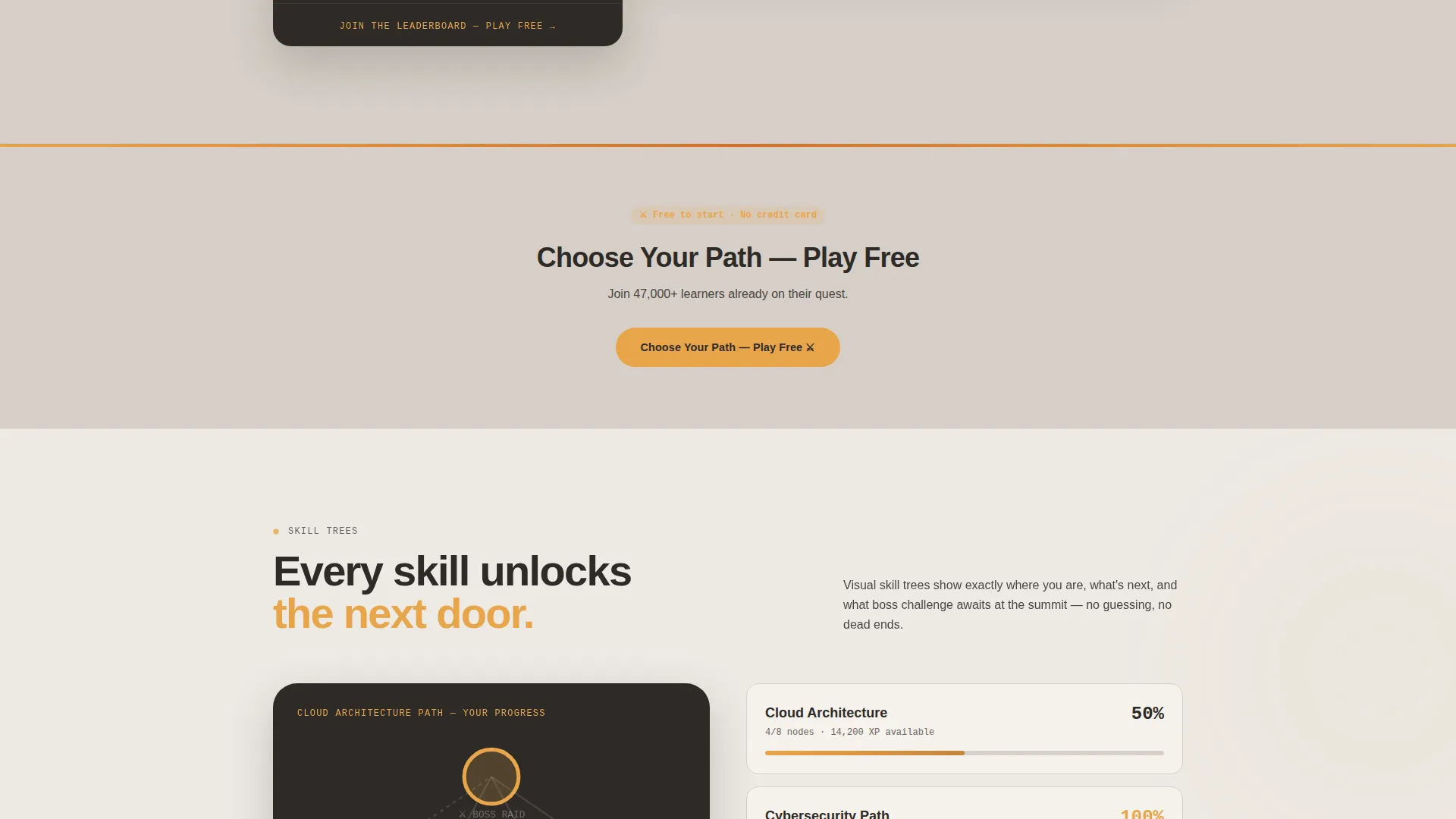
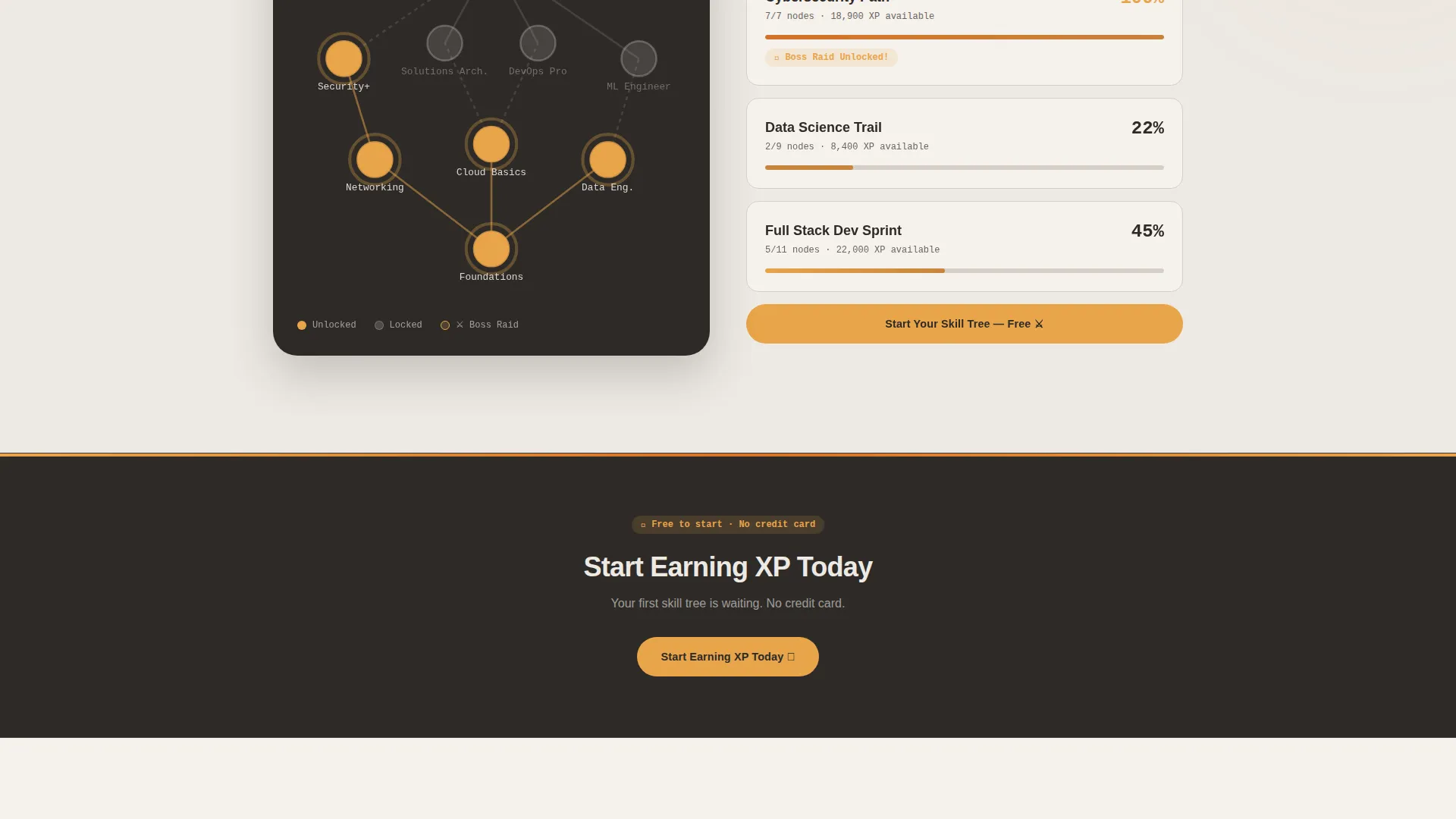
The primary call to action, "Choose Your Path - Play Free," opens a two-step modal. Step one lets the visitor pick their learner archetype again. Step two asks only for an email address and a display name. No credit card. No lengthy profile form.
Secondary Team Sign-Up Form
A "Bring Your Team" call to action in amber outline appears inside the Guild Leader spoke section. It expands an inline short form collecting company name, team size, and learning goal. This targets corporate learning and development buyers without interrupting the main freemium flow.
Community Hearth Color System
The Soft Mist palette uses hearthstone warm gray, morning fog, candlelight amber, and deep charcoal. Amber activates every interactive element including progress rings, hover states, and notification pips. Fog and warm gray alternate across section backgrounds. Nothing neon appears anywhere in the design.
Page sections overview
| Section | Purpose |
|---|---|
| Persona Selector Header | Let visitors self-identify and watch hero content shift to match their archetype |
| Sticky Anchor Nav | Keep orientation clear as visitors scroll through all spoke sections |
| Hero Section | Display archetype-specific headline, subtext, and sample dashboard preview |
| Learner Stories Spoke | Feature a video testimonial of a real study group completing a skill tree |
| Leaderboard Spoke | Show a live-updating rank list with real usernames to signal active community |
| Guild Projects Spoke | Present a carousel of team projects with member avatar clusters |
| Guild Leader Spoke | Surface the "Bring Your Team" form for corporate and L&D buyers |
| Primary call to action Repeat | Reinforce "Choose Your Path - Play Free" after each major spoke section |
| Two-Step Sign-Up Flow | Collect archetype choice, email, and display name with no credit card required |
Design & branding system
The Community Hearth theme gives Quest a look that feels warm, grounded, and social rather than slick or corporate. Every color choice has a deliberate role.
- Hearthstone warm gray (#D6CFC7) and morning fog (#EDE9E3) alternate across section backgrounds, creating a soft visual rhythm without sharp contrast
- Candlelight amber (#E8A44A) fires every interactive element: progress rings, button hover states, and notification pips all use this single accent color for consistency
- Deep charcoal (#2E2B28) anchors all body text with quiet readability, keeping the overall mood ember-warm rather than cold or clinical
Mobile & speed optimization
The Quest template is structured with a mobile-first layout in mind. The hub-and-spoke architecture translates cleanly to smaller screens without losing the community feel.
- The sticky anchor navigation collapses gracefully on mobile so it remains usable without consuming screen space
- Spoke section components such as the leaderboard, avatar carousel, and testimonial video are stacked vertically on small viewports for clean single-column reading
- The two-step sign-up flow is designed to stay thumb-friendly, with large tap targets and a minimal field count on both steps
How this template helps you convert
Quest is designed to earn the click by delivering belonging before it asks for a commitment. The page structure builds trust in a deliberate sequence.
- The persona selector lets visitors see themselves in the platform immediately, making the hero section feel personally relevant before any copy does the selling.
- Each spoke section adds a layer of social proof, from a video of a real guild celebrating to a leaderboard of real usernames, so the community feels populated and active long before sign-up.
- The two-step freemium flow removes every common friction point: no credit card, no lengthy profile, just an archetype pick and an email address to get started.
Other information about this template
Quest is a hub-and-spoke anchor nav landing page template, meaning all content lives on one scrollable page with jump links connecting the nav to each spoke below. It is built for the gamified learning platform category within the broader EdTech and learning platform space.
- The template style is classified as Hub and Spoke with Anchor Navigation, a format well suited to platforms that serve multiple distinct user types on a single page
- The freemium and trial conversion direction makes this template especially practical for platforms offering a free tier or limited free trial before a paid plan
- The Soft Mist color system and Community Hearth theme are both defined in the template and ready to be updated with your own brand colors if needed
- This template is categorized under Education and Training, specifically the EdTech and Learning Platform subcategory, making it a focused fit for course platforms, skill-building apps, and certification prep products
Theme
Community Hearth
Creative direction
Team & People
Color system
Soft Mist
Style
Hub & Spoke (Anchor Nav)
Direction
Freemium/Trial
Page Sections
Interactive Persona Selector
Sticky Anchor Navigation
Community Proof Spoke Sections
Friction-light Freemium Flow
Team Sign-up Form
Community Hearth Color System
Related questions
Can I change the three learner archetypes to match my platform's users?
Does the persona selector require custom development to work?
Who is the 'Bring Your Team' form designed for?
Can I add more spoke sections beyond the ones included?



