Print Shop Management Software Landing Page
Queue is a scroll reveal landing page template built for paper and printing management software. It showcases a live-feeling command center through a Feature Tab Switcher header, spec-card sections, and a freemium trial conversion path. The dark Acid Digital palette and mechanical Spec Sheet layout make the product feel credible before a visitor reads a single word.
by Rocket studio
Quick summary
Queue is a single-page, scroll reveal landing page template designed for print shop management software. It opens with an interactive browser-frame mockup, moves through fast spec-card sections, and closes with a clear free-trial call to action. The design feels like a press console coming online: dark, precise, and built for people who work with data every day.
Who this template is for
This template is built for software founders and product teams selling vertical SaaS tools into the commercial print industry. If your buyers live on the production floor, this layout speaks their language directly.
- Production managers at mid-size commercial printers juggling dozens of simultaneous jobs
- Prepress operators who need real-time stock counts before committing a plate
- Print shop owners looking to tighten margins on quotes and paper substitutions
What problem this template solves
Most print operations still track jobs across spreadsheets, whiteboards, and sticky notes. That chaos creates misquotes, undocumented paper swaps, and margin leaks that are hard to trace. A generic SaaS landing page does not communicate how a print-specific tool actually solves those problems.
- Visitors leave without understanding how the software maps to their daily workflow
- The value of real-time stock visibility and job-board tracking never lands clearly
- A generic page makes a specialized tool look like every other project management app
What you get with this template
You get a fully structured, scroll reveal landing page that positions your print management software as a credible, floor-ready solution. Every section is pre-built and content-ready for a paper and printing vertical SaaS product.
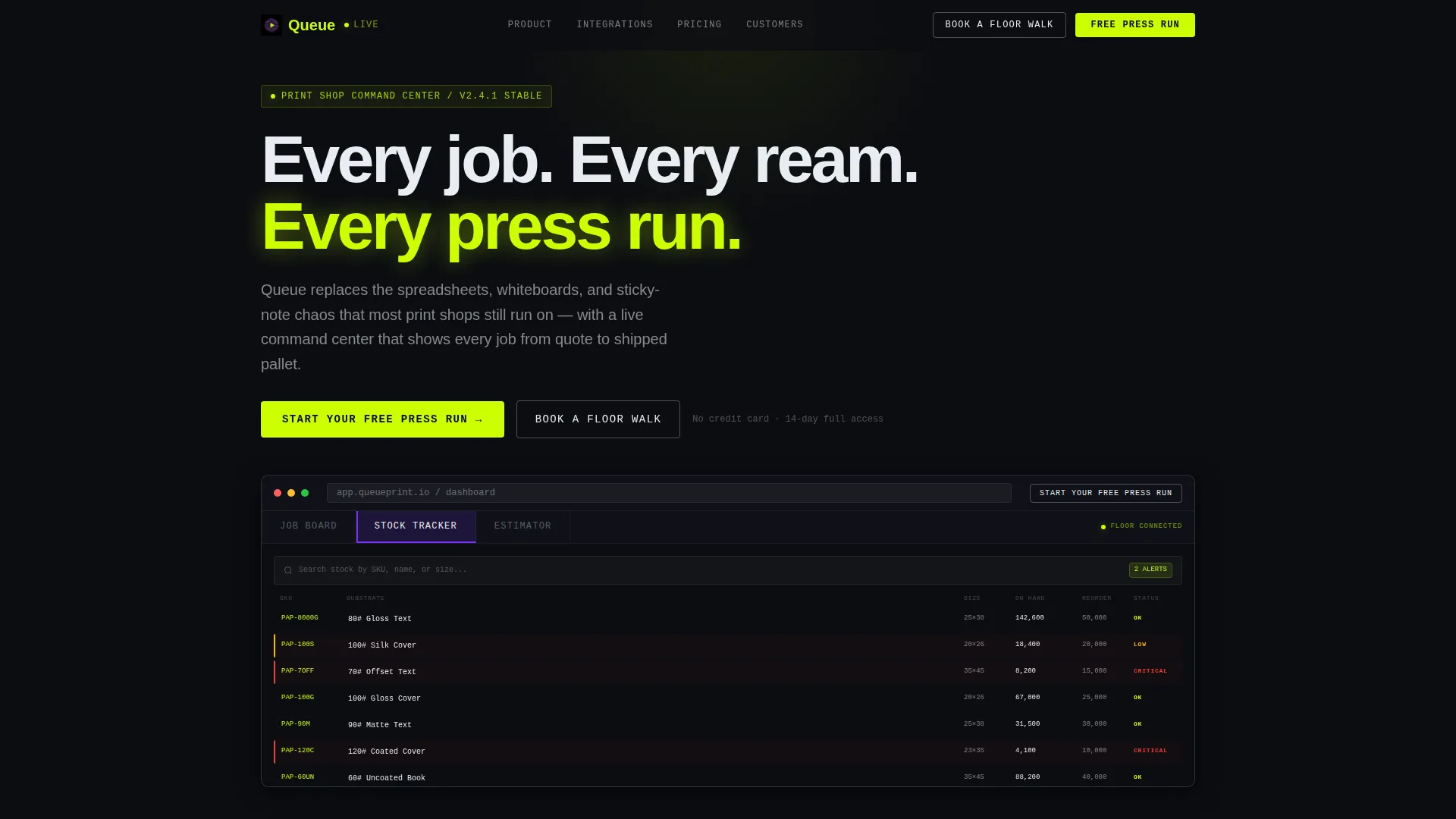
- A Feature Tab Switcher header with three dashboard views: Job Board, Stock Tracker, and Estimator
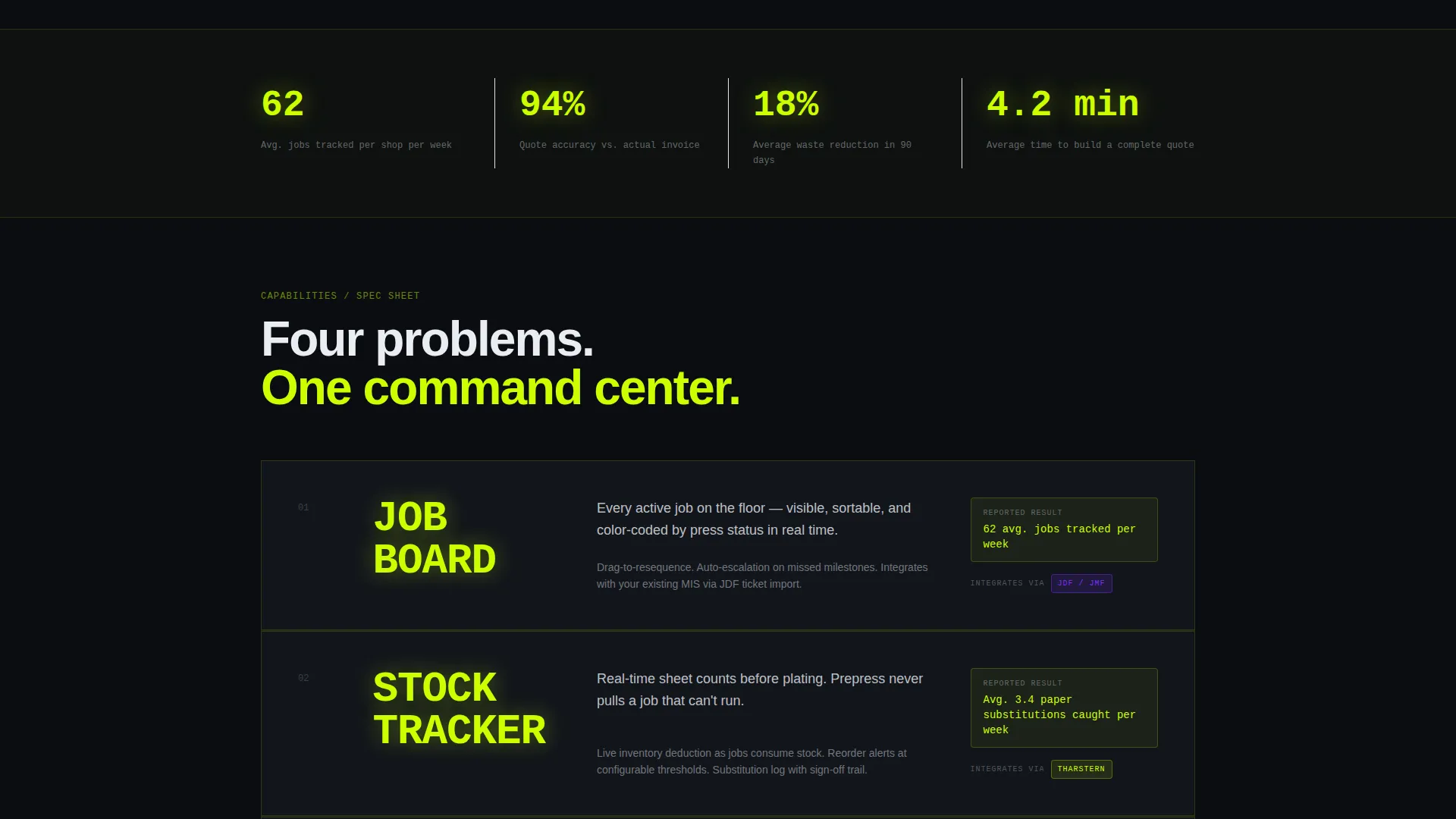
- Vertical spec-card sections with oversized metrics and integration badge slots
- A freemium sign-up form and a secondary "Book a Floor Walk" Calendly path for enterprise prospects
Feature list
This template is built around purpose-specific components that serve the print industry use case directly.
Feature Tab Switcher Header
The header places a browser-frame mockup front and center. Three labeled tabs sit across the top: Job Board, Stock Tracker, and Estimator. Each tab swaps the dashboard screenshot inside the frame, letting visitors explore the product before scrolling past the fold.
Spec Sheet Scroll Sections
Each section that reveals on scroll presents one capability as a technical specification card. The feature name renders in oversized chartreuse type, followed by a one-line plain-English description and a supporting metric or integration badge slot. The rhythm is fast and mechanical, designed to match how production professionals read.
Horizontal Integration Carousel
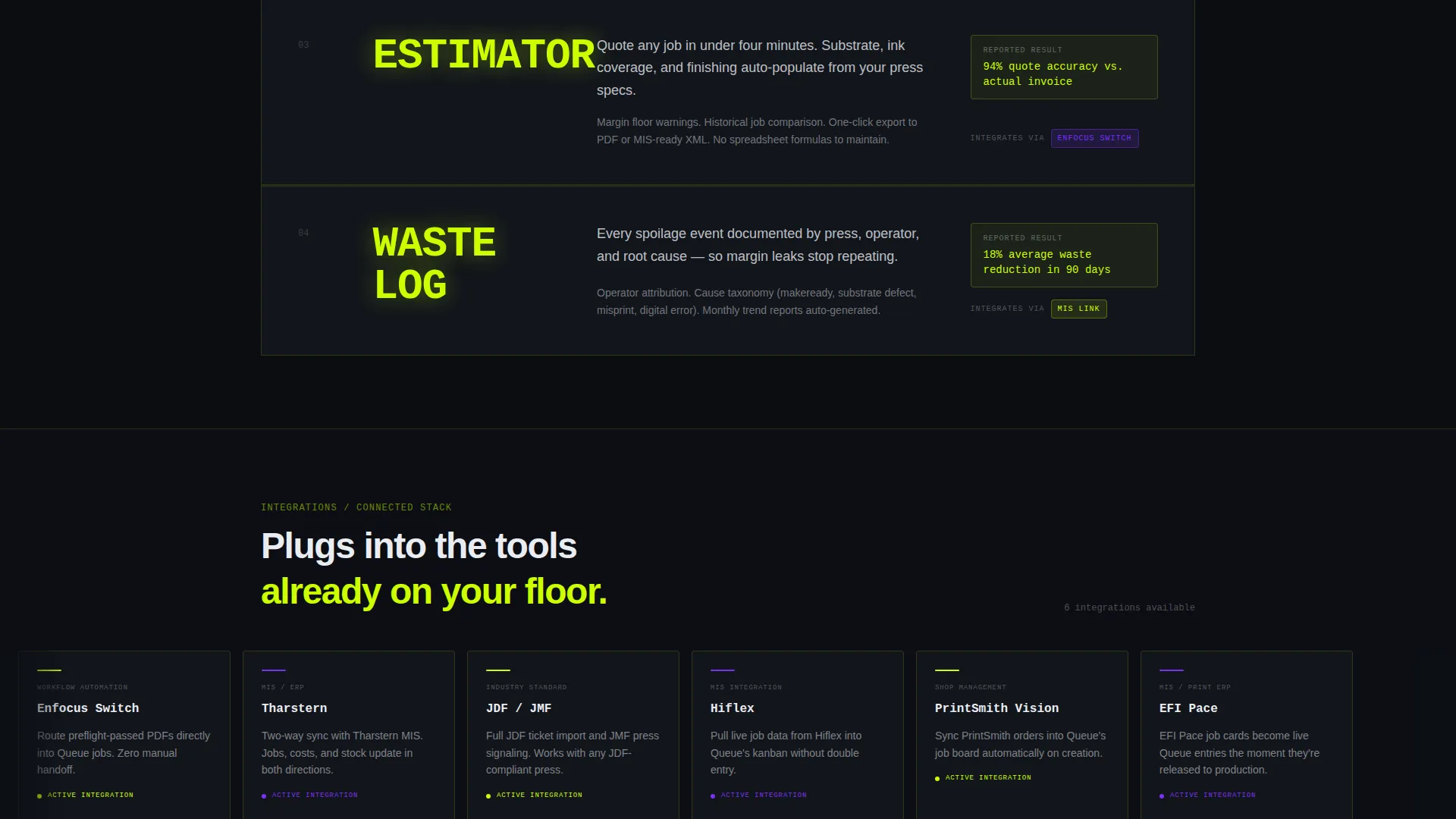
Midway through the page, the vertical scroll rhythm breaks for a horizontal carousel. It displays six integration logo lockups side by side, giving prospects a quick visual confirmation that the software connects to the tools already running on their floor.
Customer Proof Pull Quotes
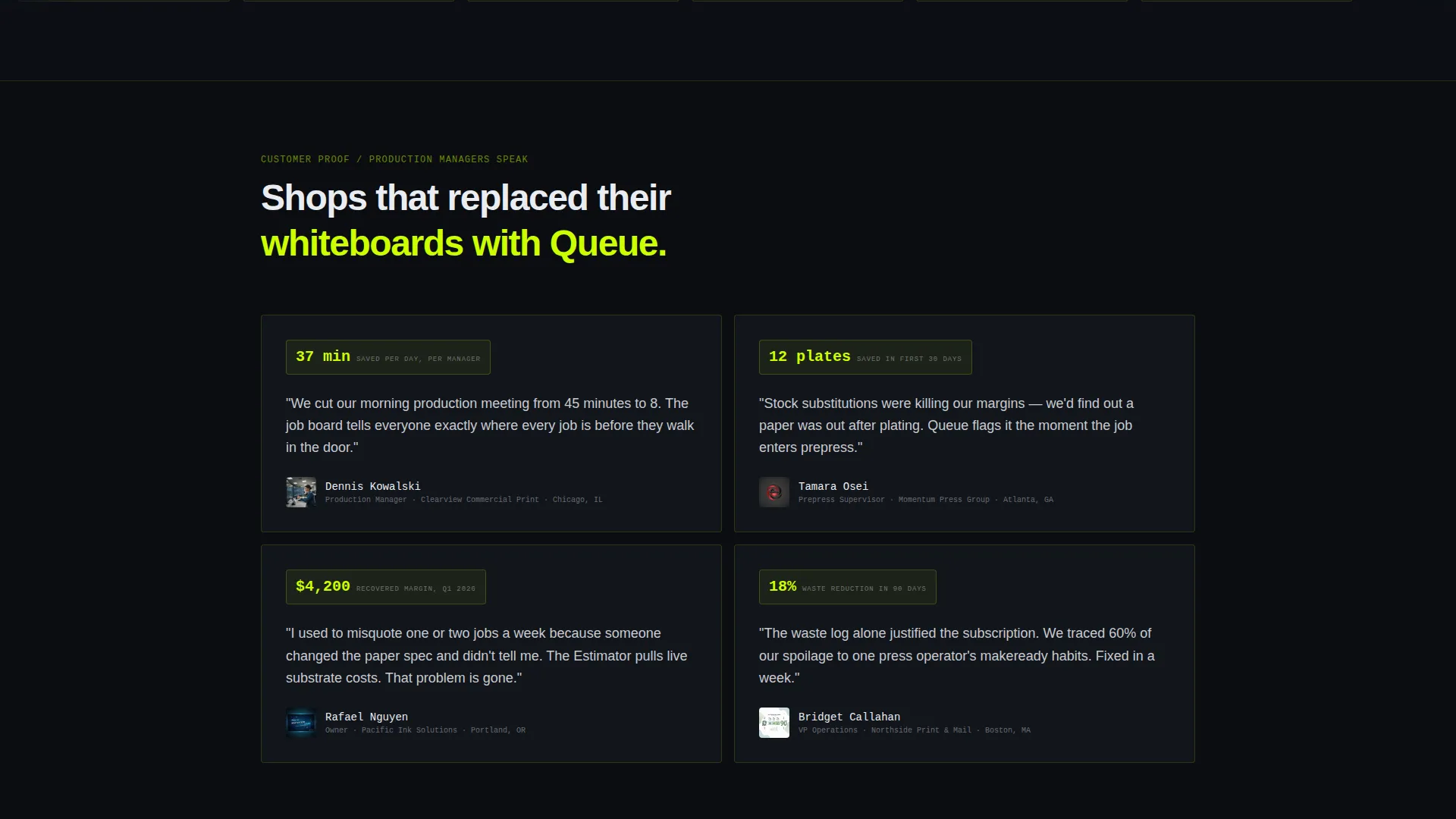
Following the integration carousel, the vertical cascade resumes with pull quotes from production managers. Each quote cites a concrete outcome: hours saved or waste reduced. Peer-level social proof lands harder than feature claims for this audience.
Freemium Conversion Form
The primary call to action is "Start Your Free Press Run." It appears first as a ghost button inside the header mockup, then again as a sticky bottom bar after the third spec card. The sign-up form collects work email, shop name, and monthly job volume. No credit card is required.
Secondary Demo Path
A "Book a Floor Walk" secondary call to action targets larger operations that want a guided walkthrough. It links to a Calendly embed, keeping high-intent enterprise visitors on a separate, lower-friction conversion track.
Page sections overview
| Section | Purpose |
|---|---|
| Tab Switcher Header | Introduce product via interactive dashboard tabs |
| Job Board Tab | Show live Kanban view of press-status jobs |
| Stock Tracker Tab | Display searchable inventory with reorder alerts |
| Estimator Tab | Reveal quote builder with auto-populated fields |
| Spec Card One | Present first core capability with metric badge |
| Spec Card Two | Present second capability with integration badge |
| Spec Card Three | Present third capability with supporting data |
| Integration Carousel | Display six partner logo lockups horizontally |
| Customer Proof | Surface pull quotes from production managers |
| Sticky call to action Bar | Persistent free-trial prompt after third card |
| Sign-Up Form | Collect email, shop name, and job volume |
| Floor Walk call to action | Route enterprise leads to Calendly demo embed |
Design & branding system
The visual identity follows a Startup Velocity theme built on an Acid Digital color system. The palette is designed to feel like a terminal window running in a darkened press room: every color has a precise job and nothing competes for attention with live data.
- Void black (#0B0D11) forms every background; chartreuse (#CCFF00) renders all data figures and keylines; UV violet (#7B2FFF) marks interactive elements and hover states; interface white (#EAEDF2) handles body text and card surfaces
- Section dividers use thin chartreuse keylines; active tabs glow violet; inactive tabs stay ghost-white
- Typography follows an oversized-metric style in spec sections, keeping feature names large enough to read at a glance from a standing position
Mobile & speed optimization
The scroll reveal progressive template is structured so that each section loads its reveal animation only as it enters the viewport. This keeps the initial render light and the experience smooth on smaller screens.
- Spec cards stack vertically on mobile, preserving the fast mechanical rhythm without horizontal overflow
- The sticky bottom call to action bar remains visible on mobile scroll, keeping the free-trial path accessible at every point in the page
How this template helps you convert
Queue is built around a show-first, ask-second conversion philosophy. The product does the persuading before the form ever appears.
- The Feature Tab Switcher lets visitors explore three distinct product views before reading any marketing copy, building confidence in the software's depth without a single claim
- The spec-card cascade answers one operational question per section in the same format production professionals use every day, reducing the cognitive load that kills SaaS trial signups
- The no-credit-card freemium form paired with the "Book a Floor Walk" secondary path gives both self-serve and enterprise visitors a frictionless next step that matches their buying intent
Other information about this template
Queue is built specifically for the paper and printing management software category and carries strong niche intent for print industry buyers. A few additional details worth noting:
- The integration badge slots in the spec cards are sized and positioned to accommodate logos from tools commonly found in commercial print environments, such as workflow automation platforms and print management information systems
- The template references integration contexts relevant to print production workflows, including job definition format (JDF) and job messaging format (JMF) badge slots, as well as named slots for tools like Enfocus Switch and Tharstern
- The Freemium/Trial landing page direction means the primary conversion metric is free-trial sign-ups, with the secondary metric being demo bookings through the Calendly embed
- The Startup Velocity theme and Acid Digital color system give the page a software-product credibility that separates it visually from generic print industry marketing sites
- The template is category-tagged under Technology and the Paper and Printing Vertical SaaS subcategory, making it straightforward to position in any SaaS marketplace or product directory
Theme
Startup Velocity
Creative direction
Spec Sheet
Color system
Acid Digital
Style
Scroll Reveal (Progressive)
Direction
Freemium/Trial
Page Sections
Feature Tab Switcher Header
Spec Sheet Scroll Sections
Horizontal Integration Carousel
Customer Proof Pull Quotes
Sticky Freemium Call to Action Bar
Secondary Demo Booking Path
Related questions
Who is this landing page template designed for?
Do I need to replace placeholder content before publishing?
What does the sign-up form collect?
Can I use the demo booking path alongside the free-trial form?
Is the Feature Tab Switcher limited to three tabs?



