Rail Freight Service Landing Page Template
Railhead is a single-column flow landing page template built for rail freight services. It opens with a live Cost-Per-Unit Calculator above the fold, then drives visitors through stat-heavy sections that build a financial case for rail. The Carbon Fiber color system and click-through structure push qualified supply chain buyers toward a lane quote request.
by Rocket studio
Quick summary
Railhead is a single-column landing page template for containerized rail freight services. It leads with an interactive cost estimator, follows with oversized performance stats, and closes with a firm call to action. The design uses a graphite-and-signal-yellow palette that feels industrial and precise. Every section exists to move a supply chain decision-maker closer to requesting a lane quote.
Who this template is for
This template is built for freight operators and logistics service providers who need to win high-value, volume-conscious clients. It speaks directly to buyers who run numbers before they run conversations.
- Supply chain managers coordinating intermodal schedules and trunk-route capacity
- Distribution directors at consumer goods companies monitoring per-unit freight costs
- Third-party logistics coordinators who need guaranteed rail capacity during peak season
What problem this template solves
Most freight service pages lead with vague promises and stock imagery. They bury the numbers that actually matter to a logistics buyer. Railhead solves this by making the financial case visible before the visitor scrolls.
- Prospects leave pages that waste their time with generic copy instead of cost data
- Decision-makers need a fast, credible comparison between rail and over-the-road trucking costs
- Freight operators lose qualified leads because there is no structured path from interest to quote request
What you get with this template
You get a fully structured, single-column landing page layout designed specifically for rail freight services. Every section is ordered to build confidence and drive one specific action: the lane quote request.
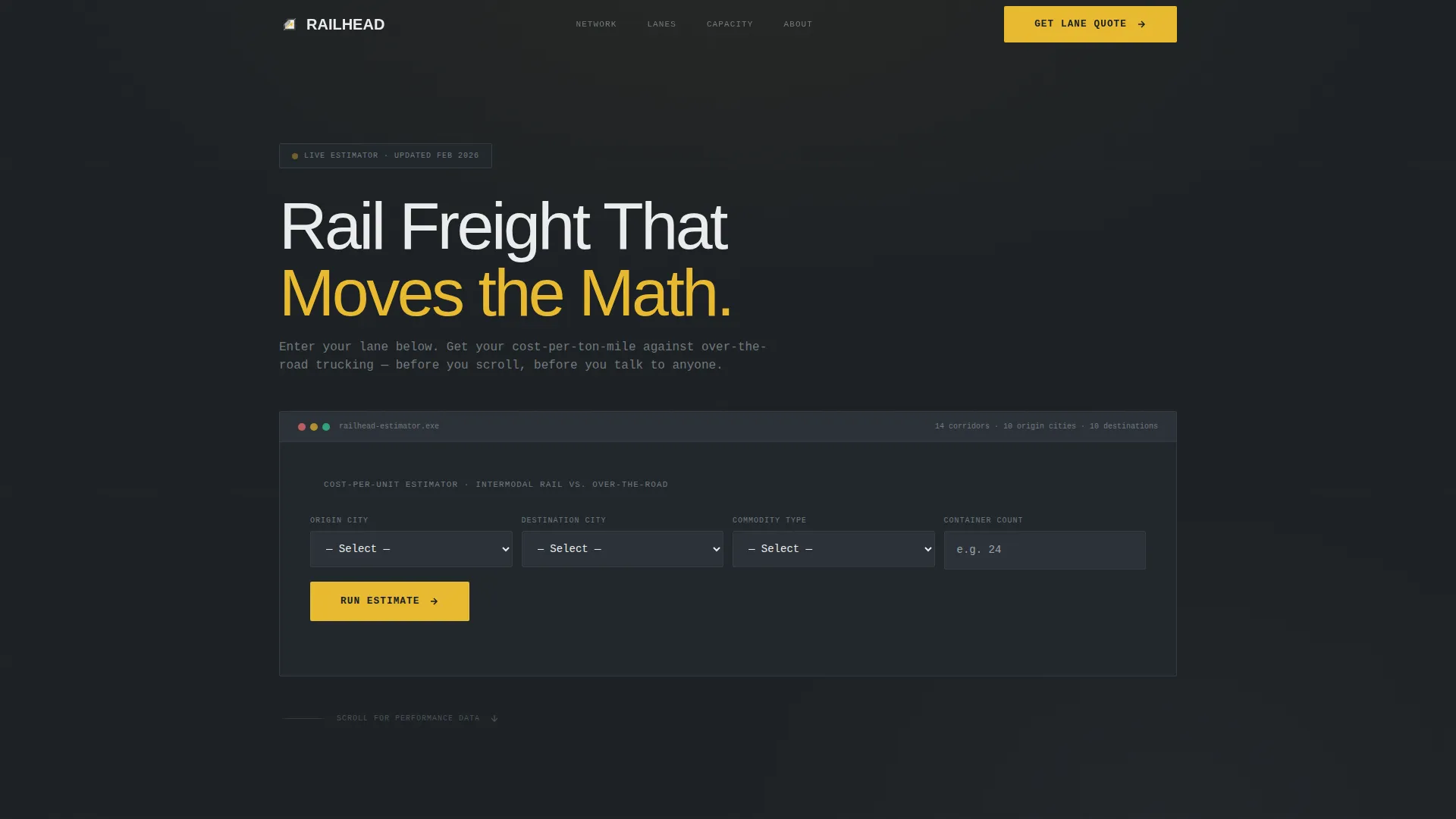
- A live Cost-Per-Unit Calculator pre-built above the fold with fields for origin city, destination city, commodity type, and container count
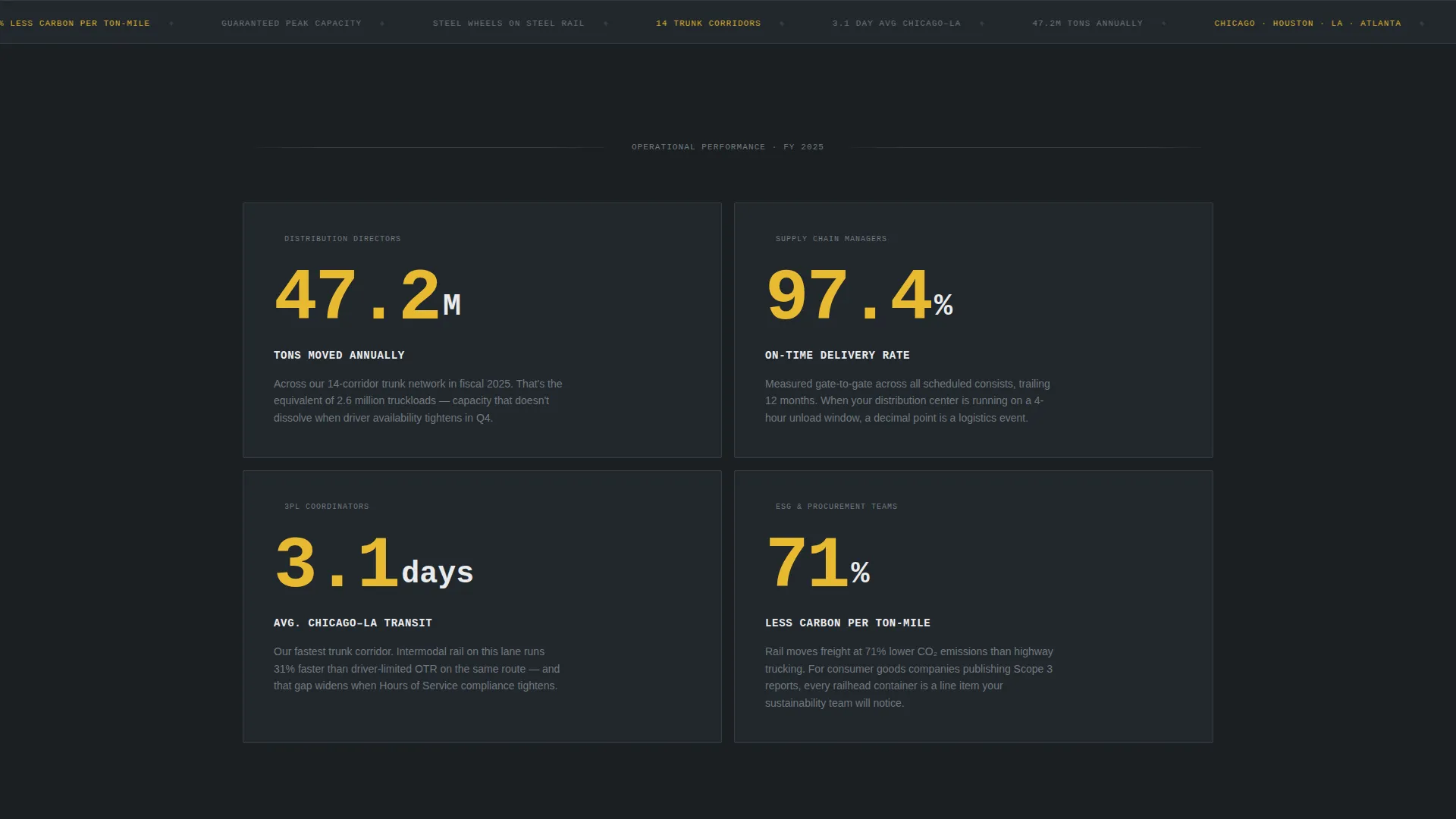
- A stats-first content flow with oversized signal-yellow figures followed by contextual paragraphs
- Two distinct conversion paths: a primary "Get Your Lane Quote" call to action and a secondary "Download Our Network Map" PDF gate
Feature list
This template ships with purpose-built sections and a clear visual hierarchy. Each feature below reflects a deliberate design and layout decision from the source brief.
Above-the-Fold Cost Estimator
The header section is a fully laid-out Cost-Per-Unit Calculator. Visitors enter origin city, destination city, commodity type, and container count. The tool returns an estimated cost-per-ton-mile and shows the percentage saved versus over-the-road trucking, rendered in signal yellow with large monospaced numerals.
Stats-First Impact Sections
Each scroll increment leads with an oversized single figure in signal yellow against deep graphite. Figures cover tons moved annually, average transit time on key lanes, on-time delivery rate, and carbon emissions per ton-mile versus highway alternatives. A short paragraph beneath each number explains who it matters to and why.
Dual Conversion Path Layout
The primary call to action is "Get Your Lane Quote," anchored after the calculator result and repeated at the page bottom. A secondary path, "Download Our Network Map," captures earlier-stage visitors through a lightweight PDF gate requiring only company name and email.
Carbon Fiber Color System
The template applies a four-tone palette: deep graphite (#1B1F23) for backgrounds, rail-steel silver (#71797E) for section dividers and secondary text, signal yellow (#E8B931) for accents and interactive elements, and concrete white (#EAECED) for data cards and surface lifts.
Single-Column Flow Layout
The layout is a strict single-column structure. There are no sidebars or competing visual lanes. The reader moves in one direction, through one argument, toward one decision.
Data Card Surface System
Stats and cost output figures are displayed on concrete white cards lifted off the dark graphite background. The contrast mimics a manifest pinned to a dispatch board, keeping numerical data readable at a glance.
Page sections overview
| Section | Purpose |
|---|---|
| Cost-Per-Unit Calculator | Delivers immediate rail-versus-road cost comparison above the fold |
| Annual Tonnage Stat | Opens the stats-first sequence with total freight volume |
| Transit Time Stat | Shows average transit time across key rail lanes |
| On-Time Delivery Stat | Establishes reliability with a headline delivery percentage |
| Carbon Emissions Stat | Compares rail emissions per ton-mile against highway alternatives |
| Primary call to action Block | Anchors the "Get Your Lane Quote" click-through after the calculator |
| Network Map Gate | Captures early-stage prospects with a PDF download requiring name and email |
| Page Bottom call to action | Repeats the lane quote call to action at scroll completion |
Design & branding system
The visual identity follows a Service Utility theme. The palette is built around the industrial reality of rail freight: functional, dark, and precise. Nothing is decorative for its own sake.
- Deep graphite (#1B1F23) dominates all backgrounds, with rail-steel silver (#71797E) used for section dividers and secondary text
- Signal yellow (#E8B931) marks every interactive element and key metric, drawing the eye exactly where decisions happen
- Concrete white (#EAECED) surfaces data cards against the dark field, keeping numerical content sharp and legible
Mobile & speed optimization
The single-column flow structure adapts cleanly to narrow viewports without requiring layout changes. The template is built to remain functional and readable on mobile devices used by logistics professionals in the field.
- Single-column layout eliminates horizontal overflow and complex grid reflows on smaller screens
- Data cards and calculator output fields are sized for touch interaction and clear reading at mobile text scales
- Monospaced numerals and high-contrast signal yellow figures remain legible on screens in variable lighting conditions
How this template helps you convert
The page is structured as a click-through funnel. Every layout decision reduces friction between the first number a visitor sees and the quote request they submit.
- The above-the-fold calculator delivers a personalized cost comparison before the visitor scrolls, making the financial case immediate and specific to their actual lane.
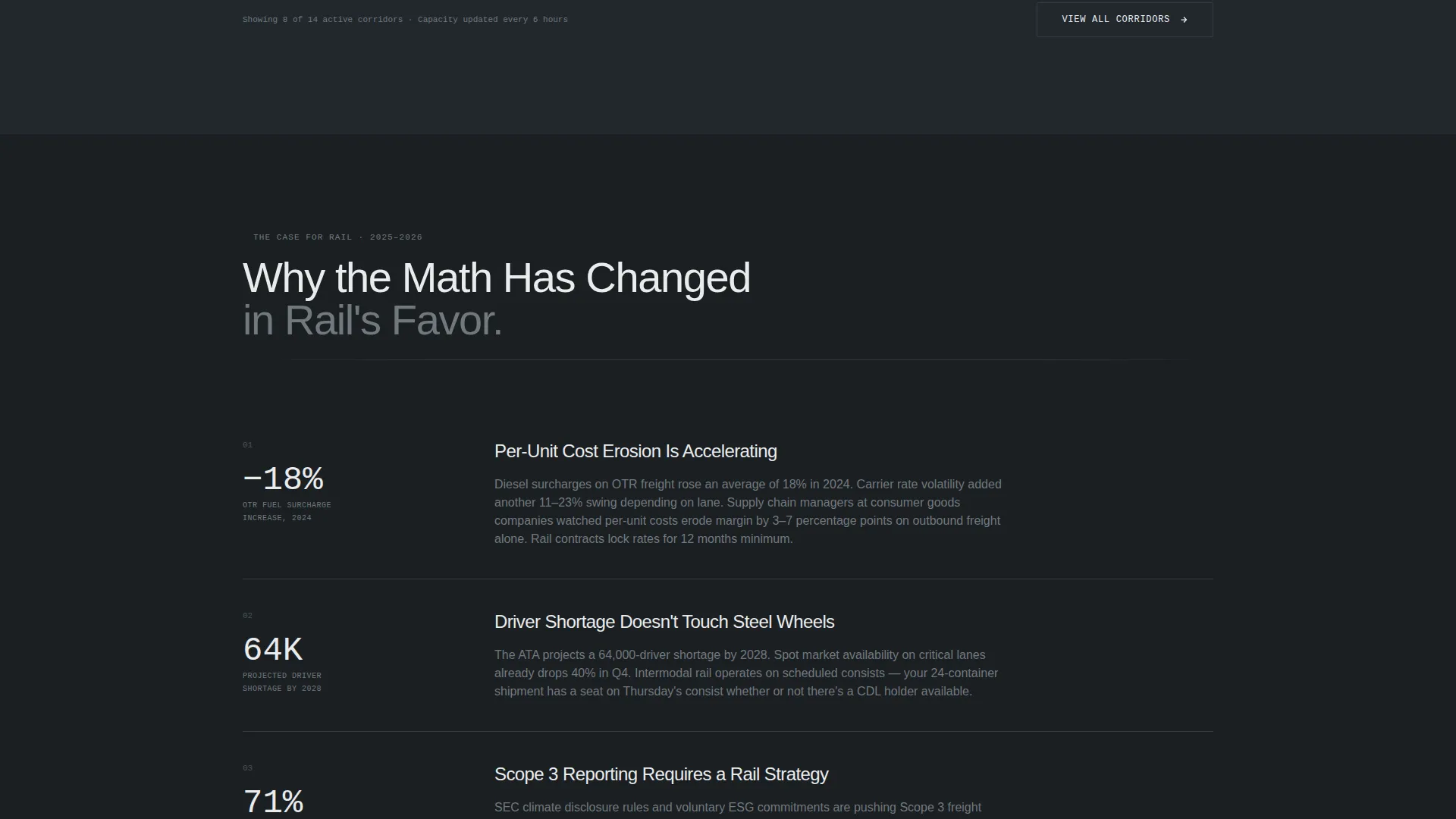
- The stats-first scroll sequence compounds credibility with each section, so by the time the visitor reaches the bottom call to action, the argument is already built.
- Two conversion paths serve different buyer stages: the lane quote request captures ready buyers, while the network map PDF gate retains prospects who need more time.
Other information about this template
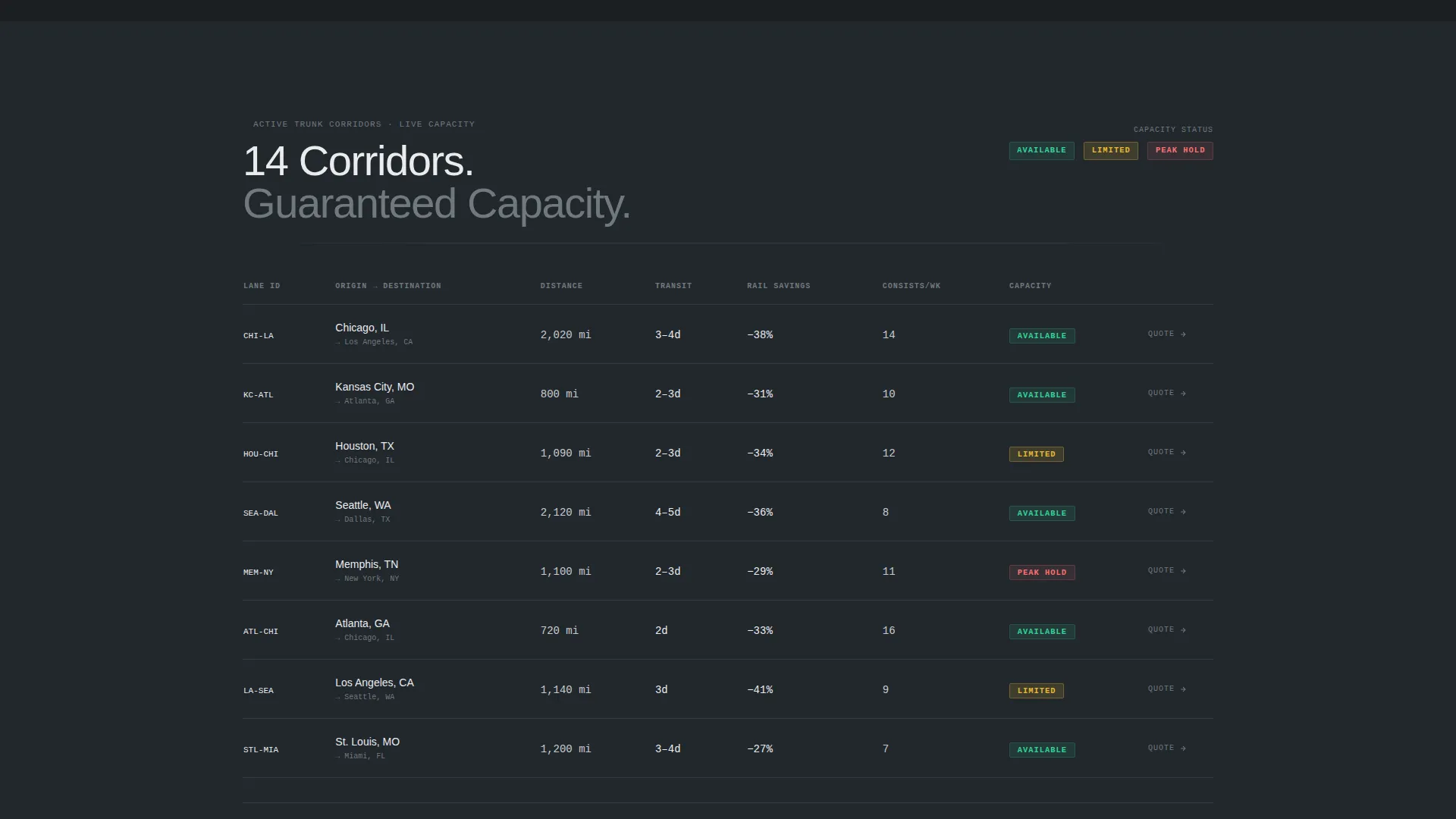
Railhead is designed for a niche that rewards precision over polish. The template avoids hero imagery and taglines because the target audience is trained to distrust vague marketing language. The math does the work.
- The template fits rail freight operators, intermodal logistics providers, and freight brokerage services targeting industrial shippers
- The PDF gate section can support early-stage pipeline capture without requiring a full quote commitment from the prospect
- The calculator output section is visually designed to make the cost differential feel like a discovery the visitor made themselves, not a claim the operator made for them
- This layout is well-suited for freight and cargo service providers in the logistics and supply chain sector who compete primarily on cost and reliability data
Theme
Service Utility
Creative direction
Stats-First Impact
Color system
Carbon Fiber
Style
Single Column Flow
Direction
Click-Through
Page Sections
Above-the-fold Cost Estimator
Stats-first Scroll Sequence
Dual Conversion Path Layout
Carbon Fiber Color System
Data Card Surface System
Single-column Flow Structure
Related questions
What kind of business is this template built for?
Does the template include a contact form?
Can I adapt the calculator section for my own lane data?
How many calls to action does this template include?
What makes this template different from a generic logistics page template?