Corporate Training & L&D FAQ Website Template
Ramp is a structured onboarding landing page template built for People Ops leads and HR teams at growing startups. It uses a zigzag FAQ-driven layout, animated metric counters, and a freemium call-to-action flow to turn scattered first-day chaos into a clear, confidence-building pitch for a new hire training platform.
by Rocket studio
Quick summary
Ramp is a single-page landing page template designed for onboarding and new hire training platforms. It pairs a stats-led header with a conversational FAQ zigzag layout, a botanical color system, and a low-friction freemium trial flow. The result feels organized, warm, and ready to earn trust from the first scroll.
Who this template is for
This template is built for teams who run onboarding at scale and need a landing page that speaks directly to their audience's pain points. It is specific enough to resonate immediately with the right visitor.
- People Ops leads at 50 to 200 person startups managing manual onboarding checklists
- HR directors at scaling companies watching time-to-productivity stretch beyond 90 days
- Team leads tired of repeating the same new hire walkthrough for every incoming cohort
What problem this template solves
Onboarding platforms often struggle to communicate their value quickly. Visitors arrive skeptical and anxious, not convinced. This template addresses that by mirroring the exact questions a People Ops lead would search for, then answering each one with clarity and proof.
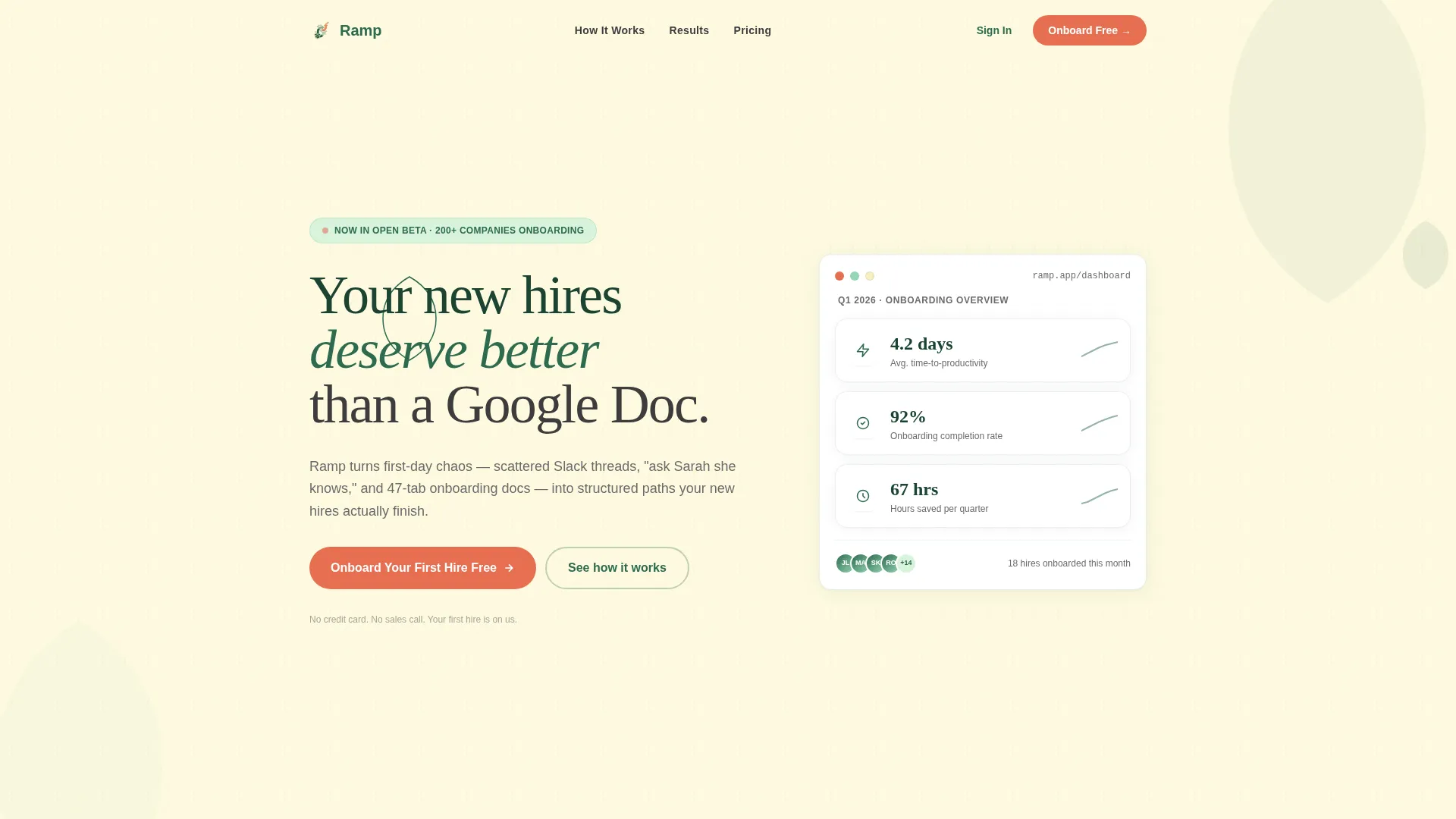
- Scattered first impressions: the header anchors trust instantly with animated performance metrics
- Visitor doubt: FAQ-driven sections surface and resolve real objections before they become exits
- High drop-off from long forms: the freemium flow asks only for work email and company size
What you get with this template
You get a fully structured landing page layout ready to represent an onboarding and new hire training platform. Every section has a clear role, and nothing is there by accident.
- An animated stats header with three live metric counters and a single punchy headline
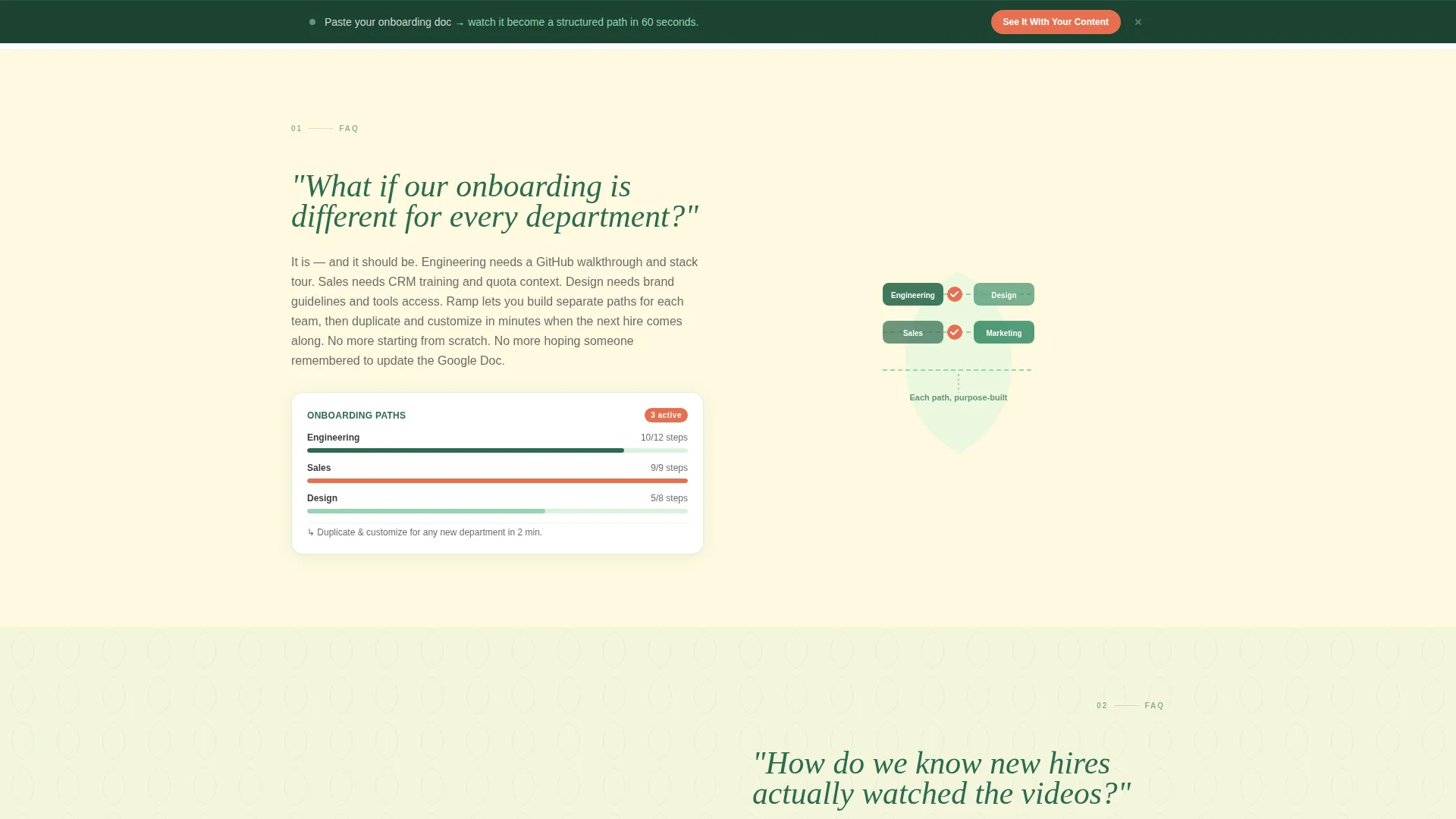
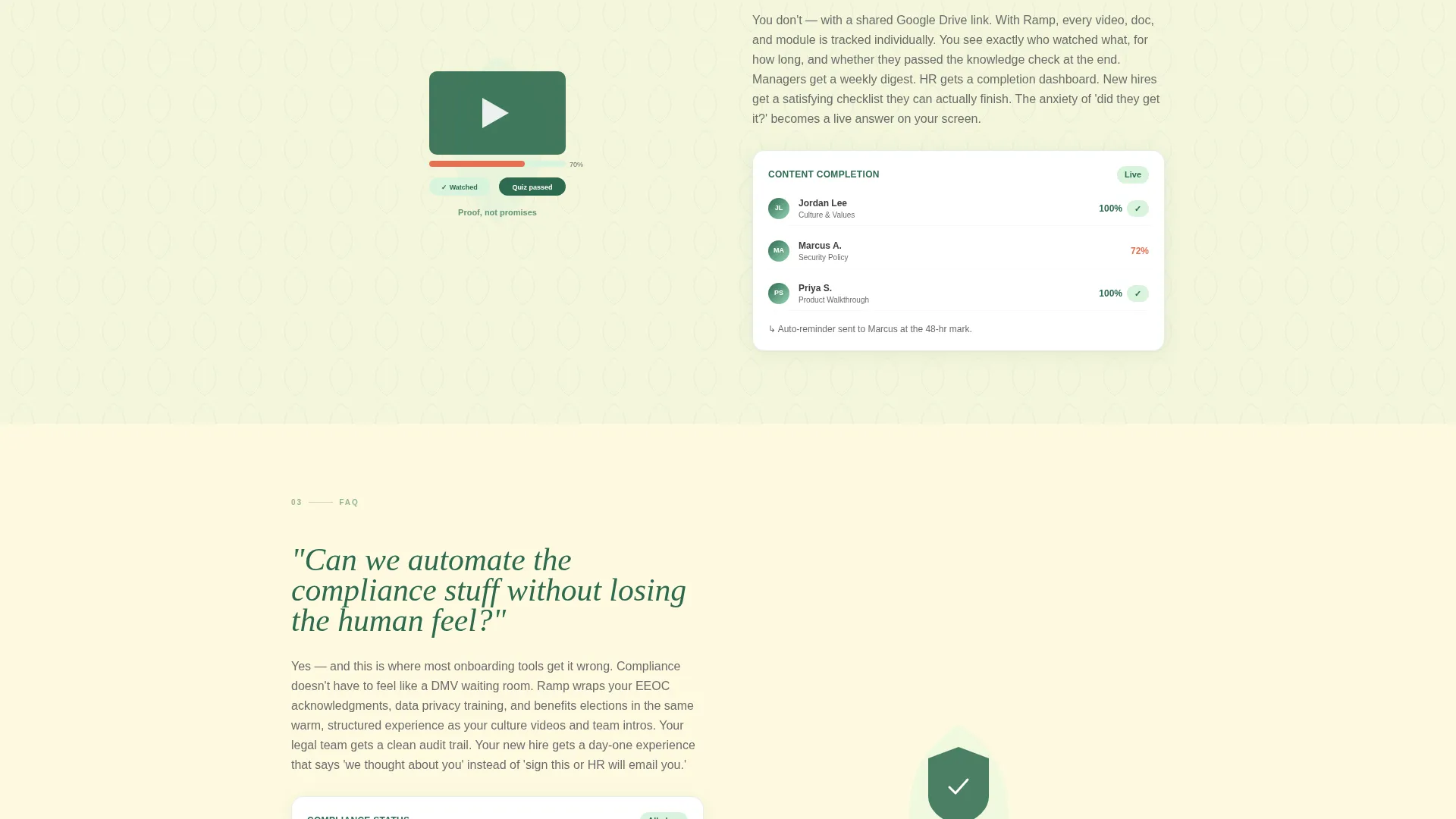
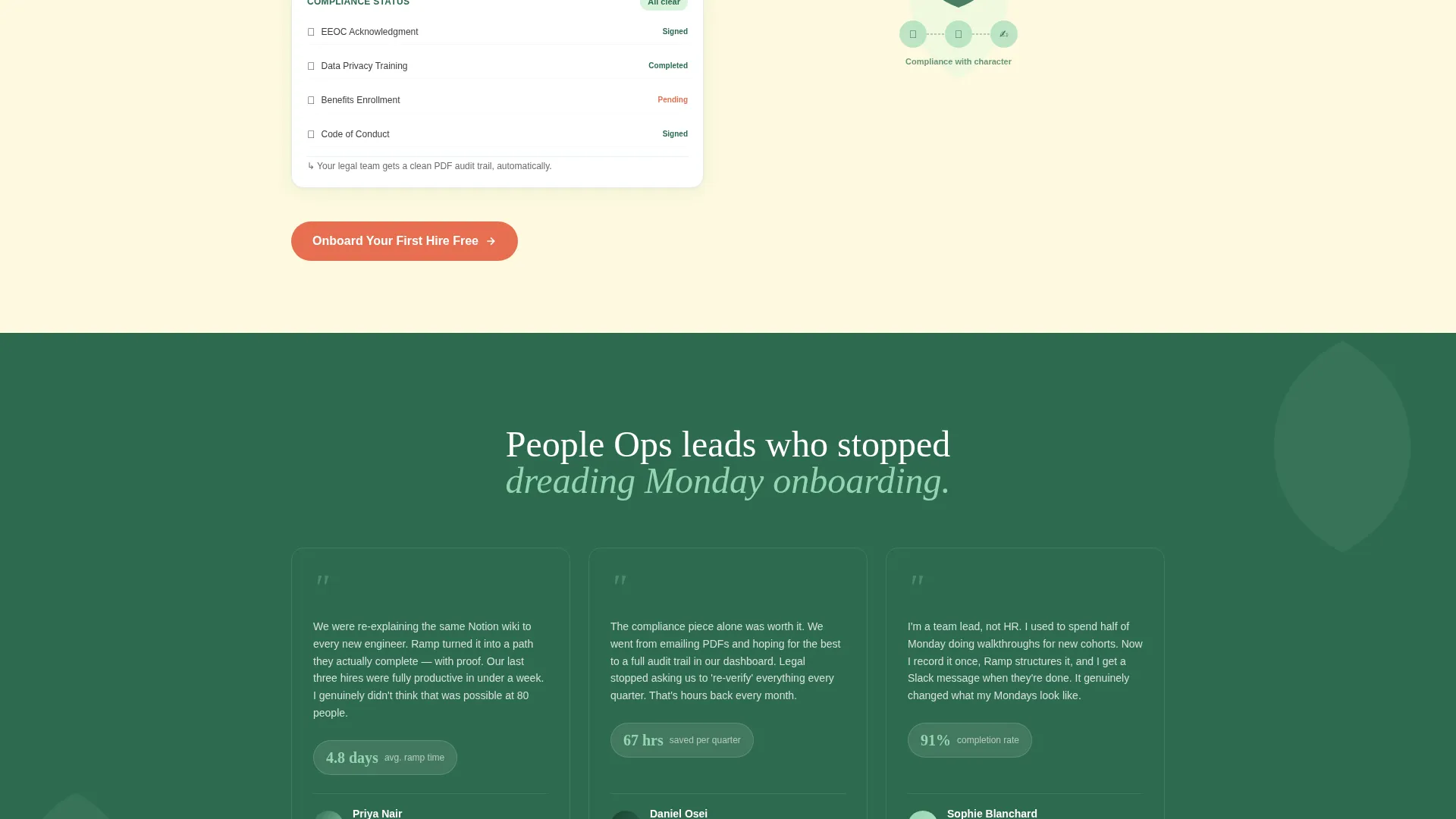
- A zigzag FAQ section layout where each block pairs a real ops question with a short answer, geometric illustration, and micro-demo screenshot slot
- Repeating persimmon call-to-action buttons and a sticky secondary bar linking to a self-serve sandbox experience
Feature list
This template is built around purposeful components. Each one is designed to reduce hesitation and move the visitor toward action.
Animated Metric Counter Header
Three counters ease into their final values on page load inside rounded geometric cards with leaf-shaped icon accents. The numbers shown are "4.2 days avg. time-to-productivity," "92% onboarding completion rate," and "67 hours saved per quarter." The animation gives the page an immediate feeling of live performance.
FAQ-Driven Zigzag Layout
Each alternating section opens with a real, slightly anxious question a People Ops lead would type into a search bar. The answer unfolds on the opposite side with a short paragraph, a geometric illustration slot, and a micro-demo screenshot area. The scroll reads like a conversation with someone who has already solved your problem.
Freemium Trial Call-to-Action System
The primary call-to-action button "Onboard Your First Hire Free" appears in persimmon beneath the header and repeats after every third FAQ block. A sticky secondary bar runs throughout the page, offering a self-serve sandbox link for visitors who want to test with their own content before committing.
Minimal Conversion Form
The sign-up form captures only work email and a company size dropdown with three options: 10 to 50, 50 to 200, and 200 or more. Everything else is deferred to the in-product experience. This keeps friction close to zero while still qualifying the lead.
Botanical Color System with Geometric Accents
Backgrounds alternate between warm parchment and low-opacity soft sage. Geometric leaf shapes tile subtly behind content blocks. Text uses deep fern for weight and warm charcoal for body copy, creating a greenhouse-meets-concrete-floor visual atmosphere.
Escalating Question Narrative Arc
The FAQ sections are sequenced intentionally. Questions move from logistical worry to strategic ambition, pulling the visitor from "Can this even work?" toward "What would our company look like if every hire ramped in a week?" The arc creates momentum through the page.
Page sections overview
| Section | Purpose |
|---|---|
| Stats Header | Anchor trust with animated performance counters and headline |
| Primary call to action Block | Invite visitors to onboard their first hire free |
| FAQ Block One | Address departmental onboarding variation concerns |
| FAQ Block Two | Resolve video completion and progress tracking doubts |
| FAQ Block Three | Handle compliance automation with a human-feel assurance |
| Repeating call to action Block | Re-invite action after every third FAQ section |
| Sticky Secondary Bar | Offer self-serve sandbox access throughout the scroll |
| Minimal Sign-Up Form | Capture work email and company size with minimal friction |
Design & branding system
The template follows a Playful Geometric theme built on a Botanical color system. The palette feels alive but grounded, like a greenhouse with concrete floors.
- Core colors: deep fern (#2D6A4F) for headlines, soft sage (#95D5B2) for alternating backgrounds, warm parchment (#FEFAE0) as the base, and ripe persimmon (#E76F51) reserved exclusively for buttons and notification badges
- Geometric leaf shapes tile subtly behind content blocks as background texture, reinforcing the botanical identity without cluttering the layout
- Sharp corners on cards and layout elements balance the organic color palette, keeping the design structured and professional
Mobile & speed optimization
The template layout is structured for clean rendering across screen sizes. The zigzag alternating layout stacks gracefully on smaller viewports.
- Alternating left-right content blocks reflow into single-column stacks on mobile without losing the conversational rhythm
- The sticky secondary bar remains accessible at all scroll depths on both desktop and mobile, keeping the sandbox offer always visible
- The minimal two-field form reduces input burden on mobile, where long forms create the highest drop-off risk
How this template helps you convert
Every design and copy decision in this template is aimed at reducing hesitation and earning action. The structure moves visitors through a predictable emotional journey.
- The animated metric header creates immediate credibility. Visitors see proof before they read a single sentence of pitch copy.
- The FAQ zigzag layout disarms objections one by one in the visitor's own language, replacing doubt with confidence as they scroll.
- The repeated persimmon call-to-action button and always-visible sticky bar ensure the conversion path is never more than a glance away.
Other information about this template
This template sits inside the Corporate Training and Learning and Development category, specifically targeting the onboarding and new hire training niche. It is a strong fit for platforms competing in this space.
- Template style: Zigzag alternating layout with FAQ-driven creative direction
- Header concept: Stats and metrics scene with animated counters
- Landing page direction: Freemium and free trial focused
- Visual theme: Playful Geometric with a Botanical color system
- Ideal company size served by this template's audience: 50 to 200 person startups and scaling teams
Theme
Playful Geometric
Creative direction
FAQ-Driven
Color system
Botanical
Style
Zigzag/Alternating
Direction
Freemium/Trial
Page Sections
Animated Metric Counter Header
Faq-driven Zigzag Layout
Freemium Trial Call-to-action System
Minimal Two-field Sign-up Form
Botanical Geometric Visual System
Escalating Narrative Question Arc
Related questions
Can I customize the FAQ questions and answers in this template?
Does the template include the animated counter behavior out of the box?
How does the sticky secondary bar work?
Is the minimal sign-up form included in the template?
Who is this landing page template best suited for?



