Chemistry Education Education Website Template
Catalyst is a sidebar companion landing page template designed for interactive chemistry practice and quiz applications. It features a persona-driven hero, frequently asked question-anchored scroll sections with live demo areas, a sticky sidebar progress tracker, and a calm Educational Guide aesthetic built on a Soft Mist color palette. A focused, conversion-ready starting point for EdTech teams.
by Rocket studio
Quick summary
Catalyst is a carefully designed sidebar companion landing page template for chemistry practice and quiz applications. It combines a Persona Selector hero, a series of frequently asked question-anchored interactive demo sections, and a sticky progress sidebar into one cohesive, conversion-ready layout. The template is built to help students learn, explore, and commit to signing up without feeling pressured.
Who this template is for
This template is designed for EdTech teams, independent developers, and educators who need a polished landing page for a chemistry-focused application. It fits perfectly when the app serves more than one type of user and needs to speak to each one clearly.
- High-school students preparing for Advanced Placement Chemistry exams who need fast, targeted drill resources
- Pre-med college students who need to solve organic reaction problems and survive their first university chemistry class
- Homeschool parents who want to evaluate a rigorous, structured chemistry curriculum for their children
What problem this template solves
Most landing pages for chemistry apps lead with a generic feature list and a sign-up wall. Students and parents land on the page, read a few bullet points, and leave before they understand the value. This template flips that approach entirely.
- It lets each user type self-identify through a Persona Selector so the page content feels specific to them
- It uses real questions students type into search bars to anchor each section, making it easier to understand the app's value before committing
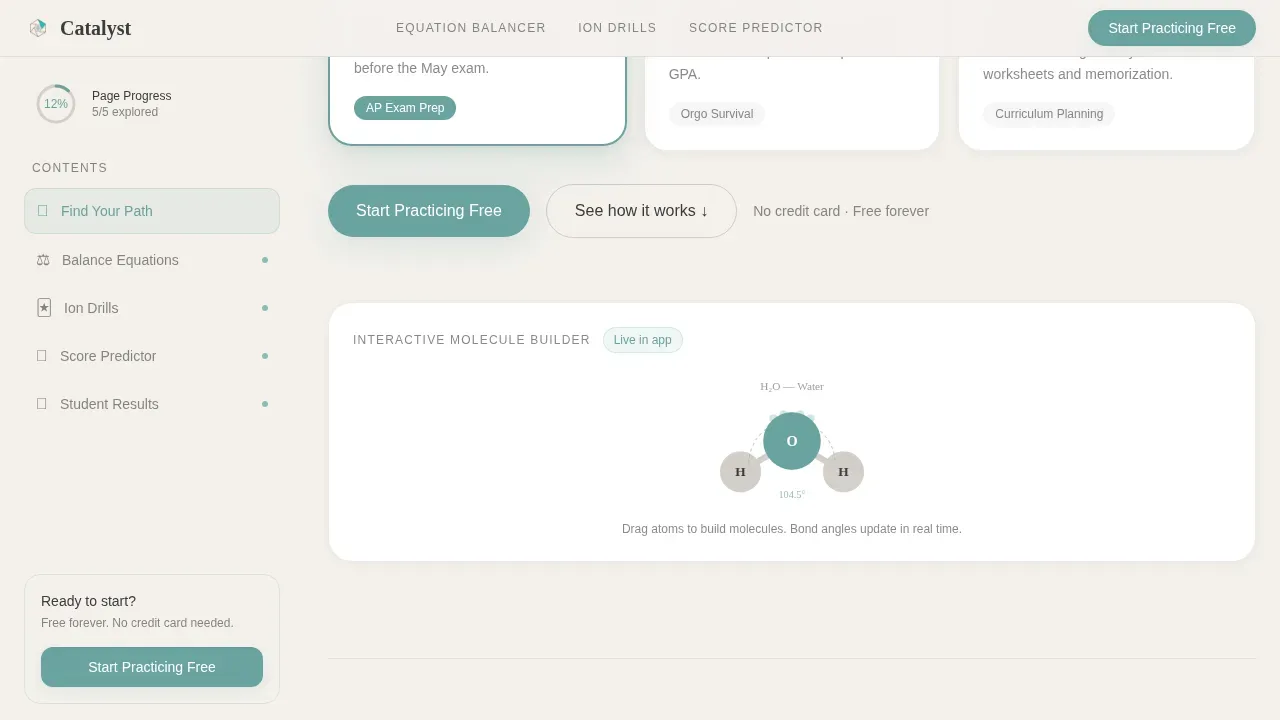
- It gives visitors a taste of the app experience directly on the landing page, reducing hesitation and making the call to action feel like a natural next step
What you get with this template
You get a fully structured sidebar companion landing page that is designed to display the app's interactive value immediately. Every section is purposefully built to support chemistry education use cases from top to bottom.
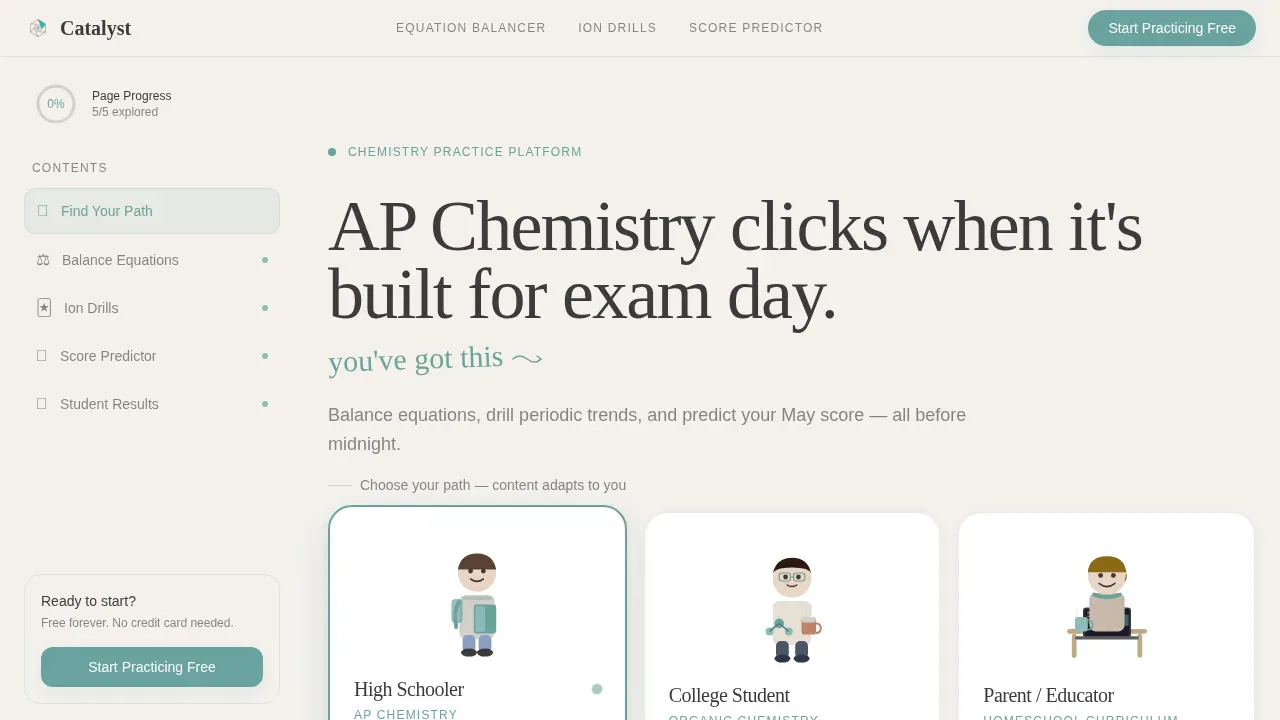
- A hero section with three illustrated Persona Selector figures and a headline designed to shift based on the selected persona
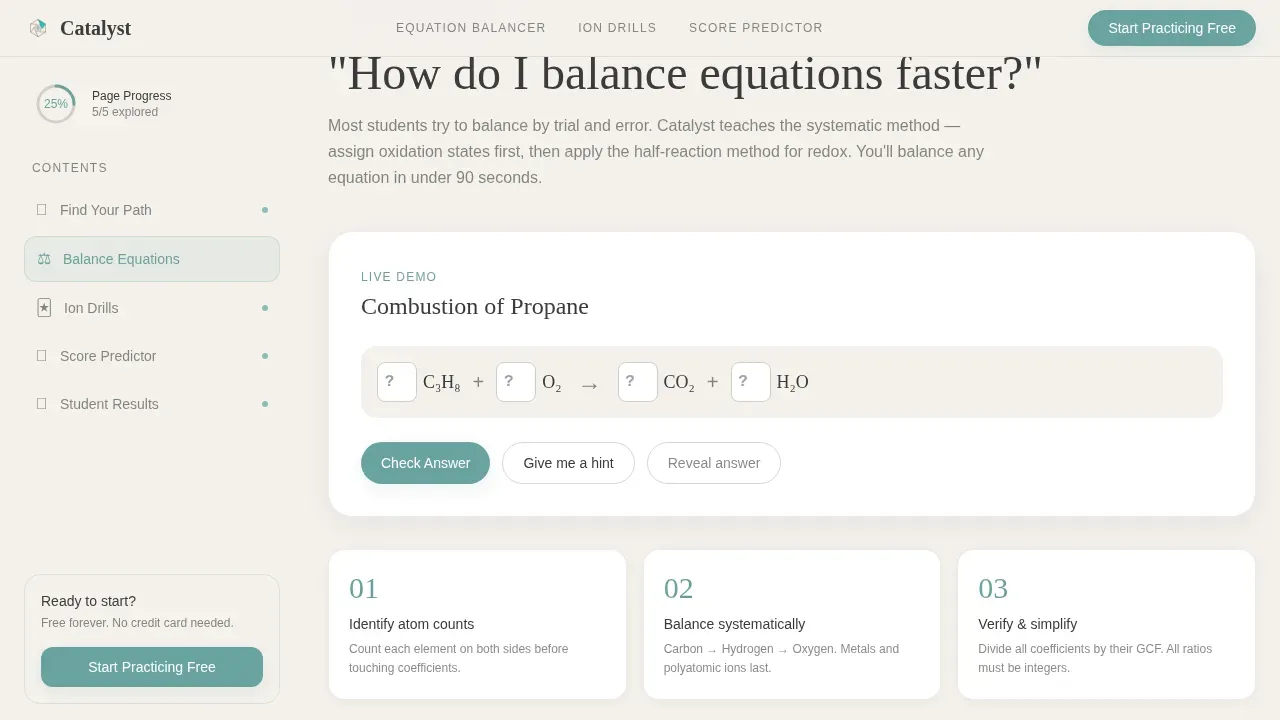
- A series of frequently asked question-anchored demo sections, each paired with a functional interactive element such as a live equation balancer, a spaced-repetition flashcard drill, and a practice exam score predictor
- A sticky sidebar that tracks scroll progress with a visual ring, acting as a table of contents so visitors can jump between topics
Feature list
This template provides a focused set of designed components that work together to create a guided, engaging experience on every landing page visit.
Persona Selector Hero
The hero opens with three illustrated figures rendered in a warm, hand-drawn line style against a chalk-dust white background. Each figure represents a distinct user type. Hovering over a persona shifts the page's example content automatically, so the high schooler sees stoichiometry questions, the college student sees organic reaction mechanisms, and the parent sees a curriculum planner view.
frequently asked question-Anchored Demo Sections
Each section in the main scroll is built around a real question students type when they need help. These questions define the section topic and anchor a live interactive demo directly below the answer. This structure helps visitors learn by doing rather than just read a feature description.
Sticky Sidebar with Progress Ring
The sidebar companion is always visible on desktop. It displays a table of contents linked to each frequently asked question section and includes a small progress ring that fills as the user scrolls. This turns the landing page itself into a preview of the app's guided-learning loop, reinforcing the product's core concept before any sign-up is required.
Dual Call-to-Action Layout
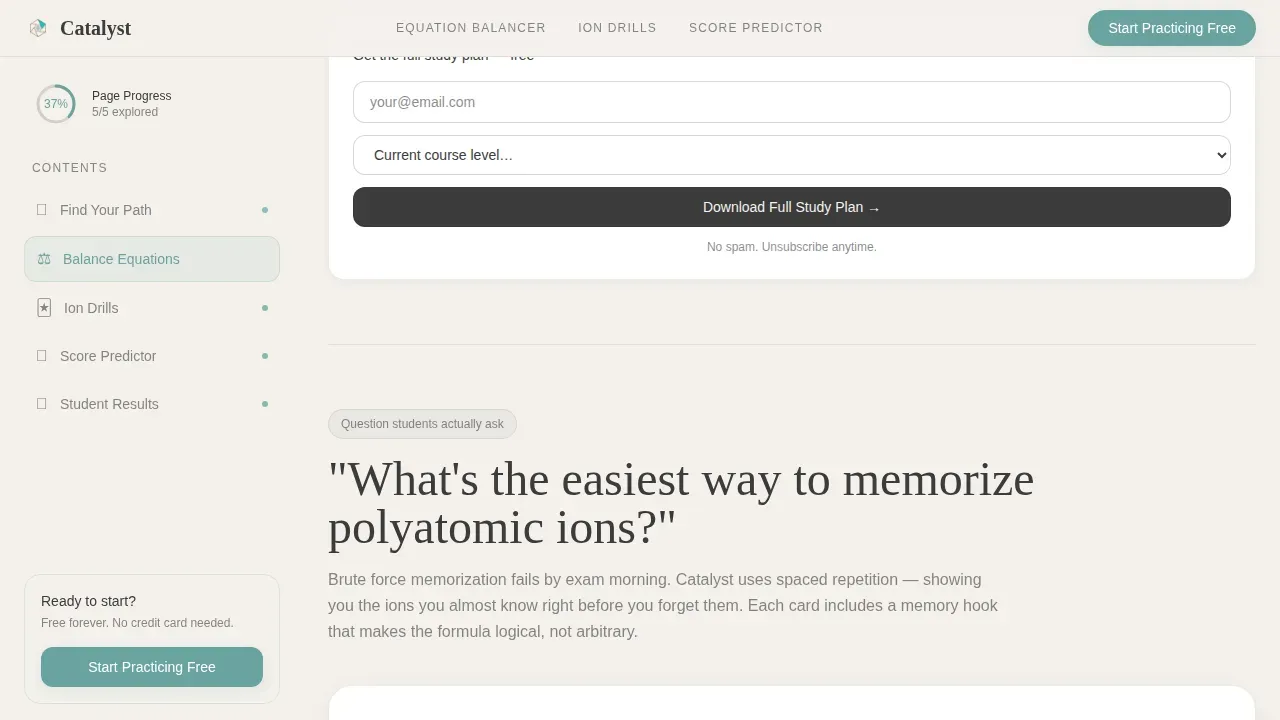
The primary call to action, "Start Practicing Free," is pinned at the bottom of the sidebar and stays visible without interrupting the reading experience. A secondary call to action, "Download the Full Study Plan," appears below each demo section and asks only for an email address and current course level. This two-step structure lets visitors proceed at their own pace.
Soft Mist Color System
The template is formatted using a four-color Soft Mist palette designed for long study sessions. Chalk-dust white, laboratory glass gray, titration-indicator teal, and pencil-graphite charcoal work together to create a calm, focused reading space. The teal accent is used sparingly so correct answers and calls to action feel rewarding without being distracting.
Social Proof Section
A dedicated section is designed to display student results with specific outcomes, named learners, and course-level context. Testimonials and real data points are laid out to build trust and protect visitors from the uncertainty that comes with trying a new app.
Page sections overview
| Section | Purpose |
|---|---|
| Persona Selector Hero | Shifts page content per selected student, college, or parent persona |
| frequently asked question Demo One | Live equation balancer anchored to a balancing-equations question |
| frequently asked question Demo Two | Spaced-repetition flashcard drill for polyatomic ion memorization |
| frequently asked question Demo Three | Practice exam score predictor tied to an ACS final question |
| Social Proof | Named student results with specific score improvements and course details |
| Sticky Sidebar | Progress ring and table of contents linking all frequently asked question sections |
| Footer | Horizontal footer layout with secondary navigation and sign-up reference |
Design & branding system
The visual identity follows an Educational Guide theme that feels like a well-annotated university textbook. Every design decision is made to protect the visitor's focus and reduce eye fatigue during long study sessions.
- Typography uses DM Serif Display for headings and IBM Plex Sans for body text, with handwritten accent elements that add a personal, margin-note quality to the layout
- The Soft Mist color system applies chalk-dust white (#F4F1EC) as the base, laboratory glass gray (#D2CFC9) for secondary surfaces, titration-indicator teal (#6BA3A0) as the single action and highlight color, and pencil-graphite charcoal (#3B3B3B) for all body text
- Scroll reveal animations and persona-switching transitions are set to a medium intensity, keeping the page lively without distracting students who are trying to evaluate the app quickly
Mobile & speed optimization
This template is designed with a desktop-first approach that reflects how most students use a study application, on a laptop late at night. The layout adapts cleanly to tablet and mobile device sizes so the experience remains usable across every screen.
- The sticky sidebar collapses gracefully on smaller device screens, ensuring the progress ring and call to action remain accessible without crowding the main content
- Interactive demo elements are built as isolated client components, keeping the rest of the landing page static and fast so pages load quickly even on slower connections
- Touch-friendly button sizing and spacing is applied throughout so students on mobile can proceed through each section without frustration
How this template helps you convert
The template is designed around a content-first conversion philosophy. Visitors receive real answers and functional demos before they are ever asked to sign up.
- The Persona Selector immediately signals that the app understands the visitor's specific situation, whether they are in a high-school class, a college course, or a homeschool setting, building trust before a single feature is listed.
- Each frequently asked question demo section provides a working interactive element that lets the user experience the app's core value directly on the landing page, so the "Start Practicing Free" action feels like a continuation rather than a commitment.
- The "Download the Full Study Plan" secondary call to action sits below each demo and requires only an email address and course level, making it simple to capture interest from visitors who are not yet ready to create a full account.
Other information about this template
This template sits in the Education and Training category, under the Chemistry Education subcategory, and is purpose-built for the Chemistry Practice and Quiz App niche. It belongs to the top categories of EdTech landing pages designed around interactive, persona-driven content strategies.
- The catalyst interactive chemistry practice app landing page template is a ready-to-use sidebar companion layout that covers the full top categories of chemistry education use cases in one structured file
- Design layers are organized and clearly labeled so developers and designers can add, remove, or update elements without disrupting the overall structure, making it a practical library resource for teams working on chemistry application landing pages
- The template references a set of application design principles consistent with high-converting chemistry app pages: a clean hero image, whitespace-led layout, app screenshots placed in context, and benefit-driven headlines that define value immediately
- Detailed information about each section, including persona logic and demo component placement, is documented within the template structure so teams can proceed with confidence during setup
- The layout is well-suited for teams who previously relied on generic templates and want something more specific to the chemistry education space
- Student life context matters here: the design acknowledges that the people using this landing page are often exhausted, time-pressured, and skeptical, so every section is designed to earn trust with data and demos before asking for anything in return
Theme
Educational Guide
Creative direction
FAQ-Driven
Color system
Soft Mist
Style
Sidebar Companion
Direction
Content/Resource
Page Sections
Persona Selector Hero Section
Faq-anchored Interactive Demo Areas
Sticky Sidebar with Progress Tracking
Dual Call-to-action System
Soft Mist Educational Design System
Social Proof and Results Section
Related questions
Who are the three personas in the Persona Selector hero?
Does this template include the interactive demos, or are those placeholder zones?
Can I update the Soft Mist color system to match my own brand?
How does the sticky sidebar progress ring behave on the page?
Is the template structured for AP Chemistry or college-level curriculum alignment?



