Chemistry Education Reviews Website Template
Reagent is a chemistry flashcard and review landing page template built for EdTech study tools. It follows a scroll-driven semester timeline, walks visitors from simple ionic bonding through multi-step synthesis, and funnels them toward a free live Cram Session webinar. The modular card grid layout, frosted-glass visual style, and inline flashcard demo make it ready for chemistry education apps targeting pre-med and AP students.
by Rocket studio
Quick summary
Reagent is a single-page landing page template designed for chemistry flashcard and review apps. It uses a Timeline Progression layout to mirror a student's semester arc, from Week 1 basics to Week 14 synthesis review. The primary conversion goal is webinar seat registration, backed by a low-commitment inline flashcard demo that captures emails without ever leaving the page.
Who this template is for
This template is built for EdTech founders, indie developers, and study-tool teams launching chemistry review apps. It speaks directly to the students those products serve, so the copy and layout feel native to the audience from the first scroll.
- Pre-med course teams and organic chemistry tutoring platforms
- AP Chemistry prep products targeting high-score outcomes
- Graduate-level study tools covering thermodynamics and qualifying-exam review
What problem this template solves
Chemistry students are overwhelmed. Reaction mechanisms, stereoisomers, and multi-step synthesis pathways pile up faster than any student can review them the night before an oral exam. A generic landing page does nothing to close that anxiety gap or earn a student's trust at 2 a.m.
- No clear visual story showing how the app paces learning week by week
- No fast on-ramp that lets skeptical students try cards before committing
- No event-registration path that converts midnight study panic into a concrete next step
What you get with this template
You get a complete, single-page layout organized into five purpose-built sections, plus a footer. Every section is modular so you can reorder or restyle without rebuilding the structure from scratch.
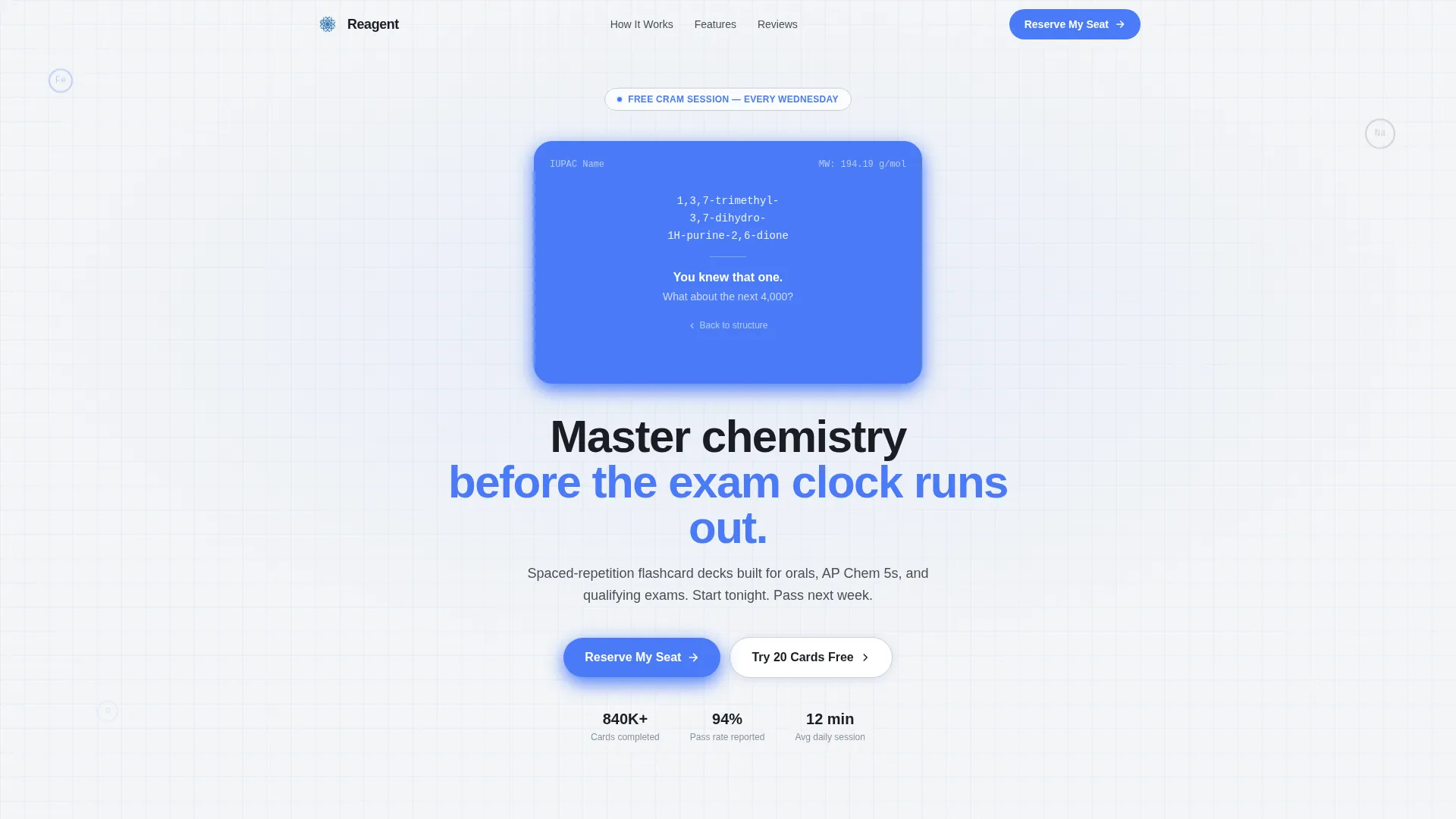
- A hero with an animated caffeine molecule SVG that flips into a flashcard on load
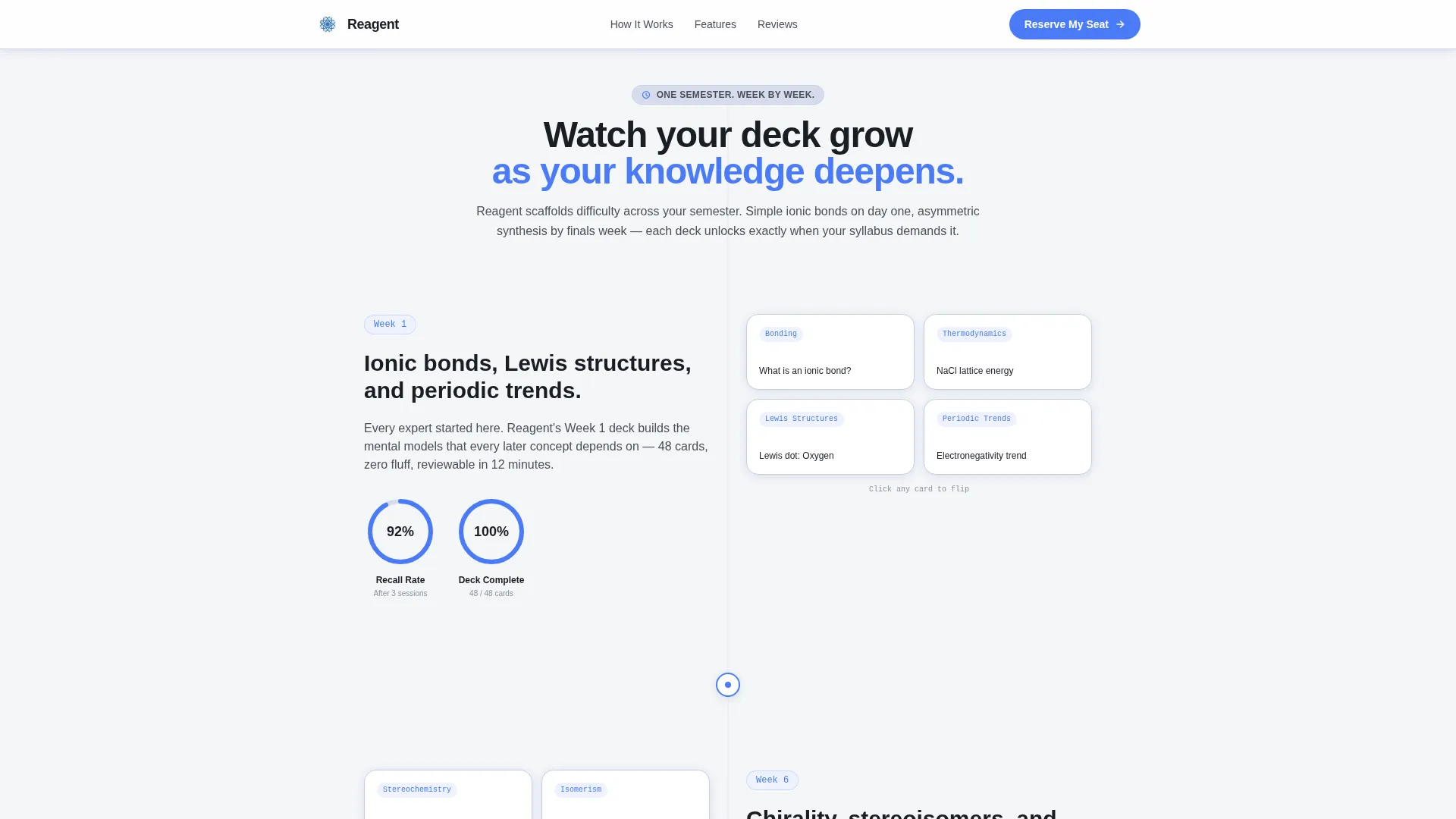
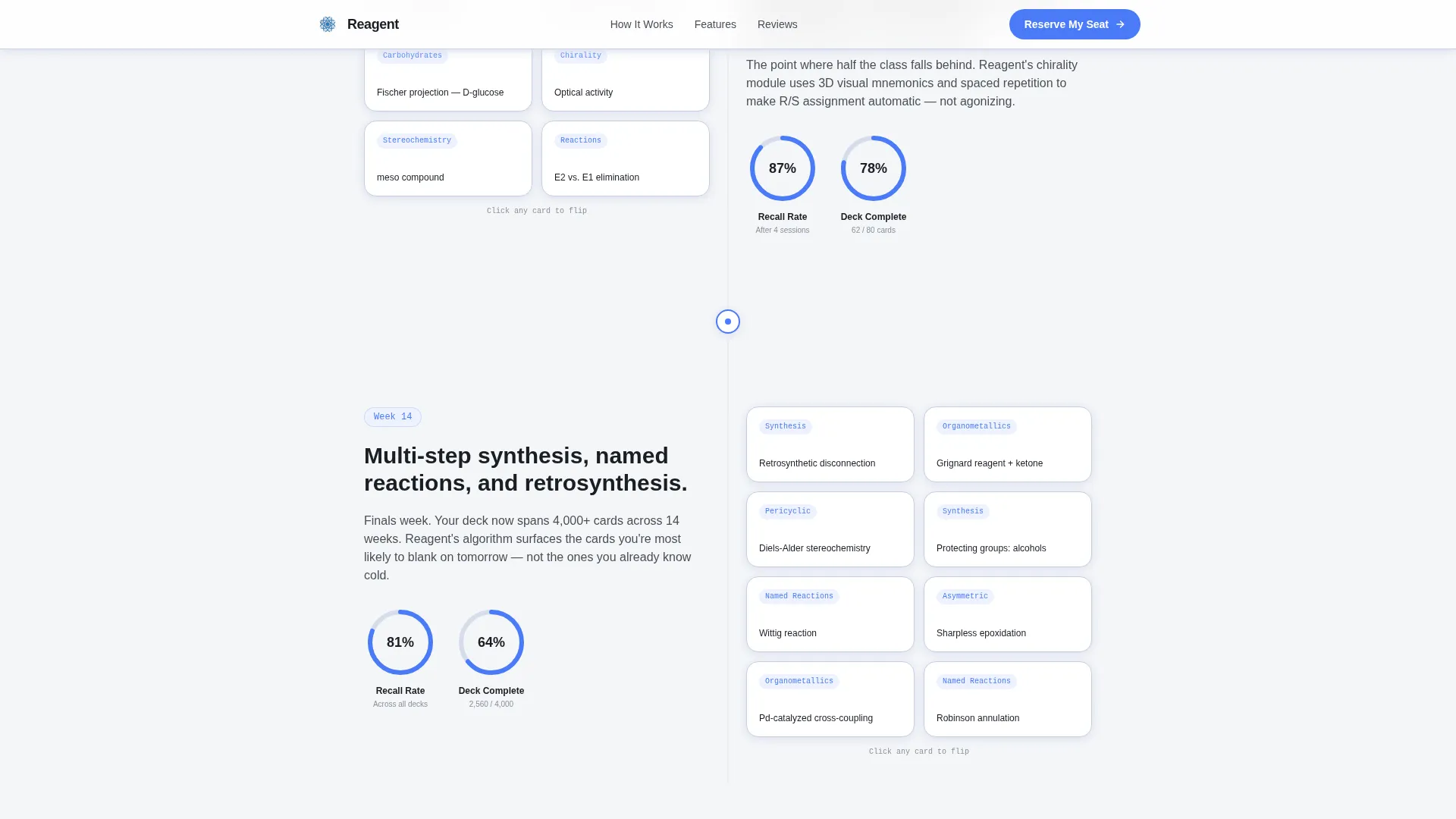
- A scroll-driven week-by-week timeline with growing card grids and progress rings
- A Cram Session registration form paired with a 20-card inline flashcard carousel demo
Feature list
This template ships with a focused set of interactive and visual features. Each one is grounded in the prompt brief and tied directly to the chemistry study-tool use case.
Animated Molecule Hero
The hero opens with a hand-drawn, blueprint-style caffeine molecule that assembles atom by atom using SVG path animation. Once the structure is complete, the card flips to reveal the IUPAC name, molar mass, and a prompt challenging the visitor to keep going. The effect sets the tone for the entire spaced-repetition experience before a visitor reads a single word of copy.
Scroll-Driven Semester Timeline
Three timeline sections walk visitors through Week 1 ionic bonding cards, Week 6 chirality decks, and Week 14 multi-step synthesis grids. Card density grows visually as the visitor scrolls, making the product's learning progression tangible. Progress rings fill in sync with scroll position, rehearsing the mastery feeling the app itself delivers.
Inline Flashcard Carousel Demo
A low-commitment "Try 20 Cards Free" path opens a mini flashcard carousel directly on the page without any redirect. The carousel collects an email on completion, giving product teams a second lead-capture touchpoint alongside the webinar form.
Cram Session Registration Form
The primary conversion block is a structured registration form for a free weekly live webinar. It collects first name, an academic email address ending in.edu, current course via a dropdown, and the student's upcoming exam date. The form sits after the Week 14 section, precisely where exam-stress peaks in the scroll narrative.
Spaced Repetition Metrics Dashboard
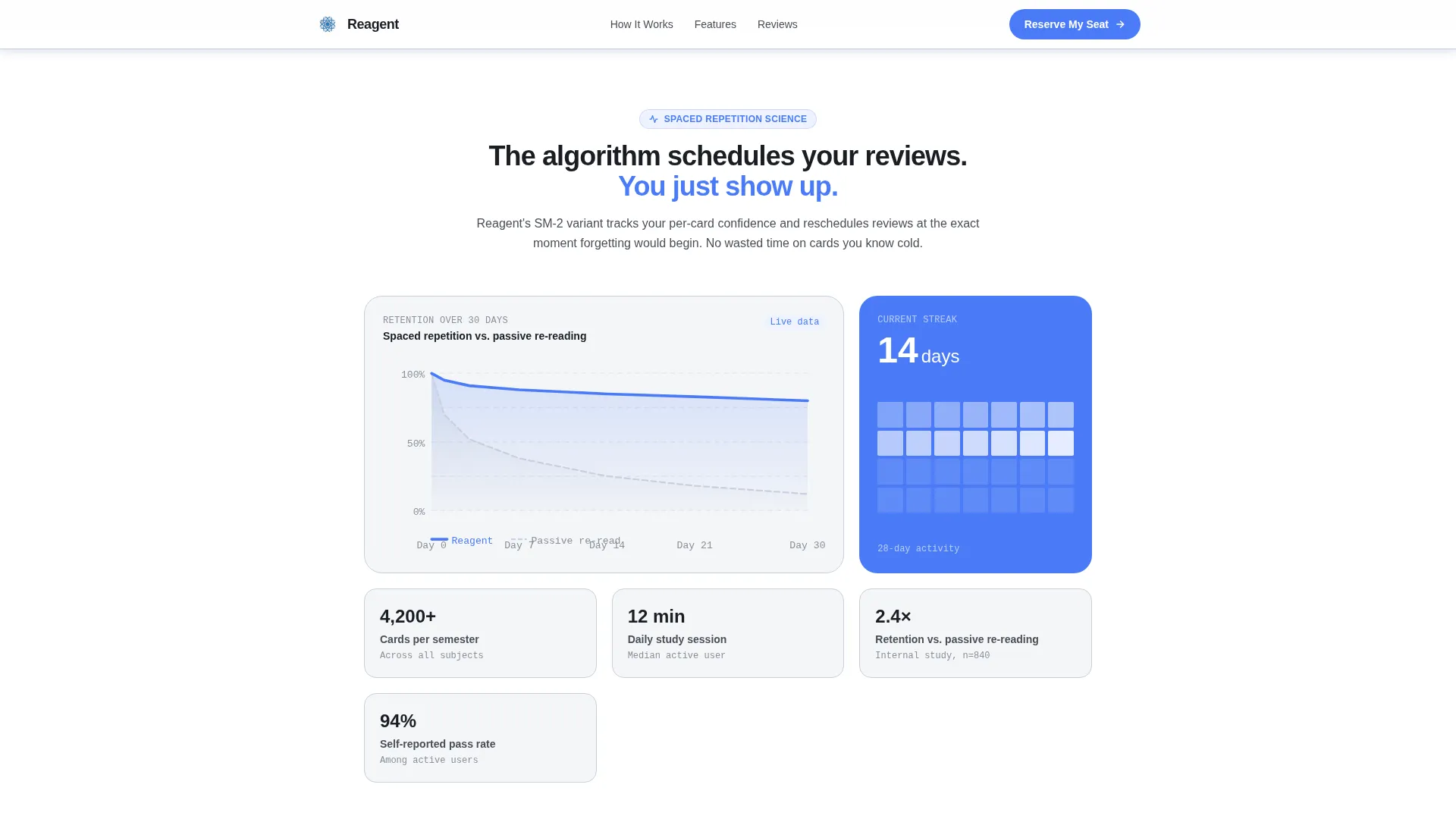
A dedicated section displays a visual dashboard with retention curves, streak data, and mastery rings. This block gives prospective users a concrete look at how the app tracks progress, making the value proposition visible rather than stated.
Stagger-Reveal Card Grid
Section content enters the viewport through IntersectionObserver-triggered stagger animations. Each card in the modular grid appears in sequence, reinforcing the feeling of building knowledge one step at a time rather than being overwhelmed all at once.
Page sections overview
| Section | Purpose |
|---|---|
| Hero with Animation | Introduce the app through a caffeine molecule SVG assembly and flashcard flip |
| Timeline Week 1 | Show simple ionic bonding card grids at the start of the semester arc |
| Timeline Week 6 | Reveal chirality and stereoisomer decks as complexity increases |
| Timeline Week 14 | Display dense multi-step synthesis review cards where exam urgency peaks |
| Metrics Dashboard | Visualize retention curves, streak data, and mastery rings |
| Social Proof | Feature student testimonials with course names, scores, and outcomes |
| Registration Block | Host the Cram Session webinar form and the inline 20-card demo carousel |
| Footer | Linear single-row footer with essential links |
Design & branding system
The visual identity follows a Corporate Precision theme executed through a Soft Mist color palette. The overall effect is a frosted-glass whiteboard in a pharmaceutical conference room: clean, ruled, and distraction-free.
- Cloud-white background (#F4F6F8), pencil-graphite body text (#4A4E57), and pale lavender mist card surfaces (#D6DCED) keep every element readable without visual competition
- A single reagent-blue accent (#4A7BF7) is reserved for interactive states, progress indicators, and call-to-action buttons so focus never splits
- Typography uses DM Sans for bold headings, Manrope for body text, and IBM Plex Mono for chemical formulas and element labels, giving scientific notation its own distinct voice
Mobile & speed optimization
The template is built mobile-first, reflecting the reality that students study on their phones at 2 a.m. Layout, touch targets, and content hierarchy are all designed for small screens before scaling up to desktop.
- Server Components handle static sections to keep the initial page load lean and fast
- Client Components are isolated to interactive elements: the molecule animation, the flashcard carousel, and the registration form with field validation
How this template helps you convert
The page is engineered around two conversion paths that work together rather than compete. Each path meets the visitor at a different level of commitment.
- The primary path drives webinar seat registration through the "Reserve My Seat" call-to-action button, pinned after the Week 14 timeline section where scroll-triggered exam anxiety is highest.
- The secondary path offers "Try 20 Cards Free" as a no-pressure inline demo. Students interact with real flashcard content, and the carousel captures their email on completion, building your list from visitors who are not yet ready to commit to an event.
Other information about this template
This template is well suited for EdTech teams building chemistry study tools on modern front-end stacks. A few additional details worth knowing before you build with it.
- The blueprint grid aesthetic and hand-drawn molecular illustration style give the page a distinctive identity that separates it from generic study-app templates
- The FAQ accordion component is included as an interactive element and can be used to address common student hesitations about the product or the free webinar format
- Animation complexity is high by design: SVG path drawing, CSS keyframes, scroll-linked progress rings, and a 3D flashcard flip are all included in the spec
- The social proof section supports student testimonials with course names, specific exam scores, and aggregate statistics such as total cards completed and exams passed
- The footer follows Pattern 1, a linear single-row layout, keeping the bottom of the page clean and uncluttered
Theme
Corporate Precision
Creative direction
Timeline Progression
Color system
Soft Mist
Style
Card Grid (Modular)
Direction
Event Registration
Page Sections
Animated Caffeine Molecule Hero
Scroll-driven Semester Timeline
Inline 20-card Flashcard Demo
Cram Session Webinar Form
Spaced Repetition Metrics Dashboard
Stagger-reveal Modular Card Grid
Related questions
What conversion goals does this template support?
Can I customize the course options in the registration form dropdown?
Does the inline flashcard demo require visitors to leave the page?
Is this template suitable for graduate-level chemistry tools?
What animation techniques are included in the template?



