Recall - Powerful Dealership Landing Page Template
Recall is a bento grid landing page template built for auto dealer appointment reminder platforms. It combines an interactive no-show cost calculator, a feature matrix grid, and a progressive lead capture form. The Dashboard Pro theme uses an Electric Indigo color system to communicate urgency, status, and revenue recovery at a glance.
by Rocket studio
Quick summary
Recall is a single-page bento grid landing page template designed for dealership notification platforms. It opens with a live revenue calculator, scrolls through a staggered feature matrix, and closes with a low-friction lead capture form. The Electric Indigo color system makes every status signal feel immediate and credible.
Who this template is for
This template is built for teams selling or promoting auto dealer appointment reminder software. It speaks directly to the people inside dealerships who feel the pain of missed appointments every single day.
- Fixed-ops directors managing service bay capacity and missed oil change revenue
- Business development center managers following up on ghosted test drive leads
- Dealer principals tracking revenue lost to empty service bays and no-show signings
What problem this template solves
Dealership staff struggle to communicate the financial cost of no-shows to prospects who may not have tracked that number themselves. A generic product page cannot make that case fast enough. This template solves the credibility and urgency gap.
- Visitors cannot see the dollar impact of no-shows until the calculator shows them their own number
- Feature-heavy platforms lose prospects who cannot connect capabilities to real outcomes
- Long forms create friction before a prospect is ready to commit
What you get with this template
You get a fully structured bento grid landing page that guides a dealership decision-maker from curiosity to qualified lead in one scroll. Every section serves a specific conversion role.
- An interactive calculator header that computes recovered revenue in real time as sliders move
- A scrollable bento grid feature matrix with hero tiles, micro-animations, and single-stat smaller tiles
- A progressive lead capture form and a secondary video demo path for warmer prospects
Feature list
This template is built around six prompt-defined capabilities, each expressed as a distinct visual component with a clear conversion role.
Interactive No-Show Cost Calculator
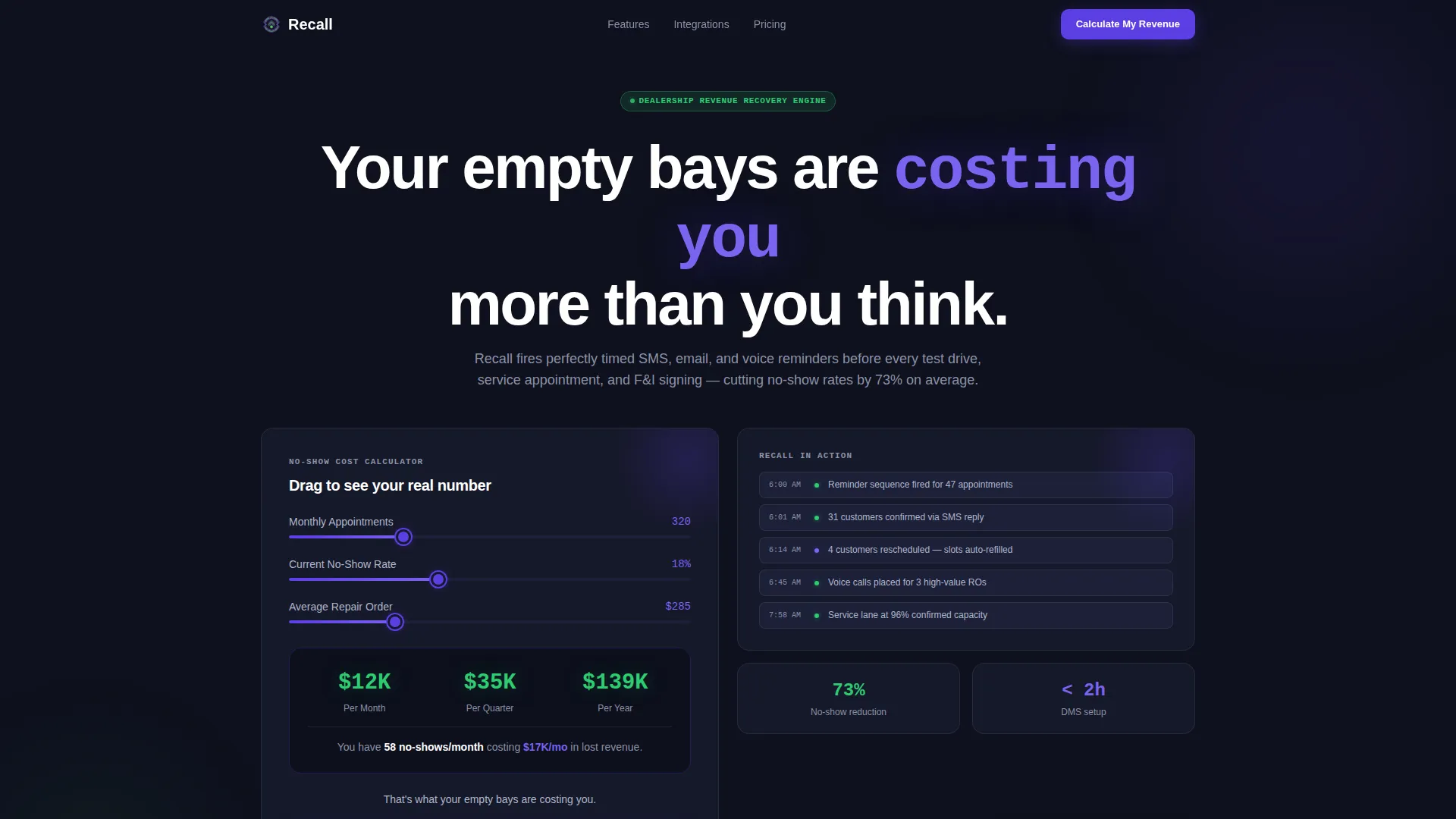
Visitors input their average monthly appointments, current no-show rate, and average repair order value using sliders. A bento tile beside the inputs animates a live dollar figure showing recovered revenue per month, per quarter, and per year. The oversized indigo numbers make the cost of inaction impossible to ignore.
Staggered Bento Grid Feature Matrix
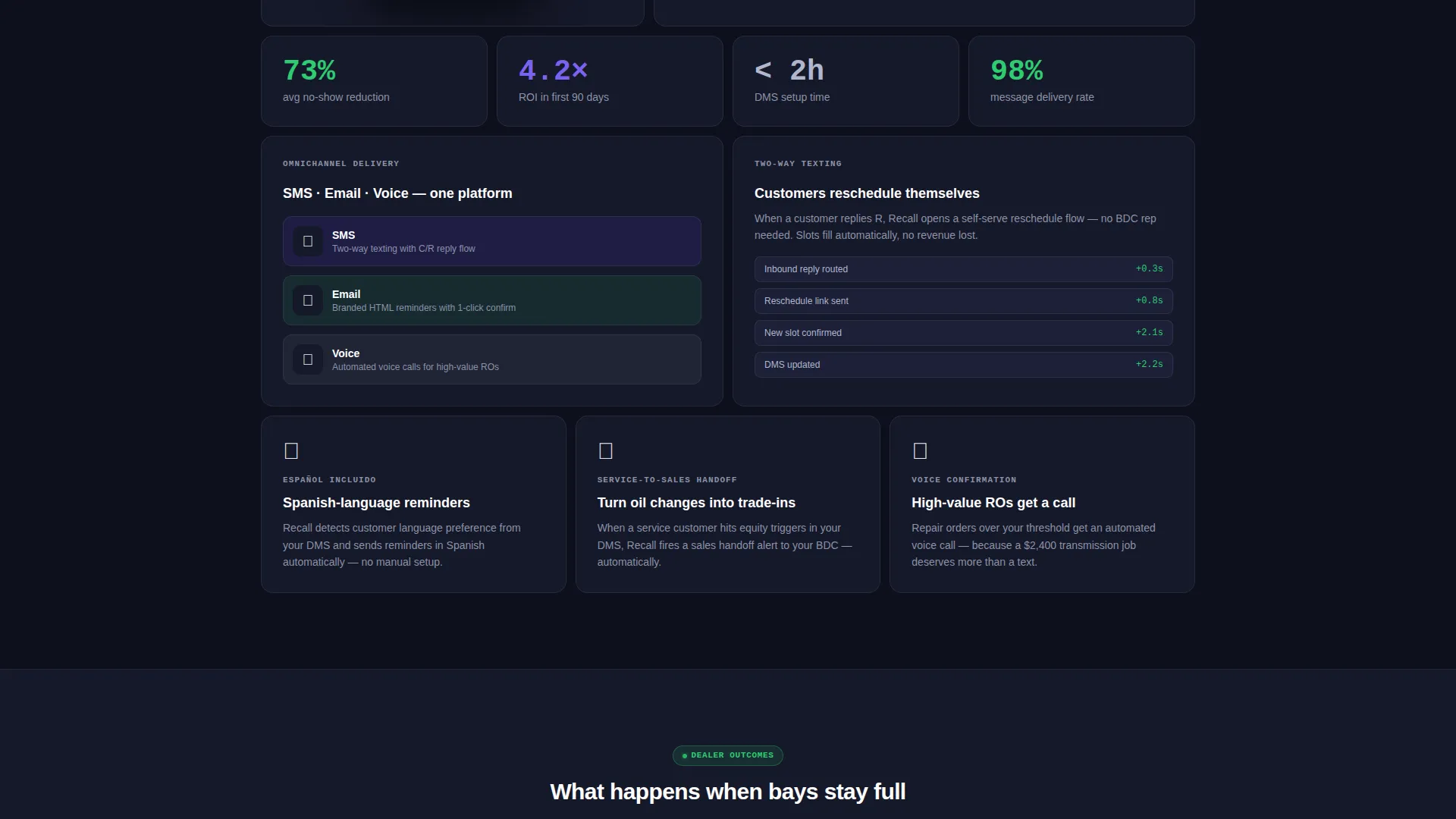
The feature section scrolls as a bento grid where each tile represents one platform capability. Hero tiles span two columns and contain micro-animations. Smaller tiles hold a single icon and one supporting stat. Tiles reveal in staggered sequence as the visitor scrolls, building a cumulative case for the product.
Hero Tile Micro-Animations
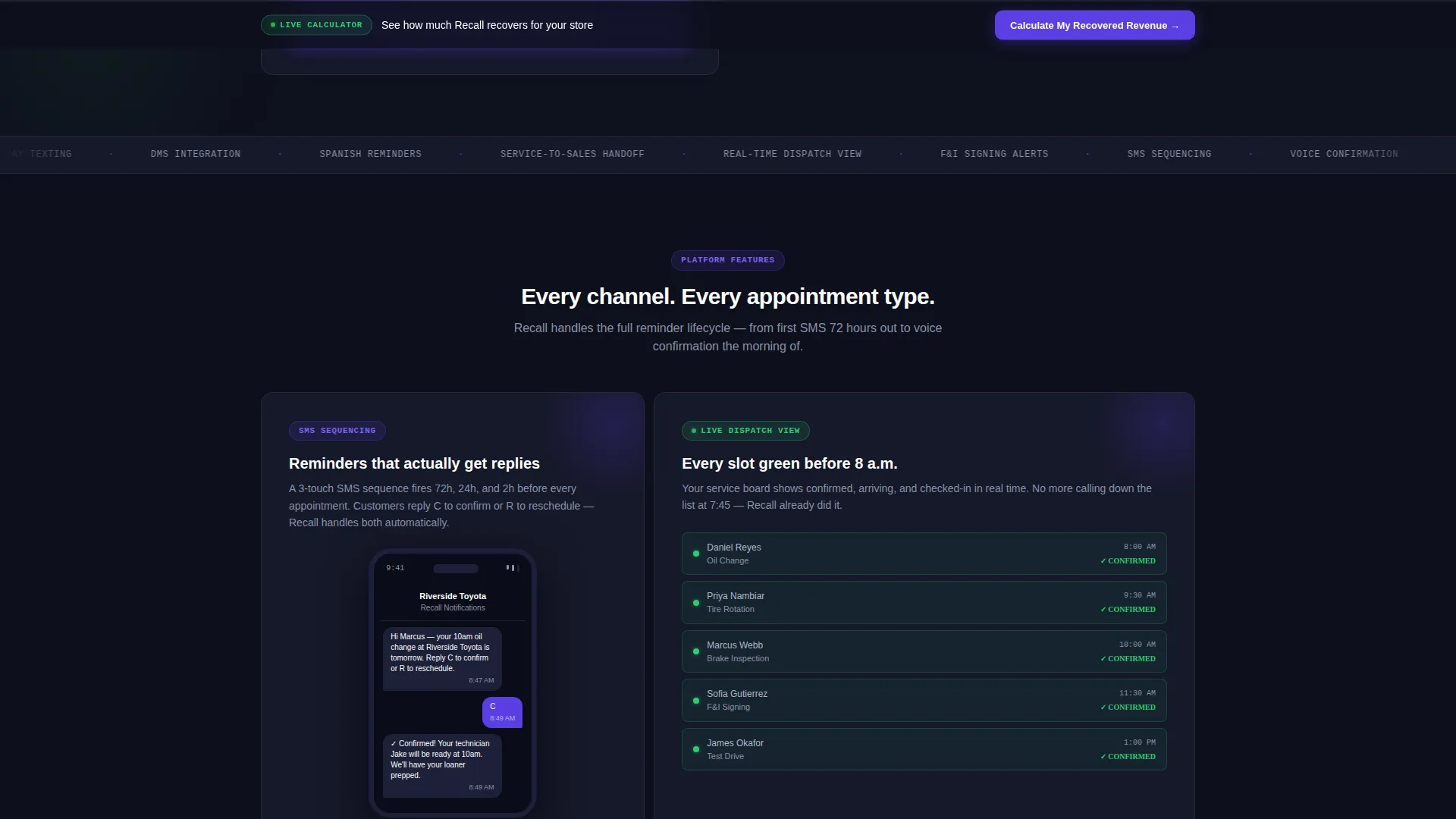
The highest-impact feature tiles include motion elements: a phone screen showing an SMS reminder arriving, and a calendar slot flipping from red to green. These animations are tied to the two-column hero tiles and reinforce the core promise of confirmed, arriving, and checked-in appointments.
Progressive Lead Capture Form
The primary call to action opens a short form that asks only for dealership name, dealer management system provider via dropdown, number of service bays, and work email. No phone field appears upfront. This keeps friction low and qualifies the lead with useful context before any follow-up.
Sticky Call-to-Action Bar
After the second scroll fold, a sticky bar repeats the primary call to action. This keeps the conversion path visible throughout the entire feature matrix scroll without interrupting the reading experience.
Secondary Video Demo Path
A "See It With Your DMS" link opens a sixty-second integration demo video. The template captures the visitor's email on play, creating a secondary lead path for prospects who want proof before filling out the form.
Page sections overview
| Section | Purpose |
|---|---|
| Calculator Header | Lets visitors compute their own no-show revenue loss in real time |
| Recovery Output Tile | Displays animated dollar figures beside the calculator sliders |
| Prompt Line | Delivers the single anchoring statement below the calculator |
| Feature Matrix Grid | Scrollable bento grid presenting each platform capability as a tile |
| Hero Feature Tiles | Two-column tiles with micro-animations for highest-impact features |
| Stat Support Tiles | Single-icon tiles with one supporting metric per capability |
| Primary call to action Section | Anchors the "Calculate My Recovered Revenue" form trigger |
| Sticky call to action Bar | Repeats the primary call to action after the second scroll fold |
| Progressive Lead Form | Collects dealership name, system provider, bay count, and work email |
| Video Demo Path | Offers a sixty-second integration preview with email gate on play |
Design & branding system
The visual identity follows a Dashboard Pro theme built around the Electric Indigo color system. The palette is designed to feel like a live dealership management system screen at early morning, every element communicating status without a word spoken.
- Deep console black (#0D0F1C) as the base background, electric indigo (#5B3FE4) for active states and data highlights, and cool slate (#8B92A8) for secondary text and divider lines
- Confirmation green (#2ECC71) reserved exclusively for confirmed badges and success state indicators throughout the grid
- Oversized indigo typography for the calculator output numbers, making recovered revenue figures the visual anchor of the header section
Mobile & speed optimization
The bento grid layout is structured to reflow gracefully across screen sizes. The staggered tile reveal and sticky bar behavior are designed with smaller viewports in mind.
- Hero tiles that span two columns on desktop collapse to full-width single-column tiles on mobile without losing their micro-animation context
- The sticky call-to-action bar remains accessible on touch devices throughout the feature matrix scroll
- The progressive form keeps field count low, which reduces load and interaction time on mobile connections
How this template helps you convert
The page is engineered so that a prospect qualifies themselves before they ever touch the form. The calculator does the persuasion work that a sales conversation would normally handle.
- The interactive calculator confronts visitors with their own revenue loss number immediately, creating a personal stake in the outcome before any feature is described.
- The staggered bento grid builds a tile-by-tile case that addresses a different objection with each reveal, so skepticism decreases as the visitor scrolls deeper.
- The low-friction progressive form and secondary video path offer two commitment levels, capturing both ready-to-act leads and slower-moving researchers in the same session.
Other information about this template
This template is categorized under Technology and the Auto Dealer Appointment Reminder niche, with a subcategory alignment to auto dealer email templates. It is built specifically for platforms that send SMS, email, and voice reminders to reduce no-show rates across test drives, service appointments, and finance and insurance signings.
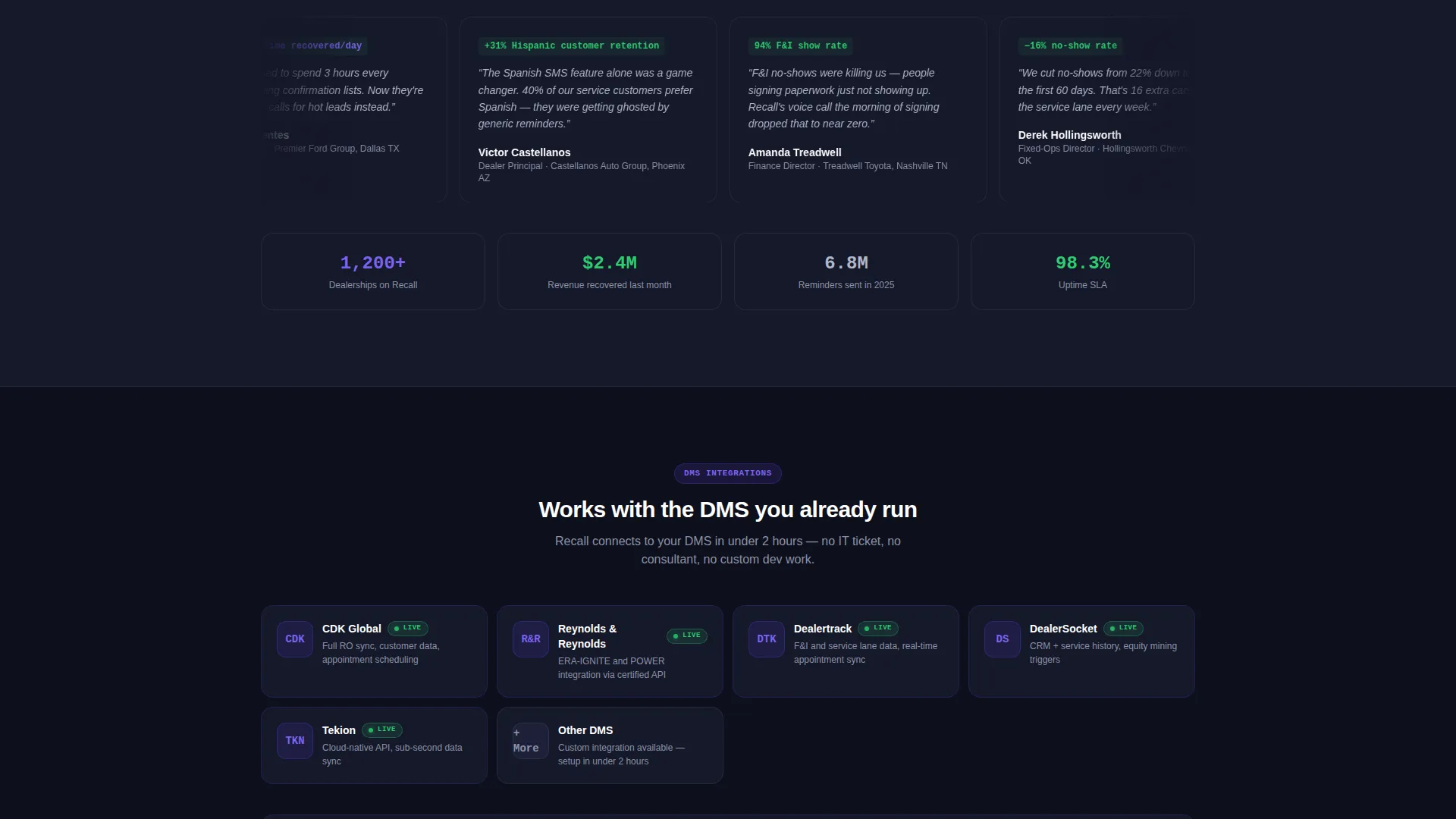
- The dealer management system provider dropdown in the lead form references integration contexts such as CDK, Reynolds and Reynolds, and Dealertrack, reflecting the DMS ecosystem that dealership buyers expect to see acknowledged
- Spanish-language reminder capability is represented as a dedicated tile in the feature matrix, signaling market reach to dealerships serving bilingual customer bases
- The service-to-sales handoff trigger tile addresses a revenue expansion use case beyond fixed-ops, relevant to variable-ops and sales managers reviewing the platform
Theme
Dashboard Pro
Creative direction
Feature Matrix
Color system
Electric Indigo
Style
Bento Grid
Direction
Lead Generation
Page Sections
Interactive Revenue Recovery Calculator
Staggered Bento Grid Feature Matrix
Hero Tile Micro-animations
Low-friction Progressive Lead Form
Sticky Call-to-action Bar
Email-gated Video Demo Path
Related questions
What kind of business is this landing page template built for?
Can I customize the calculator inputs and revenue output figures?
Does the template include a lead capture path other than the main form?
How does the bento grid handle a larger or smaller feature set?
Is this template designed for a single product or a multi-product suite?



