Accounting Firm Booking Website Template
Ledger is a coming soon landing page template built for accounting firms ready to turn messy books into a competitive advantage. It pairs an animated stats header with a stark problem-versus-solution comparison table, a launch timeline teaser, and a segmented waitlist form. The result is a page that feels authoritative and urgent before a single service goes live.
by Rocket studio
Quick summary
Ledger is a single-page coming soon template designed for accounting firms targeting small business owners, freelancers, and startups. The page opens with three animated metric counters, then walks visitors through a side-by-side comparison table that escalates from minor bookkeeping headaches to serious financial risk. Two clear calls to action capture waitlist signups before the firm officially launches.
Who this template is for
This template is built for accounting and bookkeeping professionals who want to build a waitlist before they open their doors. It works especially well when the offer is service-based and the audience needs convincing before they commit.
- Accounting firms and bookkeepers preparing a pre-launch presence
- Freelancers and independent CPAs segmenting early interest by client type
- Startup-focused financial advisors building anticipation ahead of a full service rollout
What problem this template solves
Most coming soon pages do nothing while you wait to launch. They hold a headline and an email field, and then they sit there. This template replaces that static placeholder with a conversion-focused page that actively persuades visitors while the service is still being built.
- Visitors arrive with no context and leave with no reason to return without a compelling comparison
- A generic waitlist form fails to segment leads by business type, making follow-up harder
- No launch narrative means no urgency, and no urgency means no early signups
What you get with this template
You get a fully structured coming soon landing page with every section already in place. The layout follows a deliberate Problem-to-Solution arc that guides visitors from recognizing their pain to trusting your firm's answer.
- An animated stats header with three live-counting metric displays
- A full comparison table contrasting do-it-yourself bookkeeping against your firm's approach
- A segmented waitlist form collecting email and business type, plus a secondary lead magnet path
Feature list
This template is built around a tight set of purposeful components. Each one serves the single goal of converting first-time visitors into committed early clients.
Animated Stats Header
Three large counters tick upward in real time, displaying average client tax savings, hours saved per month on bookkeeping, and the number of clean audits delivered. The numbers are set in a monospaced typeface against deep navy, with subtle grid lines behind them that reference a live financial dashboard. A headline fades in below: "Your books, handled. Launching Q1."
Problem versus. Solution Comparison Table
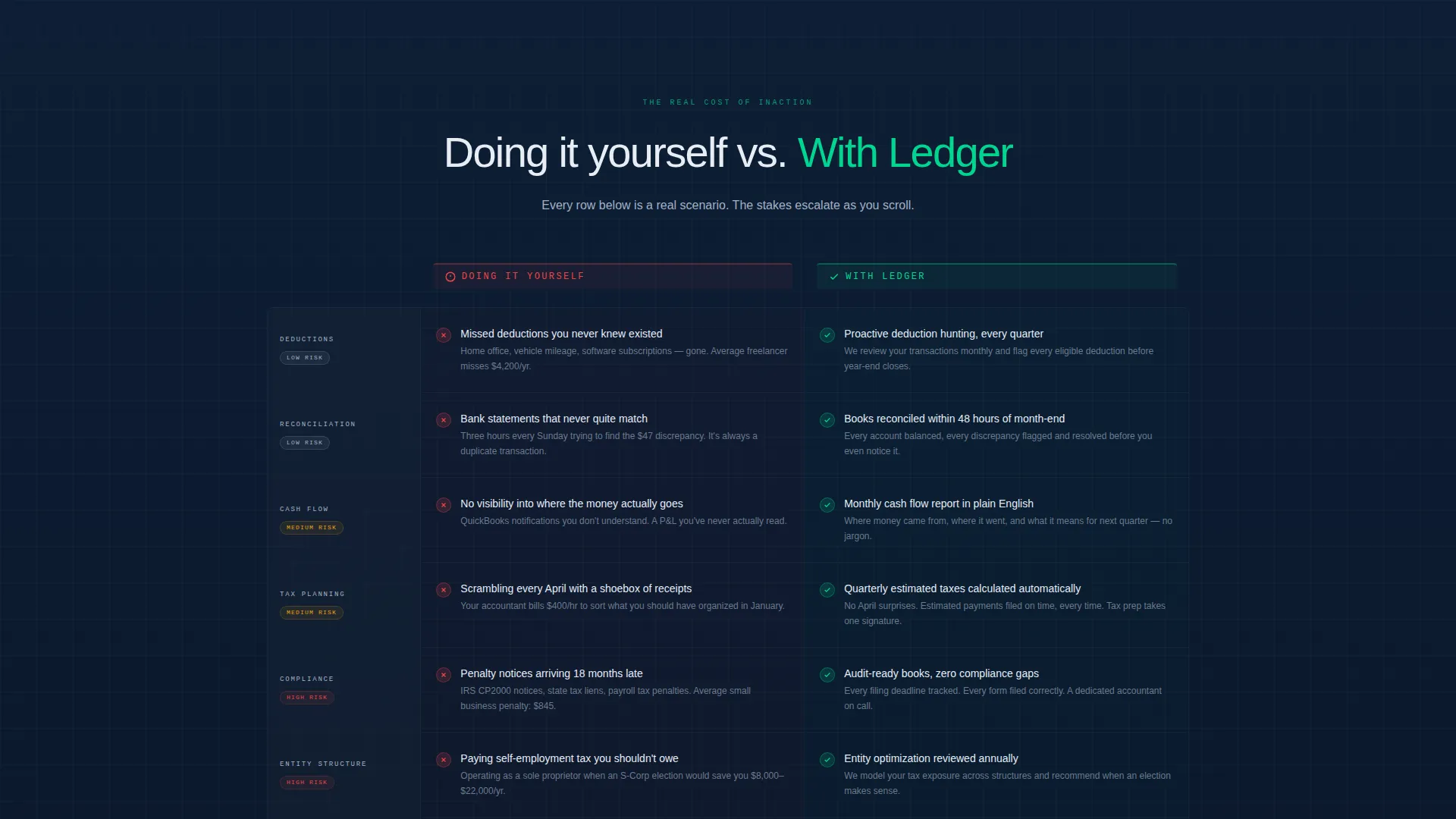
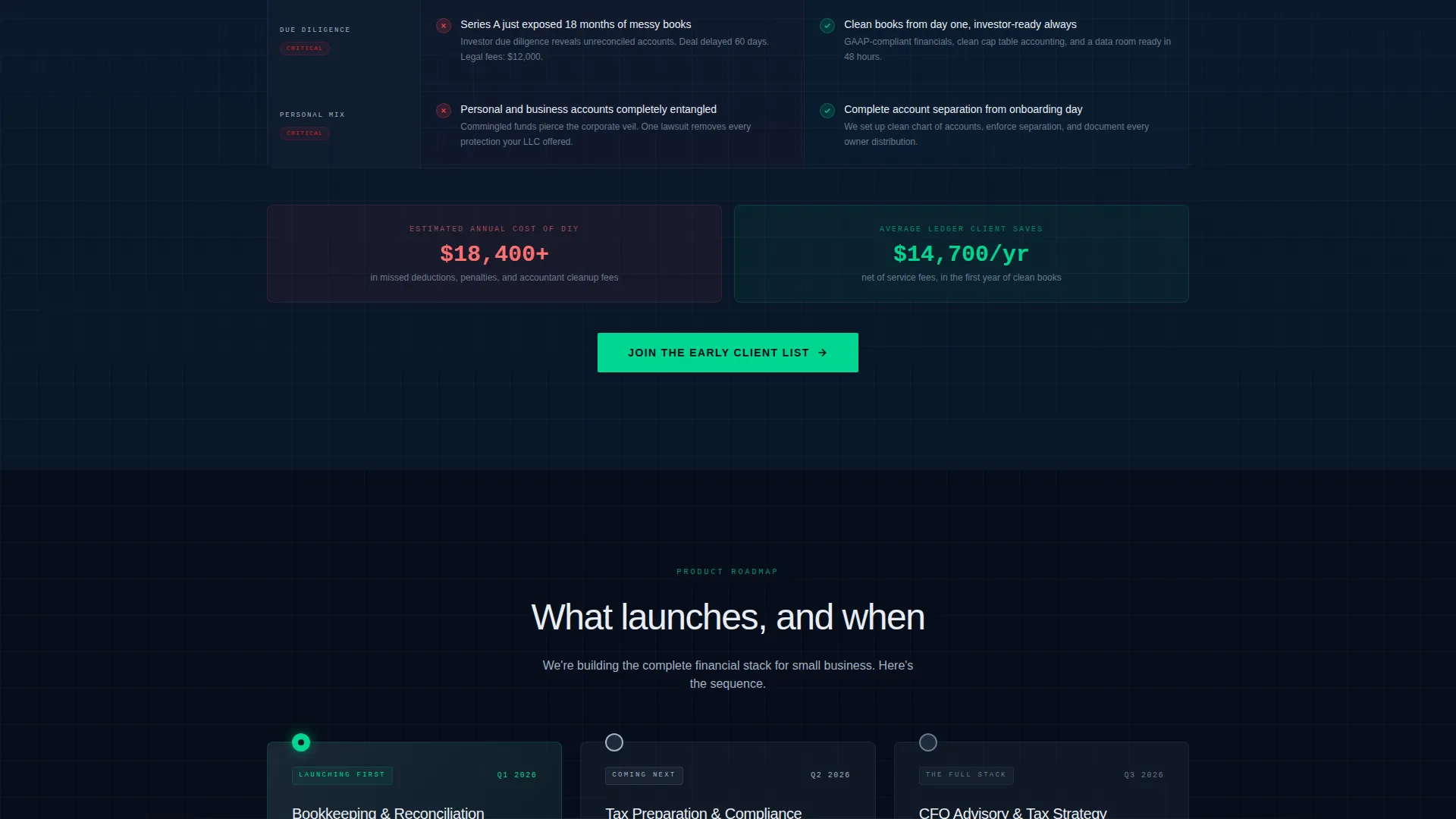
The core of the page splits the screen into two labeled columns: "Doing It Yourself" on the left and "With Us" on the right. Each row targets a specific pain point, from missed deductions and penalty notices to reconciliation errors. The scroll escalates deliberately, moving from minor annoyances toward existential financial risk, so the cost of inaction becomes clear before the visitor reaches the call to action.
Segmented Waitlist Form
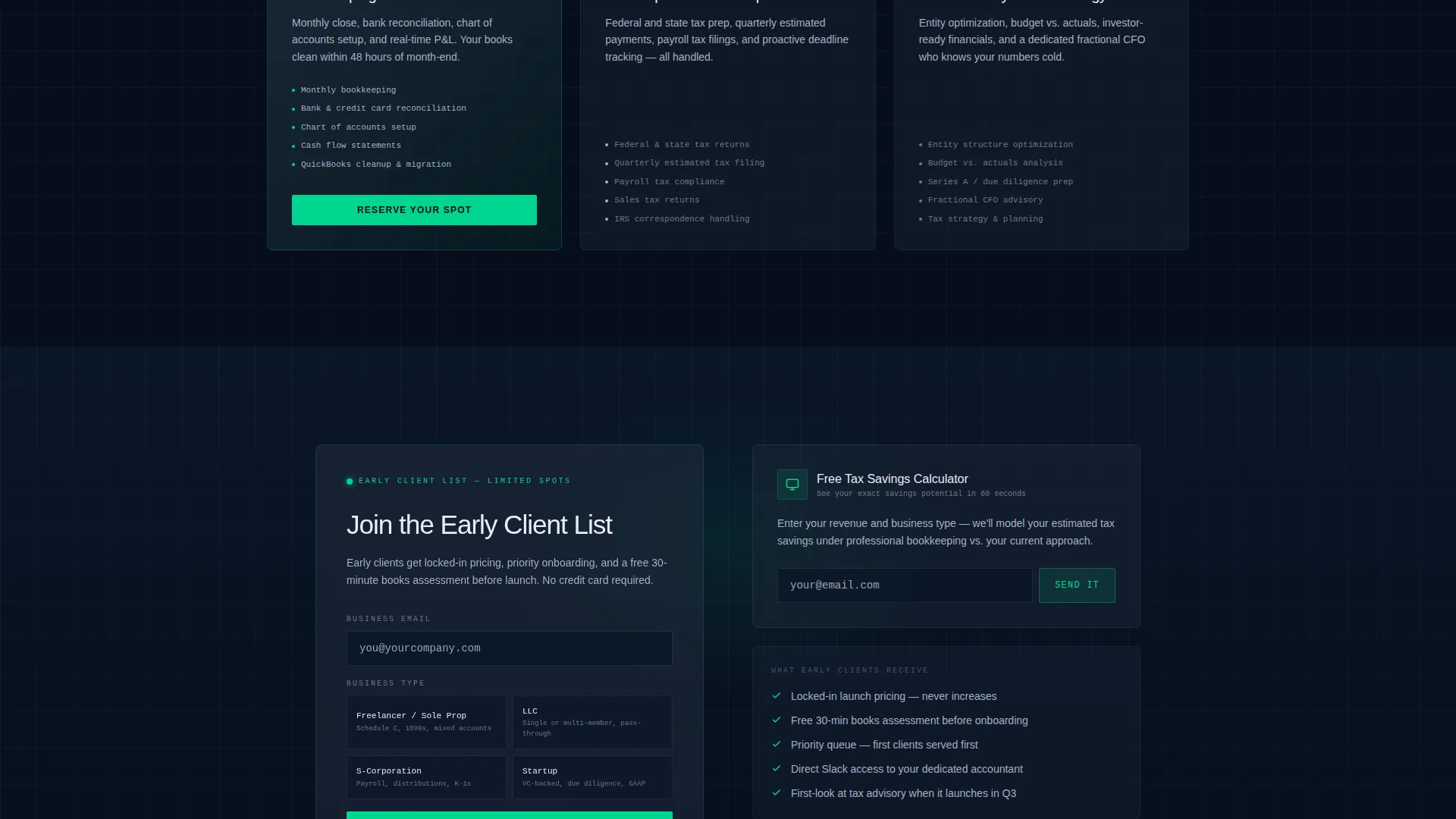
The primary call to action, "Join the Early Client List," appears both immediately after the comparison table and as a floating bar pinned to the bottom of the screen on scroll. The form captures only two fields: email address and business type. Dropdown options include freelancer, LLC, S-Corp, and startup, allowing the firm to segment and personalize follow-up from day one.
Lead Magnet Secondary Path
Visitors who are not ready to join the waitlist see a secondary offer: "Get Our Tax Savings Calculator." This path captures an email through value exchange rather than urgency, ensuring that hesitant visitors still enter the funnel with a clear reason to engage.
Launch Timeline Teaser
Below the comparison table, a visual timeline reveals the firm's planned rollout in three stages: bookkeeping services first, then tax preparation, then advisory services. This structure builds anticipation and signals professionalism, showing visitors that the firm has a clear, sequenced plan rather than a vague launch date.
Page sections overview
| Section | Purpose |
|---|---|
| Animated Stats Header | Opens with three live metric counters and a fading headline |
| Headline Fade-In | Delivers the core brand promise below the counters |
| Comparison Table | Contrasts self-managed books against the firm's approach row by row |
| Floating call to action Bar | Keeps the primary signup action visible throughout the scroll |
| Waitlist Signup Form | Captures email and business type to segment early leads |
| Tax Calculator Magnet | Offers a secondary value path for visitors not ready to commit |
| Launch Timeline Teaser | Previews the three-phase service rollout to build anticipation |
Design & branding system
The visual identity follows a Dashboard Pro theme built on a Midnight Blue color system. Every color choice is intentional and tied to meaning, so the palette feels like a working financial tool rather than a decorative website.
- Deep terminal navy (#0A1628) dominates all backgrounds, muted slate (#1E2A3A) structures cards and table rows, and cool interface gray (#A3B1C6) carries body text and labels
- Signal green (#00D68F) appears exclusively on positive metrics and call-to-action elements, reserving its visual weight for moments that matter
- A monospaced typeface handles all large numbers and counter displays, reinforcing the data-dense, terminal-style aesthetic
Mobile & speed optimization
The layout is structured for clean rendering across screen sizes. The comparison table, floating call to action bar, and animated counters are all designed to remain legible and functional on smaller displays.
- The floating call to action bar stays anchored at the bottom on mobile, keeping the primary action within thumb reach at all times
- The comparison table adapts its two-column structure so neither column collapses into unreadable text on narrow screens
- Large monospaced counter numbers scale proportionally, preserving the visual impact of the stats header on any device
How this template helps you convert
The page is built around a single conversion goal: capturing qualified early signups before the firm launches. Every section is sequenced to reduce hesitation and increase commitment.
- The animated stats header establishes credibility immediately, giving visitors three concrete proof points before they read a single word of copy
- The escalating comparison table does the persuasion work by making the cost of inaction personal and specific, so visitors arrive at the call to action already motivated
- The dual-path conversion structure ensures no visitor leaves empty-handed, with the lead magnet capturing emails from visitors who need more time before committing to the waitlist
Other information about this template
This template belongs to the accounting firm coming soon page category within the broader accounting firm website templates collection. It is suited to technology-forward firms that want their pre-launch presence to reflect the same precision they promise clients.
- The Dashboard Pro theme and Midnight Blue color system give the page a Bloomberg terminal aesthetic, authoritative and data-dense without feeling cold
- The template is designed for a single-page coming soon flow, not a multi-page website, so all content and conversion paths live within one scrollable experience
- The Problem-to-Solution arc and Comparison Table template style are built to address the specific anxiety of a business owner who suspects their books are a liability but has not yet acted

Theme
Dashboard Pro
Creative direction
Problem→Solution Arc
Color system
Midnight Blue
Style
Comparison Table
Direction
Comparison/Versus
Page Sections
Animated Stats Metric Header
Escalating Comparison Table
Floating Call to Action Bar on Scroll
Segmented Waitlist Form
Lead Magnet Secondary Path
Launch Timeline Teaser
Related questions
Can I customize the comparison table rows?
How does the dual-path conversion structure work?
What business types does the waitlist form include?
Is this template built for a pre-launch accounting firm?
Can I edit the animated counter values in the stats header?



