Retail Claims Management Landing Page Template
Recoup is a bold brutalist landing page template built for retail claims management platforms. It leads with an interactive recovery estimator, a live-styled chargeback data grid, and a friction-minimized audit request form. The design is built for loss prevention directors, AP managers, and CFOs who need to turn unrecovered vendor disputes into visible, quantified revenue.
by Rocket studio
Quick summary
Recoup is a single-page, dashboard-first landing page template for retail claims management software. It puts the product front and center before any paragraph of copy appears. Visitors interact with a recovery estimator, scan a live chargeback grid, and reach a three-field lead form, all in a commanding midnight blue and recovered-green visual identity.
Who this template is for
This template is built for retail software companies and claims platform vendors targeting mid-market retail operations. It speaks directly to the people who feel the financial pain of unrecovered claims every quarter.
- Loss prevention directors managing chargeback disputes and vendor shortage investigations at retail chains
- Accounts payable managers buried in manual spreadsheet reconciliation across dozens of vendor relationships
- CFOs and finance leaders who suspect significant margin erosion from freight discrepancies and warehouse damage disputes
What problem this template solves
Retail claims platforms often struggle to communicate hard financial value before a prospect loses interest. A standard marketing page with promises and feature bullet points rarely moves a CFO. This template solves that by showing the number first.
- Visitors see a personalized recovery estimate before they read a single paragraph, creating immediate financial relevance
- The interactive estimator removes ambiguity by turning annual revenue and vendor count into a concrete dollar figure
- The lead form appears only after the estimate renders, so friction is lowest at the moment motivation is highest
What you get with this template
You get a fully structured, single-page layout designed around interaction and data credibility. Every section is built to earn its space with a number, not a promise.
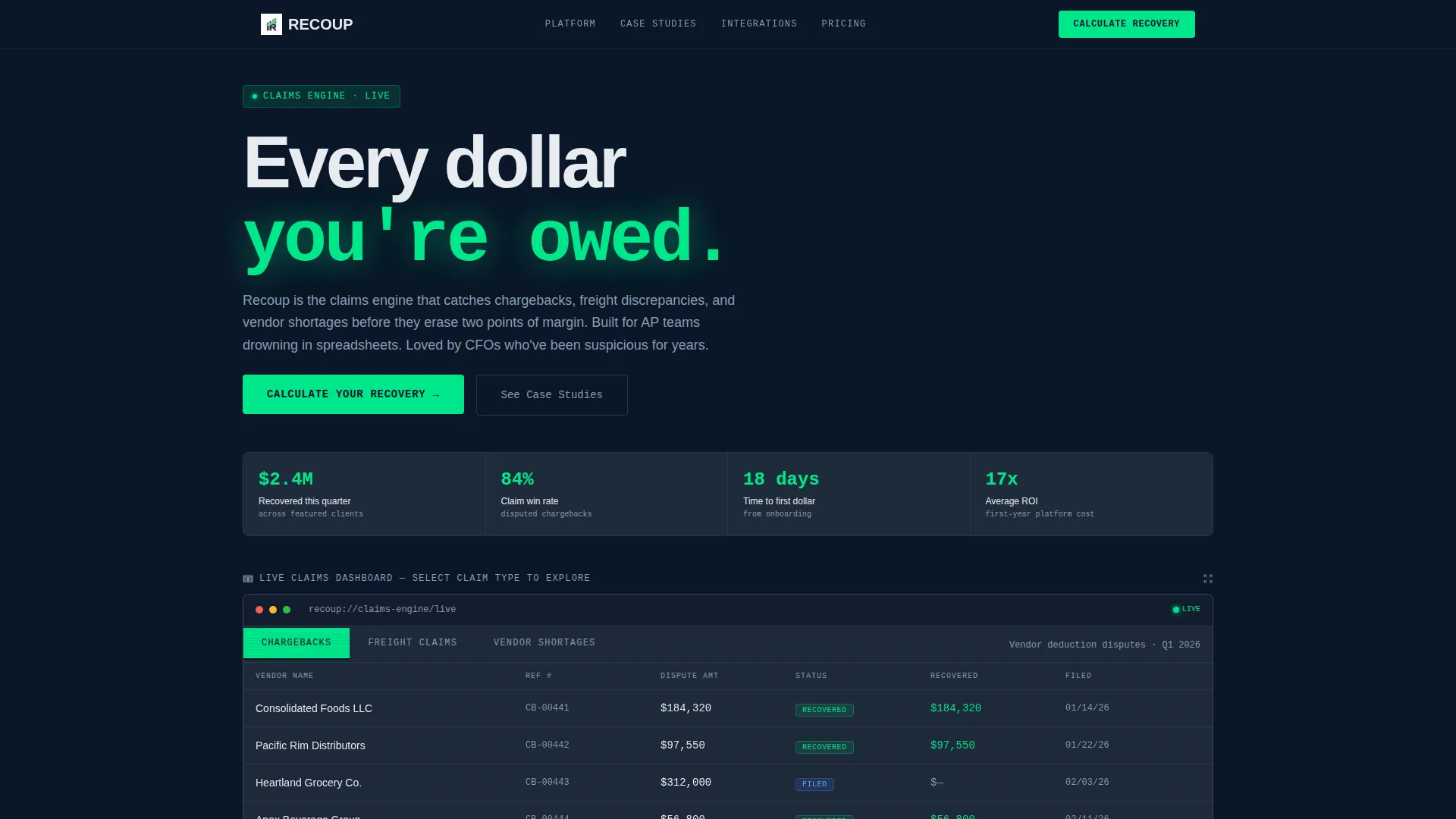
- A feature tab switcher header showing a live-styled chargeback recovery grid, freight claims view, and vendor shortage view
- An interactive recovery estimator with three inputs and a full-viewport dollar output rendered in brutalist scale
- A pre-filled three-field lead capture form that slides into view after the estimate is generated
Feature list
This template is structured around five core functional and design components pulled directly from the brief.
Feature Tab Switcher Header
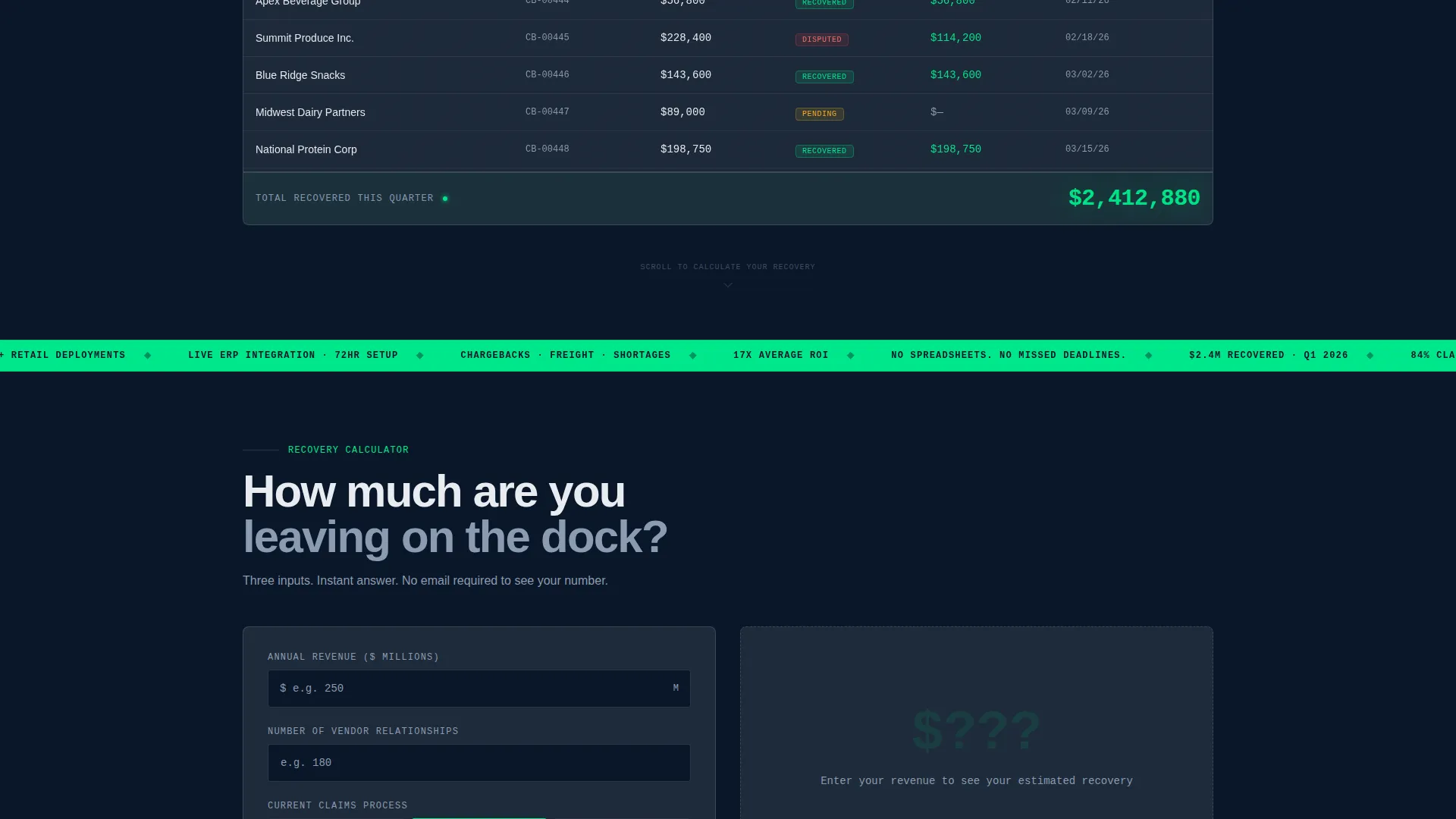
Three clickable tabs sit above a dashboard panel styled to look operational. The default tab shows a chargeback recovery grid with columns for vendor name, dispute amount, filing status, and recovered total. The bottom row displays a summed recovery figure in large recovered-green type. Switching tabs instantly changes the data context to freight claims or vendor shortages, each grid populated with realistic retail figures.
Interactive Recovery Estimator
Below the header, a recovery estimator prompts three inputs: annual revenue, number of vendor relationships, and current claims process via a dropdown with options for manual, partial automation, or none. The output renders instantly as a full-viewport-width dollar figure in brutalist scale. This calculator-first approach creates a personalized financial hook before any traditional copy appears.
Slide-In Lead Capture Form
Once the recovery estimate renders, a secondary panel slides into view. It contains exactly three fields: work email, company name, and annual revenue, with the revenue field pre-filled from the calculator. The primary call to action is "Calculate Your Recovery," anchored to the estimator. The secondary call to action is "Get Your Full Recovery Audit."
Case Study and Metrics Blocks
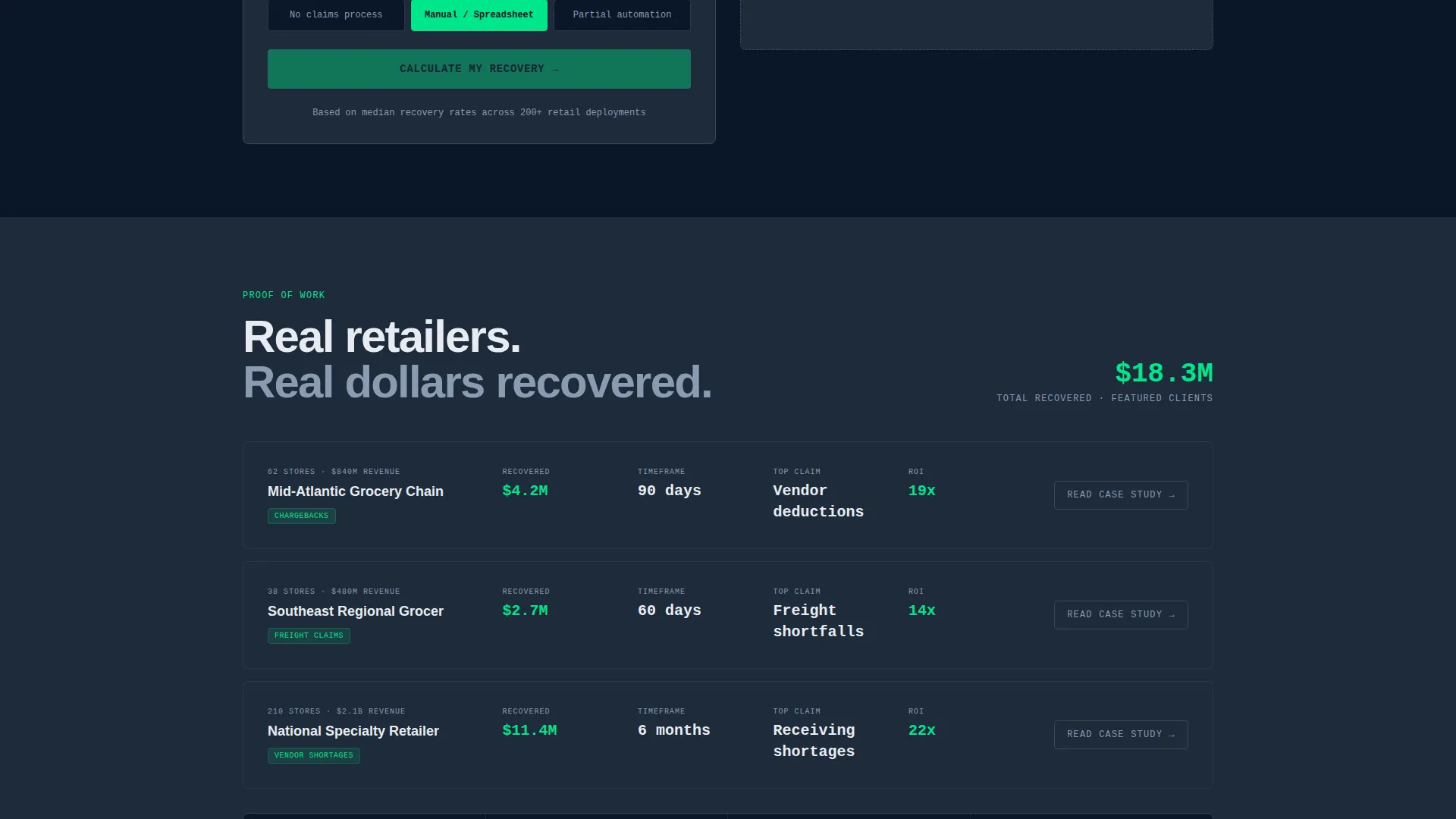
Below the estimator, the page presents case study metrics stacked like warehouse inventory. Each block leads with a number, not a headline. This section reinforces credibility through data density rather than marketing language.
Compliance Timeline and Integration Grid
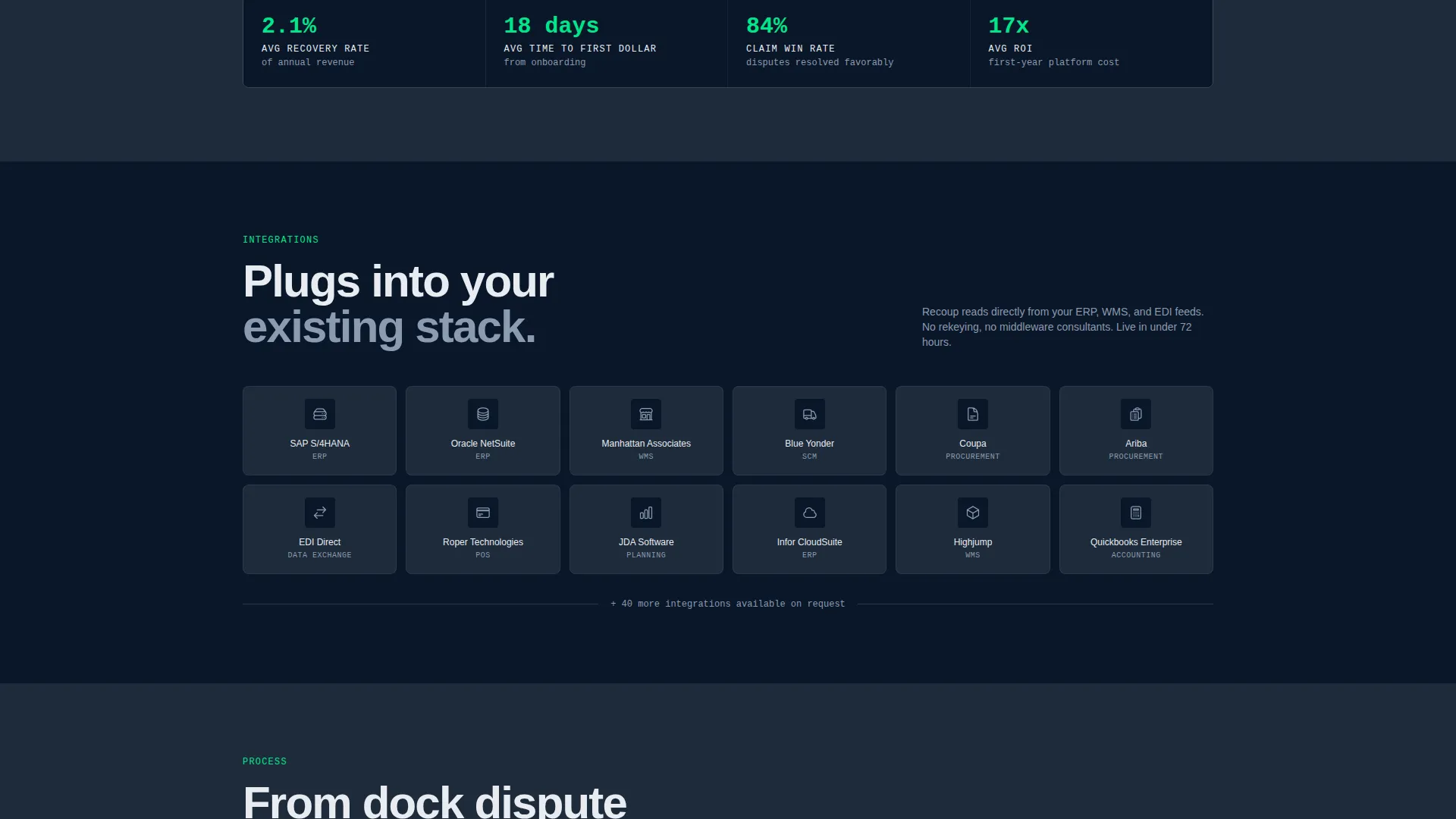
A Gantt-style bar chart displays the compliance timeline visually. An integration logo section presents partner or tool logos in a monochrome grid. Both sections maintain the command-center aesthetic and reinforce the platform's operational depth without relying on illustration or iconography.
Page sections overview
| Section | Purpose |
|---|---|
| Tab Switcher Header | Display live-styled chargeback, freight, and vendor grids |
| Recovery Estimator | Generate personalized revenue recovery dollar output |
| Slide-In Form | Capture leads after estimate engagement |
| Case Study Metrics | Reinforce credibility with stacked data blocks |
| Integration Logo Grid | Show partner compatibility in monochrome layout |
| Compliance Timeline | Visualize process milestones as a Gantt-style chart |
Design & branding system
The visual identity is Bold Brutalist, built around a midnight blue color system that feels like a distribution warehouse command center at 2 AM. Every color choice is functional and intentional.
- Deep terminal navy (#0A1628) covers primary backgrounds; gunmetal slab gray (#1E2A3A) surfaces card panels and data grids; cold phosphor white (#E8ECF1) handles all typography and grid lines
- Recovered-green (#00E68A) appears exclusively on positive financial figures, recovery totals, and call-to-action elements to create instant visual hierarchy
- Typography is oversized and monospaced wherever numbers appear, using heavy brutalist slabs that treat whitespace as structural concrete rather than breathing room
Mobile & speed optimization
The layout is designed to maintain its command-center impact across screen sizes. The data-heavy grid and estimator components are structured for responsive reflow without losing readability.
- The tab switcher and data grid are built to collapse cleanly on smaller viewports while keeping key columns readable
- The recovery estimator inputs and full-width output scale proportionally so the dollar figure retains its brutalist visual weight on mobile screens
How this template helps you convert
The conversion architecture is built around a single principle: show the number before asking for anything. Every layout decision supports that sequence.
- The recovery estimator creates a personalized financial stake for each visitor, converting passive browsers into engaged prospects before a form is ever visible
- The slide-in lead form appears at peak motivation, pre-filled with data the visitor already entered, reducing friction to three fields at the exact moment a CFO sees a seven-figure recovery figure with their name on it
Other information about this template
This template is categorized under Technology and the Retail Software subcategory, with a specific niche focus on retail claims management. It is well-suited for software-as-a-service platforms, claims automation vendors, and back-office retail finance tools targeting mid-market operators.
- The template style is Dashboard and Data Grid, making it suitable for platforms where data credibility is a core sales asset
- The creative direction is Calculator and Tool First, a proven approach for financial software where a concrete output reduces the sales cycle
- The Bold Brutalist theme and midnight blue palette differentiate this template from conventional SaaS landing pages that lean on illustrations and pastel gradients
- The lead generation flow is optimized for high-intent buyers who respond to quantified outcomes rather than feature lists
Theme
Bold Brutalist
Creative direction
Calculator/Tool First
Color system
Midnight Blue
Style
Dashboard/Data Grid
Direction
Lead Generation
Page Sections
Feature Tab Switcher with Live Data Grids
Interactive Recovery Estimator Tool
Slide-in Lead Capture Panel
Stacked Case Study Metrics Blocks
Gantt-style Compliance Timeline
Monochrome Integration Logo Grid
Related questions
Who is this landing page template designed for?
Can I customize the recovery estimator inputs and output?
What makes this template different from a standard software landing page?
How does the lead form connect to the recovery estimator?
What sections are included in this landing page template?



