Property Management Landing Page Template
Recurr is a split-screen landing page template built for a real estate subscription management platform. It pairs a live-feel dashboard preview with a Problem-to-Solution scroll arc, guiding visitors from the pain of missed rent cycles to the clarity of one unified screen. The design runs on void black, electric chartreuse, and deep purple for a high-energy, app-native feel.
by Rocket studio
Quick summary
Recurr is a single-page, split-screen landing page template designed for a property management platform that centralises recurring rent payments, lease renewals, and tenant fee cycles. The layout is built around a 50/50 split that evolves as the visitor scrolls, pairing real pain states on the left with animated dashboard solutions on the right. The result feels immediate, confident, and ready to drive app downloads.
Who this template is for
This template is built for founders, product teams, and marketers launching or promoting a real estate subscription management platform. It speaks directly to audiences who manage recurring billing across residential or mixed-use properties.
- Millennial landlords managing a small portfolio of rental units from a mobile device
- Professional property managers handling 200 or more tenants across mixed-use buildings
- Real estate investors running subscription-model co-living spaces where every bed is a billing event
What problem this template solves
Managing rent cycles, lease renewals, and tenant communications across spreadsheets, email threads, and separate calendars creates real financial and legal risk. This template addresses the moment a property operator realises their current setup is costing them money and time.
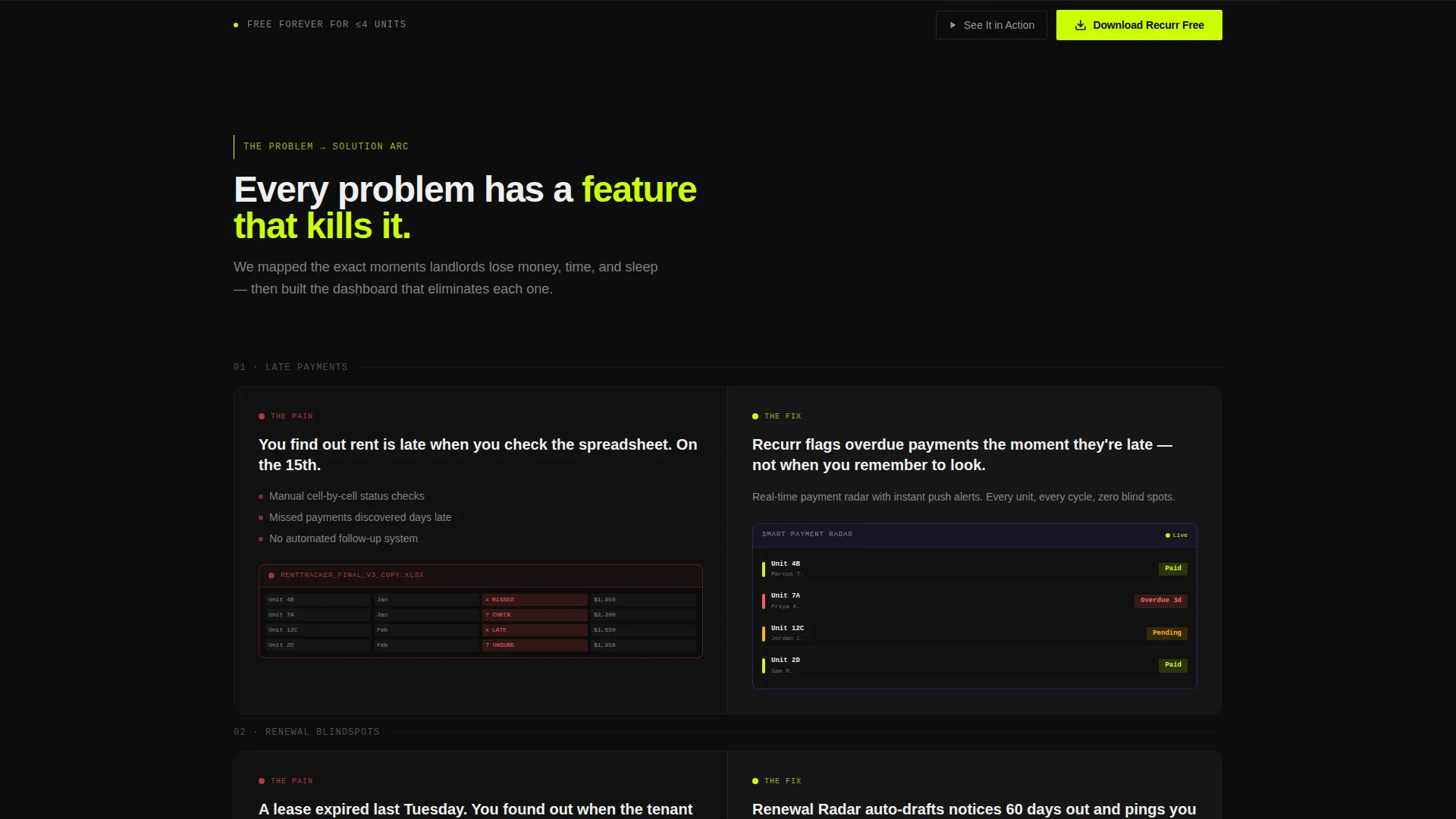
- Late payment tracking spread across disconnected tools leads to missed income and overlooked tenant disputes
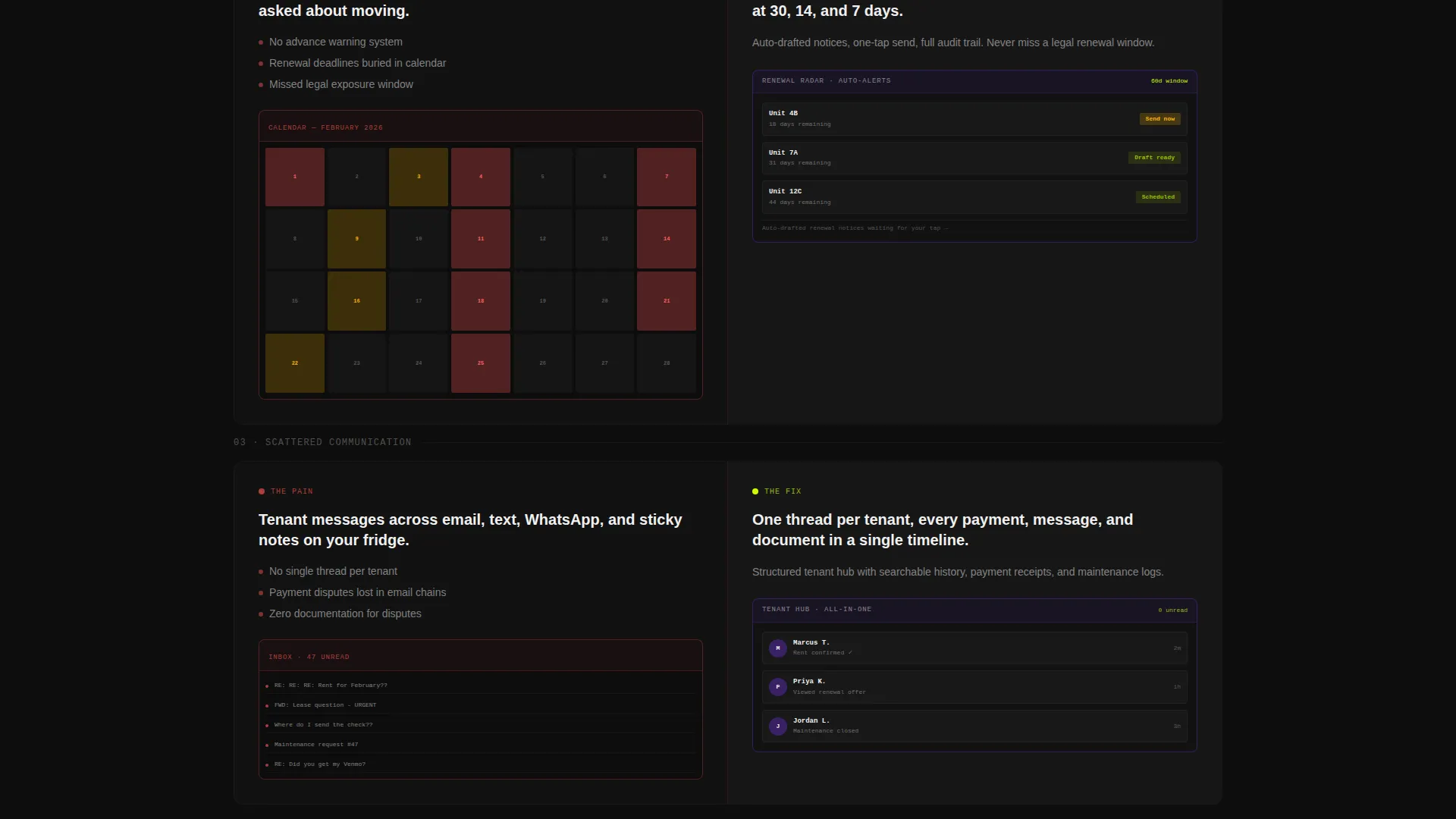
- Lease renewal blindspots turn minor scheduling oversights into costly vacancy gaps or legal exposure
- Scattered tenant communication means critical notices get buried and response times suffer
What you get with this template
You get a fully structured, single-page landing page built around a 50/50 split-screen layout that shifts from problem to solution as the visitor scrolls. Every section is purposefully sequenced to build trust and drive downloads.
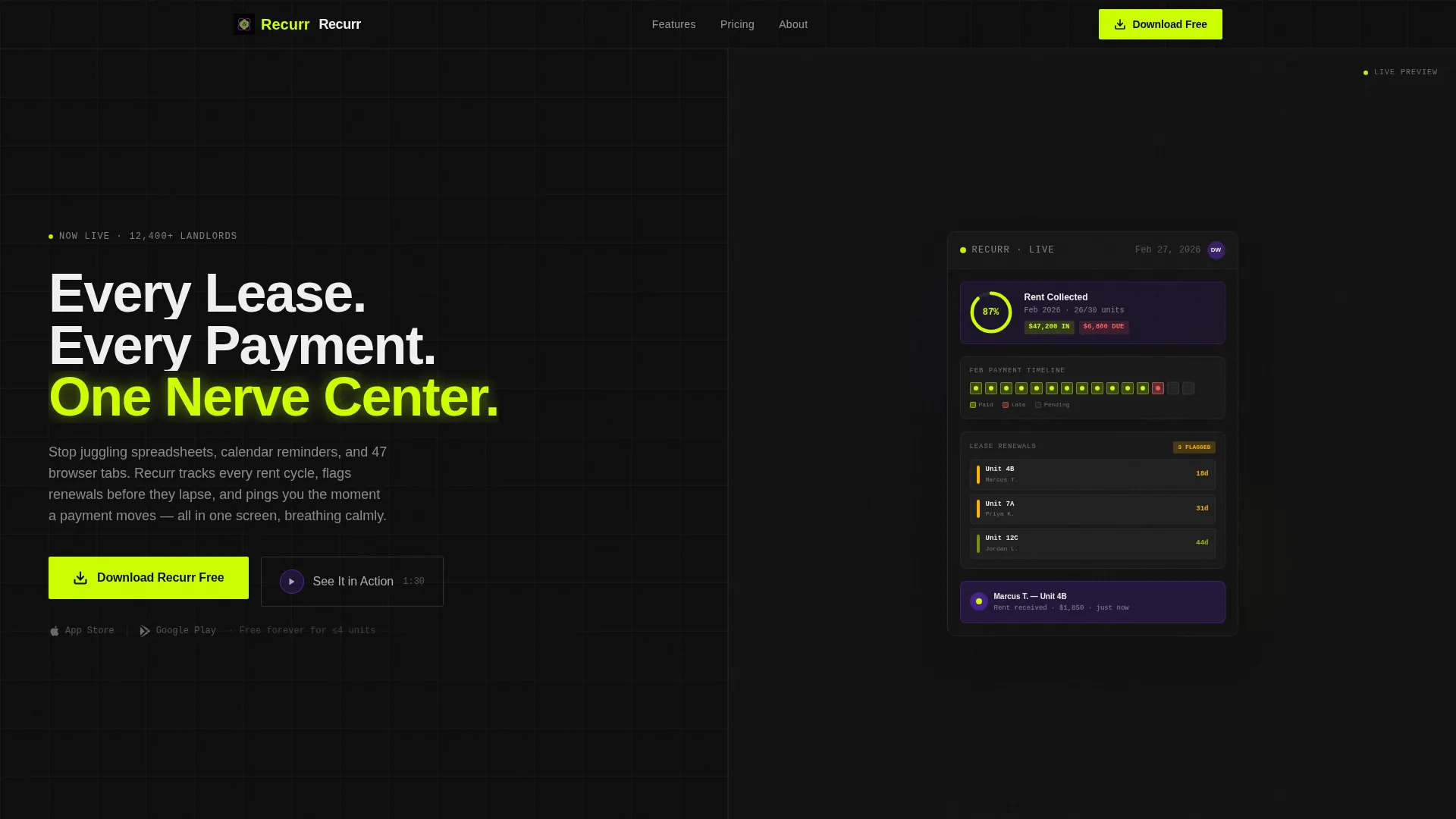
- A header section with a live-feel dashboard preview on the right and a bold headline with a primary call-to-action button on the left
- A scrolling Problem-to-Solution arc that introduces one pain point per scroll step and animates the corresponding platform feature into view
- Three strategically placed "Download Recurr Free" calls to action, including a sticky bottom bar that activates after 40 percent scroll depth
Feature list
This template delivers a focused set of design and layout features grounded in the brief. Each one serves the goal of earning the app download before the visitor reaches the bottom of the page.
Split-Screen 50/50 Layout
The page is built on a strict half-and-half grid. The left panel carries narrative and calls to action. The right panel carries visual proof. The two halves merge into a single full-width app screenshot at the final section, resolving the split metaphor and closing the story.
Live Dashboard Header Preview
The right side of the header shows a pixel-perfect render of the app mid-session. A rent collection progress ring sits at 87 percent. Three lease renewals are flagged amber. A payment timeline shows twelve green dots and one red. A tenant notification toast is partially visible, as if someone just set their phone down.
Problem-to-Solution Scroll Arc
Each scroll step introduces one specific problem on the left, late payment tracking, lease renewal blindspots, or scattered tenant communication, then animates the exact dashboard feature that solves it into the right panel. Stakes escalate from inconvenience to financial loss to legal exposure.
Three-Touch Call-to-Action System
The primary call to action, "Download Recurr Free," appears beneath the header headline, after the midpoint problem-solution flip, and in a sticky bottom bar. On tap, it detects the visitor's operating system and routes to the App Store or Google Play.
Secondary Video Modal Path
A secondary call to action, "See It in Action," opens a 90-second product walkthrough video inside a modal. This gives hesitant visitors a low-friction preview without leaving the page.
Acid Digital Color System
The palette uses void black (#0D0D0D), electric chartreuse (#CCFF00), deep LCD purple (#6B2FD9), and interface white (#F0F0F0). Chartreuse owns every interactive element. Purple handles card backgrounds and section dividers. White is reserved for typography and data so numbers stay sharp and readable.
Page sections overview
| Section | Purpose |
|---|---|
| Header Split Screen | Hero headline, live dashboard preview, primary call to action |
| Pain State Opening | Cluttered spreadsheet, missed-payment threads, red-filled calendar |
| Late Payment Section | Problem left panel, payment tracking solution animated right |
| Lease Renewal Section | Renewal blindspot problem, dashboard renewal flags animated right |
| Tenant Communication Section | Scattered messaging problem, unified notification feed animated right |
| Midpoint call to action Block | Second "Download Recurr Free" call to action after problem-solution arc |
| Full-Width Merge Screen | Both halves combine into one complete app screenshot |
| Sticky Bottom Bar | Persistent download call to action, activates at 40 percent scroll |
Design & branding system
The visual identity runs on a Startup Velocity theme executed through the Acid Digital color system. Every color serves a specific role, keeping the interface readable and energetic without becoming noisy.
- Void black (#0D0D0D) and near-black gradients form all backgrounds, creating a terminal-screen depth
- Electric chartreuse (#CCFF00) owns buttons, toggle states, notification badges, and progress bars, making every interactive element unmissable
- Deep LCD purple (#6B2FD9) handles secondary surfaces, card backgrounds, and section dividers, while interface white (#F0F0F0) keeps all typography and data sharp and clinical
Mobile & speed optimization
The template is designed with a mobile-first audience in mind. The primary user persona manages properties from a phone, so the layout and calls to action are built to perform at thumb level.
- The sticky bottom bar and all primary call-to-action buttons are sized and positioned for one-handed mobile interaction
- The operating system detection on the download button ensures iOS users land on the App Store and Android users land on Google Play without an extra step
- The split-screen layout reflows cleanly for smaller viewports so the dashboard preview and narrative panels remain readable on any screen size
How this template helps you convert
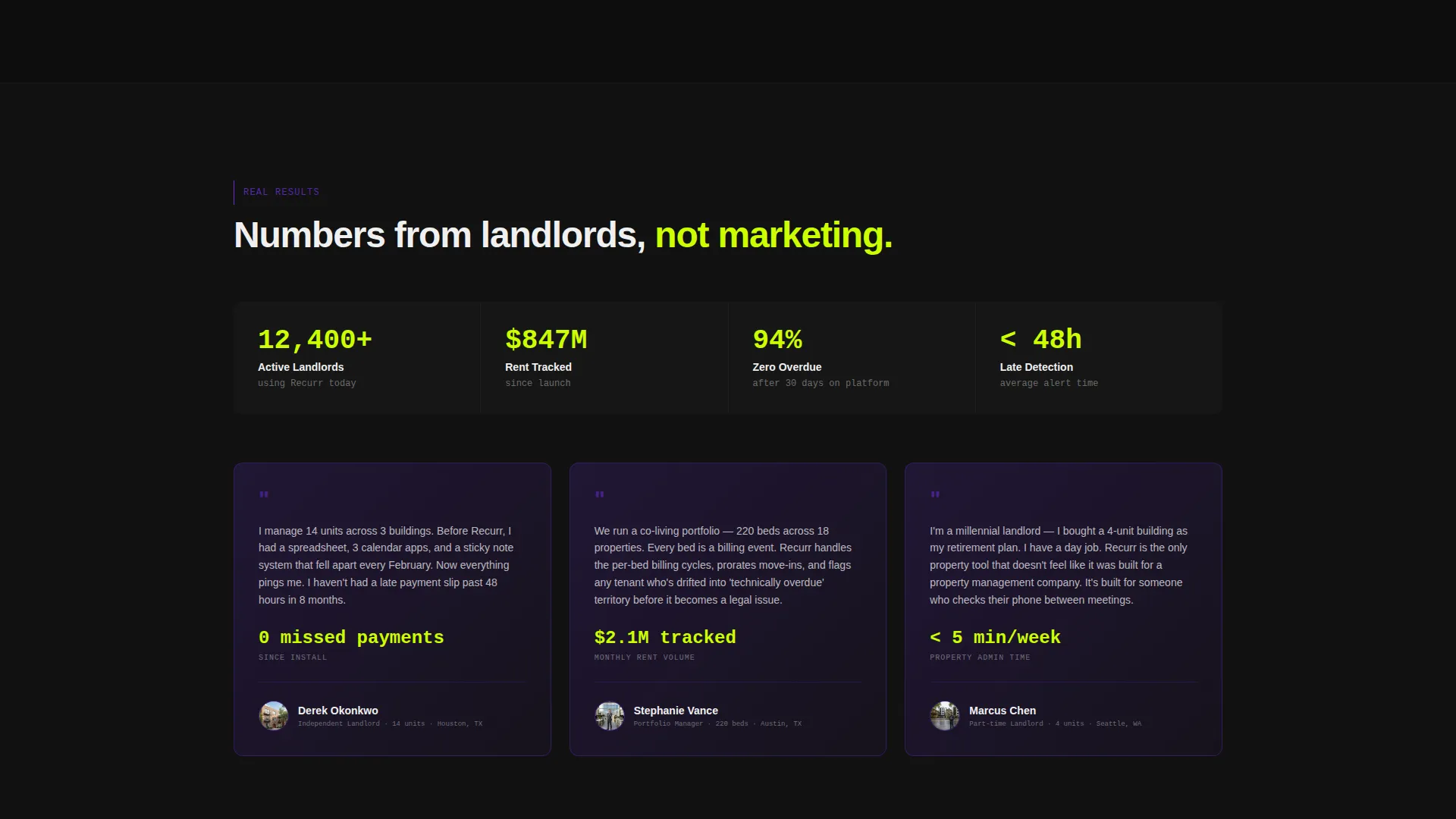
The template earns the download by showing real data states inside the dashboard visuals rather than listing feature descriptions. Visitors feel they have already used the app before their thumb reaches the button.
- The Problem-to-Solution Arc builds emotional momentum across the scroll, raising the stakes from inconvenience to financial loss to legal exposure, so the download feels like a relief rather than a risk.
- Three timed placements of the primary call to action meet the visitor at the moment they are most persuaded, whether that is on arrival, at the midpoint, or when they have seen the full story.
- The "See It in Action" video modal gives cautious visitors a 90-second proof point without sending them away from the page, keeping the conversion path intact.
Other information about this template
This template is part of a broader family of Startup Velocity-themed templates built for tech-forward product launches. It is particularly well suited to real estate software products that need to communicate platform complexity through visual simplicity.
- The template style is classified as Split Screen (50/50) and is optimised for single-page, app-download-focused campaigns
- The creative direction follows a Problem-to-Solution Arc, a proven narrative structure for SaaS and mobile app landing pages
- The header concept, Dashboard Preview, is designed to function as a live proof of value rather than a static illustration, building instant credibility for the platform
Theme
Startup Velocity
Creative direction
Problem→Solution Arc
Color system
Acid Digital
Style
Split Screen (50/50)
Direction
App Download
Page Sections
Split-screen 50/50 Layout
Live Dashboard Header Preview
Problem-to-solution Scroll Arc
Three-touch Call to Action System
Secondary Video Modal Path
Acid Digital Color System
Related questions
Who is this landing page template designed for?
How does the three-touch call-to-action system work?
Can I adapt the dashboard visuals if my product is not yet live?
Can I update the color palette to fit a different brand?
What makes the split-screen format effective for a property platform?



