Verified Pediatric Eye Care Landing Page Template
Refract is a social media template library built specifically for optometry practices. It delivers professionally designed posts, carousels, stories, and infographics covering eye health education, frame promotions, appointment reminders, and seasonal campaigns. The dashboard-style landing page lets visitors filter by category, preview templates with their own practice name, and browse the full library with one click.
by Rocket studio
Quick summary
Refract is a ready-to-use social media template library for optometry professionals. It includes eye exam reminders, frame launch carousels, vision health infographics, and appointment prompts, all styled in clinical elegance. The landing page is built as an interactive dashboard that lets visitors explore categories and personalize templates before they ever click away.
Who this template is for
Optometry practices need consistent, polished social media content. Refract was built for the people actually doing that work, often without a dedicated design team.
- Independent practice owners editing content late in the evening between patient charts
- Office managers tasked with running the practice's social media accounts
- Marketing coordinators at multi-location optical chains managing multiple accounts at once
What problem this template solves
Creating scroll-stopping social media content for an optometry practice takes time most practitioners simply do not have. Generic templates do not speak to patients the way clinical, niche-specific designs do.
- Practices struggle to produce consistent, on-brand posts that look credible and professional
- Eye health topics need a visual language that feels authoritative, not amateur
- Frame launches and seasonal promotions deserve the same quality as luxury retail, not rushed graphics
What you get with this template
This template library hands you a complete set of social media assets designed around the real content needs of an optometry practice. Everything is editable and organized for fast turnaround.
- Eye exam reminder posts, frame launch carousels, blue-light-blocking reels, and pediatric eye health content
- Vision health infographics and Snellen chart stories formatted for multiple platform sizes
- Seasonal campaign sets and "new frames just dropped" announcement templates ready to customize
Feature list
This section covers the core capabilities built into the Refract landing page and template library experience.
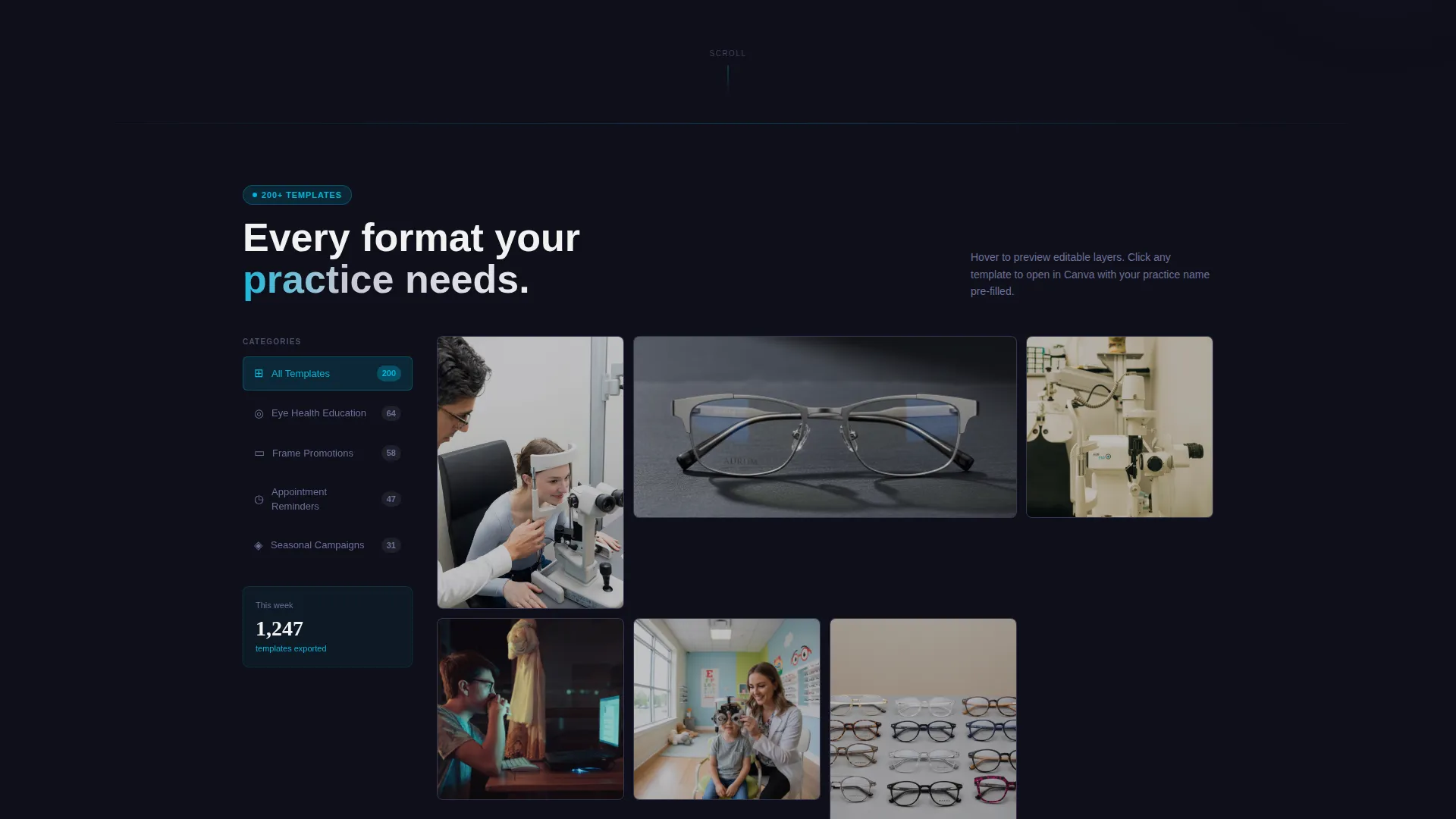
Interactive Category Sidebar
A sticky sidebar organizes templates into four clear categories: Eye Health Education, Frame Promotions, Appointment Reminders, and Seasonal Campaigns. Clicking any tab re-sorts the mosaic grid in real time, so visitors find relevant content without scrolling through everything at once.
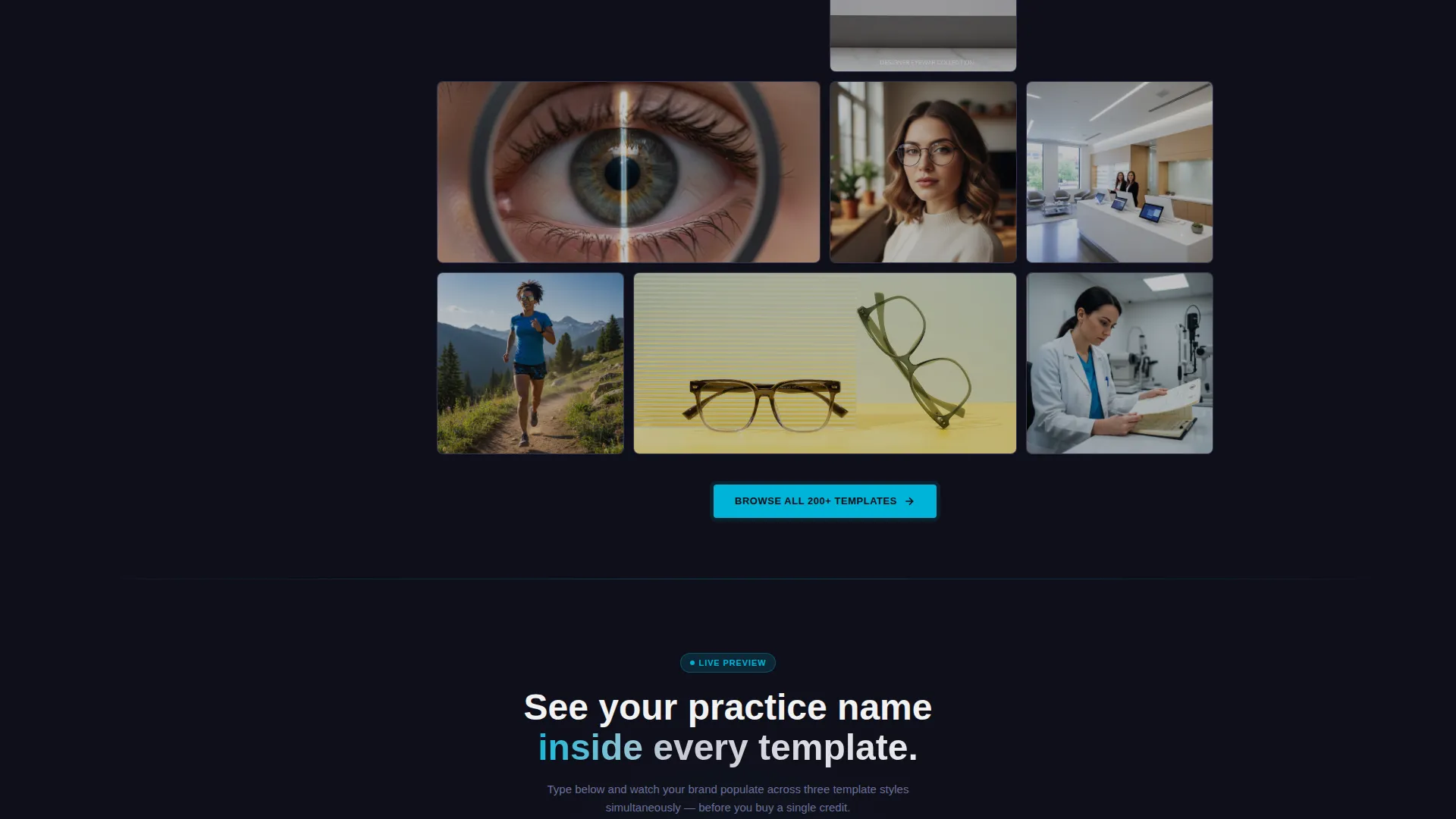
Live Mosaic Template Grid
The main content area auto-tiles template thumbnails across the viewport like a branded social media feed. Each tile responds to hover with a subtle zoom that reveals the editable text layers underneath, giving visitors an honest preview of what they are working with.
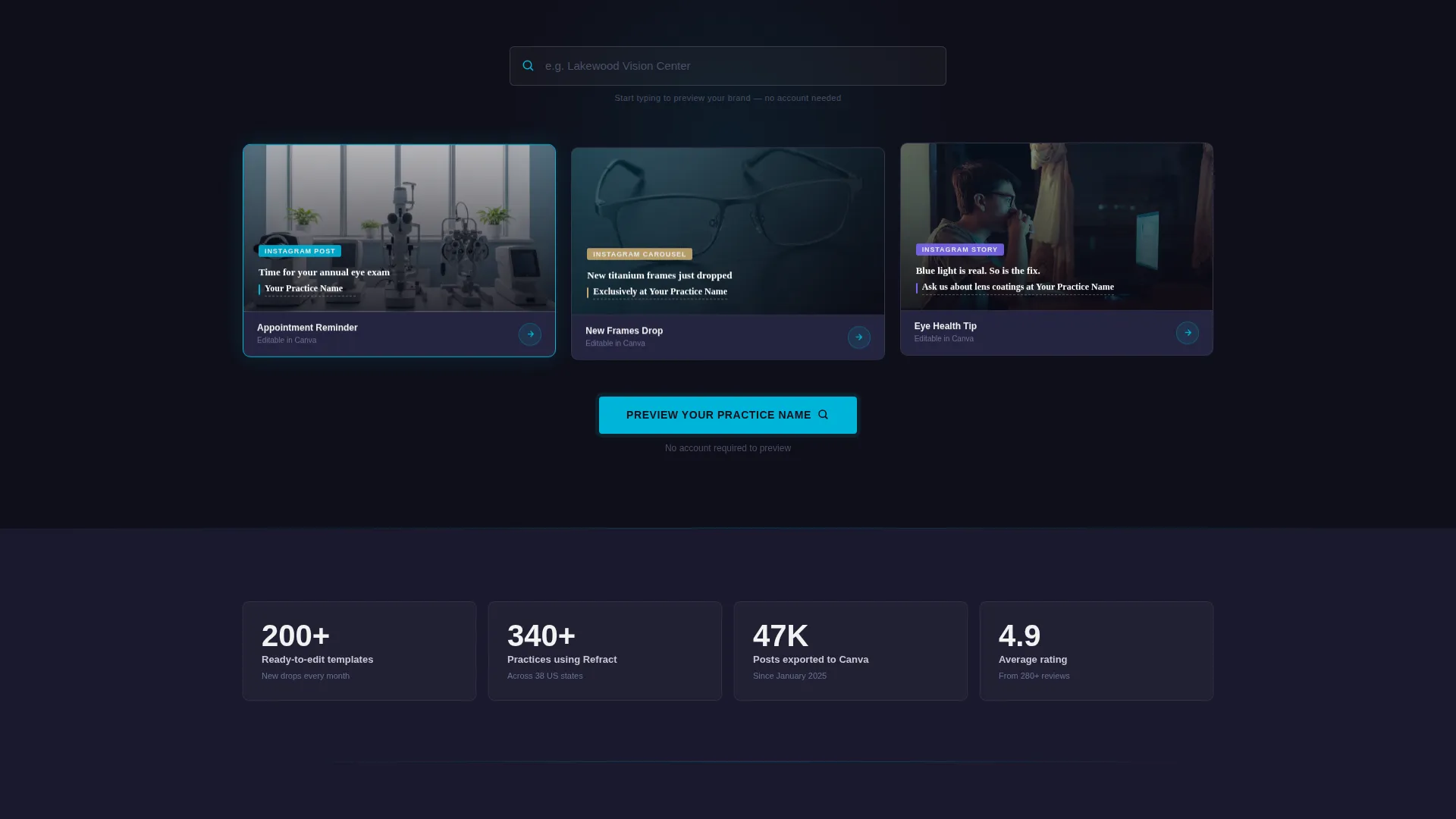
Practice Name Preview Module
A live preview module lets visitors type their practice name and watch it populate across three template mockups simultaneously. This turns passive browsing into a genuine sense of ownership before any purchase decision is made.
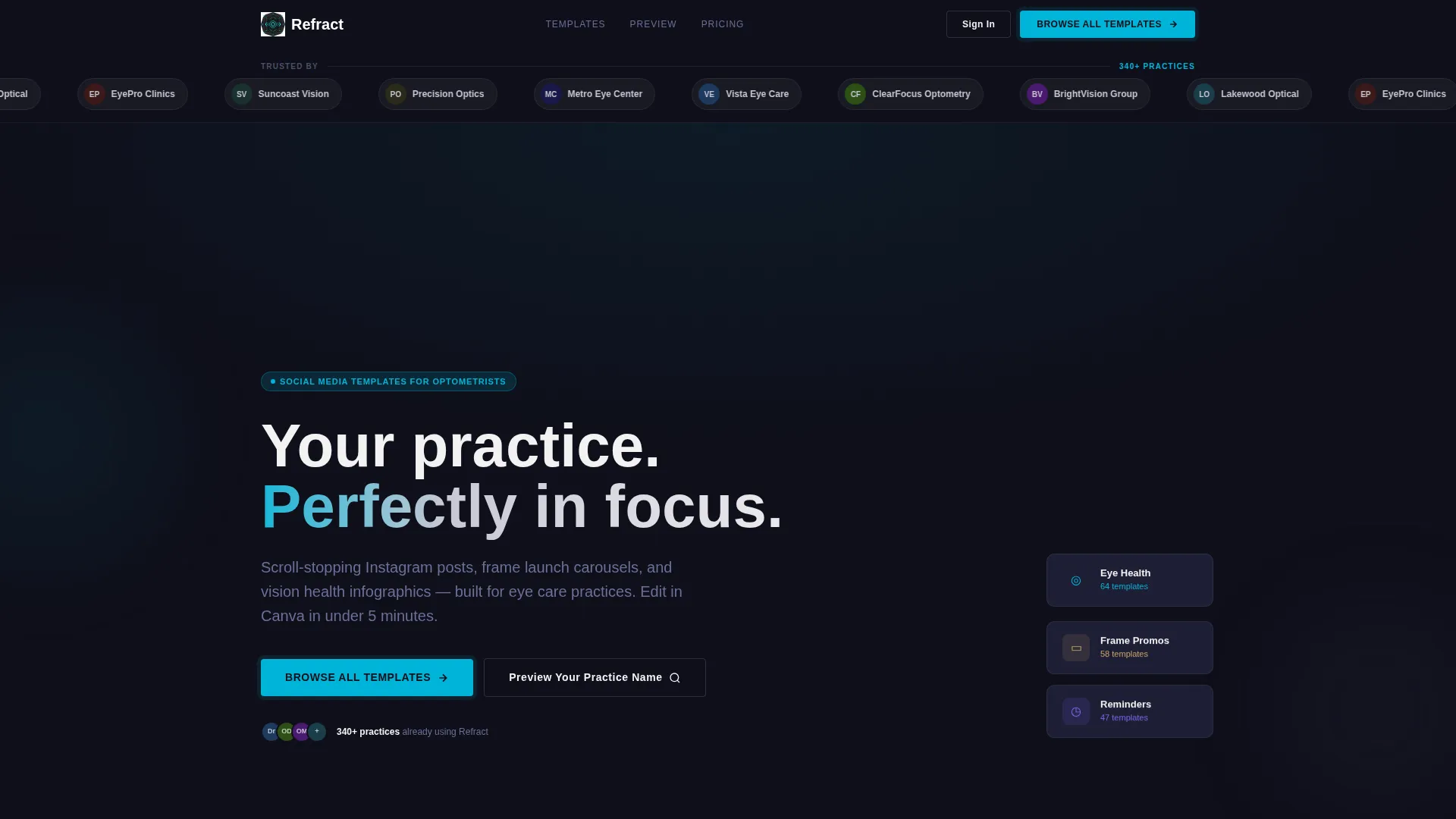
Logo Bar Trust Strip
The header opens with a slim logo bar displaying optical brand names and practice names already using the templates. This anchors credibility in the first half-second of the visit.
Click-Through call to action System
The primary call to action, "Browse All Templates," appears inside the header grid and repeats as a floating bottom bar on mobile. A secondary call to action, "Preview Your Practice Name," warms the click by gating the interactive customizer. There is no form on the page, every path leads directly to the template library.
Carbon Fiber Visual Identity
The Dashboard Pro theme uses a Carbon Fiber color system: deep carbon black, titanium mid-gray, clinical white, and a laser-blue accent on hover states, active tabs, and call-to-action pulses. The palette mirrors the precision instrument feel of a professional optical practice.
Page sections overview
| Section | Purpose |
|---|---|
| Logo Bar Header | Establish trust with social proof from existing users |
| Mosaic Template Grid | Showcase the full library in a live, scannable format |
| Category Filter Sidebar | Let visitors sort templates by content type in real time |
| Practice Name Previewer | Show personalized mockups to create a sense of ownership |
| Primary call to action Block | Drive clicks to the full template library |
| Floating Mobile call to action | Keep the browse action reachable on smaller screens |
Design & branding system
The visual identity is built around the Dashboard Pro theme with a Carbon Fiber color system. Every color choice reflects the precision and technical confidence of an optical practice environment.
- Deep carbon black (#1A1A2E) as the base, titanium mid-gray (#4A4E69) for secondary elements, and clinical white (#F2F2F2) for content surfaces
- Laser-blue (#00B4D8) applied to hover states, active sidebar tabs, and call-to-action pulses for clear visual feedback
- The overall aesthetic feels like the matte-black instrument panel of a phoropter: technical, exacting, and built for people who take precision seriously
Mobile & speed optimization
The landing page layout is designed to stay functional and visually clean on smaller screens. The most important action is always within reach.
- The mosaic grid re-tiles responsively across viewport widths so template thumbnails remain legible on mobile devices
- The floating bottom bar keeps the primary "Browse All Templates" call to action visible without requiring a scroll back to the top
How this template helps you convert
Every design decision on this landing page points visitors toward one outcome: clicking through to the template library. The interactive elements do the selling before the visitor reaches a buy button.
- The live practice name preview module creates personal investment by showing visitors their own brand inside the product, making the decision feel like a confirmation rather than a risk.
- The floating mobile call-to-action bar ensures the "Browse All Templates" prompt is always visible, reducing friction for visitors browsing on phones.
Other information about this template
Refract is part of a growing category of niche social media template libraries built for healthcare-adjacent small businesses. A few additional details worth knowing before you decide:
- The template library covers content pillars that matter most to optometry practices: education, promotion, patient retention, and seasonal awareness
- No form or lead capture sits between the visitor and the library, the page is designed purely to earn the click, not collect data
- The interactive customizer and category sidebar make this landing page more engaging than a static gallery page, which helps practices see the value of the library faster
- This template is well suited for practices that want to elevate their social media presence without hiring a designer or learning advanced design software
Theme
Dashboard Pro
Creative direction
Interactive Explorer
Color system
Carbon Fiber
Style
Dashboard/Data Grid
Direction
Click-Through
Page Sections
Interactive Category Filter Sidebar
Live Mosaic Template Grid
Practice Name Preview Module
Logo Bar Trust Strip
Click-through Call to Action Architecture
Carbon Fiber Dashboard Visual Identity
Related questions
What types of social media content are included in Refract?
Do I need design experience to use these templates?
Can I see the templates personalized with my practice name before purchasing?
Is Refract suitable for multi-location optical practices?
How is Refract different from a general social media template pack?



