Registry - Elegant Wedding Landing Page Template
Registry is a Tech Glass wedding landing page template built for couples who want a digital gift registry that feels as polished as the celebration itself. With a card grid layout, a midnight blue palette, an interactive Budget Split Calculator, and a floating app-download call-to-action bar, it turns a chaotic wish list into one clean, tap-to-purchase dashboard.
by Rocket studio
Quick summary
Registry is a single-page wedding landing page template designed around a frosted glass aesthetic and a modular card grid layout. It opens with a dashboard-style header mockup, leads visitors through an interactive budget tool, and closes with a smart app-download call to action. The result is a page that earns trust through utility before it ever asks for a commitment.
Who this template is for
This template is built for anyone involved in the gift-giving side of a wedding. It speaks directly to the people who feel that pain of duplicate gifts and missed wish lists most acutely.
- Newly engaged couples who need a single hub for their gift registry and want it to feel modern and trustworthy.
- Bridesmaids and close friends coordinating group gifts across scattered message threads.
- Parents and family members who want to contribute something meaningful without guessing preferences or sizes.
What problem this template solves
Managing a wedding registry today means juggling multiple retailer tabs, emailing spreadsheets, and fielding the same "what do you need?" text dozens of times. This template presents a clear alternative.
- Duplicate gifts and forgotten receipts become a solved problem through a single synced dashboard view.
- Guests have no clear way to split a large gift, so the built-in budget calculator removes that friction instantly.
- Couples lack one place that covers solo gifts, group contributions, and fund options side by side.
What you get with this template
You get a fully structured, ready-to-customize single-page layout built around the registry experience from top to bottom. Every section is designed to move a visitor from curious to converted.
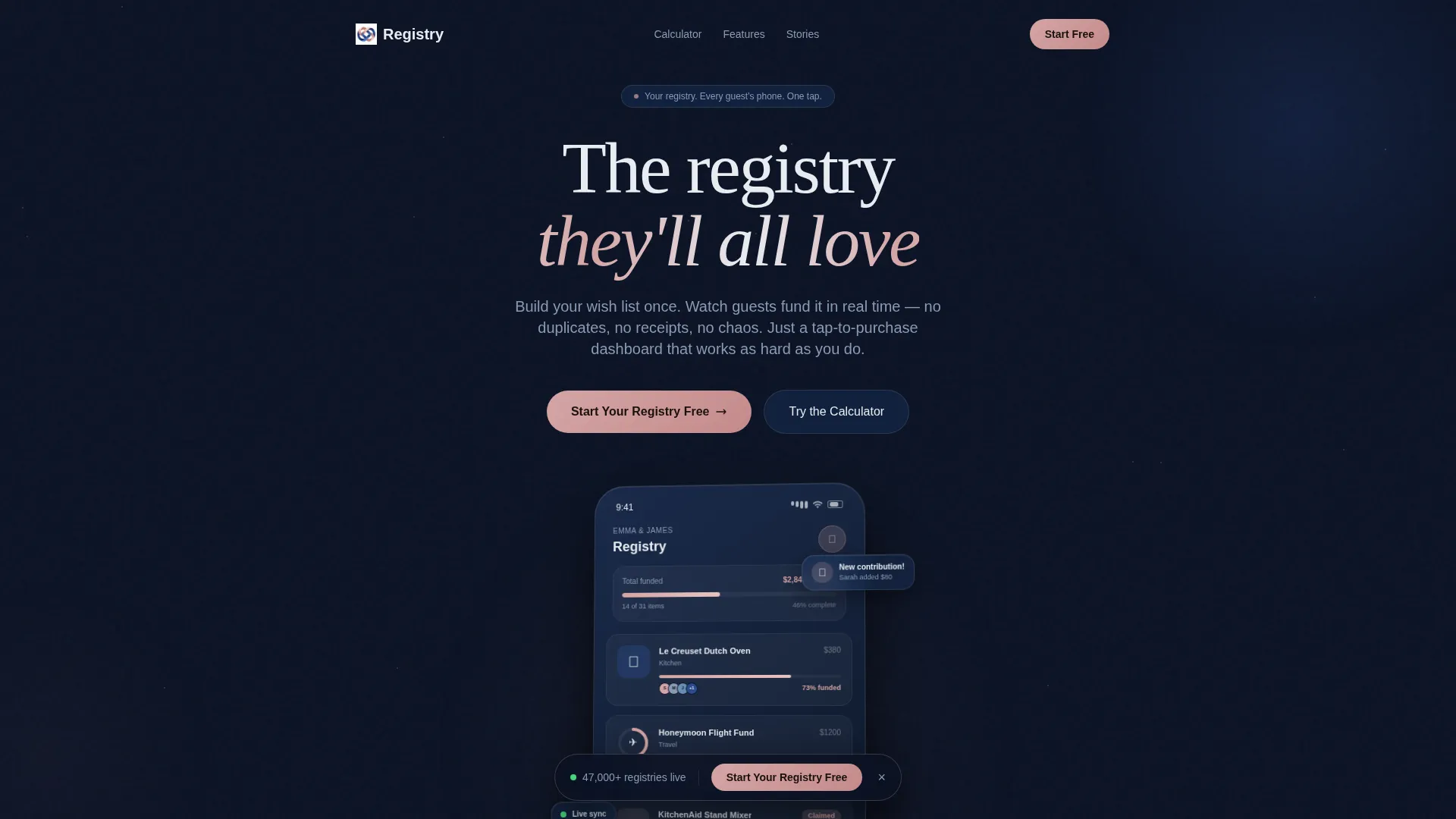
- A perspective-rendered dashboard header mockup showing a gift list in progress, complete with funding percentages and contributor avatars.
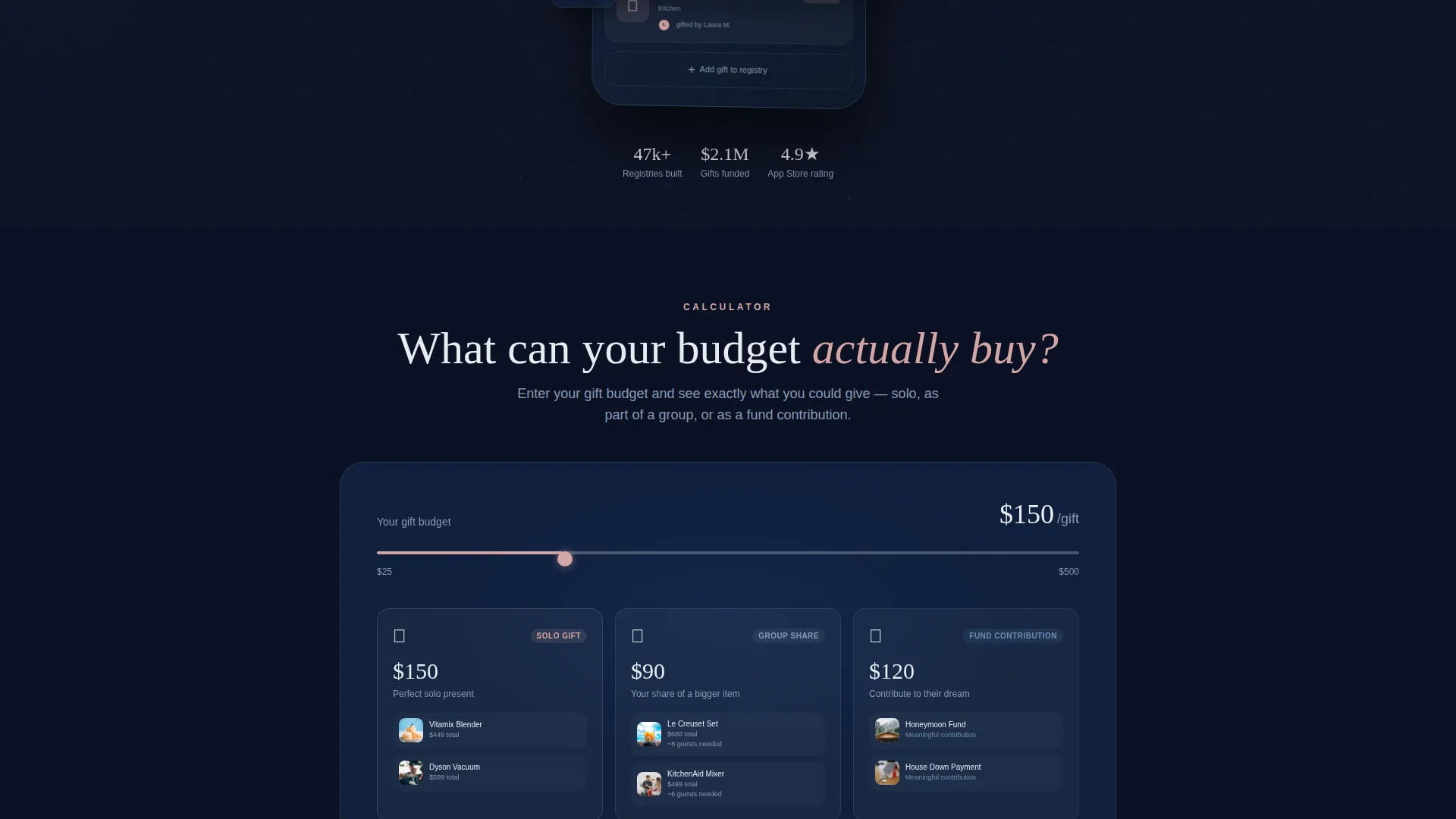
- An interactive Budget Split Calculator embedded in the second viewport, breaking any gift budget into solo, group, and fund-contribution options with product cards below.
- A floating bottom call-to-action bar with platform-detect smart buttons for app store links, plus a secondary "Text Me the Link" field for desktop visitors.
Feature list
This template ships with a set of purpose-built components. Each one addresses a real moment in the registry-browsing journey.
Interactive Budget Split Calculator
Visitors enter a gift budget and the tool instantly returns three spending paths: solo gift, group gift, and fund contribution. Real product cards populate below the result, so the output feels personal and immediately actionable.
Dashboard Preview Header
The hero section renders a pixel-perfect registry screen mockup at a slight perspective angle on a dark glass surface. It shows specific in-progress data, including a partially funded item, a claimed product with contributor avatars, and a honeymoon fund progress ring.
Modular Frosted Glass Card Grid
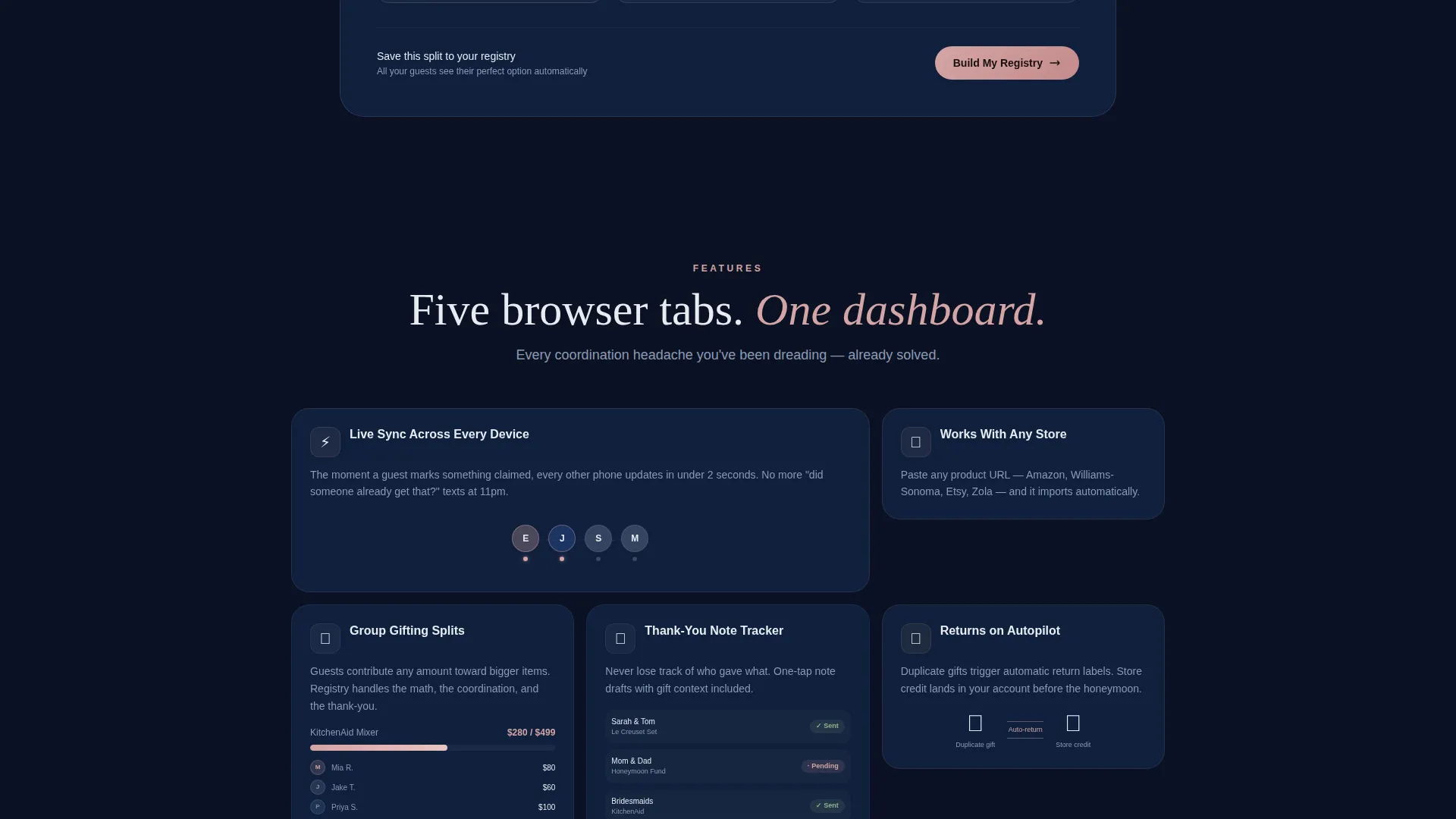
Every feature is presented as a frosted glass tile inside a responsive card grid. Cards lift on hover, catching the signature blush-rose light, and each one introduces a distinct registry capability such as sync notifications, group-gifting splits, thank-you-note tracking, or returns automation.
Social Proof Funding Tiles
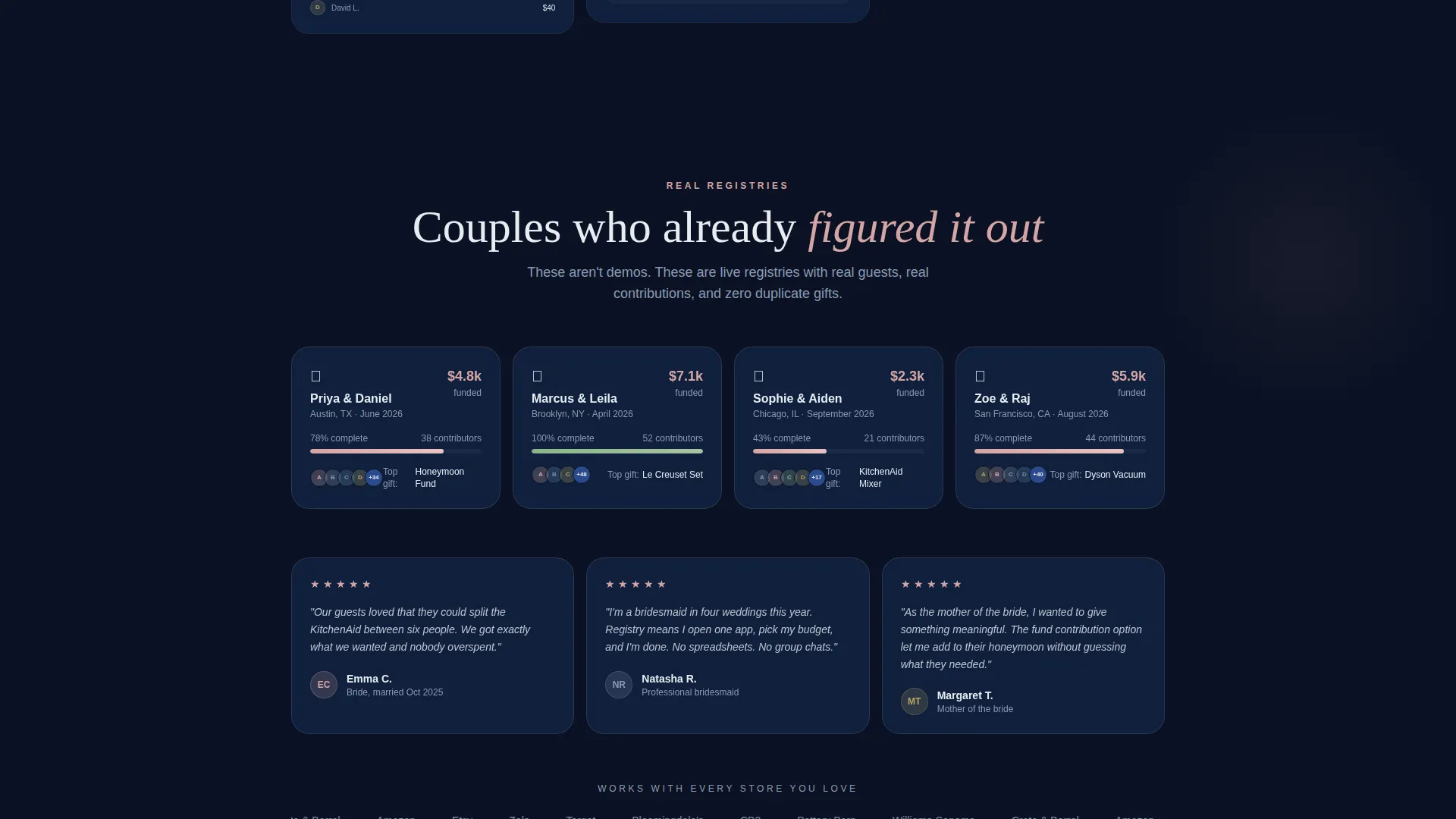
Below the feature cards, a row of proof tiles shows funded registries with real-looking dollar totals. This builds credibility by demonstrating that the registry product actually delivers results, not just promises.
Floating App Download Bar
After the calculator interaction, a pinned bottom bar appears with smart platform-detect buttons linking to both major app stores. A secondary phone-number field lets desktop visitors text themselves the link, removing any friction from the hand-off to mobile.
Animated Glow Effects
A soft pulse animation sits behind the phone mockup frame in the header. This subtle motion signals interactivity and gives the page a living, breathing quality without distracting from the content.
Page sections overview
| Section | Purpose |
|---|---|
| Dashboard Preview Header | Establish credibility with a realistic, data-rich registry mockup |
| Budget Split Calculator | Earn trust by showing visitors their own personalized gift options |
| Product Cards Row | Populate real-feeling gift results beneath the calculator output |
| Feature Card Grid | Present each registry capability as a scannable frosted glass tile |
| Social Proof Tiles | Demonstrate funded registry outcomes with specific dollar totals |
| Floating Download Bar | Drive app installs with smart platform buttons and a text-link option |
Design & branding system
The visual identity follows a Tech Glass theme built on a Midnight Blue color system. The palette reads like a phone screen at midnight: cold, precise, and quietly beautiful.
- Background, card surfaces, and typography use deep-space navy (#0B1224), polished sapphire (#1B3A6B), and frost white (#E8ECF1) to create a layered, translucent depth.
- Blush-rose (#D4A5A5) is reserved exclusively for interactive elements, including buttons, toggles, and progress rings, so every clickable moment has a consistent and recognizable visual heartbeat.
- Typography glows against the dark background rather than sitting flat, reinforcing the sense that the interface is alive and responsive.
Mobile & speed optimization
The template is structured with a mobile-first mindset, reflecting the fact that the primary call to action is an app download. Every layout decision assumes the visitor may be on a small screen.
- The card grid reflows cleanly across breakpoints, keeping frosted tiles readable and tappable at any screen width.
- The floating bottom bar and platform-detect smart buttons are sized and positioned for thumb-friendly interaction on mobile devices.
- The "Text Me the Link" secondary path specifically serves desktop visitors who discover the page on a larger screen and want to move to mobile seamlessly.
How this template helps you convert
The conversion strategy here is built on a principle of earning the download before asking for it. The page never leads with a hard sell.
- The Budget Split Calculator delivers personal, data-driven output the moment a visitor interacts with it, making the app feel immediately useful before it is even installed.
- The social proof funding tiles present specific, credible evidence of real registry outcomes, shifting the visitor's question from "does this work?" to "how do I start?".
- The floating download bar appears only after the calculator interaction, so the call to action arrives at the exact moment the visitor has already experienced the product's value firsthand.
Other information about this template
This template is part of the Wedding Digital Presence subcategory within the broader Technology category on the marketplace. It is designed specifically for the wedding online store niche, where digital tools are replacing paper lists and multi-retailer tabs.
- The template style is Card Grid (Modular), making it straightforward to reorder, add, or remove feature tiles without disrupting the overall layout.
- The creative direction is Calculator/Tool First, a structural choice that prioritizes demonstrating value over describing it.
- The header concept is Dashboard Preview, which means the hero section functions as an interactive product demo rather than a traditional banner image.
- The landing page direction is App Download, so every section is sequenced to build toward that single primary action.
Theme
Tech Glass
Creative direction
Calculator/Tool First
Color system
Midnight Blue
Style
Card Grid (Modular)
Direction
App Download
Page Sections
Interactive Budget Split Calculator
Dashboard Preview Hero Header
Frosted Glass Modular Card Grid
Social Proof Funding Tiles
Floating App Download Bar
Related questions
Can I customize the product cards shown beneath the calculator?
Does the template include both app store button styles?
Is the Budget Split Calculator functional out of the box?
Can this template work for a web-based registry tool instead of an app?
What makes the Tech Glass theme different from a standard wedding template?



