Advanced Data & Analytics Comparison Website Template
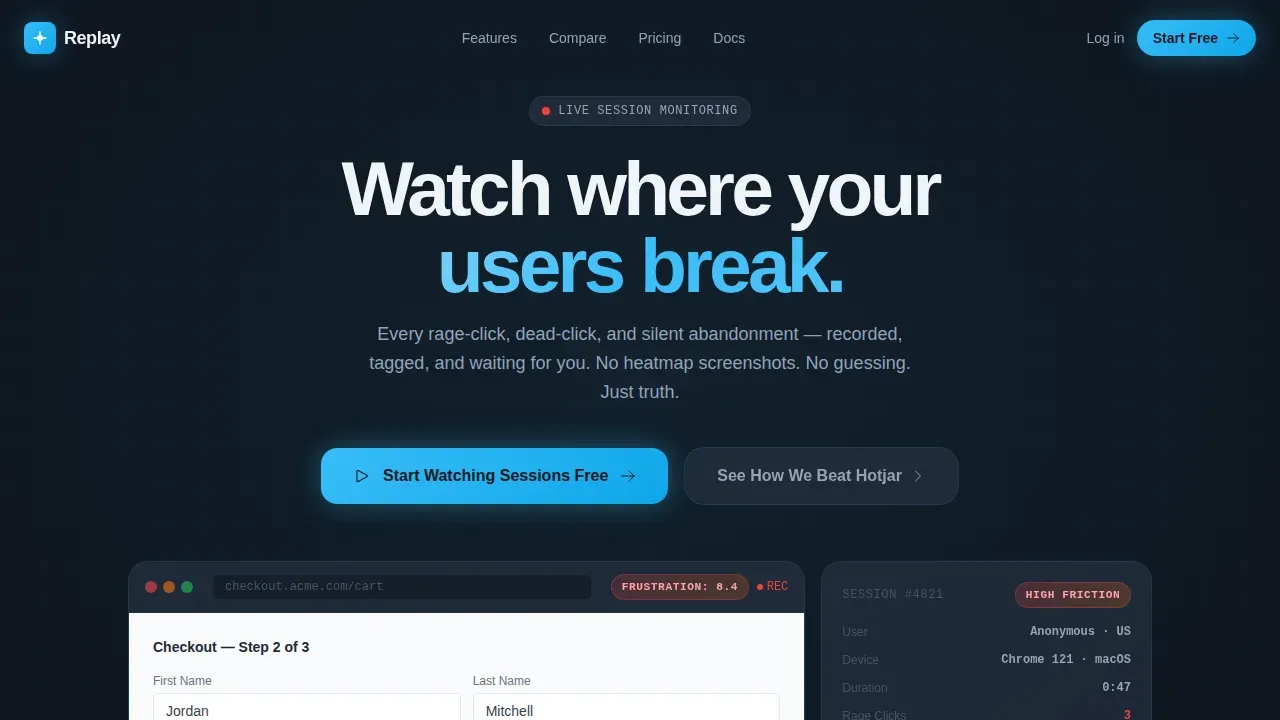
The Replay real time session recording landing page template is a dark-themed, modular card-grid layout built for session recording platforms. It features an interactive session replay hero, animated stats cards, a sticky competitor comparison bar, and a one-script-tag install call to action. Designed for growth product managers, user experience researchers, and startup founders who need to turn raw funnel data into watchable human moments.
by Rocket studio
Quick summary
Replay is a single-page, card-grid landing page template built for session recording and product analytics platforms. It opens with a live session replay demo embedded directly in the hero, then moves through animated impact stats, a sticky competitor comparison bar, frustration-pattern thumbnail cards, and a frictionless install call to action. The Tech Glass visual identity keeps the focus sharp and the data glowing.
Who this template is for
This template speaks directly to teams who need qualitative evidence to complement their quantitative data. If your users interact with your product every day and you still cannot explain why they leave, this layout is built for that conversation.
- Growth product managers who need to show engineers exactly where errors occur and user struggle is highest
- User experience researchers who watch session replays to understand real user behavior beyond heatmap screenshots
- Startup founders and marketing teams who see conversion rates drop but cannot pinpoint the broken page element causing it
What problem this template solves
Most analytics tools show you numbers. They tell you how many individual users dropped off a checkout step, but not why. The gap between quantitative data and lived user experience is where revenue disappears.
- Session replay data stays locked inside raw recordings that take too long to search through and share
- Customer support teams receive bug reports without full context, making it hard to reproduce technical errors quickly
- Product teams lack a landing page that communicates the immediate, emotional value of watching a real user struggle in real time
What you get with this template
You get a complete, ready-to-customize landing page that demonstrates how session replay works before a visitor even scrolls. Every section is built to reduce skepticism and increase confidence in the session recording tool being marketed.
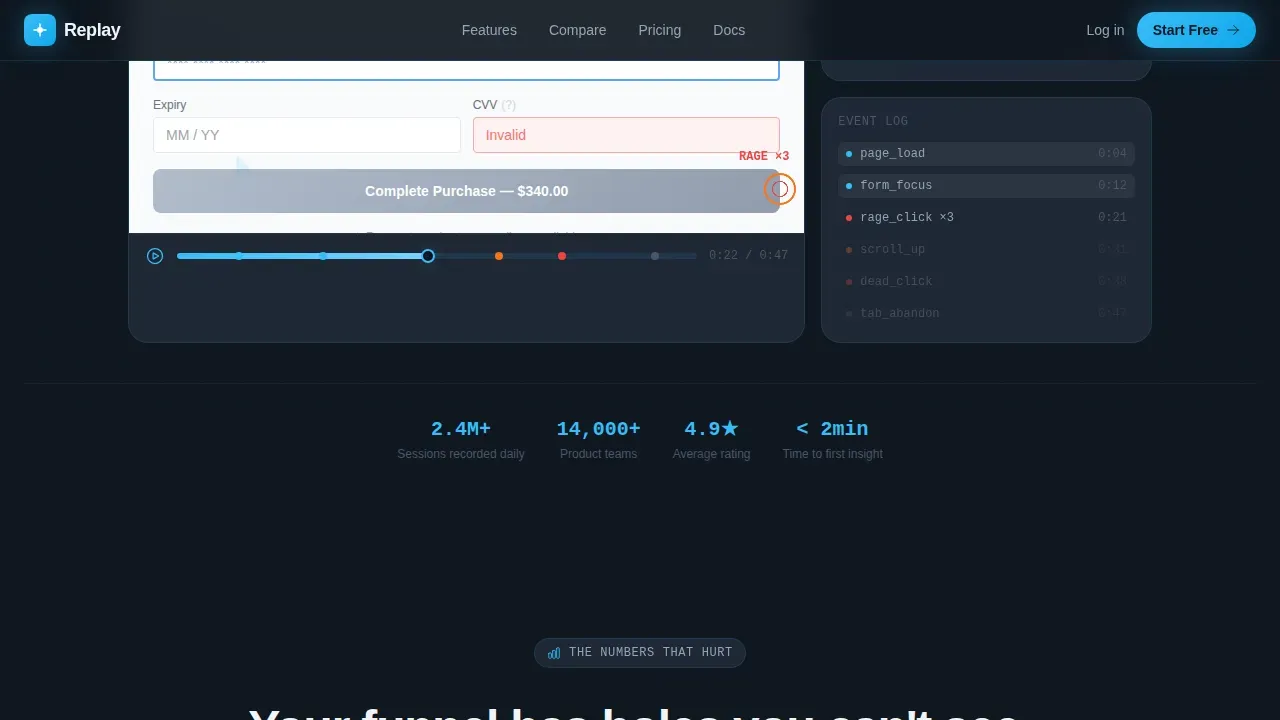
- An interactive hero section where a real user navigates a sample checkout, showing mouse movements, rage-clicks, and abandonment live in the viewport
- A modular card grid with animated metric counters, competitor comparison grids, and mini replay thumbnail cards showing frustration patterns
- A sticky comparison bar, two primary calls to action, and a script-tag install section with no email requirement
Feature list
This template includes a focused set of designed and developed sections. Each one is purpose-built for a session replay software product page.
Interactive Session Replay Hero
The header is a functioning session replay embedded directly in the viewport. A cursor moves autonomously across a sample e-commerce checkout, pauses over a confusing form field, rage-clicks a broken button, then abandons. Visitors can drag the timeline scrubber and hover over event tags to see exactly how session replay works in practice. A single line fades in below: "You just watched a $340 cart disappear."
Animated Stats Impact Cards
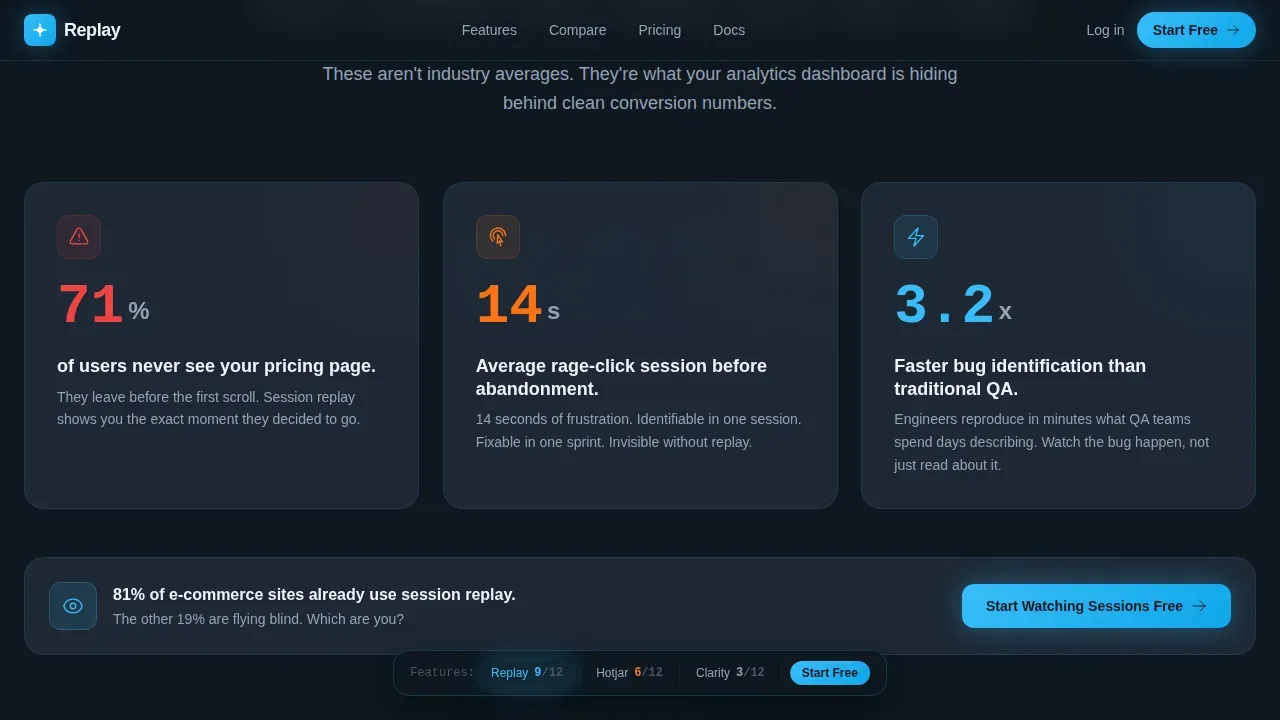
Three modular metric cards use Intersection Observer-triggered animated counters to surface session replay data points that stop scrollers cold. Each card leads with one devastating number before its explanation. The rhythm alternates between a stat card that shocks, a comparison card that contextualizes, and a mini replay thumbnail that proves it.
Sticky Competitor Comparison Bar
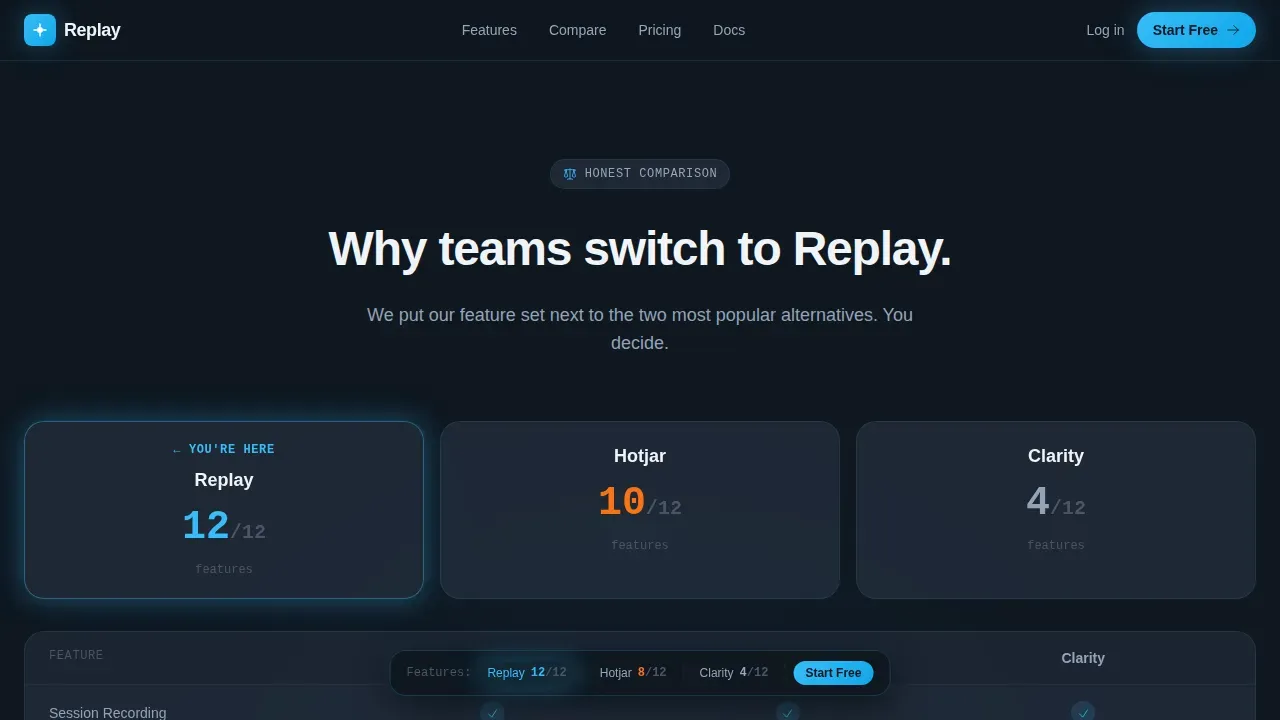
A persistent sticky bar tracks a running feature tally as the visitor scrolls. It names the two closest competing session replay vendors and updates its checkmark count live. This keeps the competitive argument visible throughout the entire customer journey without interrupting the reading flow.
Frustration Pattern Thumbnail Cards
A dedicated section shows mini replay thumbnails that illustrate real user struggle patterns: rage-click sequences, dead-click loops, and abandonment moments. These visual cards help product teams and customer support teams immediately recognize the user actions they need to fix, without reading a word of copy.
Frictionless Install Section
The final call-to-action section reduces signup friction to a single script tag copy-paste. No email is required for the free tier. The section pairs a code snippet display using JetBrains Mono typography with a bold primary call to action: "Start Watching Sessions Free." A secondary path reads "See How We Beat [Competitor]" for visitors who want a deeper breakdown.
Footer Pattern (Vercel Horizontal)
The footer follows the Vercel Horizontal pattern: a clean, minimal horizontal layout that anchors the page without visual noise. It keeps the dark Tech Glass aesthetic consistent to the last pixel and does not compete with the final call to action above it.
Page sections overview
| Section | Purpose |
|---|---|
| Interactive Replay Hero | Live cursor demo with timeline scrubber and frustration-score badges |
| Stats Impact Cards | Three animated metric cards surfacing session replay data |
| Competitor Comparison Grid | Side-by-side feature grids with checkmarks and crosses |
| Frustration Pattern Thumbnails | Mini replay clips showing rage-click and abandonment patterns |
| Install and call to action | Script-tag setup with no-email free tier and primary action |
| Vercel Horizontal Footer | Minimal anchor footer keeping dark aesthetic consistent |
Design & branding system
The visual identity follows a Tech Glass theme built around the Slate and Sky color system. The palette is designed to make session replay data feel alive against a dark analytical backdrop.
- Deep interface slate (#1B2432) for backgrounds, frosted panel gray (#2A3444) with 12% opacity glass blur for card surfaces, sky-signal blue (#38BDF8) for every interactive and data-highlighted element, and clean white (#F0F4F8) for typography
- Manrope is used for all headings and interface text; JetBrains Mono handles code snippets, data labels, and the install script display
- Animation is high-intensity throughout: autonomous cursor movement in the hero, animated counters on scroll, ping indicators on click events, and scroll-linked reveals across all card rows
Mobile & speed optimization
The template is desktop-first by design, reflecting how product teams use dashboards and watch session recordings at their workstations. A mobile fallback layout is included for all card grid sections.
- CSS transforms are used exclusively for animations to keep rendering efficient and avoid layout thrashing across mobile devices
- Intersection Observer handles all counter animations and scroll-linked reveals, so nothing fires until a section enters the viewport
- Card grid sections reflow cleanly on smaller screens, and the sticky comparison bar collapses gracefully on mobile applications and narrow viewports
How this template helps you convert
This template is structured around one goal: move a skeptical product manager from "interesting" to "installing." Every layout decision reduces friction and builds trust at the right moment.
- The interactive hero lets visitors watch session replays immediately, making the product's value visceral before a single word of copy is read. Using session replay as the first experience removes the need to explain it.
- The stats-first card grid delivers session replay data in a format that product managers recognize as credible evidence, bridging qualitative data with the kind of specificity that wins internal arguments.
- The no-email free tier paired with a one-script-tag install makes the final call to action feel genuinely low-risk, which directly supports conversion rates for teams that are already comparison-shopping session replay vendors.
Other information about this template
This section covers additional practical details for teams evaluating whether this template fits their tech stack and workflow.
- Session replay tools reconstruct user sessions based on Document Object Model (DOM) changes rather than recording actual video, so the embedded hero demo is lightweight and does not require video hosting
- The template is designed to combine session replay messaging with web analytics context, making it suitable for platforms that integrate session replay alongside other analytics tools in a single tech stack
- Many session replay tools automatically mask sensitive user data to protect user privacy and stay compliant with privacy regulations; this template's copy and layout support that messaging natively
- Integrating session replay into a broader product analytics narrative is straightforward with this layout, since each card section can hold session replay data, user events, or conversion metrics independently
- The sticky comparison bar references competing session replay vendors by name in the live template; product teams can update competitor names to reflect their current market positioning
- Most session replay tools offer adjustable playback speed and the ability to skip forward through inactive periods; this template's hero section demonstrates those controls visually, setting accurate expectations for new users
- Session replay helps customer support teams by surfacing relevant session replays when users report issues, allowing agents to see exactly what the user experienced before they contacted support
- The template supports record user sessions messaging for both web pages and mobile apps, with copy adaptable for teams whose session recording tool covers mobile applications as well as desktop flows
- Teams can filter sessions by user id, user actions, or key events inside real session recording tools; this template's user interface cards visually reference those filtering controls to set accurate product expectations
- The session replay log concept is represented in the timeline scrubber user interface of the hero, giving visitors an immediate sense of how session playback and event tagging work together
Theme
Tech Glass
Creative direction
Stats-First Impact
Color system
Slate & Sky
Style
Card Grid (Modular)
Direction
Comparison/Versus
Page Sections
Interactive Session Replay Hero
Animated Stats Impact Cards
Sticky Competitor Comparison Bar
Frustration Pattern Thumbnail Cards
Frictionless Script-tag Install Call to Action
Related questions
What kind of product is this template designed to promote?
Can I update the competitor names in the sticky comparison bar?
Does the interactive hero require a live backend to function?
How does the template handle sensitive data in its demo content?
Is this template suitable for platforms covering both web and mobile apps?



