Developer Tools & API Cost Calculator Website Template
Repo is a hub-and-spoke landing page template built for code repository and version control platforms. It opens with a logo bar and a single monospaced headline, then leads visitors into an interactive migration estimator before walking them through five capability spokes. The layout is designed to convert CTOs, DevOps leads, and solo founders into qualified leads.
by Rocket studio
Quick summary
Repo is a single-page, anchor-nav landing page template for version control and code repository platforms. It combines a credibility-first logo bar, an interactive migration estimator, and five spoke sections covering Push, Review, Deploy, Secure, and Scale. Every section is built to move a technical buyer from curiosity to a booked conversation.
Who this template is for
This template is built for teams and founders who need to present a code repository platform to a technical audience. It speaks directly to buyers who evaluate tools on evidence, not marketing promises.
- CTOs assessing a migration away from legacy version control systems
- DevOps leads who need one platform instead of five loosely connected tools
- Solo founders ready to move their first private repository out of a zip file and into a real system
What problem this template solves
Most developer tool landing pages bury the value proposition under generic headlines and stock imagery. Technical buyers lose patience quickly. This template puts the most convincing element, a personalized migration estimate, at the very top of the page.
- Visitors leave without a concrete reason to act, because no number is in their head yet
- Marketing copy fails to earn trust from engineers who respond to evidence and working examples
- Generic page structures cannot hold attention across five distinct capability areas without losing the thread
What you get with this template
You get a fully structured, single-page layout with sticky anchor navigation and five dedicated capability spokes. Every section is pre-built with a clear visual role and a specific conversion job to do.
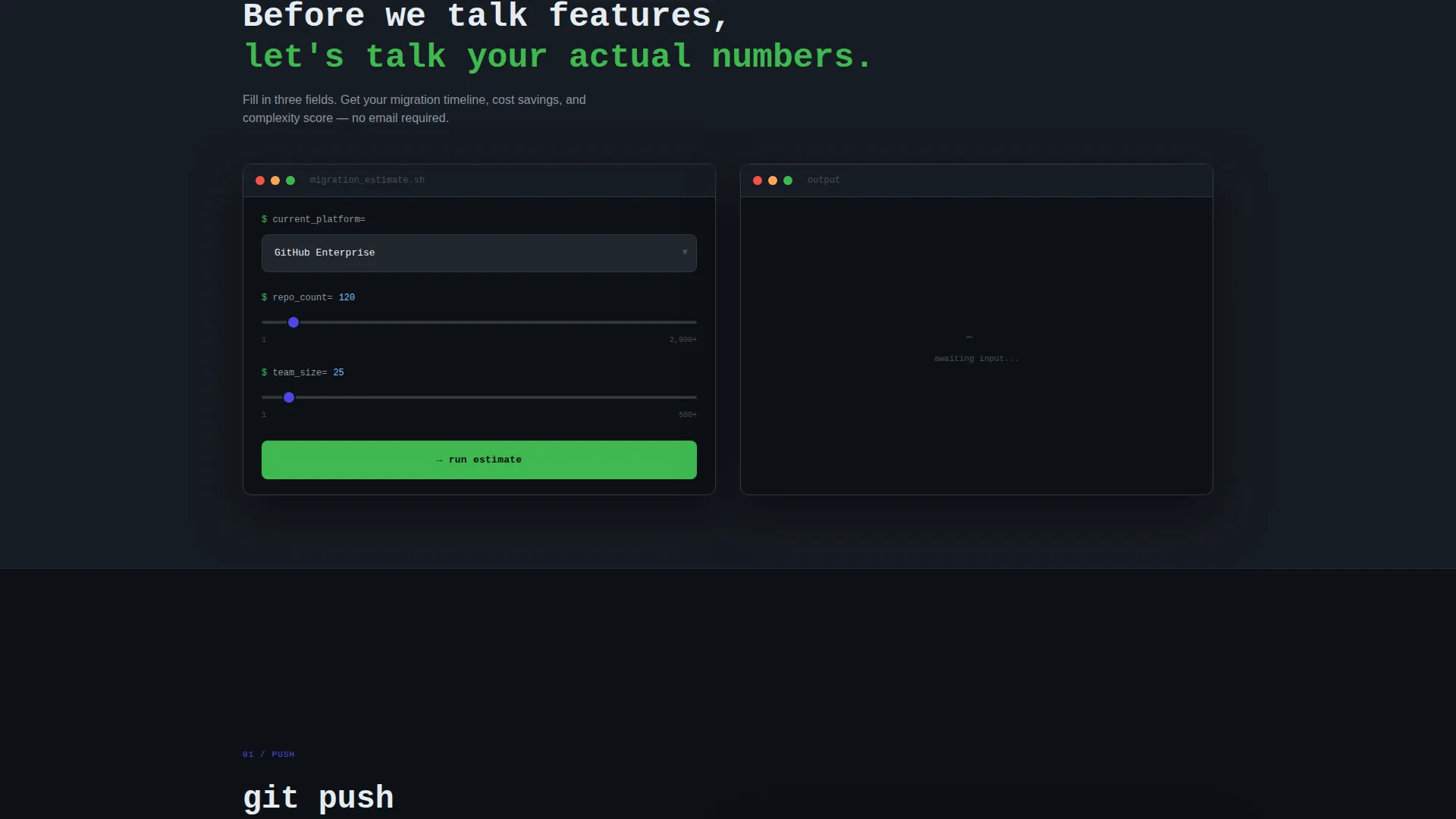
- An interactive migration estimator that calculates migration time, estimated annual cost savings, and a complexity score based on visitor inputs
- Five spoke sections, each opening with a live-styled code snippet or terminal animation, escalating from individual workflow to enterprise compliance
- A slide-out lead capture form at each spoke, collecting work email, current platform, and a single open text field for the visitor's biggest pain point
Feature list
This section covers the core functional and design components built into the Repo template.
Interactive Migration Estimator
Visitors select their current platform, enter their approximate repository count and team size, and the tool instantly returns a migration time estimate, projected annual cost savings, and a complexity score. This gives every visitor a personalized number before they read a single spoke section.
Sticky Hub-and-Spoke Anchor Navigation
A five-item anchor nav labeled Push, Review, Deploy, Secure, and Scale sticks to the top of the viewport as visitors scroll. Each label is a verb, which keeps navigation action-oriented and reduces the cognitive effort of finding a specific capability.
Logo Bar Header
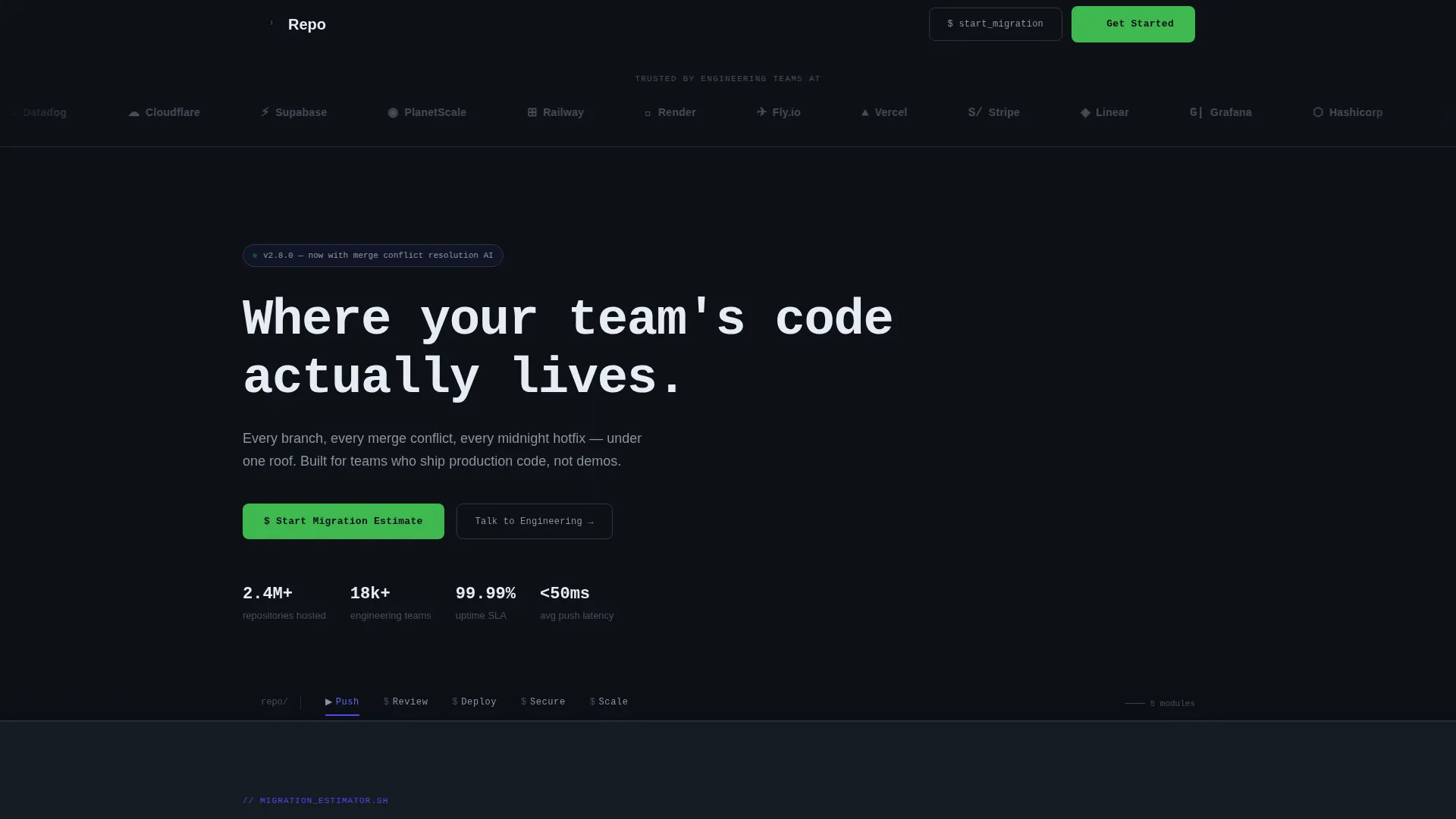
A horizontal strip of engineering brand logos sits above a single monospaced headline. The logos handle credibility immediately, before the visitor reads a word of copy.
Live-Styled Code Snippet Sections
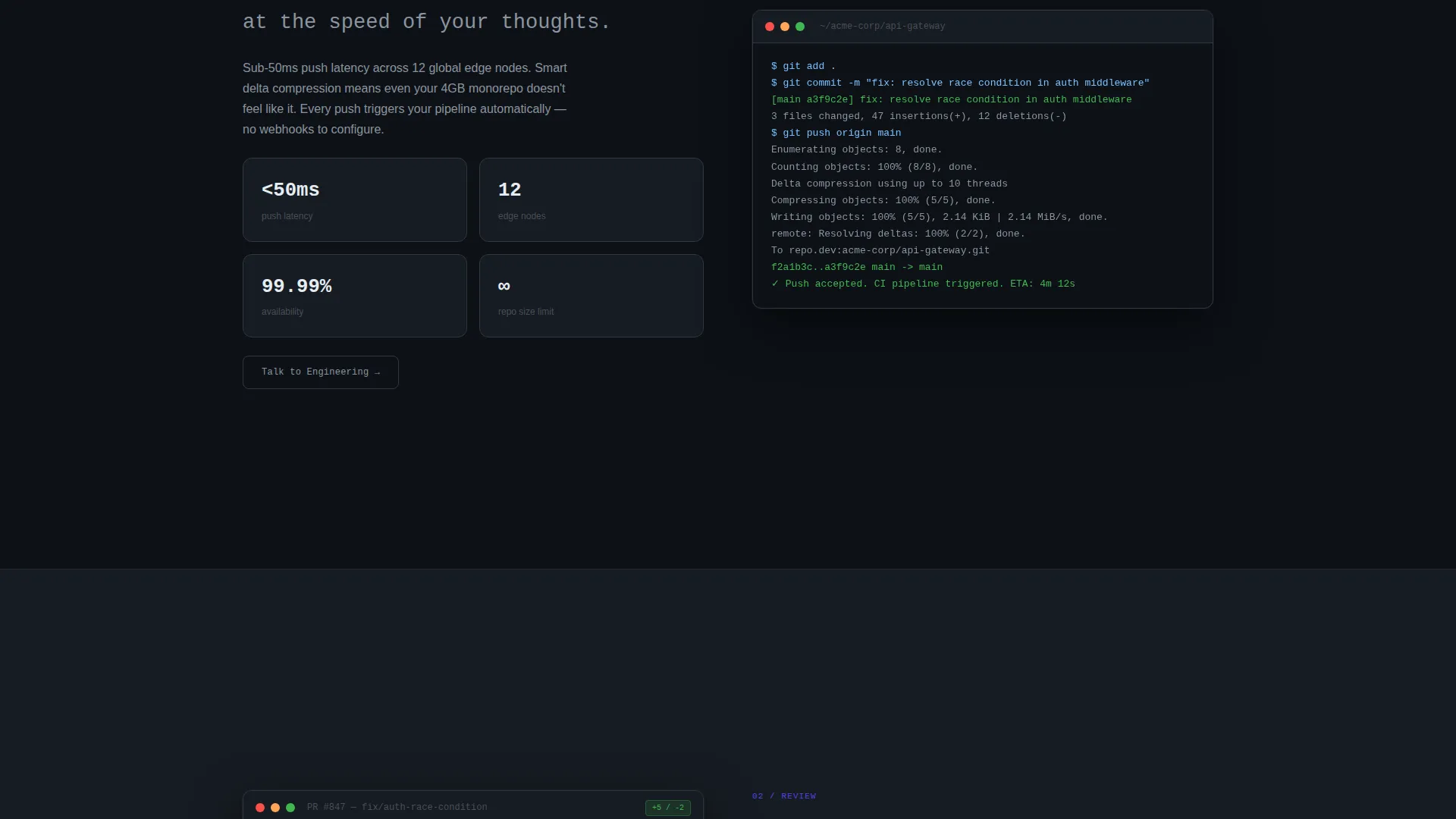
Each spoke opens with a syntax-highlighted terminal animation or code snippet rather than a static screenshot. The snippets are styled to feel copy-pasteable, which builds immediate technical trust.
Dual Call-to-Action System
The primary call to action, "Start Your Migration Estimate," anchors back to the calculator at the top of the page. A secondary "Talk to Engineering" call to action appears at every spoke and opens a slide-out form for direct lead capture.
Slide-Out Lead Capture Form
The slide-out form is intentionally minimal: work email, current platform, and one open text field for the visitor's biggest pain point. It catches already-convinced visitors without adding friction.
Page sections overview
| Section | Purpose |
|---|---|
| Logo Bar Header | Establish credibility with recognizable engineering logos above the monospaced headline |
| Sticky Anchor Nav | Keep Push, Review, Deploy, Secure, Scale reachable from any scroll position |
| Migration Estimator Tool | Deliver a personalized migration time, cost savings, and complexity score before spoke content |
| Push Spoke | Show individual developer workflow with a live terminal animation |
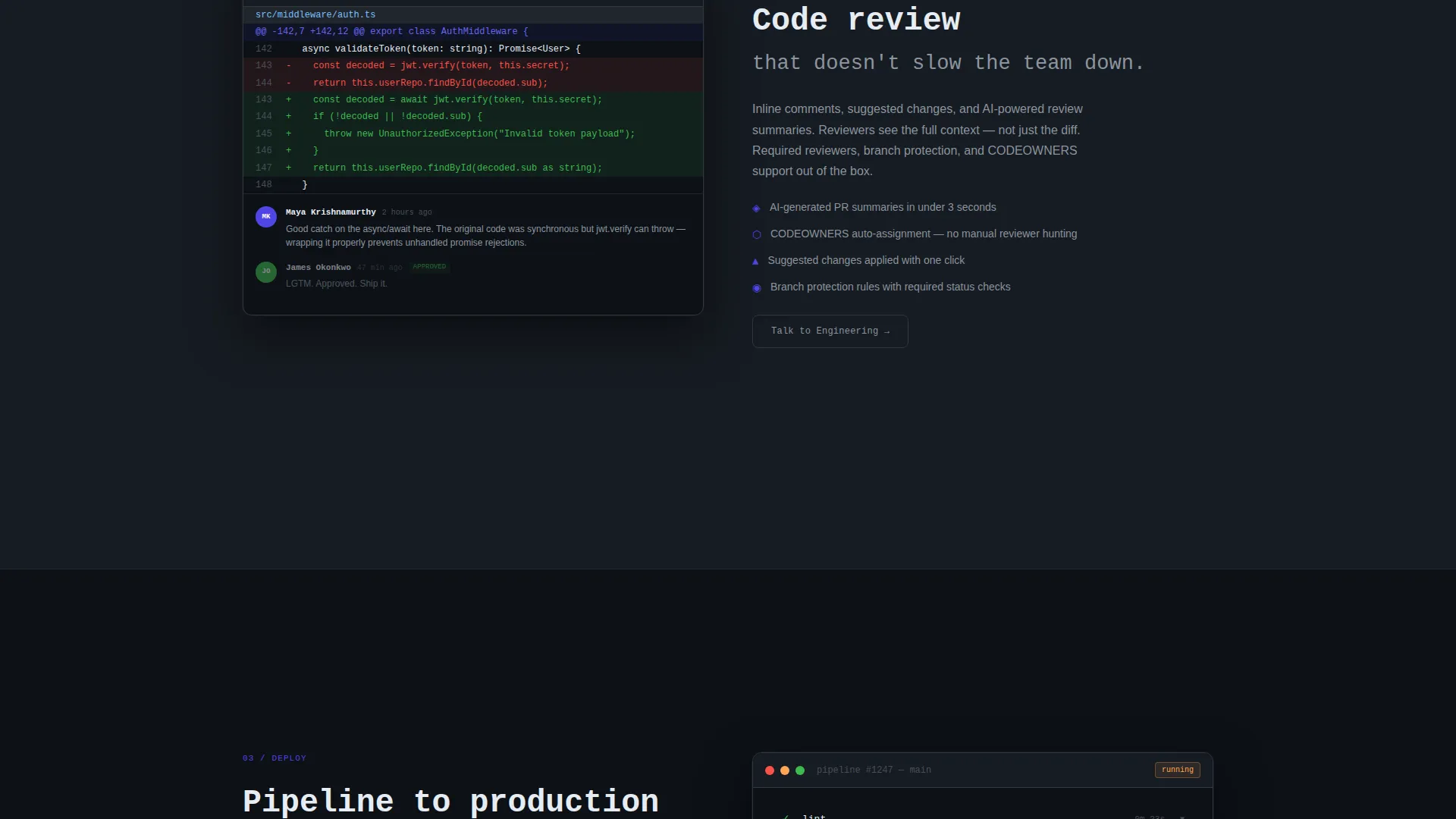
| Review Spoke | Demonstrate code review and branch management capabilities |
| Deploy Spoke | Cover deployment workflow with a syntax-highlighted snippet |
| Secure Spoke | Address compliance and security posture at the team scale |
| Scale Spoke | Present enterprise-level collaboration and repository management |
| Slide-Out Lead Form | Capture work email, current platform, and pain point at each spoke |
| Primary call to action Section | Drive visitors back to the migration estimator with a single focused action |
Design & branding system
The visual identity follows a Directory and Discovery theme built on an Electric Indigo color system. The palette is deliberately restrained, with color appearing only when it carries meaning, much like a well-configured code editor at midnight.
- Deep terminal black (#0D1117) as the base background, electric indigo (#4F46E5) for interactive anchors and active states, soft syntax gray (#8B949E) for secondary text and dividers, and bright diff green (#3FB950) for success states and calls to action
- Monospaced typography for the primary headline reinforces the terminal aesthetic without relying on illustration or hero imagery
- No hero images or gradient overlays; the logo bar and headline carry all the visual weight above the fold
Mobile & speed optimization
The template layout is structured to remain fully navigable on smaller screens. The sticky anchor nav condenses cleanly, and the slide-out form does not interrupt the main scroll path on any viewport size.
- The hub-and-spoke structure keeps each spoke section self-contained, so content loads and reads in focused blocks rather than one overwhelming wall of text
- The migration estimator inputs are designed for touch interaction, with select fields and numeric inputs that work without a keyboard shortcut
How this template helps you convert
The entire page is sequenced around a single insight: a visitor who has a personalized number in their head is far more likely to submit a lead form than one who has only read generic copy.
- The migration estimator runs before any spoke content, so the visitor arrives at each capability section already holding their own projected cost savings and migration timeline.
- The "Talk to Engineering" slide-out form at every spoke removes the need to scroll back to a distant contact section, meeting the visitor exactly where their interest peaks.
- The minimal form fields, work email, current platform, and one open text box, reduce drop-off by keeping the ask proportional to the commitment level of a first visit.
Other information about this template
This template is built under the Hub and Spoke layout style, which is well suited for platforms with multiple distinct capability areas that still need to feel like one coherent product. The anchor nav pattern is a common pattern in developer tool marketing because technical buyers often jump directly to the capability they care about most rather than reading top to bottom.
- The Calculator and Tool First creative direction means the interactive estimator is the true centerpiece of the page, not a secondary widget buried near the footer
- The Lead Generation page direction means every design decision, from the sticky nav to the slide-out form placement, is oriented toward capturing a qualified contact rather than driving a self-serve sign-up
- The Directory and Discovery theme works well in this context because technical buyers treat repository platform pages like they treat documentation: they scan for the section relevant to their role, read deeply there, and ignore everything else
Theme
Directory & Discovery
Creative direction
Calculator/Tool First
Color system
Electric Indigo
Style
Hub & Spoke (Anchor Nav)
Direction
Lead Generation
Page Sections
Interactive Migration Estimator
Sticky Hub-and-spoke Anchor Nav
Logo Bar Header
Live-styled Code Snippet Sections
Dual Call-to-action System
Minimal Slide-out Lead Form
Related questions
Who is the Repo template designed for?
What makes the migration estimator different from a standard contact form?
Can I adapt the five spoke sections to different capability areas?
Does the slide-out form replace the primary call to action?
Is this template suitable for a solo founder as well as an enterprise team?



