Festive Restaurant Landing Page Template
Reservé is a modular card-grid landing page template designed for a restaurant holiday greeting email app. It guides visitors from recognizing seasonal email chaos to downloading a branded solution in one smooth scroll. Built on a Tech Glass visual identity with an iridescent dark palette, it showcases animated code snippets, problem-to-solution card rows, and a gold-accented app download call to action.
by Rocket studio
Quick summary
Reservé is a single-page, card-grid landing page built for a restaurant holiday greeting email app. It walks visitors through the cost of generic seasonal emails, then shows a smarter path: automated, on-brand holiday campaigns that fill tables between Christmas Eve and New Year's Day. The page closes with a compelling app download call to action.
Who this template is for
This template is built for people who run restaurants and carry marketing responsibilities at the same time. If you are promoting an app that helps those people send better holiday emails, this page speaks their language.
- Independent bistro owners who need a fast, branded way to reach guests during the holiday season
- Marketing managers overseeing several locations with limited bandwidth and one shared inbox
- Executive chefs who have also become the de facto social media and email person for their restaurant
What problem this template solves
Restaurants lose real revenue during the post-Christmas lull because their holiday outreach relies on recycled templates and guesswork timing. This landing page frames that problem clearly before presenting the solution.
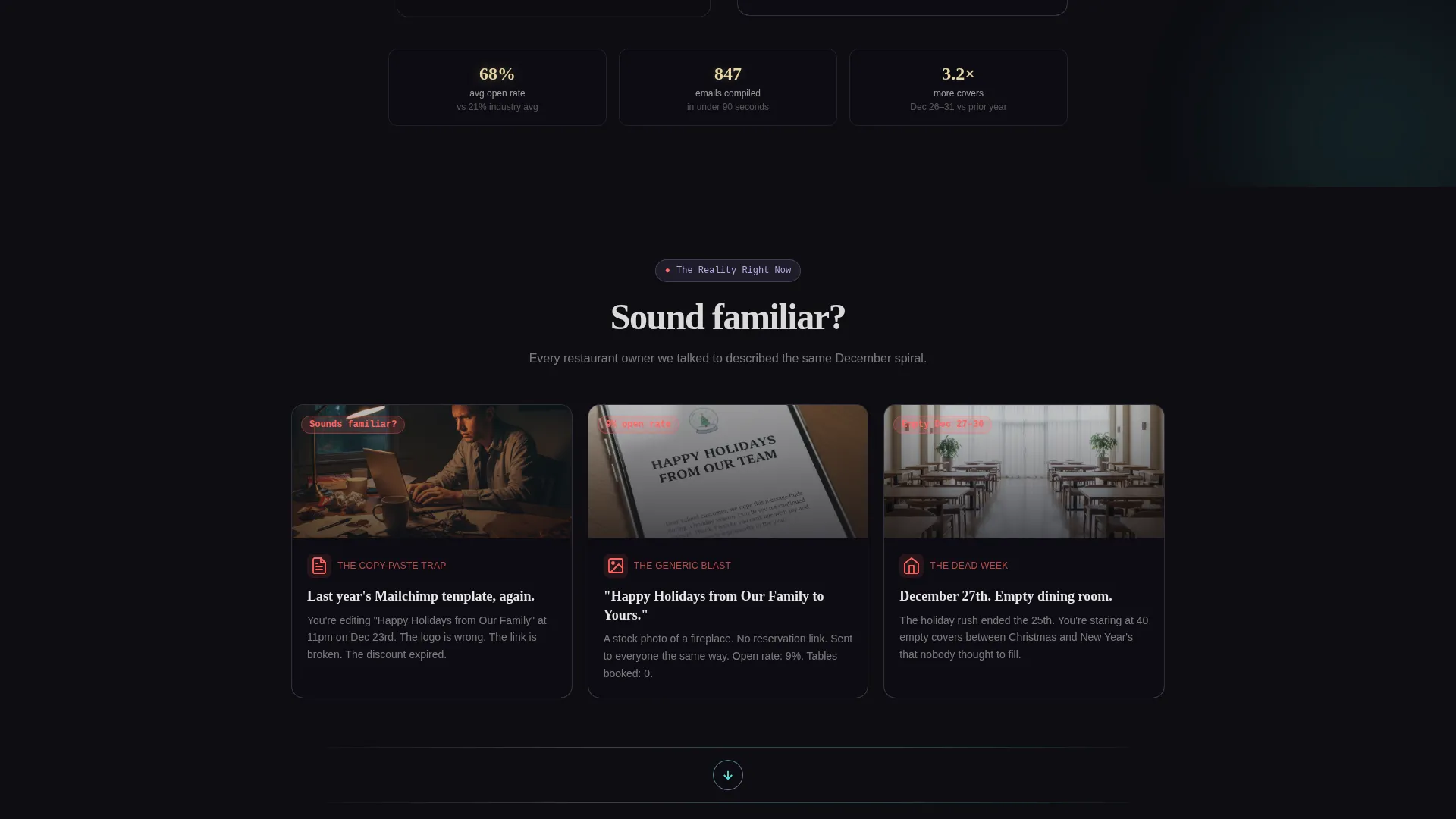
- Generic "Happy Holidays from Our Family" emails get ignored, leaving seats empty on December 27th
- Copy-pasting last year's campaign wastes time and produces off-brand results that undercut guest trust
- No smart send-time logic means holiday messages land at the wrong moment for the wrong guest
What you get with this template
You get a fully structured, single-page modular layout that takes a visitor from problem awareness to app download without friction. Every section is purposeful and visually consistent.
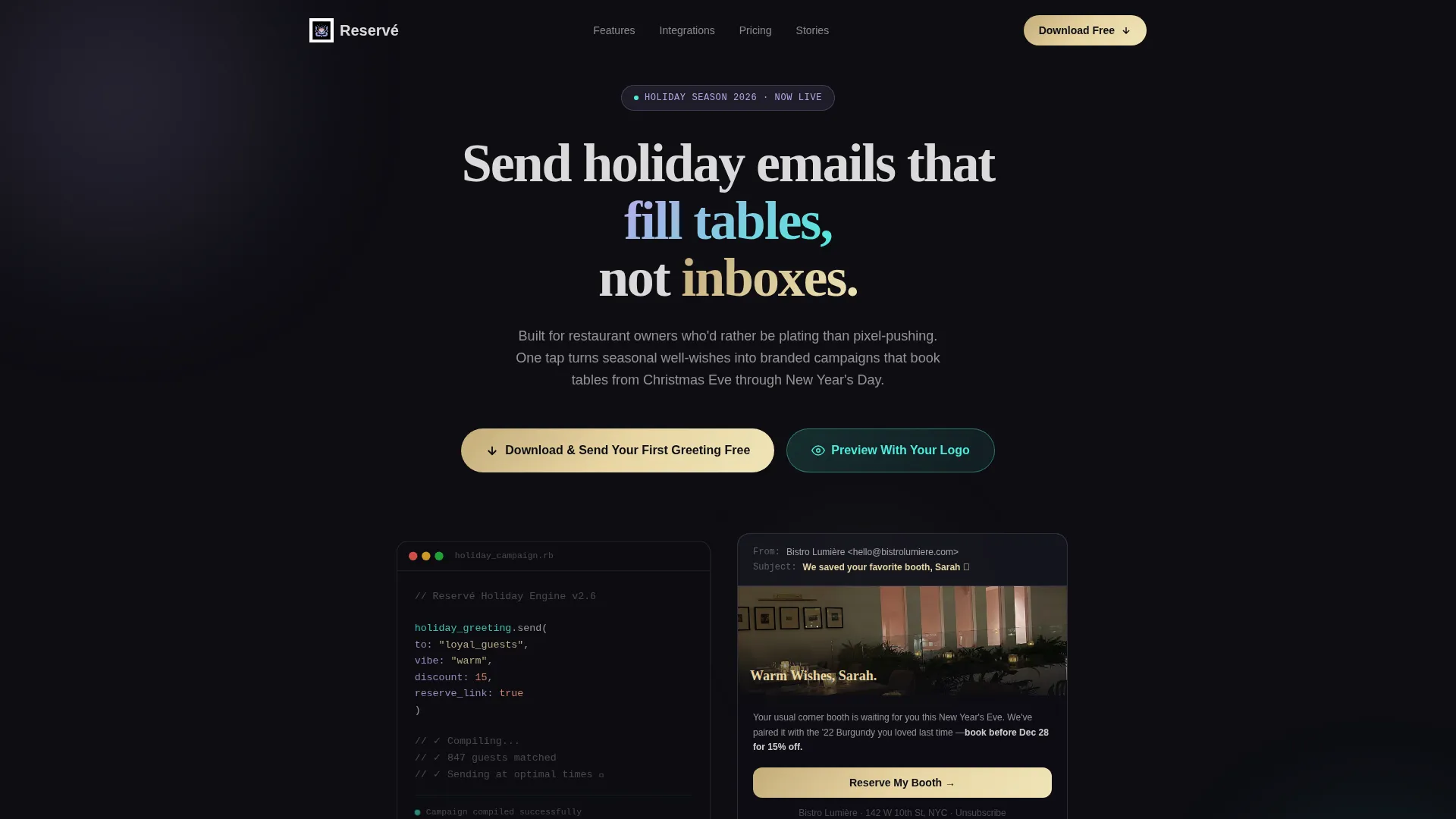
- An animated code-snippet hero that transforms pseudo-code into a fully rendered holiday email on screen
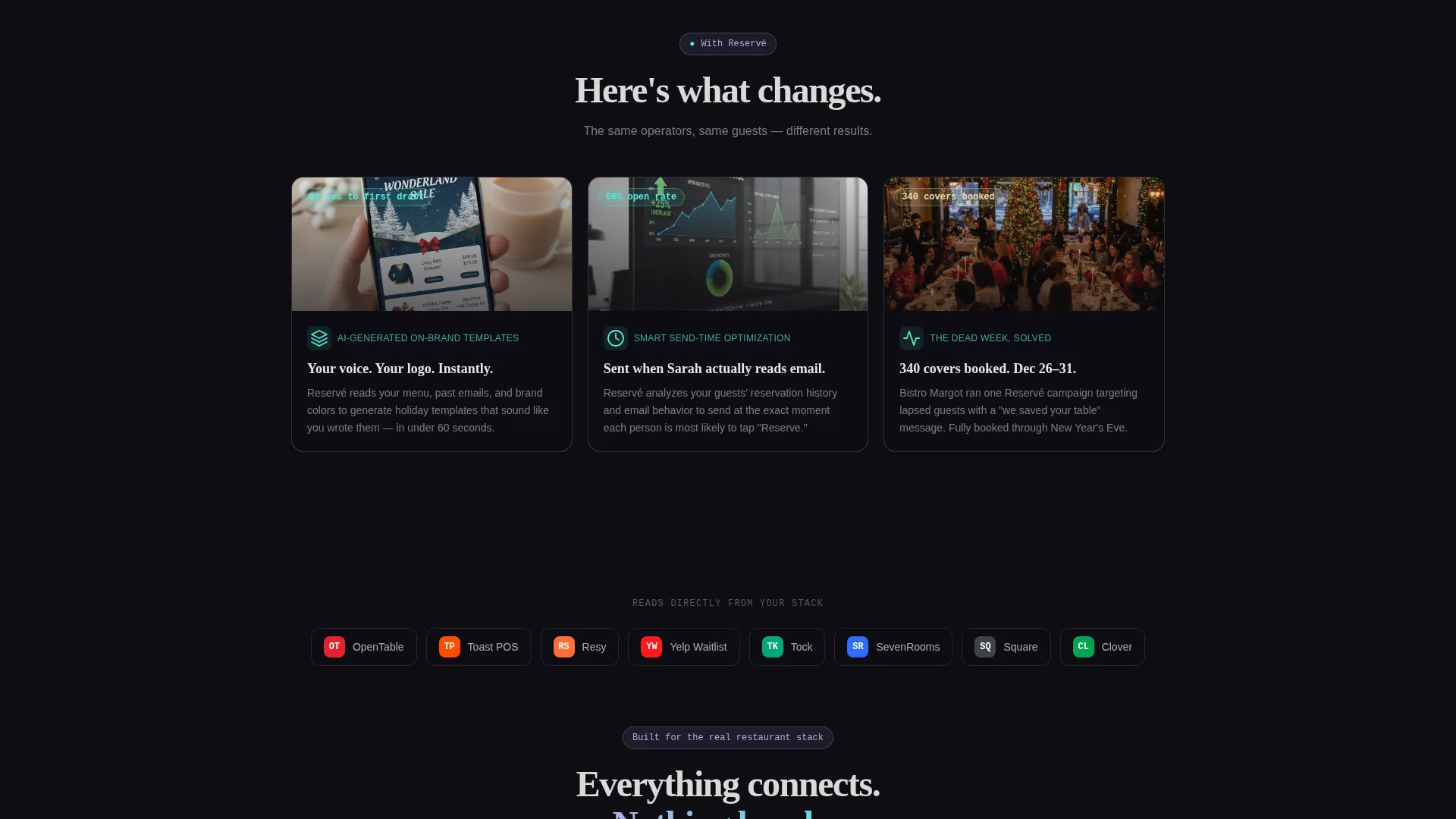
- A two-row Problem-to-Solution card arc showing chaos cards dissolving into resolution cards
- A sticky mobile bottom bar and a gold-accented final call to action anchoring the app download path
Feature list
This template delivers a focused set of interactive and structural features drawn directly from the design brief.
Animated Code Snippet Hero
A floating, syntax-highlighted pseudo-code block types itself out character by character above a dark glass-morphism panel. Once complete, the code "compiles" and a finished holiday email blooms outward, showing a candlelit table hero image, a personalized guest headline, and a glowing reservation button.
Modular Problem-to-Solution Card Grid
The scroll narrative is built on paired card rows. The first row presents three recognizable failure scenarios: the recycled Mailchimp template, the stock-photo email, and the empty dining room. The next row replaces each with its resolution, making the value of the app immediately tangible.
Inline Logo Preview Micro-Form
A secondary conversion path lets visitors type their restaurant name and cuisine type. The page instantly generates a sample holiday email on screen using those inputs. By the time they see their own branding in the preview, downloading the app feels like the natural next step.
Platform-Detection App Download Modal
Tapping the primary call to action triggers a modal that detects the visitor's device and routes them to the correct app store. This removes the friction of choosing between platforms and keeps the download flow smooth.
Glowing Testimonial Card Row
A final card row displays real restaurateur testimonials with open rates and covers booked. The cards use the iridescent border treatment and feel visually consistent with the rest of the page while adding social proof at the moment of decision.
Sticky Mobile call to action Bar
On mobile, the primary "Download and Send Your First Greeting Free" button stays pinned to the bottom of the screen throughout the scroll. Visitors never have to hunt for the action after they are convinced.
Page sections overview
| Section | Purpose |
|---|---|
| Animated Hero Header | Opens with live code-to-email animation to hook attention immediately |
| Problem Cards Row | Shows three relatable failure scenarios to create emotional resonance |
| Solution Cards Row | Dissolves problem cards into resolved outcomes for contrast and clarity |
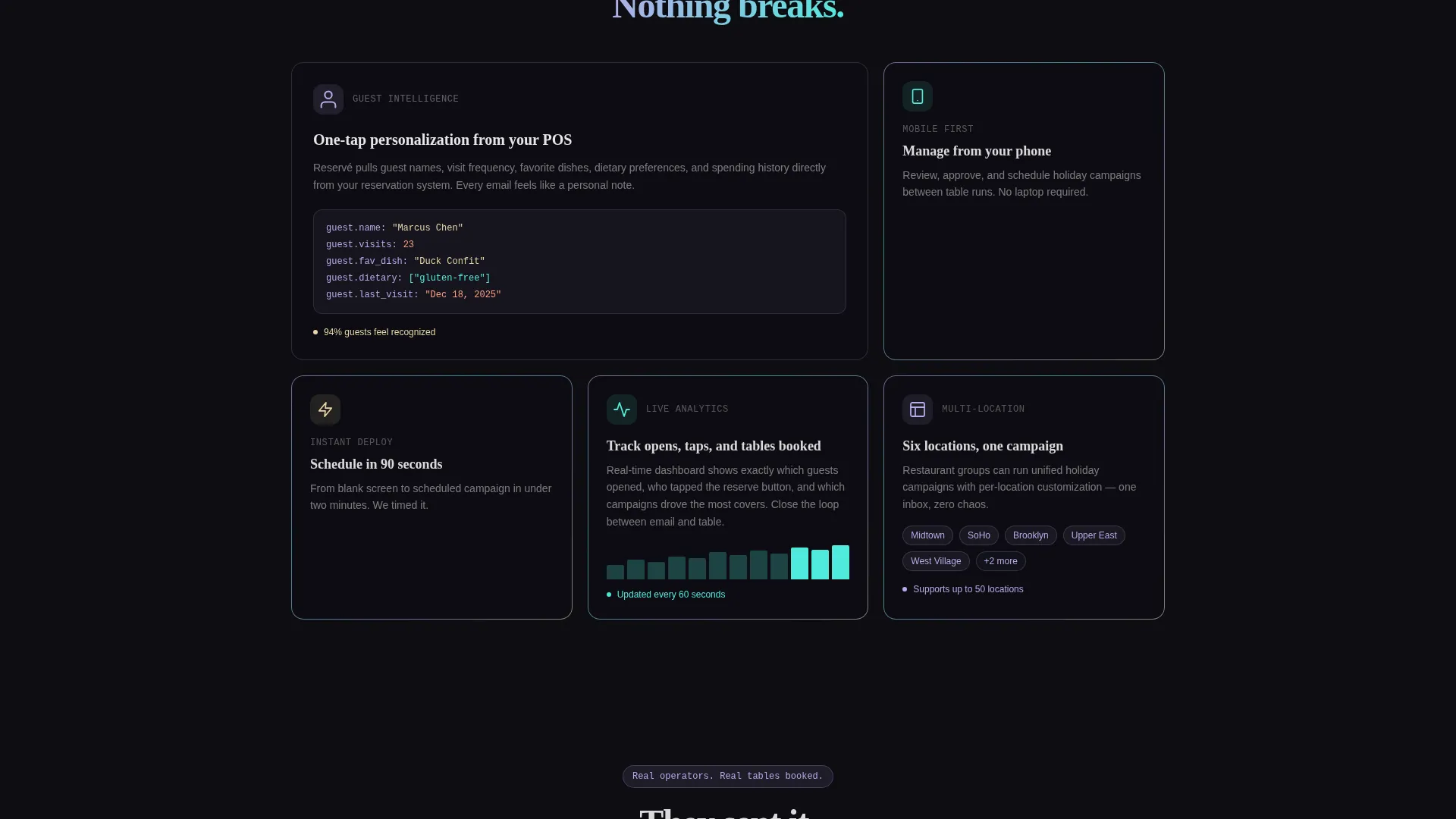
| Integrations Card Row | Highlights point-of-sale and reservation system compatibility cards |
| Personalization Card Row | Demonstrates one-tap guest name and preference pulling in context |
| Testimonial Cards Row | Delivers social proof with open rates and covers booked from real users |
| Logo Preview Form | Inline micro-form generating a branded email sample to drive ownership |
| App Download call to action | Gold-accented final section anchoring the primary conversion action |
Design & branding system
The visual identity follows a Tech Glass theme powered by an AI Iridescent color system. The palette feels like light refracting through a crystal wine glass onto dark marble: luminous, shifting, and precise.
- Deep obsidian (#0D0D12) dominates all backgrounds, giving the page its cool, high-contrast foundation
- Holographic lavender (#B8A9E8) and prismatic teal (#4EEADB) gradient across card borders and section dividers, creating the iridescent glass effect
- Warm champagne gold (#E8D5A3) appears exclusively on call-to-action buttons and interactive hover states, directing attention to every tappable element
Mobile & speed optimization
The template is structured with mobile interaction as a first-class consideration, not an afterthought. The sticky bottom bar and platform-detection modal are both core parts of the mobile experience.
- The sticky call-to-action bar pins to the bottom of the mobile viewport throughout the entire scroll journey
- The modular card grid reflows cleanly into single-column stacks on smaller screens without losing visual hierarchy
- The platform-detection modal eliminates extra taps by routing directly to the correct app store based on the visitor's device
How this template helps you convert
The page is designed to earn the download by showing the product in action before asking for anything. Every scroll step builds enough trust that the final tap feels inevitable.
- The animated hero demonstrates the core product promise in the first few seconds, so visitors understand the app before reading a single marketing claim
- The inline logo preview form creates personal investment by letting visitors see their own restaurant name inside a sample holiday email, making the abstract concrete before the call to action appears
Other information about this template
Reservé is designed as a single landing page export, ready to be customized within a visual builder or coded environment. It is part of the Technology category under the Restaurant Email Templates subcategory, targeting the restaurant holiday greeting email niche.
- The template style is Card Grid (Modular), meaning individual card components can be rearranged or swapped without breaking the overall layout
- The creative direction follows a Problem-to-Solution Arc, a scroll-driven narrative structure that builds urgency before offering relief
- The header concept is a Code Snippet animation, which signals a tech-forward product while keeping the emotional warmth of a holiday greeting
- The landing page direction is App Download, optimizing every section toward a mobile app install as the primary conversion goal
Theme
Tech Glass
Creative direction
Problem→Solution Arc
Color system
AI Iridescent
Style
Card Grid (Modular)
Direction
App Download
Page Sections
Animated Code-to-email Hero
Problem-to-solution Card Arc
Inline Logo Preview Form
Platform-detection Download Modal
Sticky Mobile Call to Action Bar
Testimonial Cards with Real Metrics
Related questions
Who is the Reservé landing page template made for?
Can I customize the card content and color palette?
What does the inline logo preview form do?
Does the template include both mobile and desktop layouts?
How does the platform-detection modal work?



