Plastics Management Software Landing Page Template
Resin is a Bold Brutalist landing page template built for plastics management software. It opens with a live resin waste calculator, moves into a comparison table section styled as an industry report, and closes with an app download call to action. The design uses deep matte black, liquid chrome, and iridescent gradients to feel industrial, precise, and unmistakably modern.
by Rocket studio
Quick summary
Resin is a single-page landing page template designed for plastics vertical software platforms. It leads with a waste cost calculator, builds credibility through comparison tables modeled on an industry report, and drives visitors toward an app download. Every section earns the next click through data, not decoration.
Who this template is for
This template is built for software founders, product marketers, and growth teams selling into plastics processing operations. It speaks the language of people who measure waste in pounds and variance in dollars.
- Plant managers running multiple shifts who need a product page that matches their operational mindset
- Procurement leads and operations directors evaluating tools to replace spreadsheet-based resin tracking
- SaaS teams in the plastics vertical who want a landing page that leads with proof, not promises
What problem this template solves
Most software landing pages rely on generic benefit statements that mean nothing to a plant floor decision-maker. This template replaces that pattern with a structured, evidence-first layout that meets industrial buyers where they think.
- Visitors cannot immediately see what their current process is costing them, so they disengage before reaching the call to action
- Comparison tables and anonymized case metrics are buried or absent, leaving rational buyers without the proof they need
- The download or sign-up ask arrives before any trust has been built, causing drop-off at the most critical moment
What you get with this template
You get a fully structured, single-page layout that takes a visitor from problem awareness to motivated download in one continuous scroll. Every section is purposeful and sequenced.
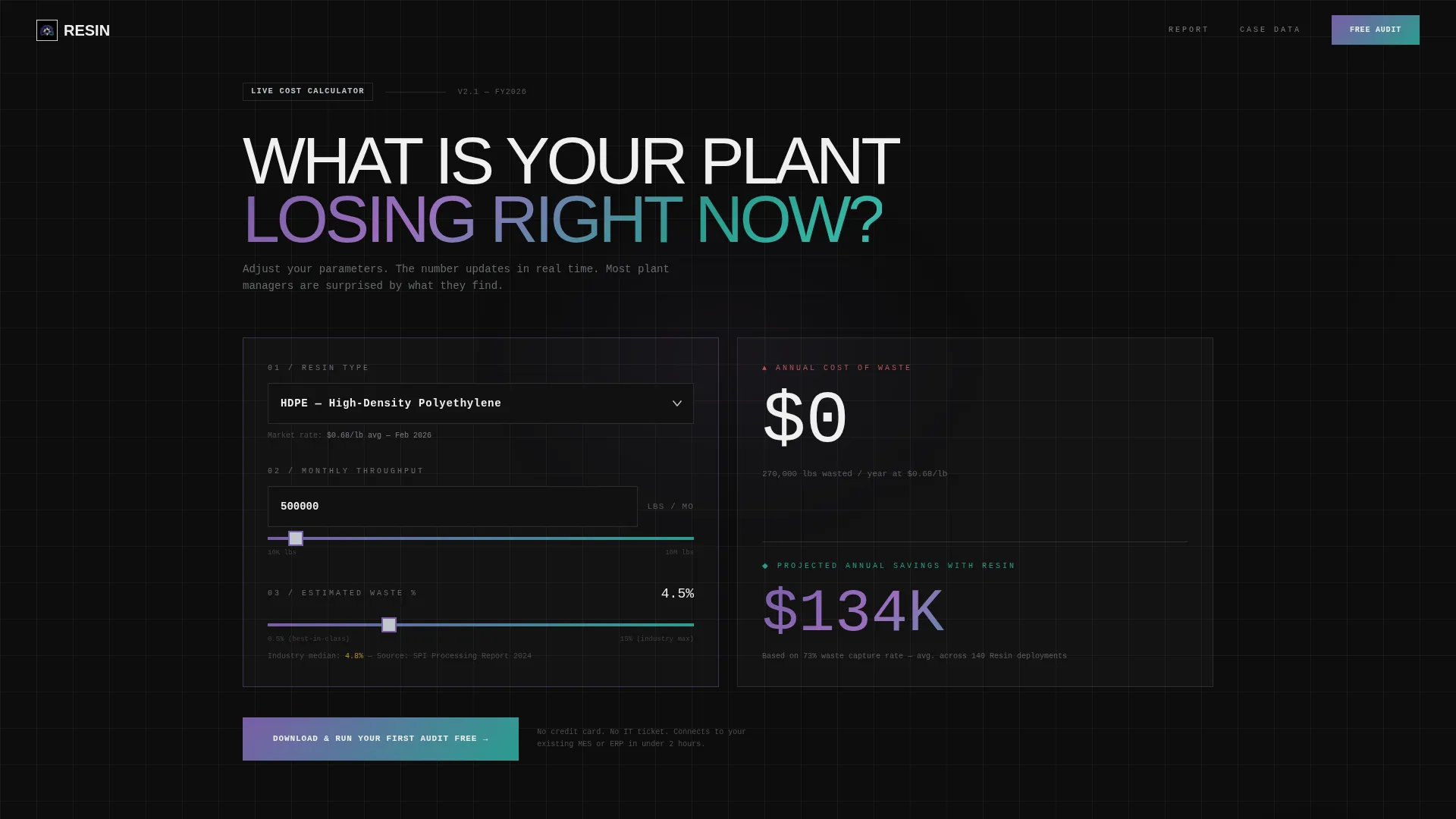
- A live calculator header with a resin type dropdown, throughput input, and waste-percentage slider that renders a real-time cost-of-waste figure
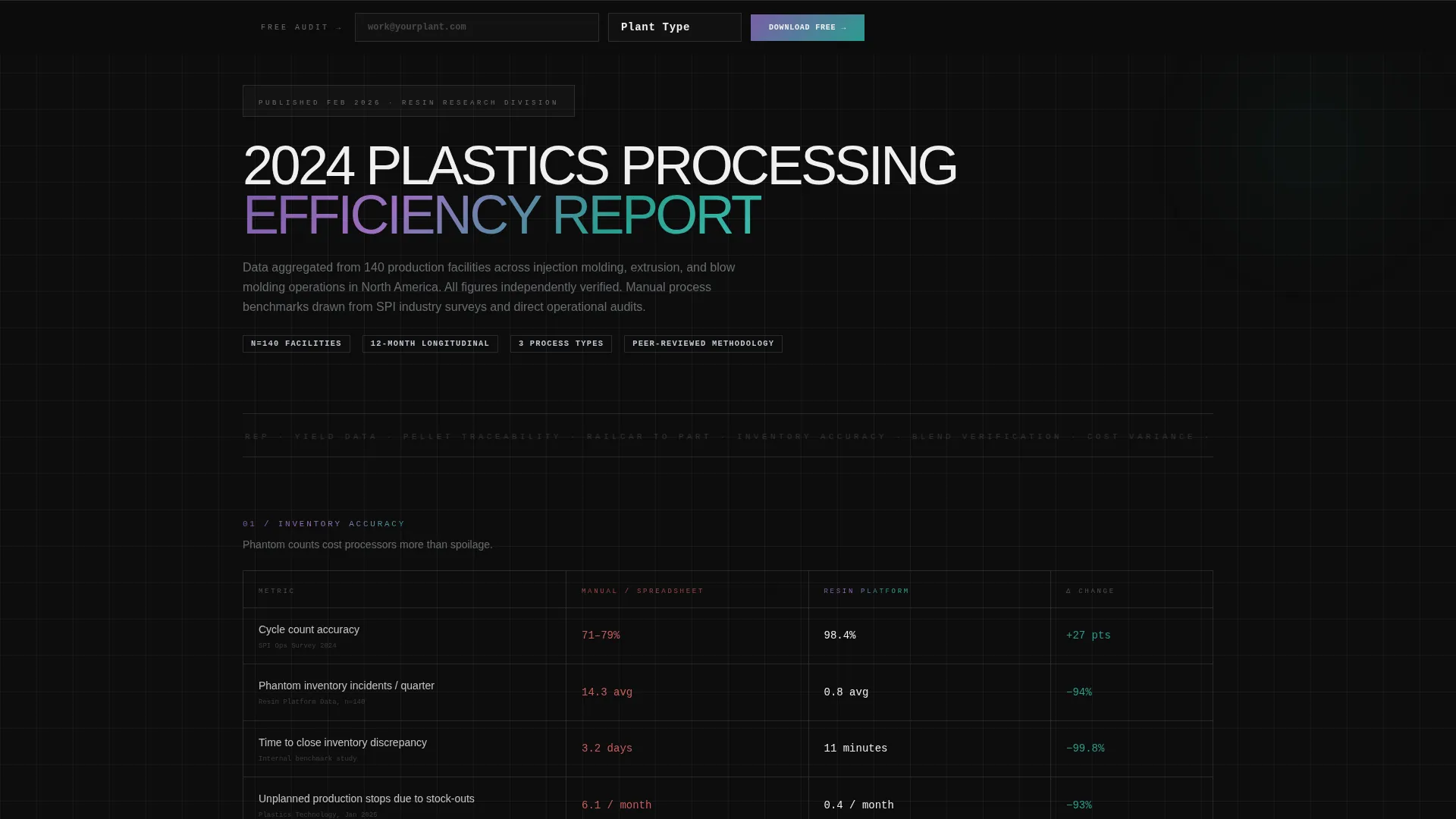
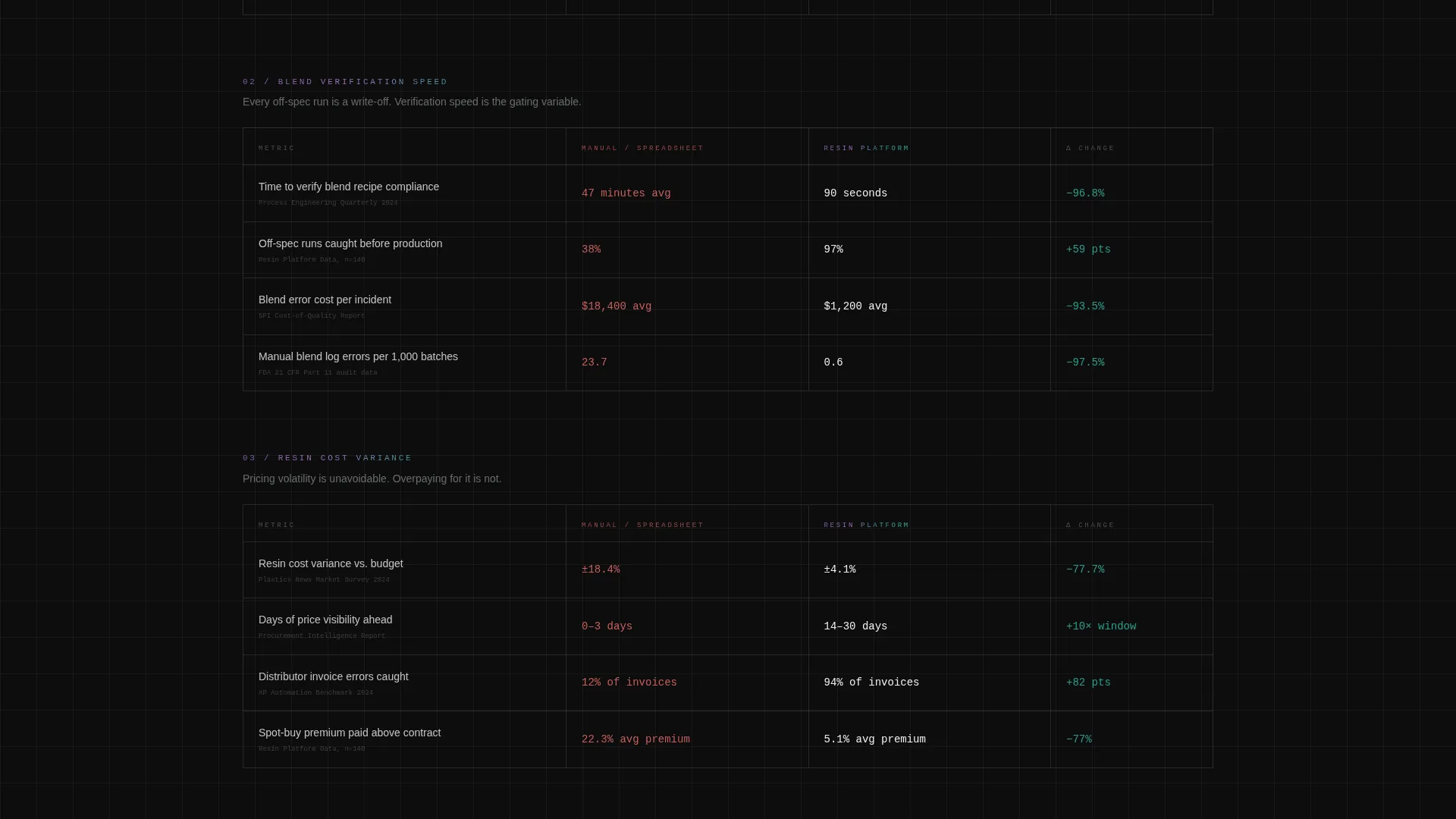
- A brutalist industry report section featuring animated comparison tables across inventory accuracy, blend verification speed, resin cost variance, and compliance prep time
- A primary call-to-action block and a secondary sticky bottom bar with a two-field form collecting work email and plant type
Feature list
This template includes the following built-in components and design patterns derived directly from the source brief.
Live Waste Cost Calculator
The header section functions as an interactive estimator. Visitors choose a resin type from a chunky brutalist dropdown covering HDPE, PP, PET, ABS, and Nylon, enter monthly throughput in pounds, and drag a waste-percentage slider. The output is an annual cost-of-waste figure in oversized monospace type beside a projected savings number rendered in iridescent gradient.
Animated Comparison Tables
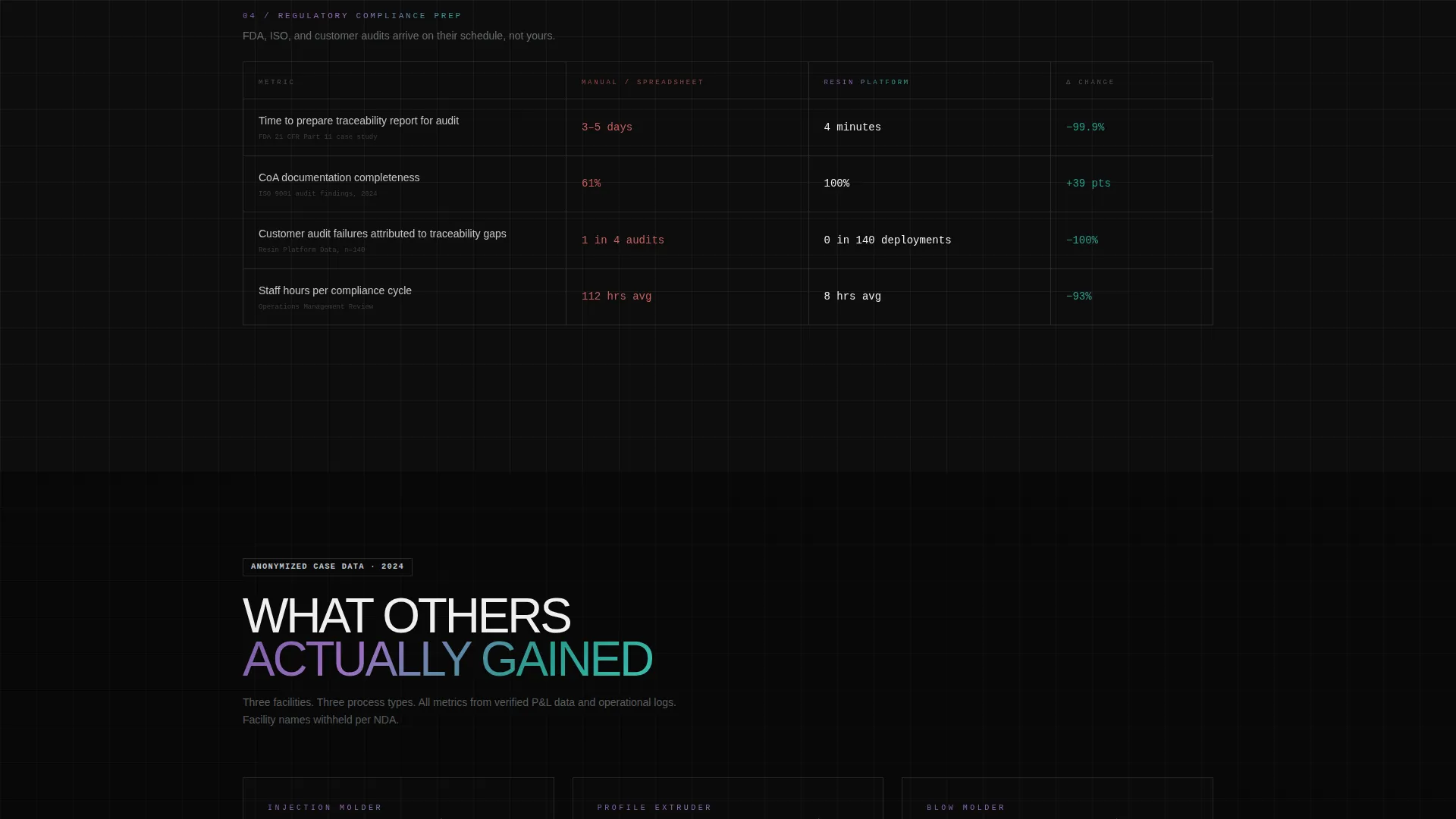
Below the calculator, a section styled as a published industry report presents multiple comparison tables. Each table contrasts manual processes against the platform across four metrics: inventory accuracy, blend verification speed, resin cost variance, and regulatory compliance prep time. Rows animate in like a terminal readout as the visitor scrolls.
Anonymized Case Metrics Block
The report section escalates from problem framing to peer evidence. Anonymized performance data from injection molders, extruders, and blow molders is presented as an evidence wall. This builds rational confidence and makes the download feel like a logical conclusion rather than a sales ask.
Primary and Sticky Download calls to action
The primary call to action reads "Download and Run Your First Audit Free" and appears twice: once after the calculator and once after the final comparison table. A sticky bottom bar holds a compact two-field form for work email and plant type, triggering both the download link and a personalized savings PDF.
Bold Brutalist Visual System
The layout uses a strict typographic and spatial grid that references industrial control interfaces. No stock photography is used anywhere. Data is the visual hero. Oversized mono type, raw black backgrounds, chrome-framed data containers, and iridescent gradient accents on all interactive elements define the aesthetic.
Page sections overview
| Section | Purpose |
|---|---|
| Calculator Header | Render real-time waste cost and projected savings |
| Resin Type Dropdown | Let visitors select HDPE, PP, PET, ABS, or Nylon |
| Throughput and Waste Slider | Accept monthly volume input and waste percentage |
| Industry Report Header | Anchor the scroll into an evidence-led narrative |
| Inventory Accuracy Table | Compare manual versus. platform accuracy side by side |
| Blend Verification Table | Show speed difference in blend checks |
| Resin Cost Variance Table | Contrast cost control outcomes |
| Compliance Prep Table | Highlight time savings on regulatory preparation |
| Case Metrics Block | Present anonymized processor performance data |
| Primary Download call to action | Drive app download after calculator section |
| Post-Table Download call to action | Repeat download ask after final comparison table |
| Sticky Bottom Bar | Capture email and plant type with inline form |
Design & branding system
The visual identity is built on a Bold Brutalist theme with an AI Iridescent color system. The palette references the look of raw polymer pellets catching fluorescent light on a conveyor belt, industrial and precise but with an unexpected shimmer that separates this from legacy enterprise software.
- Core colors: deep matte black (#0D0D0D) for backgrounds, liquid chrome silver (#C0C7D0) for data containers, iridescent violet-blue (#7B5EA7) shifting to petroleum teal (#2A9D8F) on hover states, and sharp signal white (#F0F0F0) for data text
- Iridescent gradients are reserved exclusively for interactive elements including buttons, toggle switches, and slider tracks, so every clickable surface feels visually distinct and active
- Typography uses oversized monospace styling for key data outputs, reinforcing the control-screen aesthetic and making cost figures impossible to ignore
Mobile & speed optimization
The template is structured with a mobile-first layout in mind, given that procurement leads and operations directors often review vendor materials outside of a desktop environment. The single-page format keeps all content in a single load context.
- The calculator, comparison tables, and sticky bottom bar are each designed to function clearly at smaller viewport widths without losing their data hierarchy
- The two-field sticky form is compact by design, making it easy to complete on a phone without requiring the visitor to scroll back to the top
How this template helps you convert
The page is engineered as a sequential trust-building system. Each section does a specific job before the next section asks anything of the visitor.
- The calculator does the emotional work first by showing visitors their own waste number in real time, making the problem personal and immediate before any product claim is made
- The comparison tables and anonymized case metrics provide the rational proof layer, giving procurement leads and operations directors the data structure they need to justify a decision
- The sticky bottom bar and repeated download calls to action make the ask frictionless, requiring only a work email and plant type, because the page has already earned the conversion through every scroll segment before it
Other information about this template
This template is designed specifically for the plastics management software category and fits naturally within a plastics vertical SaaS go-to-market strategy. It is a strong fit for teams launching or repositioning a resin tracking platform targeting mid-size to large processing operations.
- The Comparison Table template style makes it well suited for competitive positioning pages where the product needs to win on data rather than brand awareness
- The App Download landing page direction means the primary conversion event is a software download or free audit initiation, not a demo request or contact form submission
- The Industry Report creative direction gives marketing teams a content asset angle, treating the page itself as a publishable artifact that can be distributed through industry channels
- The Calculator and Estimator header concept is especially effective for plastics processors because resin waste cost is a universally understood pain point with a calculable dollar figure
Theme
Bold Brutalist
Creative direction
Industry Report
Color system
AI Iridescent
Style
Comparison Table
Direction
App Download
Page Sections
Live Resin Waste Cost Calculator
Animated Comparison Table Sections
Industry Report Narrative Layout
Dual Call-to-action Architecture
Bold Brutalist Visual Identity
Related questions
Can I customize the resin types listed in the calculator dropdown?
Does the waste calculator perform real calculations or is it a static mockup?
Is the comparison table data editable before I publish?
Who is this landing page template designed for?
What does the sticky bottom bar form deliver to the visitor?



