Advanced Government Software Comparison Website Template
Adjudicate is a bento grid landing page template built for government claims management platforms. It uses a dark Void and Violet visual system, animated Dark Glass Panel metrics, and a side-by-side comparison layout to show government agencies exactly what slow, manual claims workflows cost them. The primary call to action guides visitors through a three-step agency qualifier.
by Rocket studio
Quick summary
Adjudicate is a single-page, bento grid landing page template designed for government claims management software. It opens with live-looking header metrics, runs visitors through an interactive versus-style comparison engine, and closes with a focused call to action. The design feels like a secure operations terminal at full alert.
Who this template is for
This template is built for teams marketing government claims management software to public sector buyers. It speaks directly to the people carrying the operational burden of unresolved claims.
- County risk managers drowning in manual spreadsheets and untracked case backlogs
- State agency compliance officers preparing for legislative audits under pressure
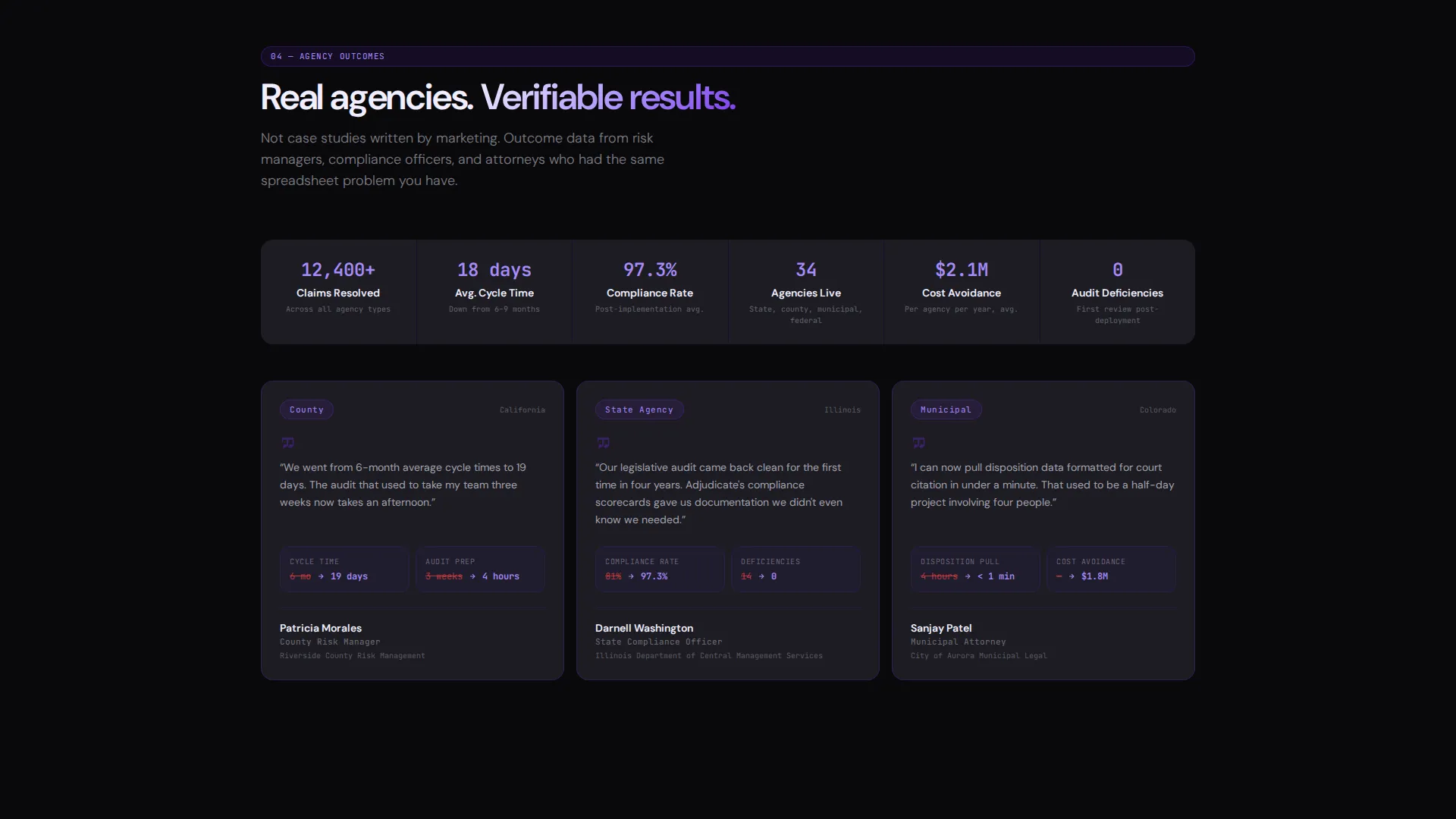
- Municipal attorneys who need reliable disposition data to cite in legal proceedings
What problem this template solves
Government agencies face a specific and costly problem: claims that should close in weeks drag on for quarters. The challenge is not just operational slowness; it is also the visibility gap that makes audits, legal defenses, and budget forecasting unreliable.
- Manual tracking creates fragmented records with no single source of truth
- Audit exposure grows when compliance data lives in disconnected spreadsheets
- Cross-department visibility is poor, leaving risk managers reactive instead of informed
What you get with this template
You get a fully designed, bento grid landing page built around a comparison-driven conversion flow. Every section is structured to widen the gap between a visitor's current reality and what a modern claims platform delivers.
- An animated Dark Glass Panel header with live-style metrics already visible above the fold
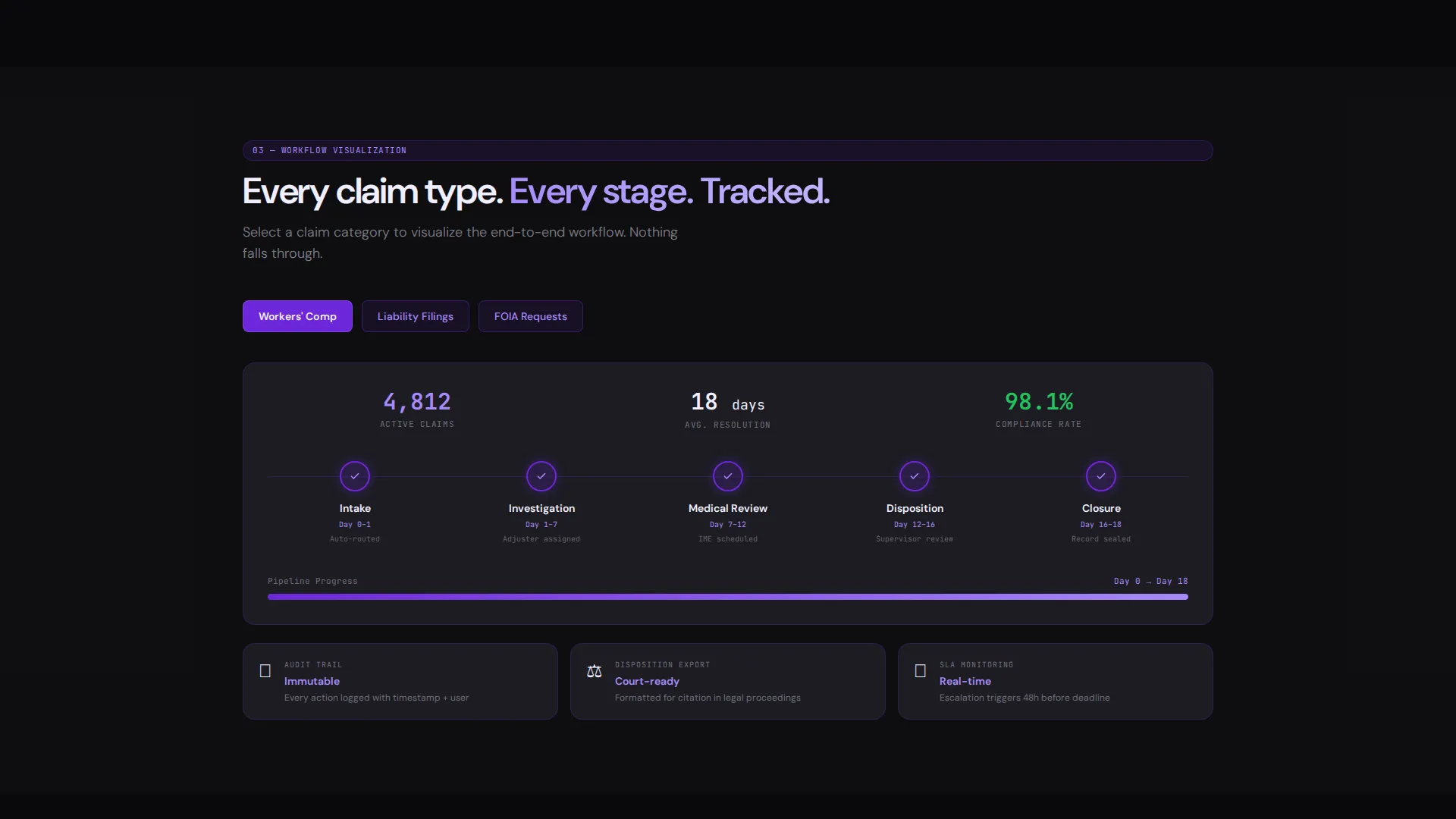
- Interactive versus modules that let visitors click into workflow diagrams, timeline comparisons, and compliance scorecards
- A persistent bottom bar and inline placement for the primary call to action, plus a gated secondary path for researchers
Feature list
This section covers the core design and functional components built into the Adjudicate template.
Dark Glass Panel Header
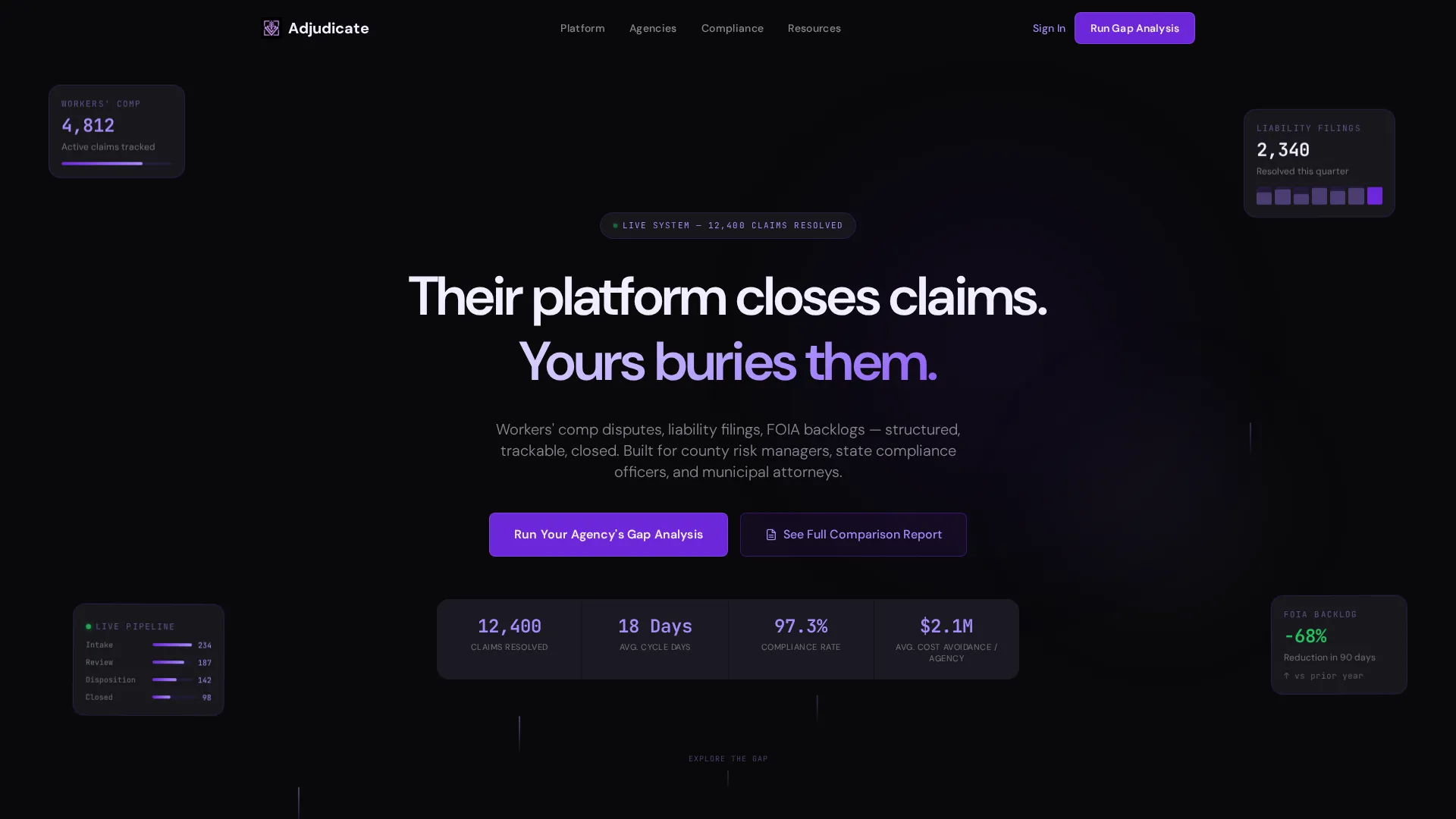
The header opens with a grid of semi-transparent frosted-glass cards. Each card displays a live-looking metric such as "12,400 Claims Resolved," "Avg. Cycle: 18 Days," and "97.3% Compliance Rate." Cards are layered at slightly different depth levels with a slow parallax drift that responds to cursor movement. Abstract violet particle trails move behind the glass to suggest data in motion.
Self-Typing Headline
The page headline animates in using a typewriter effect. The opening line, "Their platform closes claims. Yours buries them," is written to stop a government buyer mid-scroll and create immediate contrast between their current state and what exists.
Interactive Comparison Engine
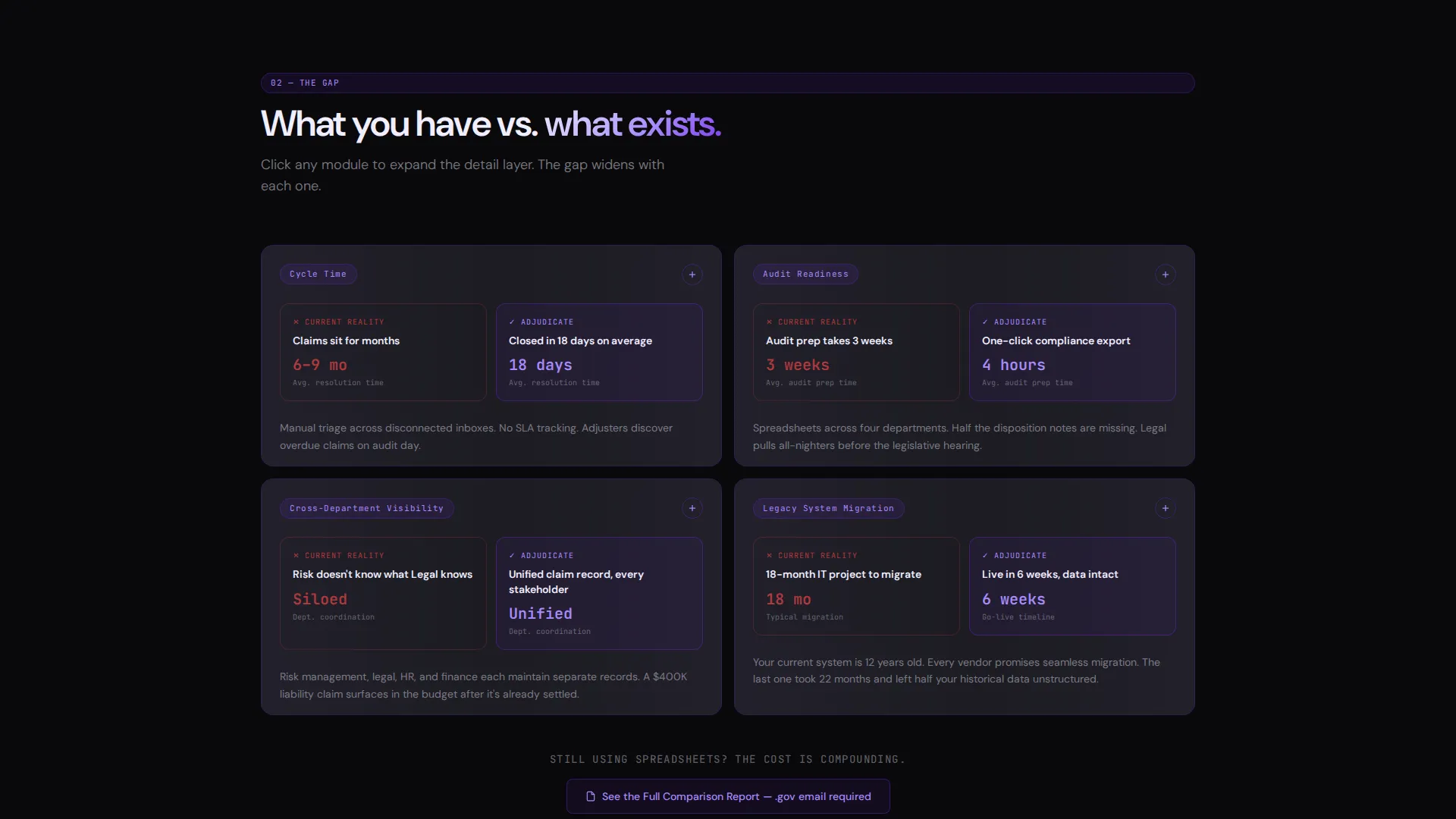
Each bento section is a versus module. The visitor's current reality sits on the left and the platform capability sits on the right. Clicking any card expands a detail layer containing workflow diagrams, timeline comparisons, or compliance scorecards. Counters animate and status indicators pulse throughout the scroll.
Three-Step Gap Analysis Qualifier
The primary call to action, "Run Your Agency's Gap Analysis," opens a three-step qualifier flow. Visitors select their agency type, their current claims volume range, and their biggest operational pain point from a structured checklist. This filters for serious buyers while giving the platform a clear picture of prospect needs.
Gated Comparison Report Path
A secondary conversion path offers "See the Full Comparison Report" as a downloadable PDF. Entry requires only a.gov email address. This filters out non-buyers while giving researchers and policy staff a low-commitment way to engage with the platform.
Persistent Call-to-Action Bar
The primary call to action appears both in a fixed bottom bar and inline after the final comparison module. This ensures the conversion prompt stays accessible throughout the full scroll without interrupting the exploration flow.
Page sections overview
| Section | Purpose |
|---|---|
| Dark Glass Header | Display live-style metrics and trigger the self-typing headline above the fold |
| Versus Module Row | Show side-by-side contrast between manual workflows and the platform |
| Expandable Detail Cards | Let visitors drill into workflow diagrams, timelines, and compliance data |
| Gap Analysis call to action | Qualify visitors through a three-step agency type and pain point selector |
| Gated Report Download | Capture researcher leads via a.gov email-gated PDF offer |
| Persistent Bottom Bar | Keep the primary call to action visible throughout the entire scroll |
Design & branding system
The Adjudicate template runs on a Void and Violet color system built to feel like classified software on a secure terminal. Every color choice has a functional role, and nothing is decorative.
- Core palette: absolute void black (#09090B) for backgrounds, deep state violet (#6D28D9) for primary actions and border glows, phosphor lilac (#A78BFA) for data points and accents, briefing-room gray (#1C1C22) for card surfaces, and critical-status white (#F0EEFF) for body typography
- Bento cards sit on #1C1C22 surfaces with a 1px violet border glow that intensifies on hover, making interactive elements feel alive without adding visual noise
- Motion is constant but controlled: cards slide, counters animate, status indicators pulse, and particle trails drift behind glass panels to reinforce the command-center atmosphere
Mobile & speed optimization
The bento grid layout is designed to reflow cleanly across screen sizes. The comparison modules and expandable cards are built for touch interaction as well as cursor-based exploration.
- Bento grid columns collapse gracefully on smaller viewports so the versus layout stays readable on tablets and phones
- Parallax and particle trail effects are scoped to the header region, keeping motion purposeful and contained rather than spread across the full page
- The persistent bottom bar adapts to mobile screen heights so the call to action remains reachable without blocking content
How this template helps you convert
Adjudicate is engineered around a specific conversion logic: make the cost of inaction feel real before asking for anything.
- The animated header metrics establish platform credibility in the first three seconds, giving visitors a concrete sense of scale before they read a single paragraph of body copy.
- The interactive versus modules let visitors self-identify with the problem. Each click that expands a detail layer deepens their personal investment in the gap between their current workflow and the platform.
- The dual conversion paths, a qualified gap analysis for active buyers and a gated PDF for researchers, capture intent at two different commitment levels without diluting the primary call to action.
Other information about this template
The Adjudicate template is a strong fit for government software vendors, public sector technology consultancies, and civic technology teams building awareness with procurement decision-makers. It is built as a single landing page, not a multi-page site, so it ships with a tight, opinionated structure that can be customized to match a specific platform's terminology and case data.
- Template style: Bento Grid with Dynamic Motion theme
- Creative direction: Interactive Explorer with Comparison/Versus conversion flow
- Header concept: Dark Glass Panels with parallax depth and particle trail animation
- Color system: Void and Violet, designed to read as authoritative and technically credible
- Intended use case: government claims management software including workers' compensation disputes, liability filings, and FOIA backlog processing
Theme
Dynamic Motion
Creative direction
Interactive Explorer
Color system
Void & Violet
Style
Bento Grid
Direction
Comparison/Versus
Page Sections
Dark Glass Panel Header with Live Metrics
Self-typing Headline Animation
Interactive Versus Comparison Modules
Three-step Gap Analysis Qualifier
Gated PDF Comparison Report
Persistent Bottom Call-to-action Bar
Related questions
Who is this landing page template designed for?
What is the primary call to action on this template?
What makes the versus layout effective for this audience?
Does the template include a secondary conversion path?
Can a non-technical team update the template content?



