Specialist Micro-SaaS & Developer Tools Cost Estimator Website Template
Resolve is a comparison-focused landing page template built for AI customer service chatbot products. It opens with a live ROI calculator, flows into a row-by-row versus table, and closes with a pinned demo call to action. The design uses a Tech Glass aesthetic in Midnight Blue, making data the hero and every comparison row a small, confident yes.
by Rocket studio
Quick summary
Resolve is a single-page landing page template designed around one job: turning a curious support leader into a confident buyer. It combines a live ROI estimator, a structured comparison table, and a pinned demo call to action inside a Tech Glass visual system built on deep Midnight Blue tones and electric cyan highlights.
Who this template is for
This template speaks directly to people who carry real responsibility for support operations. They are not browsing casually; they are evaluating whether an AI chatbot can genuinely replace manual triage at scale.
- VP-level customer support leaders at mid-market software-as-a-service companies weighing automation spend
- E-commerce operations managers buried under high-volume ticket queues with limited staffing headroom
- Startup founders whose small support teams cannot cover international time zones, particularly Asia-Pacific hours
What problem this template solves
Most AI chatbot landing pages fail because they describe features in isolation. They do not show the buyer how the product stacks up against what they already use, and they do not make the financial case personal. Resolve solves both problems on one scrollable page.
- Buyers arrive with skepticism about whether any chatbot can handle real ticket complexity
- They need a side-by-side comparison that answers "why not the alternative?" before they ask it
- They need their own numbers reflected back at them to trust the savings claim
What you get with this template
You get a complete, ready-to-customize single-page layout built around the comparison and conversion flow described in the brief. Every section is purposeful and sequenced to build momentum toward the demo request.
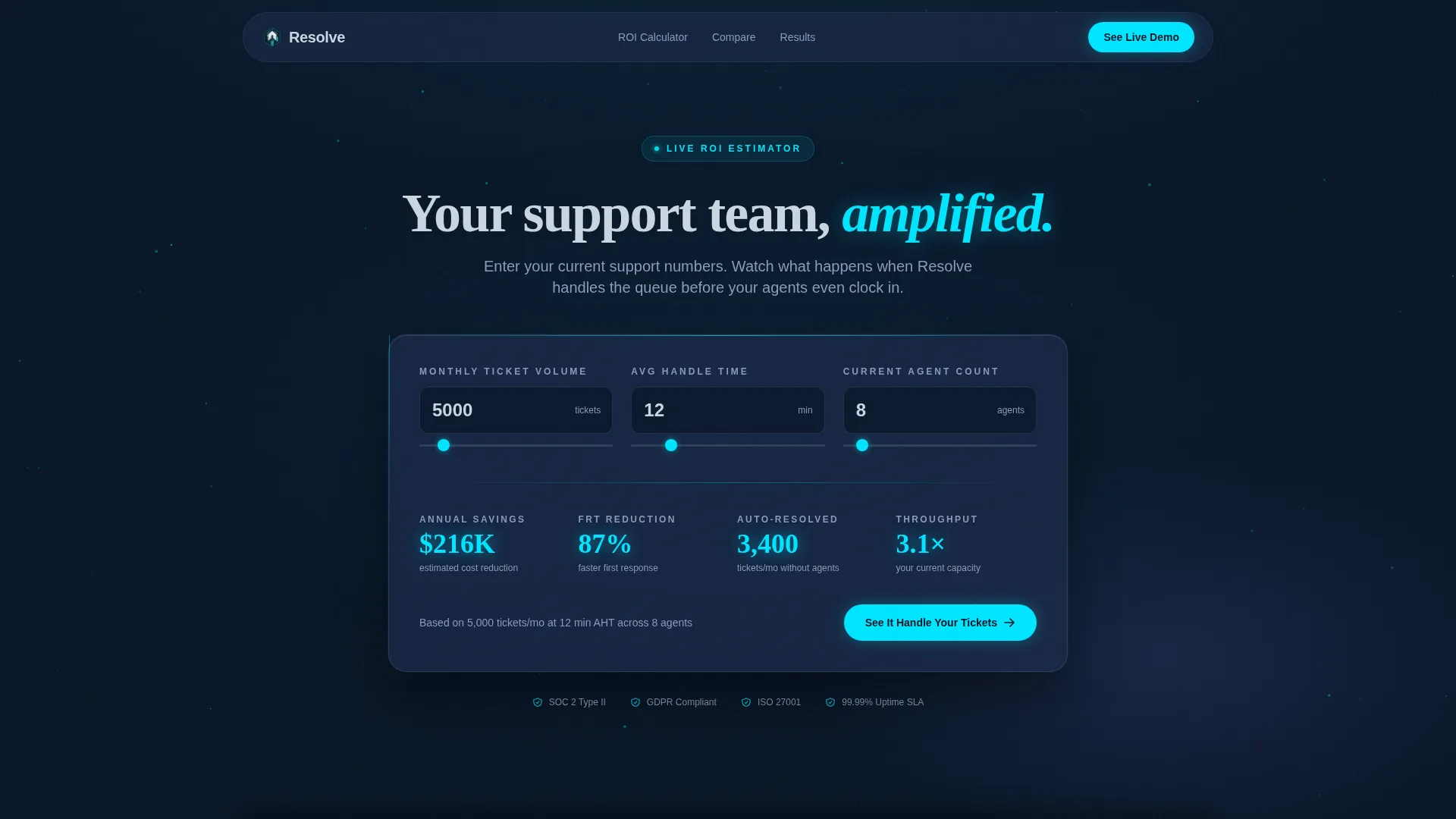
- A live ROI calculator header rendered inside a translucent glass card over a dark animated particle grid
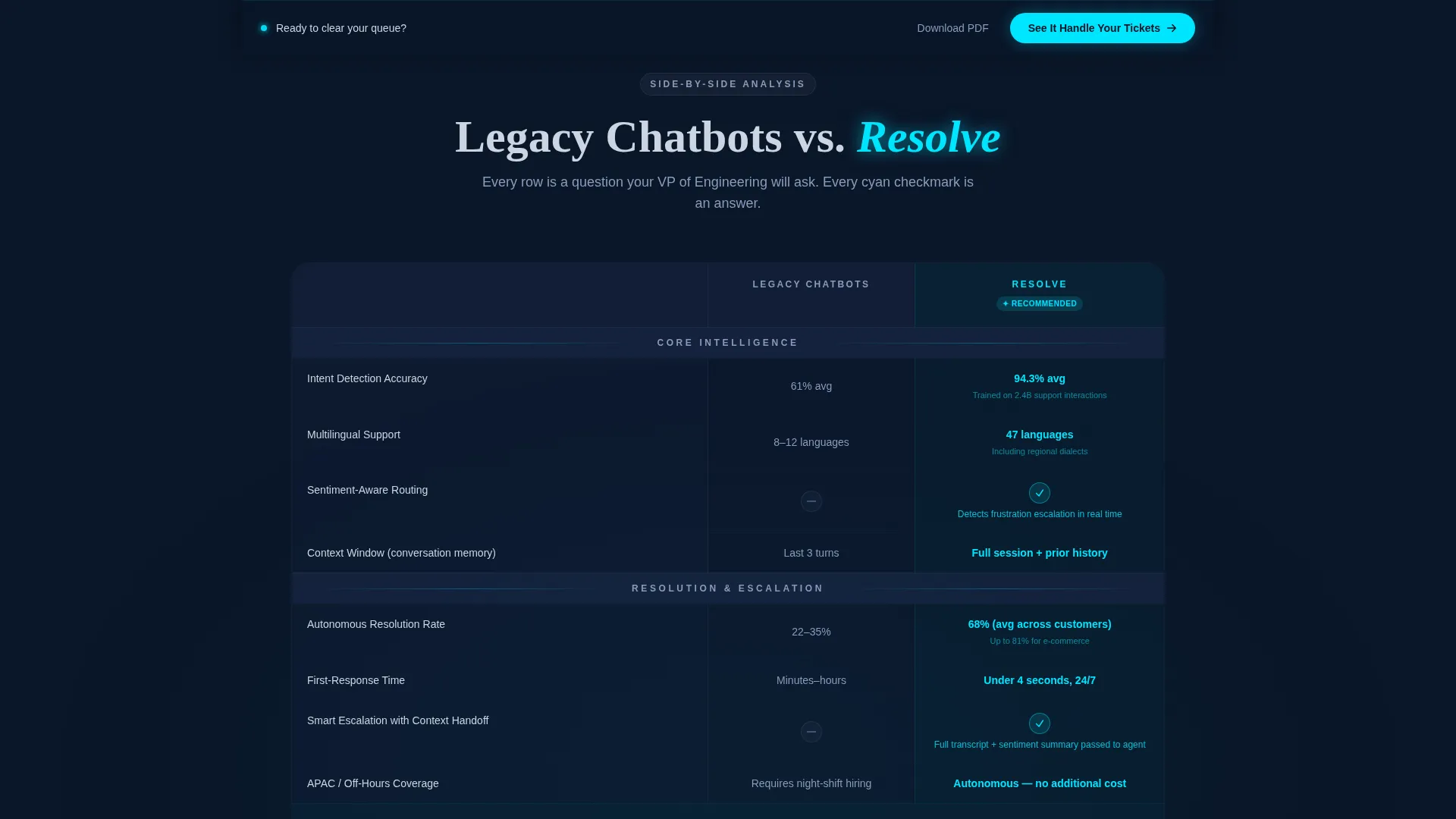
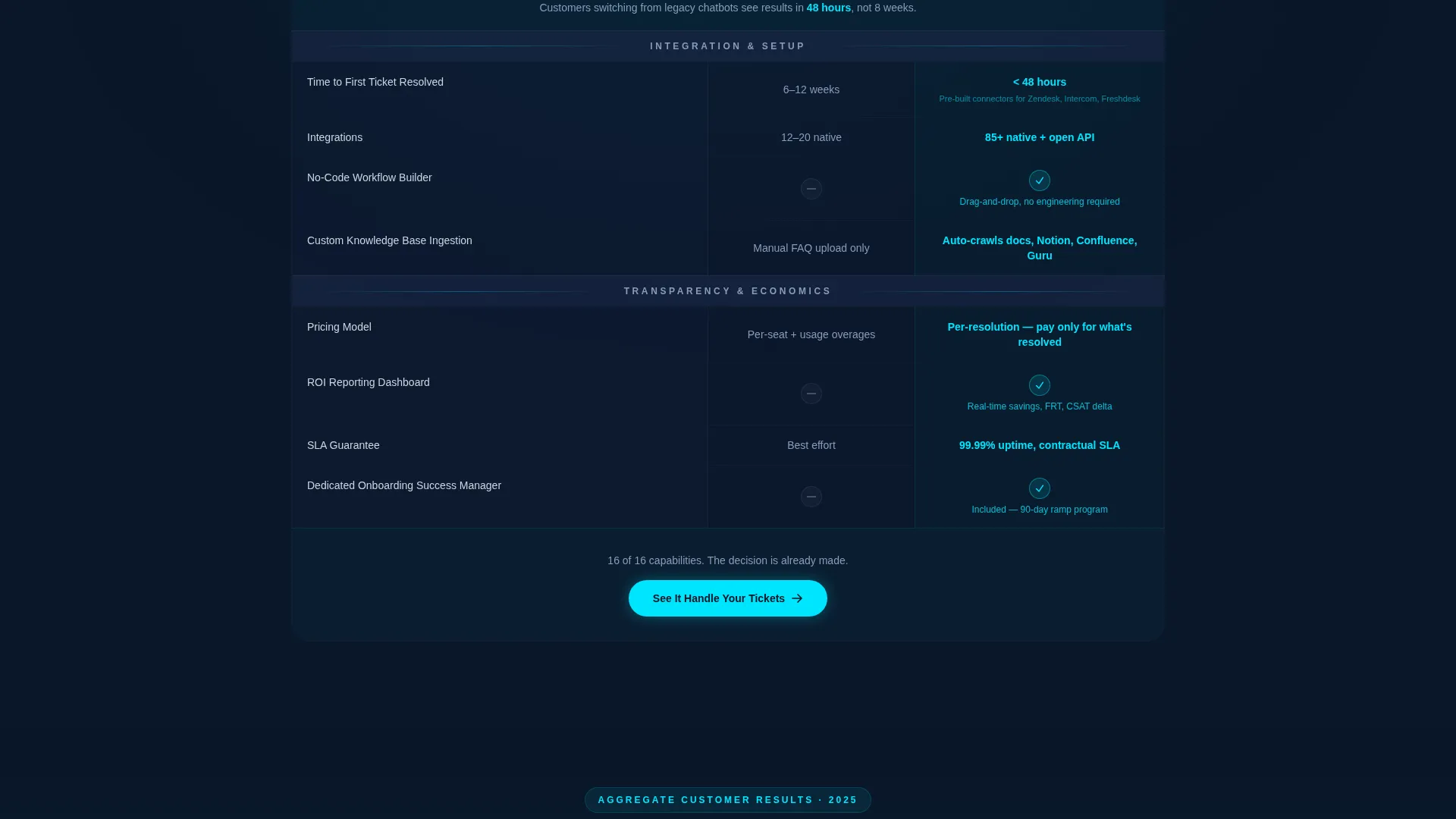
- A full comparison table section with row-by-row lighting states, cyan checkmarks for winning rows, and muted gray indicators for the competing side
- Two conversion paths: a pinned primary call-to-action button and a secondary email capture for a downloadable comparison PDF
Feature list
This section covers the core built-in components and design behaviors included in the template.
Live ROI Calculator Header
The header is a fully functional estimator rendered inside a frosted-glass card. Visitors enter their monthly ticket volume, average handle time, and current agent count. The tool instantly returns projected annual savings, first-response-time reduction, and tickets-per-hour throughput, with all output numbers animating upward in electric cyan.
Row-by-Row Comparison Table
The comparison table covers response accuracy, integration depth, languages supported, setup time, escalation intelligence, and pricing transparency. Each row lights up sequentially as the visitor scrolls. The winning column uses cyan checkmarks and a transparency shift that makes it appear to float forward visually.
Pinned Viewport Call to Action
Once the visitor scrolls past the calculator, a sticky call-to-action bar locks to the bottom of the viewport. The primary button, labeled "See It Handle Your Tickets," links to a sandbox demo pre-loaded with the ticket volume the visitor entered in the calculator.
Secondary Lead Capture Path
A secondary conversion option, "Download the Full Comparison PDF," captures an email address with a single input field. This path serves visitors who are not yet ready for a live demo but are still in active evaluation mode.
Animated Stat Counter Reinforcement
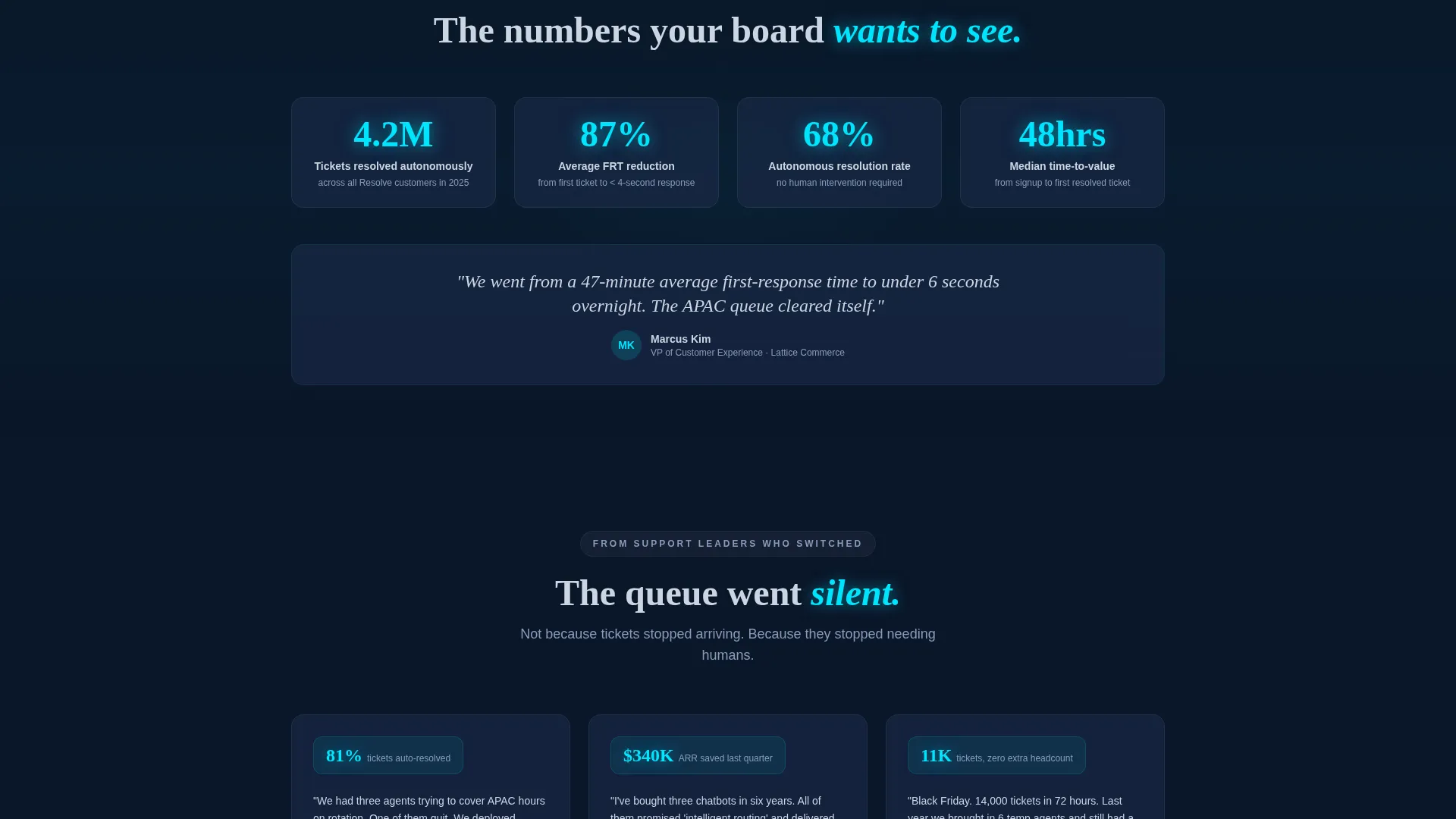
Between table sections, a single animated stat counter echoes the visitor's own ROI numbers from the calculator. This keeps the personal savings estimate visible and emotionally present throughout the scroll journey.
Tech Glass Visual System
The entire page uses frosted-glass panel layering with subtle backdrop blur. Backgrounds sit in deep terminal navy. Text renders in cool frost-white. Interactive states and winning-column highlights use electric signal cyan exclusively, so every glowing element carries clear meaning.
Page sections overview
| Section | Purpose |
|---|---|
| ROI Calculator Header | Personalizes savings with live visitor-entered data |
| Versus Bold Headline | Anchors the comparison framing immediately |
| Comparison Table | Delivers row-by-row evidence across six feature categories |
| Animated Stat Counter | Reinforces calculator output mid-scroll |
| Secondary Email Capture | Captures leads not ready for a live demo |
| Pinned Demo call to action | Converts high-intent visitors at any scroll point |
Design & branding system
The visual identity follows a Tech Glass theme built entirely on the Midnight Blue color system. The palette is intentional: every color serves a function, and nothing decorative competes with the data.
- Core background layers use deep terminal navy (#0A1628) and translucent panel blue (#1B2A4A) with frosted-glass panels and backdrop blur to create depth
- Body text and labels render in cool interface frost (#CBD5E1) for legibility against dark surfaces
- Electric signal cyan (#00E5FF) is reserved exclusively for interactive states, winning-column highlights, and animated number outputs, so it always signals importance
Mobile & speed optimization
The template is structured for responsive display across screen sizes, with layout decisions that keep the comparison table readable on narrower viewports. The glass-panel aesthetic relies on CSS-level backdrop filters rather than heavy image assets, which keeps the visual weight manageable.
- The comparison table collapses gracefully so winning-column highlights remain visible on mobile screens
- The pinned call-to-action bar is designed to stay functional and unobtrusive on both desktop and mobile viewports
- Animated elements such as the stat counter and calculator outputs are built to run smoothly without blocking the main content thread
How this template helps you convert
Every section of this template is designed to reduce hesitation and make the final click feel like a natural conclusion rather than a risk.
- The ROI calculator makes the value claim personal from the first interaction, giving the visitor a specific savings number tied to their own operation before they read a single feature description.
- The comparison table builds cumulative confidence by sequencing rows from basic feature parity to differentiators the visitor may not have known to ask about, so each row adds to a growing internal tally.
- The pinned call-to-action bar keeps the demo offer within reach at every scroll position, removing the friction of hunting for the next step once the visitor is convinced.
Other information about this template
This template is categorized under Technology, specifically within the Micro-SaaS and Developer Tools subcategory, and is designed for the AI chatbot for customer service niche. It is a strong fit for founders and operators who are building or marketing an intelligent support automation product.
- The template uses no stock photography or mascot imagery; the data visualizations and glass-panel components carry the full visual weight
- The comparison table structure can be adapted to highlight any set of differentiating features relevant to the specific chatbot product being marketed
- This template is built as a single landing page, not a multi-page site, so all conversion paths are contained within one scrollable experience
- The creative direction follows a Launch Energy sequence, meaning section order is intentional and designed to build momentum toward the demo request
Theme
Tech Glass
Creative direction
Launch Energy
Color system
Midnight Blue
Style
Comparison Table
Direction
Comparison/Versus
Page Sections
Live ROI Calculator Header
Row-by-row Comparison Table
Pinned Viewport Call to Action
Secondary Email Capture Path
Animated Stat Counter Reinforcement
Tech Glass Visual System
Related questions
Who is this landing page template designed for?
Can I customize the comparison table rows?
Does the ROI calculator require a backend connection?
What conversion paths does this template include?
Is this template suitable for a product that is still in early access or beta?



