Retail Digital Presence Appointment Booking Website Template
A single-page retail booking landing page built for salon operators, boutique owners, and multi-location retail managers. It combines a live code snippet header, animated stat counters, and a progressive three-step lead capture form. The split-screen layout runs on a Midnight Blue color system with Dynamic Motion animations, turning scheduling complexity into a clear, fast, conversion-ready experience.
by Rocket studio
Quick summary
This template is a split-screen retail booking landing page designed to turn scheduling friction into a smooth, revenue-focused flow. It opens with a live-rendered code snippet, moves through animated performance stats, and closes with a sticky lead generation bar. The Midnight Blue palette and Dynamic Motion theme give the page a focused, control-room energy from top to bottom.
Who this template is for
This template is built for retail and service business operators who manage appointments at scale. If your current system is a group text and a spreadsheet, this page is designed with you in mind.
- Salon operators juggling multiple stylists and overlapping service times
- Boutique owners managing fitting room queues and walk-in traffic
- Multi-location retail managers who need one coherent scheduling view
What problem this template solves
Retail booking is chaotic by default. Phone calls get missed, double-bookings happen, and no-shows eat into revenue with no warning system in place.
- Manual scheduling tools create gaps, conflicts, and staff frustration
- Visitors arriving at a booking page with no clear flow tend to drop off before committing
- Operators running across multiple locations have no single source of truth for their appointment pipeline
What you get with this template
You get a complete single-page lead generation layout built specifically for retail scheduling businesses. Every section is designed to move a hesitant visitor toward a committed action.
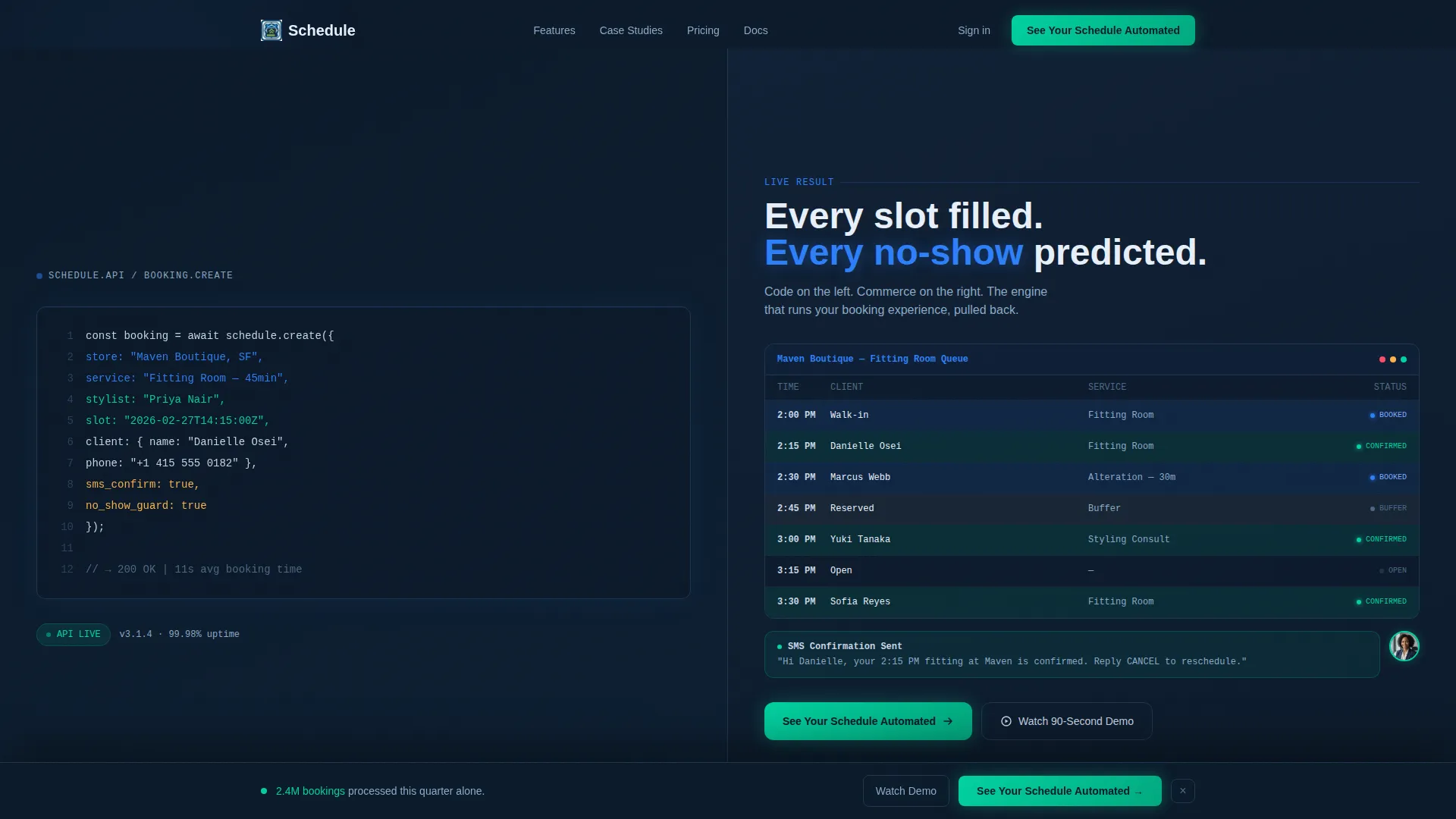
- A split-screen header with a live-typed code snippet on the left and real-time visual results on the right
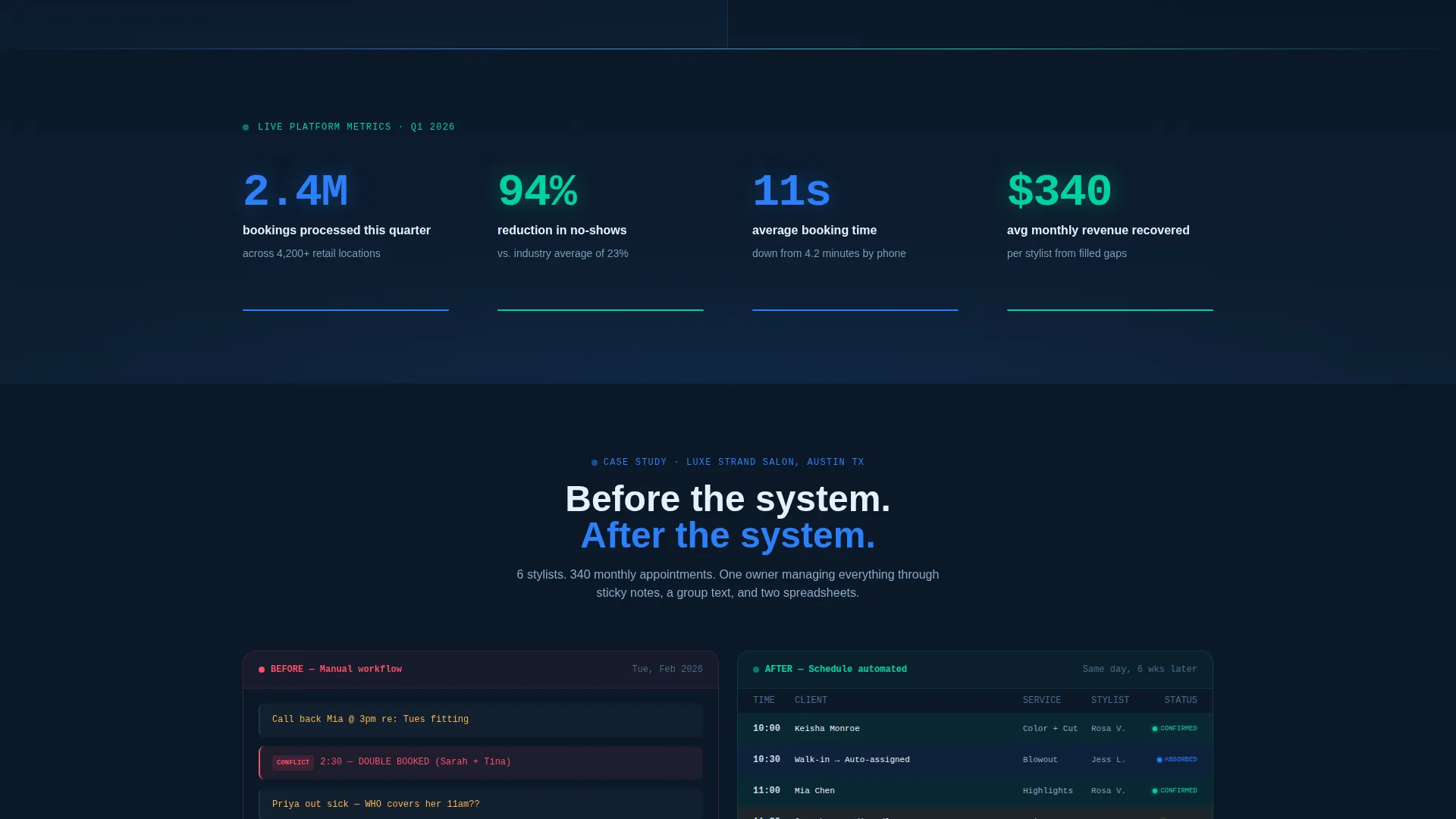
- An animated stat counter bar showing booking volume, no-show reduction, and average booking time
- A sticky bottom bar with a progressive three-step lead capture form and a secondary demo path
Feature list
This template includes purpose-built sections that work together as a single persuasive flow. Each feature below reflects a specific element described in the design brief.
Live Code Snippet Header
The header uses a 50/50 split screen. On the left, clean scheduling API code renders character by character in electric blue and confirmation green against a terminal navy background. On the right, each line of code triggers a visual output: a calendar slot fills, a confirmation message animates outward, and a client avatar drops into a queue.
Animated Stats Counter Bar
Three key performance figures animate into view as the user scrolls: 2.4 million bookings processed in a quarter, a 94 percent reduction in no-shows, and an 11-second average booking time. Each stat acts as a section gate, revealing a split-screen case study beneath it.
Split-Screen Case Study Sections
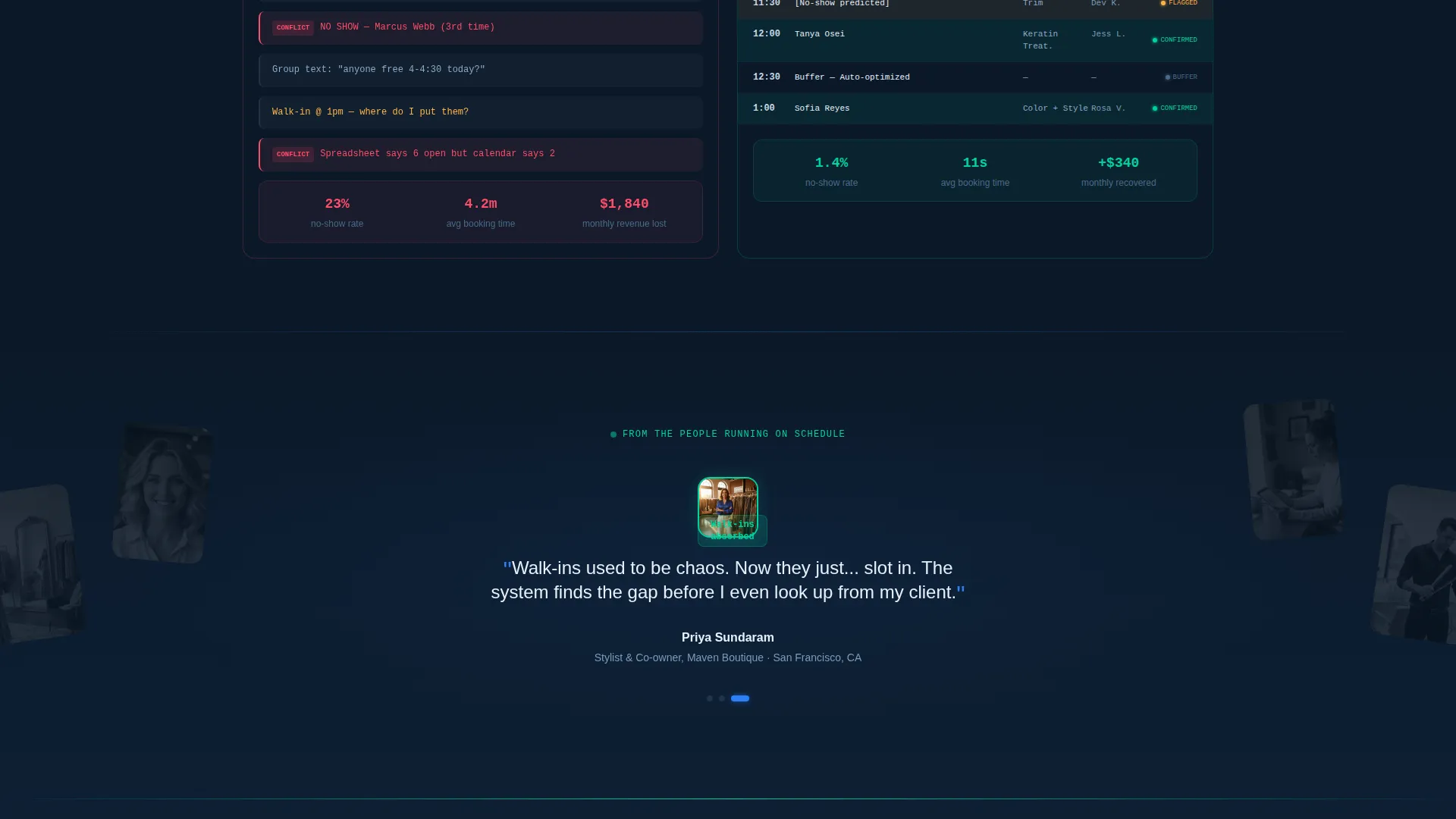
Each stat unlocks a before-and-after comparison. The left panel shows the old workflow: sticky notes, phone calls, and double-bookings highlighted in red. The right panel shows the automated calendar view, with slots filling in real time using motion-eased transitions.
Progressive Three-Step Lead Form
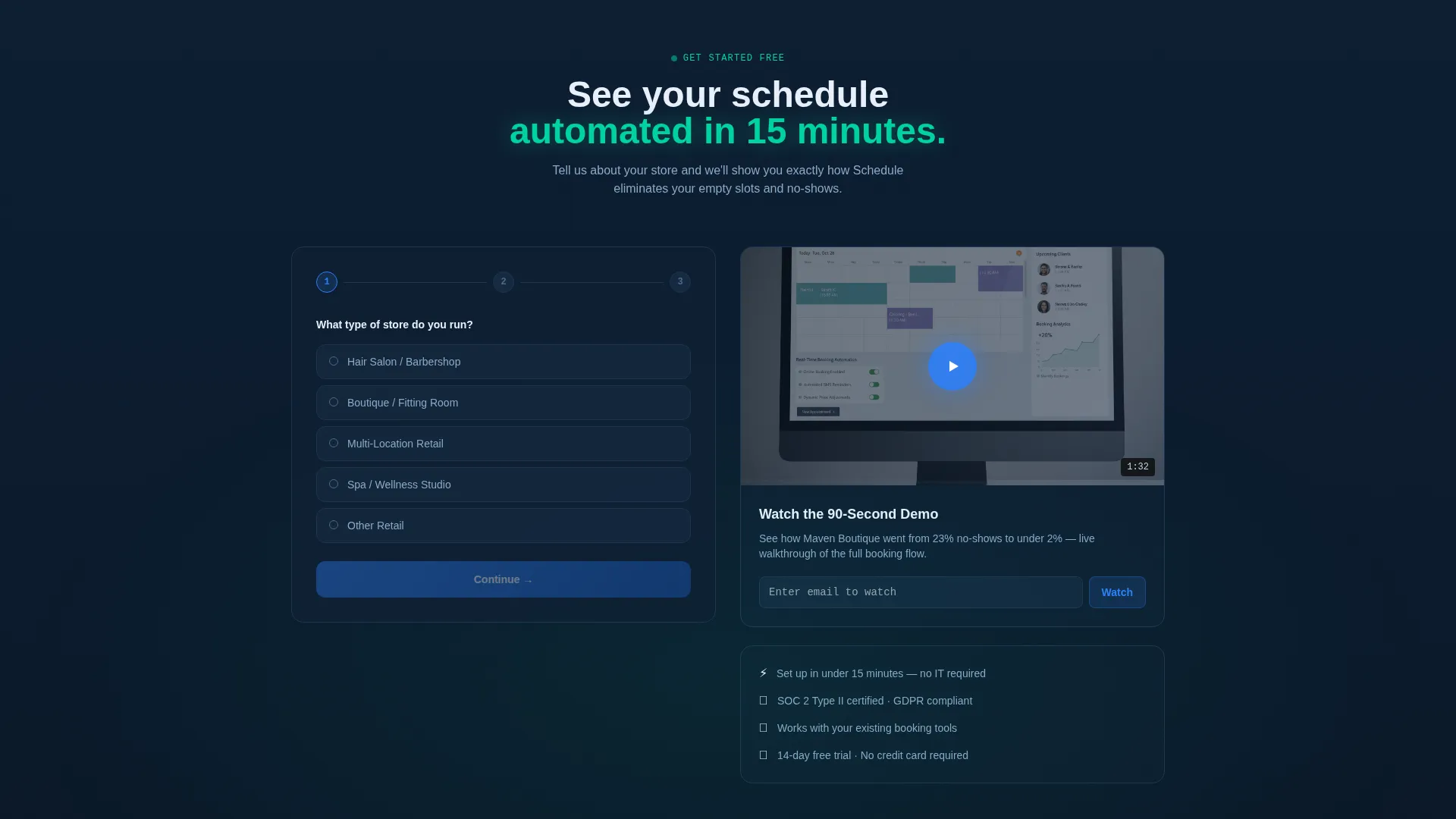
The primary lead capture is a three-step form embedded in the sticky bottom bar. Step one collects store type via dropdown. Step two uses a slider for monthly appointment volume. Step three asks for a work email. The form activates after the visitor scrolls past the second stat.
Secondary Demo Capture Path
Visitors not ready to fill out the form can click "Watch the 90-Second Demo." This path captures an email address on play, giving the business a secondary lead entry point without losing the visitor entirely.
Sticky Conversion Bottom Bar
The sticky bar anchors the primary call to action, "See Your Schedule Automated," to the bottom of the viewport. It activates after the second stat counter comes into view, keeping the conversion prompt visible without interrupting the content scroll.
Page sections overview
| Section | Purpose |
|---|---|
| Split Screen Header | Introduces the scheduling engine via live code and animated visual results |
| Stats Counter Bar | Establishes credibility with three animated performance figures |
| Case Study Split | Shows before-and-after workflows tied to each stat |
| Sticky Lead Bar | Keeps the primary call to action anchored throughout the scroll |
| Three-Step Form | Collects store type, appointment volume, and work email progressively |
| Demo Video Path | Offers a lower-commitment entry point with email capture on play |
Design & branding system
The visual identity runs on a Midnight Blue color system that feels like a control room after hours. Every color in the palette carries a specific functional meaning, so nothing on the page feels decorative without purpose.
- Deep terminal navy (#0B1929) forms the base background, keeping the interface dark and focused
- Electric blue (#2D7FF9) handles active states, code syntax highlights, and interactive elements
- Soft interface silver (#C8D6E5) provides readable body text and secondary labels against dark backgrounds
- Confirmation green (#00D2A0) is reserved exclusively for success states and call-to-action buttons
Mobile & speed optimization
The Dynamic Motion theme is designed to work across screen sizes without losing its visual impact. Motion elements are structured to remain legible and purposeful on smaller viewports.
- The 50/50 split screen adapts to a stacked single-column layout on mobile devices
- Animated counters and code snippet renders are built to perform smoothly within the template's motion framework
- The sticky bottom bar remains fully functional on touch interfaces, keeping the lead form accessible at every scroll depth
How this template helps you convert
Every section of this landing page is sequenced to reduce hesitation and increase commitment. The layout builds trust through data, then narrows the visitor's choices down to a single clear action.
- The animated stats counter establishes immediate credibility before a single word of body copy is read, removing skepticism early in the scroll
- The split-screen case studies make the value concrete by showing a direct comparison between the old workflow and the automated result
- The sticky lead bar with its progressive form lowers the perceived effort of signing up, while the demo path catches visitors who need one more reason before committing
Other information about this template
This template sits within the Technology category under the Retail Digital Presence subcategory. It is purpose-built for the retail booking and scheduling niche, making it a focused starting point for businesses in that space.
- The template style is Split Screen (50/50), and the theme is Dynamic Motion
- The header concept is a Code Snippet, and the creative direction follows a Stats-First Impact approach
- The landing page direction is Lead Generation, optimized around two capture paths: the three-step form and the demo email gate
- This template is delivered as a ready-to-customize layout, not a live software product
Theme
Dynamic Motion
Creative direction
Stats-First Impact
Color system
Midnight Blue
Style
Split Screen (50/50)
Direction
Lead Generation
Page Sections
Live Code Snippet Header
Animated Stats Counter Bar
Before-and-after Case Studies
Progressive Three-step Lead Form
Secondary Demo Capture Path
Sticky Conversion Bottom Bar
Related questions
Who is this landing page template designed for?
Can I change the color scheme to match my brand?
What does the three-step lead form collect?
Is the code snippet in the header real functional code?
Does this template include the demo video content?



