Rollout - Powerful Franchise Management Landing Page Template
Rollout is a franchise project management landing page template built for teams running parallel location buildouts. It combines a full-viewport dashboard preview header, a modular feature matrix, and a frictionless app download flow. The Tech Glass visual identity in Midnight Blue makes complex multi-location data feel calm, clear, and completely in control.
by Rocket studio
Quick summary
Rollout is a single-page franchise project management template designed for operators managing dozens of concurrent buildouts. It opens with a live-looking portfolio dashboard, moves through a modular feature card grid, and closes with a direct app download call to action. Every section is built to convert busy construction and franchise professionals into confident installs.
Who this template is for
This template is made for professionals who track permits, inspections, and milestones across multiple franchise locations at once. It speaks directly to the people in the room when deadlines start slipping.
- Franchise development vice presidents managing thirty or more concurrent buildouts across multiple states
- Multi-unit operators bound by area development agreements who need every location open before a deadline clause triggers
- Construction project managers buried in submittals and change orders who need one screen that tells the truth
What problem this template solves
Running parallel franchise buildouts across many locations is a coordination problem that spreadsheets and generic project tools were never built to handle. Teams lose time switching between tools, chasing vendor documents, and reconciling permit status by hand.
- No single view exists to show every location's phase, permit status, and inspection schedule at once
- Milestone dependencies between vendors and inspectors create invisible blockers that kill timelines
- Budget variances and photo verification gaps surface too late to correct without costly rework
What you get with this template
You get a fully structured, single-page landing page template that presents a franchise project management platform with depth and conviction. Every section is designed to match the mindset of a franchise professional scanning for proof this tool was built for their exact world.
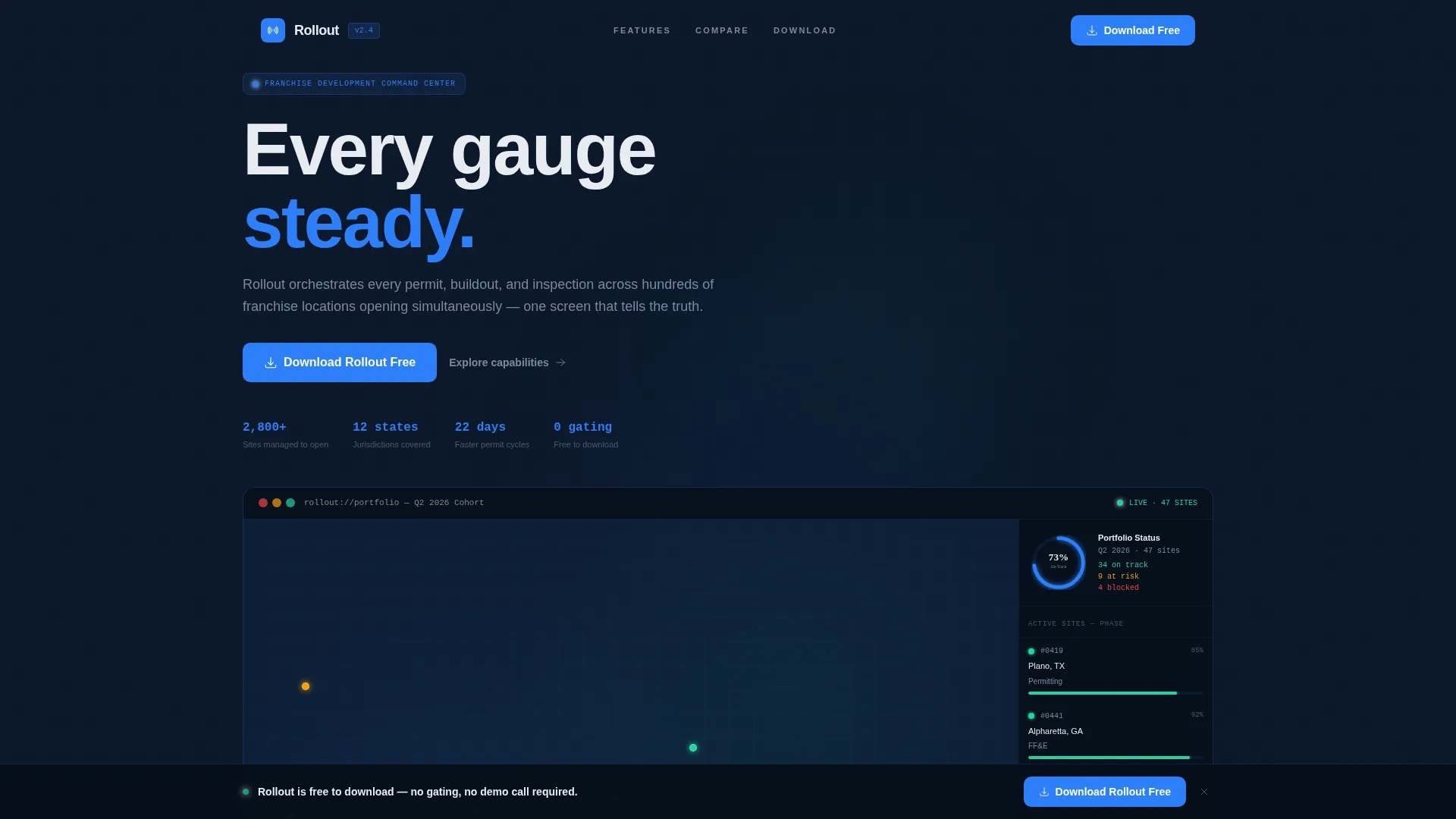
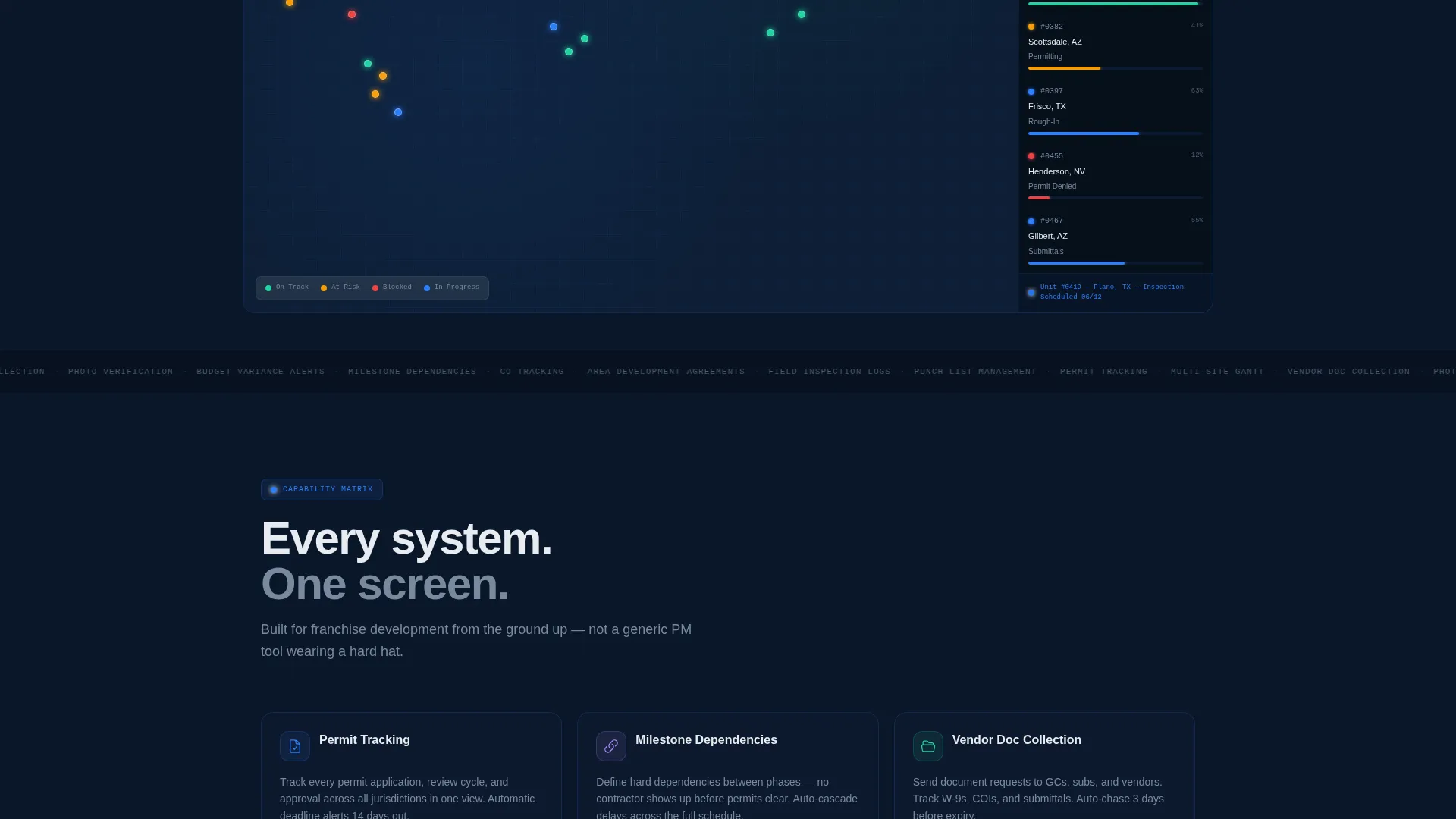
- A full-viewport dashboard preview header with a map, location pins, phase sidebar, and a portfolio progress ring
- A scrollable feature matrix of modular cards covering permit tracking, Gantt views, vendor documents, and more
- A comparison row, app download section with App Store and Google Play badges, SMS download link field, and a persistent bottom bar call to action
Feature list
This template presents the platform's capabilities as a system, not a list. Each feature card is uniform in size and reveals a user interface screenshot with a supporting stat on hover.
Permit Tracking Cards
Each card surfaces the permit status for a single location in real time. The hover state expands to show a user interface screenshot and a specific outcome stat, such as reducing average permitting delays by twenty-two days.
Milestone Dependency Views
Cards represent milestone chains where one task unlocks the next. Visitors immediately see how the platform models the dependency logic that generic project tools ignore entirely.
Vendor Document Collection
A dedicated card shows how the platform collects and centralizes vendor submittals. Construction project managers can see exactly which documents are outstanding before an inspection is scheduled.
Multi-Location Gantt Views
The Gantt card presents a timeline view that spans every active location simultaneously. It communicates the breadth of the platform in a single glance without requiring a demo.
Budget Variance Alerts
This card shows the alerting layer that flags cost overruns before they compound. The specific, data-grounded presentation builds trust with financially accountable operators.
Photo Verification Module
A visual card demonstrates how site photos are tied to milestone sign-off. It closes a common gap where work is marked complete before physical verification occurs.
Page sections overview
| Section | Purpose |
|---|---|
| Dashboard Preview Header | Opens with a full-viewport portfolio map, location pin statuses, phase sidebar, and a 73% on-track progress ring |
| Feature Matrix Grid | Scrollable grid of modular capability cards with hover-expand user interface screenshots and outcome stats |
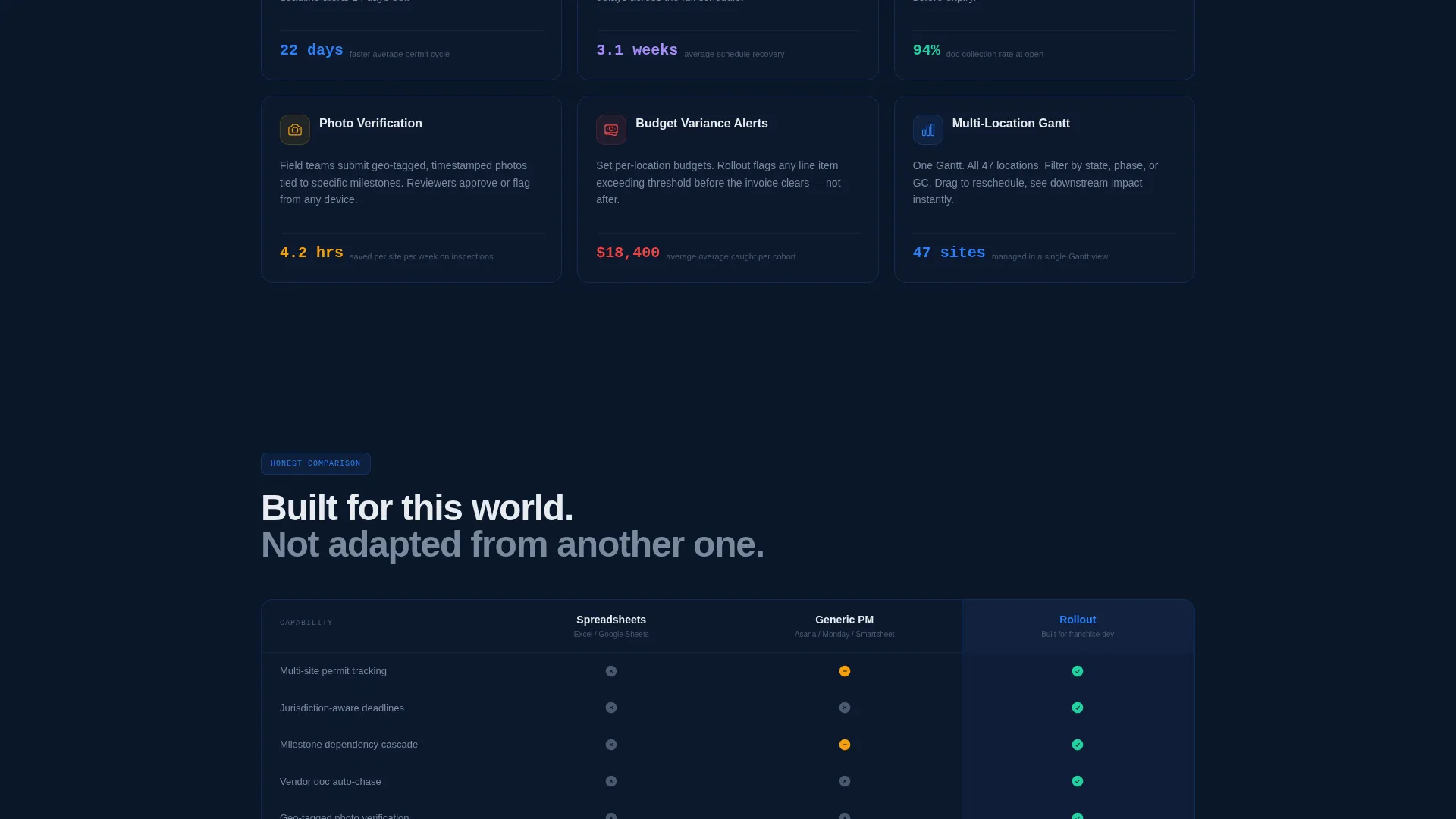
| Comparison Row | Side-by-side three-card breakdown of spreadsheets, generic project tools, and the platform |
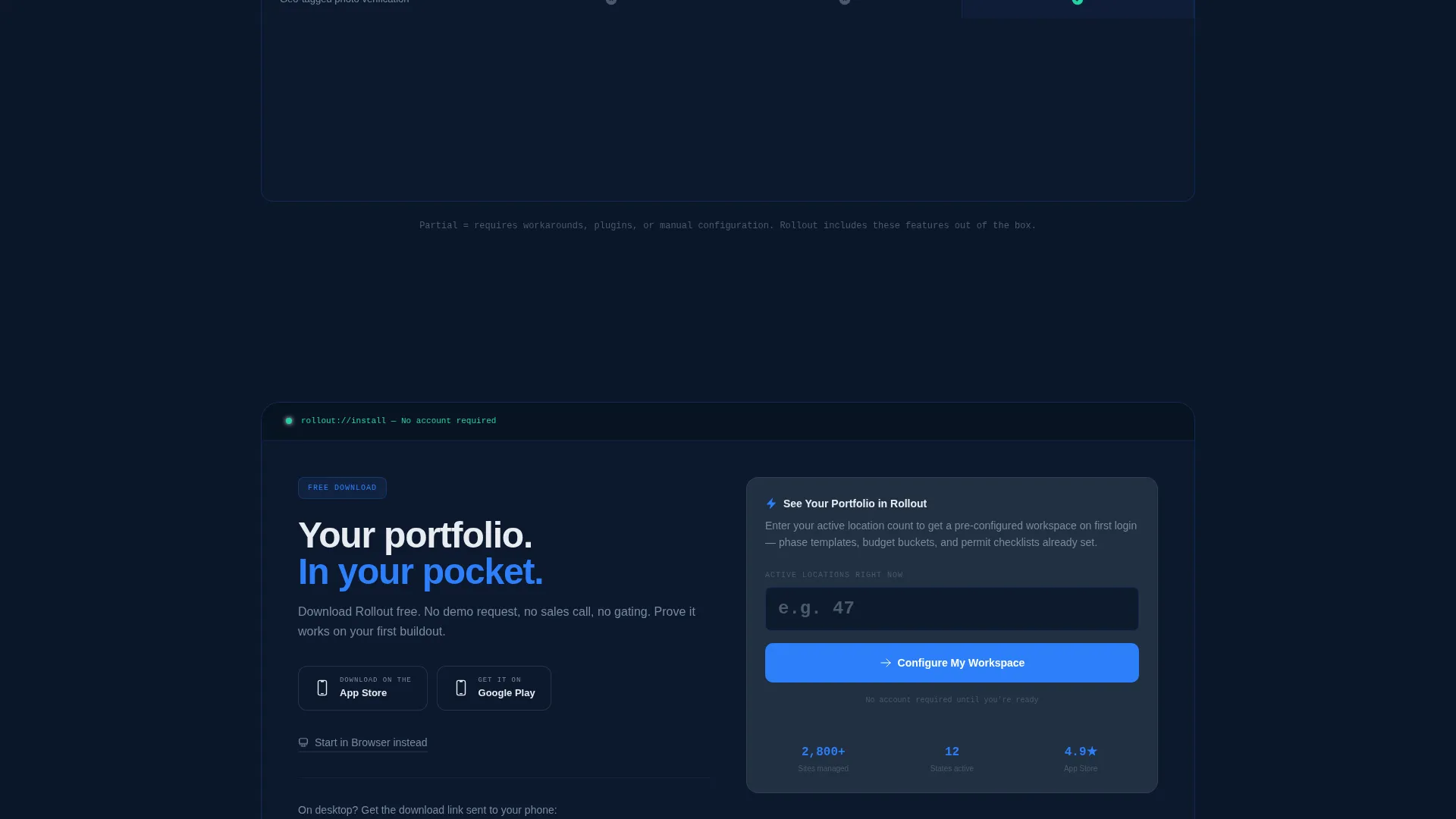
| App Download Section | Primary call to action with App Store badge, Google Play badge, SMS link field, and browser start option |
| Persistent Bottom Bar | Slides in after forty percent scroll with the download call to action always in view |
| Quick-Start Flow | "See Your Portfolio" prompt where users enter active location count for a pre-configured first login |
Design & branding system
The visual identity follows a Tech Glass theme built on a Midnight Blue color system. Every design decision reinforces the feeling of a control room at 2 AM where every glow is purposeful.
- Core palette: deep terminal navy (#0A1628) background, polished steel (#3A4A5C) card surfaces, cold interface white (#E8ECF1) typography, and electric status blue (#2D7FF9) for active states and calls to action
- Cards float on frosted-glass layers with hairline borders that catch the accent blue, creating depth without visual weight
- No stock photography is used anywhere; the product interface is the hero throughout the entire page
Mobile & speed optimization
The template is designed so the mobile experience carries the same authority as the desktop view. The persistent bottom bar and app download flow are particularly important for visitors already on a phone.
- App Store and Google Play badges are prominently placed for direct mobile installs with no friction
- An SMS download link field lets desktop visitors send the app link directly to their phone without leaving the page
- The card grid uses a modular layout that adapts cleanly across screen sizes without losing the visual weight of the feature matrix
How this template helps you convert
This template earns the install before it asks for it. The structure is deliberate: depth first, then the call to action.
- The dashboard preview header opens with specific, data-real details like "Unit #0419, Plano, TX, Inspection Scheduled 06/12" so franchise professionals immediately recognize their own world and stay engaged.
- The feature matrix lets visitors scan and self-select the capabilities that match their exact pain points, building conviction through completeness before any download prompt appears.
- The comparison row delivers the final push by placing spreadsheets, generic tools, and this platform side by side with honest capability checks, then the download call to action lands right after.
Other information about this template
This template is built for the franchise software category within the broader technology space, specifically targeting the franchise project management niche. It is a strong fit for teams evaluating dedicated buildout coordination tools.
- The template style is a card grid layout, which makes it easy to add, remove, or reorder capability cards to match a specific platform's feature set
- The "See Your Portfolio in Rollout" quick-start flow is a secondary conversion path that reduces friction for users who want a pre-configured workspace rather than a blank install
- The page is designed with no demo request friction and no lead gating, which aligns with a product-led growth model where the download itself is the conversion event
Theme
Tech Glass
Creative direction
Feature Matrix
Color system
Midnight Blue
Style
Card Grid (Modular)
Direction
App Download
Page Sections
Full-viewport Dashboard Preview Header
Modular Feature Card Grid
Spreadsheet Versus. Platform Comparison Row
App Download Call to Action Section
Persistent Scroll-triggered Bottom Bar
Quick-start Portfolio Flow
Related questions
Who is this landing page template designed for?
Does this template include the actual project management software?
Can I customize the feature cards for my own platform's capabilities?
What makes the app download flow different from a typical demo request page?
How does the comparison row work on this page?



