Rooferhub - Powerful Community Landing Page Template
Rooferhub is a hub and spoke landing page template built for roofing community forums. It combines a live-feed code snippet header, data-driven spoke sections, and a persistent app download call to action. The design uses a dark iridescent palette inspired by wet asphalt, and it positions the forum as a source of real trade intelligence that no search engine can match.
by Rocket studio
Quick summary
Rooferhub is a single-page landing page template built for a roofing community forum. It uses a hub and spoke anchor navigation layout, a terminal-style live feed header, and industry report data sections to prove the forum's value at every scroll. The primary goal is earning an app download from working roofers who want real answers from real peers.
Who this template is for
This template is built for the roofing trade community. It speaks directly to professionals who rely on peer knowledge to run their businesses and stay competitive after storm season.
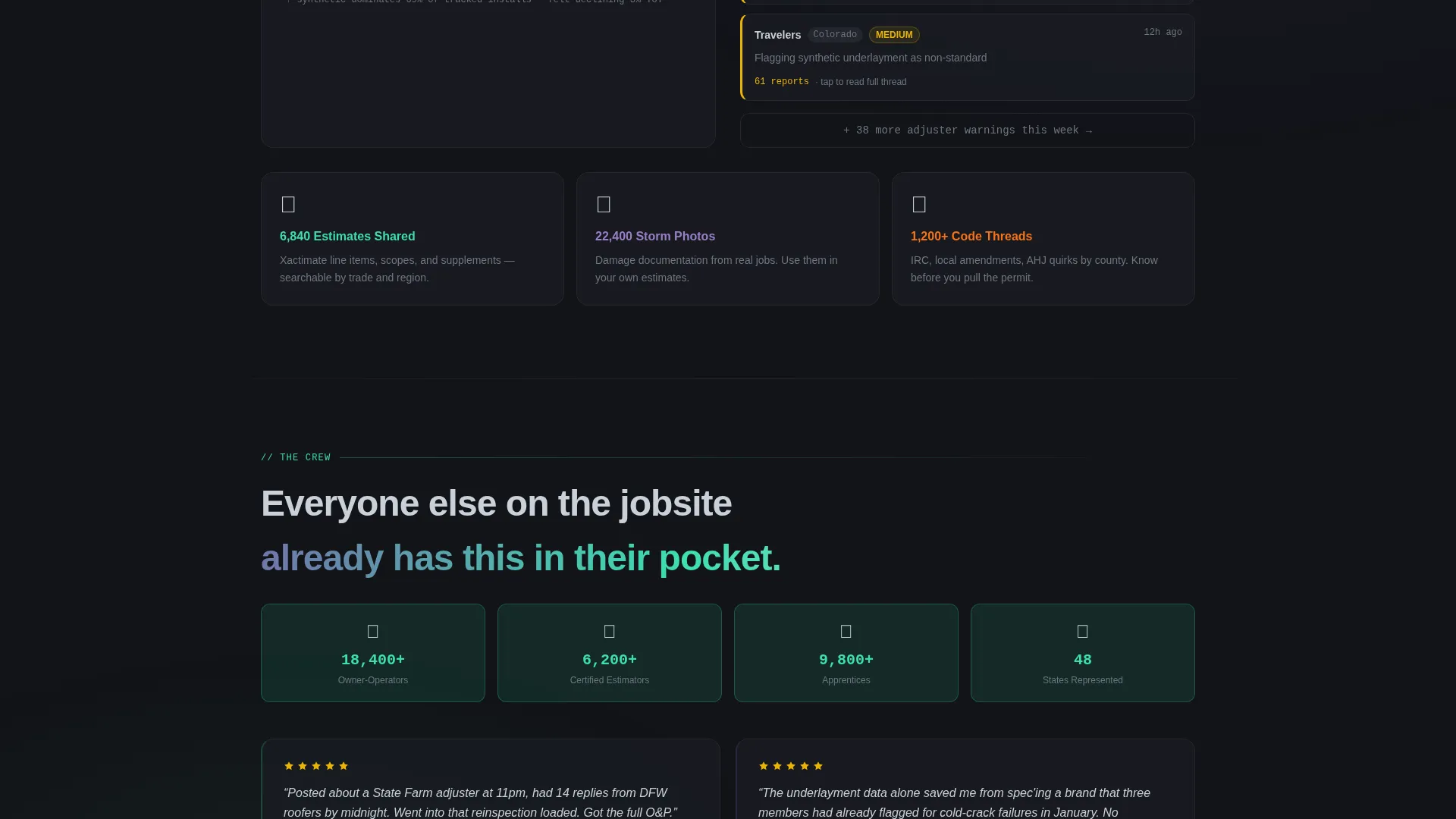
- Owner-operators running multi-truck residential or commercial roofing crews
- Seasoned estimators and project managers who need fast, field-tested answers
- Apprentices and newer contractors looking to build knowledge alongside experienced tradespeople
What problem this template solves
Most community forum landing pages look like generic sign-up screens. They ask for commitment before they prove their worth. Rooferhub fixes that by leading with data and live proof first.
- Visitors leave before converting because the page shows no real activity or community depth
- Forum value is invisible until after sign-up, which kills trust before it starts
- There is no clear reason to download the app when the page feels like every other directory
What you get with this template
You get a fully structured, single-page landing page template that earns the download by showing proof before asking for anything. Every section is designed to escalate confidence from scale to personal value.
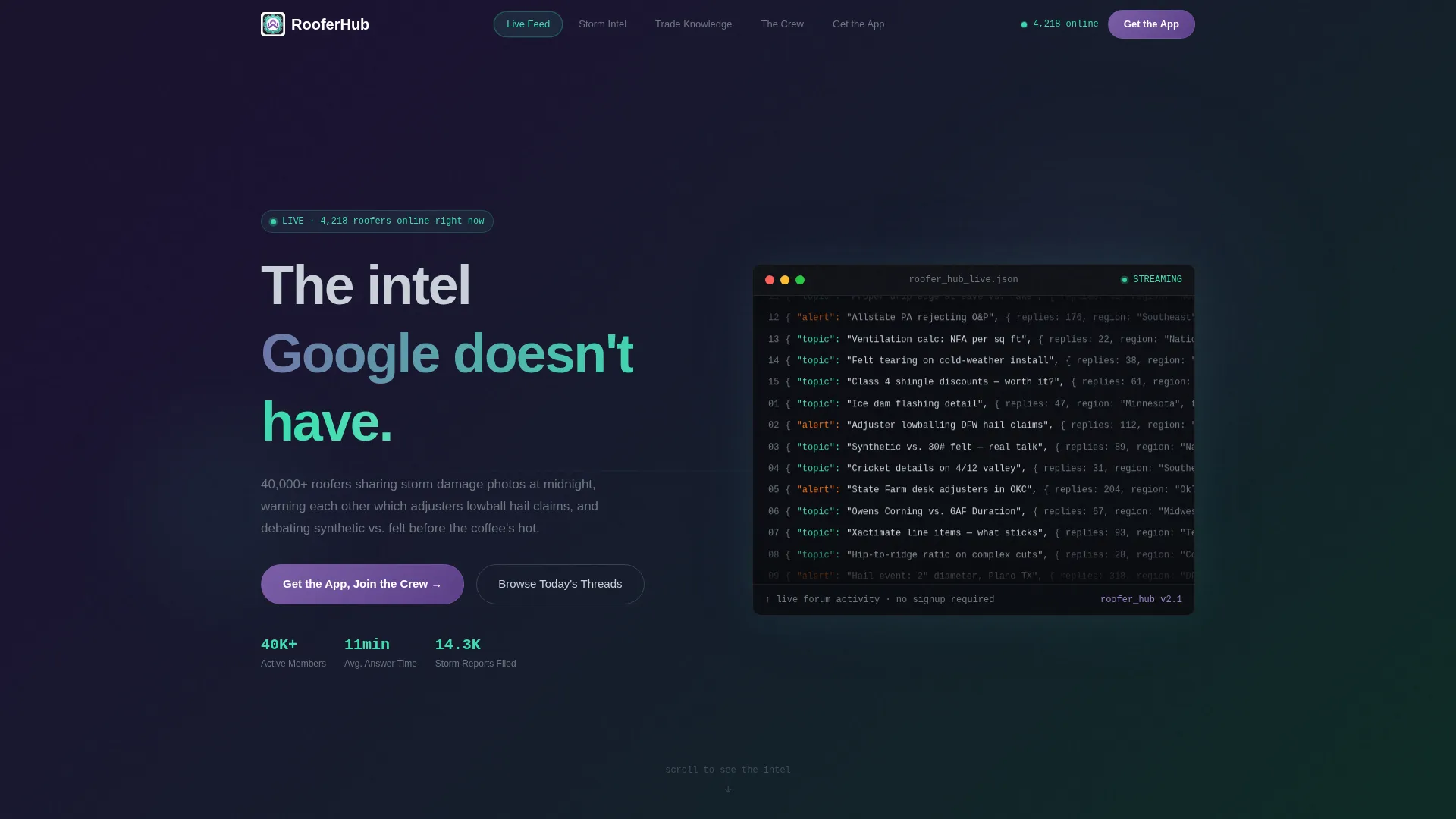
- A terminal-style code snippet header displaying a scrolling live feed of forum activity as structured data
- Anchor navigation pills that link each hub section to a dedicated spoke section below
- A persistent floating app download bar with paired app store badge placements, activating after the second spoke section
Feature list
This template includes purpose-built components matched to the roofing community forum use case. Each one earns its place by doing specific conversion work on the page.
Terminal Live Feed Header
A stylized terminal window sits at the top of the page. It renders forum activity as cascading structured data lines in a monospaced font, auto-scrolling like a build log. The effect communicates immediately that this is a living community, not a static brochure.
Hub and Spoke Anchor Navigation
Anchor navigation pills across the hub section link directly to each spoke section below. Active pills glow in iridescent teal, giving visitors a clear sense of where they are and what is ahead. This keeps long-page scroll organized and intentional.
Industry Report Data Sections
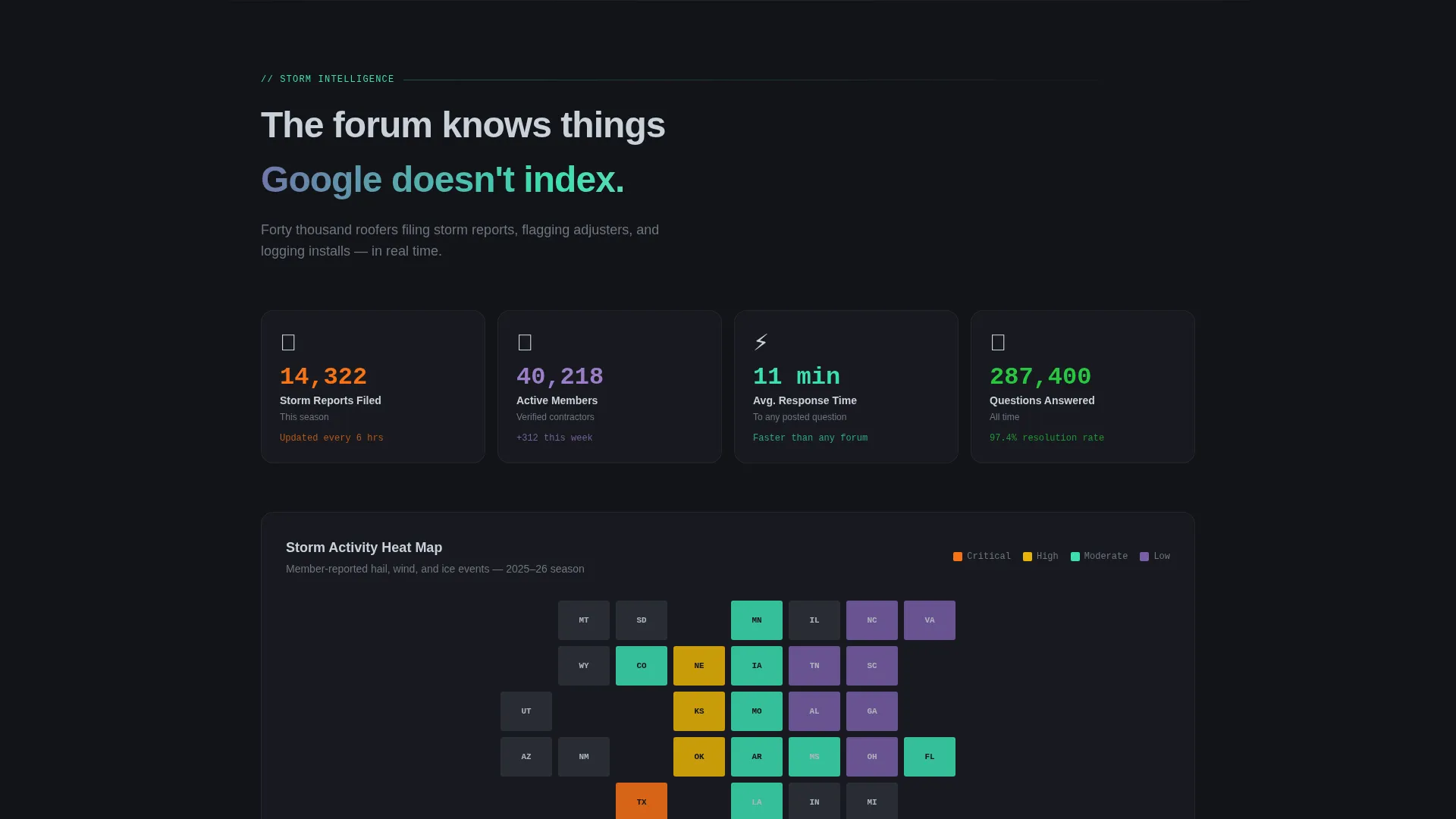
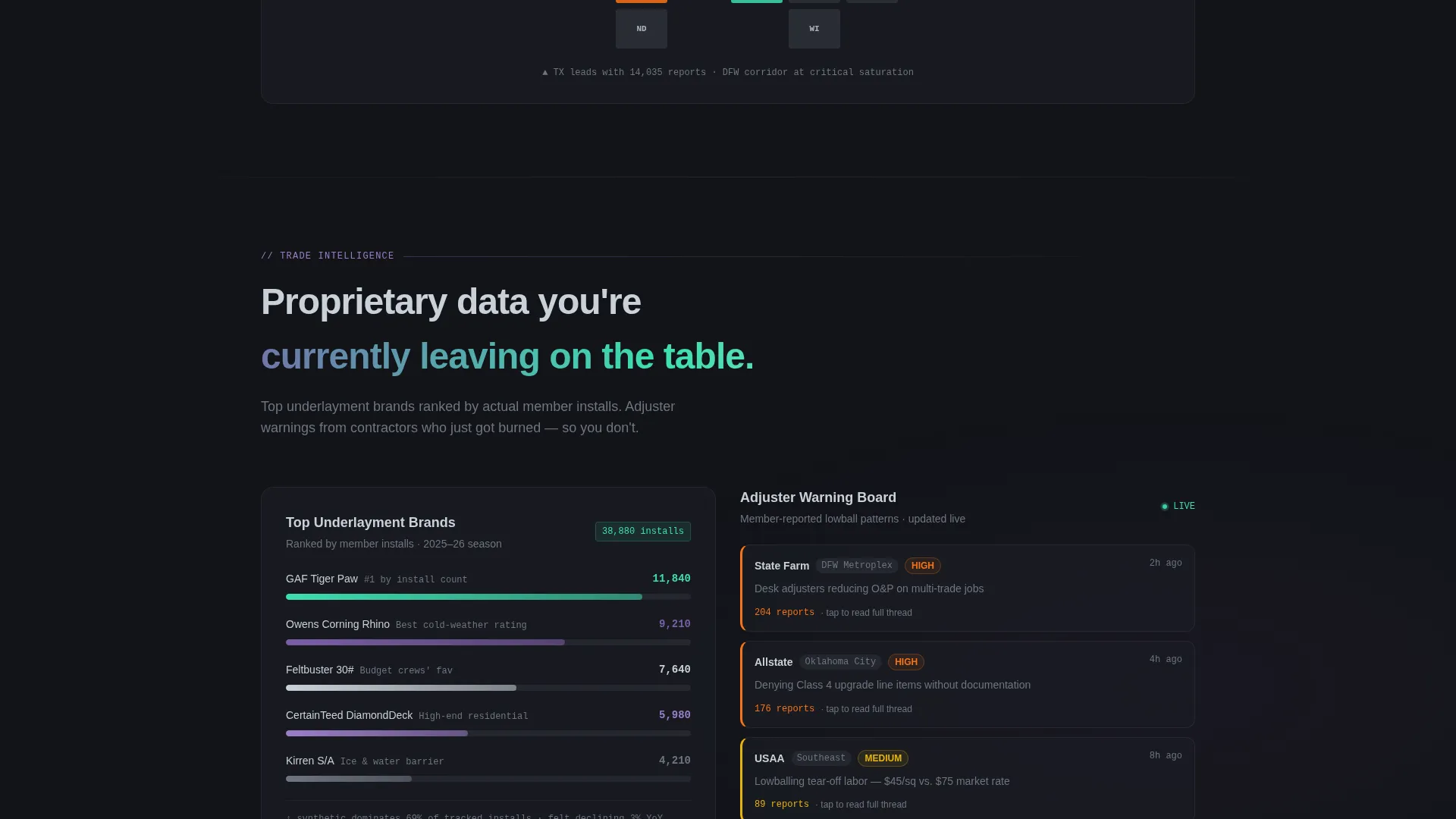
Each spoke section is built around a data story. Examples include storm report counts with heat map visuals, ranked underlayment brand charts with horizontal bar layouts, and a live average response time counter. These sections make the forum feel like proprietary trade intelligence.
Persistent Floating App Download Bar
A floating call-to-action bar activates after the visitor scrolls past the second spoke section. It carries the primary message and paired download badge placements. It stays visible without interrupting the scroll until the visitor is ready to act.
Ghost Button Preview Modal
A secondary call to action labeled for browsing top threads opens a preview modal. The modal requires no sign-up, letting the quality of real forum conversations close the sale. Visitors see value before they commit to anything.
Iridescent Dark Visual System
The entire page is built on a deep asphalt black background with shimmering accent colors. Violet marks premium threads and verified contractor badges. Silver carries body text and divider lines. Teal pulses on live data accents and active navigation states.
Page sections overview
| Section | Purpose |
|---|---|
| Terminal Header | Opens with live forum activity feed as scrolling structured data |
| Hub Anchor Nav | Links visitors to each spoke section via glowing pill navigation |
| Storm Report Spoke | Shows season-scale storm data with a regional heat map visual |
| Underlayment Rankings Spoke | Displays top brands ranked by member install data in bar chart form |
| Response Time Spoke | Features a live average reply time counter to prove community speed |
| Floating Download Bar | Persists after second spoke to drive app download conversion |
| Thread Preview Modal | Ghost button opens a no-sign-up preview of real forum discussions |
Design & branding system
The visual identity is built on the Dashboard Pro theme using an AI Iridescent color system. The palette is inspired by the look of an oil slick on wet shingles: dark at rest, spectral and alive when the light shifts.
- Deep asphalt black (#121318) backgrounds keep every section grounded and readable at any time of day
- Shimmering ridge-cap violet (#7B5EA7) marks premium content, verified badges, and elevated thread labels
- Flashing silver (#C9D1D9) handles body text, divider lines, and structural detail like drip edge across each section
- Iridescent teal (#3CDFB0) pulses on live data accents, notification indicators, and active anchor nav states
Mobile & speed optimization
The template is structured for visitors arriving from a job site, a truck cab, or a supply house parking lot. Small-screen usability is built into the layout from the start.
- Anchor navigation collapses cleanly for thumb-friendly access on mobile viewports
- The persistent floating download bar is sized and positioned for easy tap interaction on small screens
- Data spoke sections use horizontal bar charts and counters that reflow clearly without losing meaning on narrow displays
How this template helps you convert
Every design and copy decision in Rooferhub is pointed at one outcome: turning a skeptical visitor into an app download. The page earns that action rather than demanding it.
- The terminal live feed header signals community activity instantly, replacing the need for any marketing claim about how active the forum is
- The industry report data sections build proof at scale before the floating download bar appears, so the ask lands on a visitor who already believes the forum is valuable
- The no-sign-up thread preview modal removes the last barrier by letting real conversations do the closing work
Other information about this template
Rooferhub is designed as a single landing page in the hub and spoke format. It is part of the Dashboard Pro theme family and uses the AI Iridescent color system throughout. A few additional details worth noting:
- The template is built for the roofing trade niche within the broader technology and digital presence category
- Forum data callouts such as storm report counts, member response times, and install rankings are design placeholders that a team would populate with real community metrics
- The ghost button preview modal is included as a structural component; actual thread content would connect to a live forum data source during build
- The page type is a landing page, meaning all sections exist on one scrollable canvas linked by anchor navigation rather than separate URLs
Theme
Dashboard Pro
Creative direction
Industry Report
Color system
AI Iridescent
Style
Hub & Spoke (Anchor Nav)
Direction
App Download
Page Sections
Terminal Live Feed Header
Hub and Spoke Anchor Navigation
Industry Report Data Sections
Persistent Floating App Download Bar
Ghost Button Thread Preview Modal
AI Iridescent Dark Visual System
Related questions
Who is the Rooferhub landing page template built for?
Can I edit the data figures shown in the spoke sections?
Does the floating download bar appear immediately on page load?
What happens when a visitor clicks the ghost button thread preview?
Is this template suitable for a roofing forum without an app yet?



