Roster - Powerful Restaurant Landing Page Template
Roster is a scroll-reveal landing page template built for restaurant staff scheduling platforms. It combines an interactive weekly schedule grid, stats-first scroll animations, and a dark Data Command visual identity to turn skeptical managers into confident buyers. Every section earns the next click, guiding visitors from a live shift-drag demo straight to a guided product tour.
by Rocket studio
Quick summary
Roster is a single-page, scroll-reveal landing page template designed for restaurant staff scheduling software. It opens with a live shift-grid demo, builds conviction through hard labor-cost statistics, and closes with a frictionless click-through path. The visual identity is dark, data-forward, and built for the people who read P&L sheets at 5 AM.
Who this template is for
This template is built for SaaS founders, product marketers, and growth teams selling scheduling tools into the restaurant industry. It speaks the language of the floor, not the boardroom.
- General managers running multi-shift operations across breakfast, lunch, and dinner
- Operations directors overseeing several locations from a single dashboard
- Front-of-house leads and scheduling coordinators who live inside group chats and spreadsheets
What problem this template solves
Restaurant scheduling is a daily crisis disguised as an administrative task. A single no-show on a Friday close can trigger overtime, exhausted kitchen staff, and guest complaints that show up in reviews. Most landing pages for scheduling tools look like generic SaaS templates that miss all of that urgency.
- Visitors arrive skeptical and need hard evidence fast, not a feature list
- Generic designs fail to signal industry expertise to restaurant operators
- Friction-heavy sign-up flows kill conversions before visitors reach the value
What you get with this template
You get a complete, production-ready landing page that opens with a functioning shift-grid mockup and closes with two clear conversion paths. Every scroll step is choreographed to deliver data before context, building a wall of evidence that moves visitors toward action.
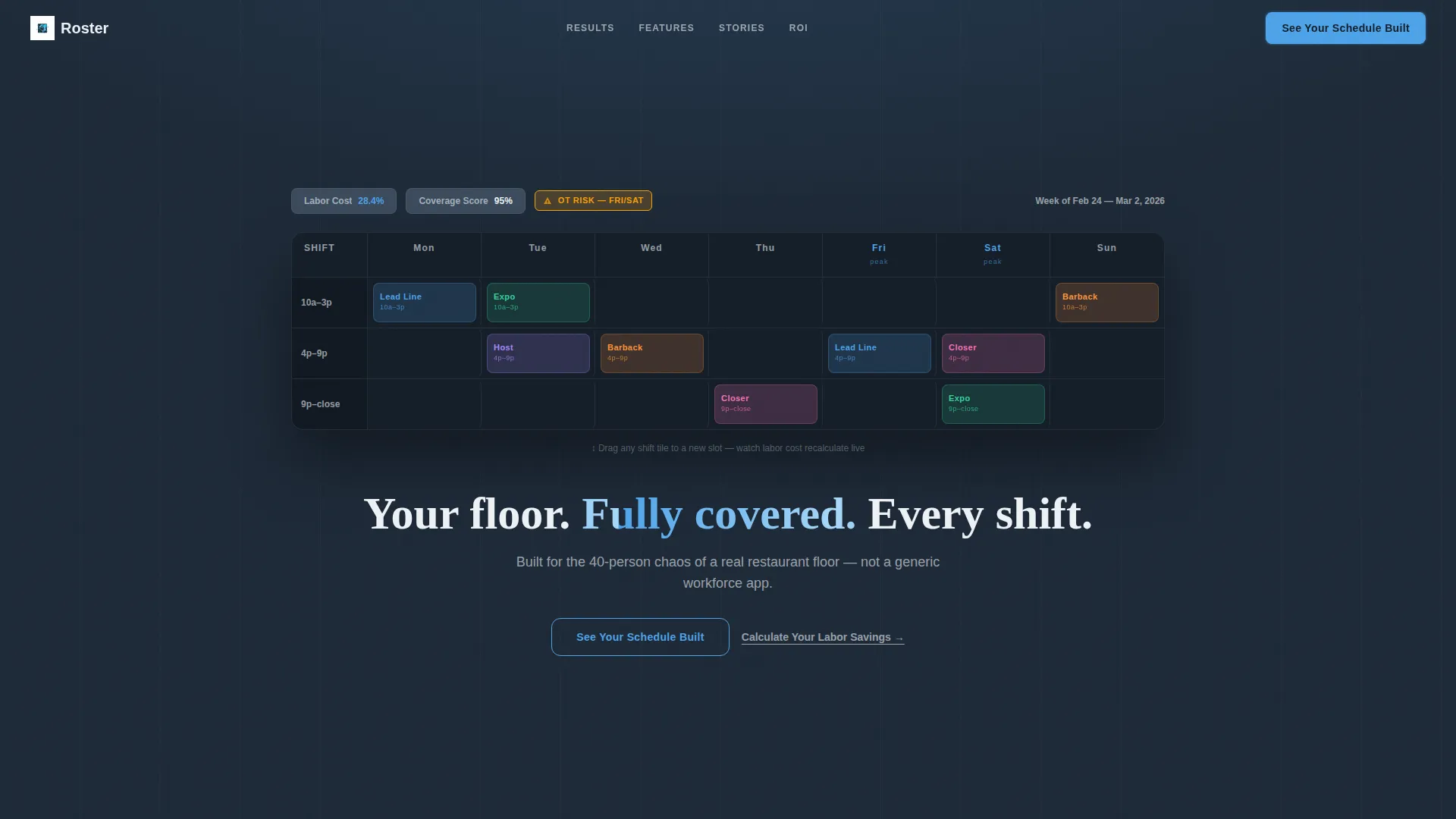
- An interactive header with draggable shift tiles, live labor cost recalculation, and overtime warnings
- A scroll-reveal statistics sequence where each hard number appears before its explanation
- A dual call-to-action system: a ghost button that earns its fill after the third stat reveal, plus a secondary path to an ROI calculator
Feature list
This template includes purpose-built components drawn directly from the brief. Each one is designed to do a specific job for a restaurant scheduling product page.
Interactive Weekly Schedule Grid
The header section renders a realistic shift grid populated with restaurant-specific roles: Lead Line, Expo, Barback, Host, and Closer. Visitors can drag a shift tile from one time block to another. The labor cost percentage recalculates in real time, an overtime warning flashes amber, and the coverage score updates visibly. Time blocks use real restaurant language: 10a-3p and 4p-close.
Stats-First Scroll Reveal Sequence
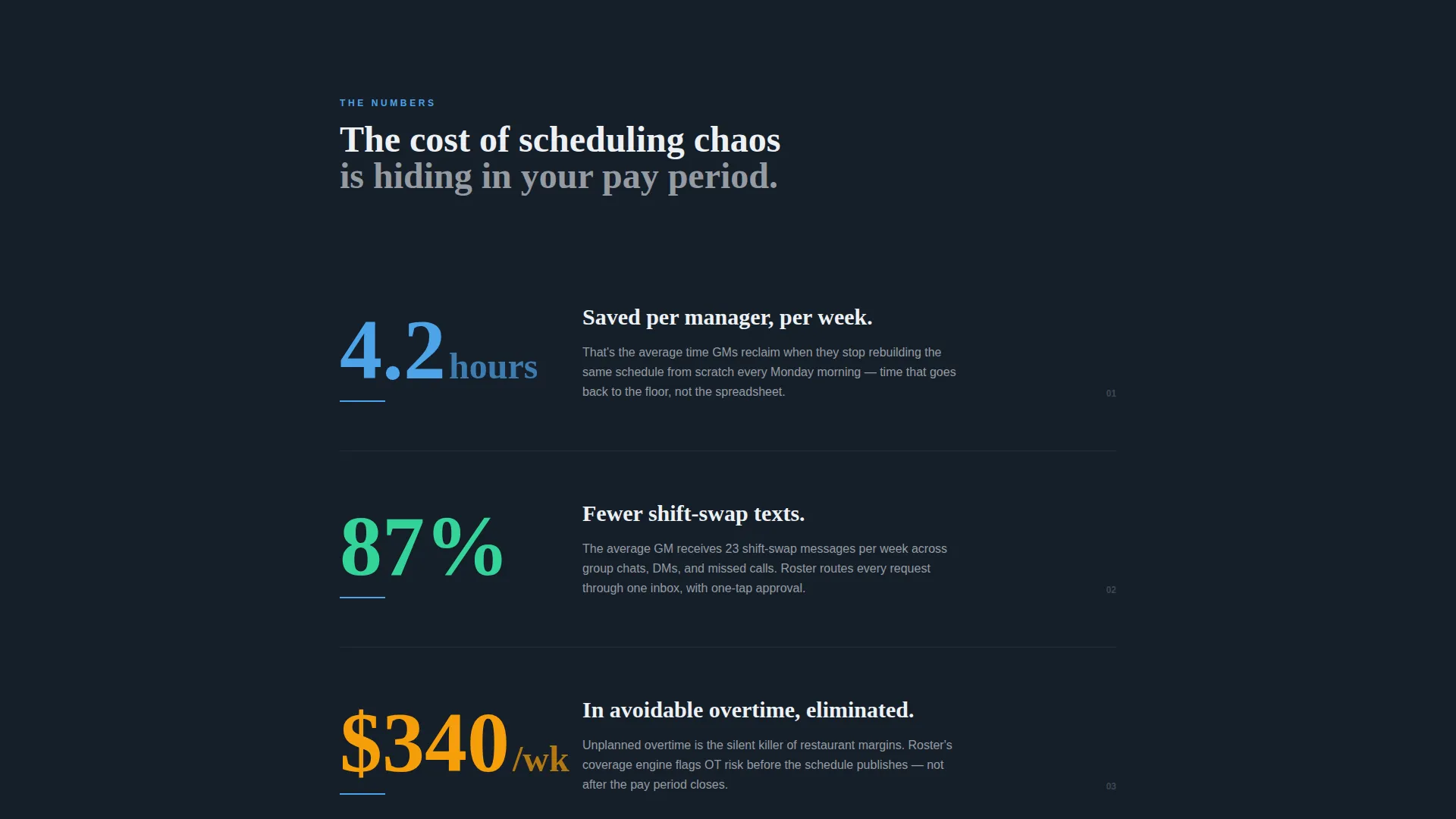
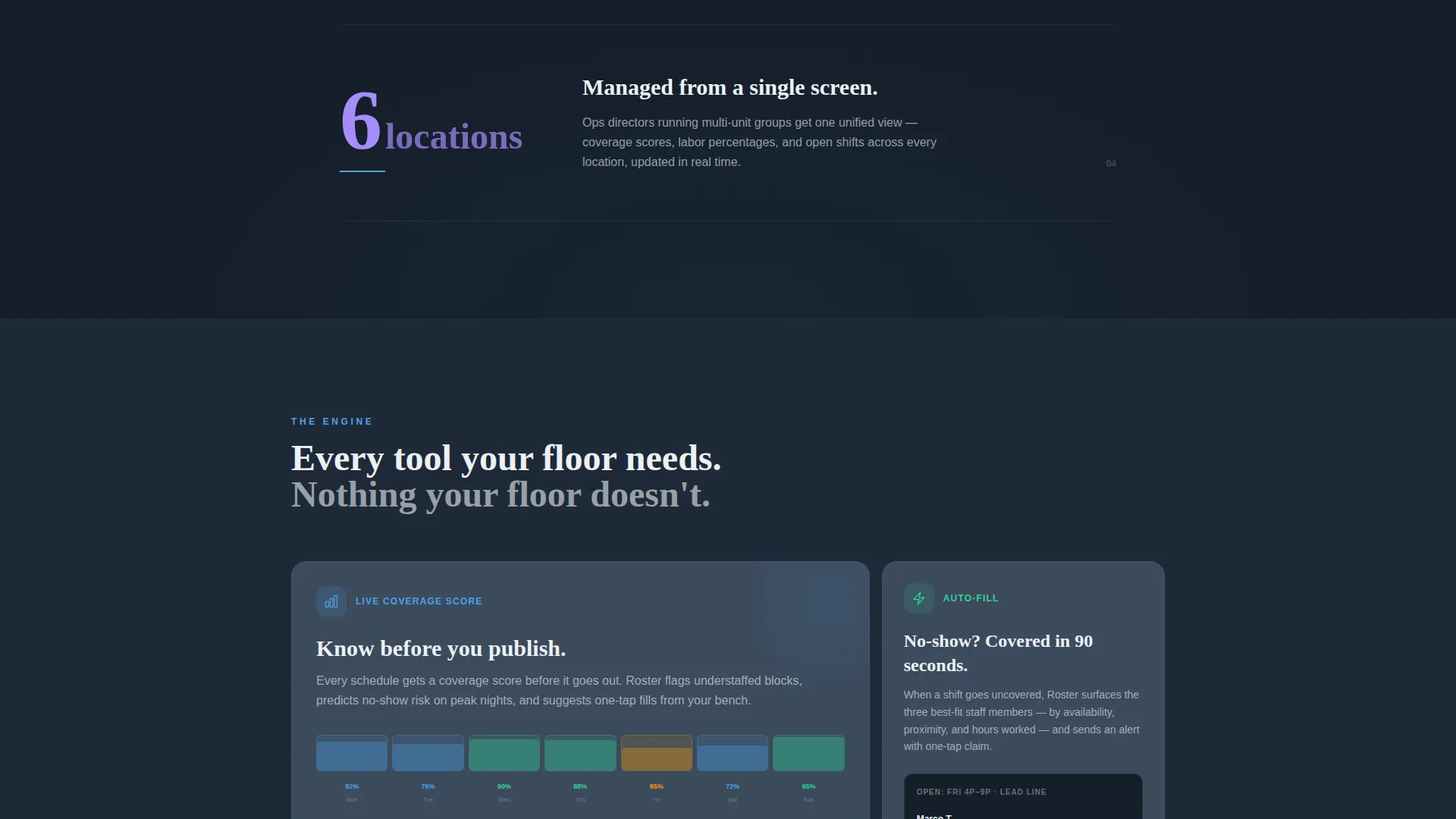
Each scroll step surfaces a bold statistic in large sky-blue type before the supporting explanation fades in beneath it. The sequence is deliberate: "4.2 hours" hits first, then the context arrives. "87% reduction" climbs into frame, then the shift-swap message story follows. The reveals accelerate slightly with each section, pulling visitors forward.
Progressive Call-to-Action System
The primary call to action, "See Your Schedule Built," starts as a ghost button in the header. It solidifies into a filled sky-blue button only after the visitor has seen three stat reveals. This pacing ensures the click is earned by data, not demanded by design.
ROI Calculator Entry Point
A secondary conversion path links to an ROI calculator. It asks for number of locations, average hourly staff count, and current scheduling method. The calculator is a low-friction way for skeptical visitors to quantify their own pain before committing to a product tour.
Restaurant-Specific Copy and Pain Points
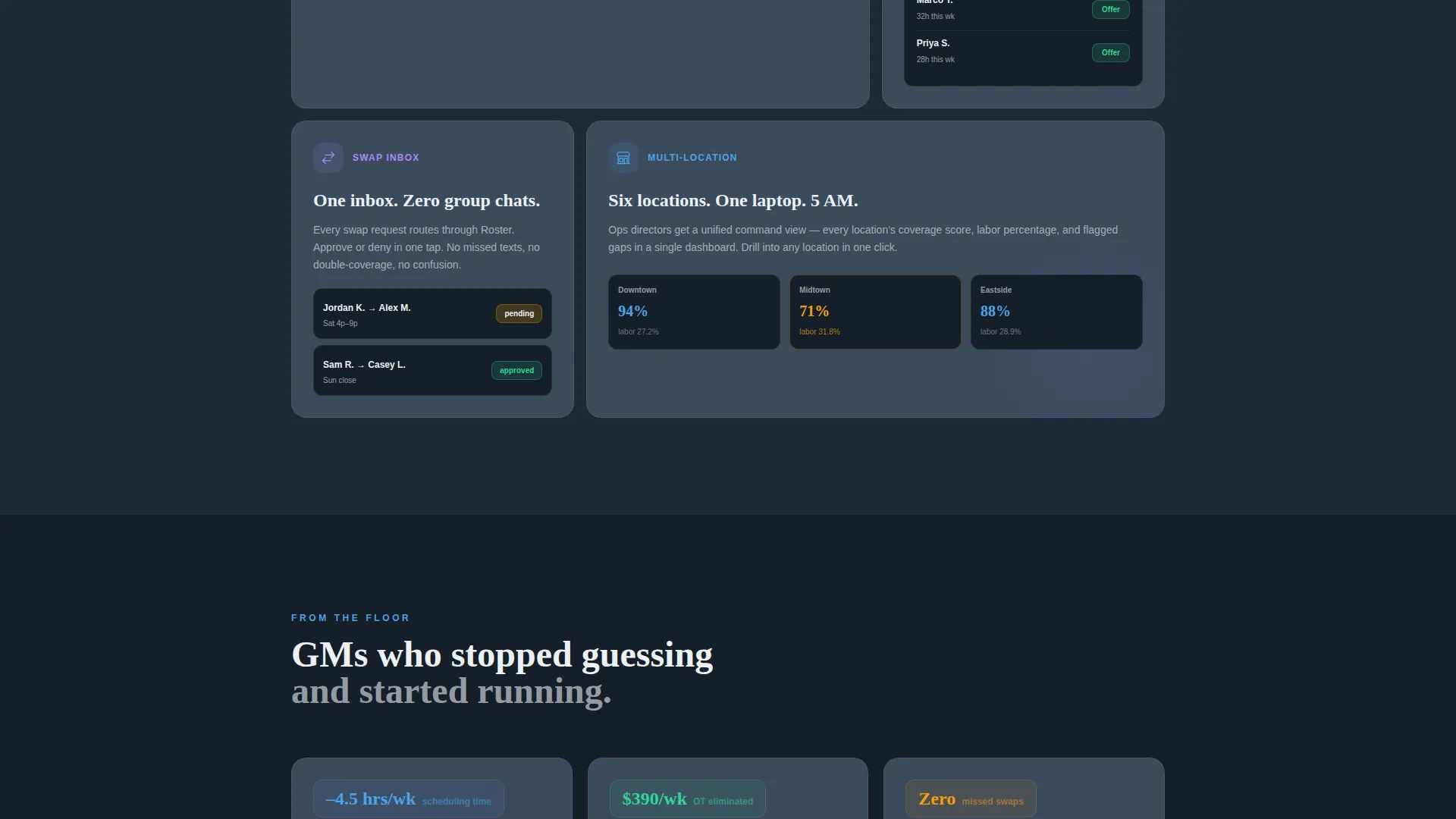
Every headline, stat label, and supporting line is written around restaurant-specific problems: labor cost as a percentage of revenue, no-show rate, and overtime dollars per pay period. The copy avoids generic SaaS language and speaks directly to the ops vocabulary of restaurant managers.
Scroll-Paced Section Architecture
The page is structured as a progressive reveal. Each section is designed to appear at a slightly faster pace than the one before it, creating a downhill momentum that reduces drop-off. The flow ends at a click-through destination rather than a sign-up form, removing all friction from the path.
Page sections overview
| Section | Purpose |
|---|---|
| Interactive Header Grid | Demonstrates live shift-drag, labor cost recalculation, and overtime alerts |
| Hero Headline Reveal | Delivers the core value message after the grid interaction |
| First Stat Block | Shows "4.2 hours" stat before context text fades in |
| Second Stat Block | Surfaces "87% reduction" stat with shift-swap story below |
| Third Stat Block | Presents overtime and labor cost data to complete the evidence wall |
| Primary call to action Section | Converts ghost button to filled sky-blue after third stat reveal |
| ROI Calculator Link | Offers secondary path for visitors who want to calculate savings |
Design & branding system
The template uses a Data Command theme built on a Slate and Sky color system. The overall feel is a manager's screen at 5 AM: every number sharp, every alert visible, nothing wasted.
- Deep charcoal slate (#1E2A38) as the primary background, mid-tone graphite (#3B4A5C) for card surfaces, sky blue (#4DA3E8) for all interactive elements and live data points, and chalk white (#EDF1F5) for typography and space
- Sky blue fires consistently on every interactive trigger: dragged shift tiles, stat reveals, button fills, and overtime warning states
- The amber overtime warning provides a deliberate contrast accent that signals urgency without breaking the dark-mode palette
Mobile & speed optimization
The scroll-reveal architecture and interactive header are designed to perform cleanly across screen sizes. The progressive reveal structure keeps the experience focused and avoids loading unnecessary content before the visitor reaches it.
- Shift-grid layout adapts to narrower viewports while keeping role labels and time blocks legible
- Stat reveal animations are structured to run smoothly without competing for rendering resources
- The click-through destination model removes form fields from the page, reducing interaction weight on mobile
How this template helps you convert
The page is engineered as a conviction-building funnel, not a brochure. Every design and copy decision is ordered to remove doubt before asking for action.
- The interactive shift grid lets visitors experience the product concept before reading a single line of copy, which builds immediate relevance for restaurant operators.
- The stats-first scroll sequence delivers measurable claims early and often, so the primary call-to-action button arrives after the visitor already believes the numbers.
- The dual conversion paths serve two types of buyers: those ready to see the product, and those who need to justify the cost internally with an ROI calculation first.
Other information about this template
This template is built specifically for the restaurant software and SaaS category and can support a wide range of scheduling-focused product pages. The scroll-reveal pattern and dark Data Command theme make it a strong fit for any tool that needs to communicate operational control and data clarity to a time-pressed audience.
- The template is a click-through design, meaning no sign-up form appears on the page itself; every action leads deeper into the product experience
- Page type is a landing page with a single-page, section-led scroll flow
- The ROI calculator link is a standalone secondary path and does not require any on-page form infrastructure
- The template style is Scroll Reveal (Progressive), which means each section is choreographed to appear in sequence as the visitor scrolls
Theme
Data Command
Creative direction
Stats-First Impact
Color system
Slate & Sky
Style
Scroll Reveal (Progressive)
Direction
Click-Through
Page Sections
Interactive Shift-grid Header
Stats-first Scroll Reveal
Progressive Call-to-action Button
ROI Calculator Entry Point
Restaurant-specific Copy System
Scroll-paced Section Architecture
Related questions
Who is this landing page template designed for?
Does the page include a sign-up form?
What does the interactive header actually show?
What are the two conversion paths on this page?
Can I adapt this template for a scheduling tool outside restaurants?



