Specialist Directory & Marketplace Platforms Pricing & Packages Website Template
Roster is a scroll-reveal landing page template designed for event vendor directories. It presents a searchable, filterable command center where event planners, venue coordinators, and corporate event managers can discover and contact every supplier they need, florists, caterers, DJs, and lighting crews, across metro markets, with ratings, availability, and pricing visible at a glance.
by Rocket studio
Quick summary
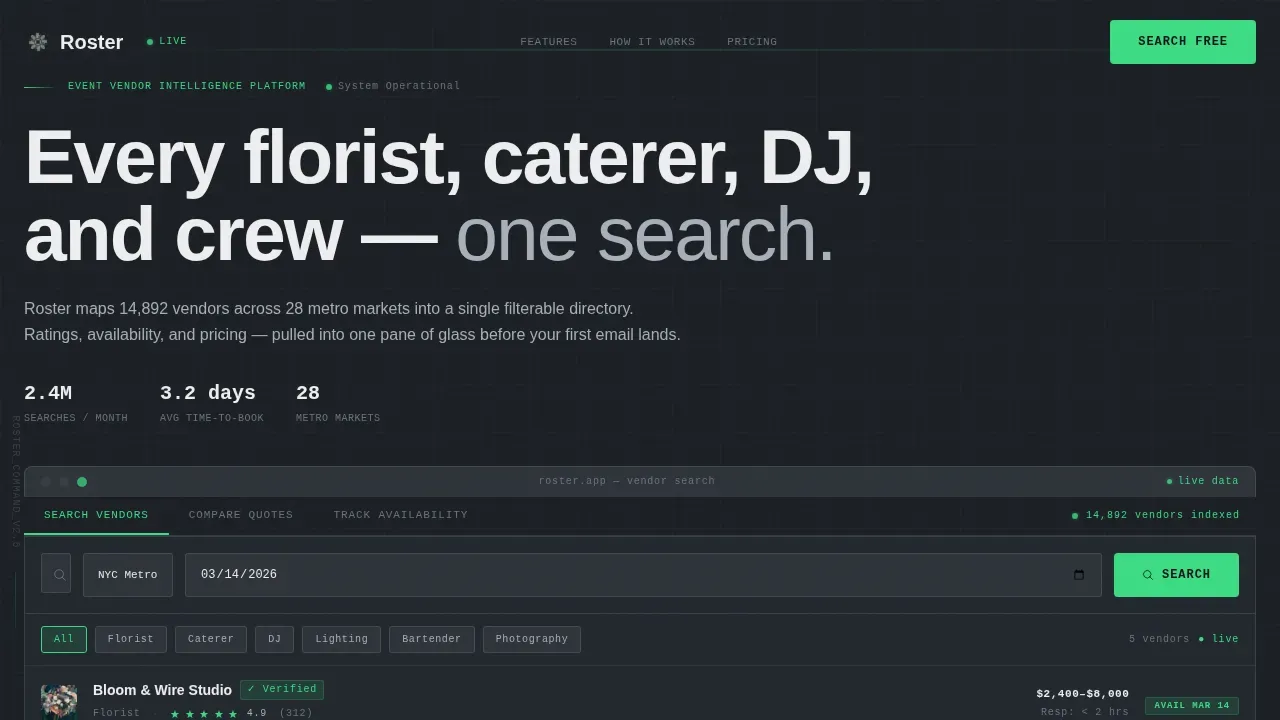
Roster is a single-page template built around a vendor directory command center. It gives event professionals one place to search, compare, and track every supplier across metro markets. The page is designed to convert visitors before they even create an account, letting them interact with live, anonymized search results right inside the header.
Who this template is for
This template is designed for teams and individuals who manage multiple vendor relationships under time pressure. It speaks directly to people who need fast, reliable access to a complete supplier contact list before the day begins.
- Event planners who juggle a dozen vendor calls before noon and need quick access to every supplier's contact details and availability in one view
- Venue coordinators who must find a backup bartender or lighting crew on short notice, relying on an up-to-date contact list to reach the right company fast
- Corporate event managers building an approved vendor shortlist for quarterly galas, needing clear company information and category-level filtering to match the right supplier to each role
What problem this template solves
Event logistics break down when vendor contact information is scattered across spreadsheets, email threads, and phone notes. Planners waste critical time searching for a supplier's phone number or trying to determine availability across multiple platforms.
- No single place to view every vendor's services, location, date availability, and direct contact details at once
- No structured contact list means cold outreach replaces warm, pre-vetted relationships, slowing the entire booking process
- No visible status indicators leave teams unable to check which vendor is active or on standby during critical operations
What you get with this template
This landing page template delivers a fully designed, scroll-reveal page built to demonstrate the product before asking for a sign-up. Every section is ready to customize and complete with realistic, pre-populated data that makes the value immediately clear.
- A Feature Tab Switcher header with three interactive tabs ("Search Vendors," "Compare Quotes," "Track Availability"), each revealing a live user interface mockup pre-filled with realistic vendor data
- A progressive disclosure layout that includes a stat block, a methodology section, and a free-versus-pro comparison table, each designed to earn the visitor's trust before presenting a call to action
- Two conversion paths: a primary "Search Vendors Free" call to action requiring only an email address and event date, and a secondary "Unlock Pro Data" inline form that expands to collect role and event volume
Feature list
This template includes six purpose-built sections and components designed to move a visitor from discovery to sign-up without friction.
Interactive Tab Switcher Header
Three labeled tabs span the top of the viewport and swap the content panel below into a different live mockup. The default tab shows a vendor search interface with filters for category, metro area, rating, and date, all pre-populated. The product demonstrates itself before the visitor reads a single line of body copy.
Filterable Vendor Search Interface
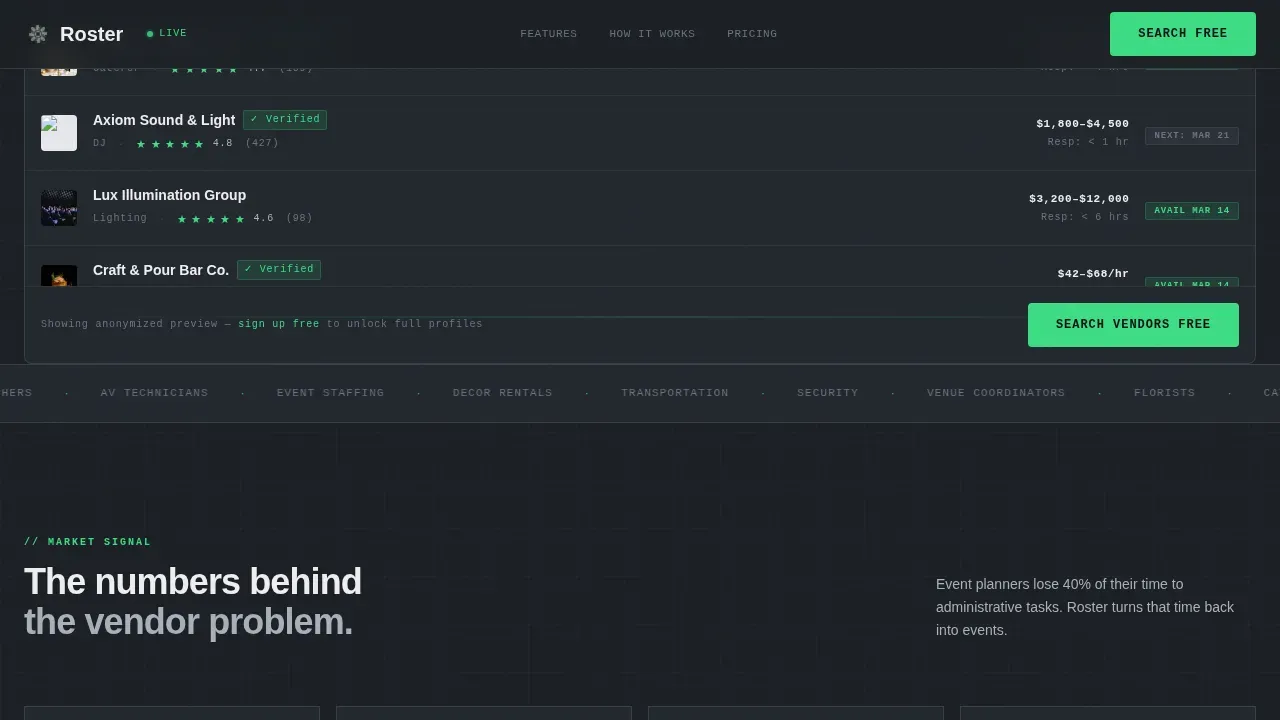
A centralized search bar sits above the fold, allowing instant filtering by name, category, or service. Visitors can explore a working contact list with supplier descriptions, location data, and status indicators, all without creating an account. This single-pane-of-glass view helps users identify and contact vendors instantly during critical events.
Stat Block and Market Data Section
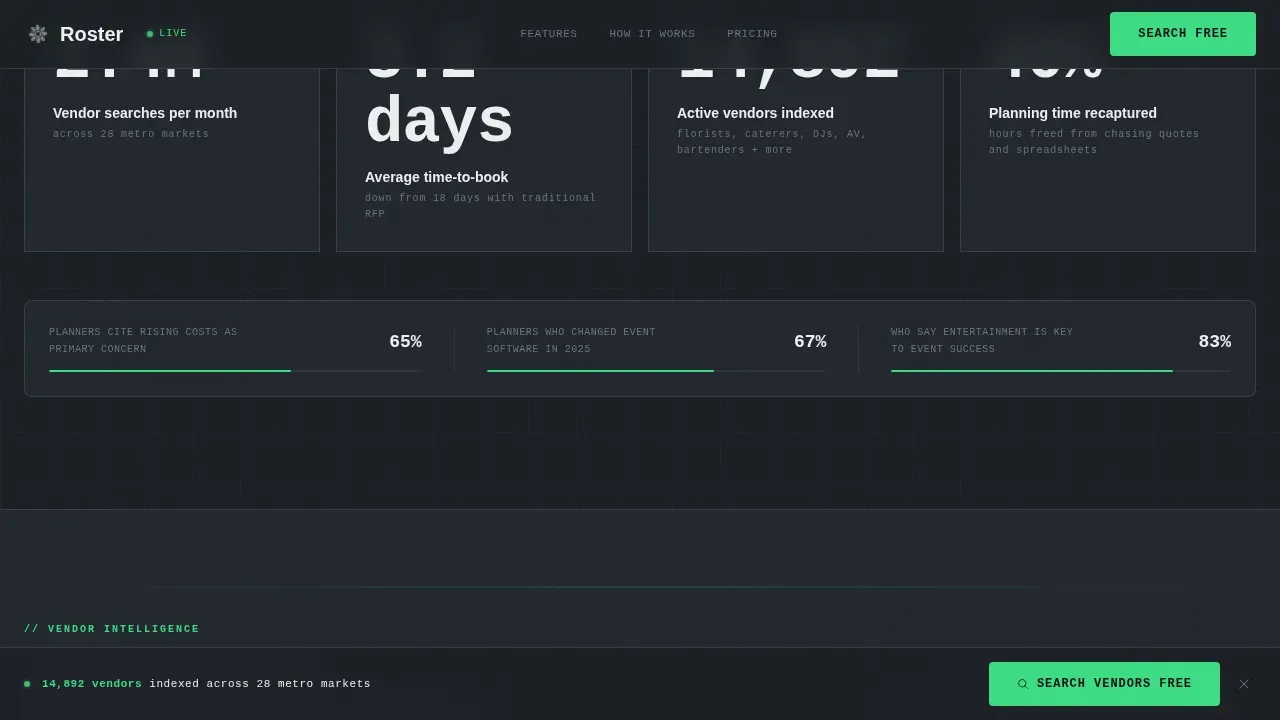
A dedicated section surfaces market-level numbers: vendor searches per month and average time-to-book. Count-up number animations activate on scroll, ensuring each data point lands with impact. This section helps visitors understand the scale of the directory and the business value it delivers.
Vendor Vetting Methodology Section
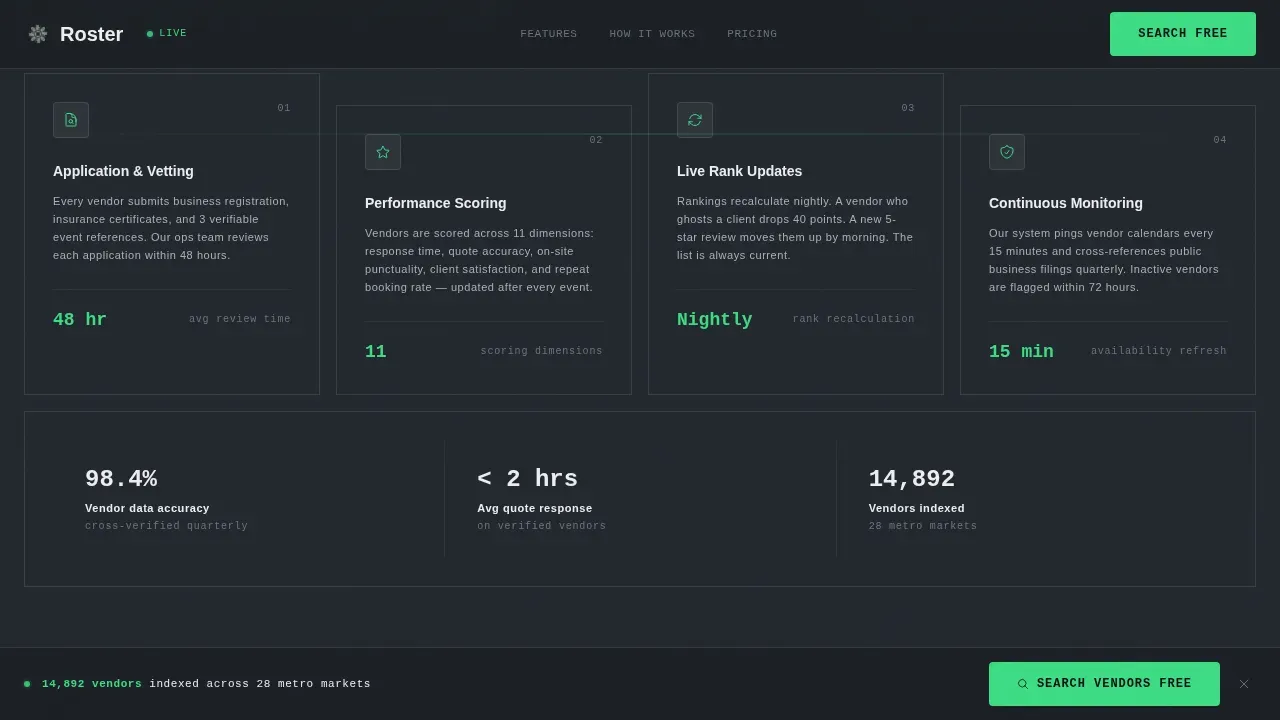
A clear, readable methodology section explains how each supplier is scored and ranked. It covers compliance indicators such as "License Verified" and "Background Checked" badges, giving clients confidence in the contact list before they reach out. Real-time performance metrics show current vendor performance, such as recent resolution times, ensuring the directory stays accurate.
Free versus. Pro Comparison Table
A structured comparison table shows exactly what each tier includes. Free-tier users access core contact details, services, and location data. Pro-tier users unlock deeper company information, extended contact list fields, and priority access. The table helps visitors self-select their path without a sales call.
Sticky Freemium Conversion Bar
After the second scroll section, a sticky bottom bar appears with the primary call to action. It stays in place as the visitor continues reading, ensuring the sign-up prompt is always within reach. The secondary "Unlock Pro Data" path expands inline below the comparison table, keeping the entire conversion process on one page.
Page sections overview
| Section | Purpose |
|---|---|
| Tab Switcher Header | Live vendor search, compare, and track mockups |
| Stat Block | Market data on vendor searches and booking speed |
| Methodology Section | Vendor vetting, scoring, and compliance overview |
| Comparison Table | Free versus. Pro tier access breakdown |
| Freemium call to action Section | Primary email sign-up and inline Pro expansion form |
| Footer | Single-row linear footer with key links |
Design & branding system
The visual language follows a Data Command theme built on a Monochrome Steel color system. Every design decision prioritizes information hierarchy over decoration, making the page feel like a dispatch console rather than a marketing website.
- Core palette: matte carbon (#1B1F24) for backgrounds, panel divider gray (#2E3339) for section borders, brushed aluminum (#A8B0BA) for secondary text and labels, signal white (#EDEEF0) for primary body text, and operational green (#3DDC84) reserved exclusively for live-status indicators and call-to-action buttons
- Typography pairing: JetBrains Mono for monospace labels, status tags, and category codes; Manrope for display headings and body paragraphs, together they reinforce the command center aesthetic while keeping long-form content readable
Mobile & speed optimization
This template is designed desktop-first to deliver the dispatch console experience on larger screens, while remaining fully responsive for tablet and smartphone users. The layout adapts cleanly so the contact list, search filters, and status indicators remain usable on any device.
- Each interactive component, including the tab switcher and inline form, is built to perform on a single device without layout breaks or hidden content
- The scroll-reveal animation system uses progressive disclosure, ensuring heavier content sections load only as the visitor scrolls, supporting a fast initial page render
How this template helps you convert
The page earns clicks by letting visitors experience the product before asking for anything in return. Every layout decision is designed to reduce friction and build trust progressively.
- Visitors interact with a real, anonymized vendor contact list inside the header tab demo, discovering value before the first call to action appears, so sign-up feels like a natural next step rather than a cold ask
- The sticky bottom bar surfaces the "Search Vendors Free" prompt after the second section, placing the primary call to action exactly when the visitor has learned enough to act, without requiring a credit card or company name
Other information about this template
This template is designed for teams that want to launch a vendor directory landing page without extensive coding knowledge. It supports no-code customization, making it accessible for people across different roles and responsibilities.
- The template is customizable and printable, allowing teams to share a branded vendor contact list in both digital and physical formats
- Each vendor entry is designed to include a complete description, direct phone numbers, primary contact persons, and a category tag, matching the structure of a professional contact list
- Teams can connect the template to tools like Google Sheets via automation platforms such as Zapier to auto-generate and update supplier contact lists from registration forms or API feeds
- A "Report Issue" or "Update Info" button can be added to each vendor card, ensuring users can flag faulty contact details and keep the directory current
- The template can be connected to a CRM workflow to store leads, track supplier outreach, and manage vendor responsibilities across the team
- Google Sheets integration support means vendor contact lists can be auto-populated from trade show registration entries or other data sources without manual re-entry
- Grouping vendors into categories helps teams navigate large supplier rosters, and the template's category filter makes this structure immediately usable on the landing page
- This template is ready to deploy for businesses that need rapid, secure, and emergency access to a verified vendor contact list at any point in the event life cycle
Theme
Data Command
Creative direction
Industry Report
Color system
Monochrome Steel
Style
Scroll Reveal (Progressive)
Direction
Freemium/Trial
Page Sections
Interactive Feature Tab Switcher
Filterable Vendor Search Panel
Vendor Vetting Methodology Display
Free Versus. Pro Comparison Table
Sticky Freemium Conversion Bar
Scroll-reveal Stat Block
Related questions
What information does each vendor listing display?
Can I update the vendor contact list without redesigning the page?
Does the free tier require a credit card?
Who manages vendor data accuracy in this template?
Can this template be customized to match a specific brand?



