Helicopter Pilot Training Landing Page Template
Rotor is a hub-and-spoke helicopter pilot training landing page built for flight schools ready to fill their next cohort. It follows a Hero's Journey narrative arc across five anchor-nav chapters, drives Discovery Flight Day registrations through a frictionless form, and pairs a bold Dopamine Pop color system with a half-page photo-text header that puts visitors in the co-pilot seat from the first scroll.
by Rocket studio
Quick summary
Rotor is a single-page helicopter pilot training template designed around event registration. Five anchor-nav chapters guide visitors from curiosity to commitment. The Dopamine Pop color system, a split-screen header, and a parallax scroll that shifts from tarmac gray to open sky blue make the experience feel like a real takeoff, not a brochure.
Who this template is for
This template fits flight schools that train students toward private or commercial helicopter certificates and need a high-intent registration page for discovery events or new cohorts.
- Career changers who discovered helicopter flying during a lunch break and need a convincing first impression before they book
- Military veterans converting rotary-wing hours to civilian certificates who want clear curriculum milestones
- Young students and their skeptical parents who need structured proof that the path is real and achievable
What problem this template solves
Most flight school pages list syllabi and prices without ever making the visitor feel the pull of flight. That emotional gap kills registrations before a prospect even reaches the form.
- Visitors leave without booking because the page reads like a catalog, not a compelling story
- Potential students have no clear next step between "I'm curious" and "I'm ready to pay for a lesson"
- Schools lose warm leads who wanted more information but found no low-friction secondary offer
What you get with this template
You get a complete, conversion-focused helicopter pilot training landing page with a structured narrative arc and two lead-capture paths built in.
- A five-chapter hub-and-spoke layout with anchor navigation pinned to the top, covering "The Call," "Ground School," "First Flight," "Solo Cross-Country," and "Checkride"
- A primary event registration form asking for name, email, preferred Saturday session from a visual calendar, and one optional motivational dropdown
- A secondary lead capture path offering a downloadable Student Pilot Roadmap PDF for visitors not yet ready to commit
Feature list
This template includes prompt-backed design and structural components built specifically for helicopter pilot training programs.
Five-Chapter Anchor Navigation
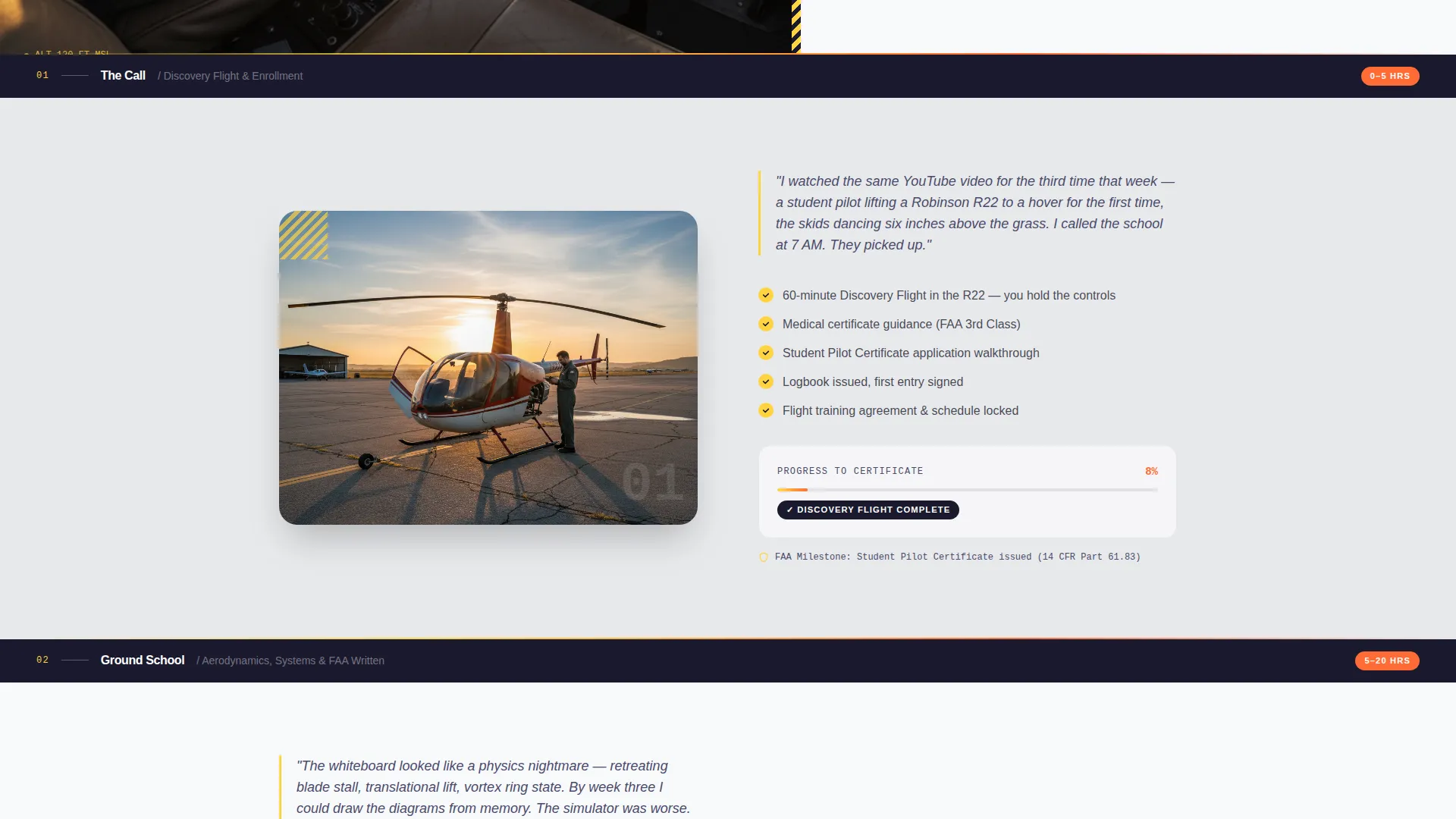
A sticky top bar pins five chapter labels to the page at all times. Visitors can jump to any section instantly, and the active chapter label stays highlighted as they scroll through the narrative arc.
Hero's Journey Narrative Arc
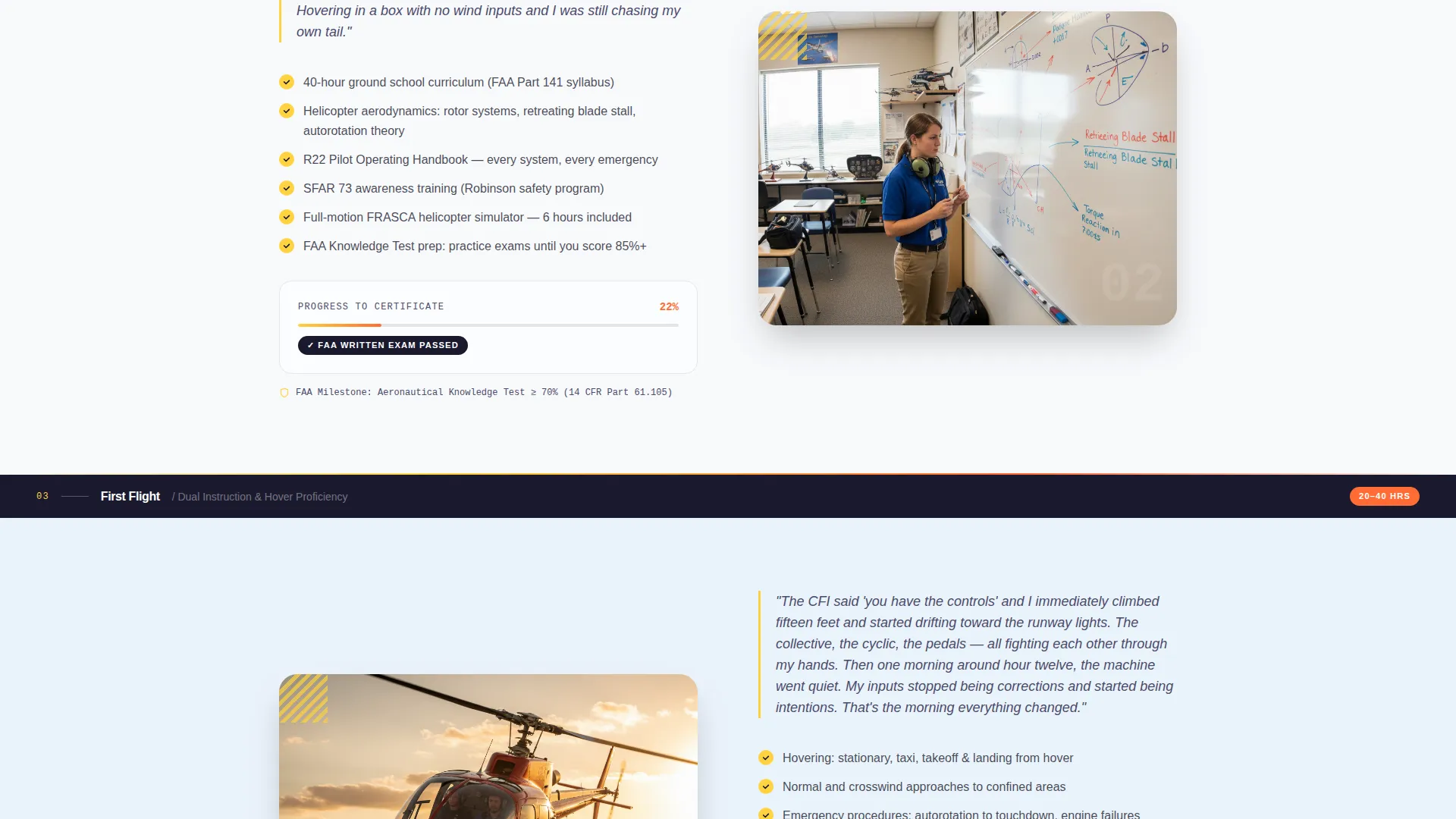
Each spoke section opens with a short first-person student diary entry, then expands into curriculum detail, hour requirements, and Federal Aviation Administration milestones. The emotional stakes escalate from classroom to checkride as the visitor scrolls.
Half-Page Photo and Text Header
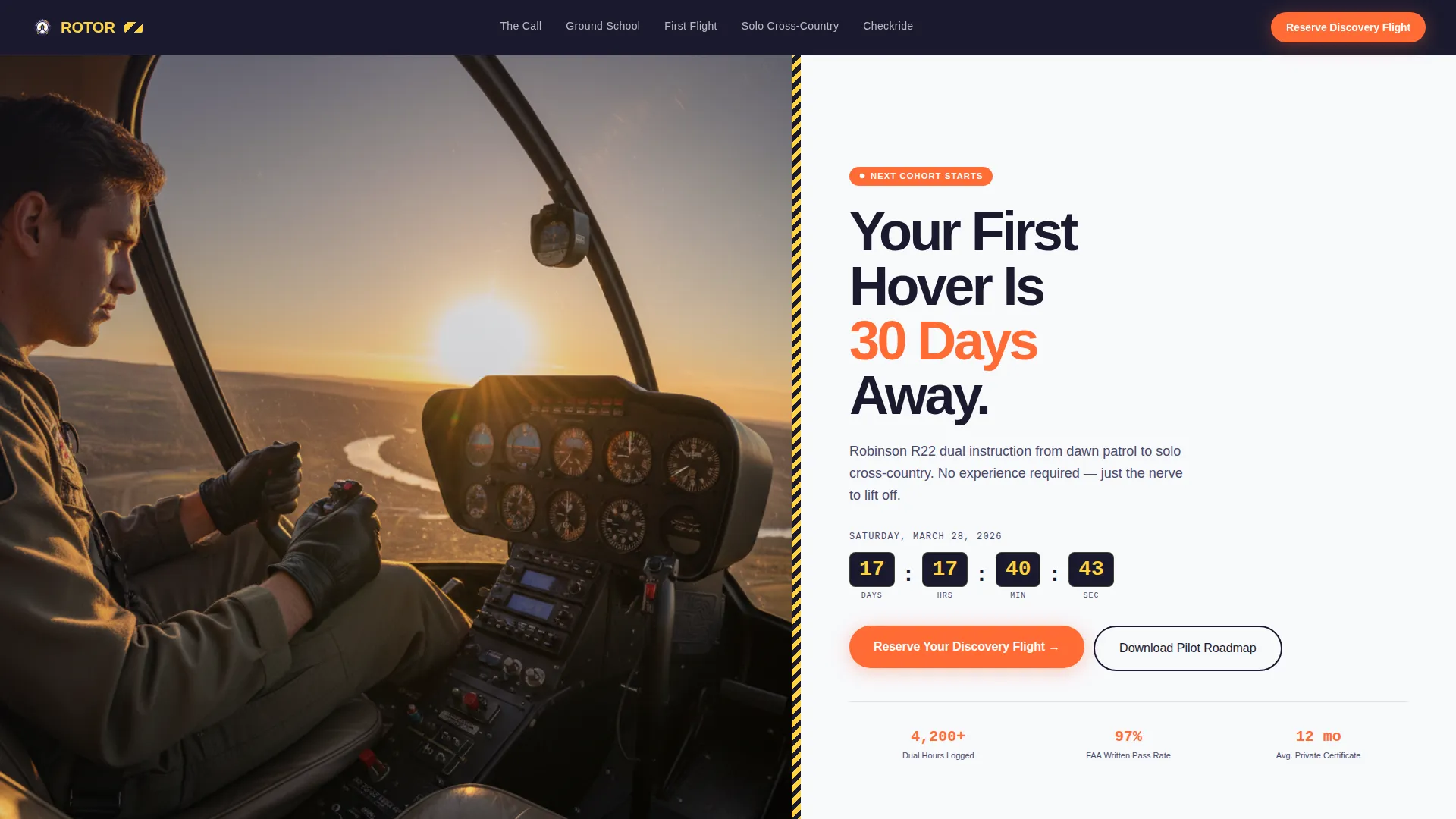
The header splits the viewport. The left side holds a golden-hour cockpit photograph shot from the co-pilot seat. The right side carries the headline, a tangerine call-to-action button, and a countdown clock ticking toward the next cohort start date.
Parallax Background Transition
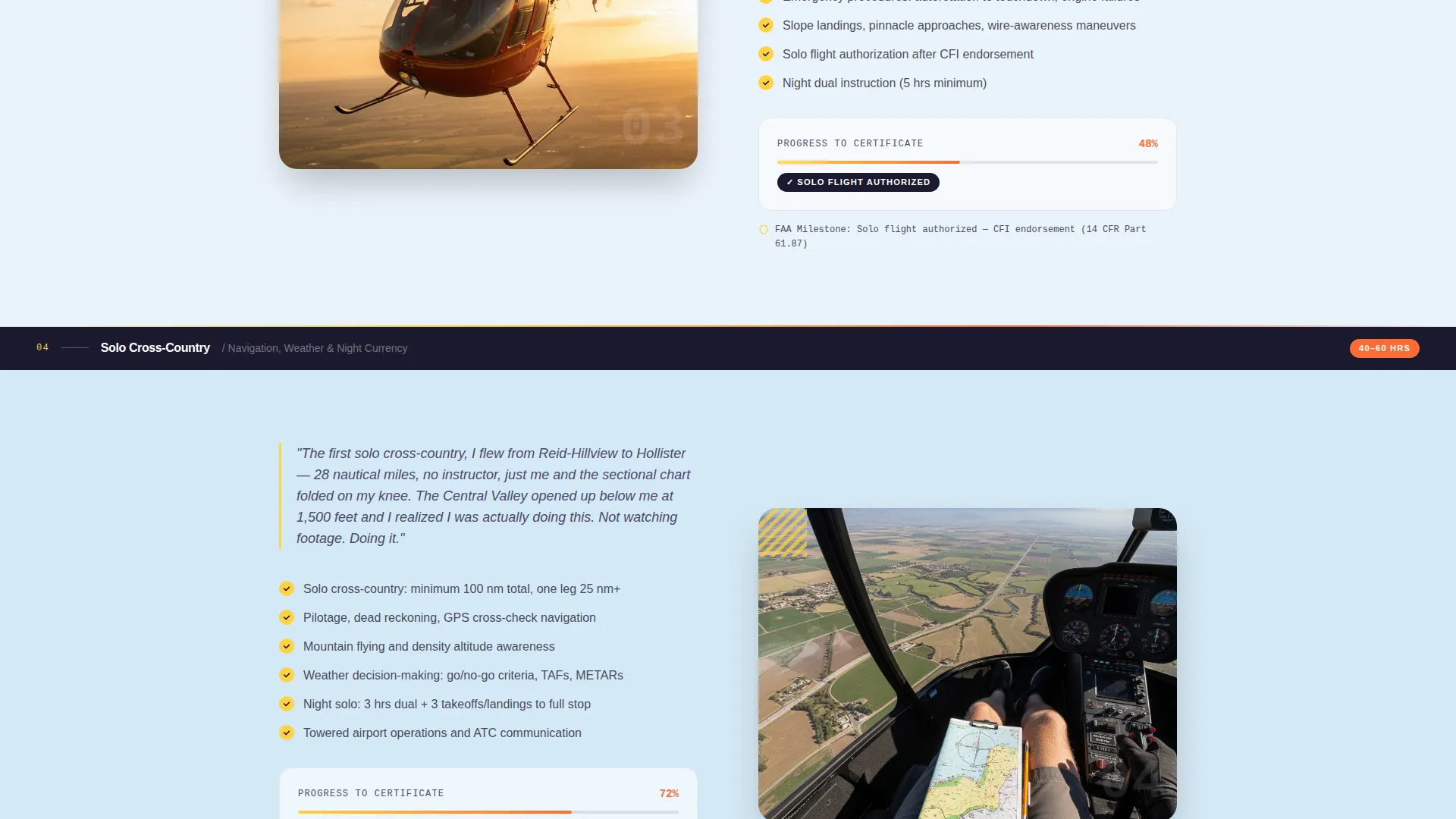
The page background shifts from tarmac gray to open sky blue as the visitor scrolls downward. The motion reinforces the transformation narrative and keeps the experience visually alive without distracting from the content.
Dual Lead Capture System
The primary path is the Discovery Flight Day registration form, which requires no payment and asks only four inputs. The secondary path is a PDF download offer for the Student Pilot Roadmap, capturing prospects at every stage of readiness.
Sticky Mobile Call-to-Action Bar
On mobile, a persistent bottom bar keeps "Reserve Your Discovery Flight" visible at all times. Visitors never have to scroll back to the top to take action.
Page sections overview
| Section | Purpose |
|---|---|
| Split-Screen Header | Headline, cohort countdown, and primary registration button |
| Anchor Nav Bar | Pinned chapter labels for instant in-page navigation |
| The Call | Emotional hook and curiosity-stage student diary entry |
| Ground School | Classroom curriculum, simulator screens, and early milestones |
| First Flight | In-cockpit narrative, turbulence, confined-area landing details |
| Solo Cross-Country | Advanced training milestones and escalating stakes content |
| Checkride | Final certificate milestone, commercial pilot ramp photograph |
| Discovery Flight Form | Full-width registration form with visual calendar and dropdown |
| Roadmap Download | Secondary lead capture for the Student Pilot Roadmap PDF |
Design & branding system
The color system is Dopamine Pop, built to feel like a caution-striped hangar door swinging open onto a sunlit apron. It is technical enough to signal credibility and electric enough to raise the visitor's pulse.
- Cockpit-instrument black (#1A1A2E) dominates the nav bar and section anchors; high-vis rotor yellow (#FFD23F) fires on hover states and progress indicators; adrenaline tangerine (#FF6B35) marks primary calls to action and milestone badges; atmosphere white (#F8F9FC) opens up instructional content blocks for visual breathing room
- Typography follows the Educational Guide theme, using oversized black headline type on white for maximum contrast and legibility in the header
- Photography direction uses real students mid-lesson rather than stock images, grounding the visual story in authentic experience
Mobile & speed optimization
The template is structured to stay fully functional and visually coherent at every screen size, with mobile-specific interaction patterns built into the layout.
- The sticky bottom call-to-action bar appears on mobile so the registration prompt is always reachable without requiring the visitor to scroll
- The visual calendar for date selection is sized and spaced for thumb-friendly interaction on smaller screens
How this template helps you convert
Every structural decision in this template is made to move a visitor from passive interest to active registration.
- The free Discovery Flight Day registration removes the payment barrier entirely, so the only friction is filling in a name and an email address before choosing a date
- The Hero's Journey arc builds emotional investment chapter by chapter, so visitors who reach the final form section have already traveled through the full transformation story and are primed to commit
Other information about this template
Rotor is part of a broader set of aviation and flight school landing page templates designed for education and training programs with cohort-based enrollment cycles.
- The template style is Hub and Spoke with Anchor Navigation, making it straightforward to adapt chapter labels and diary entries to match your school's specific syllabus and branding
- The creative direction follows the Hero's Journey framework, which works especially well for programs where the student's personal transformation is the core selling proposition
- The Event Registration landing page direction means every section is oriented toward a single, low-friction conversion goal: getting a prospect to reserve a seat at an upcoming Discovery Flight Day
- The Robinson R22 training context is reflected in the cockpit imagery and curriculum milestone copy, but the layout can support any rotary-wing program structure
Theme
Educational Guide
Creative direction
Hero's Journey
Color system
Dopamine Pop
Style
Hub & Spoke (Anchor Nav)
Direction
Event Registration
Page Sections
Five-chapter Anchor Navigation
Hero's Journey Narrative Arc
Half-page Photo and Text Header
Parallax Background Transition
Dual Lead Capture Paths
Sticky Mobile Call-to-action Bar
Related questions
What type of flight school is this template designed for?
Can I change the five chapter labels in the anchor navigation?
Does the registration form require payment from the visitor?
What is the Student Pilot Roadmap and how does it support lead capture?
Is this a single-page template or a multi-page website?



