Cloud & DevOps Cost Calculator Website Template
Route is a single-page CDN comparison landing page built for cloud infrastructure providers. It opens with a live cost calculator, moves through a detailed spec comparison table, and closes with a global edge-node map. The design runs deep black and signal green with monospace type, giving DevOps-minded visitors exactly the technical confidence they need to switch providers.
by Rocket studio
Quick summary
Route is a high-performance CDN landing page template built around a calculator-first experience. Visitors input bandwidth and delivery regions, then instantly see a side-by-side pricing breakdown. The dark Carbon Fiber design, monospace headline, and interactive edge-node map make every section feel engineered rather than designed.
Who this template is for
This template is built for technical teams and founders selling or evaluating content delivery infrastructure. It speaks the language of people who read latency charts before pricing pages.
- DevOps leads scaling past their first million monthly requests and looking for transparent per-gigabyte pricing
- CTOs migrating away from legacy content delivery networks that charge unpredictable egress fees
- Indie SaaS founders who need to rebuild trust in their platform's performance after a public launch
What problem this template solves
Most CDN marketing pages bury pricing behind sales calls and hide spec differences behind vague claims. Technical buyers leave those pages unconvinced. Route solves that by putting the math front and center.
- Visitors can verify cost savings themselves before committing, which removes the biggest objection early
- A full-spec comparison table makes feature differences scannable in seconds, not minutes
- A live latency test lets visitors measure real edge-response time against their own domain
What you get with this template
You get a complete, single-page layout structured to move a technical visitor from curiosity to click-through without a single form field. Every section earns attention before asking for it.
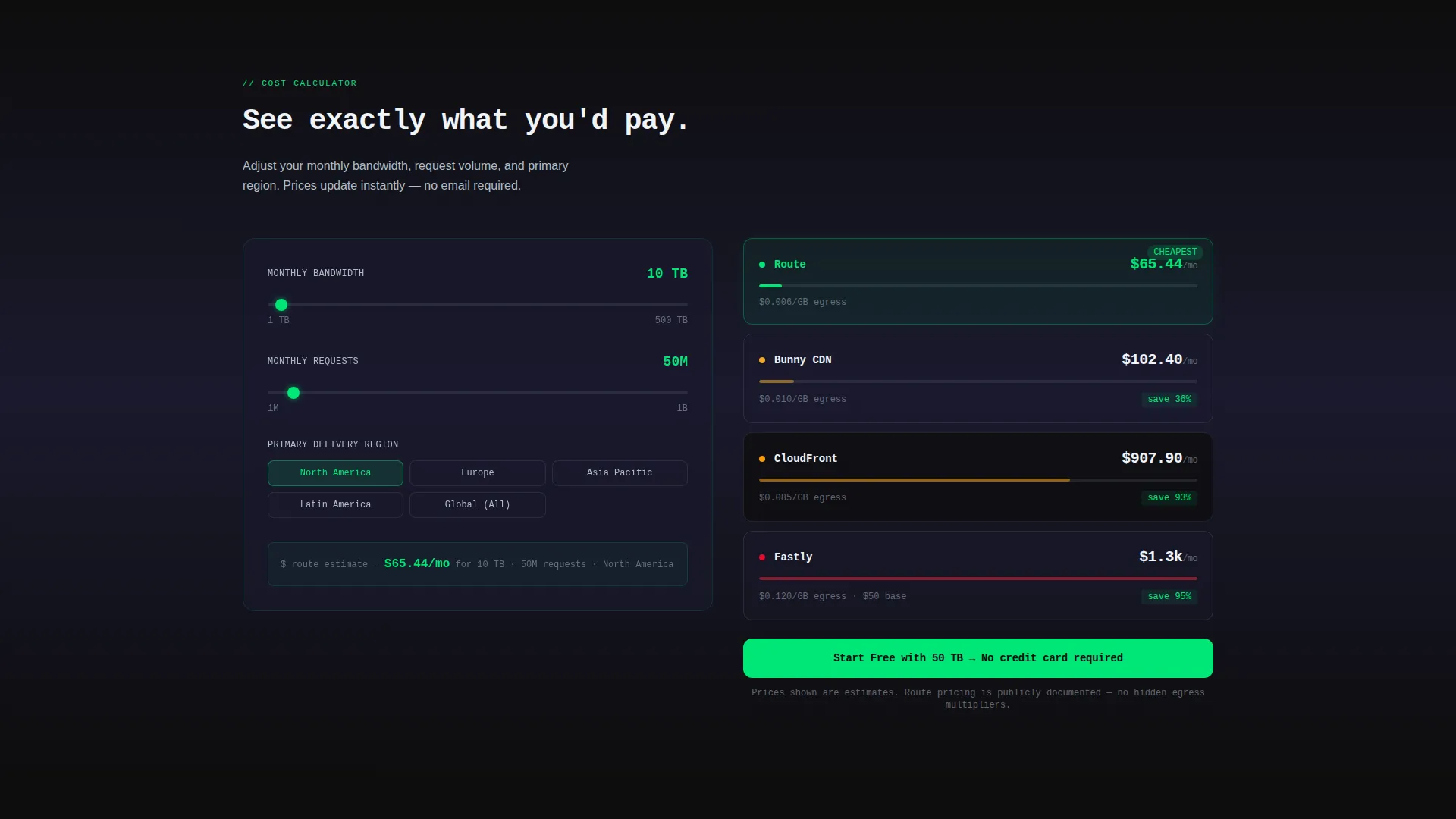
- An interactive cost calculator with inputs for monthly bandwidth, number of origins, and primary delivery regions
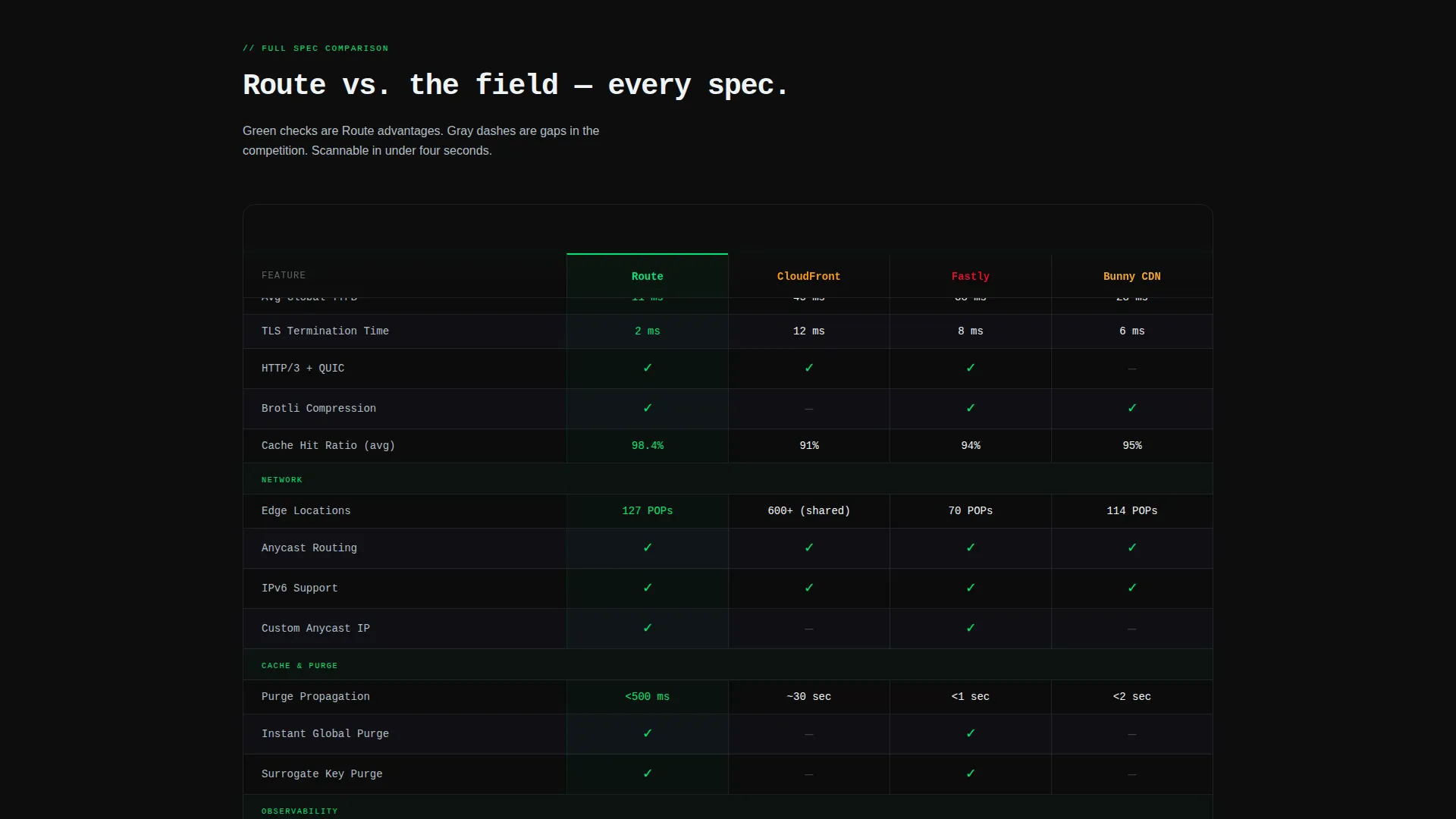
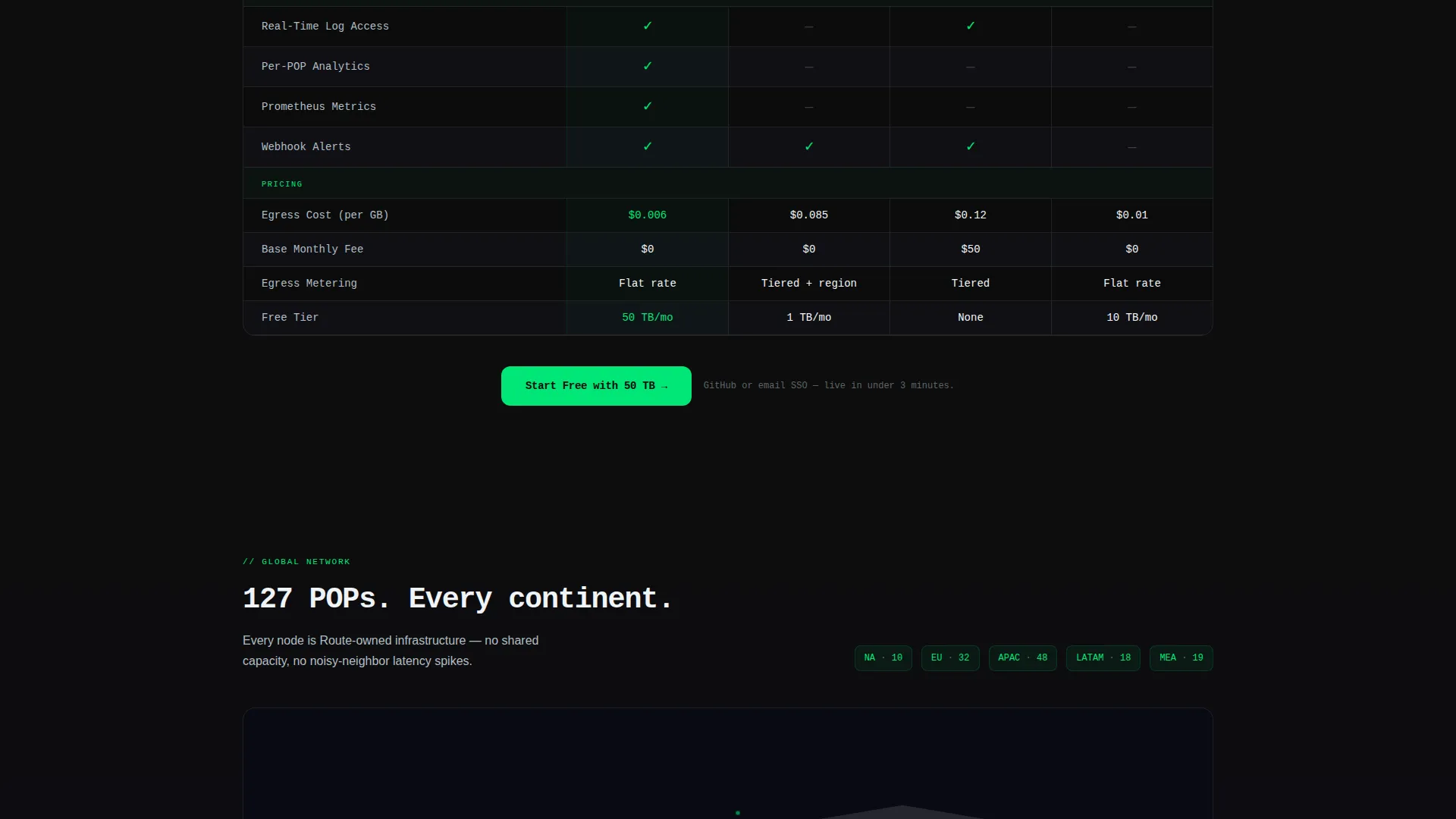
- A full-spec comparison table covering TLS termination time, purge propagation speed, edge location count, HTTP/3 support, and real-time log access
- A dark-mode global POP (Point of Presence) map rendered as a constellation, with hover states that reveal city name and average TTFB (Time to First Byte)
- Two distinct calls to action: a primary "Start Free with 50 TB" button and a secondary "Run a Free Latency Test" tool
Feature list
This section covers the core built-in components that make Route functional and conversion-ready.
Live Cost Calculator
Visitors enter monthly bandwidth volume, origin count, and target delivery regions. The calculator instantly populates a price comparison table showing per-gigabyte egress costs, base fees, and projected monthly totals across multiple CDN providers. It is the first interactive element below the fold.
Full-Spec Comparison Table
A structured table covers technical specifications side by side. Green check icons and gray dashes make Route's advantages readable at a glance. Rows cover TLS termination time, purge propagation, edge locations, HTTP/3 support, and real-time log access.
Global Edge-Node Map
A dark-mode constellation map visualizes the provider's global Points of Presence. Each node pulses on hover and displays the city name alongside average TTFB data, giving visitors a geographic sense of coverage without leaving the page.
Pinned and Anchored calls to action
The primary call to action, "Start Free with 50 TB," appears pinned to the calculator results and again anchored below the comparison table. No form is required on this page. Clicking routes the visitor to a signup flow that accepts GitHub or email SSO (Single Sign-On).
Dark Glass Panel Header
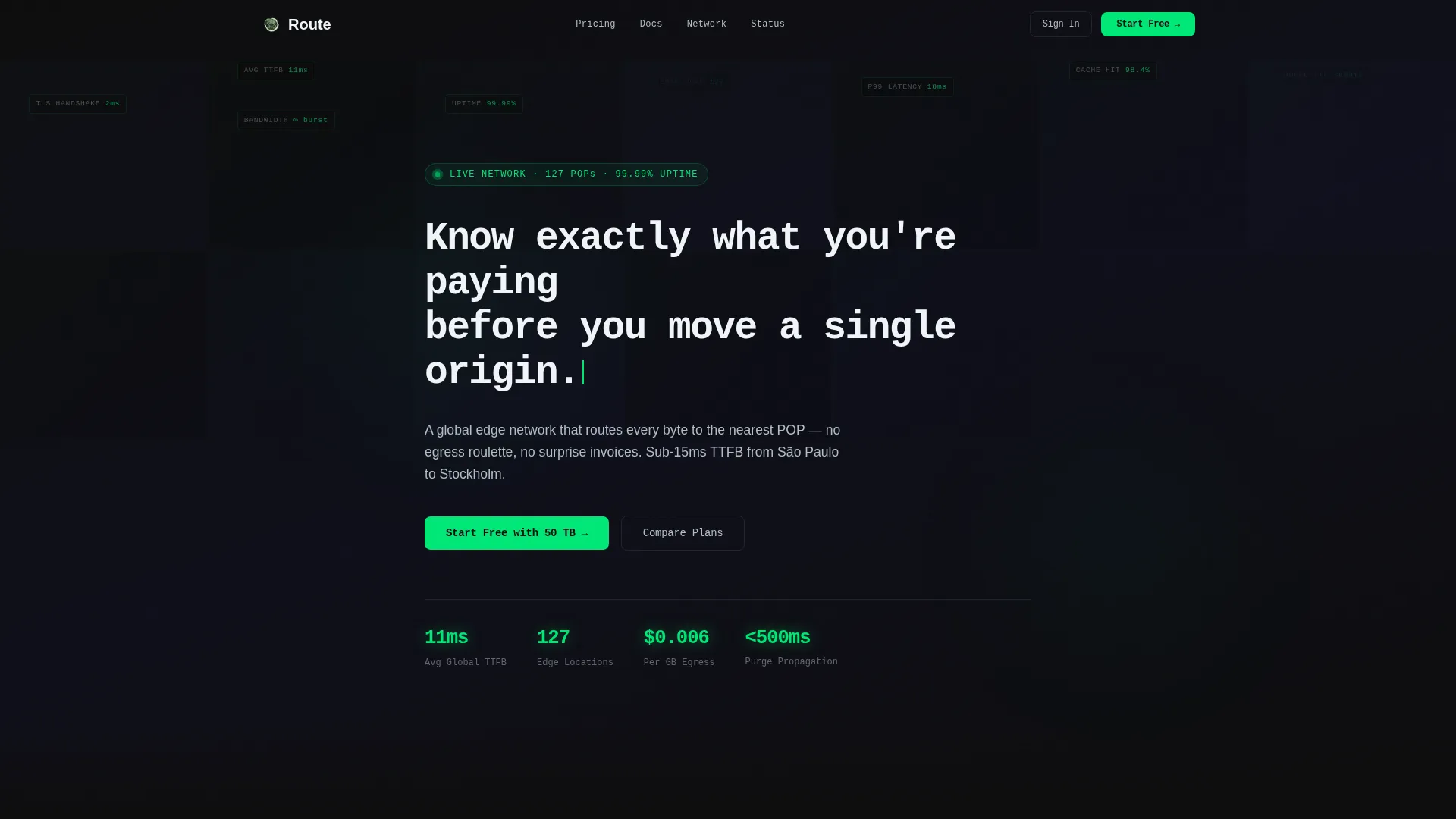
The header uses translucent, frosted-black cards in a tight grid layout. Each card reflects a faint signal-green glow from beneath, mimicking live status indicators. Behind the panels, subtle data pulses, including latency numbers, POP counts, and cache-hit ratios, drift in and out of view.
Monospace Self-Typing Headline
The headline types itself in a monospace typeface: "Know exactly what you're paying before you move a single origin." This single line sets the transparency tone of the entire page and signals technical credibility immediately.
Page sections overview
| Section | Purpose |
|---|---|
| Dark Glass Header | Sets technical tone and animates live infrastructure data behind frosted panels |
| Self-Typing Headline | Delivers the core value proposition in monospace type before any scroll |
| Live Cost Calculator | Lets visitors input bandwidth and regions to see real pricing comparisons instantly |
| Price Comparison Table | Shows per-GB egress, base fees, and projected monthly cost across CDN providers |
| Full-Spec Table | Compares TLS, purge speed, edge locations, HTTP/3, and log access side by side |
| Global POP Map | Renders edge nodes as a dark-mode constellation with hover-triggered TTFB data |
| Free Latency Test | One-field tool where visitors benchmark their domain against the edge network |
| Pinned call to action Strip | Keeps "Start Free with 50 TB" visible at key decision moments throughout the page |
Design & branding system
The visual identity is built on a Carbon Fiber color system that evokes the interior of a high-density colocation facility. Every color choice has a functional role, not just an aesthetic one.
- Deep chassis black (#0D0D0D) and woven graphite (#1A1A2E) form the page background, with table rows alternating between the two for easy scanning
- Signal green (#00E676) marks every speed-related element, uptime indicator, interactive hit, and primary button to draw the eye exactly where action is needed
- Brushed aluminum (#B0BEC5) handles secondary text, divider rules, and quieter typographic work so the green accents stay prominent
Mobile & speed optimization
The layout is designed to remain readable and interactive on smaller viewports. The tool-first approach is preserved across screen sizes.
- The cost calculator inputs and result table reflow into a single-column layout on mobile without losing usability
- The constellation POP map scales to viewport width and retains hover or tap interactions on touch devices
- Dark backgrounds reduce visual noise on mobile screens, keeping focus on the data and the call-to-action buttons
How this template helps you convert
Route earns the click by letting visitors prove value to themselves at every stage of the page. No sales copy does that work for them.
- The cost calculator shows concrete savings before any claim is made, removing price uncertainty as the first objection
- The full-spec comparison table provides transparent feature parity data, so technical buyers can justify the switch internally
- The latency test makes the value personal by benchmarking the visitor's own domain against the edge network in real time
Other information about this template
Route sits at the intersection of the Directory and Discovery theme with a Calculator-first creative direction. It is purpose-built for the CDN provider niche within the Cloud and DevOps category.
- The template style is a Comparison Table layout, optimized for a Click-Through landing page direction
- The header concept follows a Dark Glass Panels approach, using translucent frosted cards and ambient data animations
- The page is a single-page, section-led flow with no multi-page navigation required
- No backend integration is included in the template itself; the signup and latency test flows are represented as clickable prototypes ready for developer handoff
- The template is designed for teams that want to present CDN infrastructure with the same rigor that engineers apply to the infrastructure itself
Theme
Directory & Discovery
Creative direction
Calculator/Tool First
Color system
Carbon Fiber
Style
Comparison Table
Direction
Click-Through
Page Sections
Live Cost Calculator with Instant Results
Full-spec Technical Comparison Table
Dark-mode Global Edge-node Map
Pinned Primary and Secondary Ctas
Animated Dark Glass Panel Header
Monospace Self-typing Headline
Related questions
Does this template include a working cost calculator?
Is any form required to use the primary call to action?
Can I replace the CDN providers shown in the comparison table?
What is the POP map built with?
Who is the ideal user of this template?



